
Run Web Automation Tests at Scale with Agentic AI
Generate tests with AI agents or automate test suites with Selenium, Playwright and other frameworks. Run tests in parallel on TestMu AI scalable cloud grid.

- TestMu AI (Formerly LambdaTest)
- /
- Learning Hub
- /
- Playwright CI/CD: How to Run Tests in CI Pipelines
Playwright CI/CD: How to Run Tests in CI Pipelines
Learn how to run Playwright tests in CI/CD pipelines, with working configs for GitHub Actions, Jenkins, GitLab CI, Docker, test sharding, and CI-only failures.
Last Updated on:
The @playwright/test package on npm records more than 40 million weekly downloads. A number that large is not developers installing on laptops. It is CI runners executing npm ci on every push, which makes the pipeline, not the local machine, the environment where Playwright actually lives.
This guide walks through building that pipeline: the three commands every CI job needs, working configuration for six CI platforms, sharding across machines, and the specific reasons a suite that is green locally turns red in CI. If you are new to the framework, start with the Playwright tutorial.
TL;DR
Running Playwright tests in CI/CD takes three steps in any pipeline: install dependencies with npm ci, install browsers with npx playwright install --with-deps, then run npx playwright test. Everything after that is configuration, namely CI-aware workers and retries, sharding for speed, and uploaded reports that survive the job.
- System dependencies: the --with-deps flag on npx playwright install is what installs the operating system libraries browsers need. Installing binaries without it is the most common reason Chromium fails to launch on a clean Linux runner.
- Browser caching: Playwright's documentation advises against caching browser binaries, because restoring the cache takes about as long as downloading them. Use the official Docker image instead of building a cache step.
- Worker count: Playwright defaults workers to the machine's core count, and the docs recommend forcing a single worker in CI for stability. Shared runners are underpowered, so buy speed with sharding across jobs rather than workers inside one job.
- Test sharding: the --shard=x/y flag splits a suite across machines, and four shards on four parallel jobs finish roughly four times faster. Pair it with fullyParallel: true so shards are balanced at the test level.
- Blob reporter: sharded jobs each emit a partial report. The blob reporter plus npx playwright merge-reports combines them into one HTML report instead of leaving several fragments behind.
- Cross-browser coverage: Linux CI runners cannot run real Safari or Edge, so browser coverage caps out at what the runner image holds. TestMu AI's cloud grid covers 3,000+ browser and OS combinations from the same pipeline.
Why do Playwright tests pass locally but fail in CI?
Four causes account for most of it: missing browser system dependencies, slower CI hardware breaking timing assumptions, environment variables that exist locally but were never added to CI secrets, and a web server that has not finished booting when the first test runs.
Why Should You Run Playwright Tests in a CI/CD Pipeline?
Running Playwright tests in CI/CD turns a suite that executes only when someone remembers it into a blocking merge gate. Every push and pull request is verified automatically, and Playwright's auto-waiting, versioned browser binaries, and built-in artifact capture make it well suited to unattended pipeline execution.
Three properties of Playwright earn it that place in the pipeline:
- Auto-waiting removes most explicit sleeps, so tests are less sensitive to the speed difference between a laptop and a shared runner.
- Versioned browser binaries are installed by the CLI, so the runner gets the exact browser build the test was written against.
- Built-in trace, video, and screenshot capture matters because nobody is watching the browser when a test fails at 3am in a pipeline.
The tradeoff is that a browser suite is slower than unit tests, so it competes with pipeline time budgets. Sharding and cloud execution are the two levers that resolve that, and both are covered below. For the wider practice around pipeline-integrated testing, see automation testing in a CI/CD pipeline.
What Does Every Playwright CI Job Need?
Every Playwright CI job needs exactly three commands: npm ci to install dependencies from the lockfile, npx playwright install --with-deps to install browsers and their system libraries, and npx playwright test to run the suite. Every platform-specific config later in this guide is a wrapper around those three.
Playwright's official CI documentation states the same three steps.
- npm ci installs project dependencies from the lockfile, which is reproducible where npm install is not.
- npx playwright install --with-deps installs browsers together with the operating system libraries they link against.
- npx playwright test runs the suite.
npm ci
npx playwright install --with-deps
npx playwright test
The --with-deps flag carries the most weight. Playwright browsers need shared libraries that a minimal Linux CI image does not ship, and installing the binaries alone leaves Chromium and WebKit unable to launch. The alternative Playwright documents is running the job inside its Docker image, which has those libraries baked in.
One step that looks like an optimization is worth skipping. Playwright's documentation states that caching browser binaries is not recommended, since the amount of time it takes to restore the cache is comparable to the time it takes to download the binaries. A cache step here adds pipeline complexity and yields close to nothing.
How Do You Make playwright.config.ts CI-Aware?
Branch on the CI environment variable, which every major provider sets automatically. In CI, enable forbidOnly, set retries to 2, drop workers to 1, switch the reporter to blob, and capture traces on first retry. Locally those all stay off, so the development feedback loop stays fast.
import { defineConfig, devices } from '@playwright/test';

export default defineConfig({
  testDir: './tests',
  fullyParallel: true,
  forbidOnly: !!process.env.CI,
  retries: process.env.CI ? 2 : 0,
  workers: process.env.CI ? 1 : undefined,
  reporter: process.env.CI ? 'blob' : 'html',
  use: {
    baseURL: process.env.BASE_URL || 'https://www.testmuai.com/selenium-playground/',
    trace: 'on-first-retry',
    screenshot: 'only-on-failure',
    video: 'retain-on-failure',
  },
  projects: [
    { name: 'chromium', use: { ...devices['Desktop Chrome'] } },
    { name: 'firefox', use: { ...devices['Desktop Firefox'] } },
  ],
});
Each branch earns its place:
- forbidOnly fails the build if a stray test.only was committed, which would otherwise silently skip the rest of the suite.
- retries: 2 absorbs genuine infrastructure blips, though a test that only passes on retry should be treated as a defect rather than a pass.
- workers: 1 matches Playwright's documented recommendation to run sequentially in CI for stability; the docs note parallel execution is viable on powerful self-hosted machines.
- trace: on-first-retry captures a full trace only for the run that needs it, keeping artifact size manageable while still making failures debuggable.

Note: Debugging a CI failure is faster when the run already carries video, network logs, and console output. TestMu AI captures all three automatically on every session. Try TestMu AI free!
How Do You Configure Playwright on Each CI/CD Platform?
The three commands stay identical on every provider. What changes is the wrapper syntax, how secrets are injected, and how artifacts are published. GitHub Actions, GitLab CI, Azure DevOps, CircleCI, and Bitbucket use YAML; Jenkins uses a Groovy pipeline. All of them can run inside Playwright's Docker image to skip browser installation.
Playwright GitHub Actions Workflow
A workflow that runs on pushes and pull requests to main, then publishes the report whether or not the suite passed:
name: Playwright Tests
on:
  push:
    branches: [main]
  pull_request:
    branches: [main]

jobs:
  test:
    timeout-minutes: 60
    runs-on: ubuntu-latest
    steps:
      - uses: actions/checkout@v4
      - uses: actions/setup-node@v4
        with:
          node-version: 20
      - name: Install dependencies
        run: npm ci
      - name: Install Playwright browsers
        run: npx playwright install --with-deps
      - name: Run Playwright tests
        run: npx playwright test
        env:
          BASE_URL: ${{ secrets.BASE_URL }}
      - uses: actions/upload-artifact@v4
        if: ${{ !cancelled() }}
        with:
          name: playwright-report
          path: playwright-report/
          retention-days: 30
The if: !cancelled() condition on the upload step is the detail teams miss. Without it the artifact step is skipped on failure, which removes the report exactly when it is needed. The 30-day retention matches the value used in Playwright's own documented example. For a related pipeline pattern, see how to connect Kane CLI with GitHub Actions.
To add an AI failure triage step and a label-triggered healer job to this workflow, see this guide to AI stages in Playwright GitHub Actions.
Playwright Jenkins Pipeline Setup
Jenkins has no managed Node image, so the cleanest approach is running the stage inside Playwright's Docker container. Credentials come from the Jenkins credential store rather than plain environment variables:
pipeline {
  agent {
    docker { image 'mcr.microsoft.com/playwright:v1.62.0-noble' }
  }
  environment {
    BASE_URL = credentials('base-url')
  }
  stages {
    stage('Install') {
      steps { sh 'npm ci' }
    }
    stage('Test') {
      steps { sh 'npx playwright test' }
    }
  }
  post {
    always {
      archiveArtifacts artifacts: 'playwright-report/**', allowEmptyArchive: true
      junit testResults: 'results.xml', allowEmptyResults: true
    }
  }
}
Because the container already carries browsers and system libraries, the npx playwright install step disappears entirely. The post block runs on both success and failure, which is Jenkins' equivalent of the always-upload rule.
Playwright GitLab CI YML Configuration
GitLab pulls the same image at the job level and has native artifact handling, including a JUnit report type that renders failures directly in the merge request:
stages:
  - test

playwright:
  stage: test
  image: mcr.microsoft.com/playwright:v1.62.0-noble
  script:
    - npm ci
    - npx playwright test
  artifacts:
    when: always
    expire_in: 30 days
    paths:
      - playwright-report/
    reports:
      junit: results.xml
Set when: always so artifacts survive a failed job. GitLab also supports a native parallel keyword, which pairs directly with Playwright sharding as shown later.
Playwright Azure DevOps Pipeline
trigger:
  - main

pool:
  vmImage: ubuntu-latest

container: mcr.microsoft.com/playwright:v1.62.0-noble

steps:
  - task: NodeTool@0
    inputs:
      versionSpec: '20'
  - script: npm ci
    displayName: Install dependencies
  - script: npx playwright test
    displayName: Run Playwright tests
  - task: PublishTestResults@2
    condition: succeededOrFailed()
    inputs:
      testResultsFormat: JUnit
      testResultsFiles: results.xml
The condition: succeededOrFailed() on the publish task plays the same role as the GitHub Actions and GitLab equivalents.
Playwright CircleCI Config
version: 2.1

jobs:
  playwright:
    docker:
      - image: mcr.microsoft.com/playwright:v1.62.0-noble
    steps:
      - checkout
      - run: npm ci
      - run: npx playwright test
      - store_artifacts:
          path: playwright-report
      - store_test_results:
          path: results.xml

workflows:
  test:
    jobs:
      - playwright
CircleCI runs store_artifacts and store_test_results at the end of a job regardless of test outcome, so no explicit always-condition is required.
Playwright Bitbucket Pipelines
image: mcr.microsoft.com/playwright:v1.62.0-noble

pipelines:
  default:
    - step:
        name: Playwright tests
        size: 2x
        script:
          - npm ci
          - npx playwright test
        artifacts:
          - playwright-report/**
Bitbucket's default step memory is frequently too small for browser processes, so size: 2x avoids out-of-memory kills that present as unexplained browser crashes.
How Do You Run Playwright in Docker for CI?
Run the job inside Playwright's official image, which the documentation currently names mcr.microsoft.com/playwright:v1.62.0-noble. It ships with browsers, their system libraries, and Xvfb already installed, so the install step disappears entirely. Pin the tag to match the @playwright/test version in your package.json so browsers and client library stay in step.
FROM mcr.microsoft.com/playwright:v1.62.0-noble

WORKDIR /app
COPY package*.json ./
RUN npm ci
COPY . .

CMD ["npx", "playwright", "test"]
The image also ships with Xvfb, the virtual display server headed mode needs on Linux. That makes it the fastest way to reproduce a CI-only failure locally, because you get the same operating system, the same browser build, and the same missing display server as the runner. For a deeper walkthrough of containerized runs, see Playwright with Docker, and for the headless behavior itself, see Playwright headless mode.
How Do You Speed Up Playwright Tests With Sharding?
Split the suite across machines with npx playwright test --shard=x/y. Four shards on four parallel CI jobs complete the suite roughly four times faster. Workers run tests concurrently inside one machine while shards run across separate machines, so on a small shared runner sharding is the lever that actually scales.
Conflating the two is a common source of flakiness. On a shared CI runner with two cores, raising workers mostly produces resource contention and timing failures; sharding adds real hardware instead.
npx playwright test --shard=1/4
npx playwright test --shard=2/4
npx playwright test --shard=3/4
npx playwright test --shard=4/4
Per the Playwright sharding documentation, running those four shards in parallel on different jobs completes the test suite four times faster. Setting fullyParallel: true splits at the individual test level, which produces balanced shards; without it you may need to manually reorganize test files to avoid imbalance.
In GitHub Actions, a matrix expresses this cleanly:
jobs:
  test:
    runs-on: ubuntu-latest
    strategy:
      fail-fast: false
      matrix:
        shard: [1, 2, 3, 4]
    steps:
      - uses: actions/checkout@v4
      - uses: actions/setup-node@v4
        with:
          node-version: 20
      - run: npm ci
      - run: npx playwright install --with-deps
      - run: npx playwright test --shard=${{ matrix.shard }}/4
      - uses: actions/upload-artifact@v4
        if: ${{ !cancelled() }}
        with:
          name: blob-report-${{ matrix.shard }}
          path: blob-report/
          retention-days: 1
Set fail-fast: false so one failing shard does not cancel the other three and hide their results. Note that each shard uploads a blob-report, not an HTML report, which the next section merges.
How Do You Store Playwright Reports and Traces as CI Artifacts?
Set the reporter to blob in CI so each sharded job emits a partial report, upload each one as a build artifact, then combine them with npx playwright merge-reports. Upload unconditionally so failed runs still produce a report, and keep traces, screenshots, and video on failure.
Without that merge step, four sharded jobs produce four partial reports, which is four places to look and no overall pass rate.
Set reporter: process.env.CI ? 'blob' : 'html' in the config so CI runs emit blob output. A blob report contains every test result plus attachments such as traces and screenshot diffs. A final job then downloads all shard artifacts and merges them:
npx playwright merge-reports --reporter html ./all-blob-reportsThat produces one HTML report covering the entire suite, which is the artifact worth a 30-day retention. Three capture settings determine whether that report is useful:
- Traces on first retry give a step-by-step timeline with DOM snapshots, viewable in the Playwright trace viewer without rerunning anything.
- Screenshots only on failure keep artifact size down while still showing the final rendered state.
- Video retained on failure answers questions a screenshot cannot, such as whether an element appeared and then vanished.
Reporter choice and output formats are covered in more depth in Playwright reporting.
When Should You Run Playwright Tests in the Pipeline?
Split the suite by trigger. Run a tagged smoke subset on one browser for pull requests, the full sharded suite on merge to main, the complete cross-browser matrix on a nightly schedule, and everything plus long end-to-end journeys before a release tag.
Running the entire cross-browser suite on every push is the fastest way to make a team resent its own tests.
| Trigger | What to run | Why |
|---|---|---|
| Pull request | Tagged smoke subset on one browser, usually Chromium. | Reviewers need an answer in minutes, and most regressions surface on a single engine. |
| Merge to main | Full suite, sharded across parallel jobs. | The change is now shared, so the cost of a longer run is worth complete coverage. |
| Nightly schedule | Full cross-browser and cross-OS matrix. | Broad matrices are slow and rarely fail, so they run when nobody is waiting on them. |
| Pre-release tag | Full matrix plus any long-running end-to-end journeys. | This is the last gate before users see the build. |
Running a subset on pull requests depends on tagging tests, which Playwright supports through grep filters. A nightly job then adds a cron schedule to the same workflow, and our guide to batch testing covers how to size and debug those grouped runs:
on:
  pull_request:
    branches: [main]
  push:
    branches: [main]
  schedule:
    - cron: '0 2 * * *'

jobs:
  smoke:
    if: github.event_name == 'pull_request'
    runs-on: ubuntu-latest
    steps:
      - uses: actions/checkout@v4
      - run: npm ci
      - run: npx playwright install --with-deps
      - run: npx playwright test --grep @smoke --project=chromium

  full:
    if: github.event_name != 'pull_request'
    runs-on: ubuntu-latest
    steps:
      - uses: actions/checkout@v4
      - run: npm ci
      - run: npx playwright install --with-deps
      - run: npx playwright test
Tag tests with @smoke in the title so the grep filter selects them. Cron times are UTC, so schedule the nightly run for a window that is genuinely off-peak for your team rather than the middle of someone's working day.
Why Do Playwright Tests Fail Only in CI?
Four causes account for most CI-only failures: missing browser system dependencies, slower runners breaking timing assumptions, environment variables that were never added to CI secrets, and a web server that has not finished booting. A suite that is green locally and red in CI is almost always reporting a real environmental difference.
| Symptom in CI | Root cause | Fix |
|---|---|---|
| Browser launch failed, missing shared library | Browser binaries installed without the operating system libraries they link against. | Run npx playwright install --with-deps, or run the job inside the official Playwright Docker image. |
| Timeout waiting for element | Shared runners are slower than a developer laptop, so an assertion that had slack locally now runs out of time. | Raise the CI timeout, and replace any fixed waits with web-first assertions that retry until the condition holds. |
| Connection refused on the base URL | Tests started before the application server finished booting. | Use the webServer option in the config so Playwright waits for the server to answer before the first test. |
| Undefined environment variable | A local .env file is gitignored and was never mirrored into CI secrets. | Add each variable to the CI secret store and pass it explicitly in the job's env block. |
| Browser crashed or was killed | The runner ran out of memory, often because shared memory is capped in containers. | Increase the runner size, or raise the container's /dev/shm allocation. |
| Headed run fails immediately | Linux CI runners have no display server available. | Prefix the command with xvfb-run, or stay headless, which is the default. |
The general debugging move is to stop guessing and reproduce locally in the Docker image. It matches the runner far more closely than your development machine, and a failure you can reproduce on demand is one you can fix.
How Do You Get Cross-Browser Coverage Beyond CI Runners?
A Linux runner executes Chromium, Firefox, and WebKit, and that is its ceiling. Real Safari on macOS, Edge on Windows, and older browser versions need either a second self-hosted fleet or a cloud grid. TestMu AI's Automation Cloud runs existing Playwright scripts across 3,000+ browser and OS combinations from the same pipeline.
Sharding fixes runtime but not coverage, so this is the constraint that survives every speed optimization above.
TestMu AI's Automation Cloud runs existing Playwright scripts across 3,000+ real browser and OS combinations with no grid to maintain, and documents native integration with 120+ CI/CD and DevOps tools. The pipeline change is a connection string and two secrets, not a rewrite:
const capabilities = {
  browserName: 'Chrome',
  browserVersion: 'latest',
  'LT:Options': {
    platform: 'Windows 11',
    build: 'Playwright CI Pipeline',
    name: 'Checkout regression',
    user: process.env.LT_USERNAME,
    accessKey: process.env.LT_ACCESS_KEY,
    network: true,
    video: true,
    console: true,
  },
};

const browser = await chromium.connect({
  wsEndpoint:
    'wss://cdp.lambdatest.com/playwright?capabilities=' +
    encodeURIComponent(JSON.stringify(capabilities)),
});
The test drives the Simple Form Demo page on the TestMu AI Selenium Playground, filling the message field and asserting the echoed value:
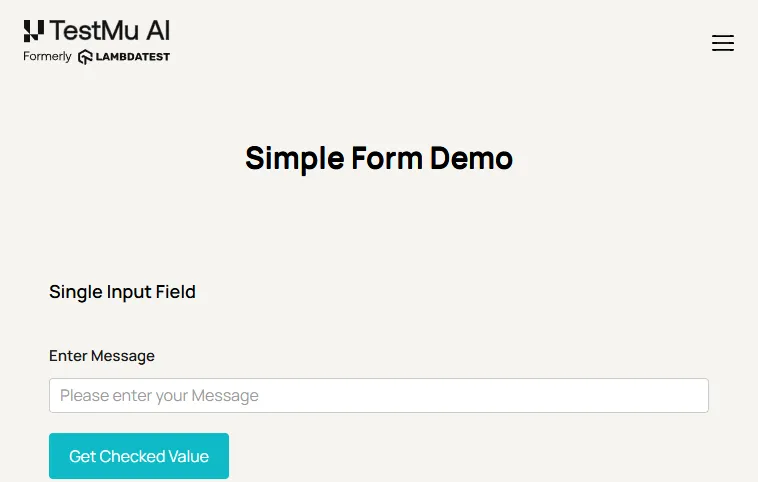
Running that script on Chrome and Windows 11 returned the following console output, from a session recorded under the build name Playwright CI-CD Hub Article:
PAGE TITLE: Selenium Grid Online | Run Selenium Test On Cloud
URL AFTER CLICK: https://www.testmuai.com/selenium-playground/simple-form-demo/
ECHOED MESSAGE: "Playwright in CI"
STATUS: passed
WALL CLOCK ms: 58580
Two operational details matter in a pipeline. Authentication uses LT_USERNAME and LT_ACCESS_KEY pulled from CI secrets, and applications that are not publicly reachable, such as a preview deployment inside a private network, are reached through LT Tunnel rather than being exposed to the internet. Setup specifics are in the Playwright tests in CI/CD documentation.
For suites large enough that raw parallel sessions stop being the bottleneck-free option, HyperExecute orchestrates execution with intelligent test splitting and auto-retry, running suites up to 70% faster than a traditional grid. Broader pipeline integration patterns are covered in cross browser testing CI/CD integration.

What Are the Best Practices for Playwright in CI/CD?
Pin the Docker image tag to your Playwright version, upload artifacts unconditionally, treat retry-only passes as defects, split smoke from full runs by trigger, set forbidOnly, keep secrets in the CI store, and add sharding once the suite passes ten minutes. These are the settings that separate a pipeline teams trust from one they learn to rerun reflexively.
- Pin the Docker image tag to the Playwright version in package.json, so a client library upgrade cannot silently drift from the browser build it drives.
- Upload artifacts unconditionally, because the run that fails is the only run whose report anybody needs.
- Treat a retry-only pass as a defect to investigate, since retries hide flakiness rather than removing it.
- Split smoke from full runs by trigger, which keeps pull request feedback short without losing cross-browser coverage before release.
- Set forbidOnly in CI so a committed test.only fails the build instead of quietly skipping the rest of the suite.
- Keep secrets in the CI secret store and reference them through the job's env block, never in a committed config file.
- Add sharding past ten minutes of suite runtime, since below that the job startup overhead of extra machines outweighs the saving.
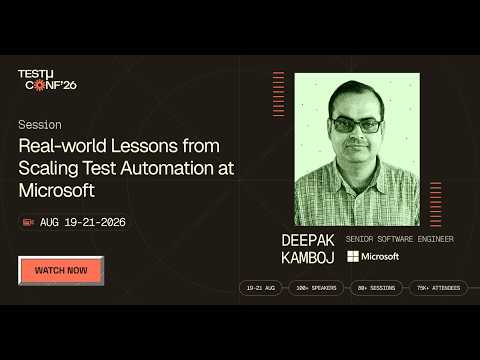
In this TestMu Conf 2026 session, Real-world Lessons from Scaling Test Automation at Microsoft, Deepak Kamboj covers how Microsoft pairs scalable automation platforms with AI agents that help engineers generate, maintain, and improve tests once traditional automation approaches stop holding up at scale.
Continuous testing practice beyond Playwright specifics is covered in CI/CD testing.
Where Can You Learn More About Playwright and CI/CD?
Install the Playwright Skill so your AI coding agent scaffolds pipeline config correctly, then work through the topic guides below by area: test architecture, assertions and timing, and advanced testing. The free Playwright 101 and 102 certifications validate the same skills formally.
Most of the pipeline work above is boilerplate an AI coding agent can scaffold for you. The Playwright Skill gives Claude Code, Cursor, and GitHub Copilot the framework conventions, cloud configuration, and CI patterns they otherwise guess at, so generated tests compile and pass instead of needing a rewrite.
It is open source. Install it, read the reference patterns, or open an issue in the agent-skills GitHub repository, which carries the same Playwright, CI/CD pipeline, and HyperExecute patterns used throughout this guide.
git clone https://github.com/LambdaTest/agent-skills.git .claude/skills/agent-skillsLet Claude Code write Playwright tests that actually pass.

Playwright Test Architecture and Configuration
- Installing Playwright covers the local setup that the npm ci step in your pipeline reproduces.
- Playwright Page Object Model keeps selectors in one place, which is what stops a UI change from breaking fifty CI jobs at once.
- Playwright Projects defines the browser matrix that the --project flag selects from in a pipeline.
- Playwright Fixtures handles per-test setup and teardown, which matters more in CI where state cannot leak between parallel workers.
- Playwright Tags drives the grep filter that splits a smoke subset from the full suite.
Assertions, Timing, and Debugging
- Playwright Assertions explains the web-first assertions that retry automatically, the fix for most CI timing failures.
- Playwright Timeouts details every timeout Playwright applies, which is the setting to adjust for slower runners.
- Playwright Locators covers resilient selector strategies that survive the DOM differences between environments.
Advanced Testing and AI
- Playwright API Testing adds contract checks that run in seconds, useful as a fast pre-check before the browser suite.
- Playwright Visual Regression Testing catches rendering changes that functional assertions pass straight over.
- Playwright Component Testing tests components in isolation, shifting some coverage earlier than the end-to-end stage.
- Playwright With AI looks at where AI assists test authoring and maintenance.
- Best Playwright GitHub Repositories collects open source suites worth reading before designing your own framework.
To validate the skills formally, the free Playwright 101 certification covers the foundations, and Playwright 102 moves into advanced automation.
What Should You Do Next?
Add the three-command job to your pipeline and make the config CI-aware with forbidOnly, retries, and a single worker. That alone converts an occasional local suite into a merge gate.
Add sharding when the suite crosses ten minutes, and the blob reporter with merge-reports as soon as you shard, so four jobs still produce one report. Skip the browser cache step that Playwright's own documentation advises against.
When coverage rather than speed becomes the constraint, point the same suite at TestMu AI to reach browser and operating system combinations no Linux runner holds, without maintaining a second fleet of machines.
Testing from the terminal? Kane CLI by TestMu AI lets SDETs and developers plan, write, run and debug tests from the command line.
Author

Sri Harsha
Blogs: 8

Sri Harsha is Engineering Manager of the Open Source Program Office at TestMu AI, where he leads open-source engineering behind the Selenium and Appium automation grid and builds agentic AI systems for quality engineering. He is a member of the Selenium Technical Leadership Committee and a committer to WebdriverIO and Appium, and was recognized with the LambdaTest Delta Award 2023 for Best Contributor in open-source testing. He brings over 10 years of experience in software testing and automation, with earlier roles at EPAM Systems and ZenQ. Sri Harsha holds a B.Tech in Computer Science from Jawaharlal Nehru Technological University.
On This Page
Playwright CI/CD FAQs
Did you find this page helpful?
More Related Learning Hubs

TestMu AI forEnterprise
Get access to solutions built on Enterprise
grade security, privacy, & compliance
- Advanced access controls
- Advanced data retention rules
- Advanced Local Testing
- Premium Support options
- Early access to beta features
- Private Slack Channel
- Unlimited Manual Accessibility DevTools Tests