
Local Page Testing
Localhost testing on real browsers, behind your firewall.
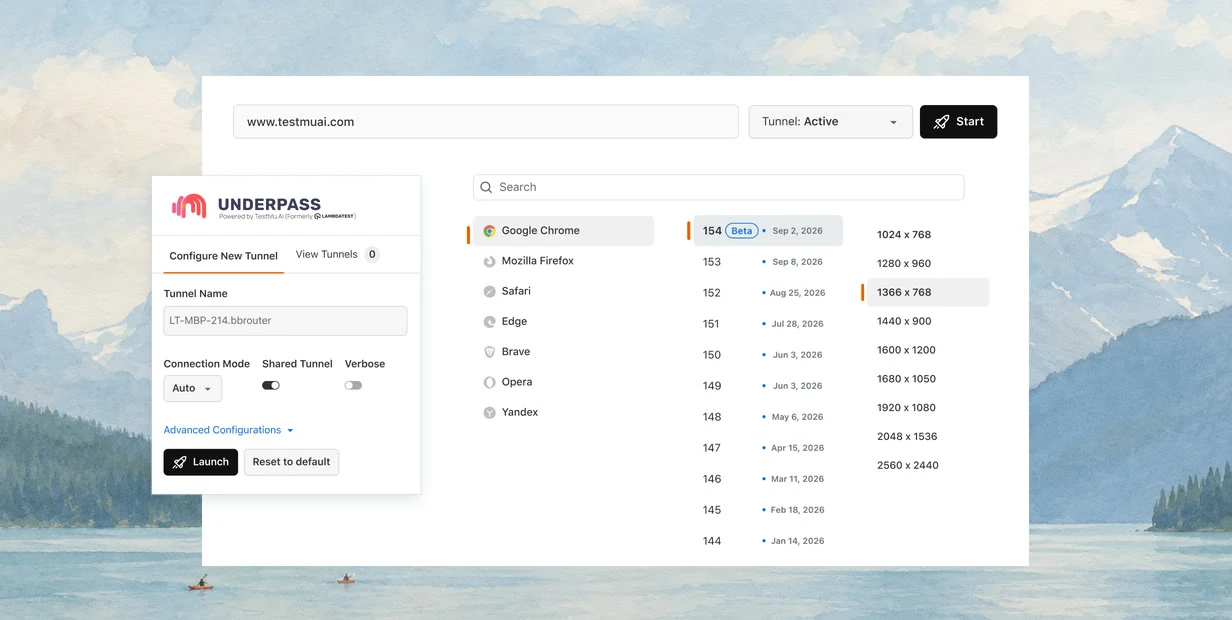
Localhost testing on TestMu AI uses UnderPass, a secure tunnel that opens localhost, staging and privately hosted sites on 3,000+ real browsers and real devices. Start it from the UnderPass desktop app for macOS, Windows or Linux with one click and no CLI, and your firewall stays closed.
UnderPass desktop app for macOS, Windows and Linux. No account yet? Start free with Google or email
- Built for
- Front-end developers
- QA testers
- DevOps
- Security teams
- ›tunnelconnected · us-eastDONE
- ›chromehttp://localhost:3000 loadsPASS
- ›safaristaging.internal loadsPASS
- ›iphonelocalhost:3000 on devicePASS
Trusted by 3M+ users globally at




"We have tripled our tests and are now executing tests in less than 2 hours with 78% Faster Test Execution"


"We figured out a more efficient way to monitor system health and resolve failures earlier in lower environments."





"TestMu AI has significantly boosted our testing speed, is easy to implement, and provides exceptional support."


"With 70% faster test execution, TestMu AI helped us achieve faster time-to-market and enhanced CX."



Tunnels, browsers and plans for localhost tests
- What it is
- Secure tunnel from TestMu AI browsers to your local and private sites
- Tunnel
- UnderPass desktop app for macOS, Windows and Linux
- Reaches
- localhost, staging, VPN-only and intranet hosts
- Browsers
- 3,000+ browsers and real devices
- Get it
- Desktop app for macOS, Windows and Linux
- Firewall
- Outbound connection only; no inbound ports opened
Open a tunnel and test your local site
Start UnderPass
Download the desktop app and activate the tunnel in one click.
Open your local URL
Use localhost or a private hostname in a cloud browser or device.
Test as usual
Live sessions and automated suites both route through the tunnel.
What you can test before you deploy
No CLI needed
UnderPass desktop app starts the tunnel in one click.
Your CI pipeline
Test local and staging builds from your CI pipeline.
Firewall safe
Outbound-only connection; nothing exposed publicly.
Real devices too
Open localhost on real phones and tablets.
Private hostnames
Reach staging, VPN and intranet hosts.
Shareable tunnel logs
Share tunnel logs instantly for faster debugging.
Deploying to staging first vs testing localhost directly
| What matters | Deploying to a public staging URL | Localhost testing with UnderPass |
|---|---|---|
| Time to first test | Wait for a deploy | Start the tunnel |
| Exposure | Public URL | Private tunnel |
| Mobile check of localhost | Same Wi-Fi tricks | Real device through the tunnel |
| Setup | Deploy pipeline per branch | One-click desktop app |
More Reasons to Love TestMu AI
TestMu AI is a leading agentic AI quality engineering platform, trusted globally, that assures your AI deployments work as intended, safely and securely, across enterprise and real-world conditions.
Users
3M+
Tests
1.5B+
Enterprises
18K+
Countries
132
TestMu AI positioned as a Leader in the 2026 Gartner® Magic Quadrant™
Read Report
TestMu AI recognized in The Forrester Wave™: Autonomous Testing Platforms, Q4 2025
Read ReportWall of Fame
TestMu AI is the #1 choice for SMBs and enterprises across the globe.
Enterprise-Grade Security
We safeguard your data and AI systems with global security, privacy, responsible AI, and ESG standards.

Integrations
Works where you work, 120+ integrations with the tools your team relies on.



As Seen On
Can you test a site that is not deployed yet?
How do I test localhost on cloud browsers?
Start UnderPass from the desktop app, then open your localhost URL in a TestMu AI browser or device.
Do I need the command line?
No. The UnderPass desktop app starts the tunnel with one click, no CLI.
Is the tunnel secure?
Yes. It opens an outbound connection only, so no inbound firewall ports are needed.
Can I test localhost on a real iPhone?
Yes. Real devices route through the tunnel too.
Does it work with automation?
Yes. Selenium, Playwright, Cypress and Appium runs can use the tunnel.
Test your localhost on real browsers
UnderPass desktop app for macOS, Windows and Linux.