
LT Debug
LT Debug, the Chrome debugger extension for any webpage.
LT Debug is a Chrome debugger extension from TestMu AI that puts nine web debugging tools in one place. Modify headers, block or redirect requests, throttle the network, switch user agents and inject scripts on any webpage without leaving the tab.
Free Chrome extension with nine tools.
- Built for
- Front-end developers
- QA testers
- Support engineers
- Web performance teams
- ›headersx-feature-flag: onDONE
- ›blockanalytics.js blockedDONE
- ›throttleslow 3G · LCP 4.1sFAIL
- ›user-agentiPhone UA · mobile menuDONE
Trusted by 3M+ users globally at




"We have tripled our tests and are now executing tests in less than 2 hours with 78% Faster Test Execution"


"We figured out a more efficient way to monitor system health and resolve failures earlier in lower environments."





"TestMu AI has significantly boosted our testing speed, is easy to implement, and provides exceptional support."


"With 70% faster test execution, TestMu AI helped us achieve faster time-to-market and enhanced CX."



LT Debug: price, browsers and tools
Free Chrome extension, added from the Chrome Web Store
- What it is
- A Chrome extension with nine web debugging tools
- Install
- Add to Chrome from the Chrome Web Store
- Tools
- Header modifier, request blocker, redirect, throttling, user-agent switch, script injection and more
- Works on
- Any webpage open in Chrome
- Pairs with
- Real browsers on TestMu AI for cross-browser checks
- Pricing
- Free
Install the extension and debug the open page
Install the extension
Add LT Debug from the Chrome Web Store.
Pick a tool
Open the panel and choose header, request, network or UA tools.
Debug in place
Changes apply to the current tab immediately.
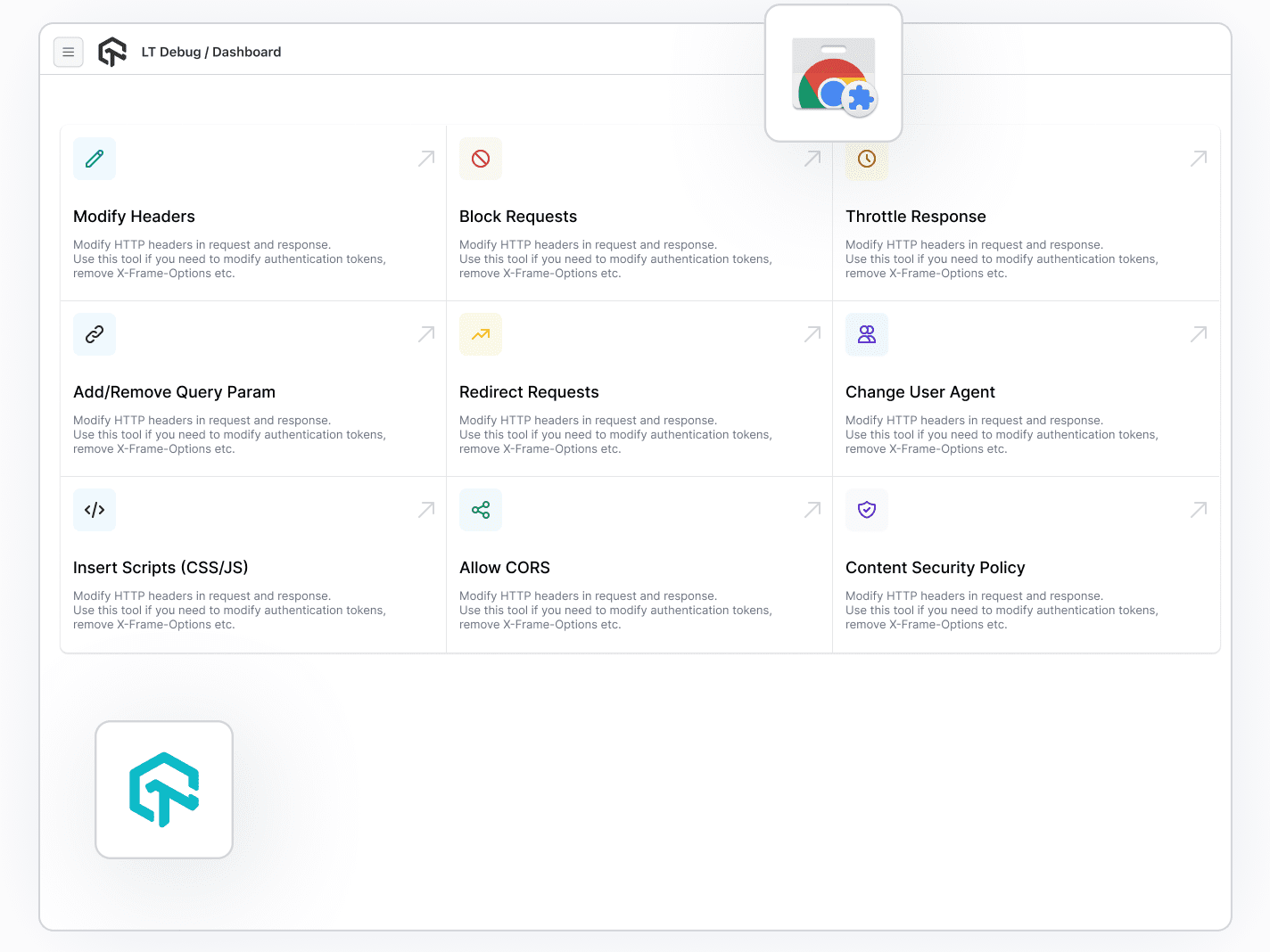
The nine debugging tools in the extension
Modify headers
Add, change or remove request and response headers.
Block requests
Block scripts or URLs to isolate problems.
Redirect requests
Point a resource at a different URL.
Throttle responses
Simulate slow connections.
Change user agent
See mobile or other browser responses.
Insert script
Run custom JavaScript on load.
Add or remove query params
Change URL query parameters on the fly.
Allow CORS
Lift cross-origin restrictions while you debug.
Content Security Policy
Adjust CSP headers to test script and frame rules.
Juggling separate extensions vs one debugger
| What matters | Separate extensions for each task | LT Debug |
|---|---|---|
| Headers, blocking, throttling | Three or more extensions | One panel |
| Switching tasks | Different UIs | Same panel |
| Cross-browser follow-up | Separate tool | Open the page on TestMu AI browsers |
| Setup | Install each | One install |
More Reasons to Love TestMu AI
TestMu AI is a leading agentic AI quality engineering platform, trusted globally, that assures your AI deployments work as intended, safely and securely, across enterprise and real-world conditions.
Users
3M+
Tests
1.5B+
Enterprises
18K+
Countries
132
TestMu AI positioned as a Leader in the 2026 Gartner® Magic Quadrant™
Read Report
TestMu AI recognized in The Forrester Wave™: Autonomous Testing Platforms, Q4 2025
Read ReportWall of Fame
TestMu AI is the #1 choice for SMBs and enterprises across the globe.

Enterprise-Grade Security
We safeguard your data and AI systems with global security, privacy, responsible AI, and ESG standards.

Integrations
Works where you work, 120+ integrations with the tools your team relies on.




As Seen On
What the LT Debug extension does, answered
What is LT Debug?
LT Debug is a Chrome extension from TestMu AI with nine tools for debugging any webpage.
Which tools does LT Debug include?
Header modification, request blocking, redirects, network throttling, user-agent switching and script injection, among others.
Is LT Debug free?
Yes. LT Debug is a free Chrome extension; add it from the Chrome Web Store.
Does LT Debug work on any website?
Yes. It works on pages open in your Chrome browser.
How does LT Debug fit with cross-browser testing?
Debug in Chrome with LT Debug, then verify the fix on real browsers and devices on TestMu AI.
Install LT Debug for Chrome
Free Chrome extension with nine tools.