


AI Test Planner for Manual and Automated Tests
Describe the release in natural language. The test planner software scopes what to test, maps coverage to every requirement, ranks it by risk, and turns the plan into runnable test cases.


Let us show you what’s possible!
See Test Manager in action. Get a 1:1 personalized demo from our experts.
Trusted by 3M+ users globally at




"We have tripled our tests and are now executing tests in less than 2 hours with 78% Faster Test Execution"


"We figured out a more efficient way to monitor system health and resolve failures earlier in lower environments."





"TestMu AI has significantly boosted our testing speed, is easy to implement, and provides exceptional support."


"With 70% faster test execution, TestMu AI helped us achieve faster time-to-market and enhanced CX."



AI Test Planning and Management Software
Generate test cases from requirements, organize them by type and status, remove duplicates, track every run, and replan when the release shifts, all from one workspace built for QA teams.
 GENERATE
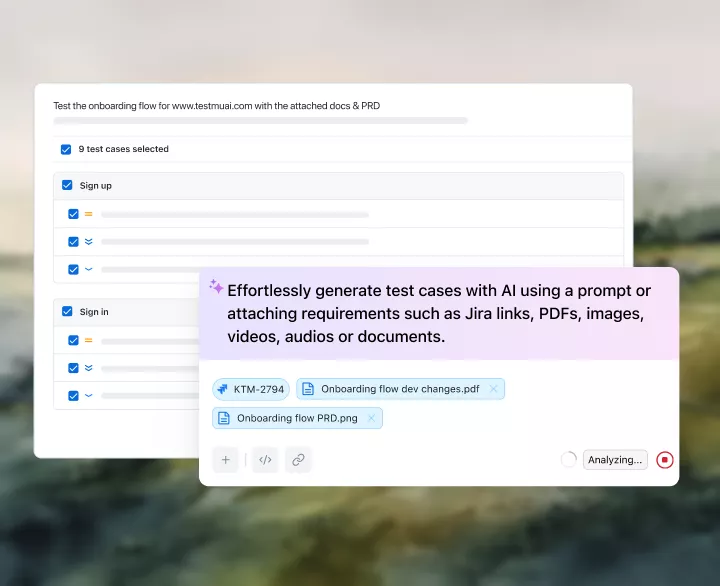
AI Test Planning From Requirements to Test Cases
Upload a PRD, user story, or Jira ticket. Each generated case comes ranked Must, Should, or Could have, so the riskiest flows run first.
Get Started
- Figma flows feed the test plan alongside PRDs
- Steps and expected results on every planned case
- Edit any case before it joins the plan

 ORGANIZE
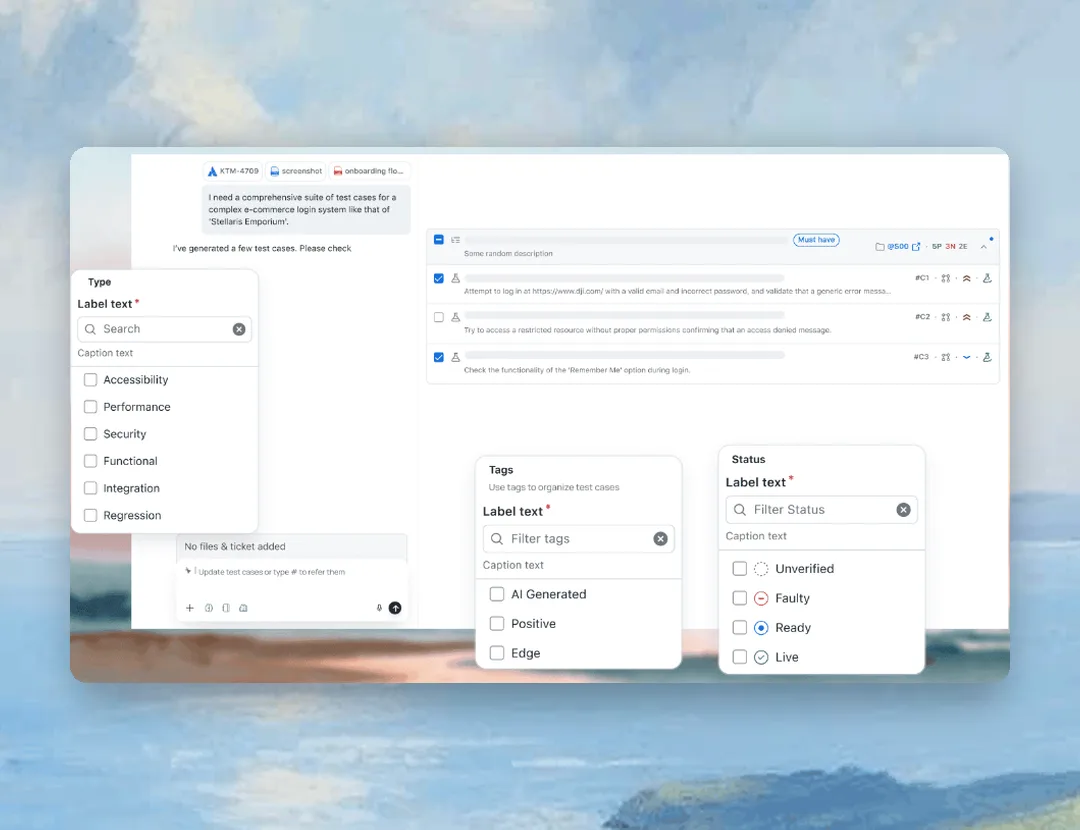
Organize Every Test Plan With Custom Types and Tags
Tag every case by type, from Functional to Security, and move it from Unverified to Ready to Live, so the plan shows what can run today.
Get Started
bet365 teams are using the test management functions for internal applications.

Joanna Ward
Head of Software Testing, bet365
DEDUPLICATE
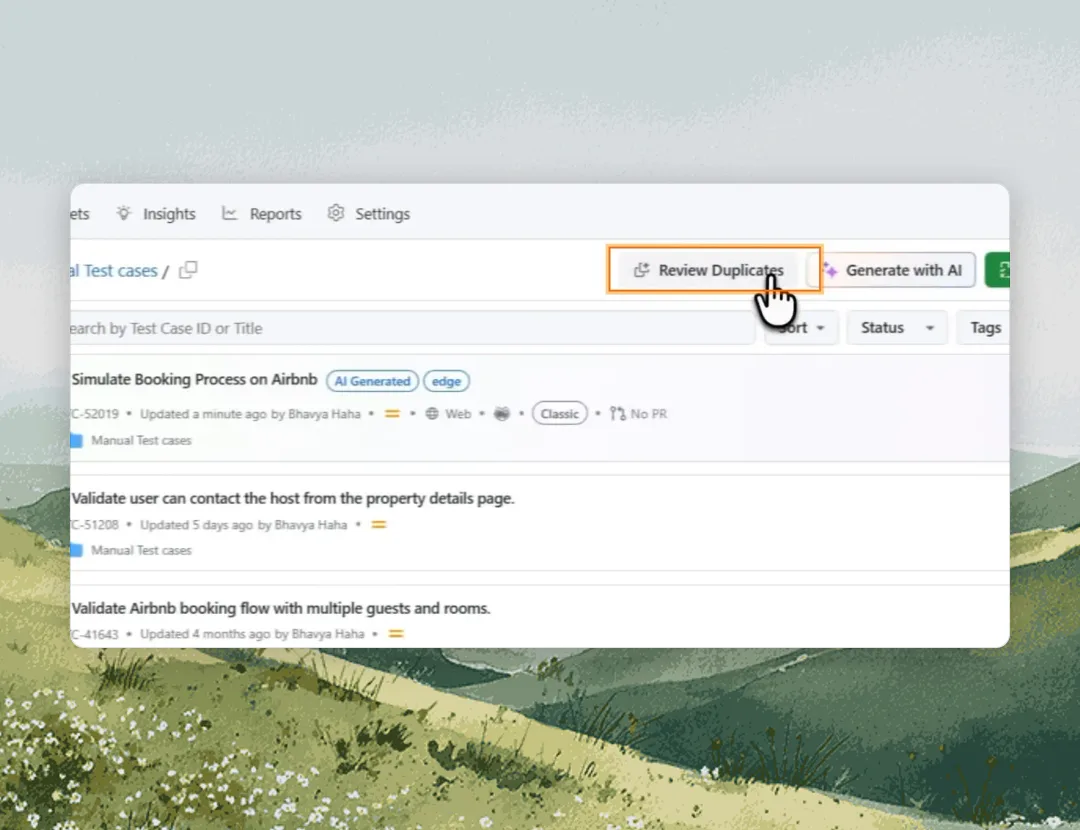
Duplicate Test Detection Before the Test Plan Grows
Duplicate detection finds cases that check the same behavior in different words, so the plan counts real coverage.
Get Started- Every duplicate scored 0 to 100 before it enters the plan
- Archive or delete, with a person confirming each deletion
- New test plans reuse existing cases first
 EXECUTE
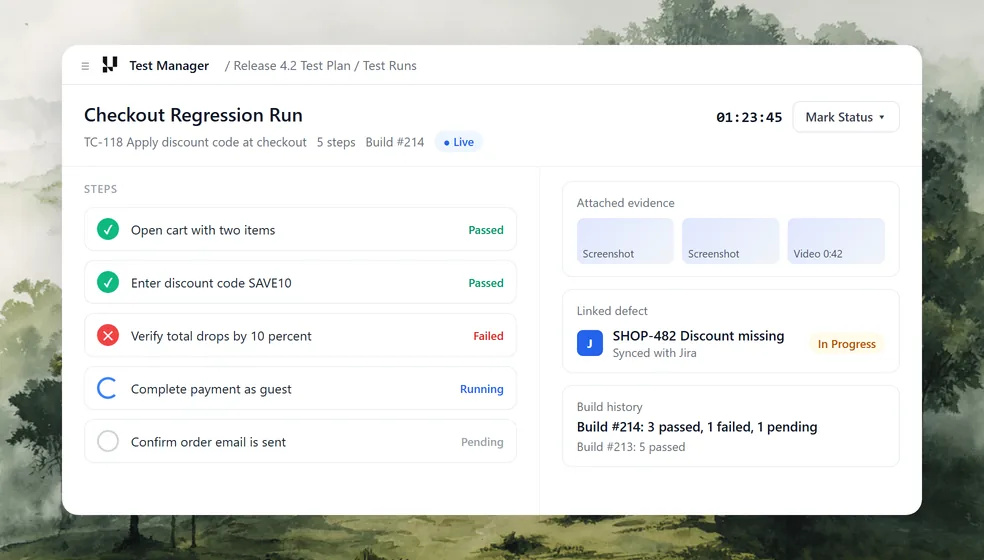
Test Execution in One Testing Tracker
Run manual and automated tests step by step, with status, evidence, and defects saved to the plan as each run finishes.
Get StartedTracked on every run
 REPLAN
Mid-Release Replanning With Coverage and Trend Reports
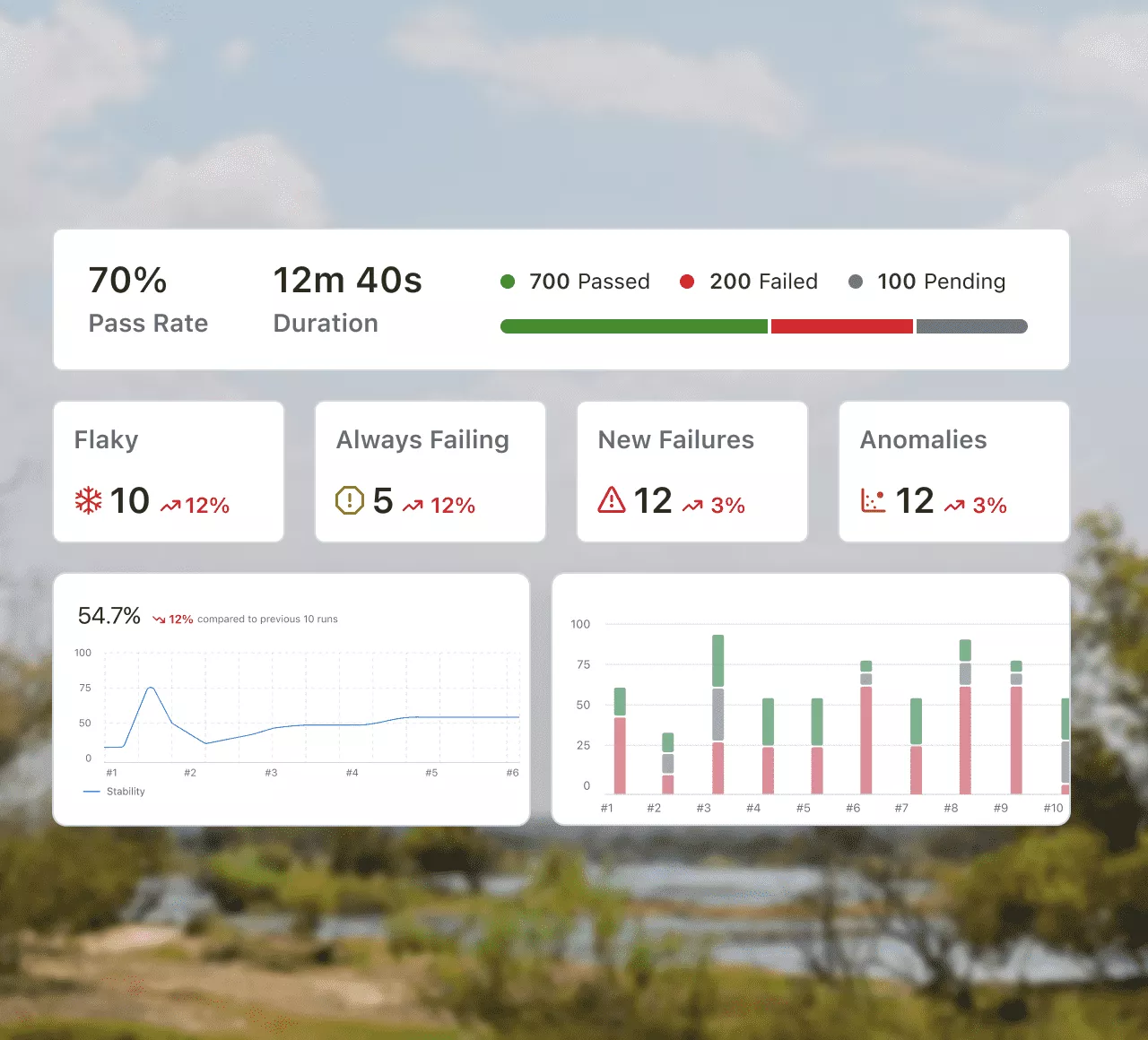
Coverage reports and execution trends show where the plan is slipping, so you add, drop, or reprioritize cases while the release is in flight.
Get Started- Pass rate and pending runs show how far the plan has come
- Flaky and new failures flagged before they derail the plan
- Stability trend across 10 runs to shape the next test plan
Test Planning Tool for Jira and Your Terminal
Jira Test Planning With Two-Way Sync
Scope a plan against the ticket you are already reading. Two-way sync keeps cases, runs, and bugs on one live chain.
Get it on Atlassian Marketplace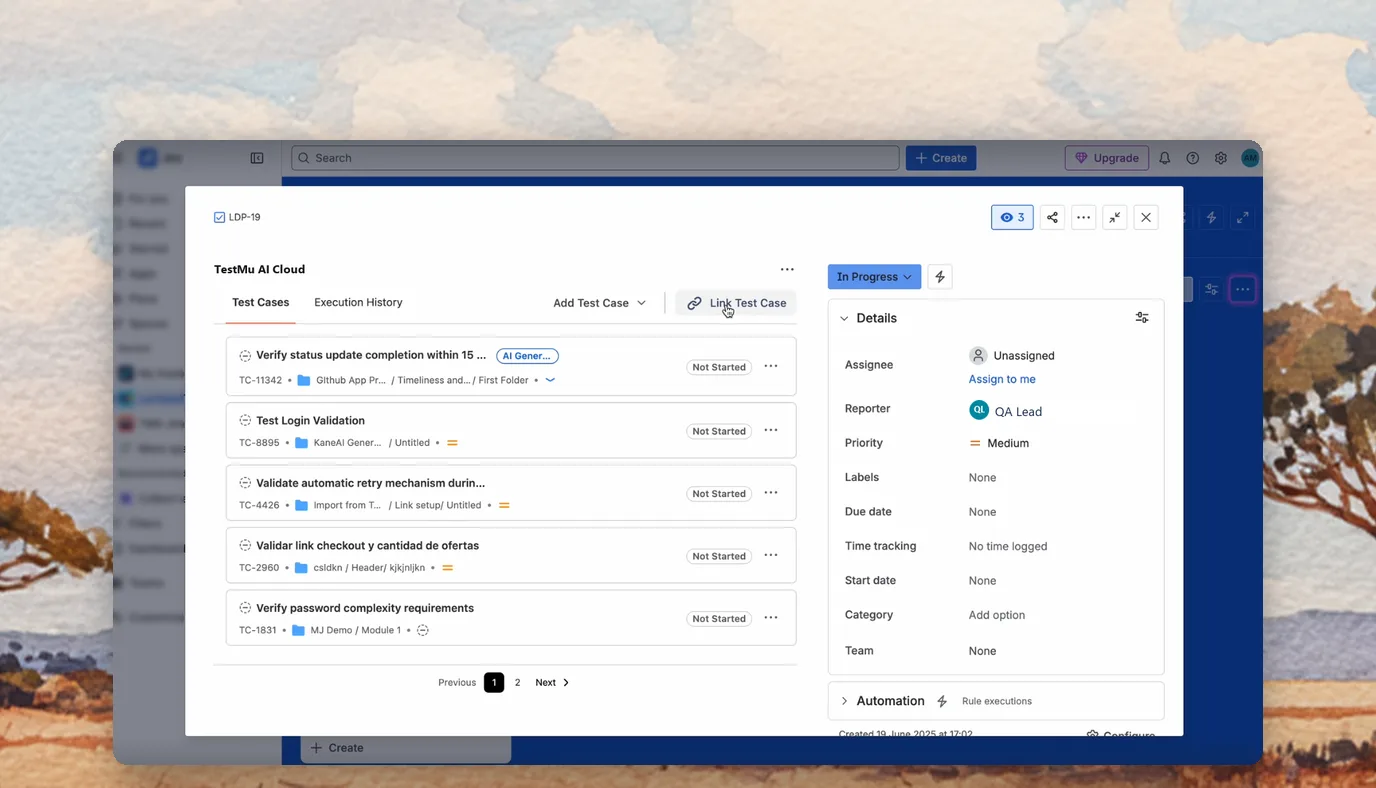
Test Planning From Your Terminal
Pull context from a PRD, scope acceptance criteria, and generate tests with Kane CLI without leaving the command line.
Explore Kane CLI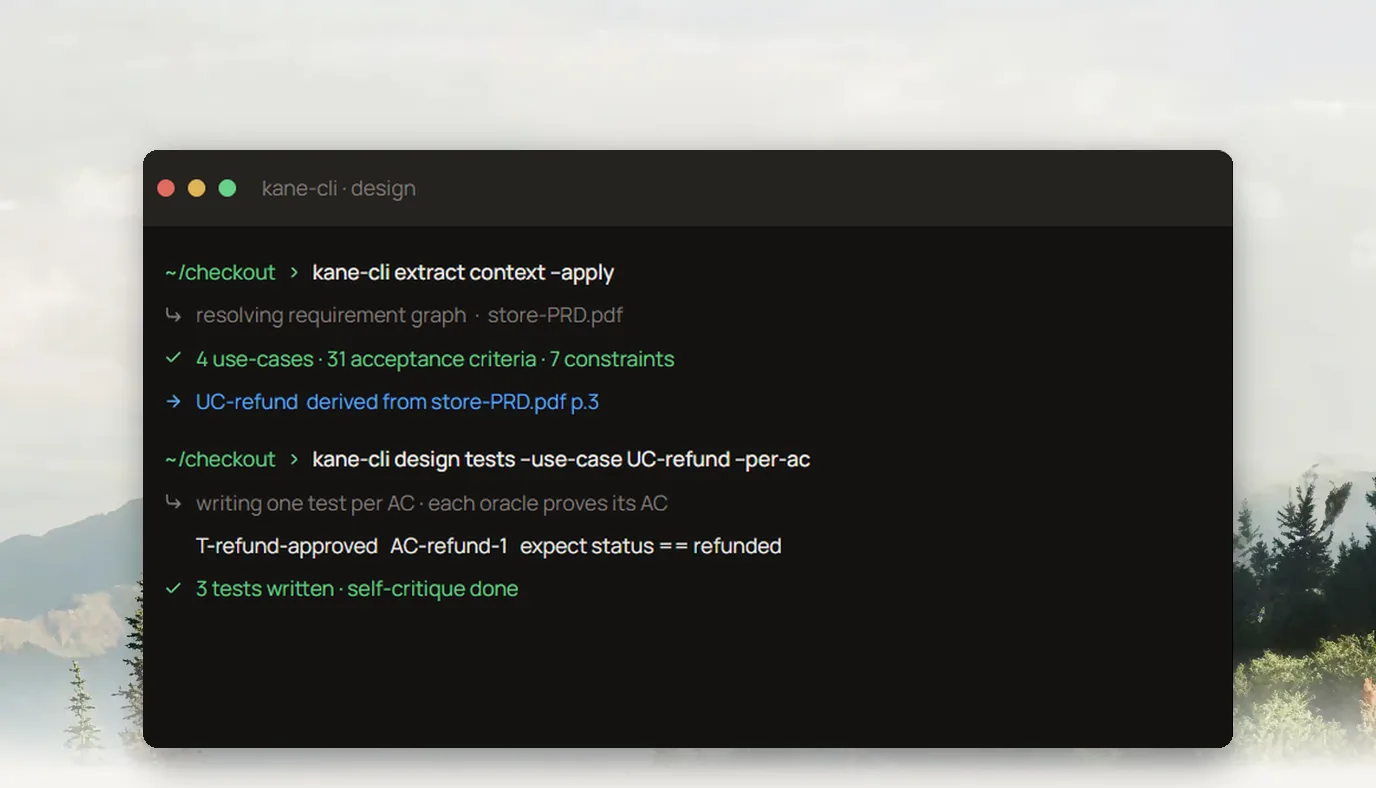
AI Test Planner Use Cases for Every Release
Sprints, large releases, regression cycles, and audits each need a different test plan.

Agile Teams Shipping Every Sprint
Scope the sprint test plan from committed stories on day one, then see which stories still lack coverage.

Product Teams Launching Big Features
Roll every module of a launch into one release test plan and see which modules are ready to ship.

QA Leads Running Regression Cycles
Rebuild the regression test plan each release around what changed, so the cycle stays short.

Regulated Teams Preparing for Audits
Keep a full audit trail of every case, run, and defect, with release evidence ready when auditors ask.

Multiple Squads Sharing One Release
Split one test plan across squads so each team owns its cases and no flow gets tested twice.

Release Managers Signing Off
Approve the release against live test plan coverage, with every open case listed before go-live.
How an AI Test Plan Tool Differs From Traditional Test Management

Top Choice
Features
AI Test Plan Tool
Traditional Test Management
Building the plan
Prioritization
Duplicate cases
Execution
Defect tracking
Replanning
Developer workflow
Migrate Your Test Plans Into Test Manager
Import from the test management tool you use today and keep Jira and Azure DevOps in sync both ways.

Import From TestRail
Bring existing test cases and suites over from TestRail and plan the next release on top of them.

Import From Zephyr and Xray
Move Jira-based test repositories from Zephyr or Xray into one test plan workspace.

Import From CSV or API
Load test cases from spreadsheets or any other tool through CSV files or the API.

Two-Way Jira Sync
Defects flow to Jira with full context and their status syncs back to the test plan.

Two-Way Azure DevOps Sync
Log defects into Azure DevOps work items and see each resolution update the plan.

CI/CD Results Linked to Cases
Automated results from your pipelines land on the matching cases in the plan.

Build Your Next Release Plan With the AI Test Planner
Scope coverage, rank tests by risk, and track every run from one AI test plan tool, from the first ticket to sign-off.
Success Stories From QA Teams Using TestMu AI
As Best Egg expanded its product offerings and entered new markets, we knew our old testing infrastructure couldn't keep up.

Best Egg
Best Egg

We evaluated over 20 tools... We ultimately decided to move forward with TestMu AI.

James Davis
CTO at Roster / Co-Founder
More Reasons to Love TestMu AI (formerly LambdaTest)
TestMu AI is a leading agentic AI quality engineering platform, trusted globally, that assures your AI deployments work as intended, safely and securely, across enterprise and real-world conditions.
Users
3M+
Tests
1.5B+
Enterprises
18K+
Countries
132
TestMu AI positioned as a Leader in the 2026 Gartner® Magic Quadrant™
Read ReportTestMu AI recognized in The Forrester Wave™: Autonomous Testing Platforms, Q4 2025
Read ReportWall of Fame
TestMu AI is the #1 choice for SMBs and enterprises across the globe.

Enterprise-Grade Security
We safeguard your data and AI systems with global security, privacy, responsible AI, and ESG standards.

Integrations
Works where you work, 120+ integrations with the tools your team relies on.




As Seen On
AI Test Planner FAQs
TestMu AI for Enterprise
Get access to solutions built on enterprise-grade
security, privacy, & compliance
- Advanced access controls
- Advanced data retention rules
- Advanced Local Testing
- Premium Support options
- Early access to beta features
- Private Slack Channel
- Unlimited Manual Accessibility DevTools Tests