
Mobile Browser Testing
Test your website on real mobile browsers.
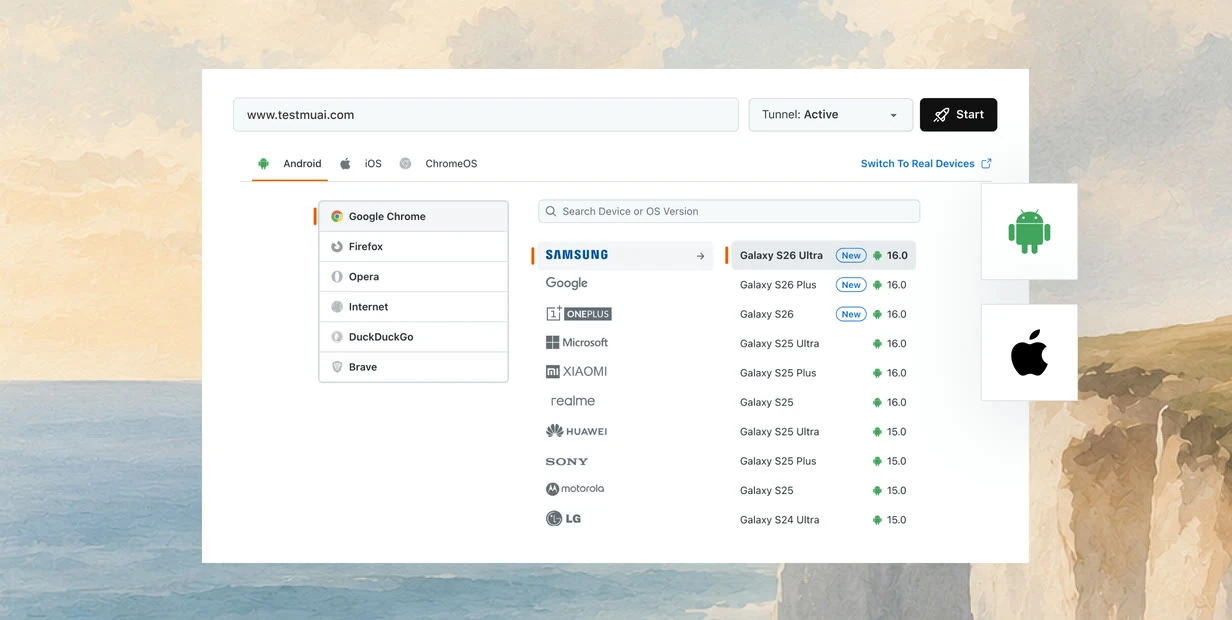
Test your website on mobile by opening it in Chrome and Safari on real iPhones, Galaxy, Pixel and other devices in the cloud. Enter a URL, pick a device, and see touch, scroll and layout exactly as users do. The free plan includes 5 device sessions a month.
Free plan: 5 real device sessions a month, up to 2 minutes each.
- Built for
- Web developers
- Designers
- QA testers
- Marketers
- iPhone 18 ProSafari · iOS 27PASS
- Galaxy S26Chrome · Android 16PASS
- Pixel 9Chrome · sticky header overlapsFAIL
- iPad Pro 13Safari · landscapePASS
Trusted by 3M+ users globally at




"We have tripled our tests and are now executing tests in less than 2 hours with 78% Faster Test Execution"


"We figured out a more efficient way to monitor system health and resolve failures earlier in lower environments."





"TestMu AI has significantly boosted our testing speed, is easy to implement, and provides exceptional support."


"With 70% faster test execution, TestMu AI helped us achieve faster time-to-market and enhanced CX."



Mobile browsers you can test on
Free plan: 5 real device sessions a month, up to 2 minutes each · Real Device Plus Live from $39/month, billed annually
- What it is
- Real mobile browsers on real phones and tablets, in your browser
- Browsers
- Chrome on Android, Safari on iOS
- Devices
- 50,000+ real iOS and Android devices
- Checks
- Touch, scroll, orientation, network throttling, geolocation
- Pricing
- Free: 5 real device sessions a month, 2 minutes each; Real Device Plus Live from $39/month
- Start
- Enter your URL, pick a device
See your website on a real phone
Enter your URL
Type the page you want to check.
Pick a real device
Choose an iPhone, Galaxy, Pixel or tablet and its browser.
Test and share
Scroll, tap, rotate and log bugs from the session.
Mobile web testing you can do from here
Real mobile browsers
Safari and Chrome on real hardware, not resized desktop windows.
Touch and gestures
Real scroll physics and tap targets.
Network throttling
Check pages on slow connections.
Geolocation
Test location-based content from other countries.
Localhost
UnderPass tunnel opens your dev site on a phone.
Automate later
Run Appium or Selenium mobile web tests on the same devices.
Resizing a desktop window vs real mobile browsers
| What matters | Responsive mode in DevTools | Real mobile browsers on TestMu AI |
|---|---|---|
| Browser engine | Desktop Chrome, resized | Safari and Chrome on the phone |
| Touch and scroll | Mouse imitation | Real touch |
| iOS Safari bugs | Not reproduced | Reproduced |
| Device-specific issues | Missed | Visible |
Teams testing on mobile browsers
How do you test a website on a phone?
How do I test my website on mobile?
Enter your URL on TestMu AI, pick a real iPhone or Android device and its browser, and interact with the page as a user would.
Is it free?
Yes. The free plan includes 5 real device sessions a month, up to 2 minutes each.
Do I need to download anything?
No. Real devices stream to your desktop browser.
Which mobile browsers are available?
Safari on iOS and Chrome on Android.
Is this better than DevTools device mode?
Device mode resizes desktop Chrome. Real devices show iOS Safari and Android rendering, touch and performance exactly.
Check your site on a real phone
Free plan: 5 real device sessions a month, up to 2 minutes each.