
AI Agents by TestMu AI
for the Full Testing Lifecycle
TestMu AI agents are AI agents that test software. They plan, write, run, heal and analyze tests for web and mobile apps: KaneAI and Kane CLI turn plain-English intent into tests, HyperExecute runs them in parallel, Auto Healing repairs broken locators and Test Intelligence points to the likely cause of a failure.
Trusted by 3M+ users. TestMu AI is positioned as a Leader in the 2026 Gartner Magic Quadrant for Agentic Software Quality Assurance Platforms and recognized in The Forrester Wave: Autonomous Testing Platforms, Q4 2025.
TestMu AI Agents by QA Stage, From Plan to Analyze
Eight agents across five stages: plan, author, execute, heal and analyze. Each row says what the agent does and who on the team uses it.
| QA stage | Agent | What it does | Who uses it |
|---|---|---|---|
| Plan, author | KaneAI | Turns PRDs, Jira tickets, images, audio, video or a GitHub PR into a test plan you approve, then writes the tests and exports Selenium, Playwright or Appium code. | QA engineers, manual testers and product managers |
| Author, execute | Kane CLI | Runs a plain-English check from the terminal in a real browser, an Android Emulator or an iOS Simulator, and returns a pass or fail with steps, screenshots and logs. | Developers, and coding agents such as Claude Code, Cursor and Codex |
| Execute | HyperExecute | Splits a suite across just-in-time cloud machines and runs it in parallel, up to 70% faster than a traditional grid, with retries, logs and reports in one place. | QA automation, DevOps and release engineers |
| Execute | SmartUI | Compares screenshots across browsers, devices and resolutions, filters rendering noise and dynamic content, and checks builds against Figma designs. | QA engineers, front-end developers and designers |
| Execute | Accessibility Testing Agent | Scans websites and native apps with automated WCAG checks, in CI, on a schedule or on real devices with screen readers, and ties each fix to the rule it fails. | QA teams, front-end developers and accessibility specialists |
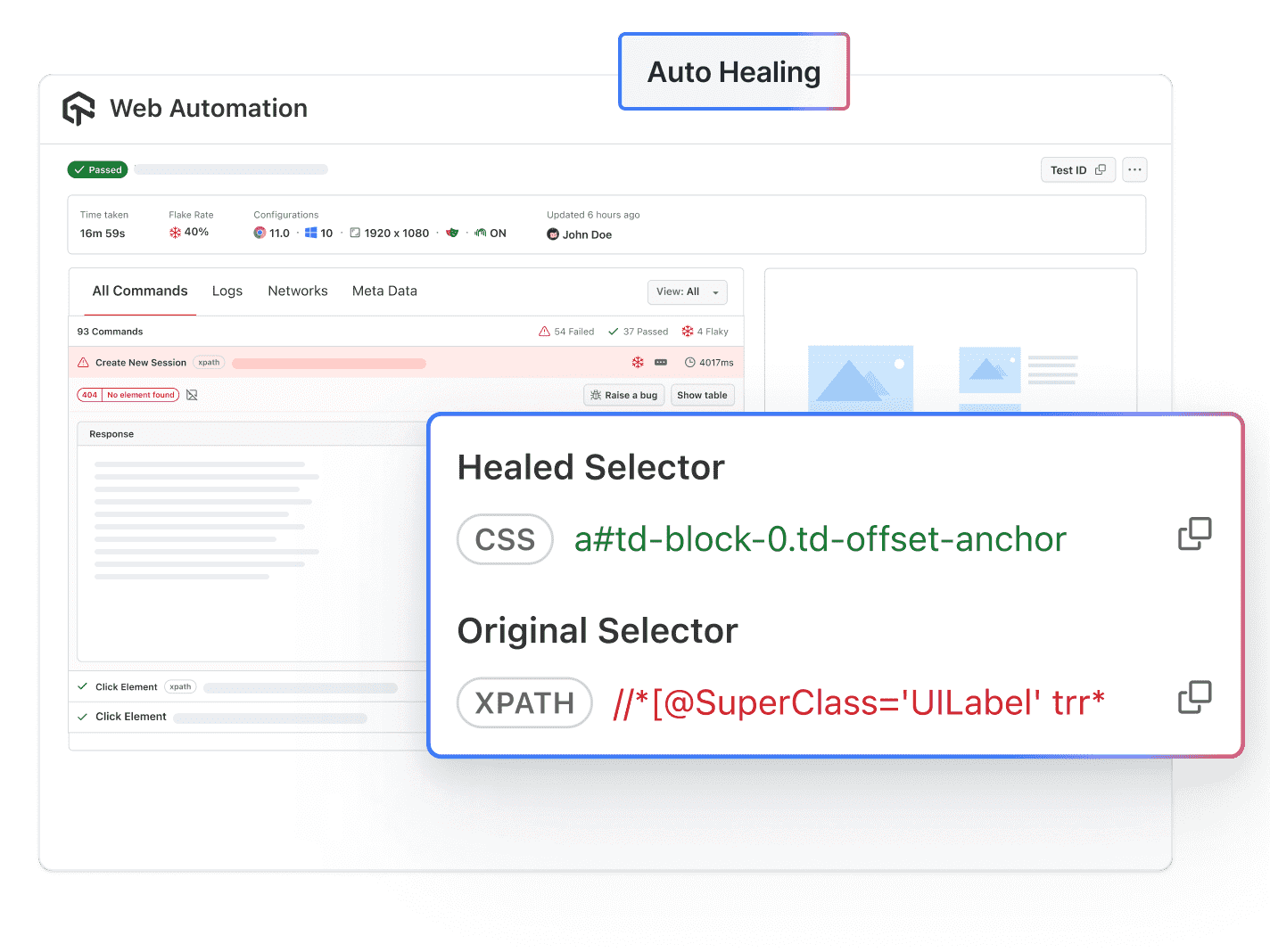
| Heal | Auto Healing | Builds a new locator when a DOM change breaks a selector, so the run continues, and shows each healed locator next to the original. | Automation engineers running Selenium and Playwright suites |
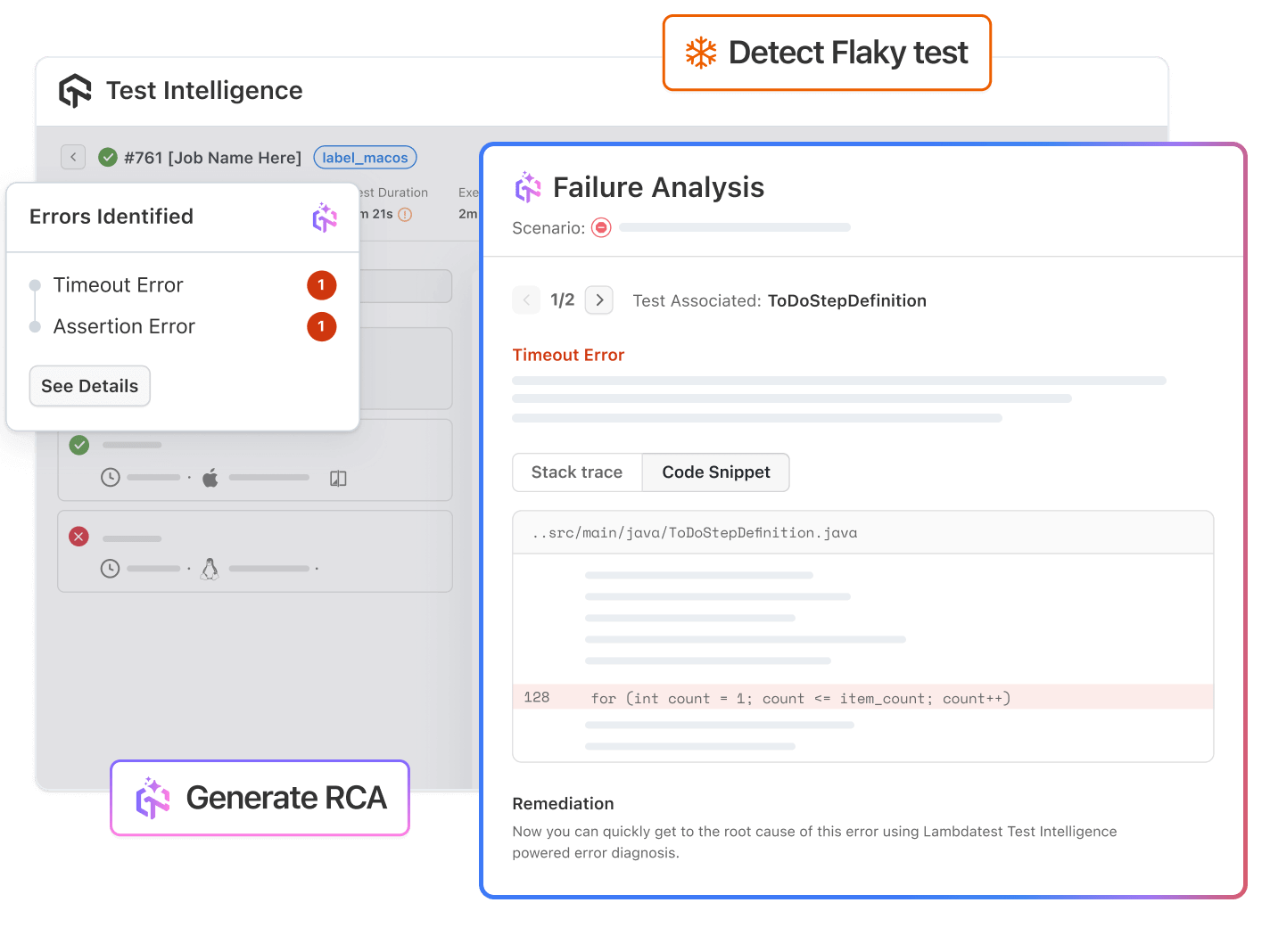
| Analyze | AI Root Cause Analysisin Test Intelligence | Reads the command, network and console logs of a failed test and returns a likely cause with fix steps: a lead to verify, not a verdict. | SDETs and QA engineers triaging failed runs |
| Analyze | Test Intelligence | Tracks results across runs, flags flaky tests, groups similar errors and shows the trends that tell you whether a build is ready to ship. | QA leads and engineering managers |
Not sure where to start? See the agents run on your own app and pipeline.
How TestMu AI Agents Heal Tests and Analyze Failures
 AUTO HEALING
Auto Healing Agent Fixes Broken Locators During a Run
When a DOM change breaks a selector, the agent matches the page against the element it last found, builds a new locator and keeps the test running.
Explore Auto Healing Agent
- Set autoHeal: true for Selenium and Playwright tests
- Works on the cloud grid and on HyperExecute runs
- See each healed locator next to the original selector

 TEST INTELLIGENCE
Test Intelligence Finds Flaky Tests and Likely Root Causes
Test Intelligence reads results across runs, ranks tests by how often they fail, groups similar errors and generates root cause analysis on demand.
Explore Test Intelligence- RCA reads network, console and framework logs together
- Generate RCA from Test Manager or a HyperExecute job
- Each report lists a likely cause and remediation steps
TestMu AI Agents vs Scripted Tests and AI Coding Agents

Top Choice
Features
TestMu AI agents
Scripted tests
AI coding agents
Who writes the test
Main job
When the UI changes
Proof of a pass
Repeat runs
Where it runs
Best for
Agent Testing and Agent Assurance for Your Own AI Agents
The agents above test the apps you build. To test an AI agent your team ships, pick the product by what that agent does.
Agent Testing for Customer-Facing AI Agents
Agent Testing checks AI agents that reach people through chat, voice, phone, image or video. Its testing agents run realistic conversations and inputs against yours and score the results on metrics such as hallucination, bias and completeness, before and after release.
Agent Assurance for AI Agents That Take Actions
Agent Assurance tests agents that act, from the terminal with Rook CLI: coding, workflow and back-office agents that call tools, write files and use APIs or MCP servers. It reads the agent code, writes scenarios, runs the agent for real and checks what the agent did against evidence, marking anything it cannot confirm as Unable to Verify. It is self-serve, with a 14-day free trial.
Faster Testing at Boomi, Transavia and Dashlane
Three teams that run their tests on TestMu AI, in their own case studies.
Boomi: 78% Faster Testing
Boomi runs its automated tests on HyperExecute and reports 78% faster testing.
Transavia: 70% Faster Execution
Transavia rebuilt its testing on TestMu AI after its old platform was discontinued and reports 70% faster test execution.
Dashlane: Execution Time Cut 50%
Dashlane moved off its in-house test infrastructure to HyperExecute and cut test execution time by 50%.
TestMu AI Agents in CI, Jira and Coding Agents
Each agent runs where the work already happens: in the coding agent, the pipeline and the ticket.
Kane CLI Inside Your Coding Agent
Claude Code, Cursor and Codex call Kane CLI to check a change in a real browser and get a pass or fail with evidence.
HyperExecute in Your CI Pipeline
Call the HyperExecute CLI from GitHub Actions, Jenkins, GitLab, Azure DevOps or any CI tool that can run a command.
KaneAI From Jira Tickets and PRs
Turn a Jira ticket into test cases, or comment on a GitHub pull request to have KaneAI generate and run tests for it.
 MCP SERVER
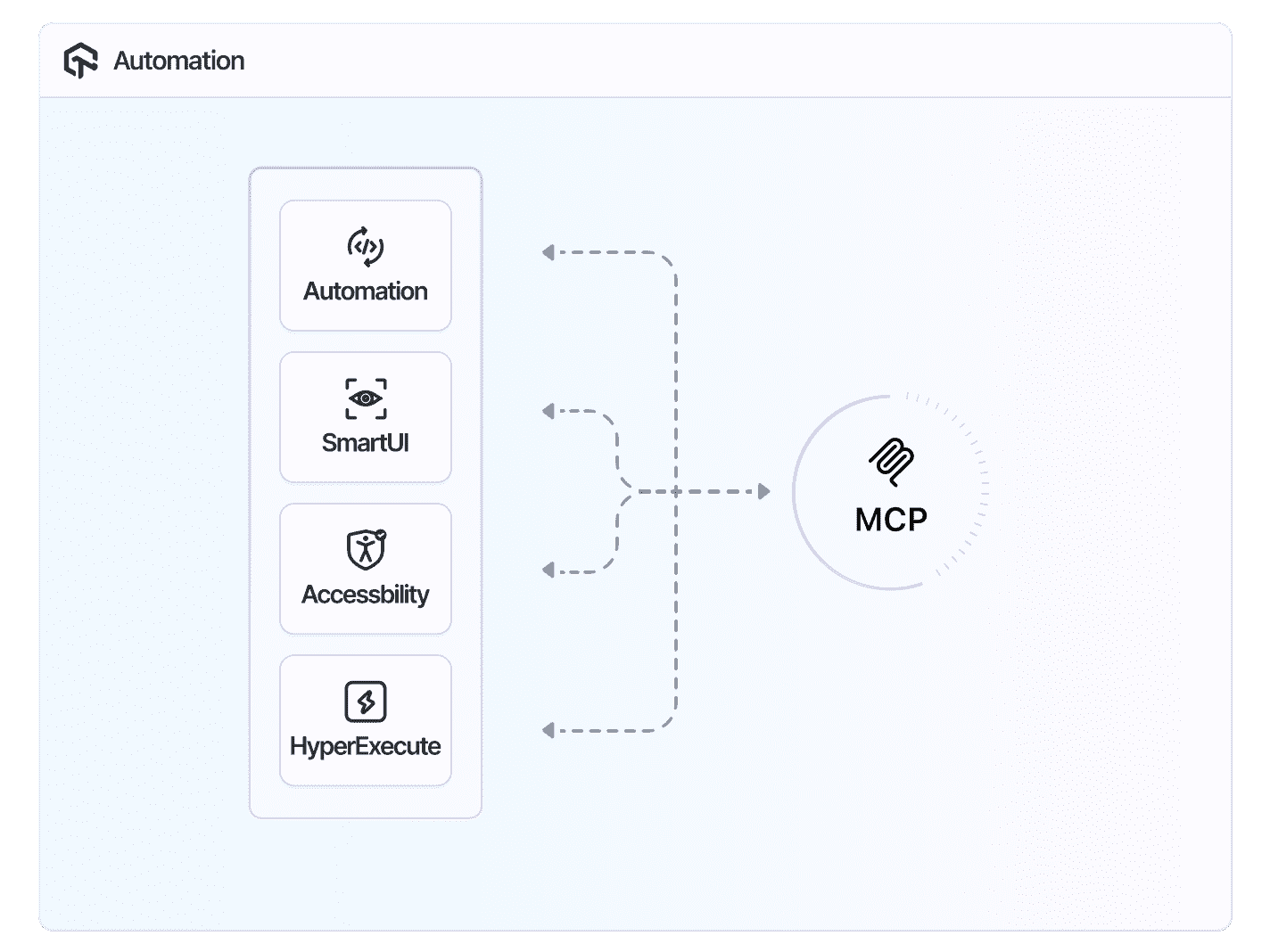
One MCP Server Connects AI Coding Assistants to TestMu AI
Ask Cursor, Claude Code or GitHub Copilot to triage a failed test, read a visual diff, scan for accessibility issues or write a HyperExecute config.
Explore TestMu AI MCP Server- Tool sets for Automation, HyperExecute, SmartUI and more
- Signs in through OAuth, with no access keys to store
- Included with every TestMu AI account
Frequently asked questions
TestMu AI for Enterprise
Get access to solutions built on enterprise-grade
security, privacy, & compliance
- Advanced access controls
- Advanced data retention rules
- Advanced Local Testing
- Premium Support options
- Early access to beta features
- Private Slack Channel
- Unlimited Manual Accessibility DevTools Tests