TestMu AI MCP Server
The MCP server for testing: run, debug and triage from your IDE.
The TestMu AI MCP server for testing connects any MCP client, such as Claude, Cursor or VS Code, to five TestMu AI tools: HyperExecute, Automation, SmartUI, Accessibility and Test Manager. You ask in plain English and the client runs tests, reads failures and files results.
Included with your TestMu AI account.
- Built for
- Developers
- SDETs
- Platform teams
- AI IDE users
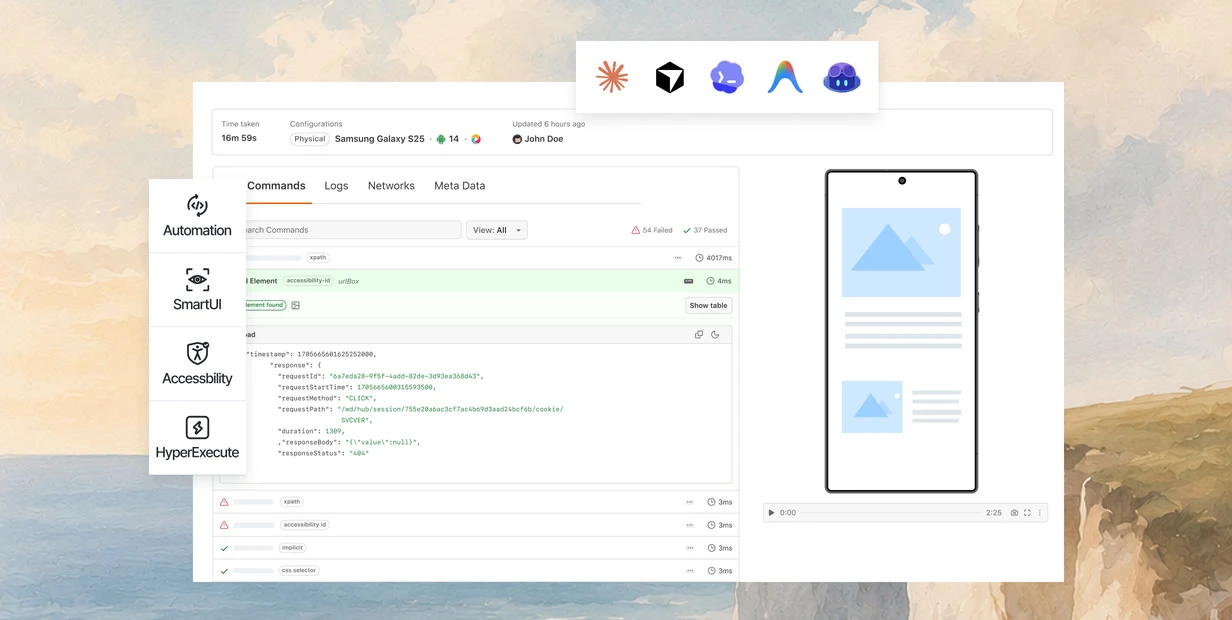
- ›askwhy did build 812 fail?DONE
- ›hyperexecute2 failed of 410 · timeout on /cartFAIL
- ›smartui1 visual diff on headerFAIL
- ›test-managerbug QA-77 filed with logsDONE
Trusted by 3M+ users globally at




"We have tripled our tests and are now executing tests in less than 2 hours with 78% Faster Test Execution"


"We figured out a more efficient way to monitor system health and resolve failures earlier in lower environments."





"TestMu AI has significantly boosted our testing speed, is easy to implement, and provides exceptional support."


"With 70% faster test execution, TestMu AI helped us achieve faster time-to-market and enhanced CX."



Any AI client can use TestMu AI's MCP
Run, debug, and triage tests using the TestMu AI MCP Server with any AI assistant.
Pick your AI client to set it up in minutes.
Server URL (Streamable HTTP, OAuth sign-in)
https://mcp.lambdatest.com/mcp

VS Code
code --add-mcp '{"name":"mcp-lambdatest","type":"http","url":"https://mcp.lambdatest.com/mcp"}'
Claude Code
claude mcp add --transport http mcp-lambdatest https://mcp.lambdatest.com/mcp

Cursor
Generate configs, run suites, debug failures, and triage results in plain English, inside your editor.
Set it up

Claude Code
Generate configs, run suites, debug failures, and triage results in plain English, inside your terminal.
Set it up
GitHub Copilot
Generate configs, run suites, debug failures, and triage results in plain English, inside VS Code chat.
Set it up
OpenAI Codex
Generate configs, run suites, debug failures, and triage results in plain English, from the command line.
Set it up
Antigravity
Generate configs, run suites, debug failures, and triage results in plain English, from the agent panel.
Set it upThe MCP server at a glance
Included with every TestMu AI account; uses the test execution minutes a team already pays for.
- What it is
- A Model Context Protocol server for TestMu AI
- Tools (as of November 2026)
- HyperExecute, Automation, SmartUI, Accessibility, Test Manager
- Clients
- Any MCP client: Claude, Cursor, VS Code and others
- Typical asks
- Run this suite, why did build 812 fail, list visual diffs
- Docs
- TestMu AI MCP Server guide in support docs
- Pricing
- Usage follows the plan of each product the tools call
Connect your IDE, then ask for a test
Connect the server
Add the TestMu AI MCP server to your client with your access key.
Ask in plain English
Request a run, a failure summary or a visual diff list from your IDE.
Act on results
The client returns logs, screenshots and diffs, and can file the bug.
Tools your AI assistant can call
HyperExecute tool
Trigger and inspect HyperExecute jobs from chat.
Automation tool
Read Selenium, Playwright and Cypress session results.
SmartUI tool
List and review visual regression diffs.
Accessibility tool
Pull WCAG issues for a page or build.
Test Manager tool
Create and update test cases and runs.
Works in any MCP client
No plugin per IDE; one server for every client.
Switching between tools vs one MCP endpoint
{
  "mcpServers": {
    "mcp-lambdatest": {
      "url": "https://mcp.lambdatest.com/mcp"
    }
  }
}
Verbatim from the TestMu AI MCP Server docs (Cursor), checked 2026-11-21. Claude Code: claude mcp add --transport http mcp-lambdatest https://mcp.lambdatest.com/mcp
| What matters | Switching to the dashboard | TestMu AI MCP server |
|---|---|---|
| Finding why a build failed | Open dashboard, filter, read logs | Ask the client; it reads the logs |
| Filing the bug | Copy details into Jira | Test Manager tool files it with evidence |
| Reviewing visual diffs | Separate SmartUI tab | Listed in the same chat |
| Setup per IDE | — | One MCP server config |
Products the MCP tools drive
More Reasons to Love TestMu AI
TestMu AI is a leading agentic AI quality engineering platform, trusted globally, that assures your AI deployments work as intended, safely and securely, across enterprise and real-world conditions.
Users
3M+
Tests
1.5B+
Enterprises
18K+
Countries
132
TestMu AI positioned as a Leader in the 2026 Gartner® Magic Quadrant™
Read ReportTestMu AI recognized in The Forrester Wave™: Autonomous Testing Platforms, Q4 2025
Read ReportWall of Fame
TestMu AI is the #1 choice for SMBs and enterprises across the globe.
Enterprise-Grade Security
We safeguard your data and AI systems with global security, privacy, responsible AI, and ESG standards.

Integrations
Works where you work, 120+ integrations with the tools your team relies on.



As Seen On
What developers ask about the MCP server
What is the TestMu AI MCP server?
It is a Model Context Protocol server that exposes TestMu AI tools to MCP clients, so you can run and triage tests in plain English from your IDE or assistant.
Which tools does the MCP server include?
HyperExecute, Automation, SmartUI, Accessibility and Test Manager.
Which clients work with it?
Any client that supports MCP, including Claude, Cursor and VS Code.
Is the MCP server a separate product?
No. The TestMu AI MCP Server is included with every TestMu AI account and only consumes the test execution minutes a team already pays for.
How is this different from the HyperExecute MCP server?
The HyperExecute MCP server covers that one tool. This server bundles all five TestMu AI tools.
Connect your AI assistant to TestMu AI
Included with your TestMu AI account.