AI-Native Test Orchestration for Any CI Pipeline
AI test orchestration splits a test suite across machines, runs the tests most likely to fail first, and retries flaky ones, so the whole run finishes faster. HyperExecute is an AI-native test orchestration cloud that does it on just-in-time VMs, up to 70% faster than traditional grids.


Trusted by 3M+ users globally at




"We have tripled our tests and are now executing tests in less than 2 hours with 78% Faster Test Execution"


"We figured out a more efficient way to monitor system health and resolve failures earlier in lower environments."





"TestMu AI has significantly boosted our testing speed, is easy to implement, and provides exceptional support."


"With 70% faster test execution, TestMu AI helped us achieve faster time-to-market and enhanced CX."



Test Orchestration at Each Stage From Merge to Release
JIT environments, smart test splitting, real device coverage, job prioritization, and AI root cause analysis in one orchestration cloud.
 JIT Environments
Fresh Test Environments for Every Pipeline Run
A merge lands and the pipeline starts. Each task gets its own fresh VM for that run, instead of a seat on a shared pool of CI runners.
Run Your First Job Free

With efficient cross-browser testing and 70% faster test execution, LambdaTest (now TestMu AI) helped us achieve faster time-to-market and enhanced CX.
Daniel de Bruijn,
Quality Assurance Automation Engineer
| Aspect | Standing CI runners | HyperExecute JIT VMs |
|---|---|---|
| When it starts | Always on, waiting for jobs | Provisioned for each task |
| Between runs | Keeps caches, cookies and data | Starts clean, nothing carries over |
| Upkeep | Your team patches and scales it | No fleet to patch, scale or keep warm |
| Between releases | Idle runners still cost money | Torn down after the run |
| Scaling up | Add runners, then rebalance shards | The same YAML runs 10 VMs or 10,000 |
| Where it runs | Wherever you host the runners | An Azure region chosen by where you start the CLI |
 Smart Test Splitting
 Runs Your Suite on Parallel VMs
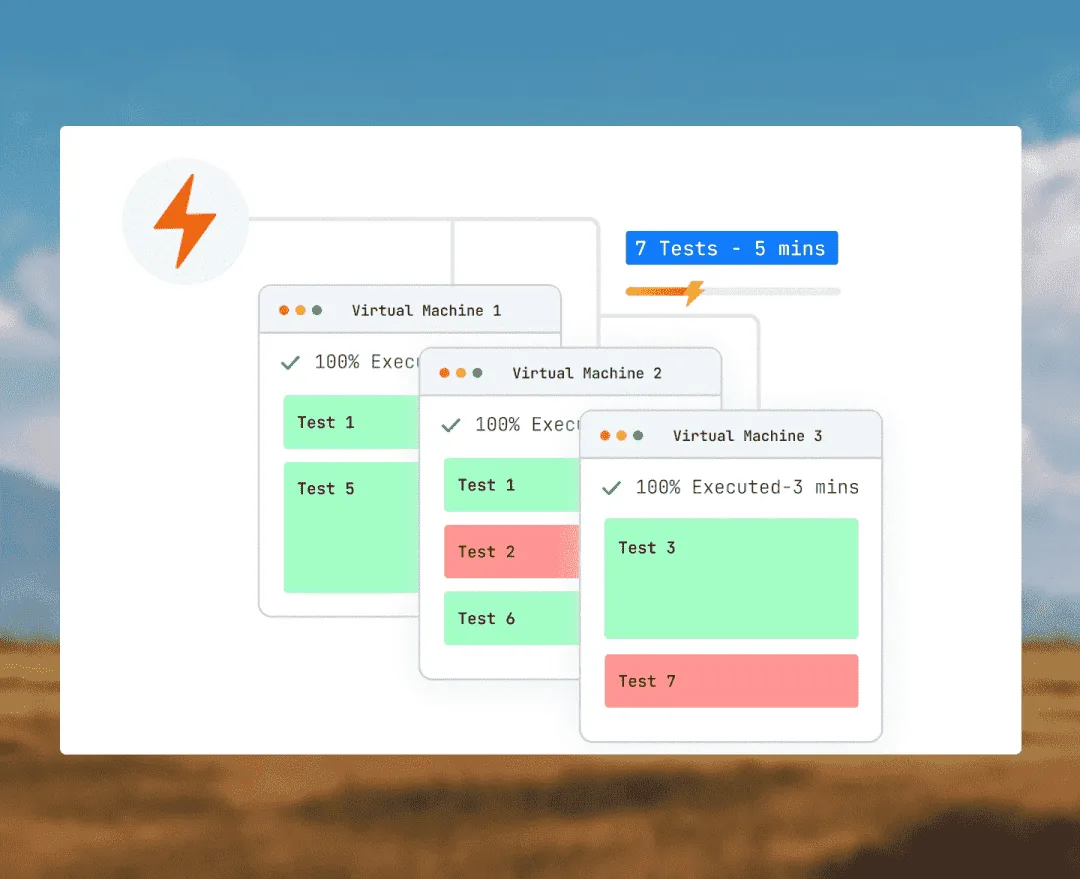
The regression suite keeps every merge waiting. HyperExecute splits it across your VMs, and with dynamicAllocation an idle VM pulls the next test.
Run Your First Job Free- Matrix runs one task per browser and OS combination
- Hybrid splits tests inside each matrix combination
- Previously failing tests run first on the next job

 Real Device Coverage
Split Mobile Suites Across Real iOS and Android Devices
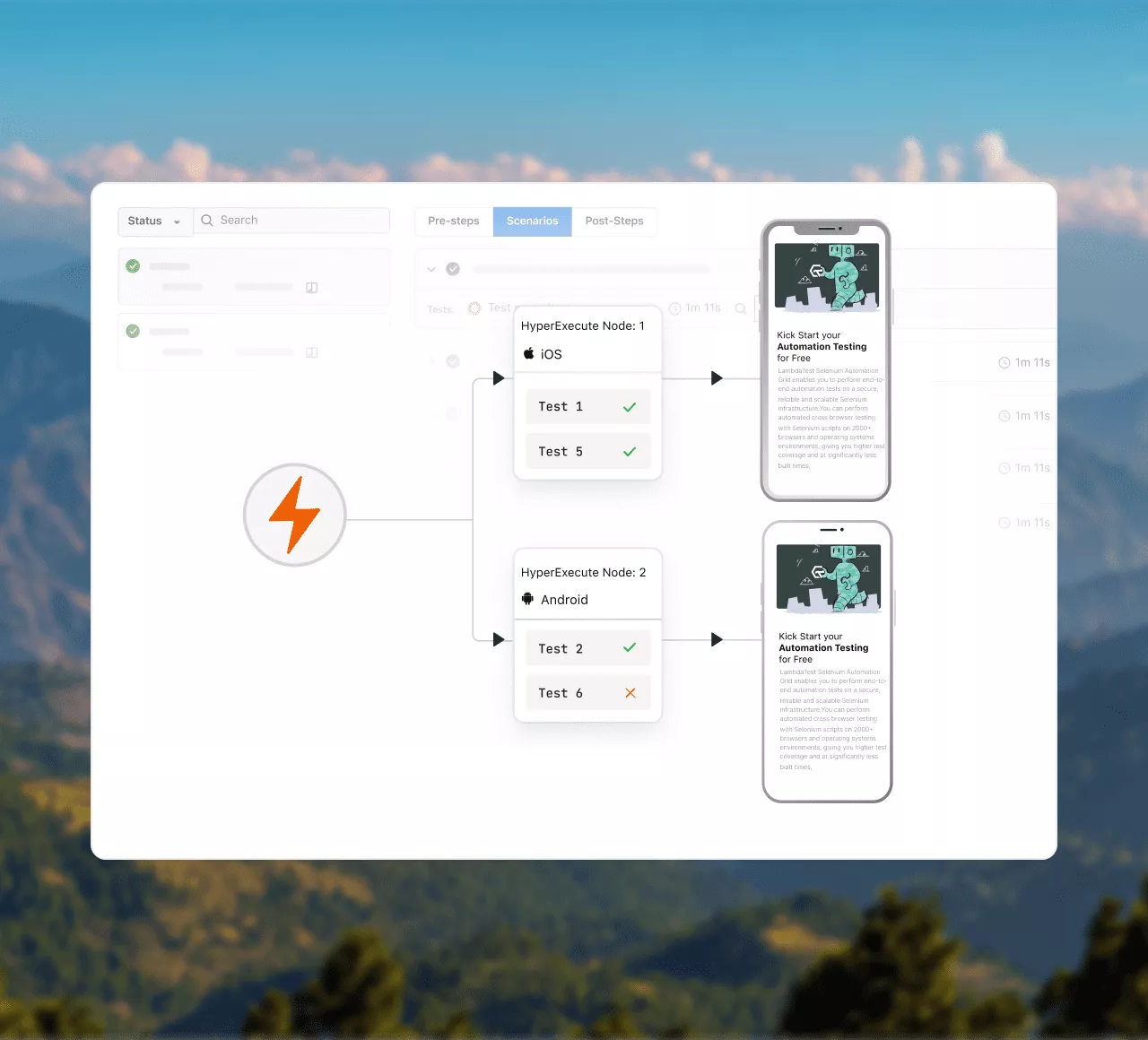
The release also has to work on your users' phones. Run Appium, Espresso, and XCUITest suites in parallel on 50,000+ real Android and iOS devices.
Run Your First Job Free- Target devices by exact name or a regex pattern
- Pin Espresso classes or packages to fixed shards
- Run shards on every device or spread them across devices
 Job Prioritization
Label Release Jobs High Priority So They Run First
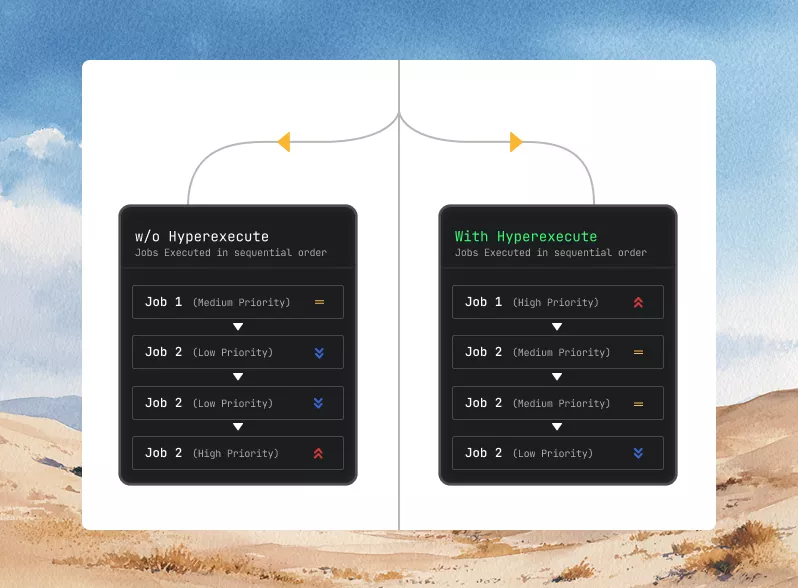
Release day, and the queue is full of nightly jobs. Label the release suite high priority and it moves to the front of the queue when concurrency is busy.
Run Your First Job Free- Set priority in YAML with the jobLabel key
- Jobs without a priority label run as medium
- Search jobs by label and archive old ones
 AI Root Cause Analysis
 With Rules Your Team Sets
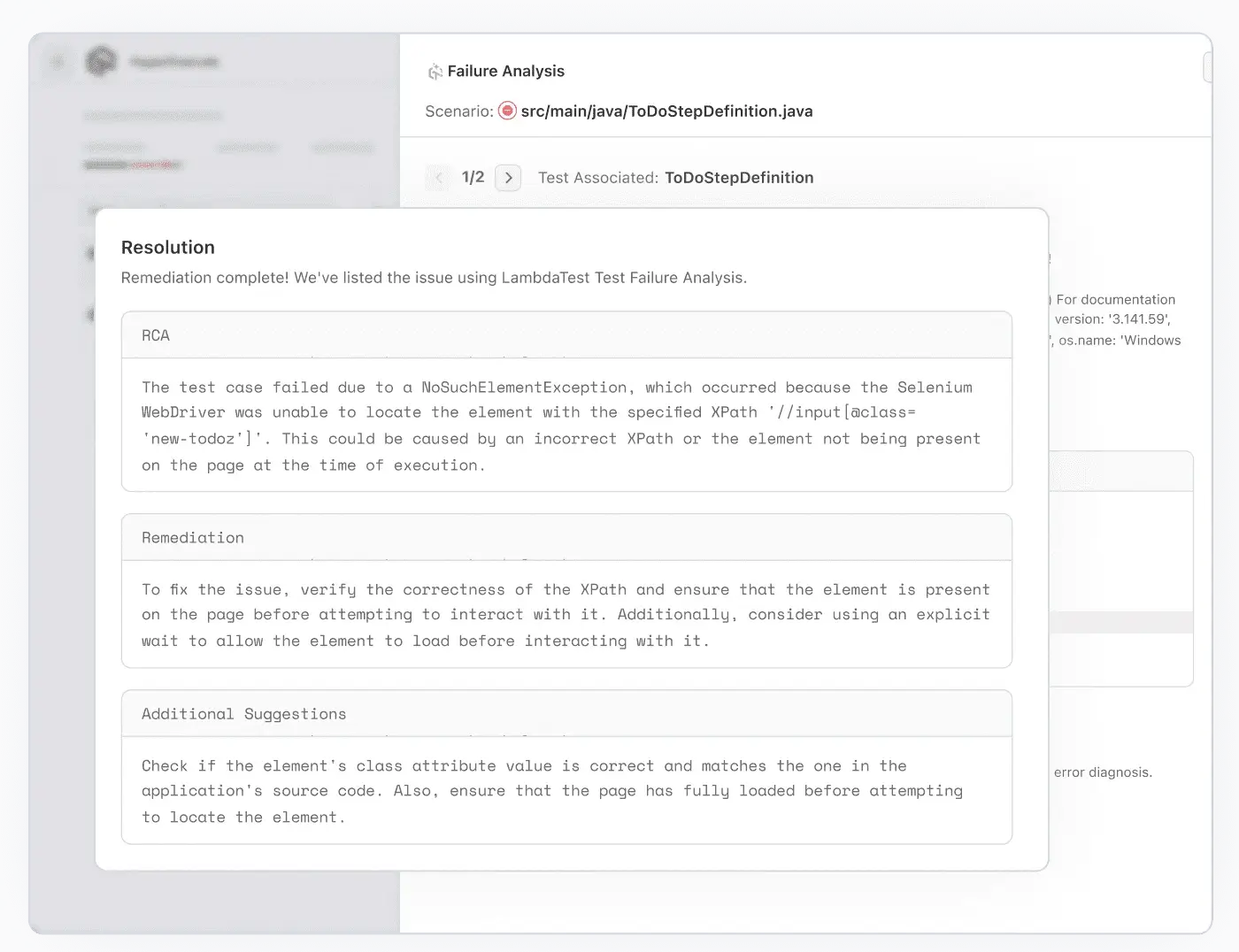
The release run ends with a page of failures. AI root cause analysis reads each failed test's logs, names the cause, and files it under a category your team defines.
Run Your First Job Free- Runs on its own for all, new, or consistently failing tests
- Include or exclude tests by name, tag, build, or job label
- One admin switch turns every AI feature off
Set Up Jobs With CLI, MCP Server, and Tunnels

Built-In CI Steps
Install dependencies, set environment variables, pin language runtime versions, and start an app server on the test VM before tests run.

TestMu AI MCP Server
Generates the hyperexecute.yaml and test command from a prompt in your IDE, cutting setup from weeks to minutes.

Command Line Binary
Run the same CLI binary from your laptop to debug a job before your pipeline runs it.

Automatic Tunnel Management
Set tunnel: true and HyperExecute opens a tunnel at runtime, so tests reach staging sites and private networks.

Dependency Caching
Caches dependency folders such as node_modules under a lockfile key, so every run after the first starts faster.

Automatic Retries
Retry failed test commands up to 5 times, or only when the logs match an error pattern you list in retryOptions.
Success Stories of TestMu AI
Each figure comes from a published HyperExecute case study.

50%
reduction in test execution time
“HyperExecute is a highly reliable test execution platform and has excellent customer support.”
Sagar Uday Kumar
Sr. Engineering Manager
Customer Quotes on HyperExecute Orchestration
New testing platform alert! I recently tried out @lambdatesting's HyperExecute, an end-to-end smart test orchestration platform. I was amazed at its speed and 'intelligence'.

Sanjay Kumar
@SanjayKumaarr

Teams no longer have to depend on each other to execute their tests.
Hrishi Potdar
Quality Engineering Architect, Boomi
LambdaTest is doing for test automation what Kubernetes did for container orchestration - creating that next level of efficiency around test automation so that people can actually focus on testing versus test orchestration.

Satya Nadella
Chairman & CEO, Microsoft - Future Ready Technology Summit 2023
HyperExecute Setup Guides by Test Framework


 JavaScript


CI/CD Integration
Start Jobs From Jenkins, GitHub Actions, and GitLab
The pipeline only starts the job and waits for the result, while HyperExecute splits, runs and reports. Every platform uses the same three steps, covered in the CI/CD guide, CLI reference and YAML parameters.
Add the CLI to the Job
Download the HyperExecute binary for Linux, macOS or Windows in a pipeline step.
Pass Your Credentials
Read LT_USERNAME and LT_ACCESS_KEY from the pipeline's secret store.
Run the CLI With Your YAML
Call ./hyperexecute --config with the path to your hyperexecute.yaml.
Run HyperExecute in Your AWS, Azure, or Google Cloud
Run HyperExecute inside a cloud account your team controls instead of the shared multi-tenant cloud.

AWS Cloud
AWS Private Cloud is documented for six regions, including us-east-1, eu-central-1, and ap-south-1.

Microsoft Azure
Use Azure Private Cloud, or the Azure Native Integration that runs tests in your own Azure tenant.

HyperExecute On-Premise, SSO, and Analytics
Start free with Google
Isolated deployment, identity controls, and run analytics for teams that run HyperExecute across many pipelines.
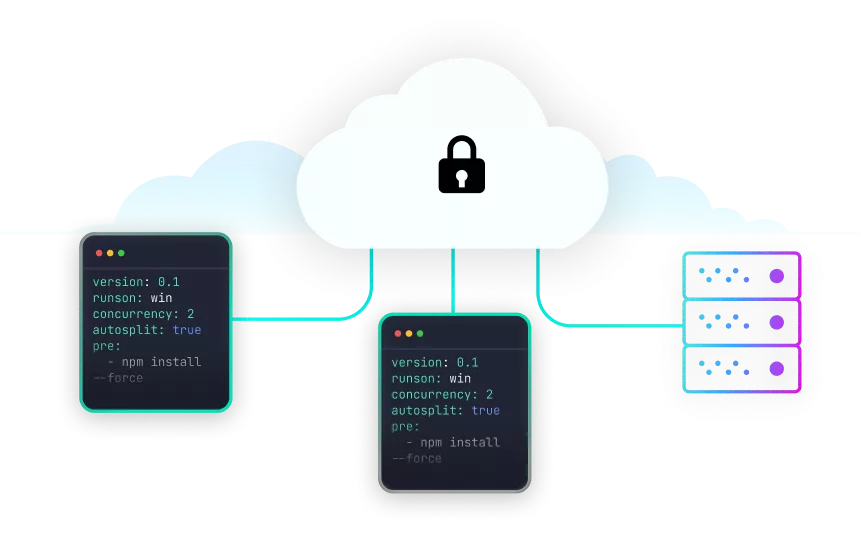
HyperExecute On-Premise
Run HyperExecute on-premise behind your firewall, with data isolation and fallback access to the standard cloud.
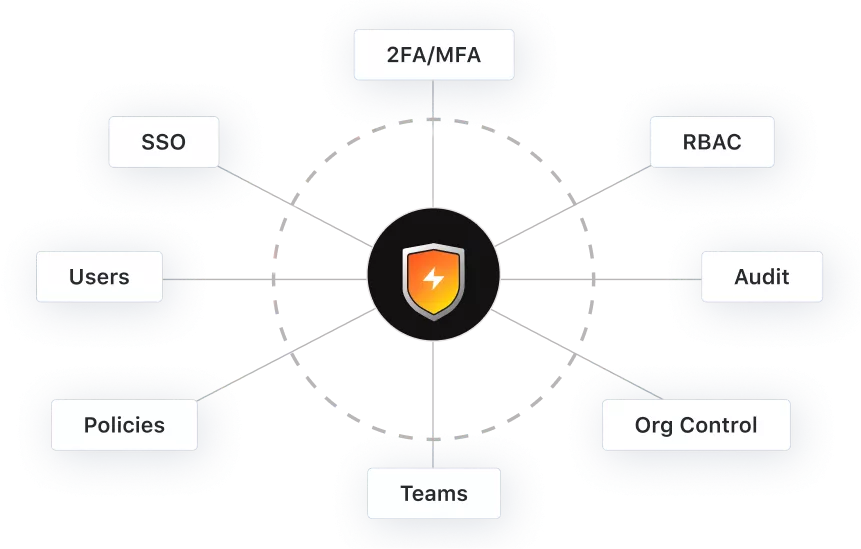
Enterprise Access & Governance
SSO, SCIM, role-based access, and audit logs, with SCIM groups that can set each team's share of parallel tests.
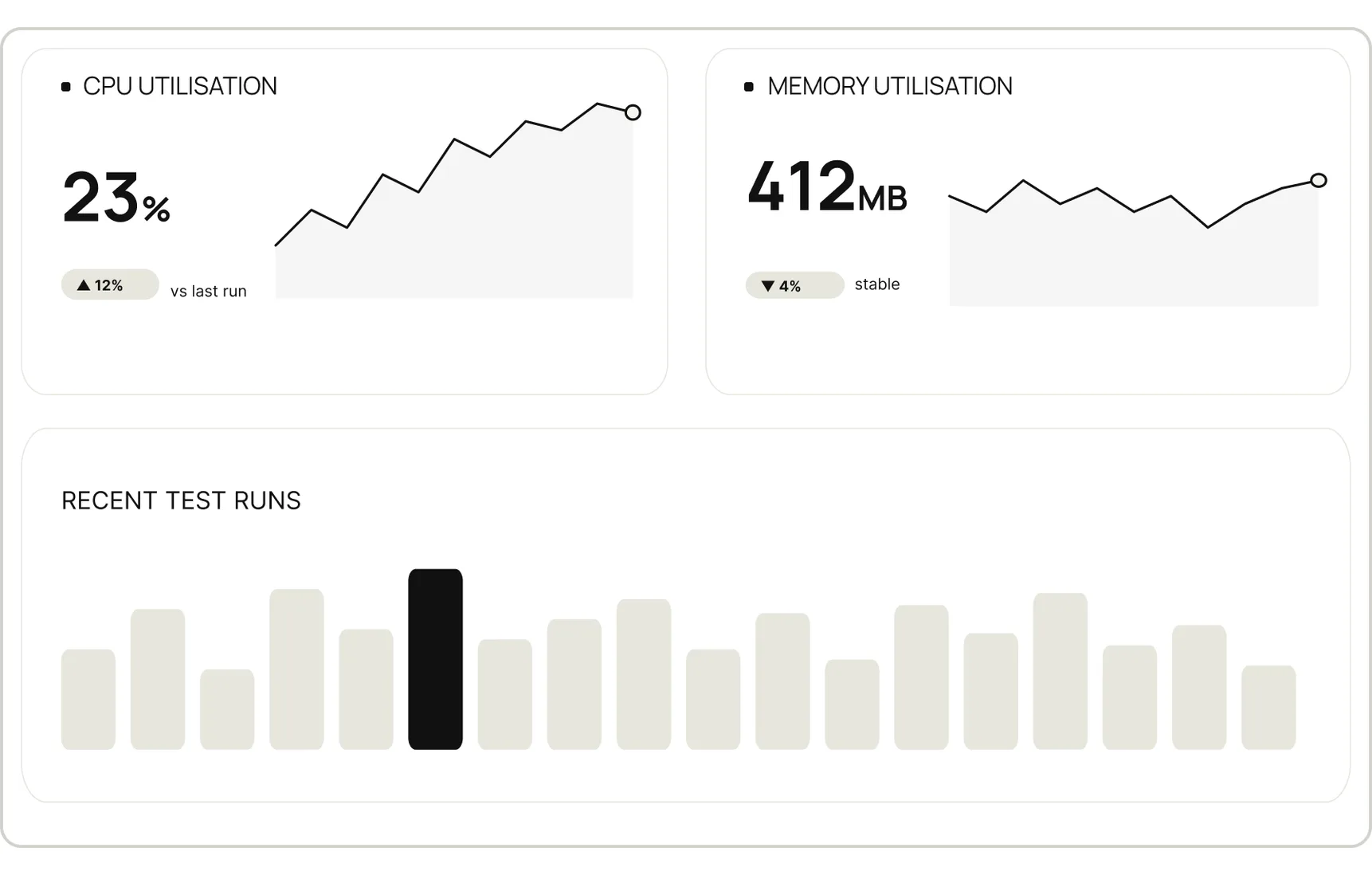
Run Analytics and Task Metrics
Track pass rates, run times, and error categories across jobs, and see the CPU and memory each task used.

Open Source
We strongly believe in the open-source community and owe much of our success to it. To give back, we're offering 10 free parallel sessions of HyperExecute.
More Reasons to Love TestMu AI
TestMu AI is a leading agentic AI quality engineering platform, trusted globally, that assures your AI deployments work as intended, safely and securely, across enterprise and real-world conditions.
Users
3M+
Tests
1.5B+
Enterprises
18K+
Countries
132
TestMu AI positioned as a Leader in the 2026 Gartner® Magic Quadrant™
Read ReportTestMu AI recognized in The Forrester Wave™: Autonomous Testing Platforms, Q4 2025
Read ReportWall of Fame
TestMu AI is the #1 choice for SMBs and enterprises across the globe.
Enterprise-Grade Security
We safeguard your data and AI systems with global security, privacy, responsible AI, and ESG standards.

Integrations
Works where you work, 120+ integrations with the tools your team relies on.



As Seen On
Related Products and Docs
TestMu AI Products and Docs Related to HyperExecute
The HyperExecute product page covers flaky test detection, auto-healing, and performance testing. The docs below cover the orchestration settings on this page.
Distribution Docs
Failure Handling Docs
Learn and Explore
Frequently asked questions
TestMu AI for Enterprise
Get access to solutions built on enterprise-grade
security, privacy, & compliance
- Advanced access controls
- Advanced data retention rules
- Advanced Local Testing
- Premium Support options
- Early access to beta features
- Private Slack Channel
- Unlimited Manual Accessibility DevTools Tests