
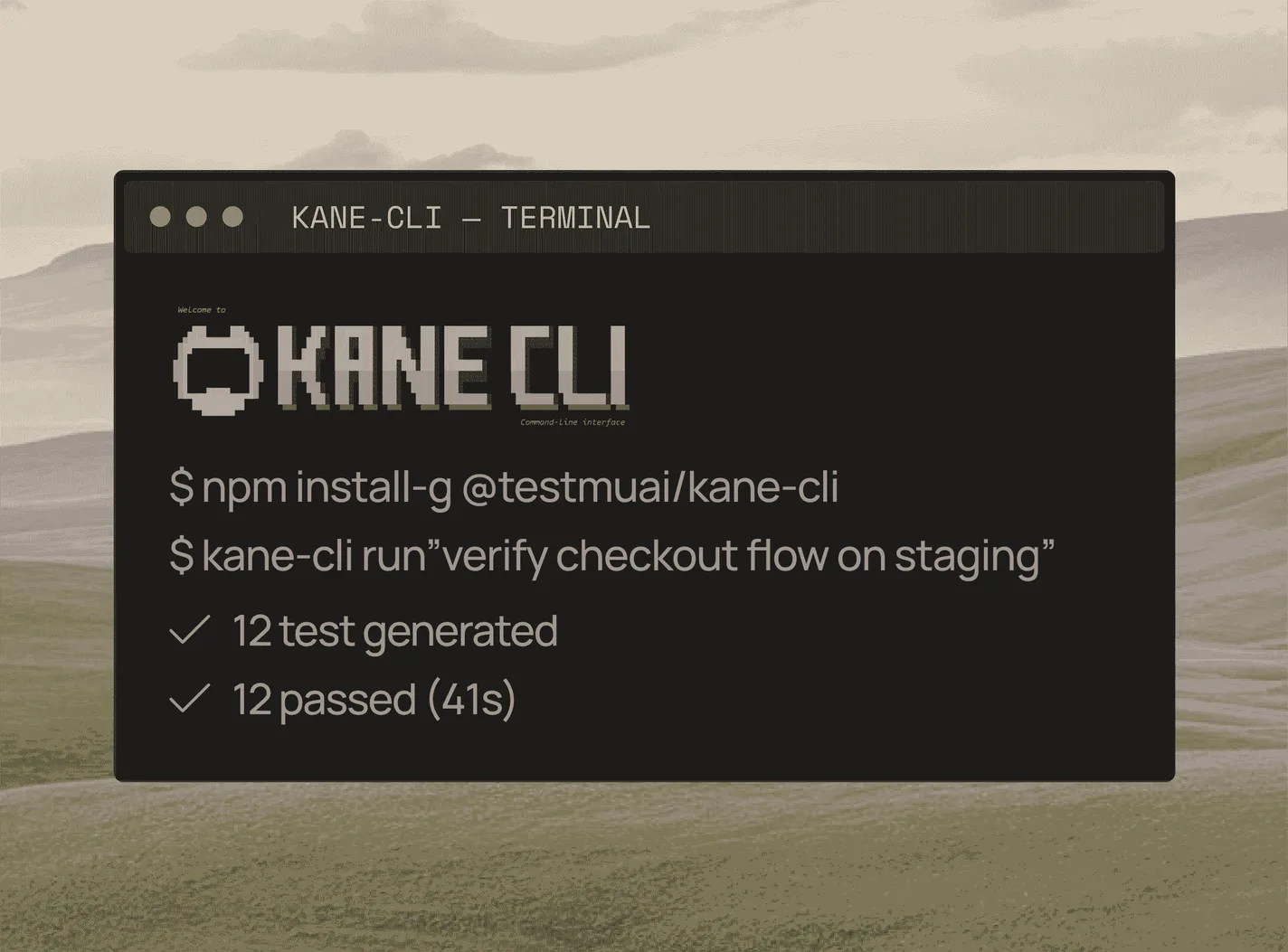
Run End-to-End Tests from Your Terminal with Kane CLI
Author and Run Tests Right from the Terminal in Natural Language, with an Evidence-Backed Pass or Fail from a Real Browser.
npm install -g @testmuai/kane-cli
37 Playwright Interview Questions and Answers for 2026
Part of: Playwright
37 Playwright interview questions and answers for freshers and experienced testers: locators, fixtures, TypeScript config, sharding, auth, and real scenarios.
Last Updated on:
Playwright interviews now go past the basics into fixtures, auth reuse, sharding, and CI debugging. The questions below run from fresher-level concepts to scenarios asked of engineers with 3-5 years of experience, each with a short answer and working code.
The playwright package logged 69,843,408 downloads in the week of October 12-18, 2026, per the npm registry download count.
The code samples target the current Playwright Test runner. For hands-on practice first, start with the Playwright tutorial.
TL;DR
The most common Playwright interview questions test auto-waiting, browser contexts, locators, and fixtures. Freshers get setup and locator questions, while candidates with 3-5 years get sharding, flaky-test, and auth-reuse questions. Playwright is Microsoft's free, open-source framework for Chromium, Firefox, and WebKit, with no WebDriver dependency.
- Auto-waiting: Before every action, Playwright checks that the element is visible, stable, enabled, and receives events, so most explicit waits and sleep calls become unnecessary.
- Browser context: A Playwright browser context is an isolated session with its own cookies and storage, so one browser process can run many independent tests at once.
- Fixtures: Playwright Test fixtures such as page, context, and request give each test its own setup and teardown, and custom fixtures add page objects or test data.
- Sharding: The --shard=1/4 flag splits a Playwright suite across CI machines, and merge-reports combines each shard's blob report into one HTML report.
To run the same Playwright suite across 3,000+ browser and OS combinations without maintaining a grid, connect it to TestMu AI's Automation Cloud by changing the wsEndpoint.

Playwright Interview Questions
Note: The core questions are also in a shareable Playwright Interview Questions Sheet you can copy and annotate.
Basic Playwright Interview Questions
1. What is the Playwright framework, and what are its key features?
Playwright is an open-source framework from Microsoft that automates Chromium, Firefox, and WebKit through one API. Because Microsoft Edge and Google Chrome are Chromium-based, Playwright drives them too, using the branded browser channels.
- Cross-browser and cross-platform - Chromium, Firefox, and WebKit on Windows, Linux, and macOS, headed or headless.
- Auto-waiting and web-first assertions - actions wait for elements to be actionable, and expect() retries until the condition holds or the timeout ends.
- Isolation - each test gets a fresh browser context, so cookies and storage never leak between tests.
- Tooling - codegen, UI mode, the Inspector, and the trace viewer ship with the framework.
2. How does Playwright differ from Selenium and other testing frameworks?
Selenium sends each command over the WebDriver protocol, while Playwright keeps one persistent connection to the browser and adds its own test runner. The practical differences interviewers look for:
- Waiting - Playwright auto-waits on every action; Selenium needs explicit or implicit waits.
- Runner - Playwright Test bundles parallel workers, retries, fixtures, and an HTML report; Selenium relies on TestNG, JUnit, or pytest for those.
- Debugging - traces record DOM snapshots, network, and console logs per action.
- Browser reach - Selenium covers more legacy browsers and real Safari; Playwright tests the WebKit engine instead.
For a deeper side-by-side, see Playwright vs Selenium vs Cypress; setup steps are in the Playwright installation guide.
3. What programming languages does Playwright support?
Playwright has official bindings for JavaScript and TypeScript (Node.js), Python, Java, and C# (.NET). The API names match across languages, so page.getByRole() in TypeScript is page.getByRole() in Java and page.get_by_role() in Python. Only the Node.js package ships the Playwright Test runner; the other languages pair with pytest, JUnit, TestNG, NUnit, or MSTest.
4. Is there any WebDriver dependency in Playwright?
No. Playwright does not use WebDriver or browser drivers. It controls Chromium and its own patched builds of Firefox and WebKit directly, which is why npx playwright install downloads browser builds that match each Playwright release. Branded Firefox and Safari do not work with Playwright, because it relies on those patches.
5. Can you describe Playwright's architecture?
Your test code is a client that sends commands to a Playwright server process, which drives the browser over a single persistent WebSocket connection. Selenium, by contrast, sends each command as a separate HTTP request to a driver.
The hierarchy is Browser, then BrowserContext, then Page. One browser launch can host many contexts, and each context can hold several pages or tabs.
6. What is the difference between Playwright and Puppeteer?
The two APIs look alike, and Playwright publishes a migration guide for Puppeteer users. Puppeteer is a Node.js library focused on Chrome and Firefox automation; Playwright adds WebKit, official Python, Java, and .NET bindings, and its own test runner.
Playwright also auto-waits through locators and web-first assertions, while Puppeteer scripts usually call waitForSelector before acting.
7. What is a browser context in Playwright?
A browser context is an isolated, incognito-like session inside one browser instance, with its own cookies, local storage, and cache. Playwright Test creates a new context for every test, which is why tests can run in parallel without sharing a login. Two contexts in one test also simulate two users, such as a buyer and a seller in a chat flow.
Let Claude Code write Playwright tests that actually pass.

Playwright Automation Interview Questions
8. How can I install Playwright with Node.js?
Run the init command in an empty folder. It installs @playwright/test, downloads the browsers, and writes a playwright.config.ts, an example test, and an optional GitHub Actions workflow.
npm init playwright@latestTo add Playwright to an existing project instead, install the runner and the browsers separately:
npm i -D @playwright/test
npx playwright install
9. Can I run tests in parallel in Playwright?
Yes. Playwright Test runs test files in parallel worker processes by default, and you control it in playwright.config, not through Jest or Mocha. The Playwright parallel testing guide covers worker tuning in depth.
// playwright.config.ts
import { defineConfig } from '@playwright/test';

export default defineConfig({
  fullyParallel: true,                     // also parallelize tests inside a file
  workers: process.env.CI ? 4 : undefined, // undefined = half the logical CPU cores
});
Use test.describe.configure({ mode: 'serial' }) for the few tests that must run in order.
10. Can you explain how Playwright's page object model works?
A page object is a class that holds the locators and actions for one page or component, so tests call loginPage.login() instead of repeating selectors. When the UI changes, you update one class. The page object model in Playwright guide covers it with fixtures.
// pages/simple-form.page.ts
import { type Page, type Locator } from '@playwright/test';

export class SimpleFormPage {
  readonly message: Locator;
  readonly submit: Locator;
  readonly output: Locator;

  constructor(private page: Page) {
    this.message = page.getByPlaceholder('Please enter your Message');
    this.submit = page.locator('#showInput');
    this.output = page.locator('#message');
  }

  async open() {
    // this demo page attaches its handlers after load, so wait for the network to settle
    await this.page.goto('https://www.testmuai.com/selenium-playground/simple-form-demo/', { waitUntil: 'networkidle' });
  }

  async send(text: string) {
    await this.message.fill(text);
    await this.submit.click();
  }
}
11. How does Playwright handle asynchronous operations?
Every Playwright action in JavaScript returns a promise, so each step is awaited to keep the test in order. Locators and web-first assertions do the waiting, which removes the need for waitForSelector and fixed sleeps.
import { test, expect } from '@playwright/test';

test('submit a message', async ({ page }) => {
  await page.goto('https://www.testmuai.com/selenium-playground/simple-form-demo/', { waitUntil: 'networkidle' });
  await page.getByPlaceholder('Please enter your Message').fill('Hello Playwright');
  await page.locator('#showInput').click();            // waits until clickable
  await expect(page.locator('#message')).toHaveText('Hello Playwright'); // retries up to 5s
});
12. How does Playwright integrate with Continuous Integration (CI) tools?
Any CI/CD runner that can run Node.js can run Playwright. A CI job does three things:
- Install - npm ci, then npx playwright install --with-deps to add browsers and OS libraries (or use the official Playwright Docker image).
- Run - npx playwright test, with retries and the trace option set for CI in playwright.config.
- Publish - upload the playwright-report folder as a build artifact so failures can be opened later.
Copy-ready GitHub Actions, Jenkins, and GitLab files are in the Playwright CI/CD guide.
13. What are some common challenges you've faced when using Playwright, and how did you overcome them?
Answer with a real problem and the fix. Three that come up often:
- CI-only failures - tests pass locally but fail on CI because of slower machines or missing fonts. Run the official Docker image locally and set trace: 'on-first-retry' to see the failing step.
- Shared test data - parallel workers edit the same account. Give each worker its own user through a worker-scoped fixture.
- Coverage limits - Playwright tests WebKit, not branded Safari, and emulates mobile viewports instead of driving real phones. Run those checks on a real device cloud for the release gate.
14. How do you automate date pickers in Playwright?
If the date input accepts typing, fill() is the fastest and most stable option. Assert the value afterwards, because some widgets reformat what you type.
import { test, expect } from '@playwright/test';

test('type a start date', async ({ page }) => {
  await page.goto('https://www.testmuai.com/selenium-playground/bootstrap-date-picker-demo/');
  const start = page.getByPlaceholder('Start date');
  await start.fill('15/01/2026');
  await expect(start).toHaveValue('15/01/2026');
});
If the input is read-only, open the calendar, click next or previous until the month label matches, then click the day by its accessible name. The automate date pickers with Playwright guide covers both patterns.
// Pattern for a click-only calendar; adjust the locators to your widget
async function pickDate(page, monthLabel, day) {
  const header = page.locator('.datepicker-switch').first();
  while ((await header.textContent()) !== monthLabel) {
    await page.locator('.next').first().click();
  }
  await page.getByRole('cell', { name: String(day), exact: true }).first().click();
}
15. How do you debug tests in Playwright?
- Playwright Inspector - npx playwright test --debug opens the browser headed and pauses on each action so you can step through and test locators live.
- UI mode - npx playwright test --ui shows every test with a timeline, DOM snapshots, and watch mode.
- Trace viewer - with trace: 'on-first-retry', a failed CI run leaves a trace.zip; open it with npx playwright show-trace to see network, console, and DOM per step.
- VS Code extension - set breakpoints, run a single test, and highlight a locator on the page from the editor.
- page.pause() - a breakpoint in code that opens the Inspector at that line.
17. What are some best practices for writing efficient and maintainable tests with Playwright?
- User-facing locators - prefer getByRole, getByLabel, and getByTestId over CSS chains and XPath.
- Web-first assertions - await expect(locator).toBeVisible() retries; expect(await locator.isVisible()).toBe(true) checks once.
- Independent tests - each test sets up its own data and never depends on another test's order or result.
- No fixed sleeps - replace page.waitForTimeout() with an assertion on the state you expect.
- Reuse login - authenticate once in a setup project and load the storage state.
- Tags - mark suites like @smoke and run them with --grep in a fast CI stage.
18. How do you wait for elements and conditions in Playwright?
The old page.waitFor() is gone. Today you wait in one of three ways, from most to least preferred:
- Web-first assertion - await expect(locator).toBeVisible() retries until the expect timeout (5 seconds by default).
- locator.waitFor() - waits for a state: attached, detached, visible, or hidden.
- page.waitForFunction() - waits for any JavaScript condition in the page.
await page.locator('#message').waitFor({ state: 'visible' });
await page.waitForFunction(() => document.readyState === 'complete');
await expect(page.locator('#message')).toHaveText('Hello Playwright');
19. Which locators and selectors are used in Playwright?
Playwright recommends user-facing locators first and CSS or XPath only as a fallback. More examples are in functions and selectors in Playwright.
page.getByRole('button', { name: 'Get Checked Value' }); // role + accessible name
page.getByLabel('Email');                               // form label
page.getByPlaceholder('Please enter your Message');     // placeholder text
page.getByText('Simple Form Demo');                     // visible text
page.getByTestId('submit');                             // data-testid attribute
page.locator('input#user-message');                     // CSS
page.locator('xpath=//input[@id="sum1"]');              // XPath
Locators are strict: if one matches two elements, the action fails instead of clicking the first match.
20. How do you get the CSS value of an element?
To assert a style, use toHaveCSS(), which retries. To read the computed value, run getComputedStyle inside locator.evaluate().
const button = page.locator('#showInput');
await expect(button).toHaveCSS('cursor', 'pointer');
const fontSize = await button.evaluate(el => getComputedStyle(el).fontSize);
console.log('Font size:', fontSize);
21. Can you walk me through setting up a new Playwright project?
- Check Node.js with node -v (current Playwright supports Node.js 22.x, 24.x, and 26.x).
- Run npm init playwright@latest and choose TypeScript or JavaScript, the tests folder, and whether to add a GitHub Actions workflow.
- Set baseURL, retries, reporter, and trace in playwright.config.ts.
- Write specs as tests/*.spec.ts and run them with npx playwright test; open results with npx playwright show-report.
22. How does Playwright ensure cross-browser compatibility?
You define one project per browser in the config, and the same specs run against each. Device descriptors add mobile viewports, user agents, and touch.
import { defineConfig, devices } from '@playwright/test';

export default defineConfig({
  projects: [
    { name: 'chromium', use: { ...devices['Desktop Chrome'] } },
    { name: 'firefox',  use: { ...devices['Desktop Firefox'] } },
    { name: 'webkit',   use: { ...devices['Desktop Safari'] } },
    { name: 'mobile',   use: { ...devices['Pixel 7'] } },
  ],
});
Run one engine with npx playwright test --project=firefox.
23. What are some common errors you might encounter when using Playwright, and how do you troubleshoot them?
- Test timeout of 30000ms exceeded - the default test timeout hit. Find the stuck step in the trace before raising the timeout.
- strict mode violation - the locator matched more than one element. While checking this guide's samples, locator('#user-message') resolved to 3 elements on the Simple Form Demo because the page reuses that id; getByPlaceholder() fixed it. Narrow a locator with getByRole and a name, filter(), or first() when any match is fine.
- Element is not visible / not stable - the actionability log shows what the click waited for, often an overlay or an animation.
- Target page, context or browser has been closed - usually a missing await, so the test ended while an action was still running.
- Executable doesn't exist - browsers are missing for this Playwright version. Run npx playwright install.
Note: Run the same Playwright suite on TestMu AI across 3,000+ browser and OS combinations, with video and logs for every session. To try it, start free.
Playwright Interview Questions for Experienced Engineers
For 3-5 years of experience, interviewers move from API recall to suite design: auth reuse, fixtures, config, flakiness, and CI scale.
24. How do you log in once and reuse the session across tests?
Use a setup project that signs in, saves storageState to playwright/.auth/user.json, and runs before the browser projects. Add that folder to .gitignore, since the file holds session cookies.
// tests/auth.setup.ts
import { test as setup } from '@playwright/test';

setup('authenticate', async ({ page }) => {
  await page.goto('/login');                       // relative to baseURL in the config
  await page.getByLabel('Email').fill(process.env.APP_USER!);
  await page.getByLabel('Password').fill(process.env.APP_PASS!);
  await page.getByRole('button', { name: 'Sign in' }).click();
  await page.waitForURL('**/dashboard');
  await page.context().storageState({ path: 'playwright/.auth/user.json' });
});

// playwright.config.ts (projects)
projects: [
  { name: 'setup', testMatch: /.*\.setup\.ts/ },
  { name: 'chromium', use: { ...devices['Desktop Chrome'], storageState: 'playwright/.auth/user.json' },
    dependencies: ['setup'] },
],
25. What are fixtures in Playwright Test, and how do you write a custom one?
Fixtures are the arguments a test receives, such as page, context, browser, and request. Each one sets itself up before the test and tears down after it. Extend test to add your own, for example a ready-to-use page object.
// fixtures.ts
import { test as base, expect } from '@playwright/test';
import { SimpleFormPage } from './pages/simple-form.page';

export const test = base.extend<{ formPage: SimpleFormPage }>({
  formPage: async ({ page }, use) => {
    const formPage = new SimpleFormPage(page);
    await formPage.open();
    await use(formPage);          // the test runs here
  },
});

test('echo a message', async ({ formPage, page }) => {
  await formPage.send('Fixture works');
  await expect(page.locator('#message')).toHaveText('Fixture works');
});
Mark a fixture { scope: 'worker' } when it is expensive and safe to share, such as a test account per worker.
26. How do you configure Playwright with TypeScript?
Playwright Test runs .ts files directly, so there is no build step. Typed fixtures, as in question 25, catch a wrong fixture name at compile time. A typical CI-aware config:
// playwright.config.ts
import { defineConfig, devices } from '@playwright/test';

export default defineConfig({
  testDir: './tests',
  fullyParallel: true,
  forbidOnly: !!process.env.CI,          // fail CI if test.only was committed
  retries: process.env.CI ? 2 : 0,
  reporter: process.env.CI ? 'blob' : 'html',
  use: {
    baseURL: 'https://www.testmuai.com',
    trace: 'on-first-retry',
    screenshot: 'only-on-failure',
  },
  projects: [{ name: 'chromium', use: { ...devices['Desktop Chrome'] } }],
});
Run npx tsc --noEmit in CI as well, because Playwright strips types without type-checking them.
27. How do you find and fix flaky tests in Playwright?
- Detect - with retries on, a test that fails and then passes is reported as flaky, not passed.
- Reproduce - npx playwright test --repeat-each=20 runs one test many times to expose timing bugs.
- Diagnose - open the trace from the first retry and compare the failing step with a passing run.
- Fix - replace sleeps with assertions, isolate shared data, and mock unstable third-party calls with page.route().
A real case from checking this guide: the question 11 test failed 6 of 10 runs with --repeat-each=10, because the click landed before the Simple Form Demo attached its handler. Waiting for the network to settle after goto made 10 of 10 pass. Retries hide this kind of bug if nobody reads the flaky count, so track it per build.
29. Can Playwright test APIs, and when would you use it for that?
Yes. The request fixture sends HTTP calls without a browser, which is useful for seeding data before a UI test or checking a backend response in the same suite.
test('playground page responds', async ({ request }) => {
  const response = await request.get('https://www.testmuai.com/selenium-playground/');
  await expect(response).toBeOK();                 // any 2xx status
  expect(response.headers()['content-type']).toContain('text/html');
});
For a full API suite, a dedicated tool may fit better; the strength here is mixing API setup with UI checks.
30. What happens when you forget await on a Playwright assertion?
Interviewers show code like this and ask for the result:
test('missing await', async ({ page }) => {
  await page.goto('https://www.testmuai.com/selenium-playground/simple-form-demo/');
  expect(page.locator('#message')).toHaveText('never typed'); // no await
});
The test body returns before the assertion settles. In a run on Playwright 1.64 for this guide, the test failed with "Error: Test ended." in the toHaveText call log, an error that points at the missing await rather than at the page. Add the missing-playwright-await rule from eslint-plugin-playwright, or @typescript-eslint/no-floating-promises, so CI rejects it.
31. How do you run Playwright tests on a cloud grid?
Instead of launching a local browser, connect to a remote one over a WebSocket endpoint. On TestMu AI Automation Cloud you pass the browser, platform, and credentials as capabilities, and the same spec runs across 3,000+ browser and OS combinations with network logs, console logs, and video captured for every session.
const { chromium } = require('playwright');

const capabilities = {
  browserName: 'Chrome',
  browserVersion: 'latest',
  'LT:Options': {
    platform: 'Windows 11',
    build: 'Playwright Interview Demo',
    name: 'Simple form on cloud',
    user: process.env.LT_USERNAME,
    accessKey: process.env.LT_ACCESS_KEY,
  },
};

(async () => {
  const browser = await chromium.connect(
    'wss://cdp.lambdatest.com/playwright?capabilities=' +
      encodeURIComponent(JSON.stringify(capabilities))
  );
  const page = await browser.newPage();
  await page.goto('https://www.testmuai.com/selenium-playground/simple-form-demo/', { waitUntil: 'networkidle' });
  await page.getByPlaceholder('Please enter your Message').fill('Hello from the cloud');
  await page.locator('#showInput').click();
  console.log(await page.locator('#message').textContent());
  await browser.close();
})();
The Playwright testing docs list the capability keys. For large suites, TestMu AI's HyperExecute splits and orchestrates the run for up to 70% faster execution.
32. What are Playwright Agents and the Playwright MCP server?
Since version 1.56 (October 2025), Playwright ships agent definitions for coding assistants: a planner that explores the app and writes a test plan, a generator that turns the plan into specs, and a healer that runs failing tests and repairs them. The Playwright MCP server gives an AI agent browser access through the accessibility tree, so it clicks a button by role and name like a locator does. Interviewers ask how you keep agents in check:
- Review - generated specs enter the repository through a pull request, with the same lint and CI gates as hand-written tests.
- Healing limits - a healed locator that hides a real change, a removed assertion, or an added test.skip gets reviewed first.
- Determinism - a generated test still needs fixtures, network mocks, and stable data before it belongs in CI.
33. Which recent Playwright features should you know for a 2026 interview?
- Aria snapshots - toMatchAriaSnapshot() (v1.49) asserts a region's accessibility tree in YAML, a sturdier structure check than screenshot comparisons.
- Clock API - page.clock (v1.45) controls time for timers, countdowns, and token expiry.
- locator.describe() - (v1.53) labels a locator so traces and reports read clearly.
- Test steps and tags - test.step() structures reports, and tags with --grep run a subset such as @smoke.
Track changes in the Playwright release notes before the interview; the version you name should match the one you used.

Real-World Scenario Playwright Interview Questions
34. How would you automate the testing of a complex form with dynamic fields using Playwright?
- Stable locators - find input fields with getByLabel(), getByRole(), or data-testid, so reordering fields does not break the test.
- Conditional fields - assert the field appears after the trigger instead of waiting a fixed time.
- Data-driven runs - loop over a JSON file of input sets and generate one test per row.
- Validation and edge cases - check error messages for empty, boundary, and invalid values, not only the happy path.
await page.getByLabel('Country').selectOption('US');
await expect(page.getByLabel('State')).toBeVisible();   // appears only for US
35. How would you test an authentication flow that involves multi-factor authentication (MFA) using Playwright?
Automate the password step as normal, then generate the second factor in the test instead of reading a phone.
- Authenticator apps (TOTP) - store the test account's TOTP secret as a CI secret and compute the code with a library such as otplib.
- SMS or email codes - read the code from a test inbox API or a backend test endpoint, never from a real phone.
- Speed - run MFA once in a setup project and reuse storageState, so only one test pays the cost.
- Negative cases - cover an expired code, a wrong code, and the resend limit.
import { authenticator } from 'otplib';

const otp = authenticator.generate(process.env.TOTP_SECRET);
await page.getByLabel('Verification code').fill(otp);
await page.getByRole('button', { name: 'Verify' }).click();
36. You're automating an e-commerce checkout process with Playwright. How do you handle testing different payment methods (credit card, PayPal, etc.) in this scenario?
- Mock the gateway - intercept the payment call with page.route() so tests do not depend on a third-party sandbox being up.
- Card forms - use the gateway's published test card numbers and a future expiry date; card fields often sit in an iframe, reached with frameLocator().
- Redirect or pop-up wallets - for PayPal-style flows, wait for the popup event and drive the new page, or mock the redirect back.
- Assertions - a success reaches the confirmation page, and a decline shows the right error.
await page.route('**/api/payment/**', route =>
  route.fulfill({ status: 200, contentType: 'application/json', body: JSON.stringify({ success: true }) }));

const card = page.frameLocator('iframe[title="Secure card payment input frame"]');
await card.getByPlaceholder('Card number').fill('4111111111111111');
await card.getByPlaceholder('MM / YY').fill('12/30');

const popupPromise = page.waitForEvent('popup');
await page.getByRole('button', { name: 'Pay with PayPal' }).click();
const popup = await popupPromise;
await popup.waitForLoadState();
The checkout flow testing guide goes deeper on carts, coupons, and payment edge cases.
37. How would you approach testing a web application that uses a CAPTCHA system to prevent automated logins?
CAPTCHAs exist to stop automation, so the answer is to remove them from the test path, not to beat them.
- Test keys - most CAPTCHA providers publish test site keys that always pass; use them in staging.
- Environment flag - disable the CAPTCHA for an allowlisted test account or a staging build.
- Mock the check - stub the verification response with page.route() for UI tests.
- Still test security - cover failed logins, lockout after repeated attempts, and session timeout.
Conclusion
Pick five questions from the experienced section and turn each answer into a passing test against the Selenium Playground. Then run the suite on TestMu AI Automation Cloud, using the HyperExecute getting started guide when you need sharded CI runs.
To see how Playwright compares with other frameworks, explore these automation testing tools.
To show the skill on paper as well, take the free Playwright 101 certification.
Testing from the terminal? Kane CLI by TestMu AI lets SDETs and developers plan, write, run and debug tests from the command line.
Author

Sri Harsha
Blogs: 11

Sri Harsha is Engineering Manager of the Open Source Program Office at TestMu AI, where he leads open-source engineering behind the Selenium and Appium automation grid and builds agentic AI systems for quality engineering. He is a member of the Selenium Technical Leadership Committee and a committer to WebdriverIO and Appium, and was recognized with the LambdaTest Delta Award 2023 for Best Contributor in open-source testing. He brings over 10 years of experience in software testing and automation, with earlier roles at EPAM Systems and ZenQ. Sri Harsha holds a B.Tech in Computer Science from Jawaharlal Nehru Technological University.
Reviewer

Srinivasan Sekar
Reviewer
Srinivasan Sekar is Director of Engineering at TestMu AI, where he leads engineering and open-source initiatives behind the Selenium and Appium automation grid and owns TestMu AI's MCP Server. A committer to Appium and a contributor to Selenium, WebdriverIO, Taiko, and AppiumTestDistribution, he brings over 15 years of experience in quality engineering and open-source technologies. He is the author of the Apress book 'The MCP Standard: A Developer's Guide to Building Universal AI Tools with the Model Context Protocol,' a Certified Kubernetes and Cloud Native Associate, and an international conference speaker. Before TestMu AI he spent over eight years at Thoughtworks as a Principal Consultant and Quality Architect. Srinivasan holds a B.Tech in Information Technology from Anna University.
On This Page
- Basic Questions
- Automation Questions
- 8. Installing Playwright
- 9. Parallel Execution
- 10. Page Object Model
- 11. Async and Await
- 12. CI Integration
- 13. Common Challenges
- 14. Date Pickers
- 15. Debugging Tests
- 16. Cookies and Storage
- 17. Best Practices
- 18. Waiting in Playwright
- 19. Locators
- 20. Reading CSS Values
- 21. New Project Setup
- 22. Cross-Browser Testing
- 23. Common Errors
- Experienced Questions
- Real-World Scenarios
- Conclusion
Playwright Interview Questions FAQs
Did you find this page helpful?
More Related Learning Hubs





TestMu AI forEnterprise
Get access to solutions built on Enterprise
grade security, privacy, & compliance
- Advanced access controls
- Advanced data retention rules
- Advanced Local Testing
- Premium Support options
- Early access to beta features
- Private Slack Channel
- Unlimited Manual Accessibility DevTools Tests