

Power Your Software Testing with AI Agents and Cloud
The Native AI-Agentic Cloud Platform to Supercharge Quality Engineering. Test Intelligently and Ship Faster.


- TestMu AI (Formerly LambdaTest)
- /
- Learning Hub
- /
- CI/CD Tools Comparison: A Comprehensive Guide With Examples
CI/CD Tools Comparison: A Comprehensive Guide With Examples
Picking up the right CI/CD tool is crucial for your DevOps testing activity. Learn to pick the right CI/CD tool with this top CI/CD tools comparison guide.
Last Updated on:
Every CI/CD tool promises the same thing: commit code, get a verdict, ship safely. The difference between them is not the promise, it is what you pay to keep the promise, in build minutes, in maintenance, and in the hours your team spends waiting for a pipeline to go green.
This guide defines the three continuous practices that get used interchangeably and should not be, compares the tool categories on the criteria that actually decide the choice, and shows where test execution fits once the pipeline is running.
Overview
To choose the best CI/CD tool, select GitHub Actions if your code is on GitHub and you want zero pipeline infrastructure, or choose Jenkins if you require deep customization and on-premises control. Your choice depends on where your code lives, hosting preferences, and deployment targets.
What Is CI/CD?
- Continuous Integration: Continuous Integration is the practice of automating the merging, building, and testing of every code commit against a shared branch to catch integration issues early.
- Continuous Delivery: Continuous Delivery is the practice of keeping tested code permanently release-ready through automated packaging and staging, requiring a human to approve the final production push.
- Continuous Deployment: Continuous Deployment is the practice of automatically releasing every passing code commit to production without a manual gate, which demands high confidence in the automated test suite.
Which CI/CD Tool Should You Choose?
- Best for GitHub integration: GitHub Actions is a cloud-hosted or self-hosted runner tool configured via YAML that is best for software development teams already on GitHub who want zero pipeline infrastructure.
- Best for deep customization: Jenkins is a self-hosted, open-source automation server configured via a Groovy Jenkinsfile or UI that is best for teams needing deep customization and on-premises control.
- Best for all-in-one DevOps: GitLab CI is a cloud-hosted or self-managed tool configured via YAML that is best for software teams wanting source control, CI, and deployment combined in a single product.
- Best for performance tuning: CircleCI is a tool offering cloud-hosted or self-hosted runners configured via YAML that is best for teams tuning build performance across varied runner classes using credit-based pricing.
- Best for Microsoft environments: Azure DevOps is a tool providing cloud-hosted or self-hosted agents with YAML pipelines or a classic editor, making it best for enterprises standardized on the Microsoft toolchain.
- Best for Kubernetes GitOps: Argo CD is an open-source declarative GitOps tool running inside your Kubernetes cluster to continuously reconcile live state against Git manifests, making it best for Kubernetes continuous delivery.
- Best for multi-cloud deployments: Spinnaker is a multi-cloud deployment engine built around complex release strategies like blue-green or canary rollouts, making it highly effective for multi-cloud environments but overkill for simpler setups.
What Slows a Pipeline Down?
- Best for test orchestration: TestMu AI provides a test orchestration cloud called HyperExecute that uses parallel execution, dependency caching, and targeted retries to cut test suite execution times by up to 70%.
This GitLab tutorial covers one of the tools compared below, end to end.

What Is CI/CD?
CI/CD is an automated pipeline that takes a code change from a developer's commit to a running release without a human hand-carrying it through each step. It exists because the manual alternative, where someone integrates branches at the end of a sprint and builds a release by hand, fails at exactly the moment it matters: when many people change the same codebase quickly.
A run triggers on every push, then checks out the commit, restores cached dependencies, builds the application, runs the test suite, and reports pass or fail back to the pull request. None of that is new work. The change is that a machine does it every time rather than a person doing it occasionally, and that frequency is what makes the practice both valuable and expensive. It is why pipeline speed, and specifically test speed, dominates the tooling conversation. For the wider case beyond release speed, see the benefits of CI/CD.
Continuous Integration vs Continuous Delivery vs Continuous Deployment
The abbreviation hides a real ambiguity: the second letter means two different things depending on who is talking. Continuous Delivery and Continuous Deployment are not synonyms, and the gap between them is a single decision about who presses the button.
| Dimension | Continuous Integration | Continuous Delivery | Continuous Deployment |
|---|---|---|---|
| What it automates | Merging, building, and testing every commit against a shared branch. | Everything CI does, plus packaging and staging so a release is always ready. | Everything Continuous Delivery does, plus the production release itself. |
| Who triggers production | Nobody. CI stops before deployment. | A human, on purpose, whenever the business wants the release. | The pipeline, automatically, on every passing commit. |
| What it demands of tests | Fast unit and integration tests that give a verdict in minutes. | Enough coverage that the artifact is trustworthy on demand. | Total confidence. The suite is the only gate before production. |
| Where it fits | Every team writing software collaboratively. | Regulated releases, coordinated launches, scheduled windows. | Mature teams with high suite confidence and fast rollback. |
The practical consequence: adopting Continuous Deployment is a testing decision before it is a tooling decision. Remove the manual approval and your test suite becomes the last line of defence, which is why teams usually reach Continuous Delivery years before they reach Continuous Deployment, and some deliberately stop there. For the testing practices that sit underneath these stages, see our guide to CI/CD testing.
The Modern Landscape: Why Repository-Native CI Won
The most visible shift in CI/CD tooling is that CI now ships with the code host instead of running on a server you maintain separately. According to GitHub's Octoverse report, developers used 11.5 billion GitHub Actions minutes running tests last year, a 35% increase.
Three things explain the shift toward repository-native CI, and none of them is a feature list.
- The pipeline lives with the code. A workflow file in the repository is versioned, reviewed, and branched like any other source file. A pipeline configured in a separate server's UI is none of those things, and it drifts.
- There is no server to run. A self-hosted CI server is infrastructure your team patches, scales, and gets paged about. Repository-native CI moves that work to the vendor, which is a trade most teams now accept.
- The trigger is already there. The code host already knows about every push and pull request, so the integration that a standalone server needs a webhook and a plugin for is simply native.
The economics reinforce it. GitHub's billing documentation for GitHub Actions states that GitHub Free includes 2,000 minutes per month, and that standard GitHub-hosted runners are free on public repositories. For an open source project or a small team, the pipeline starts at no cost and needs no capacity planning.
None of this makes the trend a rule. The table below is the field as it actually stands, including the tools that still win against the grain and the reasons they do. For the trade-off at its sharpest, Jenkins vs GitLab sets a self-hosted server against a repository-native platform, and CircleCI vs GitLab does the same for a standalone cloud runner.
CI/CD Tools Compared at a Glance
Tools in this category differ along four axes that predict most of the day-to-day experience: where the runner lives, how the pipeline is configured, how you pay, and what the tool is genuinely good at. The table below maps the widely used options against those axes, and our roundup of the best CI/CD tools covers each one in depth.
| Tool | Hosting | Configuration | Pricing model | Best for |
|---|---|---|---|---|
| Jenkins | Self-hosted | Groovy Jenkinsfile or UI | Open source; you pay in infrastructure and upkeep | Deep customization and on-premises control via a large plugin ecosystem |
| GitHub Actions | Cloud-hosted or self-hosted runners | YAML in .github/workflows | Included minutes then per-minute billing; free on public repos | Teams already on GitHub who want zero pipeline infrastructure |
| GitLab CI | Cloud-hosted or self-managed | YAML in .gitlab-ci.yml | Tiered plans with included compute minutes | Teams wanting source control, CI, and deployment in one product |
| CircleCI | Cloud-hosted or self-hosted runners | YAML in .circleci/config.yml | Credit-based, scaled by machine size | Teams tuning build performance across varied runner classes |
| Azure DevOps | Cloud-hosted or self-hosted agents | YAML pipelines or classic editor | Per-parallel-job billing | Enterprises standardized on the Microsoft toolchain |
| Argo CD | Runs in your Kubernetes cluster | Declarative manifests in Git | Open source | GitOps-style continuous delivery to Kubernetes |
Read the table as categories rather than a ranking. The first four compete for the same job, Azure DevOps wins on toolchain gravity rather than features, and Argo CD is not really a competitor to any of them: it does the deployment half for Kubernetes and expects a CI tool to hand it a tested artifact.

Note: Your CI tool decides where the pipeline runs. It does not decide how long your tests take. TestMu AI runs your existing suite across 3,000+ browser and OS combinations and 10,000+ real devices, triggered from whichever pipeline you already use. Try it free!
How to Choose a CI/CD Tool
Most evaluations start with a feature matrix, and most feature matrices are a waste of a week, because every serious tool in this category builds, tests, and deploys. The choice is decided by four questions that feature lists do not answer.
1. Where does your code already live?
This single question resolves most evaluations. For the reasons set out earlier, if your code already lives on a platform with native CI, that option starts ahead by default. Choosing differently is perfectly legitimate, but it is a decision that needs a specific reason of the kind the next question covers, and "we always used the other one" is not one of them.
2. Self-hosted or managed?
Self-hosting buys control and costs attention. It is the right answer when builds must stay inside your network for regulatory or security reasons, when you depend on a plugin that only exists in one ecosystem, which is usually Jenkins, or when your build machines need hardware a vendor does not rent. It is the wrong answer when the only motivation is avoiding a subscription, because the server's real cost is the engineer who maintains it, not the licence.
3. What is the total cost, not the sticker price?
Managed CI is billed by build minutes or parallel jobs, so cost scales with how often you commit and how slow your suite is. That has an uncomfortable implication worth stating plainly: a slow test suite is not just a productivity problem, it is a line item, and it grows every time the team gets more disciplined about committing. Model your bill on your real commit frequency and your real suite duration, then ask what happens when both double. Self-hosted pricing inverts the problem, trading a predictable bill for unpredictable maintenance.
4. What happens when the pipeline goes red?
This is the criterion teams skip and later regret. A pipeline that fails without telling you why produces a specific pathology: engineers stop trusting it, start rerunning failures reflexively, and eventually route around it. Judge the debugging experience on a real failure during the trial, not the happy path in the demo. Our breakdown of common CI/CD pipeline challenges covers the failure modes worth testing for before you commit.

GitOps and Modern CD: Argo CD and Spinnaker
Continuous Delivery changed shape when workloads moved to Kubernetes. The older model pushes: a pipeline finishes and fires a deployment command at the cluster. GitOps pulls: a controller runs inside the cluster, watches a Git repository that describes the desired state, and continuously reconciles reality against it.
The difference matters when something drifts. A push-based pipeline only corrects the cluster the next time it happens to run. A reconciling controller notices that live state no longer matches Git and pulls it back, which makes Git an auditable record of what production is supposed to be rather than a log of what someone deployed.
Argo CD is the tool most teams land on for this. The CNCF 2025 Argo CD End User Survey reports 97% of respondents running it in production, up from 93% in 2023, and 42% now managing over 500 applications per Argo CD instance, up from just 15% in 2023. That second number is the interesting one: it shows Argo CD being trusted with consolidated, large-scale estates rather than single teams' clusters.
Spinnaker solves an adjacent problem. It is a multi-cloud deployment engine built around release strategies, so it earns its complexity when you need blue-green or canary rollouts across more than one cloud provider, and it is overkill when you do not. Neither tool replaces CI. Both expect a pipeline to have already built and tested an artifact, which is why the common architecture is repository-native CI feeding a GitOps controller, not one tool doing everything.
Where Testing Fits in the Pipeline
Every tool above runs your tests. None of them makes your tests fast. That distinction is worth holding onto during an evaluation, because teams routinely switch CI tools hoping for a speed-up and discover the bottleneck moved with them: the pipeline was never slow, the suite was. Running that suite on every commit rather than on a schedule is the practice of continuous testing.
The traditional fix is a Selenium grid, which optimizes the wrong thing. A hub-and-node grid optimizes browser availability, asking whether a Chrome node is free, when the number the team actually cares about is when the whole suite finishes. Every command crosses the network between hub and node, and every hop adds both latency and a way for a test to fail for reasons unrelated to your code.
TestMu AI's HyperExecute collapses that architecture. The test script, its dependencies, the browser, and artifact collection all live in a single isolated environment per task, so there are no network hops inside a test and execution runs at machine speed rather than network speed. On top of that it adds the three levers that decide suite time: intelligent distribution through Matrix, Auto-Split, and Hybrid strategies, dependency caching keyed to your lockfile, and retries scoped to genuinely transient failures. The result is suites running up to 70% faster than traditional grids.
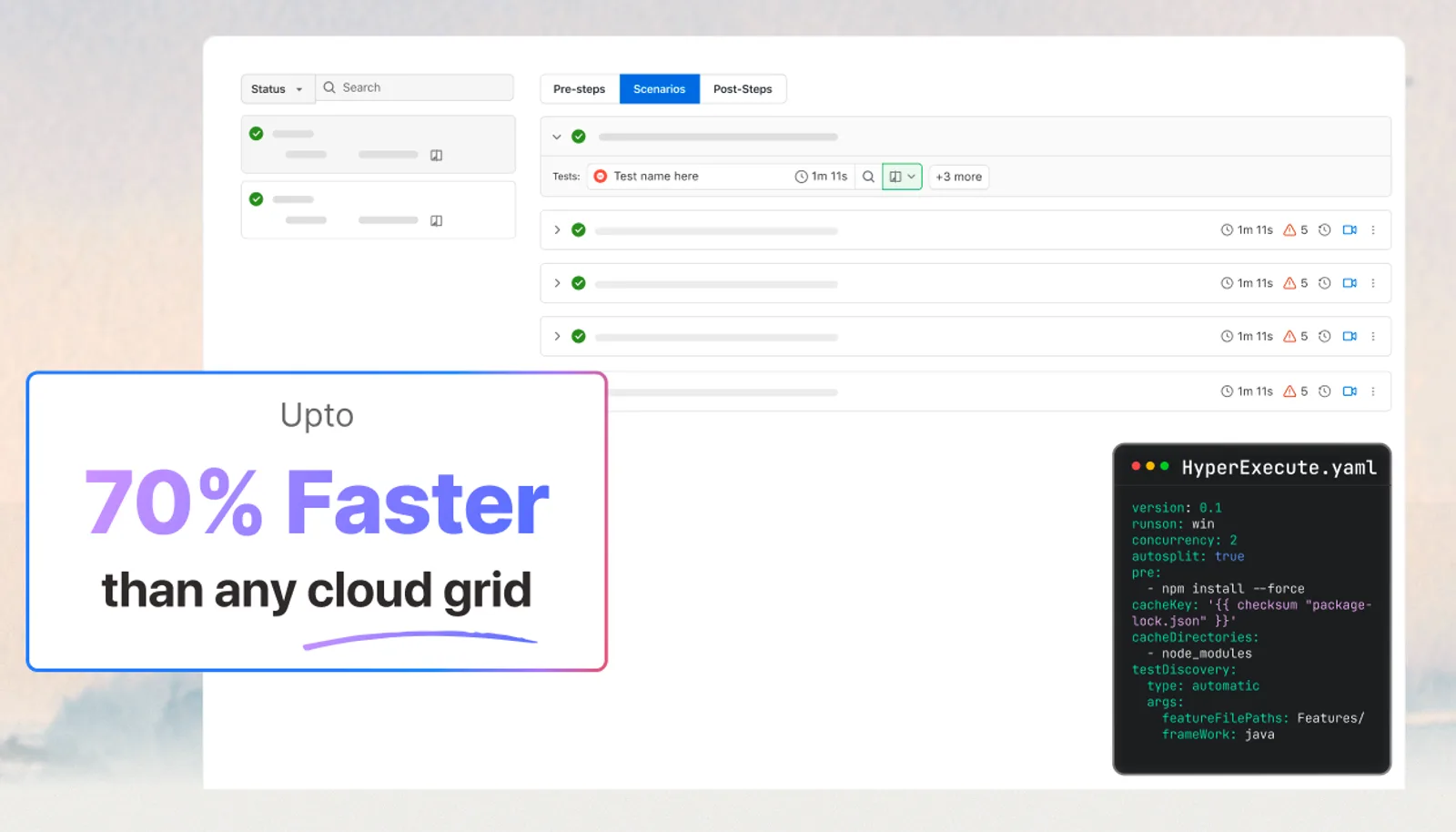
Crucially, this is not a CI tool you migrate to. HyperExecute is driven by one declarative hyperexecute.yaml in your project root plus a CLI binary, and it documents native integration with AWS CodePipeline, Azure DevOps, GitHub Actions, GitLab, CircleCI, Jenkins, Bitbucket, Travis CI, TeamCity, GoCD, Bamboo CI, and Semaphore. Whichever tool you chose above, the pattern is the same three steps: download the CLI, supply credentials from your CI secret store, run it against the YAML.
# .github/workflows/hyperexecute.yml
name: HyperExecute Tests
on: [push, pull_request]

jobs:
  hyperexecute:
    runs-on: ubuntu-latest
    steps:
      - uses: actions/checkout@v4
      - name: Download HyperExecute CLI
        run: |
          curl https://downloads.lambdatest.com/hyperexecute/linux/hyperexecute -o hyperexecute
          chmod +x hyperexecute
      - name: Run tests on HyperExecute
        env:
          LT_USERNAME: ${{ secrets.LT_USERNAME }}
          LT_ACCESS_KEY: ${{ secrets.LT_ACCESS_KEY }}
        run: ./hyperexecute --config hyperexecute.yaml --download-artifacts
The same shape works in any of the other pipelines, differing only in how secrets are declared. Full setup, YAML parameters, and per-platform examples are in the HyperExecute documentation. For a worked example of wiring automated tests into a pipeline stage by stage, see our guide to automation testing in a CI/CD pipeline. Once suites run on every commit, failure triage becomes the next bottleneck, which is what test analytics exists to solve by separating real regressions from flaky noise.

Conclusion
Start by writing down where your code lives and how much infrastructure you are willing to own. Those two answers eliminate most of the shortlist before you compare a single feature, and the comparison table above settles whatever remains.
Then decide the question your CI tool cannot answer for you: how long your tests take. Pipeline speed is test speed for most teams, and it is the one variable that gets worse as the team gets better at committing. Whichever tool you pick, point it at TestMu AI to run your existing suite in parallel across real browsers and devices, and keep the feedback loop in minutes instead of hours.
Author

Reshu Rathi
Blogs: 6


Reshu Rathi is a skilled content and marketing professional with expertise in content marketing for SaaS, tech, AI, and startup growth. She crafts strategies that drive engagement and growth, leveraging deep industry knowledge. Reshu excels in simplifying complex topics to create impactful, audience-focused content.
Reviewer

Anmol Gupta
Reviewer
Anmol Gupta is Vice President of Product Management at TestMu AI (formerly LambdaTest), driving HyperExecute, the test orchestration cloud that runs and accelerates automated test execution. He led the development of the Unified Test Execution Cloud Platform and now leads a 30-member cross-functional product organization across product lines contributing $7M+ in revenue. He brings over nine years of experience and previously co-founded the SaaS company Timble as CTO, where he grew the team from 5 to 40 and launched an AI KYC platform that processed 600K+ applications in five months while cutting verification time from 12 minutes to under 30 seconds. Anmol holds an MTech and BTech from IIT Delhi.


CI/CD Tools FAQs
Did you find this page helpful?
More Related Learning Hubs
TestMu AI forEnterprise
Get access to solutions built on Enterprise
grade security, privacy, & compliance
- Advanced access controls
- Advanced data retention rules
- Advanced Local Testing
- Premium Support options
- Early access to beta features
- Private Slack Channel
- Unlimited Manual Accessibility DevTools Tests