
Power Your Software Testing with AI Agents and Cloud
The Native AI-Agentic Cloud Platform to Supercharge Quality Engineering. Test Intelligently and Ship Faster.

- TestMu AI (Formerly LambdaTest)
- /
- Blog
- /
- 36 Best Web Analytics Tools to Optimize Your Website [2026]
36 Best Web Analytics Tools to Use in 2026
Boost your online success with powerful web analytics tools. Gain insights, track performance, and optimize your website.
Last Updated on:
Whether you’re an entrepreneur or a content creator who has recently launched an online platform for their new project, it’s crucial to understand how well your website performs. When you invest a hefty amount in establishing your online presence, it becomes essential to check whether that investment is yielding results.
This is where web analytics tools become invaluable, as they offer in-depth insights into browser usage, real-time user traffic, and more. For example, consider Google Analytics, which can offer valuable insights into the pages that receive the most visits, the average time users spend on each page, and the effectiveness of your various marketing strategies.
However, it’s important to note that the web analytics tools for a website may evolve over time. Below, we’ve listed some of the top web analytics tools, and it’s essential to incorporate them into your efforts to enhance your online presence.
What are Web Analytics Tools?
Analytics serve as the cornerstone of any successful online marketing campaign. No matter how much content and advertising you employ, it’s essential to monitor your website’s performance. Web analytics tools are used to monitor user interactions on your website. By using web analytics tools, you can assess:
- The volume of traffic your website attracts.
- The impact of your call-to-actions (CTAs).
- User clicks and mouse movement patterns.
- Visitors return rates to your website.
- Customer profiles and their geographic origins.
These analytics can be invaluable when optimizing your website for your target audience and gaining a competitive edge.
Different Categories of Web Analytics Tools
Web analytics tools can be categorized into two main types based on how they collect data:
- On-site (hosted) tools: These tools require the installation of a unique code on your website, generating analytics specific to your website.
- Third-party (off-site) tools: These tools gather insights from third-party sources such as search engines and toolbars, providing analytics data for multiple websites. They are particularly useful for competitive analysis.
- Traditional analytics tools: These tools focus on quantitative website traffic data, including metrics like bounce rate and pageviews.
- Behavior analytics tools: These tools examine qualitative user behavior data, either at the individual or aggregate level, to gain insights into website interactions.
- Customer journey analytics tools: These tools track customer touchpoints across various channels to provide a comprehensive view of user engagement and interactions.
- Content analytics tools: Content analytics tools are used to measure the performance of website content, offering insights into how effectively your editorial content is engaging users.
- SEO analytics tools: These tools provide data related to keyword performance, backlinks, search traffic, and competitor analysis, helping you optimize your website’s search engine visibility.
Within these types, web analytics tools fall into five primary categories:
36 Best Web Analytics Tools to Understand Your Users
Web analytics tools help you keep an eye on what’s happening on your website. They track things like how many people visit your site, where these visitors are coming from, and what they click on while they’re there.
With this data, you can figure out what’s working well on your website and what needs improvement. These analytics can help you make your website more user-friendly and ultimately drive more business.
To help you keep tabs on how your website is doing and understand how people are using it, here are some of the best web analytics tools available for tracking your website’s performance.
Google Analytics
Google Analytics is one of the best web analytics tools that offers in-depth insights into web traffic sources, user behavior, bounce rates, and much more. It can calculate conversion rates and monitor website user engagement time, offering a comprehensive view of digital marketing effectiveness.

With its close integration with Google’s extensive search data, you can optimize your digital marketing campaigns. Moreover, its widespread popularity is bolstered by being a free service, making it accessible to businesses of all sizes.
Adobe Analytics
Adobe Analytics is considered one of the best web analytics tools in the Adobe suite. It is an advanced multi-channel data collection platform offering a deep dive into visitor data across various channels, including voice searches, web searches, IoT products, etc.

While it requires a custom quote for pricing, Adobe Analytics is known for its comprehensive coverage, including predictive analytics capabilities, which are instrumental in positioning a website to maximize online visibility and engagement.
Mailchimp
Known initially for email marketing, Mailchimp is one of the popular web analytics tools that has evolved into a one-size-fits-all marketing platform. Its analytics and reporting tools provide valuable insights for informed decision-making in digital marketing.

From analyzing the performance of landing pages to automating email campaigns and collecting ad reports, Mailchimp helps fine-tune marketing strategies. It enables users to identify successful tactics, areas needing improvement, and elements that might need discontinuation, thereby optimizing the effectiveness of every marketing dollar spent.
Leadfeeder
Leadfeeder is one of the top web analytics tools that provides valuable insights by identifying the organizations that engage with your website, even when they don’t complete forms or initiate contact with you.

Furthermore, Leadfeeder goes a step further by furnishing you with contact details of individuals working within those organizations. This feature empowers you to proactively reach out to visitors who might not have expressed immediate interest in your offerings and enables strategic timing for engaging with promising leads within your sales funnel.
By leveraging Leadfeeder’s capabilities, you gain the upper hand in understanding your web traffic and converting those interactions into meaningful connections.
Yandex Metrica
Provided by the Russian search engine Yandex, Yandex Metrica is yet another one of the top web analytics tools for analyzing international traffic, especially from Russian-speaking regions. It offers comprehensive data on user behavior and website traffic optimization.

Features like unsampled data access, advanced session replay, and click mapping are particularly useful for high-traffic websites. Yandex Metrica’s capabilities in tracking and analyzing user interactions make it a powerful tool for businesses targeting Russian-speaking markets.
Amplitude
Amplitude is a product intelligence platform that tracks and understands user interactions with digital products.

Offering insights into product usage, user interactions, and funnel conversion rates, Amplitude is particularly beneficial for product development and user experience optimization. It provides a substantial amount of data for free every month, making it an appealing choice for businesses focused on refining their product offerings and user engagement strategies.
Matomo
Matomo is known for its strong privacy. It is an open-source web analytics platform that allows businesses to track website traffic, visitor behavior, and engagement metrics while maintaining user data confidentiality.

Ideal for self-hosted websites, Matomo offers a broad range of analytics features without any cost, making it a popular choice for businesses and organizations prioritizing data privacy and security.
Statcounter
Statcounter is another one of the best web analytics tools for anyone looking to gain deeper insights into their website’s traffic. It’s popular for its user-friendly interface and precise tracking capabilities.

With Statcounter, you have the ability to closely monitor the number of views each page on your site is receiving, a critical metric for understanding which parts of your website are attracting the most interest.
What sets Statcounter apart is its detailed analysis of user engagement. You can see not just how many people are visiting your site, but also how they interact with your content. It tracks the duration of their visits, helping you understand which sections keep your audience engaged the longest. This insight is invaluable in fine-tuning the content to better suit your audience’s preferences.
HubSpot
HubSpot is a comprehensive marketing toolkit, perfect for businesses aiming to be ahead in today’s digital landscape.

It’s much more than a mere analytics tool; it’s an all-in-one platform that begins with an efficient Customer Relationship Management (CRM) system. From there, businesses can expand their toolkit with tailored solutions, choosing from an array of ‘Hubs’, like the Marketing Hub or Sales Hub, each designed to cater to specific business requirements.
In particular, the Marketing Hub is a goldmine of features. It offers not just insightful analytics but also a suite of other tools such as email marketing, live chat, and landing page creation, among others.
MonsterInsights
MonsterInsights is also considered one of the best web analytics tools, known for its user-friendly interface and ease of use. It’s ideal for those seeking an analytics tool with a manageable learning curve. With MonsterInsights, gathering detailed information about your users becomes a simple task. You can delve deep into user profiles, gaining insights into their interactions with your website.

Furthermore, MonsterInsights can simplify complex data analysis, making it accessible even to those new to web analytics. By understanding user behavior on your website, you can fine-tune your digital marketing strategies, ensuring that they are always a step ahead of your competitors.
Mixpanel
Mixpanel offers an appealing option for those who appreciate the visual approach of Adobe Analytics but are looking for a more accessible entry point. This web analytics tool provides the ability to visualize your data comprehensively, and it does so for free. With Mixpanel, you get a detailed view of your users’ interactions and their journey throughout your website, allowing for a deeper understanding of user behavior.

The tracking capabilities of Mixpanel are particularly noteworthy. They enable you to gain significant insights into user activities, enhancing your ability to tailor your website and services to their preferences. It goes beyond basic tracking; it allows for sophisticated user grouping and comparison, offering a robust set of features to analyze user data effectively.
Woopra
Woopra is one of the popular web analytics tools when it comes to comprehensive customer journey analytics, offering real-time tracking of all activities undertaken by visitors on your website. It’s particularly adept at helping businesses in both acquiring new customers and retaining existing ones, thanks to its advanced analytical capabilities.

This platform offers detailed live statistics about visitors, such as their geographical location, the pages they are currently browsing, their navigation history on your site, and the web browsers they are using. Woopra also has the ability to engage in live chats with individual site visitors. This functionality is especially beneficial for eCommerce sites, as it enhances customer interaction and potentially boosts customer satisfaction.
Kissmetrics
Kissmetrics is a web analytics tool for SAAS and eCommerce platforms. Its unique selling point lies in its focus on individual user interactions on websites rather than just aggregating anonymous visit data. This approach enables businesses to gain a deeper understanding of how customers engage with their website, particularly in the journey towards making purchases.

The platform is rich with innovative features that are specifically designed to cater to the intricacies of SAAS and eCommerce customer behaviors. These features allow for a nuanced view of customer interactions, making it possible to tailor user experiences and marketing strategies more effectively.
Hotjar
Hotjar brings to the table some unique and engaging features that are worth exploring. At its core, Hotjar is renowned for its heatmap functionality. This feature provides insightful visual representations of how visitors interact with your website, showing not just where they click but also how far they scroll down your pages. This insight is invaluable for understanding user engagement and optimizing page layouts.

Beyond its heatmap capabilities, Hotjar also excels in gathering direct feedback from visitors. This feature allows you to gain a deeper understanding of the user experience on your site, straight from the source. By leveraging this feedback, you can make targeted improvements to your website, enhancing the overall user experience.
Semrush
Semrush is one of the best web analytics tools to enhance your online visibility, with a particular emphasis on organic traffic and keyword analysis. Primarily used for keyword research and website auditing, it delves deep into understanding online search trends, providing insights into what users are searching for and which websites are benefiting from these search queries.

The platform offers invaluable analytics on keyword traffic, helping you gauge the popularity and effectiveness of various keywords and topics. This level of detail in keyword analytics is crucial for strategizing content and SEO efforts to boost organic traffic.
Visual Website Optimizer (VWO)
Visual Website Optimizer (VWO) is a no-cost web analytics platform that empowers you to enhance your website through A/B testing. This involves experimenting with various visual and textual elements on your web pages to determine which combinations work best.

Additionally, VWO enables the recording of visitor sessions, providing an opportunity for in-depth analysis of user interactions. This feature can be invaluable for businesses, like one instance where an organization leveraged VWO’s live user recording to identify and rectify a sporadic shipping error on their website. The correction of this issue led to a significant decrease in their page’s bounce rate.
PageSpeed Insights
PageSpeed, offered by Google at no cost, is an essential tool for analyzing the loading speed of your web pages. In today’s era, where high-speed Internet is the norm, your website must load quickly to meet user expectations.

Despite having a fast Internet connection, websites can still suffer from slow loading times, which can be incredibly off-putting for visitors. The reality is, most users have little patience for slow-loading pages, often abandoning a site if it doesn’t load within a couple of seconds.
The reasons for a website’s slow performance can vary widely, ranging from network issues to inefficient server configurations or even due to oversized images and files. Understanding these factors is key to optimizing your website’s performance.
Similarweb
Similarweb is a web analytics tool that collects various kinds of website data to create a thorough dataset. This dataset provides insights into what your competitors are doing.

With Similarweb, you can discover things like where your competitors’ web traffic is coming from, what keywords they are focusing on, and how users are interacting with their websites. This information can be crucial for understanding your position in the market.
It’s not just about watching your competitors; Similarweb helps you spot market trends and identify new opportunities. It’s about making informed decisions based on real and up-to-date data.
Domo
In many organizations, different departments tend to operate in isolation, particularly when it comes to the data they generate and use. This silo effect often leaves the task of consolidating and interpreting comprehensive database reports to the IT department, which then translates this data into actionable insights for the business.

Domo steps in to bridge this gap. It is a unifying platform that integrates databases, systems, and people across an organization. This integration ensures that all departments have access to the same web analytics data, fostering a more cohesive and informed working environment.
Clicky
Clicky is a web analytics tool tailored to provide real-time tracking of visitors on your website. It allows you to instantly see and analyze what visitors are doing on your site at any given moment, from viewing page activities to tracking their navigation paths.

What sets Clicky apart from other analytics tools, such as Google Analytics, is its commitment to user privacy. Unlike many platforms that necessitate installing a tracking script, Clicky’s default configuration is designed to respect visitor privacy. It does not record personal data, avoids the use of tracking cookies, and ensures that anonymous IP addresses.
Open Web Analytics
Open Web Analytics is another free option when it comes to web analytics tools. While its open-source framework requires a bit more effort to install, there are handy guides available to help you through the process.

It comes packed with many features common to web analytics platforms, along with some additional functionalities. Open Web Analytics not only tracks live traffic, referrals, and standard metrics but also offers page heatmaps. These heatmaps show where visitors are clicking on your pages, providing valuable insights. Such a feature is particularly useful for evaluating and optimizing the placement of your CTAs (calls to action), enabling you to make effective adjustments.
Cyfe
Cyfe is like a one-stop-shop dashboard where you can bring together data from different places like Salesforce, Paypal, and Google Adwords. It’s pretty handy because it lets you look at your performance and make decisions based on solid data, all from one place.

With Cyfe, you can forget about the hassle of logging into loads of different websites to see what’s happening. It brings everything together in one spot, making your life a lot easier.
Chartbeat
Chartbeat is one of the top web analytics tools for businesses regularly posting content on their websites. It delves into customer behavior, examining how users engage with the content and offering real-time insights into the number of visitors on specific pages.

It offers the ability to monitor key performance indicators closely, especially focusing on real-time visitor engagement data. It’s a dynamic way to understand how your audience interacts with your website’s content at any given moment.
With Chartbeat’s real-time analytics dashboard, businesses gain a deeper understanding of which content pieces are most appealing to their audience. It provides a comprehensive view of user interactions, helping to tailor content strategies more effectively.
Parse.ly
Parse.ly offers valuable insights into your website visitors’ engagement with your site, including their interactions with content and images.
With the clarity provided by Parse.ly, you can make more informed marketing decisions, understanding precisely which elements of your website captivate your audience the most. This understanding is crucial for keeping visitors engaged longer.

Using Parse.ly’s insights can lead to a decrease in bounce rates and an increase in conversion rates. By analyzing visitor behavior, you can fine-tune your website to better meet the needs and interests of your audience.
Flurry
Flurry, developed by the Yahoo Developer Network, is an analytics tool for apps. It enables you to analyze conversion rates, customer interactions, and the types of devices your customers use.

It is compatible with both Android and iOS platforms and is user-friendly, requiring no coding expertise. Flurry assists in refining your app by providing answers to complex questions through its comprehensive analytics capabilities.
With Flurry, you get a deeper insight into user behavior, allowing you to tailor your app to better suit user needs and preferences. It helps in understanding which features of your app are most engaging and which may need improvement.
UserTesting
Website analytics tools excel at revealing valuable insights about visitor behavior, but they fall short in conveying what your customers think or feel.

UserTesting involves real people who use and provide feedback on your app or website. This feedback is captured on video, offering a more comprehensive understanding of user experience. This approach allows you to see firsthand how users interact with your platform, hear their thoughts, and observe their reactions, providing a richer context than standard analytics can offer.
GoSquared
GoSquared is an analytics tool for tracking the duration of a unique visitor’s activity on your website. It takes a different approach compared to other web analytics tools for calculating the time spent by users on your site.

Upon a user’s initial visit to your website, GoSquared receives a “ping.” This ping continues to be sent as long as the user remains on the site. This process operates quietly in the background, ensuring it doesn’t interfere with the visitor’s experience.
This method of time measurement provides a clearer and more precise understanding of how long visitors spend on your website.
Crazy Egg
Crazy Egg is a web analytics tool designed to enhance your website’s usability, engagement, and conversion potential. It uses heatmaps and A/B testing to understand user interactions on your website. This insight is invaluable for refining your website design to boost conversion rates.

It offers a way to track visually where visitors click, scroll, and spend time on your website, providing a clear picture of user behavior. This understanding of user interaction patterns helps in making informed decisions about layout changes, content placement, and overall design optimization.
Ahrefs
Ahrefs is a web analytics platform that offers an SEO toolkit to handle a range of tasks, from keyword research to tracking backlinks, all within a single platform. It reveals the dynamics of your website’s traffic, uncovering hidden SEO and marketing opportunities.

It also provides insights into your website’s performance in search engines, helping you identify areas for improvement. With Ahrefs, you can dive deep into your site’s SEO metrics, understand your ranking for specific keywords, and discover new keywords to target.
Datadog
Datadog is a monitoring and analytics platform widely used for cloud-scale applications. It brings together data from servers, databases, tools, and services to present a unified view of an entire stack.

It is known for its real-time performance monitoring, which helps you to identify bottlenecks and ensure optimal performance of software applications. It also offers seamless integration with various cloud services, making it a popular choice for businesses operating in cloud environments.
New Relic
New Relic is another major player in the performance monitoring arena. It offers application performance management (APM) and real-time monitoring.

It provides deep insights into how applications perform in production, helping you and your team identify and solve issues quickly. New Relic’s user interface is intuitive, offering detailed data analytics, application performance trends, and diagnostic tools.
Sumo Logic
Sumo Logic takes a slightly different approach and focuses on continuous intelligence and log management.

It’s a cloud-native platform that handles machine data analytics, providing real-time insights into security, operations, and business metrics. Sumo Logic excels in analyzing large volumes of data, making it suitable for businesses dealing with massive and complex datasets. Its strong points include advanced analytics, easy scalability, and the ability to provide operational and security insights through log data analysis.
FullStory
FullStory is an intelligence platform for digital experiences, recording every user interaction while ensuring complete privacy.

It offers dynamic conversion funnels, advanced search features, and video-style playback of actual user sessions. Besides, it also comes with powerful debugging and developer tools. FullStory lets you organize digital engagements with websites or applications, enabling teams to efficiently analyze, confirm, and improve every user experience on a large scale.
Segment
As organizations expand over time, their customer databases also grow, which can lead to issues when this data becomes cumbersome, isolated, and fragmented. Challenges can also arise when there is a lack of a uniform data governance strategy. Also, inconsistencies in terminology and word variations can lead to confusion and inaccurate reports.

Segment aims to address these challenges by serving as a foundational system for gathering, refining, and managing customer data. Additionally, it offers integration with a wide array of platforms, including Google Analytics, Salesforce, and Facebook Pixel, among others.
PaveAI
In Google Analytics, you might have noticed your reports often include numerous lines of referrer spam. A lot of users don’t realize that their websites are being visited by spammers and their bots, which inflate page views by blending into the traffic data.

PaveAI is designed to eliminate this “fake web traffic” from your analytics reports, offering a more accurate picture of your actual traffic. It operates alongside Google Analytics and utilizes the Management API to consistently introduce new filters as soon as it detects referrer spam.
Pingdom
Similar to Google PageSpeed Insights, Pingdom checks your website for different elements that might slow it down. But it goes a bit further by also keeping an eye on your site and server for any latency issues.

With Pingdom, you can oversee your website’s performance, uptime, and user interactions. This ensures that you can relax when you’re not in the office, knowing your website is functioning smoothly.
Pairing Web Analytics With Test Analytics
Every tool above measures what your visitors did once your site reached them. None of them measures whether the build those visitors landed on was tested properly first. That second question belongs to test analytics, which reports on your test runs rather than your traffic, and it usually sits with the engineering team rather than with marketing.
The two data sets explain each other. A conversion dip that web analytics records as a bounce spike on one browser often traces back to a device and browser combination your test suite never covered. Reading software quality data next to traffic data is what connects them, and it keeps both visible across the Software Development Life Cycle (SDLC).
TestMu AI Test Analytics is an AI-powered platform that gives test execution data a single home. It pulls results that would otherwise sit in separate CI logs and spreadsheets into one set of dashboards.

Here is what TestMu AI Test Analytics reports on:
- Unified test execution data: Results from every run land in one place instead of being pieced together per pipeline.
- Test overview: Test counts, inconsistencies, and a breakdown by status and environment.
- Error insights: Error counts and error types, with widgets you can configure per team.
- Resource utilization: Tests queued against tests running, so you can see where concurrency runs out.
- AI-powered insights: Patterns across executions that are hard to read off a raw results table.
- Custom dashboards: Modules and widgets assembled for whoever is reading the numbers.
- Sharing: Real-time execution data passed on to the rest of the team without an export step.
Check the documentation to get started with TestMu AI Test Analytics.
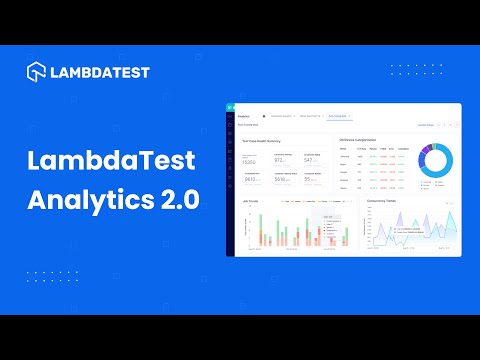
Catch up with the latest tutorials on automation testing, Selenium testing, and more. Subscribe to the TestMu AI YouTube Channel.
100+ Free Online Tools From TestMu AI!
TestMu AI has come up with an index of 100+ free online tools for developers and testers. From HTML, XML, and JSON formatters to robust data generators, and hash calculators. TestMu AI’s free online tools are built to help engineering teams accelerate and be more productive with their daily activities.
Code Tidy
- JSON Prettify
- JSON Minify
- HTML Prettify
- HTML Minify
- JavaScript Minify
- CSS Minify
- CSS Prettify
- XML Minify
- XML Prettify
Data Format
- IDN Encode
- IDN Decode
- XML to JSON Converter
- JSON to XML Converter
- BCD to Decimal
- HEX to Decimal
- Decimal to BCD
- UTF8 Decode
- UTF8 Encode
- HEX to RGB Converter
- RGB to HEX Converter
- HTML to Markdown Converter
- Markdown to HTML Converter
- Decimal to Gray Code Converter
- Gray Code to Decimal
- URL Decode
- URL Encode
- Base64 Encode
- Base64 Decode
- Text to HTML Entities Converter
- HTML Entities to Text Converter
Random Data
- Random JSON Generator
- Random XML Generator
- Random CSV Generator
- Random YAML Generator
- Placeholder Image Generator
- Random Binary Generator
- Random Character Generator
- Random Color Generator
- Random Date Generator
- Random Decimal Fraction Generator
- Random Decimal Generator
- Random GUID Generator
- Random HEX Generator
- Random Octal Generator
- Random IP Generator
- Random MAC Generator
- Random Number Generator
- Random Paragraph Generator
- Random Password Generator
- Random Time Generator
- Random UUID Generator
- Random Sentence Generator
- Random String Generator
- Random Word Generator
- Random Data from RegEXP
- Test Data Generator
- Lorem Ipsum Generator
- Credit Card Number Generator
- QR Code Generator
- Random Byte Generator
Security Tools
- Hash Calculator
- HMAC Generator
- CRC32 Hash Calculator
- CRC32B Hash Calculator
- Ripe MD 128 Hash Calculator
- Ripe MD 160 Hash Calculator
- Ripe MD 256 Hash Calculator
- Ripe MD 320 Hash Calculator
- MD2 Hash Calculator
- MD4 Hash Calculator
- Adler32 Hash Calculator
- Gost Hash Calculator
- Whirlpool Hash Calculator
- MD5 Hash Calculator
- SHA1 Hash Calculator
- SHA256 Hash Calculator
- SHA384 Hash Calculator
- SHA512 Hash Calculator
Utils
- Find and Replace String
- HTML Escape
- HTML Unescape
- Difference Checker
- Shuffle Letters
- Shuffle Text Lines
- Sorting List
- Split Your String
- Text Lowercase
- Text Uppercase
- Text Repeater
- Text Rotator
- Character Count
- Word Count
- Lines Count
- Sentence Count
- URL Parse
- JSON Escape
- JSON Unescape
- Extract Text from HTML
- Extract Text from JSON
- Extract Text from XML
- Strip HTML
- JSON Validator
Wrapping Up
That wraps up our discussion on website analytics tools. With these tools, you’ll gain a clearer understanding of how your website performs. This approach is key to enhancing user satisfaction, boosting engagement, driving sales, and increasing traffic to your website.
We hope you found these web analytics tools helpful in optimizing your website. Feel free to share your views and comments below. We’d love to hear from you!
Author

Salman Khan
Blogs: 137


Salman is a Test Automation Evangelist and Community Contributor at TestMu AI, with over 6 years of hands-on experience in software testing and automation. He has completed his Master of Technology in Computer Science and Engineering, demonstrating strong technical expertise in software development, testing, AI agents and LLMs. He is certified in KaneAI, Automation Testing, Selenium, Cypress, Playwright, and Appium, with deep experience in CI/CD pipelines, cross-browser testing, AI in testing, and mobile automation. Salman works closely with engineering teams to convert complex testing concepts into actionable, developer-first content. Salman has authored 120+ technical tutorials, guides, and documentation on test automation, web development, and related domains, making him a strong voice in the QA and testing community.
Reviewer

Srinivasan Sekar
Reviewer
Srinivasan Sekar is Director of Engineering at TestMu AI, where he leads engineering and open-source initiatives behind the Selenium and Appium automation grid and owns TestMu AI's MCP Server. A committer to Appium and a contributor to Selenium, WebdriverIO, Taiko, and AppiumTestDistribution, he brings over 15 years of experience in quality engineering and open-source technologies. He is the author of the Apress book 'The MCP Standard: A Developer's Guide to Building Universal AI Tools with the Model Context Protocol,' a Certified Kubernetes and Cloud Native Associate, and an international conference speaker. Before TestMu AI he spent over eight years at Thoughtworks as a Principal Consultant and Quality Architect. Srinivasan holds a B.Tech in Information Technology from Anna University.


Web Analytics Tools FAQs
Did you find this page helpful?
More Related Blogs

TestMu AI forEnterprise
Get access to solutions built on Enterprise
grade security, privacy, & compliance
- Advanced access controls
- Advanced data retention rules
- Advanced Local Testing
- Premium Support options
- Early access to beta features
- Private Slack Channel
- Unlimited Manual Accessibility DevTools Tests