

Power Your Software Testing with AI Agents and Cloud
The Native AI-Agentic Cloud Platform to Supercharge Quality Engineering. Test Intelligently and Ship Faster.


- TestMu AI (Formerly LambdaTest)
- /
- Blog
- /
- 9 Best Software Testing Tools for QA [September 2026]
9 Best Software Testing Tools for QA [September 2026]
Compare the 9 best software testing tools for QA in 2026 across functional, API, performance, security, and no-code categories, plus how to choose.
Last Updated on:
Quick verdict: We built TestMu AI specifically to run manual and automated tests at scale on real browsers and devices, with video, console, and network logs captured on every session. It is not the only tool a QA stack needs. If your focus is performance testing as code, Grafana k6 is a strong choice. If your team needs no-code automation for enterprise apps, Leapwork and Worksoft Certify cover web, desktop, and packaged systems without scripting.
Software Testing Tools at a Glance
| Tool | Category | Best For |
|---|---|---|
| TestMu AI | Cloud test execution | Manual and automated testing across 10,000+ real devices and browsers |
| Postman | API testing | REST-first API development, testing, and documentation |
| JMeter | Performance testing | Free, protocol-level load and stress testing |
| OWASP ZAP | Security testing | Open-source vulnerability scanning in CI/CD |
| Leapwork | No-code visual | Enterprise web, desktop, and mainframe flows without code |
What Are the Best Software Testing Tools for QA?
The best software testing tools for QA include TestMu AI for cloud test execution, Postman and SoapUI for APIs, JMeter and Grafana k6 for performance, OWASP ZAP for security, and no-code suites like Worksoft Certify, Leapwork, and TestResults.io.
Here is a closer look at each of the 9 tools, what it does best, and where it fits.
1. TestMu AI
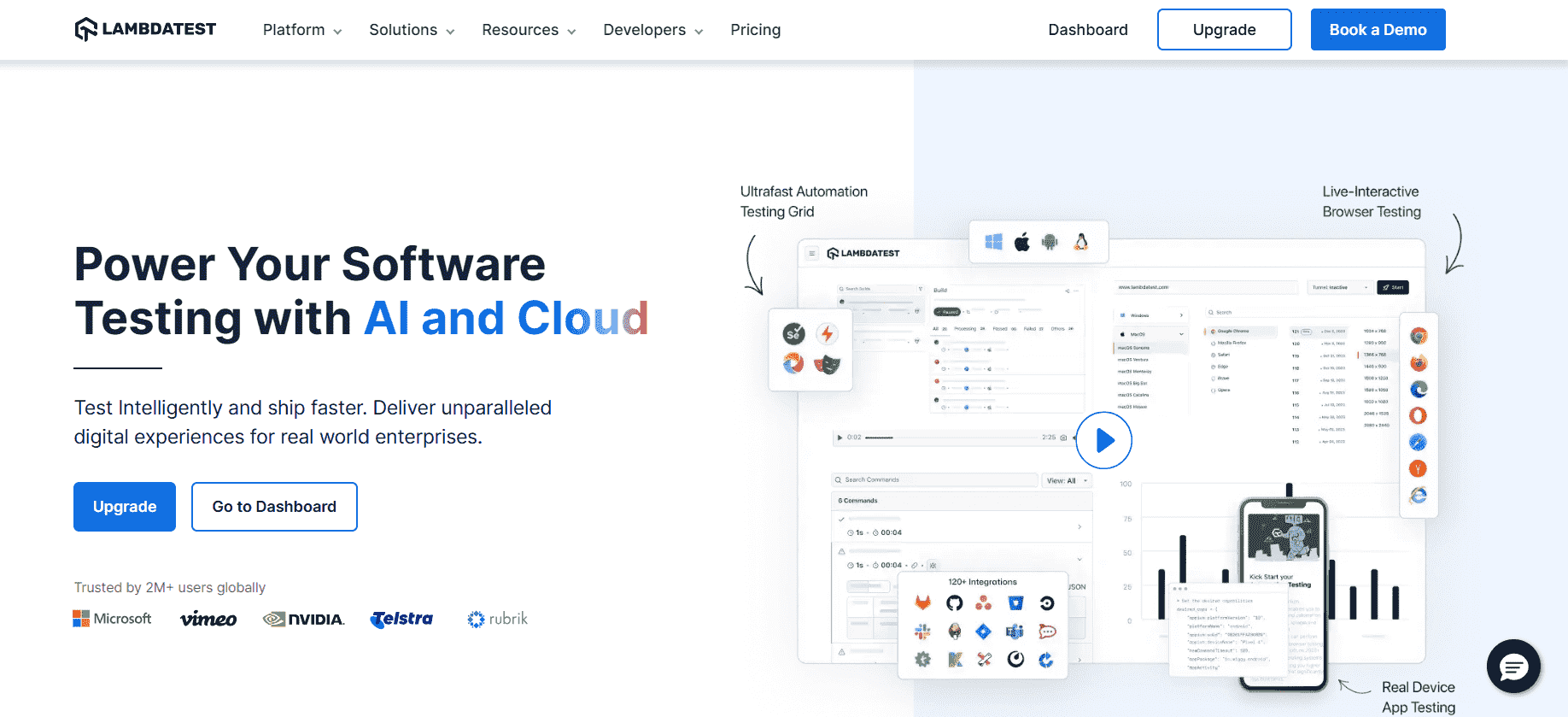
TestMu AI is a GenAI-native test orchestration and execution platform that runs manual and automated tests at scale across 3,000+ browser and OS combinations and 10,000+ real mobile devices.
It covers both sides of the QA workflow: live interactive testing for exploratory work and debugging, and parallel automated execution for regression, with every session recording video, console, and network logs.
Features:
- Real-time testing: Live interactive sessions on real browsers and devices for exploratory testing and bug reproduction.
- Automation at scale: Runs your existing automated suites in parallel, cutting regression time from hours to minutes.
- Built-in debugging: Video, screenshots, console, and network logs captured on every run, with AI root cause analysis.
- Geolocation testing: GPS and IP-based location scenarios from 180+ countries.
- Wide integration ecosystem: Connects with 120+ tools for CI/CD, project management, and bug tracking.

2. Postman
Postman is the most widely used tool for API development, testing, and documentation. Since most modern software is API-driven under the surface, it covers the layer UI tests never see.
Its collection runner automates repetitive API test tasks, and CI/CD integration keeps API contracts continuously verified.
Features:
- Versatile API support: Works with both REST and SOAP APIs for different types of API testing.
- Automation capabilities: The collection runner automates repetitive testing tasks for efficiency.
- User-friendly interface: Simplifies the creation and management of API requests for all skill levels.
- CI/CD integration: Supports pipelines for continuous API testing.
- Development and documentation: Strong tooling for API design and docs alongside testing.
3. SoapUI
SoapUI is an open-source API testing tool covering both REST and SOAP protocols, which keeps it relevant wherever modern services still integrate with legacy SOAP systems.
Its GUI-driven workspace supports functional testing, load testing, security validation, and service virtualization for isolated test environments.
Features:
- Protocol support: Fully supports REST and SOAP web services.
- Assertions engine: Pre-built assertion types for validating response data.
- Data-driven testing: Feed tests with external data from CSV, Excel, or databases.
- Load and functional dual mode: Run APIs under load or functionally in the same project.
- Service virtualization: Mock dependent APIs for isolated testing environments.
4. JMeter
Apache JMeter is the long-standing free, open-source standard for performance testing. It simulates heavy load on servers, networks, and applications to show how systems behave before real traffic finds out.
Its GUI-based test plans cover load, stress, and scalability scenarios across many protocols, with extensive reporting for interpreting the results.
Features:
- Load and stress testing: Tests application load, scalability, and stress under different conditions.
- Protocol support: Covers HTTP, FTP, JDBC, and more.
- API testing: Extends beyond web pages to API-level performance checks.
- Load simulation: Simulates heavy concurrent traffic against servers and networks.
- Extensive reporting: Detailed analysis features for interpreting test results.
5. Grafana k6
Grafana k6 is the developer-centric counterpart to JMeter: load testing scenarios are written in JavaScript, live in version control next to the application code, and run locally, in Kubernetes, or as a managed cloud service.
It covers stress, spike, soak, and smoke tests from the same tooling, streaming results into observability dashboards.
Features:
- Tests as code: JavaScript-scripted load scenarios that version alongside the application.
- Multiple test types: Stress, spike, soak, and smoke tests from one tool.
- Broad protocol support: APIs, GraphQL, WebSocket, and gRPC endpoints.
- Global load zones: The cloud option generates traffic from 21 load zones worldwide.
- Observability integrations: Streams results into Grafana and other monitoring dashboards.
6. OWASP ZAP
ZAP is the open-source standard for web application security testing. It finds vulnerabilities like SQL injection and cross-site scripting through automatic scans, spidering, and active probing.
Its REST API slots security scanning into CI/CD pipelines, so every build gets a vulnerability check rather than an annual pen-test surprise.
Features:
- Automatic vulnerability scans: Detects common vulnerabilities such as SQL injection and XSS.
- Passive monitoring: Spots potential issues from network traffic without active probing.
- REST API integration: Runs scans inside CI/CD pipelines and automation scripts.
- Authentication support: Tests protected areas via forms-based and basic authentication.
- Extensible framework: Plugins and add-ons customize the tool to specific requirements.

Note: Run manual and automated tests at scale across 3,000+ browser and OS combinations and 10,000+ real devices. Try TestMu AI free
7. Worksoft Certify
Worksoft Certify is an enterprise-grade, no-code automation platform for validating business processes across SAP, Oracle, Salesforce, and other packaged systems.
It automates full business workflows rather than page-level actions, with audit-friendly reporting for regulated, high-risk enterprise environments.
Features:
- ERP business testing: Automates critical end-to-end enterprise workflows.
- Process-centric automation: Focuses on business outcomes, not interface events.
- No-code design: Business users create automation flows without coding expertise.
- Continuous regression: Supports frequent automated regression testing across releases.
- Audit-ready reports: Built-in traceability and logs for compliance.
8. Leapwork
Leapwork is an AI-enhanced, no-code test automation platform where tests are built as reusable visual flow diagrams, covering web, desktop, mobile, Citrix, and mainframe interfaces.
Its visual approach makes automation accessible to both business and technical users at enterprise scale, backed by audit logs and role-based access.
Features:
- Visual flow builder: Create tests via drag-and-drop building blocks.
- AI assistance: Adaptive test components and dynamic object recognition.
- Enterprise governance: Audit trails, role-based access, and compliance controls.
- Technology coverage: Web, desktop, Citrix, SAP, and mobile apps in one platform.
- Reusable sub-flows: Templates reduce duplication and maintenance.
9. TestResults.io
TestResults.io is a no-code automation platform that models real user flows visually rather than relying on DOM locators, using visual object recognition and natural-language prompts.
Built for regulated industries and legacy systems, it covers Windows, web, mobile, and desktop with audit logging and CI/CD integration.
Features:
- Visual object model: Tests simulate user flow by UI context, not CSS/XPath.
- Prompt-based creation: Natural-language test steps for faster authoring.
- No-code access: Non-technical users automate without scripting help.
- Broad tool integrations: Works with Jira, Jenkins, GitLab, and Azure DevOps.
- Regulated industry support: Detailed audit logs, traceability, and compliance reports.
What Are the Types of Software Testing Tools?
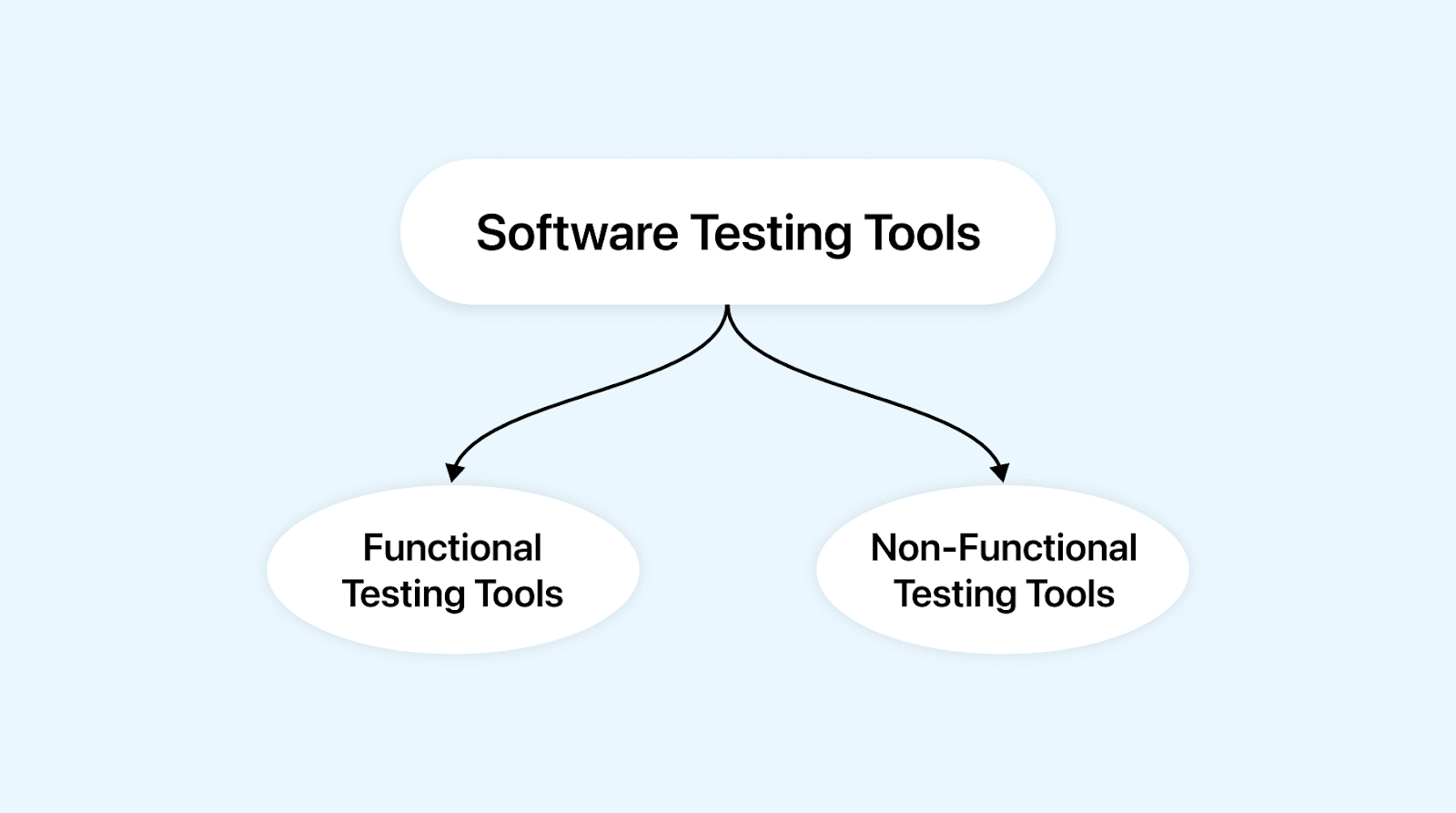
Software testing tools are categorized into two main types: Functional Testing Tools that verify correct functionality, and Non-Functional Testing Tools for performance and security.
Software testing tools help testers create, execute, and manage test cases, then analyze the results. They generally fall into two categories based on the types of testing they support, i.e., functional testing tools and non-functional testing tools.
Functional Testing Tools:
Functional testing tools are specially designed software tools or programs that check whether the software performs its intended tasks correctly and accurately. These tools automate testing specific features and behaviors to ensure correct functionality.
Non-Functional Testing Tools
Non-functional testing tools are software applications designed to assess and evaluate the attributes of a software system that go beyond its specific functionalities. These tools focus on performance, security, usability, compatibility, reliability, or other non-functional characteristics that contribute to the overall user experience and software quality.
What Are the Factors to Consider While Choosing the Right Testing Tools?
Key factors include compatibility, ease of use, CI/CD integration, scalability, customization options, community support, reporting capabilities, and cost considerations.
Following are the several factors that should be considered while choosing the right testing tools.
- Testing Type and Purpose: Identify the specific type of testing you need. For example- unit testing, integration testing, performance testing, etc. Choose a tool that aligns with your testing goals.
- Application and Technology: Consider the nature of your application (web, mobile, etc.) and the technology stack it uses. Ensure the tool supports the platforms and technologies relevant to your project.
- Ease of Use: Choose a tool that matches your expertise or expertise of your testing team. A user-friendly interface and scripting capabilities aligning with your team's skills can expedite testing.
- Compatibility: Ensure the tool is compatible with the environments you must test on, like browsers, devices, and operating systems.
- Integration: Check if the tool integrates well with your existing development and testing ecosystem, including CI/CD pipelines, version control systems, and bug-tracking tools.
- Scalability: Consider whether the tool can handle the scale of your testing needs.
- Customization: Evaluate the tool's flexibility to customize test cases, reports, and other parameters according to your project's requirements.
- Community and Support: An active and engaged user community, along with reliable support from the tool's developers, can provide assistance and solutions when needed.
- Reporting and Analysis: Look for tools that offer comprehensive reporting features, including clear visualization of test results, trends, and actionable insights.
- Cost and Licensing: Consider the budget for testing tools and whether the chosen tool's licensing model aligns with your organization's needs.
- Security: For security testing tools, ensure they align with your application's security requirements and offer features to identify vulnerabilities effectively.
What Are the Future Trends in Software Testing Tools?
Future trends include agentic AI testing, generative-AI test authoring, self-healing test maintenance, shift-left practices, and cloud-based execution across microservices and IoT.
Artificial Intelligence and Machine Learning in Testing
AI and ML algorithms are increasingly being used to automate complicated test scenarios, saving time and effort that would otherwise be spent on manual testing. By learning from past test data, AI-driven tools detect patterns and anomalies human testers may miss, leading to faster defect detection and lower overall testing costs.
Shift-left Testing Practices
Shift-left testing integrates testing at the earliest stages of the software development life cycle rather than waiting until development is finished. Automated tools enable continuous testing across the entire development cycle, so every new line of code is tested immediately, catching defects when they are cheapest to fix.
Cloud-based Testing Tools
Cloud-based testing tools are increasingly popular because they are scalable, flexible, and cost-effective. They enable teams to test across a variety of environments and configurations without large-scale physical infrastructure, and provide real-time availability of testing resources so distributed teams can test simultaneously from different locations.
Agentic and Autonomous Testing
The newest shift is from single-purpose AI features to goal-directed AI agents that own a testing task end to end. Instead of only suggesting a locator or flagging a visual diff, an agent plans what to test, generates and runs the cases, reads the results, and adapts on the next pass, with a human reviewing coverage and release risk. Expect more platforms to add AI testing agents that turn plain-language objectives into executable, self-updating suites.
Self-Healing Test Maintenance
Test maintenance, not test creation, is where most automation effort is lost. Self-healing capabilities detect when a UI element or locator has changed and re-map the affected test automatically, keeping suites green through frequent releases. As this matures, the differentiator is transparency: the best tools log what was changed and preserve an audit trail so teams can confirm a healed test still verifies the intended behavior.
Conclusion
Start by mapping your biggest quality gap to a category: cloud execution for browser and device coverage, API tools for the service layer, performance and security tools for the non-functional side, and no-code suites when the team testing best is not the team that codes.
Each of these tools speeds up testing cycles, improves detection, and increases test coverage across the Software Development Life Cycle. Weigh the factors above, run a short proof of concept, and choose the tool your team can actually maintain.
Author

Supriya Singh
Blogs: 3


Supriya Singh is a freelance technical content writer with a background in Chemical Engineering. She writes about software testing, automation, and shell scripting. On TestMu AI (formerly LambdaTest), she has authored guides on software testing tools, Unix shell scripting, and software engineering roles.
Reviewer

Abhishek Mishra
Reviewer
Abhishek Mishra is a Technical Product Manager at TestMu AI, where he owns Test Manager, the test management product. He has over 8 years of experience in product management and market analysis. His expertise spans across AI-native software testing, product strategy, and analytics. Previously, Abhishek served as the Product Lead at IndiaClan and co-founded Gartley618 Technologies, where he led innovative projects in quantitative trading and blockchain. He holds a B.Tech degree.


Software Testing Tools FAQs
Did you find this page helpful?
More Related Blogs
TestMu AI forEnterprise
Get access to solutions built on Enterprise
grade security, privacy, & compliance
- Advanced access controls
- Advanced data retention rules
- Advanced Local Testing
- Premium Support options
- Early access to beta features
- Private Slack Channel
- Unlimited Manual Accessibility DevTools Tests