
Fully Agentic Test Case Management Tool
Write, Track and Manage Every Manual or Automated Tests in One Agentic Test Management Platform with TestMu AI Test Manager.

7 Best Testpad Alternatives for 2026
Compare 7 Testpad alternatives, plus Testpad pricing, features, and limits, for teams that need test case IDs, run history, Jira sync, and CI results.
Last Updated on:
Testpad is a checklist-style manual test management tool from Testpad Limited, a London company founded by Stef Butlin, built for developers, testers, and product managers who run exploratory, regression, and UAT passes. This guide compares Testpad alternatives for teams that now need test case IDs, history for each test, CI results, or two-way Jira sync, while keeping manual testing fast.
The gap is documented by Testpad itself. Its comparison with Testmo lists "no test case IDs, no per-run history per test, no formal exploratory sessions, and no automation ingestion," and its comparison with TestRail adds no audit trail and no two-way Jira sync.
Below, you will find a comparison table, what Testpad is, seven alternatives ranked on closing Testpad's limits and how I ranked them, then Testpad's pricing, key features, pros and cons, the limits that push teams away, and how to turn a checklist into test cases.
Key Takeaways
Pick the Testpad alternative that closes the gap you feel most. TestMu AI closes all of them, from test case IDs and run history to CI results and two-way Jira, Qase imports Testpad CSV directly, and TestLodge keeps the manual-first feel. Testpad itself costs $49 to $249 a month on annual billing for 3 to 25 testers.
Compare at a Glance
| Tool | Import from Testpad | CI results | Free plan | Best for |
|---|---|---|---|---|
| 1. Test Manager | CSV import | CI-triggered runs on TestMu AI link to test cases | Free plan | Closing every Testpad gap |
| 2. Qase | Direct TestPad CSV import | Reporters for Playwright, Cypress, Jest, Pytest, and JUnit | Up to 4 users | The most direct import |
| 3. Testmo | Generic CSV or Excel | JUnit XML through the Testmo CLI | Free trial | Exploratory sessions |
| 4. TestLodge | CSV, TSV, or XLSX | REST API only | 30-day trial | Manual-first teams with unlimited users |
| 5. Testiny | Generic CSV or Excel | Testiny CLI for JUnit, Playwright, and Cypress | Up to 3 users | Small teams |
| 6. PractiTest | Generic CSV | FireCracker XML uploads | 14-day trial | Exploratory charters |
| 7. TestRail | Generic CSV | TestRail CLI for JUnit, TestNG, and Playwright | 30-day trial | A server edition |
What Is Testpad?
Testpad is a lightweight tool from Testpad Limited in London for planning and running manual tests. Each test is one line in a checklist-style script, indentation adds structure, and results are marked as you go.
Testpad calls its approach "document-centric", in contrast to the database-centric model of traditional test management, where each test case is a record with its own ID, steps, and history. Its site and FAQ describe the rest:
- Plans as checklists - a plan reads top to bottom like a checklist, edited from the keyboard, for exploratory and regression passes.
- Guest testers - a no-login link gives a guest time-limited, read-only access to one script and run, from the Team plan up.
- Reports as web pages - live pass and fail summaries that guests can open through a shareable link.
- Plans and trial - four plans sized by tester count, from 3 to 25 testers, with no limits on projects or test cases, after a 30-day trial for up to 20 users.
Testpad Limited is registered in England and Wales under company number 07670236. Founder Stef Butlin built it after the QA team at a startup where he was CTO got stuck in spreadsheets, and the about page cites 16 years in business and more than 10,000 customers. Its FAQ names developers, testers, and product managers as the main users.
What Are the Best Testpad Alternatives?
The best Testpad alternatives in 2026 are TestMu AI, Qase, Testmo, TestLodge, Testiny, PractiTest, and TestRail. They are ranked by how many of Testpad's own listed gaps each one closes.
1. TestMu AI (Formerly LambdaTest)
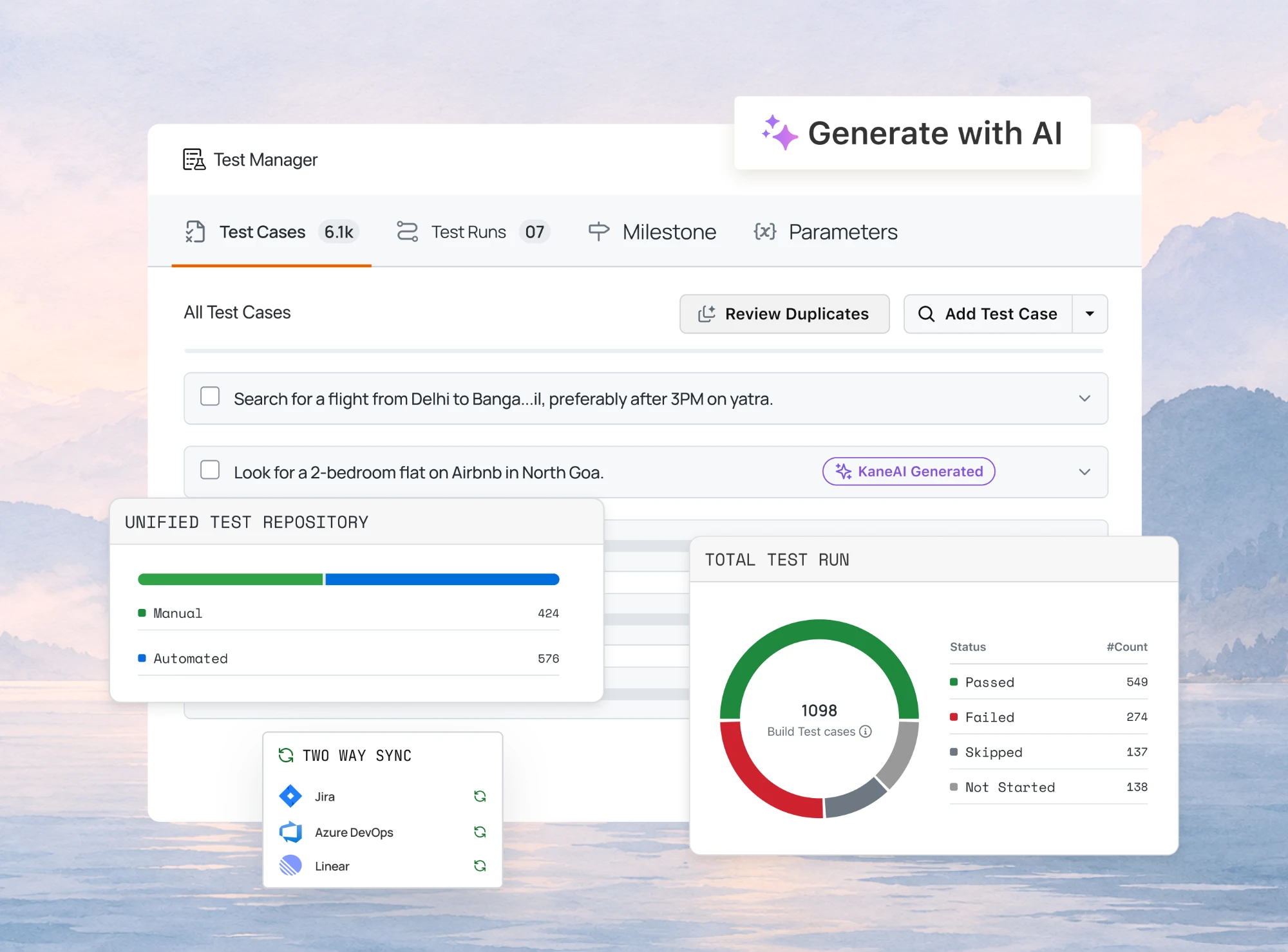
TestMu AI Test Manager is AI-native test management software that gives each test a versioned record while keeping manual execution quick, with evidence pasted straight into the run.
- Pricing - a Free plan with unlimited projects; unlimited test runs, imports, and Jira sync start on Premium at $49 per seat a month billed annually, with 2,000 AI credits per user a month; Enterprise is quoted, per TestMu AI pricing.
- IDs and history - every case has an ID and a full version trail, and Detailed Execution History reports drill down to each step.
- Manual runs with evidence - pass, fail, skipped, or blocked per step, with rich-text remarks and screenshots pasted from the clipboard.
- Automated results and Jira - automated runs on TestMu AI, including runs a Jenkins, GitHub Actions, or GitLab CI pipeline triggers, link to the same test cases, and defects sync both ways with Jira and Azure DevOps.
- Permissions and audit - roles at organization, project, and folder level, and an audit trail of every create, update, delete, and execution.
Best for: teams that need audit-ready evidence and CI results without giving up fast manual runs. The Free plan covers unlimited projects.
Limitations: there is no Testpad importer, so checklists arrive by CSV, and the step-based model asks for more structure than a one-line check.
2. Qase
Qase is a cloud test management platform from Qase Inc., and its import documentation lists TestPad as a source system, taking a CSV file.
- Direct import - choose TestPad as the source and upload the CSV.
- Structure - suites, shared steps, custom fields, plans, runs, and a requirements traceability matrix.
- Automation - reporters for Playwright, Cypress, Selenium, Jest, Pytest, and JUnit.
- Pricing - Teams at $35 per user a month billed annually ($42 billed monthly) for 5 or more users; Enterprise on quote; view-only collaborator seats at $10 a month, as listed on Qase's pricing page on October 23, 2026.
- Free plan - up to 4 users and 2 projects with 30 days of test history.
Best for: small teams that want the shortest path from a Testpad export to structured cases.
Limitations: the Free plan keeps only 30 days of history and leaves out integrations and custom fields, and AI features need a paid plan.
3. Testmo
Testmo, branded Testmo by Sembi, puts test cases, exploratory sessions, and automated runs in one cloud tool, and it is the alternative Testpad compares itself with directly.
- Pricing - no free plan; Team at $59 a month for 5 users or $99 for 10, Business from $249 a month for 15 users, and Enterprise from $599 a month for 25 users, as listed on Testmo's pricing page on October 23, 2026.
- Exploratory sessions - first-class sessions, the feature Testpad says it lacks.
- CI results - the Testmo CLI submits results in JUnit XML format.
- Jira - a Jira app, now built on Atlassian Forge, that Testmo describes as full two-way.
- Imports - CSV and Excel, TestRail XML, and the API.
Best for: teams whose Testpad checklists were really exploratory charters.
Limitations: cloud only, no Testpad-specific importer, and no free plan, only a free trial.
4. TestLodge
TestLodge is an online test case management tool from TestLodge Limited, founded in 2013, that says it is "geared mainly towards manual testing", which makes it the closest in spirit to Testpad.
- Pricing - flat plans with unlimited users: Personal at $34, Basic at $69, Plus at $139, and Premium at $279 a month, or $30, $62, $125, and $250 a month billed yearly, as listed on TestLodge's pricing page on October 23, 2026.
- Structure - test plans, requirements, test suites with cases, and test runs per browser or device.
- Unlimited users - every plan includes unlimited users, which suits UAT with business testers.
- Jira - a two-way issue integration that creates and updates issues and pulls status back, on paid or free Jira.
- Imports - CSV, TSV, XLSX, and Google Sheets.
Best for: manual-first teams that want IDs and requirement coverage without automation tooling.
Limitations: it provides no pre-made integrations with automation frameworks, only a REST API, and offers a 30-day trial with no free plan.

Austin Siewert
Co-Founder, Steadfast Systems
Discovered @TestMu AI yesterday. Best browser testing tool I've found for my use case. Great pricing model for the limited testing I do 👏
3M+ Devs and QAs rely on TestMu AI
Deliver immersive digital experiences with Next-Generation Mobile Apps and Cross Browser Testing Cloud

5. Testiny
Testiny, from Mategra GmbH, is a lightweight tool for manual test cases, plans, and runs that also accepts automation results.
- Pricing - Starter at $15.42 per user a month billed yearly (up to 25 users), Business at $17.08, and Enterprise at $25.00, as listed on Testiny's pricing page on October 23, 2026.
- Free plan - up to 3 users, plus a 21-day trial of paid plans.
- Automation - the Testiny CLI imports JUnit, TestNG, Playwright, Cypress, and Vitest results.
- Jira - a Marketplace app for a two-way integration that shows linked cases and results inside Jira.
- Imports - migration guides for several tools and generic CSV or Excel import.
Best for: small teams that want structure with a free starting point.
Limitations: Testiny's migration guides do not cover Testpad, so the checklist goes through generic CSV import.
6. PractiTest
PractiTest is a cloud-only test management platform founded in 2008 that covers requirements, scripted, BDD, and exploratory tests, test sets and runs, and issues.
- Pricing - no free plan; Team at $40 to $49 per user a month on yearly packs of 5 to 40 testers, or a flat $270 a month for up to 5 users billed monthly; Corporate is quoted, as listed on PractiTest's pricing page on October 23, 2026.
- Exploratory charters - exploratory tests with charters and guide points.
- CI results - FireCracker uploads XML reports from CI.
- Jira - two-way or one-way sync with Jira Cloud, Server, and Data Center.
- Data residency - US, EU, and AU data centers.
Best for: teams that want structured exploratory testing next to scripted cases.
Limitations: no on-premise option, no free plan beyond a 14-day trial, and no Testpad importer.
7. TestRail
TestRail is a standalone test management tool from Gurock, now a Sembi brand, and the database-style tool that Testpad's own comparison page measures itself against.
- Pricing - no free plan; Essentials at $22 per user a month for up to 5 users (Cloud only), Professional at $38, and Enterprise at $78, all billed annually, as listed on TestRail's pricing page on October 23, 2026.
- Exploratory template - an Exploratory Session test case template next to step-based cases.
- Hosting - TestRail Cloud, or TestRail Server on Windows, Linux, or Docker on higher plans.
- Automation - the TestRail CLI uploads JUnit, TestNG, NUnit, Cypress, and Playwright results.
- AI - AI test case generation, script generation, and test prioritization.
Best for: growing teams that expect to need a self-hosted server later.
Limitations: it is the heaviest change from Testpad's one-line checks, its help center has no Testpad importer, and there is no permanent free plan.
How Did I Rank These Tools?
I scored each tool on the five gaps that push teams off Testpad plus the import path from Testpad, and checked every claim on the vendor's own site or documentation on October 22, 2026. Prices did not affect the ranking; the cost section below compares three tools at fixed team sizes. TestMu AI publishes this article and ranks first because it closes all five gaps; its limits are listed in its entry. The reviewer, Abhishek Mishra, is the Technical Product Manager who owns TestMu AI Test Manager.
How Much Does Testpad Cost?
Testpad costs $49 a month billed annually for up to 3 testers on Essential, rising to $249 a month for 25 testers on Department, as listed on Testpad's pricing page on November 6, 2026. There is no free plan.
Plans are flat tiers sized by tester count, and each starts with a 30-day trial for up to 20 users with no card:
| Plan | Testers | Billed annually | Billed monthly | Notes |
|---|---|---|---|---|
| Essential | 3 | $49 a month | $59 a month | No guest testers, image attachments, or API |
| Team | 10 | $99 a month | $119 a month | Adds free guest testers, image attachments, and the API |
| Team 15 | 15 | $149 a month | $179 a month | Same features as Team |
| Department | 25 | $249 a month | $299 a month | Same features as Team |
Bigger teams can ask for a custom plan with invoiced payment, and annual plans can be upgraded but not downgraded.
To compare flat tiers with per-seat pricing, I computed yearly costs from each vendor's annual list price, including TestRail's pricing page, on October 23, 2026:
| Testers | Testpad | TestMu AI Premium | TestRail |
|---|---|---|---|
| 5 | $1,188 a year (Team, 10 seats) | $2,940 a year ($49 per seat) | $1,320 a year (Essentials, $22 per user) |
| 10 | $1,188 a year (Team) | $5,880 a year | $4,560 a year (Professional, $38 per user) |
| 25 | $2,988 a year (Department) | $14,700 a year | $11,400 a year (Professional) |
Flat tiers favor teams near a plan's ceiling: 5 testers pay for 10 seats, about $19.80 each a month, while 25 testers pay about $10 each. TestMu AI also has a $0 Free plan, and the guide to free test management tools covers more no-cost options.
What Are Testpad's Key Features?
Testpad's key features are a keyboard-driven checklist editor, retests for new builds, release copies, no-login guest testing, copy and paste import, and a REST API with webhooks for CI results.
- Keyboard-driven editor - tests are one-line prompts, Tab indents them into an outline, and the p, f, b, q, and x keys record results, per the keyboard shortcuts guide.
- Retest - a retest column carries the last run's progress into a new build of the same release.
- Release copies - copying scripts for a new release keeps tests and run headers but drops results, as the release-to-release guide shows.
- Guest testing - from the Team plan up, guest testing links let clients run tests with no login or seat.
- Import - text pastes straight into a script, and the spreadsheet import guide covers column layout and a custom GPT that reformats plans.
- API - the Testpad API documentation covers pushing CI/CD results and querying progress for dashboards.
What Do Users Like and Dislike About Testpad?
Testpad's own docs list what users gain and give up: a near-zero learning curve, free guest testers, and live reports, against no audit trail, no SSO, and no direct Jira integration yet.
These points come from Testpad's own FAQ and security page, not from review sites.
Pros:
- Near-zero learning curve - anyone who can write a checklist can contribute.
- Free guest testers - guests take no seat on the Team plan and up.
- Shareable live reports - stakeholders view results through a link.
- No item limits - unlimited projects and test cases on every plan.
- Security basics - SOC 2 Type 2 and two-factor authentication on every plan, per its security page.
Cons:
- No audit trail yet - the FAQ says formal audit trails are on the roadmap.
- No SSO - and no directory service integration or central user provisioning.
- Light Jira links - no formal integration and no traceability matrices.
- Online only - no offline mode and no customizable workflow.
- Plan limits - Essential lacks guests, image attachments, and the API.
Which Integrations and Deployment Options Does Testpad Offer?
Testpad offers lightweight issue links for Jira, GitHub, Pivotal, and Trello, a REST API, and webhooks. It is a hosted web app that runs on AWS, and its site lists no server edition or Jira app.
- Issue links - issue numbers recorded on results open the issue in a new tab; automatic issue creation is, in Testpad's words, "Nope, not yet."
- API and webhooks - since June 24, 2026, webhooks push run and result events to your URL, Zapier, or Make, per the webhooks announcement.
- Hosting and devices - hosted on AWS infrastructure, no offline mode, and test runs on phones through email links or QR codes.
Teams that need EU hosting, a server edition, or tests stored inside Jira should compare Jira test management tools instead.
Why Do Teams Outgrow Testpad?
Teams outgrow Testpad when they need to point to one test by ID, see how it fared across releases, pull CI results into the same report, or prove who changed what. Testpad's own comparisons list these gaps.
- No test case IDs - a check is a line in a document, so a bug report or a requirement cannot reference it by a stable identifier.
- No per-test history - results live per run, so finding the checks that failed in the last three releases means opening each run.
- No automation ingestion - the REST API, which Testpad's June 2026 webhooks post describes as available on request, accepts results as text values, and its specification has no JUnit or XML import.
- Light Jira linking - issue numbers in comments become links, with no automatic issue creation and no two-way sync.
- No audit trail or permissions - Testpad's comparison with TestRail says access control is "Not today; anyone in an account can edit."
None of this matters for a two-person team running quick manual passes. It starts to matter when QA has to show auditors or release managers evidence for each test.
How Does Testpad Compare With TestMu AI?
Testpad and TestMu AI both start at $49 a month on annual billing, but Testpad's price covers 3 testers, while TestMu AI charges per seat and adds a free plan, AI test generation, two-way Jira, and test execution.
| Criteria | Testpad | TestMu AI Test Manager |
|---|---|---|
| Pricing entry point | $49 a month billed annually ($59 monthly) for up to 3 testers | Premium at $49 per seat a month billed annually |
| Free plan | None; 30-day trial for up to 20 users | Free plan with unlimited projects; Premium adds unlimited test runs, imports, and Jira sync |
| AI test generation | None built in; a custom GPT helps reformat plans | From text, Jira, Azure DevOps, or Linear issues, PDFs, images, audio, and video (Premium) |
| Jira | Issue numbers become links; no direct integration | Two-way Jira and Azure DevOps sync, plus a free Jira Cloud app |
| Hosting and deployment | Hosted on AWS; no server edition | Cloud, with an isolated private cloud option on Enterprise |
| Test execution | Manual runs; automated results only through the API | Manual runs, CI results, and runs on real browsers and 50,000+ real devices (separate plans) |
Testpad stays the cheaper, faster choice for small manual-only teams. For a wider field, the roundup of best test management tools compares more options.
How Do You Turn a Testpad Checklist Into Test Cases?
Treat the top level of the outline as folders, the second level as test cases, and the lines beneath each case as steps, then import the result as CSV and add expected results where checks lacked them.
Testpad's import guide describes scripts as a single column of test descriptions, with indentation turning lines into title rows.
Expected results are the real migration work. A Testpad line such as "SAVE10 reduces a 50.00 cart to 45.00" mixes the action and the expected result, so a step-based tool needs it split in two.
- Split action from result - rewrite each step as what the tester does, and move what they should see into Outcome.
- Draft outcomes with AI, then review - AI can propose expected results, but in the Stack Overflow Developer Survey 2026, 48% of respondents say they trust AI when they can easily validate the answers, so a tester should approve each one.
- Import the file - import test cases from CSV in Test Manager with the multi-row layout, mapping Title, Folder, Steps, and Outcome.
- Keep old results - export Testpad's results as CSV or HTML reports and attach them to the matching release, because run history does not import.

Note: TestMu AI Test Manager generates structured test cases from text, PDFs, and Jira tickets, and records pass, fail, or blocked for every step of a manual run. Start free with TestMu AI
How Do Exploratory and UAT Testing Carry Over From Testpad?
Exploratory work moves to session features in Testmo, PractiTest charters, or TestRail's session template. UAT moves to plans with cheap seats for occasional testers, such as TestLodge's unlimited users.
- Exploratory sessions - Testmo runs first-class sessions, PractiTest adds charters and guide points, and TestRail offers an Exploratory Session template. The guide to exploratory testing covers how to write charters that survive the move.
- Live sessions from a case - in TestMu AI, a tester launches a Real-Time Testing session on a browser or device directly from the case and records the result against it.
- Guest and UAT testers - Testpad's no-login guest links have no exact match here, so count occasional testers as seats, or pick TestLodge, whose plans include unlimited users.
For a broader view of session tooling, this comparison of exploratory testing tools covers tools built only for exploratory work.
Note: Launch a live browser session from any test case and log the result in the same run with TestMu AI. Explore Real-Time Testing
Which Testpad Alternative Should You Choose?
Choose among these Testpad alternatives by the gap that hurts most: TestMu AI to close all of them, Qase for direct import, Testmo for exploratory sessions, and TestLodge to stay manual-first.
Export one Testpad script this week, convert it into a multi-row CSV, and import it into your first choice. For TestMu AI, the Test Manager documentation covers projects, folders, and manual runs, and the pricing page lists CSV import under Premium.
Author

Bhavya Hada
Blogs: 30


Bhavya Hada is a Community Contributor at TestMu AI with over three years of experience in software testing and quality assurance. She has authored 20+ articles on software testing, test automation, QA, and other tech topics. She holds certifications in Automation Testing, KaneAI, Selenium, Appium, Playwright, and Cypress. At TestMu AI, Bhavya leads marketing initiatives around AI-driven test automation and develops technical content across blogs, social media, newsletters, and community forums. On LinkedIn, she is followed by 4,000+ QA engineers, testers, and tech professionals.
Reviewer

Abhishek Mishra
Reviewer
Abhishek Mishra is a Technical Product Manager at TestMu AI, where he owns Test Manager, the test management product. He has over 8 years of experience in product management and market analysis. His expertise spans across AI-native software testing, product strategy, and analytics. Previously, Abhishek served as the Product Lead at IndiaClan and co-founded Gartley618 Technologies, where he led innovative projects in quantitative trading and blockchain. He holds a B.Tech degree.
Testpad Alternatives FAQs
Did you find this page helpful?
More Related Blogs


TestMu AI forEnterprise
Get access to solutions built on Enterprise
grade security, privacy, & compliance
- Advanced access controls
- Advanced data retention rules
- Advanced Local Testing
- Premium Support options
- Early access to beta features
- Private Slack Channel
- Unlimited Manual Accessibility DevTools Tests