
Run Tests Up to 70% Faster than Traditional Test Grids
HyperExecute Is an AI-Native Test Orchestration Platform to Run Your Automation Test Suites with Blazing Fast Speed.

Test Execution in Software Testing: A Complete Guide
Part of: HyperExecute
This test execution tutorial explores the importance of test execution, its guidelines, states, cycles, and how to achieve faster test execution.
Last Updated on:
Test execution in software testing is the phase where a QA team runs prepared test cases against a software build and compares the actual behavior with the expected behavior. Each run records a status such as passed, failed, blocked, or not run, logs a defect for every failure, and feeds the test execution report behind the release decision.
Overview
To perform test execution, run your software build's test cases and compare actual results with expected outcomes by combining manual and automated runs. Use TestMu AI for parallel execution across multiple machines and HyperExecute to orchestrate automated suites up to 70% faster. The cases, runs, and results behind those executions stay organized through test case management.
- Parallel execution: The TestMu AI automation cloud runs test suites across multiple machines simultaneously to reduce wall-clock time and accelerate releases.
- Test orchestration: HyperExecute executes automated suites up to 70% faster than traditional grids by isolating test scripts and execution components to eliminate network hops.
- Cycle management: TestMu AI's test management platform integrates test planning, manual and automated results, and end-to-end requirement traceability in a single unified workspace.
- Comprehensive verification: Blending manual and automated testing combines exploratory checks with automated regression runs to ensure thorough coverage across the software build.
- Process auditability: Recording execution results tracks and documents every test case outcome to maintain a clear, auditable history across manual and automated runs.
What Is Test Execution
Test execution refers to running a build's test cases and comparing the actual results with the intended results, verifying the application meets its pre-defined requirements before release.
For a quick visual walkthrough of this concept, watch the video below from TestMu AI.

Subscribe to the TestMu AI YouTube channel for more tutorials on testing and automation.
The phase is an essential part of the Software Testing Life Cycle (STLC) and the SDLC, and it begins once test planning is complete.
Once the test script is ready, it is shared with the development and business analyst team for review, and the QA team incorporates the necessary changes.
That marks the end of the test design process. Alongside the test cases, a software build and a stable test environment are essential inputs to this phase.
Before execution can begin, make sure the following prerequisites are in place:
- Complete test design: The defined test cases are finished and ready to run.
- Execution tooling: A test execution tool to run and record cases.
- Tracking workflow: A process to track test results and metrics.
- Data clarity: Everyone knows which data has to be tracked.
- Shared criteria: The team agrees on logging tests and reporting bugs.
What Is the Difference Between Test Case Execution and Test Execution
Test case execution runs a single test case and records its outcome, while test execution is the broader phase that runs every case and suite for a build, tracks their states, and reports results.
In other words, many test case executions add up to one test execution phase. The table below breaks the two apart.
| Aspect | Test Case Execution | Test Execution |
|---|---|---|
| Scope | One individual test case, manual or scripted. | The whole phase across every case and suite for a build. |
| Output | A single Pass, Fail, or Blocked result for that case. | An aggregated test execution report and defect log. |
| Owner | The tester assigned to the case. | The QA lead who owns the cycle and its exit criteria. |
| Automation form | Test case script execution runs the automated version of a case. | Mixes manual and automated runs across the suite. |
Test case script execution is the automated form of a case: a script drives the application, asserts the expected behavior, and returns a pass or fail.
Keeping the distinction clear helps you report accurately, because a single failed case is not the same signal as a failing phase.

Why Is Test Execution Important
Test execution matters because it verifies a build behaves as specified before release, turning requirements into evidence and catching defects early, while they are still cheap to fix in production.
When the intended results match the actual results, the build has demonstrated that it meets its requirements and is ready to release.
Beyond a pass or fail, test execution evaluates the work of everyone in the delivery chain and answers three questions:
- Requirements: Were they gathered and interpreted correctly?
- Design fidelity: Were the requirements reflected accurately in the design and architecture?
- Build accuracy: Did the team build the application in line with them?
What Is the Test Execution Cycle
The test execution cycle is the loop a QA team runs for each build: check the entry criteria, confirm the build is stable, run the cases in priority order, log each result, raise defects, retest the fixes, and stop when the exit criteria are met. It is the execution phase of the Software Testing Life Cycle (STLC): planning and test design come before it, and test closure after.
Each step feeds the next, and the loop repeats for every new build:
- Check the entry criteria: A deployable build, a ready test environment and test data, and reviewed test cases. If one is missing, execution waits.
- Confirm the build is testable: Run a smoke test in the dedicated QA environment. A build that fails it goes back to development before the full run.
- Run the cases in priority order: Highest priority first (see how to prioritize below), manually or automated, and in parallel where the cases are independent.
- Log each result: Record each case's execution state with its evidence: screenshots, videos and logs.
- Raise and link defects: Log each failure with steps to reproduce, the expected and actual results and the environment, and link it to the failed case. A case that could not run is Blocked, not Failed, and links to the defect that blocks it.
- Retest, then run regression: Rerun the failed and blocked cases once their fixes land, then run regression testing on the new build to confirm the fixes broke nothing else.
- Check the exit criteria and report: When every planned case has run, the pass rate meets the target and no high-severity defect is open, publish the test execution report. Otherwise, start the next round on the next build.
For example, on an e-commerce login flow, the entry check confirms a registered test account and an invalid credential set exist. The run submits both and expects the account dashboard for the first and an error message for the second. If the invalid login is accepted, the case is logged as Fail with a linked defect, and both cases rerun on the build that fixes it.

Note: Run your test execution across 3,000+ browser and OS combinations and 50,000+ real Android and iOS devices on TestMu AI, with parallel runs that shrink wall-clock time. Start testing for free
What Are the Key Activities in Test Execution
The key activities in test execution are system integration testing, defect reporting, defect mapping, re-testing, and regression testing, run together to validate a build before production.
Each activity plays a distinct role in the cycle:
- System integration testing: The point where application validation actually begins. This black box technique checks the system against specified requirements and cases.
- Defect reporting: Identifying flaws through testing or customer feedback and logging them for the team, then monitoring and prioritizing them.
- Defect mapping: A logged defect is mapped to its failed test cases and requirements in the traceability matrix, then fixed or rescheduled.
- Re-testing: Re-running the same test cases after a fix to confirm the reported bug is gone and the functionality works as expected.
- Regression testing: Regression testing validates a new build after a code commit, confirming no new defects. A strong automation candidate.
How Do You Perform Test Execution
You perform test execution by running individual cases or whole suites, manually or automated, recording each result, and executing the suite in parallel on the cloud to shorten total run time.
Teams pick the test execution techniques that fit the build, the risk, and the time available:
- Run test cases: The simplest approach: run one case at a time on a local machine, with its own script and environment.
- Run test suites: A collection of manual and automated cases. Run it sequentially or in parallel, stopping on the first failure.
- Record execution results: Recording each test case execution keeps the process organized and auditable across manual and automated runs.
- Run manual and automated tests: Manual, automated, and continuous testing are the common modes, and most teams blend them.
- Modify execution variables: Adjust variables for specific runs so the same script can target different data or environments.
- Capture test artifacts: Screenshots, videos, and logs capture what happened during a run, the evidence you use to debug failures later.
- Track defects: Test execution and defect tracking are inseparable. Without solid tracking, you cannot tell what went wrong or why.
How Do You Prioritize Test Execution
Prioritize test execution so the cases most likely to find a serious defect run first. Critical bugs then surface early in a long run, and when time runs short the team cuts from the bottom of the list instead of re-planning the suite.
Most teams rank cases with one of four models, or a weighted mix of them:
- Risk-based: Rank each case by the damage its failure would cause and how likely that failure is. Checkout and login outrank a rarely used settings page.
- Coverage-based: Rank cases by how much code they exercise, measured by branch coverage rather than line coverage, since a case that covers many lines can still skip the branch that fails.
- History-based: Run first the cases that failed in recent runs or that cover recently changed code, because past failures are a strong predictor of the next one.
- Requirement-based: Weight each requirement by its customer-assigned priority, how often it has changed (volatility), its implementation complexity and its fault proneness, then give each case the weight of the requirement it covers.
Within a model, a few properties of each case break ties:
- Platforms covered: How many browsers, devices, or operating systems the test touches.
- Test complexity: How intricate the scenario and its setup are.
- Test case depth: How thoroughly a single feature is exercised.
- Test case breadth: How many features a test spans.
Ranking a suite is a one-time effort, but the ranking has to be revisited whenever a requirement or a test case changes, or it drifts out of date.
What Are the Guidelines for Test Execution
Effective test execution follows clear guidelines: run in a dedicated QA environment, select suites by risk, assign cases to testers, resolve blockers fast, and track status and defects continuously.
Once the entry criteria are met and the objective is set, these points keep the cycle on track:
- Confirm readiness: Complete the test design and test case creation before you start.
- Deployable build: A standalone application must be available to begin execution.
- Dedicated QA environment: Keep it separate from development so ongoing code work does not disturb the tests.
- Risk-based selection: Pick suites by risk and business priority, then share them for feedback.
- Clear ownership: Assign cases to specific testers, and track status and defects continuously.
- Unblock fast: Resolve blocking issues as they arise, and reevaluate priorities as status changes.
- Test Readiness Review: Run it after build deployment and before execution to close out test design.
- Stability checks: Use exploratory testing, then smoke testing and sanity checks to confirm the build is stable.
- Two-round cycle: The first catches blockers and high-severity defects, the second medium defects and script errors.
What Are the States of Test Execution
The states of test execution classify each case as Pass, Fail, Inconclusive, Blocked, Deferred, In progress, or Not run, letting a team measure the completion rate and the success rate of a cycle.
Completion rate shows how much effort remains and how much risk is undiscovered, while success rate shows whether the software behaves correctly:
- Pass: The test ran and met the intended result.
- Fail: The test ran but did not meet the intended result.
- Inconclusive: The outcome needs further analysis before it can be classified.
- Blocked: The test cannot run because one of its prerequisites is not met.
- Deferred: The test is not run yet and is scheduled for a future release.
- In progress: The test is currently being executed.
- Not run: The test has not been executed at all.
What Is a Test Execution Report
A test execution report summarizes a cycle for stakeholders, showing the cases planned, passed, failed, blocked, or not run, plus the pass rate that decides whether a build clears its criteria.
Shared with a client, product owner, or release manager, it states what was planned, what ran, and what still needs attention.
A typical report covers a summary, variances from the plan, an assessment, results, evaluation, and sign-off.
At its core sits a status table that turns raw runs into a decision. The counts and pass rate show whether the build clears its exit criteria:
| Metric | What it tells you |
|---|---|
| Total test cases | The size of the planned scope for the cycle. |
| Passed | Cases that met the expected result and need no further action. |
| Failed | Cases that raised a defect and are linked to a bug report. |
| Blocked | Cases that could not run because a prerequisite was unmet. |
| Not run | Cases still outstanding, feeding the test completion rate. |
| Pass rate | Passed divided by executed cases, the headline test success signal. |
The report also records the tools used and how effective they were at finding critical defects, so the next cycle can plan around what actually worked.
Assembling that report manually from scattered spreadsheets is slow, and it cannot prove that every requirement was actually covered.
TestMu AI Test Manager, an AI-native test management software, connects the whole cycle in one workspace:
- Plan and organize: Group cases into plans and cycles, and assign them to specific testers.
- Unified results: Manual and automated runs map back to the same cases in one pass/fail view.
- End-to-end traceability: Link requirements to test cases, runs, and defects in a single matrix.
Because TestMu AI Test Manager keeps manual and automated runs on the same cases, syncing each automated test instance back to its run keeps that unified pass/fail view accurate without manual updates.
See the docs on test run creation and management to plan cycles and record execution.
How Do You Achieve Faster Test Execution Cycles
You achieve faster test execution cycles by running the automated suite in parallel on a cloud grid, caching dependencies, and distributing tests across many machines instead of one local runner.
Release cadence now depends on this: every commit triggers a run, so a slow suite taxes the team dozens of times a day.
Maintaining a complex on-premise grid raises maintenance cost, while a local setup lacks the cloud's scale. Cloud testing resolves that tension and eases remote testing challenges.
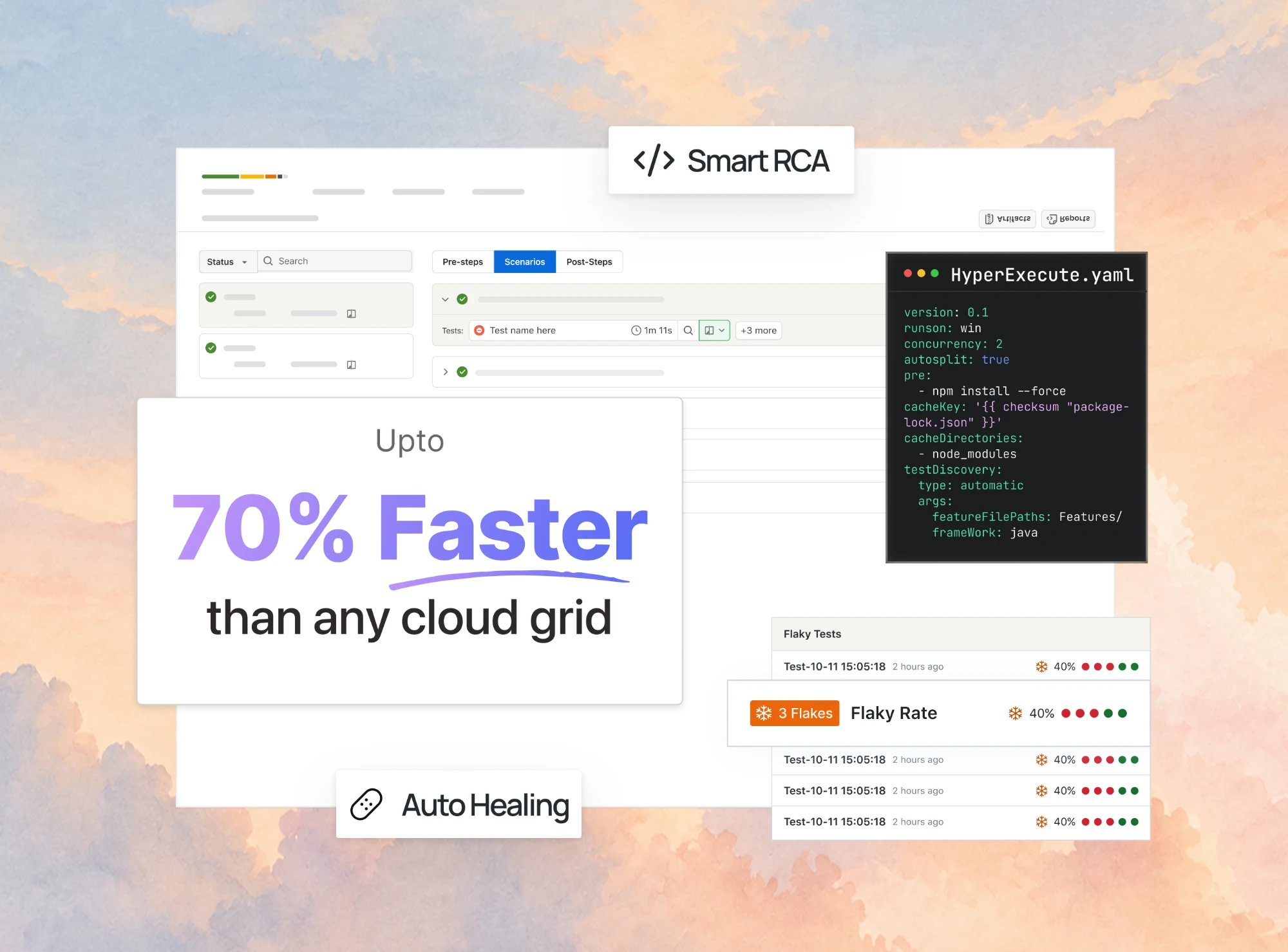
HyperExecute is the AI-native test orchestration cloud from TestMu AI (Formerly LambdaTest). It runs suites up to 70% faster than traditional grids.
Our roundup of the best test execution tools compares HyperExecute with ten other runners, grids, and orchestrators.

It does this by placing the test script and its execution components in a single isolated environment per task, removing the network hops a hub-and-node grid pays on every command.
On top of that collapsed architecture, HyperExecute layers the intelligence that keeps a suite efficient:
- Smart test distribution: Matrix, Auto-Split, and Hybrid strategies fan a suite into parallel tasks to cut wall-clock time.
- Just-in-time infrastructure: Fresh VMs spin up per task and tear down after, so no standing grid needs maintenance.
- Dependency caching: Dependencies restore from a lockfile-keyed cache, making the second run and every run after materially faster.
- Intelligent execution control: Automatic retries, fail-fast, and test reordering surface failures sooner and cut wasted compute.
- AI root cause analysis: Reads each failure and names the root cause, separating a real bug from infrastructure flakiness.
You point it at one hyperexecute.yaml file, so existing tests run as-is. See the docs on getting started with HyperExecute to set up your first job.

Conclusion
Start by tightening the fundamentals: complete your test design, pick suites by risk, record every run with a clear state, and close each cycle with a report of pass rate and open defects.
Once that discipline is in place, the fastest way to compress the cycle is to run the automated suite in parallel on the cloud. That is parallel testing: independent tests run at the same time, and the run ends when the slowest one finishes.
Spin up your first parallel run on TestMu AI's automation testing cloud, and as the suite grows, move it to HyperExecute to keep feedback fast without your own grid.
Before adding machines, measure where the run actually spends its time. The use case on cutting test execution time separates a run into its six timed segments and shows which of them parallelism can compress.
Tracking tests across tools and teams? TestMu AI's Test Manager keeps test cases, runs and results in one place.
Author

Salman Khan
Blogs: 136


Salman is a Test Automation Evangelist and Community Contributor at TestMu AI, with over 6 years of hands-on experience in software testing and automation. He has completed his Master of Technology in Computer Science and Engineering, demonstrating strong technical expertise in software development, testing, AI agents and LLMs. He is certified in KaneAI, Automation Testing, Selenium, Cypress, Playwright, and Appium, with deep experience in CI/CD pipelines, cross-browser testing, AI in testing, and mobile automation. Salman works closely with engineering teams to convert complex testing concepts into actionable, developer-first content. Salman has authored 120+ technical tutorials, guides, and documentation on test automation, web development, and related domains, making him a strong voice in the QA and testing community.
Reviewer

Sri Harsha
Reviewer
Sri Harsha is Engineering Manager of the Open Source Program Office at TestMu AI, where he leads open-source engineering behind the Selenium and Appium automation grid and builds agentic AI systems for quality engineering. He is a member of the Selenium Technical Leadership Committee and a committer to WebdriverIO and Appium, and was recognized with the LambdaTest Delta Award 2023 for Best Contributor in open-source testing. He brings over 10 years of experience in software testing and automation, with earlier roles at EPAM Systems and ZenQ. Sri Harsha holds a B.Tech in Computer Science from Jawaharlal Nehru Technological University.


Test Execution FAQs
Did you find this page helpful?
More Related Learning Hubs





TestMu AI forEnterprise
Get access to solutions built on Enterprise
grade security, privacy, & compliance
- Advanced access controls
- Advanced data retention rules
- Advanced Local Testing
- Premium Support options
- Early access to beta features
- Private Slack Channel
- Unlimited Manual Accessibility DevTools Tests