

Power Your Software Testing with AI Agents and Cloud
The Native AI-Agentic Cloud Platform to Supercharge Quality Engineering. Test Intelligently and Ship Faster.


- TestMu AI (Formerly LambdaTest)
- /
- Learning Hub
- /
- What Is a Test Harness in Software Testing?
What Is a Test Harness in Software Testing?
A test harness is a collection of tools, test data, stubs, and drivers that automates test execution and compares actual results against expected outcomes.
Last Updated on:
A test harness is a collection of test scripts, test data, an execution engine, and the stubs and drivers that stand in for dependencies the system under test cannot reach. It runs tests without a human driving them, compares actual output against expected output, and reports what happened.
The term is used loosely, which is the real source of the confusion around it. The ISTQB glossary restricts it to the simulation layer alone. Simulink applies it to a test-specific simulation environment around a model. Android uses "Test Harness Mode" for something different again, a device state for unattended runs. Each of those senses is reconciled below, alongside a harness you can actually run.
TL;DR
- A test harness is the test scripts, test data, execution engine, and the stubs and drivers that replace missing dependencies.
- A unit test harness tests one module in isolation through a runner such as JUnit, NUnit or pytest.
- An integration test harness tests modules together, using stubs and drivers in place of pieces that are not ready.
- A system test harness tests the assembled application end to end, with interfaces, backend services and database connected.
- A test harness automates setup, execution, comparison against expected results and reporting, so the same tests run identically every time.
- Stubs and drivers are code nobody ships but everybody maintains, which is the usual reason a harness falls out of use.
What Is a Software Test Harness?
A test harness is a structured toolkit designed to help developers and testers run and manage software tests with ease. It's like a dedicated test workbench that ensures testing is smooth, repeatable, and efficient. At its core, a test harness includes:
- Execution engine - Runs tests against the software under test.
- Script repository - Stores test scripts and relevant data.
- Stubs and drivers - Simulate parts of a system that aren't yet available, making testing possible even before everything is fully built.
With the rise of AI agentic systems, harnesses now go further. They can prioritize test cases dynamically, adapt to application changes (self-healing), and optimize execution based on code changes or risk areas.
Core Components of a Test Harness:
A well-designed test harness usually includes:
- Test scripts - Define the actions and conditions for each test.
- Test data - Provide the input values and expected outputs.
- Test execution engine - Runs the scripts and orchestrates the workflow.
- Stubs and drivers - Simulate missing or external modules, allowing tests to run in isolation.
- Result analyzer - Compares actual results against expected outcomes.
- Reporting module - Generates logs, dashboards, or summaries of test execution.
How Standards Bodies Define a Test Harness
Look up a definition and you get several that do not agree with each other. That is not sloppiness. Each source draws the boundary where its own discipline needs it, so the word covers a different amount of machinery depending on who is using it. Here is what each one actually publishes.
| Source | Published definition | What it counts as the harness |
|---|---|---|
| ISTQB glossary | "A test environment comprised of stubs and drivers needed to execute a test." | The simulation layer only. No runner, no reporter. |
| Common industry and tooling usage | The scripts, test data, execution engine, stubs and drivers, output validator, and reporting module that run a test together. | The whole apparatus around the system under test. |
| Simulink Test (MathWorks) | "A test-specific simulation environment for your model" used to isolate individual blocks for unit testing. | A model-level wrapper in model-based design. |
| Android (AOSP) | Test Harness Mode: a device state that wipes user data, retains ADB keys, and skips first-time setup screens. | A device configuration, not a harness you build. |
The ISTQB glossary defines a test harness as a test environment comprised of stubs and drivers needed to execute a test, and lists the term in its Foundation 2018 and Advanced Test Automation Engineer 2016 syllabi.
That is the narrowest of the four, and the consequence of reading it strictly is worth spelling out: it covers only the parts that stand in for what is missing, which would put the runner that executes your tests and the module that reports results outside the harness entirely.
Almost nobody uses it that narrowly in practice. When an engineer says "our test harness," they usually mean the whole apparatus, which is the sense this guide uses and the sense the components section above describes. Both readings are defensible. The ISO/IEC/IEEE 29119 testing standards are paywalled, so the ISTQB entry is the definition freely available sources quote, which is why the narrow reading persists in glossaries while the broad one dominates in engineering conversation.
The practical consequence is worth knowing before a design review: if a colleague objects that your reporting module "is not part of the harness," you are having a vocabulary disagreement, not a technical one. State which scope you mean once, at the top of the design document, and the argument does not recur.
Types of Test Harness
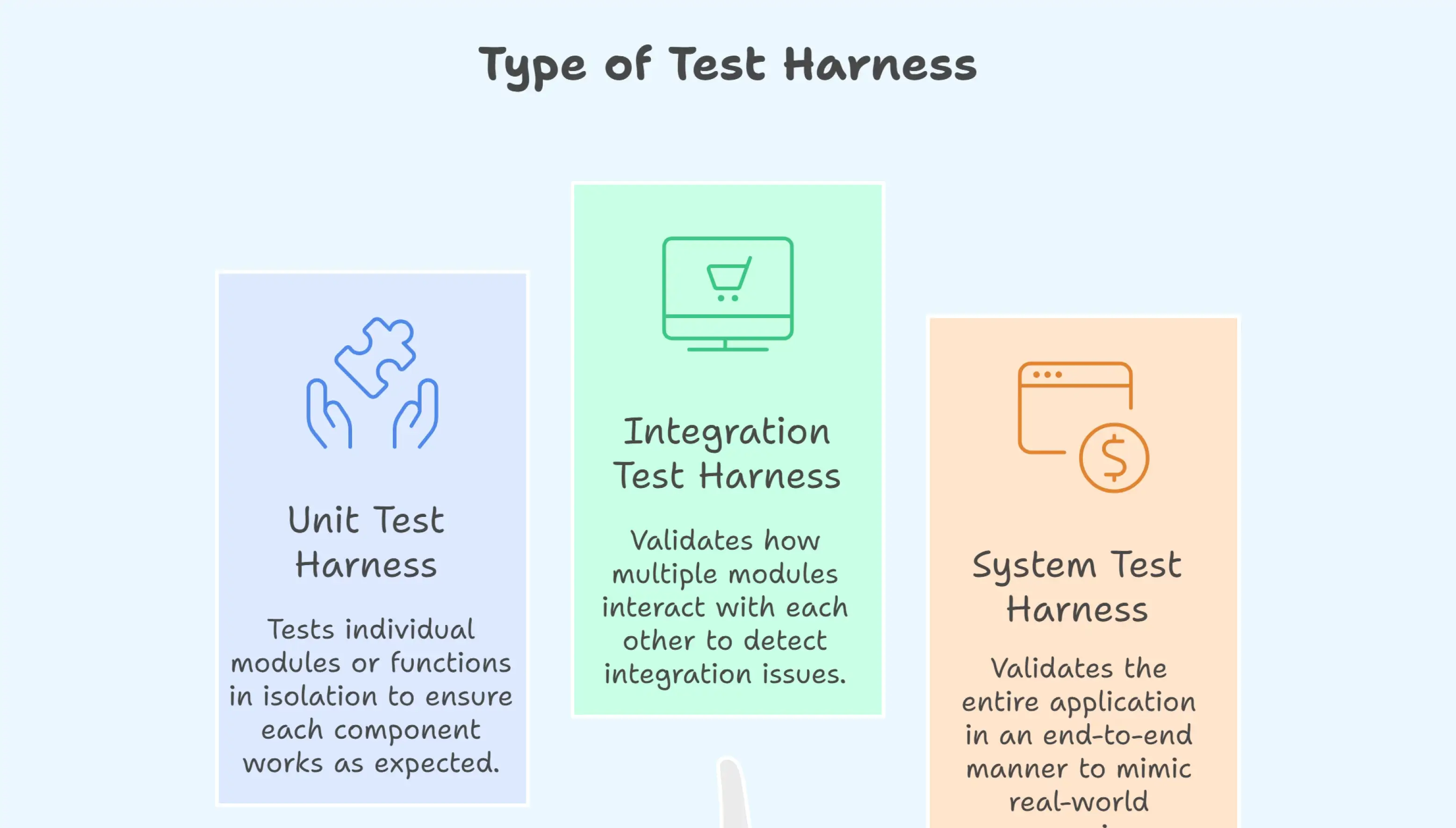
A test harness in software testing can be categorized into three main types: unit test harness, integration test harness, and system test harness. Each serves a different purpose in the testing lifecycle:
Unit Test Harness
Unit Test Harness is used to test individual modules or functions in isolation. It ensures that each small component of the application works as expected before moving to the next stage. For example, developers often use frameworks like JUnit or NUnit to test a single function such as calculateInterest() in a banking application.
Integration Test Harness
An integration test harness validates how multiple modules interact with each other. It helps detect issues that may occur when different parts of the system interact. Stubs and drivers are commonly used to replace modules that are not yet available. For instance, a shopping cart flow can be tested with a mock payment service before the real gateway is integrated.
System Test Harness
System Test Harness is used to validate the entire application in an end-to-end manner. It includes the user interface, backend systems, and external services to mimic real-world scenarios. A good example is testing a flight booking application where the UI, database, and payment gateway are all connected and validated together.
Why Use a Test Harness?
Strip away the tooling and a test harness performs three tasks. Everything else it does is in service of one of them:
- Executing test suites - The execution engine runs your scripts against the system under test, in order, without a human driving them.
- Simulating missing dependencies - Stubs and drivers stand in for modules that are unavailable, unfinished, or too expensive to call for real, so tests can run before the whole system exists.
- Analyzing and reporting results - The output validator compares actual results against expected ones, and the reporting module turns that into logs, pass/fail counts, and traces someone can act on.
Everything teams value about a harness follows from those three tasks:
- Isolation of components - Stubs and drivers let you exercise one module while the ones around it are still unfinished, which moves defect discovery earlier, to the point where a fix is a code change rather than a release.
- Failure modes you cannot otherwise trigger - A harness produces network timeouts, service outages, declined payments, and malformed payloads on demand, which is coverage that testing against a healthy staging environment never reaches.
- Reporting that survives a handoff - Captured output becomes test reports a developer who never ran the suite can act on, instead of a console log someone has to reproduce locally.
- Feedback inside the pipeline - Running on every commit in CI/CD supports shift-left testing, so a regression surfaces in minutes rather than at the end of a sprint.
- Time returned to judgment work - Automating repetitive regression frees testers for exploratory testing and usability review, the work that genuinely needs a person.

How Does a Test Harness Work?
A test harness works by orchestrating the complete lifecycle of a test, starting from loading scripts and test data to generating actionable reports. The main goal is to provide a repeatable, automated, and reliable testing process that does not depend on manual intervention or the availability of all system components.
Here's a step-by-step look at how it works:
1. Load Test Scripts and Test Data: The harness begins by pulling in the predefined test scripts (what actions to perform) and test data (inputs and expected results).
Example: A login test might use different sets of credentials as data.
2. Execution Engine Runs the Script: The execution engine is the heart of the harness. It reads the script, executes the actions in sequence, and interacts with the system under test (SUT). This could include UI clicks, API requests, or backend service calls.
3. Use of Stubs and Drivers: If certain modules are missing, unstable, or external (like a payment gateway or third-party API), the harness substitutes them. Stubs and drivers are not interchangeable, and the difference is about which direction the call travels:
- A driver simulates a higher-level calling module. It sits above the code under test and calls into it, standing in for the caller that does not exist yet. If you have written a payment module but the checkout screen that invokes it is not built, a driver feeds it inputs and captures what comes back. Drivers are what make bottom-up integration testing possible.
- A stub simulates a lower-level called dependency. It sits below the code under test and returns canned responses, standing in for the dependency your code calls. If your checkout flow is finished but the payment gateway is not integrated, a stub answers those calls with a fixed success or failure. Stubs are what make top-down integration testing possible.
The short version: a driver drives your code from above, a stub stands in for what your code calls below. Either way, testing proceeds without waiting for the rest of the system. For simulating dependencies that are complex rather than merely absent, refer to this guide on service virtualization.
4. Generate Actual Results: Once the script runs, the system produces actual outputs.
Example: A login attempt returns either "success" or "invalid password."
5. Result Analyzer Compares Outcomes: The result analyzer compares the actual outputs with the expected results defined in the test data. Any mismatch is flagged as a failure, and the logs are captured for debugging.
6. Reporting and Logging: The final step is handled by the reporting module, which compiles execution details into structured reports. Reports may include pass/fail counts, screenshots, logs, error traces, and execution time metrics.
Stakeholders; developers, testers, or managers, can quickly review results and take action.
How to Build a Test Harness (Step-by-Step)
Knowing what a harness does is different from building one. The six steps below are the order the work actually happens in, and the first one is where most harnesses go wrong.
1. Define the scope and the system boundary
Before writing a line of code, decide exactly what is inside the harness and what is outside it. That boundary is the single most important design decision you will make, because everything outside it has to be simulated, and everything you simulate is a thing you now maintain.
Answer three questions: what is the system under test, which dependencies will you call for real, and which will you replace? A harness for a single billing module has a tight boundary and a handful of stubs. A harness for a checkout flow spanning inventory, pricing, and payments has a wide one. Both are valid; picking the wide one by accident is not. Start with one narrow slice and widen it later.
2. Choose the test stack
A harness is assembled from four pieces, and most teams already have opinions about each: a test runner (JUnit, pytest, TestNG), an assertion library, a mocking or stubbing library (Mockito, unittest.mock), and a reporter. Choose what your team already knows unless you have a specific reason not to. A harness written in an unfamiliar stack gets abandoned when the person who chose it moves teams.
The stack follows the boundary you set in step one. Unit-level scope points to JUnit or pytest. An API testing boundary points to REST Assured or Postman. A UI boundary points to Selenium, Cypress, or Playwright. The Test Harness Tools section below covers the options in more detail.
3. Write the test scripts
Each script should set up its own state, act, assert, and clean up after itself. The discipline that matters here is independence: no test may depend on another test having run first, and none may leave state behind that changes how the next one behaves. Order-dependent suites work fine until you enable parallel execution, and then they fail in ways that take days to diagnose.
Keep test data out of the script bodies. Externalize inputs and expected outputs so the same script covers many cases, which is what makes data-driven testing possible without duplicating logic. Refer to this guide on test data for how to manage it.
4. Implement stubs and drivers for external dependencies
Anything you decided in step one to put outside the boundary now needs a substitute. Use a driver where the caller is missing and a stub where the dependency is missing, following the distinction above.
Stub the failure modes, not just the happy path. The reason to stub a payment gateway is not that calling the real one is slow; it is that you can make a stub return a timeout, a 500, a declined card, and a malformed response on demand, which is exactly what production will eventually do and what you can never reliably trigger against the real service. A stub that only ever returns success has bought you speed and no coverage.
5. Build the output validator
The output validator is the component that compares actual results against expected results and decides pass or fail. For a single return value an assertion is enough. For anything real, validation needs judgment about what counts as a difference.
A response containing a generated ID, a timestamp, and a request trace will never match a stored expectation byte for byte, so the validator has to compare the fields that carry meaning and ignore the ones that legitimately vary. Get this wrong in the strict direction and every run fails on a timestamp. Get it wrong in the loose direction and the validator waves through a response with a null where a total should be. Make the validator a separate component rather than assertions scattered through scripts, so this logic lives in one place.
6. Automate execution in CI/CD
A harness that runs when someone remembers to run it is a script. Wire it into your pipeline so it triggers on every commit and pull request, fails the build on a real failure, and publishes its report where people already look. Jenkins, GitHub Actions, and GitLab CI all do this.
This step decides whether a harness becomes part of the daily workflow or shelfware, and the deciding factor is trust. A suite that fails intermittently gets ignored within two sprints, and once a team learns to re-run a red build rather than read it, the harness has stopped providing value even though it still runs. Guard the signal: quarantine flaky tests instead of tolerating them. For structuring this at scale, refer to this guide on test automation architecture.
A Working Test Harness You Can Run
The six steps above are easier to trust when you can execute them. What follows is a complete harness for the textbook case, a checkout module that has to be tested before its payment gateway exists. It runs on Node with no packages to install, because the test runner ships with Node itself. Four files, and each one maps to a step above.
First the stub, which is step four. It stands in for the gateway the checkout module calls, and the reason it exists is not speed. It exists so you can demand a timeout, a decline, and a malformed response on command, which is what production will eventually deliver and what the real gateway will never produce for you on request.
// gateway-stub.js - stands in for the dependency the checkout module CALLS
function createGatewayStub(scenario = "approved") {
  const calls = [];
  return {
    calls,
    async charge({ amount, currency, card }) {
      calls.push({ amount, currency, card });
      if (scenario === "approved") return { status: "approved", id: "ch_100", amount };
      if (scenario === "declined") return { status: "declined", code: "card_declined" };
      if (scenario === "timeout") throw new Error("ETIMEDOUT");
      if (scenario === "malformed") return { status: "approved" }; // no id, no amount
      throw new Error("unknown scenario: " + scenario);
    },
  };
}
module.exports = { createGatewayStub };

// checkout.js - the system under test. It does not construct its own gateway.
async function checkout(cart, gateway) {
  const amount = cart.items.reduce((t, i) => t + i.price * i.qty, 0);
  if (amount <= 0) return { ok: false, reason: "empty_cart" };
  let res;
  try {
    res = await gateway.charge({ amount, currency: "USD", card: cart.card });
  } catch (err) {
    return { ok: false, reason: "gateway_unavailable", detail: err.message };
  }
  if (res.status !== "approved") return { ok: false, reason: res.code || "rejected" };
  if (typeof res.id !== "string" || res.amount !== amount) {
    return { ok: false, reason: "invalid_gateway_response" };
  }
  return { ok: true, chargeId: res.id, amount };
}
module.exports = { checkout };
Next the output validator, step five, and the component most harnesses never build. Note what it does with chargeId: it ignores it. A real gateway returns a fresh identifier every call, so a byte-for-byte comparison against a stored expectation fails on a field that was never supposed to match. Keeping that judgment in one file is the difference between a suite that breaks on a timestamp and one that catches a null total.
// validator.js - one place that decides what counts as a difference
const VOLATILE = new Set(["chargeId", "detail"]);

function matches(actual, expected) {
  const keys = new Set([...Object.keys(actual), ...Object.keys(expected)]);
  const diffs = [];
  for (const k of keys) {
    if (VOLATILE.has(k)) continue;
    if (actual[k] !== expected[k]) {
      diffs.push(k + ": expected " + JSON.stringify(expected[k]) + ", got " + JSON.stringify(actual[k]));
    }
  }
  return { pass: diffs.length === 0, diffs };
}
module.exports = { matches };
Finally the harness itself, holding the fixture and the driver. The fixture is the cart, the fixed baseline every test starts from. The driver is driveCheckout, which stands in for the user interface that would normally invoke checkout and does not exist yet. Four scenarios, one of them the malformed response that a happy-path stub would have hidden.
// harness.test.js - run with: node --test
const test = require("node:test");
const assert = require("node:assert");
const { createGatewayStub } = require("./gateway-stub");
const { checkout } = require("./checkout");
const { matches } = require("./validator");

// Fixture: the fixed baseline state every test starts from.
const cartFixture = () => ({ card: "4242", items: [{ price: 1200, qty: 2 }, { price: 350, qty: 1 }] });

// Driver: stands in for the caller (the UI) that does not exist yet.
async function driveCheckout(scenario) {
  const gateway = createGatewayStub(scenario);
  const result = await checkout(cartFixture(), gateway);
  return { result, gateway };
}

test("approved charge settles the full cart total", async () => {
  const { result, gateway } = await driveCheckout("approved");
  const v = matches(result, { ok: true, amount: 2750 });
  assert.ok(v.pass, v.diffs.join("; "));
  assert.strictEqual(gateway.calls[0].amount, 2750);
});

test("declined card surfaces the gateway reason", async () => {
  const { result } = await driveCheckout("declined");
  assert.ok(matches(result, { ok: false, reason: "card_declined" }).pass);
});

test("gateway timeout is caught, not propagated", async () => {
  const { result } = await driveCheckout("timeout");
  assert.ok(matches(result, { ok: false, reason: "gateway_unavailable" }).pass);
});

test("malformed approval is rejected by the validator", async () => {
  const { result } = await driveCheckout("malformed");
  assert.ok(matches(result, { ok: false, reason: "invalid_gateway_response" }).pass);
});
Running it with node --test on Node 24 produces the following, which is the actual output from the run behind this section:
$ node --test
✔ approved charge settles the full cart total (1.068ms)
✔ declined card surfaces the gateway reason (0.1938ms)
✔ gateway timeout is caught, not propagated (0.2609ms)
✔ malformed approval is rejected by the validator (0.1977ms)
ℹ tests 4
ℹ suites 0
ℹ pass 4
ℹ fail 0
ℹ cancelled 0
ℹ skipped 0
ℹ todo 0
ℹ duration_ms 105.3202
Four passing tests against a payment gateway that does not exist. That is the point of a harness, and it is also where the honest caveat belongs: every assertion here confirms what the stub was told to return. The suite proves the checkout module handles declines, timeouts, and malformed payloads correctly. It proves nothing about whether the real gateway sends those shapes, which is why the limitations section below treats stub drift as the first risk rather than an afterthought.
Test Harness Example: Boomi's Journey with TestMu AI
A test harness in software testing provides the tools and environment to automate execution, simulate dependencies, and analyze results. Boomi's real-world experience with TestMu AI HyperExecute is a strong example of this in action.
Boomi's in-house setup required nearly 9.5 hours to run a full suite of tests, creating bottlenecks in its CI/CD pipeline. By adopting HyperExecute as their test harness, they transformed the way testing was executed and reported.
- Execution Engine in Action - HyperExecute served as the central engine, running thousands of tests in parallel across cloud environments. This reduced suite execution time from 9.5 hours to just 2 hours, a 78% improvement.
- Scalability and Coverage - Acting as a harness, it allowed Boomi to run 3x more tests without additional infrastructure, ensuring broader coverage.
- Result Analyzer & Reporting - AI-native analytics worked like an advanced result analyzer, surfacing flaky tests, categorizing errors, and delivering fast, actionable reports.
- CI/CD Integration - Instead of a siloed test setup, the harness plugged directly into Boomi's pipelines, providing continuous feedback to developers.
Why This Example Fits the Definition:
Boomi's success illustrates how a modern test harness is not limited to scripts, it can be:
- Execution & Automation - HyperExecute acted as the harness engine, running thousands of tests in parallel.
- Agentic Test Orchestration - Intelligent harnesses will decide which tests to run, in what order, and with what priority based on recent code changes.
- Analytics & Insights - Provided deep analytics on flaky tests, failures, and performance bottlenecks.
- Result Generation - Produced structured reports with clear pass/fail outcomes and execution details.
- CI/CD Integration - Seamlessly fit into pipelines, accelerating Boomi's release cycles.
In other words, TestMu AI acted as Boomi's end-to-end test harness, combining execution, analytics, results, and AI. For more read the full Boomi case study.

Test Harness Tools
A variety of test harness tools and frameworks are available to build and run test harnesses, depending on the testing type and scope. Below are some of the most widely used ones:
- JUnit / NUnit / TestNG
These are popular unit testing frameworks for Java and .NET. They allow developers to create automated unit test harnesses to validate individual methods and classes quickly.
- Selenium / Cypress / Playwright
These frameworks are widely used for UI testing harnesses. They automate browser interactions, helping QA teams test end-to-end user flows across different browsers and devices.
- Mockito
Mockito is a powerful mocking and stubbing framework for Java. It's often used within a test harness to simulate dependencies, allowing modules to be tested in isolation.
- Postman / REST Assured
Both are widely used for API test harnesses. Postman provides a visual interface for building test collections, while REST Assured integrates with code to automate API validation.
- TestMu AI HyperExecute
An AI-native cloud execution platform that functions as an intelligent test harness. It supports the entire testing lifecycle, from planning and authoring to execution and reporting. By adapting test execution dynamically, reducing flakiness, and leveraging advanced analytics, it ensures faster, smarter, and more reliable end-to-end testing.
- Jenkins / GitHub Actions
These CI/CD tools help integrate test harnesses directly into the software delivery pipeline. They ensure that tests are executed automatically after every code commit or build.
Test Harness vs Test Fixture
These two get conflated constantly, and the distinction is simpler than the arguments about it suggest. A test fixture is a state. A test harness is an engine.
A test fixture is the fixed baseline a test starts from, so that the same test produces the same result every run. Seeding a database with three known users, constructing an object graph in a known configuration, loading a canned JSON payload, standing up a temp directory: all fixtures. A fixture is created in setup, consumed by the test, and torn down afterward. In practice you have already written fixtures, because that is what a pytest fixture, a JUnit method annotated with @BeforeEach, or an xUnit setUp and tearDown pair are.
A test harness is the active machinery around the test: the execution engine that runs it, the stubs and drivers that replace what is missing, the output validator that judges the result, and the reporting module that records it. The harness does things. The fixture is a condition the harness arranges before it does them.
The relationship is one-directional and worth stating plainly: a harness invokes fixtures; a fixture never invokes a harness. Fixtures are a component the harness uses on the way to running a test. If you are still unsure which word applies to something, ask whether it runs or whether it is. A seeded database is. An execution engine runs.
One nuance keeps the confusion alive: a fixture and a stub can be the same object wearing different hats. Canned mock data is fixture-shaped when it is the state your test begins from, and stub-shaped when it is the response a simulated dependency hands back mid-test. The object is the same; the role differs. That is why the terms blur in casual conversation even though the concepts do not overlap.
Test Harness vs Test Framework vs Test Bed
In software testing, terms like test harness, test framework, test bed, and test fixture are often used interchangeably, but they serve very different purposes. Understanding the differences helps teams choose the right approach for their testing strategy.
| Aspect | Test Harness | Test Framework | Test Bed | Test Fixture |
|---|---|---|---|---|
| Definition | A toolkit for executing tests and simulating missing dependencies. | A set of guidelines, libraries, and coding patterns for building structured test cases. | A complete environment that includes hardware, software, and configurations needed to run tests. | The fixed baseline state a test starts from, so results are repeatable across runs. |
| Components | Stubs, drivers, test scripts, execution engine, reporting module. | APIs, libraries, assertions, utilities, and coding rules. | Servers, operating systems, databases, networks, and applications under test. | Seeded records, prepared objects, canned payloads, and the setup and teardown that manage them. |
| Focus | Execution, automation, and simulation of incomplete modules. | Structure and design of test cases to ensure reusability and maintainability. | Environment setup and configuration for realistic testing conditions. | Consistency of the starting state for an individual test. |
| Is it active? | Yes, it runs the tests. | Partly, it provides the structure tests are written in. | No, it is where tests run. | No, it is a state tests begin from. |
| Example | Mock payment gateway with test runner to validate checkout flow. | Selenium, JUnit, TestNG, or PyTest used to build automated tests. | Cloud-based VM with application, test data, and database preloaded for execution. | A pytest fixture or JUnit @BeforeEach that seeds three known users before each test. |
Read the table by the "Is it active?" row and the distinctions resolve quickly. The harness runs tests, the framework shapes how they are written, the test bed is the environment they run in, and the fixture is the state each one begins from. In a real project all four are present at once, which is precisely why the vocabulary gets muddled.
What Is Test Harness Mode in Mobile Testing?
Test Harness Mode is a different thing that shares the name. It is not a harness you build; it is an Android system state, introduced in Android 10, that prepares a physical device to be a reliable place to run automated tests.
The problem it solves is specific to real devices. A phone is a hostile test environment because it is designed for humans: it locks itself, insists you finish a setup wizard, syncs accounts in the background, and installs a system update mid-run. Every one of those is a flaky test that has nothing to do with your application. Android's own framing is that Test Harness Mode exists for developers automating a device or a fleet of devices in a device farm such as Firebase Test Lab, where no human is available to dismiss anything.
Enabling it:
adb shell cmd testharness enableThe command wipes all user data, which is the part people are surprised by. The detail that makes it usable is that it retains your ADB keys through the wipe: Android stores them in a persistent partition using the same mechanism as factory reset protection, so the device comes back already authorized and nobody has to tap "Allow USB debugging" on a screen your CI runner cannot reach. You get a clean, standardized device without losing your connection to it, and it skips all first-time setup screens on the way back up.
Beyond skipping setup, the mode changes the device settings that interfere with unattended testing. Per the Android Debug Bridge documentation, restoring a device with testharness also:
- Disables the lock screen, removing the keyguard that otherwise sits between your test and the app.
- Disables emergency alerts, so a regional alert broadcast cannot drop a full-screen dialog into the middle of a run.
- Disables auto-sync for accounts, removing background account activity as a source of interference.
- Disables preinstalled security apps, which covers the package verification that would otherwise prompt as you repeatedly install test builds.
The Android Open Source Project states the scope slightly more broadly: all parts of the device that could interfere with testing, such as auto-syncing accounts, package verification, and automatic updates, are disabled by default. Worth knowing: these are defaults, not locks. AOSP is explicit that the user can re-enable them, so a device that has been in Test Harness Mode for a while is not guaranteed to still be in the pristine state you assume it is.
Your app can also detect the mode. ActivityManager exposes the static method isRunningInUserTestHarness(), added in API level 29, which returns true when the device is in Test Harness Mode. The documented purpose is narrow and worth quoting closely: you check it when you want your app to behave differently in a test harness so it can skip setup screens that would impede UI testing, the example given being a keyboard app that shows a full-screen setup page on first launch.
The same documentation carries an explicit warning that is easy to get wrong: do not use it to determine whether your app is running an instrumentation test, because it is not set for a standard device running a test. It signals "this device is in a farm," not "a test is running right now." The older isRunningInTestHarness() was deprecated in API 29 in favor of it.
One further warning from AOSP is worth carrying over, because it is easy to trip on: Test Harness Mode is not the TradeFed Test Harness, and it should not be used when running CTS tests. One clarification, since the naming invites the assumption: ActivityManager does not enable this mode. Test Harness Mode is turned on through the testharness shell command and ActivityManager only reports it. What ActivityManager does own is launching instrumentation, via adb shell am instrument, which is how the harness you wrote actually gets run on the device. For the wider picture, refer to these guides on Android testing and mobile device testing.
Design Principles and Limitations of a Test Harness
A harness is code, and it decays like code. What separates one that lasts three years from one abandoned after two sprints is whether it was built on a few principles, and whether the team was honest about what it cannot do.
Principles of a well-designed harness
- Modularity - Keep test logic, test data, environment configuration, stubs, and reporting in separate layers. The test that this buys you is a practical one: can you point the suite at a different environment, or swap a stub for the real service, without editing test logic? If that requires touching the scripts, the layers have grown into each other.
- Reusability - Setup routines, stubs, and validators should be shared components, not copy-pasted between suites. Duplication is cheap to create and expensive to forget about, because the day the API changes you need to find all six copies of the stub, and you will find five.
- Isolation - Every test must be able to run alone, in any order, in parallel, without inheriting state from anything before it. Isolation is what makes a failure mean something. Without it, a red test tells you something is wrong somewhere in the suite, which is not information.
- Determinism - The same input produces the same result. Wall-clock time, random data without a fixed seed, and real network calls are the three usual sources of nondeterminism, and each one is worth designing out rather than retrying past.
- Observability - When a test fails, the harness should say what was expected, what happened, and where. A failure that requires reproducing locally to understand has cost you the entire benefit of automating it.
Limitations worth knowing before you commit
- Stub drift is the big one - Every stub is a duplicate of somebody else's contract, and nothing forces it to stay accurate. When a third-party API adds a field, changes null semantics, or starts rate-limiting, your stub keeps returning the 2023 response forever. The suite stays green while production breaks, which is worse than having no test, because the green build actively told you it was safe. Contract testing exists precisely for this, and running a thin subset of tests against the real dependency on a schedule catches drift that stubs cannot.
- False confidence from simulation - A stub returns what you told it to return, which means it confirms your understanding of the dependency rather than the dependency's actual behavior. The more of the system you simulate, the more your suite is testing your assumptions back to you.
- Maintenance overhead - Stubs and drivers are code nobody ships and everybody has to update. That work is invisible on a roadmap and real on a sprint, and it is the most common reason harnesses stop being maintained.
- Over-mocking - Push simulation far enough and the test asserts that your mocks work. It passes reliably, forever, and proves nothing about the software.
- Setup complexity and skill concentration - Harnesses tend to be built by one or two engineers who understand the whole thing. When they leave, the suite becomes a black box the team is afraid to change and eventually routes around.
- Nobody tests the harness - The harness is code, so it has bugs, and a bug in the output validator produces false passes that no one investigates because the build is green. Treat harness code with the same review standards as production code, because a quality gate you cannot trust is worse than an obvious gap.
None of these argues against building a harness. They argue for keeping the simulated surface as small as the boundary in step one allows, and for treating every stub as a liability you accepted deliberately rather than a free win.

Note: A harness only pays off when it runs on every commit. Run yours across 3,000+ browser and OS combinations and 10,000+ real devices on TestMu AI. Start free
Conclusion
Start with one narrow slice. Pick a single module whose dependency is unfinished, copy the four files from the working example above, replace the stub with your own dependency, and run it with node --test. That gives you a harness that proves something today, rather than a framework you plan to finish later.
Two decisions determine whether it survives. Write down the system boundary before you write the second test, because everything outside it becomes a stub you maintain. Then schedule a thin subset of the suite against the real dependency so stub drift surfaces while it is still cheap. When the suite grows past what one machine can run in a sensible time, that becomes an infrastructure problem, and TestMu AI's HyperExecute distributes the same suite across just-in-time infrastructure and returns unified logs with AI root cause analysis instead of a folder of fragmented artifacts. The HyperExecute documentation covers the YAML and CLI setup.
Author

Bhavya Hada
Blogs: 29


Bhavya Hada is a Community Contributor at TestMu AI with over three years of experience in software testing and quality assurance. She has authored 20+ articles on software testing, test automation, QA, and other tech topics. She holds certifications in Automation Testing, KaneAI, Selenium, Appium, Playwright, and Cypress. At TestMu AI, Bhavya leads marketing initiatives around AI-driven test automation and develops technical content across blogs, social media, newsletters, and community forums. On LinkedIn, she is followed by 4,000+ QA engineers, testers, and tech professionals.
Reviewer

Himanshu Sheth
Reviewer
Himanshu Sheth is the Director of Marketing (Technical Content) at TestMu AI, with over 8 years of hands-on experience in Selenium, Cypress, and other test automation frameworks. He has authored more than 130 technical blogs for TestMu AI, covering software testing, automation strategy, and CI/CD. At TestMu AI, he leads the technical content efforts across blogs, YouTube, and social media, while closely collaborating with contributors to enhance content quality and product feedback loops. He has done his graduation with a B.E. in Computer Engineering from Mumbai University. Before TestMu AI, Himanshu led engineering teams in embedded software domains at companies like Samsung Research, Motorola, and NXP Semiconductors. He is a core member of DZone and has been a speaker at several unconferences focused on technical writing and software quality.


Test Harness FAQs
Did you find this page helpful?
More Related Learning Hubs
TestMu AI forEnterprise
Get access to solutions built on Enterprise
grade security, privacy, & compliance
- Advanced access controls
- Advanced data retention rules
- Advanced Local Testing
- Premium Support options
- Early access to beta features
- Private Slack Channel
- Unlimited Manual Accessibility DevTools Tests