

Power Your Software Testing with AI Agents and Cloud
The Native AI-Agentic Cloud Platform to Supercharge Quality Engineering. Test Intelligently and Ship Faster.


- TestMu AI (Formerly LambdaTest)
- /
- Blog
- /
- Why Cross Browser Testing Is Important for Your Business
Why Cross Browser Testing Is Important for Your Business
Learn why cross browser testing is important for your business: how browser-specific bugs cost revenue, why they happen, and which browsers to test first today.
Last Updated on:
Cross browser testing is important because a feature that breaks in one browser loses the users on that browser. Most of them leave rather than switch browsers to finish the task.
The cost shows up in conversions, support tickets, and churn, not in your test report.
Picture a checkout button styled with a CSS feature one engine does not support yet. Chrome users pay, iPhone users on Safari see a dead button, and analytics records only a lower Safari conversion rate.
TL;DR
- Cross browser testing checks that a website works the same across browsers, browser versions, operating systems, and devices.
- A browser-specific bug loses users on that browser without any error report, because most users leave instead of switching browsers.
- Blink, Gecko, and WebKit ship new CSS and JavaScript features at different times, which causes most cross browser bugs.
- A browser support matrix should come from your own analytics, weighted by revenue rather than global market share.
- Manual cross browser testing suits new layouts, while automated cross browser tests should cover regression on every build.
Why Is Cross Browser Testing Important for Business
Cross browser testing is important because every browser-specific defect silently removes a share of paying users, and the loss never shows up as an error report.
Your analytics show the symptom as a lower conversion rate on one browser, never as a bug report. The business impact lands in five places:
- Revenue - A checkout button that depends on an unsupported CSS property blocks the sale for every user on that engine.
- Performance - Rendering and script speed differ between engines, so a page tuned only in Chrome can load slower elsewhere.
- Support cost - Every unreproducible "it does not work for me" ticket burns engineering hours on guessing the environment.
- Brand trust - Users blame the product, not their browser, and they say so in reviews.
- Accessibility - Screen readers pair with specific browsers, so one browser defect can lock out assistive technology users.
Speed alone shows the stakes. In the Vodafone Core Web Vitals case study on web.dev, a 31% improvement in Largest Contentful Paint led to 8% more sales.
If you need the fundamentals first, start with this cross browser testing tutorial.

Note: Check a new layout on Chrome, Firefox, Safari, and Edge without installing a single VM. Test your key flows on real browsers free
The Real Cost of Skipping Cross Browser Testing
Skipping cross browser testing means shipping features that work in the browser your team uses and fail for users of other browsers. The risk is highest for newly released CSS and JavaScript features.
Mature features rarely break now. According to the WebKit Interop 2025 announcement, stable Chrome, Edge, Firefox, and Safari each scored 97% or higher on the Interop 2024 tests.
The risk has moved to new features: Interop 2025 added 19 focus areas, including anchor positioning, view transitions, and @scope. The table below maps the failure modes to business cost.
| Failure mode | What the user sees | Business effect |
|---|---|---|
| New CSS without a fallback | Tooltips and menus render detached or unstyled | Navigation and upsell prompts stop working |
| Unsupported view transitions | Screens swap abruptly or flicker mid-navigation | The product feels broken in key flows |
| Form input differences | Date pickers and validation behave differently | Signup and booking forms get abandoned |
| 100vh on mobile browsers | Fixed buttons sit under the browser toolbar | Mobile users cannot reach the main action |
Treat any feature your team adopted in the last year as untested until it passes on all three engines.

Root Causes of Cross Browser Bugs
Cross browser issues occur because each browser renders pages with its own engine: Blink in Chrome and Edge, Gecko in Firefox, and WebKit in Safari, each shipping on its own schedule.
Most defects trace back to one of five causes:
- Rendering engine differences - Layout, font rendering, and subpixel rounding vary, so pixel-perfect designs drift between engines.
- Unsupported CSS properties - A property one engine ships early is ignored by others, breaking the layout without an error.
- JavaScript API gaps - Calling an API an engine has not implemented throws an error that can halt the script.
- Default browser stylesheets - Each browser applies its own margins, fonts, and form control styles before your CSS loads.
- Invalid HTML or CSS - Engines handle markup errors differently, so an unclosed tag can work in one browser and break another.
The prevention pattern covers most of these causes: validate markup with the W3C validator, detect features before using them, and normalize defaults with a CSS reset such as Normalize.css.
For fixes by issue type, see this guide to cross browser compatibility.
Building a Browser Support Matrix
Test on the browsers your own users run, ranked by traffic and revenue from your analytics, then group them into support tiers instead of chasing every version of every browser released.
Global market share is a poor proxy, because a B2B dashboard and a consumer shopping app can have completely different browser mixes. Use these six steps to build a browser support matrix:
- Pull audience analytics - Export browser, version, OS, and device data for the last 90 days.
- Rank by revenue, not visits - Weight each browser by conversions so a small, high-value segment is not dropped.
- Cover all three engines - Include at least one Blink, one Gecko, and one WebKit browser, even at low traffic.
- Add mobile browsers - List mobile Safari and Chrome for Android separately, since mobile rendering differs from desktop.
- Define support tiers - Group browsers by priority, as shown in the tier table below.
- Review every quarter - Browsers release new stable versions every few weeks, so refresh the matrix as analytics shift.
Support tiers keep the matrix affordable. A typical split looks like this:
| Tier | Browsers in the tier | Checks before release |
|---|---|---|
| Tier 1 | Highest-converting browsers, plus at least one per engine | Full functional, visual, and performance checks |
| Tier 2 | Browsers with steady but lower traffic | Smoke tests on checkout, signup, and login |
| Tier 3 | Everything else | Best effort, not a release blocker |
Key Takeaway: Support tiers keep a browser matrix affordable: full checks go only to tier 1 browsers, so adding a new browser to tier 3 costs almost nothing until its traffic grows.
Checks That Belong in Every Browser Run
Test the parts of a page users rely on to finish a task: core functionality, layout and visual rendering, responsive behavior, and accessibility, across every browser in your support matrix.
Prioritize checks in this order:
- Core functionality - Forms, validation, menus, search, login, and checkout complete without errors.
- Layout and visuals - Grids, fonts, and images render as designed, and visual regression testing catches pixel drift.
- Responsive behavior - Breakpoints, touch targets, and viewport units follow your responsive design rules on real screen sizes.
- Accessibility - Keyboard navigation and screen reader output work in the browser each assistive technology pairs with.
The short video below shows LT Browser, which previews a site across mobile, tablet, and desktop viewports side by side while you debug.
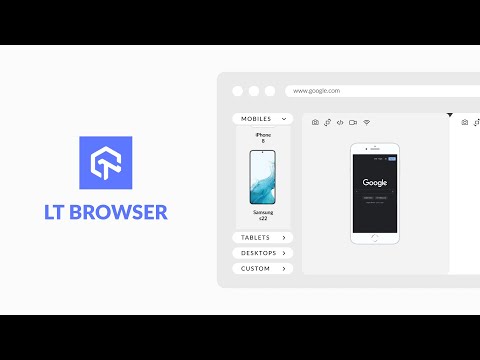
Side-by-side viewports speed up layout fixes, but they do not replace checks on each engine.
Performance Metrics That Vary Across Browsers
A page can look identical across browsers and still perform differently underneath. Track these metrics on every tier 1 browser, not only Chrome:
- Core Web Vitals - Largest Contentful Paint, Cumulative Layout Shift, and Interaction to Next Paint, Google's user experience signals.
- First Contentful Paint - How quickly the first content appears, an early signal of perceived speed.
- Time to Interactive - When the page becomes reliably usable after its scripts load.
- JavaScript execution time - Engine differences in script handling can make the same code noticeably slower in one browser.
Field data in the Chrome User Experience Report comes only from Chrome users, so measure the other engines in your own test runs.
Manual vs Automated Cross Browser Testing
Use manual cross browser testing to explore new layouts and interactions, and use automated testing for the regression checks that must run on every build across the full browser matrix.
The table below compares both approaches on the factors that decide the split.
| Factor | Manual testing | Automated testing |
|---|---|---|
| Best for | New features, visual review, exploratory checks | Regression suites, smoke tests, CI gates |
| Speed at scale | Slows down as the matrix grows | Runs in parallel across browsers |
| What it finds | Visual glitches and usability problems | Functional breaks that recur across releases |
| Setup cost | Low, needs only browser access | Higher, needs scripts and upkeep |
Most teams need both. Test anything new manually, automate a flow once it stabilizes, and confirm mobile behavior on real hardware.
Agentic AI is narrowing that split. A testing agent such as KaneAI turns plain-English steps into tests, so a stable manual flow becomes an automated one without writing scripts.
This comparison of emulator vs simulator vs real device testing explains where virtual devices fall short.
Run Both on One Platform
TestMu AI removes the browser lab from the workflow. Cross browser testing on TestMu AI covers 3,000+ browser, OS, and resolution combinations and 10,000+ real devices, with nothing to install or maintain.
For the approach in this guide, these capabilities matter most:
- Real-time debugging - Open any site in a remote browser through live testing, with developer tools pre-installed.
- Parallel automation - Point existing Selenium, Playwright, or Cypress suites at the automation cloud and run them in parallel.
- Real devices - Check mobile Safari and Chrome for Android on physical phones in the real device cloud.
- Local builds - Test locally or privately hosted sites through a secure tunnel before they go public.
A first live session takes a few minutes with the guide to getting started with desktop browser real-time testing.
Note: Run your first live session on real browsers, then move the same flow into an automated suite. Test your key flows on real browsers free
Cross Browser Testing Across the Delivery Lifecycle
Cross browser testing belongs in every delivery stage, from planning the support matrix to release regression, because a rendering bug caught in development costs far less to fix than in production.
Here is how responsibility shifts across the lifecycle, and who owns each phase.
| Phase | What happens | Web developer's role | QA's role |
|---|---|---|---|
| Planning | Define the browser support matrix from real audience data | Flag engine-specific features that need fallbacks | Turn the matrix into a prioritized test plan |
| Development | Build with progressive enhancement and feature detection | Use standard code, polyfills, and CSS resets | Write cross browser test cases alongside features |
| Testing | Run functional, visual, and performance checks | Reproduce and triage browser-specific defects | Execute manual and automated runs in parallel |
| Fixes and release | Resolve compatibility defects and re-verify | Patch engine-specific rendering and script issues | Run regression across the matrix before sign-off |
The earlier a browser inconsistency is caught, the cheaper it is to fix. Moving these checks into development and CI separates teams that prevent compatibility bugs from teams that firefight them.
Before Your Next Release
Cross browser testing earns its cost when it protects the flows that make money, so judge your current setup by those flows rather than by how many browsers it covers.
A matrix weighted by conversions, recent CSS and JavaScript features verified on all three engines, and checkout, signup, and login running on every build close most of the gap.
Fix whichever of those is missing first. When you pick a platform, compare cross browser testing tools on the tiers you defined.
Then plan for the common cross browser testing challenges before they stall your rollout.
Author

Swastika Yadav
Blogs: 6


Swastika Yadav is a community evangelist and Developer Advocate with 4+ years of experience in software testing, full-stack development, and developer tooling. She has worked with Phyllo, Turso, and UnitedHealth Group, contributing to test-driven applications, QA practices, and developer experience strategies. Swastika holds a B.Tech in Computer Science and is recognized as a contributor to the global QA and developer community. She engages with 8,500+ LinkedIn followers and a 60K+ Twitter audience of testers, developers, and tech leaders.
Reviewer

Sparsh Kesari
Reviewer
Sparsh Kesari is a community contributor with 3+ years of experience in developer relations, open-source engineering, and automation-focused tooling. At TestMu AI, he works as a Senior Developer Relations Engineer, supporting developer communities and contributing to initiatives around cross-browser testing, KaneAI, and HyperExecute. Sparsh has hands-on experience building and maintaining automation scripts, open-source projects, and developer platforms, with a strong background in JavaScript, Node.js, Docker, and cloud-native workflows. He holds a Bachelor’s degree in Computer Science.


Cross Browser Testing FAQs
Did you find this page helpful?
More Related Blogs
TestMu AI forEnterprise
Get access to solutions built on Enterprise
grade security, privacy, & compliance
- Advanced access controls
- Advanced data retention rules
- Advanced Local Testing
- Premium Support options
- Early access to beta features
- Private Slack Channel
- Unlimited Manual Accessibility DevTools Tests