

Power Your Software Testing with AI Agents and Cloud
The Native AI-Agentic Cloud Platform to Supercharge Quality Engineering. Test Intelligently and Ship Faster.


- TestMu AI (Formerly LambdaTest)
- /
- Blog
- /
- Mobile App Testing Basics: Types, Tools, and Examples
Mobile App Testing Basics: Types, Tools, and Examples
Mobile app testing checks an app's functionality, usability, performance, and compatibility across real Android and iOS devices. Learn the key types and frameworks.
Last Updated on:
Mobile applications typically go through several rounds of testing before release, and companies with larger budgets ship a beta version first to catch bugs early. Testing covers both real devices and emulators or simulators, though only real-device testing confirms true real-world behavior; see the full Mobile App Testing Tutorial for more depth.
For an ultimate mobile app experience across different mobile devices and OS versions, it is crucial to perform end-to-end mobile app testing.
This article covers the basics of mobile app testing, types of mobile apps, and the frameworks and tools to develop and test them.
Let's begin!
Key Takeaways
- Mobile app testing checks an app's functional and non-functional components, along with its consistency, usability, performance, and compatibility across mobile devices and OS versions.
- Emulators and simulators are useful early in development, but only testing on real Android and iOS devices confirms how a mobile app behaves in real-world conditions.
- Native apps are built for a single platform and give the best performance, web apps load in a browser across platforms, and hybrid apps wrap a web tech stack in a native shell.
- React Native, Flutter, and Xamarin are widely used mobile app development frameworks, and Microsoft ended Xamarin support on May 1, 2024, so new cross-platform apps should target .NET MAUI.
- Functional, usability, compatibility, load and performance, security, installation, localization, and device testing are the key types of mobile app testing.
- AI tools such as Journeys for Android Studio turn natural-language steps into app actions, while gesture-heavy, conditional, and data-driven cases stay in scripted frameworks such as Appium, Espresso, and XCUITest.
What is Mobile App Testing?
Mobile app testing plays a critical role in ensuring applications work efficiently on all mobile devices and their OS versions. Sensor Tower counted close to 150 billion app downloads across the App Store and Google Play in 2025, which is why teams ship well-planned applications to hold user attention. Mobile application testing typically refers to checking functional and non-functional components of an app. In addition, highly skilled experts test its consistency, usability, performance, and compatibility across various platforms and devices.
A mobile application goes through several rounds of testing before it is released for end users. Corporates with big budgets also often launch a beta version of their apps to detect and eliminate bugs in the prototype. Several mobile app testing tools aid technical teams in carrying on the intricate testing procedures.
Android App Testing
Developed by Google and launched in 2008, Android is the most widely used mobile operating system globally. StatCounter put Android at 67.61% of worldwide mobile operating system share in August 2026. Most mobile users run Android, which makes it important to test applications built for this platform.
Worldwide share should not decide your device matrix on its own. The Android and iOS split changes sharply by region, and a single app often sees a different split again in its own analytics. Build the matrix from your install base first. Take the device models, screen sizes, and OS versions your users actually run, then add the newest Android release and the oldest version you still support. That keeps device coverage tied to real users instead of a global average.
The following tests are typically performed on Android apps to test real-world scenarios.
- Functional tests: Tests if the app does what it was built to do.
- Performance tests: Tests if the app is fast and efficient in its job.
- Accessibility tests: Tests if the app works properly with accessibility attributes.
- Compatibility tests: Run Android device test to check if the app works correctly on all Android devices and API levels.
Get your free Andriod browser testing online started!!!
iOS App Testing
Apple builds its own mobile operating system, iOS, and it powers every iPhone. StatCounter recorded iOS at 32.36% of worldwide mobile operating system share in August 2026, so close to a third of mobile users run an Apple device. That audience is large enough that most teams shipping a consumer app test on iOS alongside Android.
Since iOS has a limitation- it is available only on Apple devices, it is much easier to test iOS apps due to reduced device complexities.
Here are a few advantages of testing iOS apps:
- The sizes and specifications of Apple devices running on iOS are already fixed. Hence, QA testers find it much less complex to handle device testing. They can easily set up the basic premise for testing their apps.
- iOS is a closed operating system; hence it does not consume a magnanimous amount of resources like time and money for in-depth OS analysis.
- Because it has an entirely different operating system, Apple also has an array of mobile testing tools to facilitate the mobile testing of iOS apps.
- It is not easy for an application to be listed on the Apple app store. The company has stringent guidelines for it, and all iOS developers have to keep that in mind. Although this might seem like an inconvenience initially, it reduces the number of bug fixes and the constant need to keep upgrading and test the same app multiple times. Hence, once an app is out into the market, developers and testing teams can pretty much consider their job done for quite some time.
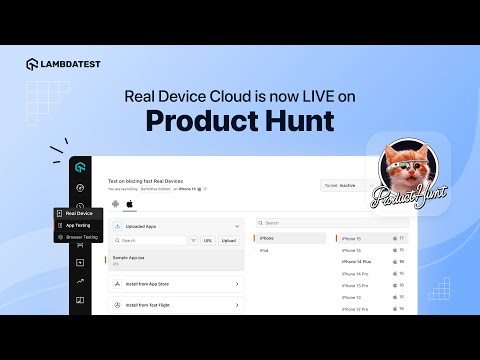
Here is a quick video tutorial on the Android and iOS app testing on real devices.
Key Takeaway: Mobile app testing verifies functional and non-functional behaviour on both Android and iOS, and the device matrix should be built from the devices and OS versions an app's own users run rather than from global market share.
Types of Mobile Apps
In a world where different types of apps are being developed for multiple uses, understanding the app complexities in detail has become a critical requirement for success in the app world. Although there are many different types of apps on the market, we will cover Native, Hybrid, and Web Apps.
Native Apps
Native apps are applications built for one specific operating system or platform. Such apps are faster and deliver superior performance due to the ease of interaction between their interface and hardware and software. In addition, since native apps are developed to work on one platform, they can directly use the features made available by the architecture of the gadget.
While creating native apps for iOS or Android, developers use the most popular coding languages for the platform. Native apps for Apple's iOS are built using Swift or Objective-C. On Android, Google recommends starting with Kotlin, and Java is still supported for older codebases. Native applications like WhatsApp are built separately for all the available operating systems to ensure top-notch performance for all devices.
Advantages of Native Apps
- Best performance: Native apps are built to work on one specific platform. This makes them highly efficient and optimized to utilize the operating system's benefits. Hence, native apps provide the best performance.
- Superb support system: Native apps receive immense support from the platform they are built for. The marketplace like Google Play Store and Apple App Store encourages such applications.
- Access to the entire feature-set of a device: Native apps have easy access to the whole platform's feature-set, like a camera, GPS, and other hardware parts of the device.
- Single codebase: During the development phase, Native apps seem to have lesser bugs due to a single codebase.
- High consistency: Native apps are built with the help of native SDKs. Hence, such applications are highly consistent and have a robust user interface.
Disadvantages of Native Apps
- Expert developers are needed: Expert developers must build native apps as they require complete knowledge of the specific operating systems and the coding language.
- Expensive and time-consuming: Native apps are costly to build and are highly time-consuming since they are customized for the specific platform.
- The frequency of updates is high: Native apps need frequent updates propelled by the operating system they were built for.
Automate your mobile app testing on Apple or Android for free.
Examples of Native Apps
WhatsApp has maintained its position as one of the most widely used messaging apps in the world. Since its inception in 2009, the application has become a staple for personal and professional conversations without the constraints of time zones and national boundaries.
WhatsApp is a native app developed by Jan Koum and Brian Acton in 2009. In 2014, Meta acquired it (previously known as Facebook). Since then, WhatsApp has gone through many changes, each of which has made it more robust. WhatsApp is known for its efficient performance, high-quality video and voice calls, and easy media sharing options. All of its advantages are a direct result of its native nature that allowed the developers to explore the full potential of the respective operating systems.
Spotify
Another popular native app in the global market is Spotify. It is a music streaming application launched in 2006, and it serves a large paid subscriber base worldwide. Spotify ships separate native clients for Android and iOS so each one can use the platform audio and background playback APIs directly.
Spotify uses modern technologies like Convolutional Neural Network or CNN to evaluate music. Its algorithms are highly efficient in detecting a song's volume, key, and tempo utilizing only the audio waveform. Spotify is further supported by the Google Cloud infrastructure that, in conjunction with its native features, helps it deliver high performance.
Web Apps
Web apps are web components that a user can use to achieve an outcome. Web applications are typically stored on remote servers and accessed through browsers on the user's computer- desktop, cell phones, and tablets alike. The wide appeal of web apps stems from their high usability factor. Anyone can launch a website within a short time, with minimum resources, and still draw substantial global attention.
A good web application works fast and displays everything correctly. Google sets a Largest Contentful Paint of 2.5 seconds or less as the threshold for a good loading experience, measured at the 75th percentile of page loads, which makes load performance a priority for developers and mobile app testing teams.
Advantages of Web Apps
- Compatible across platforms: Web applications have high compatibility with most platforms across the technology ecosystem. They typically require a web browser only to load completely. This increases their scalability and makes them highly convenient for any firm in any industry.
- Easy to manage: Systems used to develop and test web applications need to be stored on the server only. End users are not involved in any of these processes, thus making web apps much simpler to maintain and manage.
- Easy to deploy: Web applications are the easiest to deploy. A user only needs the web address, a working browser, and an Internet connection to connect to such an app. In addition, web applications work even on limited bandwidth, thereby widening their scope of usage on a greater scale.
- Cost-effective: Web applications are not only affordable when compared to their native and hybrid counterparts, but they are also much cheaper to maintain. Their development and testing processes are hardly lengthy and do not entail hassles. Hence, web apps are cost-effective with great user satisfaction.
Disadvantages of Web Apps
- Performance: Web applications can be heavy, and they run inside a browser rather than against the platform directly, so they are slower than a native build on the same device. A slow first load over a mobile network is one of the main reasons users abandon a web app.
- Security: Security is a key point of concern with web applications, because the app surface is reachable from any browser. The OWASP Top 10, now in its OWASP Top 10 2025 edition, is the reference list of critical web application security risks to test a web app against.
Examples of Web Apps
Google Docs
Google Docs is a real-time word processing web app that is free to use. It allows multiple users to write and edit as collaborators and automatically saves the document to Google Drive. The web application was built using Java and JavaScript, giving it a clean, easy-to-use interface.
Netflix
One of the most popular OTT platforms globally, Netflix streams to subscribers in most countries worldwide. It is a web application supported by languages like Python, Kotlin, Java, and JavaScript. Netflix is known for delivering superb performance and maintaining a high customer satisfaction rate.
Hybrid Apps
Hybrid apps are developed using a combination of native and web app features. They have the shell of a native application over the underlying tech stack of their web-based counterparts. In addition, hybrid apps are typically built over a single code base for all platforms, facilitating high code reusability.
Hybrid apps are an attractive solution to a wider market because of their cost-effective, quicker development process. These apps are lightweight and have a user interface comparable to that of a native app. In addition, hybrid apps can be built using a web app technology stack that typically consists of HTML5, CSS, and JavaScript.
Advantages of Hybrid Apps
- Superb UI/UX: Hybrid apps have superb UI/UX, owing to the combination of web and native technologies used to develop these applications. Since HTML5, JavaScript and CSS are used extensively to build hybrid apps, the applications are lightweight, loading the content and graphics quickly and much faster.
- Greater appeal: Since hybrid apps are essentially web apps wrapped in the shell of their native counterparts, these can be deployed on any platform. This cross-platform functionality increases their appeal in the competitive market. Developers love hybrid apps too due to the high rate of code reusability where they do not have to write separate programs for Android, iOS, and other operating systems. Clients love hybrid apps because they are affordable to build and simple to deploy.
- Faster turnaround time: Building hybrid apps is faster than building native apps. This is because hybrid apps require a single codebase available in the existing web development toolkit that a company already has. Leveraging this helps to eliminate unnecessary jargon, making the process faster.
- Easy to maintain: It is easy to maintain hybrid apps because they can simply be updated in real-time (similar to the updation process of web pages) without the need for versioning.
- Offline support and availability: Hybrid apps have robust offline accessibility features that make their dependence on connectivity almost negligible. Hybrid apps can load content and graphics without relying on the Internet, thereby finding popularity in rural areas and areas with poor availability of network connections.
Disadvantages of Hybrid Apps
- Performance depends on the browser's speed: Since hybrid apps utilize a lot of the web development toolkit, they rely heavily on their browser's speed to operate well. Hence, if the browser is slow, the hybrid app will lag too.
- The hardware features of the platforms are not exploited: Hybrid apps are not as powerful as the native ones. Native applications utilize all the hardware features of the platform they are built for. However, since hybrid apps are not mainly made for one operating system, they cannot exploit platform-specific hardware attributes.
Examples of Hybrid Apps
Gmail
Gmail is one of the most widely used email platforms in the world. Launched by Google in 2004, Gmail has many variations- including a web app version. It has an elaborate user interface initially designed by Kevin Fox, who wanted the platform to feel like a one-page application.
One of Gmail's advanced features is its spam filter and is driven by the community of users. The spam filter is an intelligent algorithm that learns from when a user marks an email as spam and identifies similar messages in other inboxes around the world.
X (formerly Twitter)
X, the social platform formerly named Twitter, is a clear example of a hybrid app and shows how capable a well-built application of this nature can be. It serves a very large daily audience and a constant stream of posts, so the app has to stay responsive under heavy traffic without crashing.
X delivers strong performance due to its hybrid nature. Hybrid applications do not depend on the network connection to completely load the app onto the device. This feature instantly introduces hybrid apps to a vast arena of users who lack good network connectivity. Moreover, since the loading does not depend on the Internet, it becomes superbly easy for the interface to manage traffic.
With so many apps released each year, it is critical to understand the difference between web, hybrid, and native apps.
Key Takeaway: Native apps give the best performance on a single platform, web apps are the cheapest to build and deploy through a browser, and hybrid apps put one web codebase inside a native shell to reach every platform.
Types of Mobile App Development Frameworks
A mobile app framework is a software development package that integrates tools and software, compilers, debugging tools, and programming interfaces. The developer then creates the source code for the application and the framework and uses various elements to develop the application for the different mobile devices.
Some mobile app development frameworks for both Android and iOS are listed below.
React Native
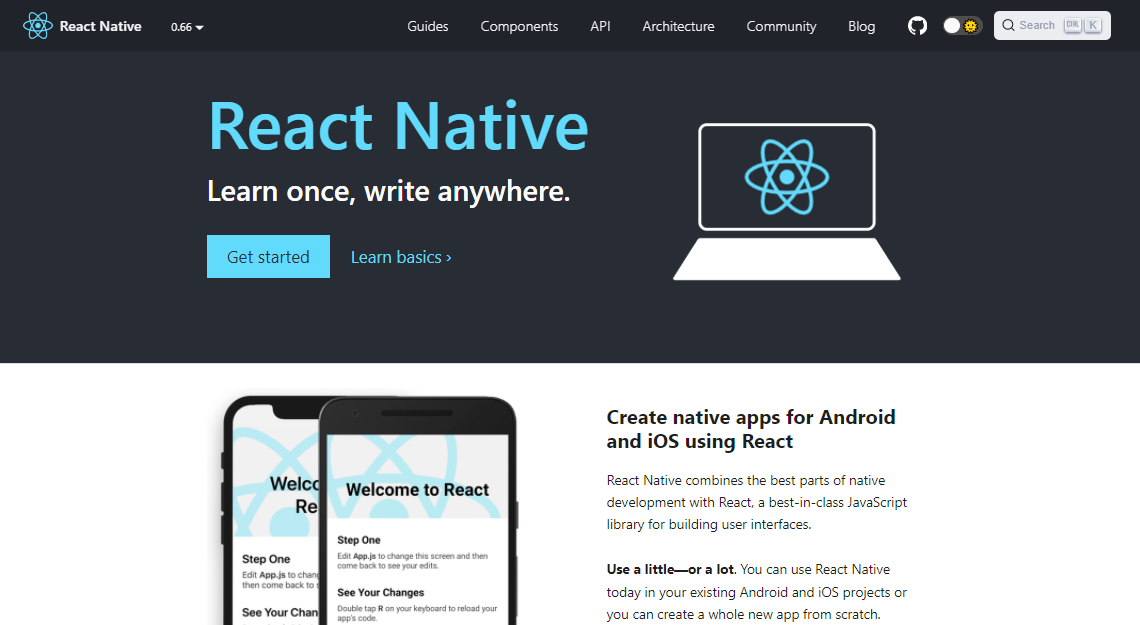
Developed by Meta, React Native is one of the most widely used mobile app development frameworks. In addition, it is open-source and supports the creation of both iOS and Android apps, thus making it a first preference among the developer community.
Features
- React Native supports code reusability, which helps developers spend minimum time programming for an application. JavaScript, the underlying language of the framework, supports this attribute of React Native.
- React Native has a powerful user interface that allows coders to play around with the themes without continuously reloading the application. This is especially helpful from a business perspective, where logic can be used only to maintain the strategy from a user's point of view. At the same time, the design is taken care of in the easiest possible way.
- React Native supports both live and hot reloading, thereby reducing the time between saving a change in the developed app and watching its incorporation on screen. This feature goes a long way to establish React Native's underlying motto- stellar performance for developers.
Advantages
- Cost-effective: Owing to features like code reusability, lesser costs of maintenance, plenty of available libraries, React Native is a cost-effective solution for building mobile applications.
- Great community support: As an open-source framework used widely across the globe, React Native has a strong community of users who support other users around the clock.
- Intuitive architecture: React Native has a modular and intuitive architecture that supports quick app updates. Upgrading an application is also made simpler with this framework.
Disadvantages
- Complicated debugging: React Native has a complex debugging process, owing to the underlying languages like C/C++, Java, JavaScript that are inherently hard to debug. Also, since React Native goes back and forth between the native environment and JavaScript, developers need extensive knowledge of the former to understand what is going on.
- Too many updates: Powered and supported by a large community, React Native is often bombarded with updates. This can throw developers off guard since it takes time to adjust to changes made to the framework.
Flutter
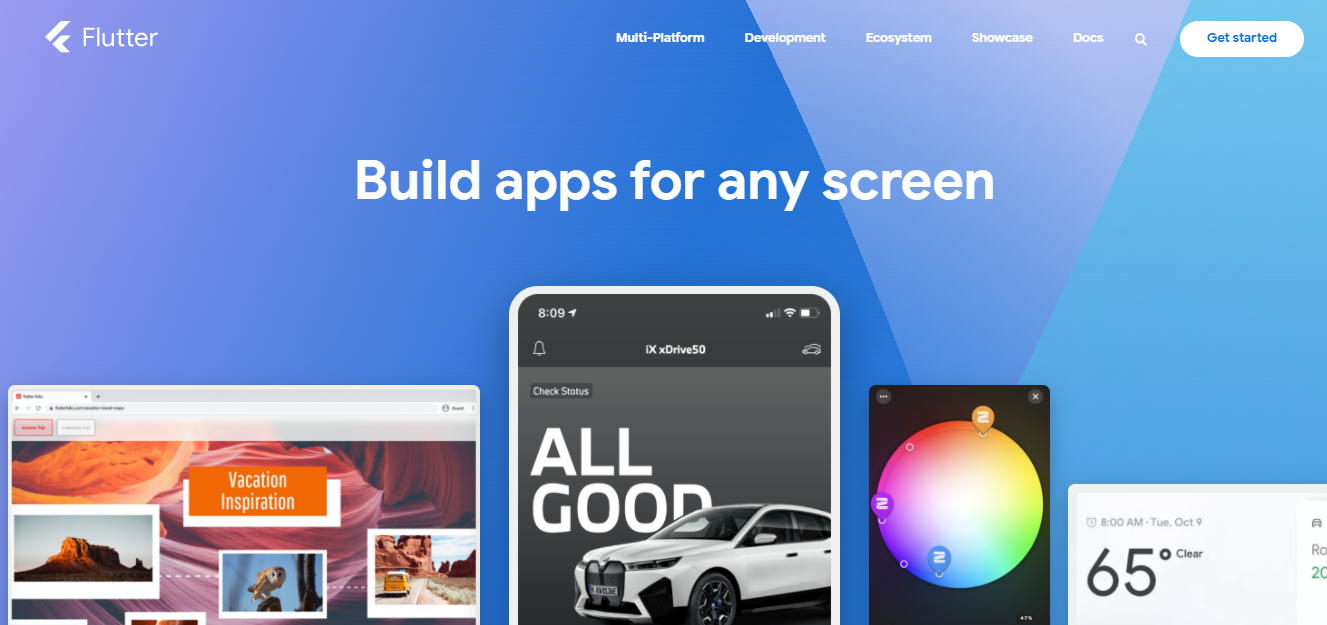
Flutter is a popular software development kit or SDK used globally for cross-platform mobile application development. Hence, it provides developers with the ability to build Android, iOS, and Windows apps using a single Codebase. Google built Flutter in-house and released it as an open-source project.
Features
- Flutter is an open-source project and is free to use across the globe. This is especially useful for fledgling developers who can acquire a lot of freedom in exploring all the qualities of Flutter and learn essential components of building mobile applications during the process.
- Flutter uses Dart, a programming language that is unique to its framework. Dart was developed by Google and can develop mobile and web applications. Dart was created to also facilitate building apps for desktops and servers. Its syntax is similar to C, but it follows an object-oriented approach.
- Apps built on Flutter have a native feel, even if they are compatible across all platforms. Hence, Flutter apps deliver a superb user experience, therefore inheriting a typical characteristic of native applications.
- Google added a feature that is now popularly called the 'App Builder.' One can think of it as a virtual lego building tool that developers can quickly exploit to create apps. This has proved to be an essential component in developing app prototypes.
Advantages
- Instant changes: Flutter allows its users to make instant changes. This comes in handy when developers need to make quick bug fixes to their applications. Without this particular attribute, it would have taken developers hours, if not days, to send out a bug fix.
- Superb UX: Applications made using Flutter deliver an effortless, smooth performance that makes for a powerful UX.
- Mobile app testing is simpler: Testing mobile apps and their quality assurance checks are more superficial using Flutter, thanks to its single codebase.
Disadvantages
- App size: Flutter builds tend to be heavy, which users may not appreciate over a longer time. Web output is no longer a gap: Flutter compiles the same Dart code to the web using WebAssembly, so the same widgets run in a browser.
- Coding can be tedious: Creating apps on Flutter can soon become a tedious process. This is because Flutter is relatively new to the game, and developers find themselves writing everything from scratch to make things work. Additionally, since Flutter uses Dart, a language that not many are aware of, developers have to learn this before using Flutter extensively.
Xamarin
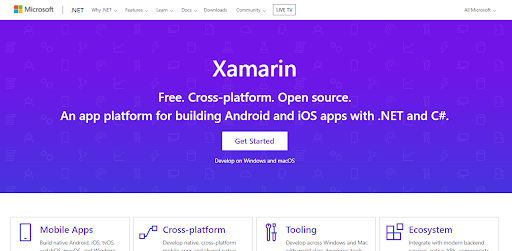
Xamarin, a Microsoft product, uses C# and .NET to build Android, iOS, Apple Watch, and Wear applications. Xamarin was widely used as a time and cost-effective solution for cross-platform mobile app development, and many teams still maintain apps built on it.
Microsoft ended support for Xamarin on May 1, 2024. The Xamarin SDKs no longer receive updates, bug fixes, or security patches. Microsoft moved Xamarin.Android, Xamarin.iOS, and Xamarin.Mac into .NET as .NET for Android, .NET for iOS, and .NET for Mac, and Xamarin.Forms became .NET Multi-platform App UI, or .NET MAUI. Read the points below as background for an existing Xamarin codebase. For a new cross-platform app, build on .NET MAUI and point your device tests at that build.
Features
- Applications built on Xamarin use the .NET base class library or BCL. This is essentially an extensive collection of classes loaded with features such as Serialization, XML, String, IO, Database, support for Networking, and many more. It also allows pre-existing C# codes to be used in an application, extending its functionality limit beyond the BCL.
- Xamarin utilizes a modern IDE, namely Visual Studio, one of the most popular IDEs around the globe. VS is famous for its auto-code completion features. But it also provides attributes like project and solution management, libraries, source control, and other resources that make it truly powerful.
- Xamarin is great for cross-platform app development, supporting the three major platforms- Android, iOS, and Windows. In addition, around 90% of the code written in Xamarin can be reused, thus saving time and cost of development.
- Xamarin.Essentials add to the usefulness of the framework. It provides a unified API for resource sharing facilities across all the supported platforms- Android, iOS, and Windows.
Advantages
- Xamarin Test Cloud: Xamarin Test Cloud was the framework's own mobile app testing service. With it, developers could run a single application on multiple devices, spot the issues, and fix them quickly. Xamarin Test Cloud offered the flexibility that made it a useful addition to developer toolkits.
- Powerful UI features: Developers have many UI components like themes, graphs, charts, and cloud services to choose from. This enhances the user experience in a single jump, thus becoming a popular choice among coders.
- Great for cross-platform usage: Due to 90% code reuse, Xamarin is often an excellent choice for developing cross-platform applications. This shared code logic helps developers build an app once and reuse it for multiple platforms.
Disadvantages
- Lack of support: Xamarin lacks a community to back it up. Unlike Android, iOS and .NET have robust communities with a wealth of knowledge. Compared to that, Xamarin is still growing and falls short of resources for developers to look into.
- App overhead: Xamarin creates a massive overhead that increases the time it takes for users to download and store apps on their devices. This can critically affect user satisfaction.

Key Takeaway: A mobile app development framework bundles the compilers, debugging tools, and programming interfaces used to build one app for Android, iOS, and Windows, and React Native, Flutter, and Xamarin are the most widely used options.
Frameworks to Test Mobile Apps
Below are the popular frameworks for Android automation testing and iOS automation testing of mobile applications.
Appium
Appium is another mobile app automation testing tool to automate web, native, and hybrid mobile app testing on all mobile and desktop platforms. Apps do not need recompilation or modification and do not need to adhere to any specific languages for Appium to automate their tests. Also open-source like Selenium, Appium proves to be a powerful tool for developers to play around with. Run your free mobile tests on Appium grid.
Looking to automate mobile apps on real devices, check out our video below.

Ranorex
A software development company, Ranorex GmbH, provides this framework. It is a GUI test automation platform that facilitates testing all kinds of mobile applications. Ranorex Studio supports languages such as VB.NET and C#.
Apache JMeter
Categorized under the Apache project, Apache JMeter is used heavily as a load testing tool. In addition, it is utilized to measure and analyze various services, especially web applications for mobile. But JMeter can also be used as a unit testing tool and has its architecture based on plugins.
To know more about app testing frameworks, you can refer to our blog on the best mobile app testing frameworks for Android and iOS apps.
Key Takeaway: Appium automates web, native, and hybrid app tests without recompiling the app, Ranorex Studio handles GUI test automation in C# and VB.NET, and Apache JMeter is used mainly for load testing.
Key types of Mobile App Testing
Mobile app testing helps identify flaws in mobile apps and refine them for the intended audience. Therefore, it is critical to consider the various key types of app testing to understand the multiple perspectives for evaluating an app's potential performance.
If you want a condensed view of how these testing types relate to one another before working through them individually, the mobile app testing guide infographic lays them out on a single page.
Below are the listed key types of Mobile App Testing.
Functional testing
Functional testing of mobile applications checks whether the app is functioning correctly. This kind of test ensures the components are behaving as they should- they are responsive, true to their purpose, meet the required specifications, and the flow of the app is being maintained.
Example: Suppose an e-commerce app needs to be tested for functionality. Here, a product can be added to the cart to check the 'Add to cart' feature is working fine. The customer can then proceed to checkout to ensure that the payment features are working.
Usability testing
Usability testing brings the user's experience to the forefront. It checks how user-friendly a mobile app is if it requires bug fixes, how intuitive its interface is, and how easy it is to navigate through the application. Usability testing provides a holistic report of a customer's feedback while using the application.
Example: A mobile app usability testing example would be creating a survey of questions that an end-user is asked to answer after using an app for a while. This can provide great insight into what needs to be further modified.
Accessibility testing
Accessibility testing checks that someone using assistive technology can complete the same flows as everyone else. On mobile that means screen reader output, touch target size, color contrast, and whether the layout still holds when the system font size is raised.
Example: Turning on TalkBack on Android or VoiceOver on iOS and moving through a checkout flow with swipe gestures only, confirming every control announces a meaningful label.
Compatibility testing
Compatibility testing is a non-functional technique that checks if an application is ready to deliver great performance on multiple devices and operating systems, in specific network conditions, and with various hardware specifications.
Example: An app like Amazon Prime Video can be tested to check if it is running on all devices- mobiles, desktops, TVs, tablets, etc., of all specifications.
Load and Performance testing
Performance and load testing ensure an application is not performing poorly under specific workloads. In addition, these tests provide the device resource consumption, like battery, time, and memory are not being expended to a great extent.
Load and performance testing also checks for network delays, the performance of servers, and the format in which data is being sent and received at the backend. Applications should also have an inherent backup and recovery system for an unprecedented data loss.
Example: A typical example of load and performance testing is running tests on an e-commerce app before a big sale day. Due to heavy traffic, there are high chances of the application crashing mid-way. Performance and load testing can stop that from happening.
Security testing
Security is one of the deciding factors behind whether a person will download and use the app or not. Unless data privacy, authenticity, and integrity are ensured, users will never feel comfortable using an app, especially since most applications ask permission to access a user's private information. Hence, security testing is imperative to ensure users' data is safe and well protected.
Example: An SSL protocol is used by website or web app owners and developers to authenticate communication and data exchange between the client and the server.
Installation testing
Installation testing checks if the installation and uninstallation procedures of an application are smooth and without hassles. This kind of testing also ensures the updates to an app are without errors and undisturbed.
Example: While installation testing, network connectivity can be checked by changing the device connection from WiFi to 4G cellular data. Ideally, the installation should not be interrupted, and the procedure should continue irrespective of this alteration.
Localization testing
Localizing testing ensures an application is ready to be used in various local markets. From a change in currencies to a change in cultures, an app should ideally be able to handle all that, especially if it is targeting a wide demography of audiences around the globe.
Users expect their applications to run smoothly and represent them while solving their particular problems with unique solutions. Therefore, consumers tend to lose interest if an app is not aligned with these clauses.
Example: Running tests to ensure an e-commerce site in the US, the UK, and India has a currency changing feature for the appropriate location.
Device testing
Device testing is an essential part of the mobile app testing process. Many applications' functionalities depend highly on a mobile's internal hardware specifications and operating system. Device testing ensures an app is ready to run on a spectrum of devices with any combination of specifications.
For example, since building physical infrastructure to support this is quite cumbersome, the TestMu AI Mobile app testing platform can come in handy here. It provides 10,000+ real Android and iOS devices on the cloud that testing teams can use to confirm their app runs everywhere and under all conditions.
Key Takeaway: Each key type of mobile app testing answers a different question, from whether an e-commerce app's add-to-cart flow works in functional testing to whether the same app survives a sale-day traffic spike in load and performance testing.
Types of Mobile Testing (Manual and Automated)
Mobile testing can be performed using one of two methods:
- Manual mobile application testing
- Automated mobile application testing
Manual Mobile App Testing
Testing mobile apps manually rely solely on a human to test an application from scratch until the end. This means the quality assurance testers cannot use automation tools, scripts, or other resources to carry on these tests. To begin with, this sounds ghastly, especially when one imagines the number of tests that must be run to ensure one application will perform well in the real world. Hence, one might be tempted to do away with manual testing completely.
However, discarding manual tests is unwarranted as the end-users are still humans, and automation, no matter how beneficial, time, and cost-effective, might not be prepared to guarantee the way an app feels to a real, breathing consumer of flesh and blood. Hence, manual testing is needed and still performed reasonably, just as a final nudge of reassurance for the testing team.
Automated Mobile App Testing
Automated mobile testing eg. android automation testing is the need of the hour when it comes to running multiple application tests. Here, testing teams use mobile app testing tools for automation and testing clouds to test the functionality and viability of an app in multiple conditions. Automated tests are typically used where a number of tests need to be run simultaneously. However, developers and testers still have to partially rely on human supervision in complex cases.
Automated mobile app testing is fast, efficient, and affordable. It does not require setting up a huge infrastructure of physical devices as would have been necessary for manual mobile app testing. In addition, almost all tests can be performed using the cloud, which leading companies like TestMu AI provide.

Key Takeaway: Automated mobile app testing runs many tests at once on cloud infrastructure, while manual mobile app testing stays necessary because only a person can judge how an app feels to use.
How Does AI Change Mobile App Testing in 2026?
AI changes how mobile tests are written, not where they run. Plain-language steps now become taps and swipes, and those steps still execute on the same emulators and real devices. Google ships this inside the IDE. Journeys for Android Studio converts a set of natural-language instructions into actions that Gemini performs on your app, and you run a journey from Android Studio or the command line against a local or remote Android device. It arrived as a Studio Labs feature in Android Studio Otter 3 Feature Drop (2025.2.3) and needs Android Gradle Plugin 9.0.0 or higher.
Read the documented gaps before you move a suite across. Google lists multi-finger gestures, long press, double tap, and screen rotation as not fully supported, and a journey does not retain information between steps, count items, or branch on a condition. That gives you a practical split. Describe linear flows in natural language, and keep gesture-heavy, conditional, and data-driven cases in scripted frameworks such as Espresso, XCUITest, and Appium. Appium 3, announced in August 2025, kept that driver model and raised the minimum runtime to Node.js 20.19.
Automated exploration predates the current wave and still earns a slot. Robo test in Firebase Test Lab analyzes the structure of your app interface and explores it methodically without a script, then returns annotated screenshots, a video of the run, and a crawl graph you can use to trace a crash. Google recommends a timeout of at least 120 seconds for most apps and 300 seconds for complex ones.
Two limits stay in place. An AI-drafted case is a draft, so someone has to confirm that each assertion matches the requirement. Model reasoning also tells you nothing about how a build behaves on a low-memory phone, an older OS version, or a weak network. Those answers still come from running the app on the devices your users hold.
Key Takeaway: AI turns natural-language steps into taps and swipes that still run on emulators and real devices, but a human has to confirm that every AI-drafted assertion matches the requirement.
Testing Your Mobile Apps Using TestMu AI
TestMu AI enables you to test mobile apps on real devices, simulators, and Android emulators online. As a result, you run the tests and detect bugs across multiple Android and iOS devices early in the development cycle. This enables you to replace your expensive in-house device labs with a mobile testing cloud for all manual and automated app testing requirements. Have a look at this seminar brief that talks about end to end mobile testing. Before you kick start Mobile app testing, refer to this ultimate mobile app testing checklist for carrying out effective mobile device cloud testing.
Test your Locally Hosted apps Using the TestMu AI Tunnel, you can ensure the sanctity of your locally hosted or privately hosted apps by running test on Vivo emulators. No complicated set up, Underpass will do it for you. Start your free test now!
Read More: Getting Started With Mobile App Testing Using Emulators And Simulators

Note: Kick start mobile app testing journey for free. Try TestMu AI Today!
You can also test apps on TestMu AI real device cloud to test real-world scenarios of your app. The real device cloud for Mobile app testing allows users to access real devices and test their apps on a variety of real Android and iOS devices. Using real device cloud testing, you can test your native apps for functionality, compatibility, and reliability. For real devices you can configure your automation frameworks tests through our real device capabilities generator.
Read More: 15 Most Important Mobile App Testing Scenarios
Here is a quick rundown of the features offered by TestMu AI Mobile App Testing Platform.

Key Takeaway: A mobile testing cloud gives testers real devices, emulators, and simulators on demand, which removes the cost of building and maintaining an in-house device lab for manual and automated app tests.
Summing Up!
Mobile app testing is an important part of a mobile application's life cycle. While Android apps seem to have the greatest hold in the global app market, Apple is much more classified and sophisticated while dealing with applications created for iOS. Mobile app development frameworks and tools help developers and testers build state-of-the-art applications for Android, iOS, and Windows operating systems before sending them to various app stores.
In this article, we explored the basics of mobile application testing to understand the topic as a whole and in parts with respect to testing applications for Android and iOS. We also discussed types of apps, mobile development frameworks and tools, and how TestMu AI, a cloud test execution platform, caters to your Mobile testing needs.
Also, read our short guide on what is a mobile application?

Author

Sai Krishna
Blogs: 24

Sai Krishna is Director of Engineering at TestMu AI (formerly LambdaTest), where he leads agentic AI for quality engineering, building AI agents that autonomously drive mobile and conversational test automation. His current focus is Agent Testing and Model Context Protocol (MCP) support for mobile. He is a core contributor and member of the Appium open-source project and the creator of AppiumTestDistribution and appium-device-farm. With over 14 years of experience including more than 9 years at Thoughtworks as a Principal Consultant, he holds a BSc in Electronics and speaks regularly at TestMu and Appium Conf on Appium, mobile automation, and agentic AI in testing.
Reviewer

Harshit Paul
Reviewer
Harshit Paul is Director of Product Marketing at TestMu AI (formerly LambdaTest), with over 8 years of experience in product and growth marketing for developer and QA tools, leading the Agentic AI in Quality Engineering space. He has authored 80+ technical articles for TestMu AI on software testing and automation, and hosted webinars on Selenium, automation testing, browser compatibility, DevOps, and continuous testing. He has led go-to-market and technical marketing initiatives across software testing products, contributing to SEO, content strategy, and developer marketing. He began his career as a certified Salesforce developer at Wipro Technologies, where he worked for 2 years before moving into marketing. Harshit holds a degree in computer programming from Vivekananda Institute of Professional Studies.


Mobile App Testing Basics FAQs
Did you find this page helpful?
More Related Blogs
TestMu AI forEnterprise
Get access to solutions built on Enterprise
grade security, privacy, & compliance
- Advanced access controls
- Advanced data retention rules
- Advanced Local Testing
- Premium Support options
- Early access to beta features
- Private Slack Channel
- Unlimited Manual Accessibility DevTools Tests