

iOS App Testing on Real iPhones and iPads
Run iOS app testing online on real iPhones and iPads, with no Mac and no device lab. Upload an .ipa file and start testing in seconds.

Trusted by 3M+ users globally at




"We have tripled our tests and are now executing tests in less than 2 hours with 78% Faster Test Execution"


"We figured out a more efficient way to monitor system health and resolve failures earlier in lower environments."





"TestMu AI has significantly boosted our testing speed, is easy to implement, and provides exceptional support."


"With 70% faster test execution, TestMu AI helped us achieve faster time-to-market and enhanced CX."



Simulators cannot fake an iPhone
Face ID, carrier networks, GPS, interruptions, and VoiceOver behave differently on real Apple hardware. Test the ones that actually break your release.
Pass or fail biometric prompts on demand and verify your passcode fallback, on real iPhones and iPads instead of a simulator stub.
Throttle to 3G, 4G, 5G, or offline and confirm your app degrades gracefully instead of hanging on a spinner.
Interrupt a session with an incoming call, lock the screen, or force iOS to reclaim memory, then check your app restores state correctly.
Set the device location to another country to validate regional pricing, App Store availability, and location-gated features.
Locate elements, debug layout, and read the accessibility tree with the UI inspector on a live iOS session.
Check dynamic text sizing, high-contrast mode, reduce motion, and display zoom the way real iOS users configure them.
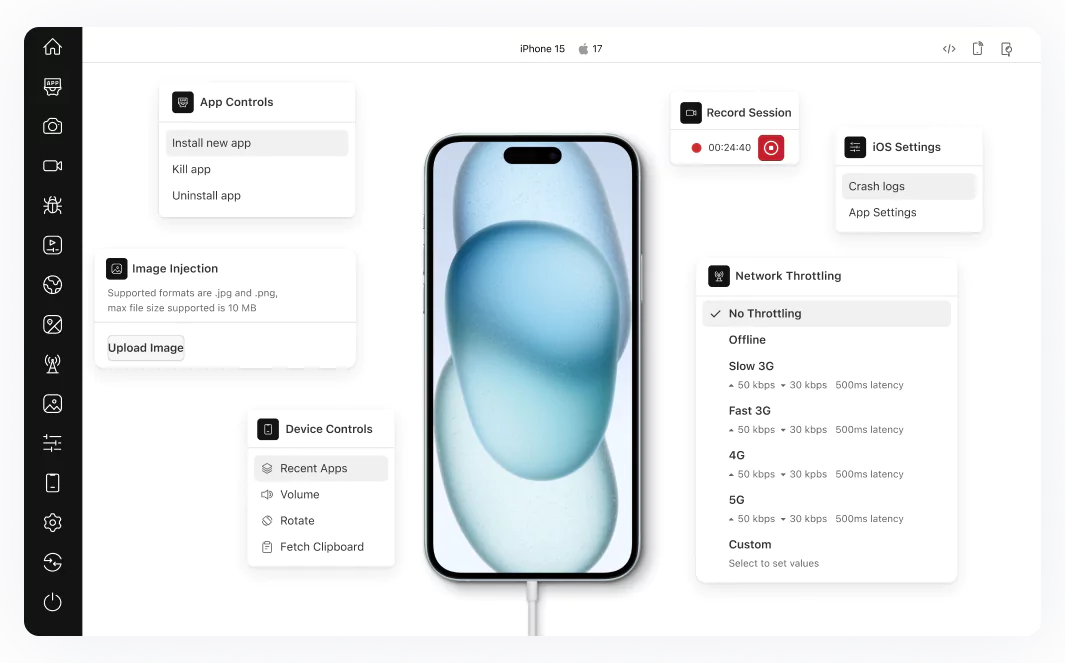
Upload an .ipa. Test on every iOS version.
Upload an .ipa file, or install a build from a public URL, then test it live on a real iPhone or iPad or run a full Appium and XCUITest suite in parallel.
 REAL DEVICE CLOUD
Test iOS Apps Online on Real iPhones and iPads
Simulators miss Face ID, GPS, and thermal bugs. Real hardware catches them before release.
Test on a real iPhone free
iPhone 18 Pro, iPhone 17 and iPhone Air are live in the cloud alongside the iPhone 16 series.
iPhone 15 Pro, 15, 14, 13 Pro Max, 12 and 11, plus iPad Pro, iPad Air and iPad Mini.
iPhones on iOS 14 through iOS 27 and iPads through iOS 26, so you can reproduce a version-specific bug on the exact combination a user reported.
 KANE AI
Automate iOS Tests at Scale
A Mac fleet caps your parallel runs. Point an existing suite at the cloud instead.
Run your first automated iOS testPoint your existing suite at one endpoint. No rewrites and no Mac fleet to maintain.
Fan a single suite out across multiple iPhone and iPad models and iOS versions at once.
KaneAI writes and self-heals the iOS test for you. Describe the flow and it builds the script.
Debug With Full Device Evidence
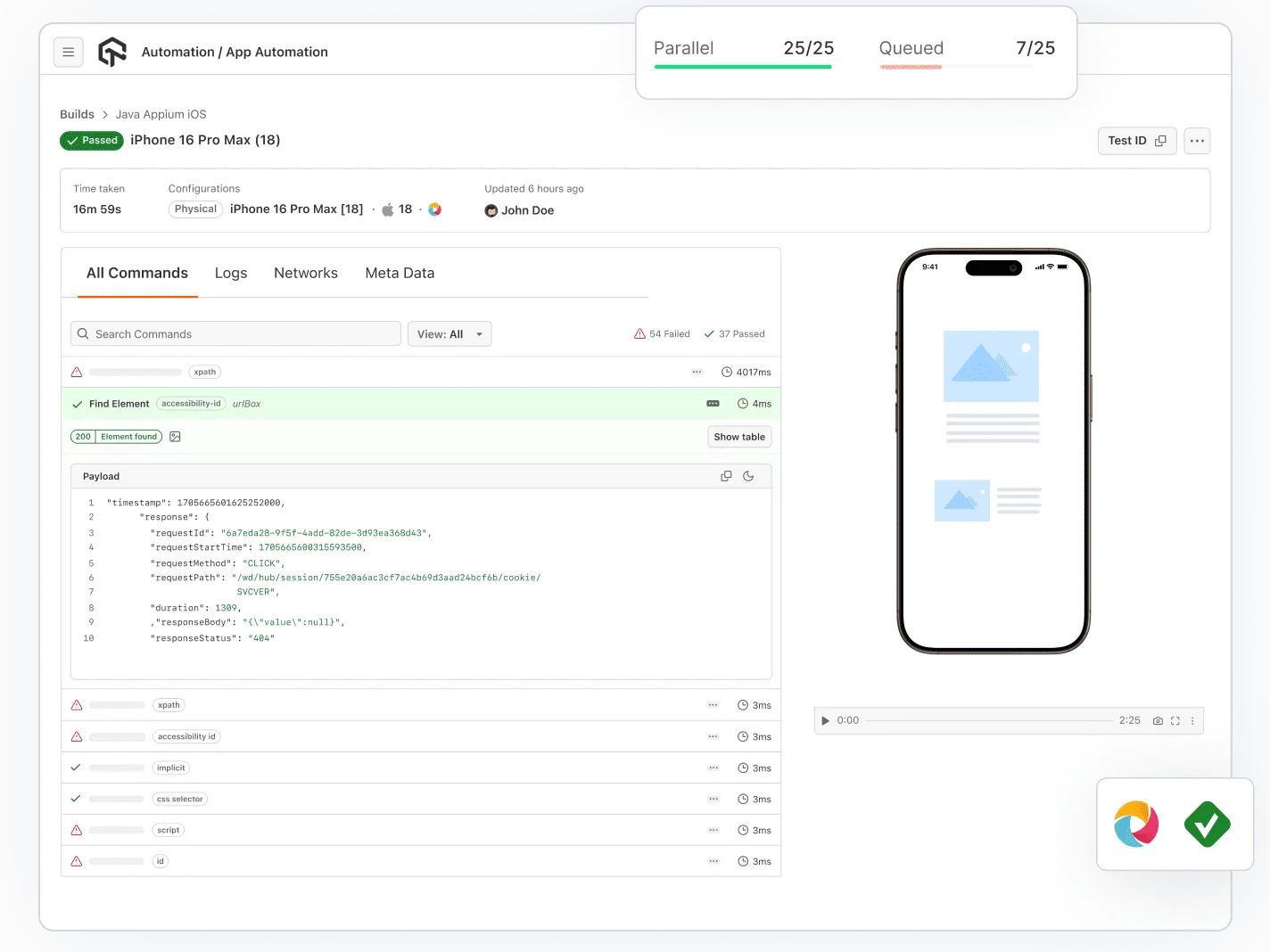
A crash log with no context is a guess. Every run ships video, logs, and screenshots.
Start iOS testing freeRead app-level system logs and every HTTP request from the same session timeline.
Replay exactly what happened on the device when the assertion failed.
Reproduce poor networks, interruptions, and location-specific behaviour on demand.
Features for Testing iOS Apps Online

Test Native, Hybrid and Web Apps
Test native, hybrid, and web apps on the same real devices your users run them on.

Device Logs
Device logs capture app-specific system logs for iOS and Android, which cuts crash analysis to minutes.

Quick App Uploads
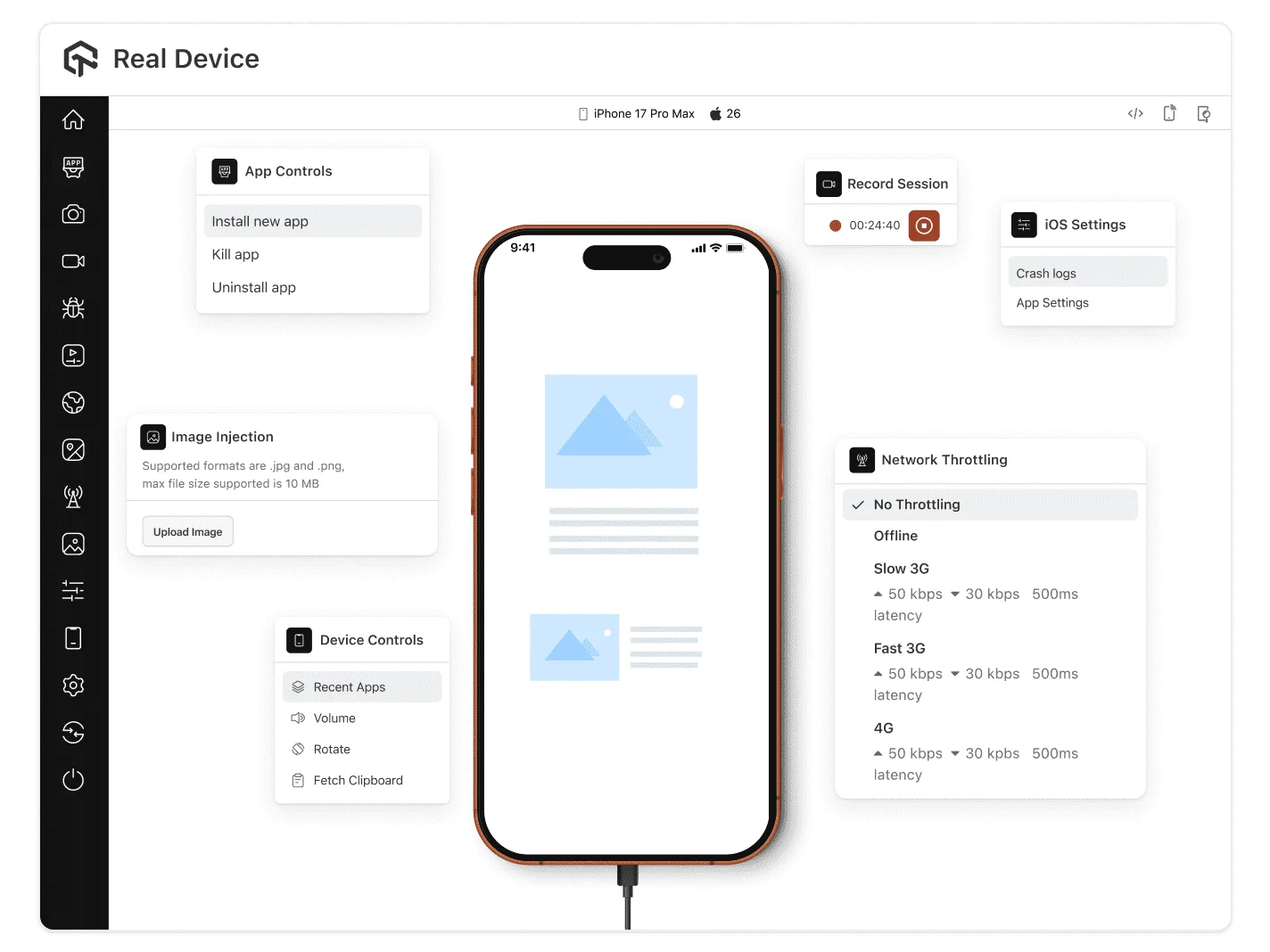
Upload an .ipa from your machine or a public URL, install a TestFlight build on the device, and test .ipa files online.

Network Throttling
Ensure app performance by simulating network conditions like 3G, 4G, and offline scenarios through network testing.

Geolocation Testing
Run geolocation testing from 150+ countries using IP and GPS to check region-specific behaviour.

Network Logs
Network Logs capture network traffic, latency, and HTTP requests/responses, aiding in identifying performance issues.

Smart UI Inspector
Inspect the view hierarchy and debug layout issues with UI tools built into the live session.

Biometric Authentication
Precisely test your app's biometric features to ensure secure identity verification on a variety of devices.

Camera Image Injection
Test image capture, QR code, and barcode scanning by injecting images straight into the device camera.
Everything an iOS tester needs, in one place.
Quick App Upload
Drag, drop, and deploy – no waiting, no friction. Get your mobile apps on real devices faster than ever.
 Install from App Store
 Install from Play Store
 Install from FirebaseInstall from App Store
40+ Features at Your Fingertips
Test like your users do on real hardware. Authentic gestures including Tap, Swipe, and Zoom deliver true-to-life app experiences.
Device Logs
Debug faster with instant device logs. Get real-time insights into crashes, errors, and performance issues directly from device sessions.
GPS & IP-based Geolocation Testing
Test from 170+ global locations for accurate localization, compliance, and regional user experience.
Intelligent UI Inspector
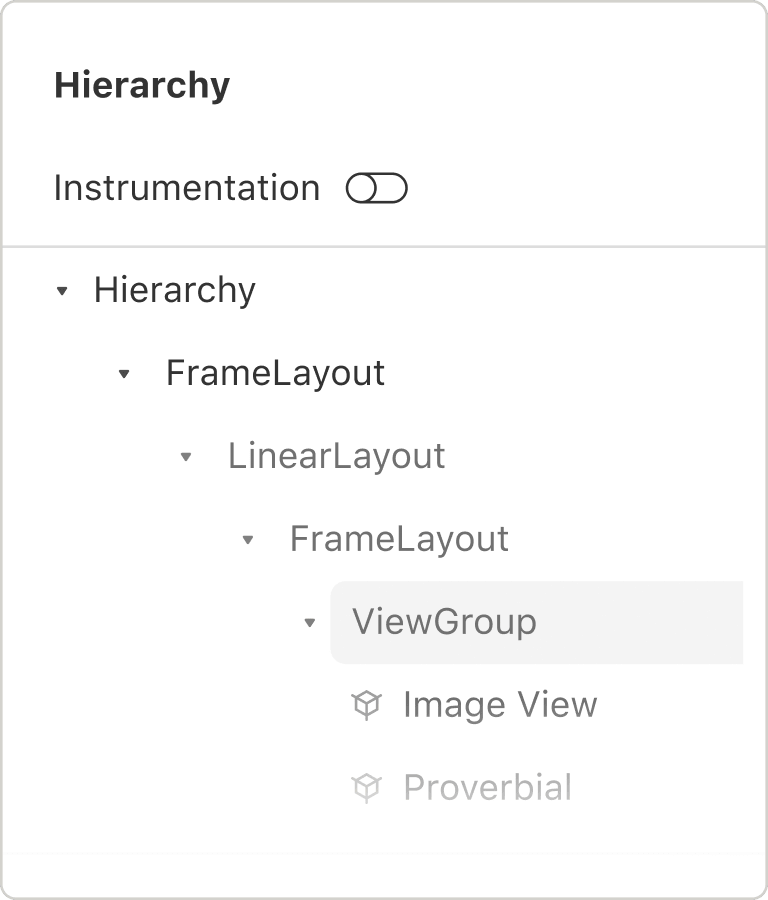
Inspect every element with intelligent precision. Identify UI components, properties, and hierarchies to accelerate debugging.

Accessibility Testing
Build for everyone – automated accessibility testing built-in. Catch WCAG violations early and deliver inclusive experiences for all users.

Text must contrast with the background: 4.5:1 for small text and 3:1 for large.
One platform for every kind of test
Agent Testing
AI agents need testing too. Catch failures in your chatbots and voice assistants before real users do.
More about Agent Testing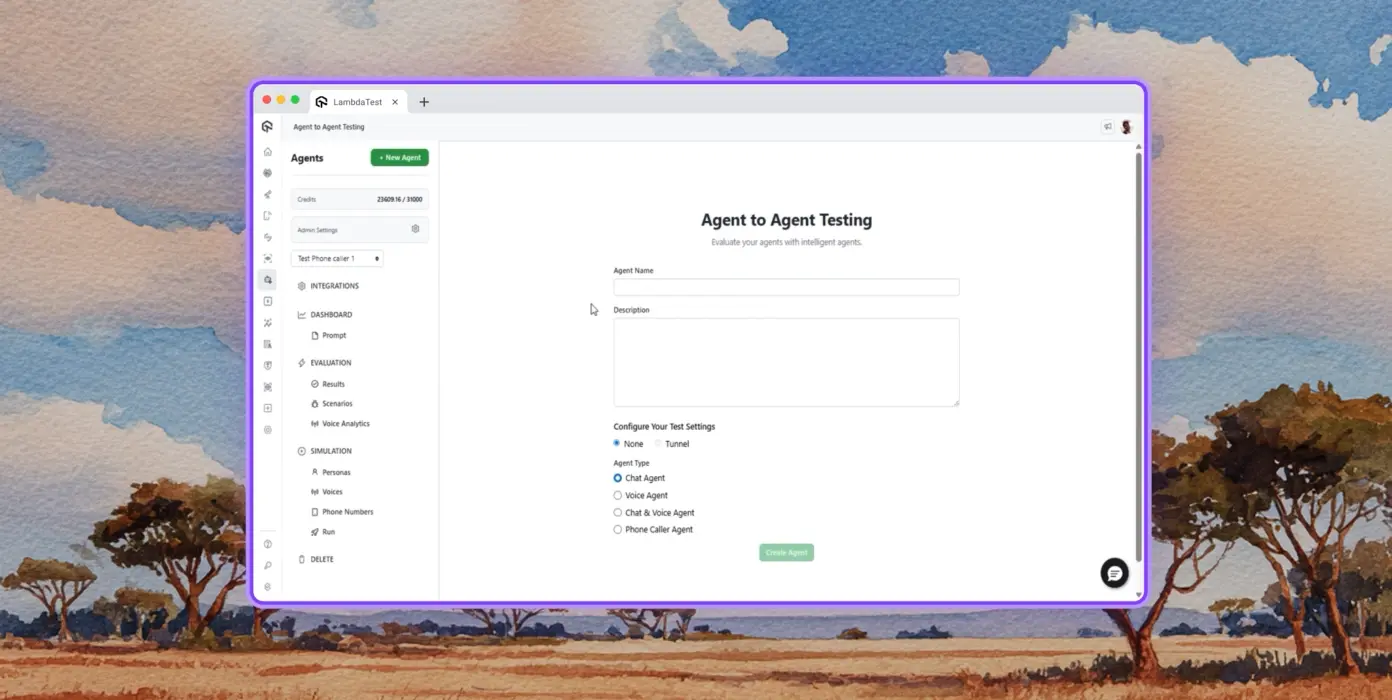
Autonomous Testing
Detailed agent analysis under test, from the perspective of a synthetic end-user.
Multi-persona Simulation
Diverse user personas like International Caller, Digital Novice and more.
Risk Scoring & Regression
End to end regression testing for agent under test with insights.






















Success Stories of TestMu AI (Formerly LambdaTest)

50%
reduction in test execution time
“HyperExecute is a highly reliable test execution platform and has excellent customer support.”
Sagar Uday Kumar
Sr. Engineering Manager
More Reasons to LoveTestMu AI (formerly LambdaTest)
See how TestMu AI improves your testing with seamless integration, quicker results, and unmatched accuracy.
Users
3M+
Tests
1.5B+
Enterprises
18K+
Countries
132
TestMu AI Named a Challenger in the 2025 Gartner® Magic Quadrant™
Read ReportTestMu AI recognized in The Forrester Wave™: Autonomous Testing Platforms, Q4 2025
Read ReportWall of Fame
TestMu AI is the #1 choice for SMBs and enterprises across the globe.

Enterprise-Grade Security
We safeguard your data and AI systems with global security, privacy, responsible AI, and ESG standards.

Integrations
Works where you work, 120+ integrations with the tools your team relies on.




As Seen On
Some Love from our Customers
As Best Egg expanded its product offerings and entered new markets, we knew our old testing infrastructure couldn’t keep up.
With support from Tenny Agustin, our Engineering Operations Lead, we modernized our approach with
TestMu AI

Best Egg
best-egg

Excited to Share My Learning Journey with Kane AI & Lambda Tool!
I'm pleased to announce that I've recently gained hands-on experience exploring Kane AI through the Lambda Tool and it’s been a fantastic journey of upskilling!
KaneAI

Suryateja Goud
suryateja-goud

See how is #Futureready to enable blazing-fast test orchestration seamlessly integrated with organizations' existing CI/CD platforms, using #Microsoft Azure.
TestMu AI

Microsoft India
MicrosoftIndia
Frequently asked questions
TestMu AI forEnterprise
Get access to solutions built on enterprise-grade
security, privacy, & compliance
- Advanced access controls
- Advanced data retention rules
- Advanced Local Testing
- Premium Support options
- Early access to beta features
- Private Slack Channel
- Unlimited Manual Accessibility DevTools Tests