

Next-Gen App & Browser Testing Cloud
Trusted by 2 Mn+ QAs & Devs to accelerate their release cycles


Top 24 Integration Testing Tools For 2026
Discover the top 24 integration testing tools for 2026 to ensure seamless software performance, compatibility, and reliability.

Nazneen Ahmad
February 7, 2026
In this time of digitalization, there is a need for more complex and highly functional software applications. Developing such applications requires the building of new units/components.
However, it also involves integrating different components or units of software applications, and every component needs to integrate function seamlessly. To achieve this, integration testing is done to make sure they work smoothly together.
Let's talk more about integration testing. — it is a key process that helps developers check if different components of software applications work together as a whole. It isn't just about checking individual components.
Even if these components work independently, issues can still arise when combining them into a single software application. Integration testing ensures that these components interact well, forming a cohesive application.
In integration testing, we evaluate whether software components, modules, or units meet the system’s functional requirements. However, if integration testing is performed manually, it can take immense time and might cause errors. This is where integration testing tools come in.
These tools are used to test the interface between modules and find any bugs that might occur due to the integration of multiple modules. They automate the testing process and give developers a detailed report of bugs or errors that need fixing.
Nevertheless, choosing the right integration testing tool for your project can be challenging due to the many options available. In this article, we’ll explore some of the top integration testing tools on the market, making it easier to decide which suits your needs.
What are Integration Testing Tools?
Integration testing tools are software applications that automate testing of interactions and communication between multiple software components and modules.
Integration testing tools are software applications designed to facilitate testing interactions and communication between software components.
These tools come with user-friendly features that align with best practices in integration testing. Hence, using such tools, you can accelerate the integration testing process without worrying about maintenance or reporting.
There are different types of integration testing tools, each aligning with one or more of the subsequent integration testing approaches:
- Top-down: This method initiates testing with the highest-level modules or components and progressively integrates lower-level ones.
- Bottom-up: In contrast to top-down, this approach starts testing with the lowest-level modules or components and gradually integrates higher-level modules.
- Mixed or sandwich: Also termed as hybrid integration testing, this approach combines elements of both top-down and bottom-up methods to ensure thorough integration testing.
Now, let us see the key benefits associated with the use of integration testing tools.
What Are the Benefits of Integration Testing Tools?
Integration testing tools automate test execution, detect bugs early, and scale with complex applications, improving efficiency and software quality.
Integration testing tools provide numerous advantages that can notably enhance the efficiency and effectiveness of integration testing. Here are three primary benefits:
- Automation: The automation capabilities of these tools enable the execution of tests without the need for manual intervention, resulting in time and effort savings.
- Defect Identification: Integration testing tools contribute to the early identification and detection of bugs associated with component interactions, helping to address issues proactively.
- Scalability: Intеgration tеsting tasks tеnd to grow quickly as еach nеw componеnt is added to thе softwarе, bringing in morе intеraction points and potеntial combinations with еxisting componеnts. A good intеgration tеsting tool should be flеxiblе and scalablе to handlе this growth еffеctivеly.
- Customization: Somе customization options еnablе еxpеriеncеd tеstеrs to write tеst scripts for vеry spеcific issuеs. This way, thеy can automatе common scеnarios whilе also creating tеst casеs to fit uniquе and unplannеd rеquirеmеnts.
- Collaboration and Reporting: By offering a centralized platform for test case management, execution, and result sharing, integration testing tools foster enhanced collaboration among development and testing teams. This streamlines communication and reporting processes.

What Are the Top Integration Testing Tools?
Top integration testing tools include Selenium, pytest, IBM Rational Integration Tester, Postman, and SoapUI, offering automation for web, API, and SOA testing.
Following are the top integration testing tools available in the market:
Selenium
Selenium is one of the top integration testing tools that is open-source, allowing developers and testers to automate integration test suites in web applications on a large scale. Its capabilities extend beyond integration testing, offering the flexibility to test various web scenarios.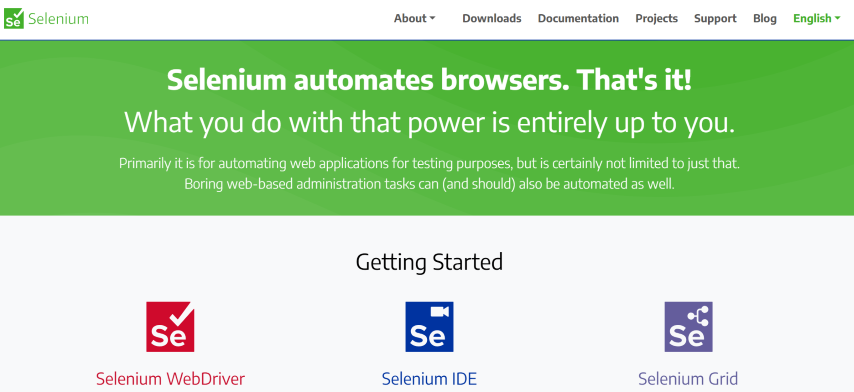
You can perform actions such as button clicks, form completions, page navigation, and more, which can be scripted and automated with Selenium.
When you use Selenium as an integration testing tool, it allows you to verify the correct functioning of web applications across different browsers, devices, and platforms.
Developers, using Selenium can mimic user interactions with web applications, including clicking buttons, completing forms, navigating pages, and validating the application’s expected behavior.
The following are the key features of Selenium:
- Supports multiple web browsers (Chrome, Firefox, Edge, Safari, etc.).
- Runs seamlessly on different platforms, such as Windows, macOS, and Linux.
- Develops test scripts in languages like Java, Python, C#, Ruby, or JavaScript.
- Allows the capture of screenshots and videos during test execution, aiding debugging and improving reporting capabilities.
- Facilitates the execution of parallel tests with different hybrid test data.
- Runs test without a visible UI using a headless browser. However, comprehensive UI testing is also supported for a complete integration testing experience.
- Aligns with W3C standards, ensuring seamless testing and scripting practices.
- Integrates with various testing frameworks like TestNG, JUnit, NUnit, providing developers with flexibility in their testing approach.
pytest
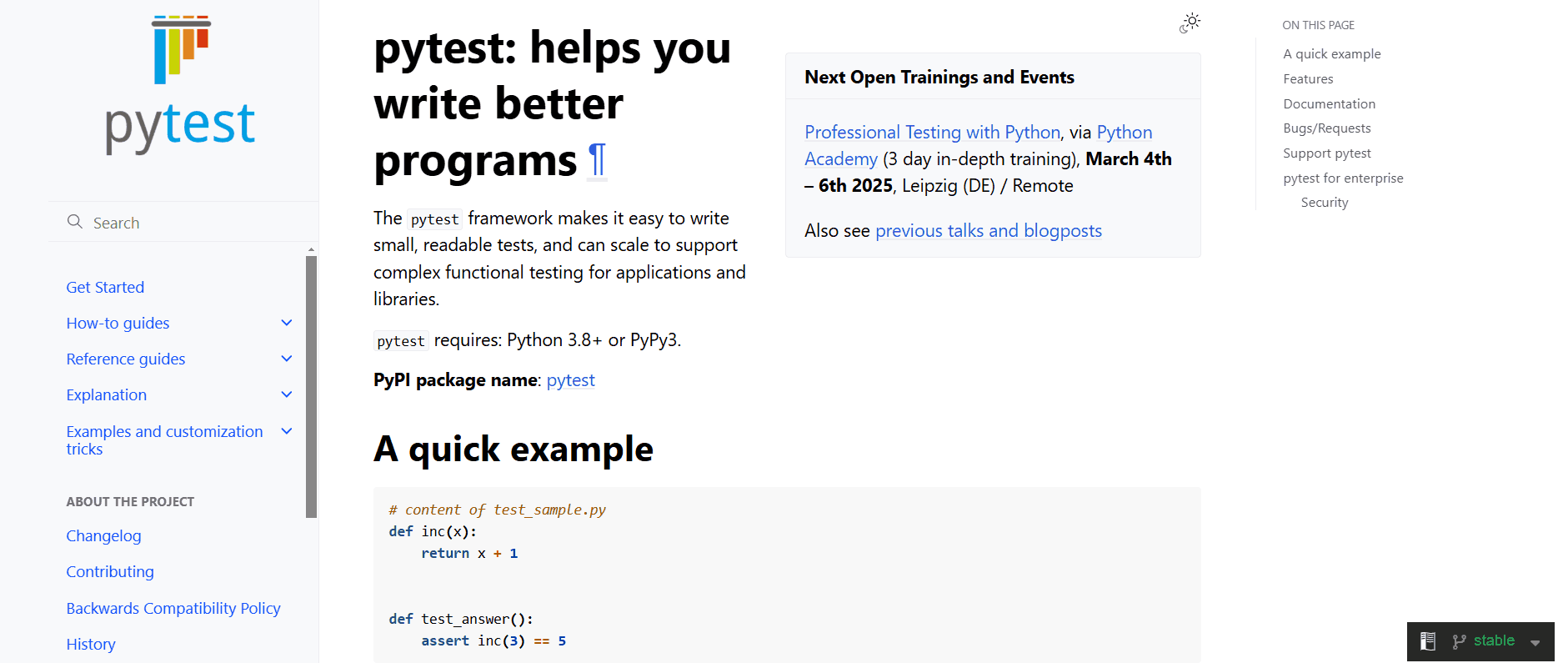
pytest is one of the top integration testing tools that allow creating and executing test code in Python automation testing. Its ability to scale up becomes apparent when dealing with complex libraries and applications.
The following are the key features of pytest:
- Cuts down on overall testing time by executing tests in parallel.
- Identifies and defines test files and features autonomously where they aren’t explicitly specified.
- Provides built-in command-line support and test discovery functionality.
- Provides custom markers to categorize and execute specific groups of tests. For example, you can label specific tests as “integration” to distinguish them from unit tests.
- Uses fixtures to set up and tear down the test environment. This is especially crucial in integration testing, where tasks like establishing connections, initializing databases, or preparing other resources are essential.
IBM Rational Integration Tester
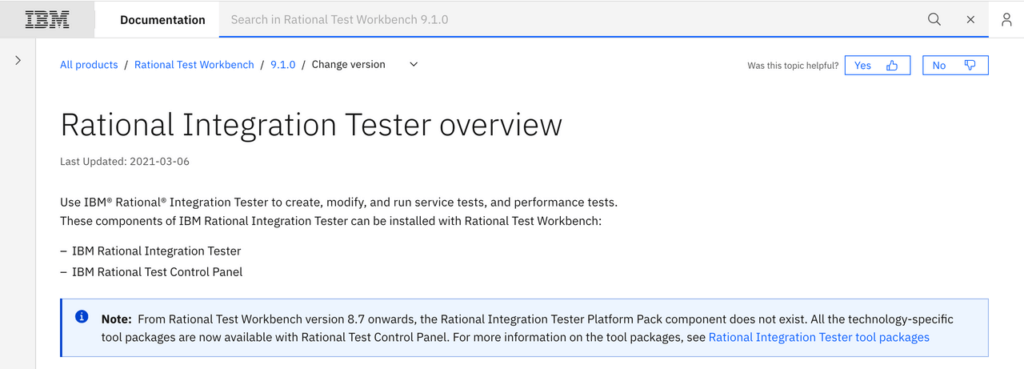
It was formerly known as Green Hat and was later acquired by IBM in 2012. Rational Integration Tester is an appropriate integration testing tool for easing the test for SOA (service-oriented architecture) messaging and business process integration projects.
It is well known for its ability to effortlessly create scripts that mimic the human tester behavior. This means tests can be run without scripting, either by recording existing actions within the software application or based on specified requirements.
Simply define the data to transmit and the expected data in return.
The following are the key features of the IBM Rational Integration Tester:
- Helps mitigate critical integration issues, bugs, and errors and promotes an iterative approach for optimal results.
- Supports a range of protocols such as HTTP, SOAP, JMS, JDBC, and IBM.
- Tests applications developed using various technologies, including Java, .NET, and mainframe.
- Integrates with other software testing tools, such as IBM Rational Quality, that provide comprehensive enterprise application testing solutions.
- Offers service virtualization capabilities that help users simulate the behavior of external systems. This allows the test to be executed in isolation.
- Provides storyboard mode for simplified editing and test visualization, mainly through screenshots. Performs data-driven testing for the same series of actions using diverse data sets.
- Integrates with tools like IBM Rational Quality Manager and IBM Rational Team Concert, facilitating team collaboration. In addition, it also integrates with IBM DevOps solutions like IBM UrbanCode Deploy and IBM Jenkins to streamline deployment and testing processes.
- Supports various data formats, including XML, JSON, and others commonly used in integration scenarios.
IVectorCAST/C++
It opens up new possibilities for enhancing your integration testing and the entire integration testing process. This tool facilitates testing each module, component, or routine within the software, ensuring functionality works as intended and is free from bugs or errors.
It significantly reduces the time, effort, and costs linked to testing C and C++ software components crucial for validating safety and mission-critical embedded systems.
The following are the key features of VectorCAST/C++:
- Allows you to create unit tests and integration tests for your C and C++ code, ensuring its proper functionality before release, all while saving time and reducing costs.
- Allows you to understand the impact of your component testing by detailing the source code statements or decision points exercised in single or multiple test runs using integrated code coverage utility.
- Helps you to create a test case and scenarios, simulating multiple functions across various units.
- Supports Probe Points that allow for dynamic alterations to data or control flow to bolster testing capabilities.
- Compiles and links all its generated test components using your compiler.
- Supports host-based development testing using tools like Visual Studio and testing in your final embedded hardware target environment.
- Enables direct C and C++ unit testing on your embedded target system in conjunction with VectorCAST RSP.
- Ensures compliance with safety-critical standards such as DO-178C, ISO 26262, and IEC 61508, providing the necessary tools and documentation to support certification processes.
Liverpool Data Research Associates (LDRA)
LDRA is one of the most used integration testing tools that has been popular in the software testing market for over 40 years. It helps you adhere to various software compliance standards, making it easy to perform a thorough analysis through integration testing.

Within the LDRA tool suite, LDRA TBrun is a unit and integration test tool streamlining the creation and management of tests. It automates these processes, reducing manual testing efforts and enabling developers to focus on implementing correct software functionality.
The following are the key features of LDRA:
- Offers a close and dynamic solution for integration testing across various types of software.
- Provides a tailored solution for integration testing based on your specific software requirements.
- Creates stubs for functions and variables outside the test scope, saving you time and effort.
- Supports testing on various platforms, including host, target, and simulator environments.
- Provides highly cost-effective solutions for integration testing and unit testing, ensuring the functionalities of each software unit and the entire software.
- Allows you to store and maintain test data and results for automated regression analysis, making your testing process more efficient.
- Helps detect source code changes and benefits from tool-driven test vector generation. This makes integration testing an integral and efficient part of your software development process.
Postman
Postman is a go-to API development and testing platform created to streamline the complexities of developing, evaluating, and documenting APIs.
While its primary purpose is API testing, Postman is also known for integration testing. You can easily create test suites covering API endpoints, ensuring seamless testing of integration scenarios with external digital services.
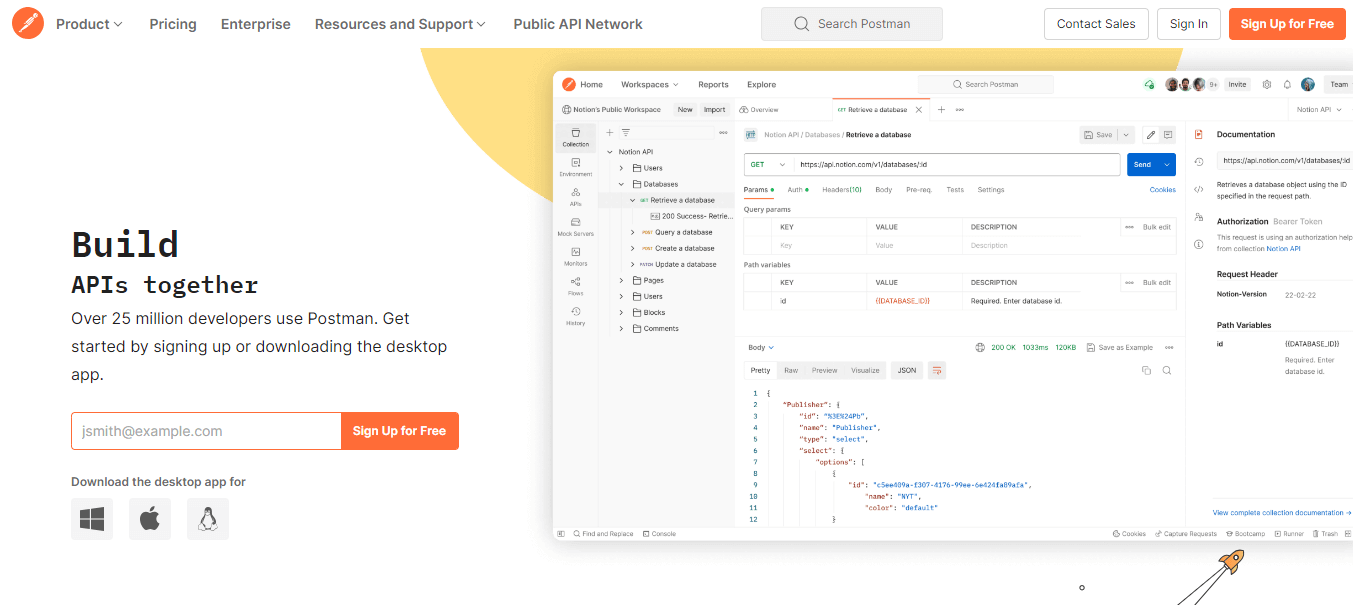
Here are the key features of Postman:
- Manages every aspect, from creating and organizing API tests to executing them and generating comprehensive reports.
- Focuses on RESTful APIs and can also manage SOAP requests to a certain extent.
- Brings in CSV or JSON files effortlessly, utilizing them to drive iterative tests.
- Allows you to create collections of requests and define test scripts using JavaScript directly in the user-friendly Postman interface.
- Simulates backend service behavior when they’re yet to be available.
- Provides a broad spectrum of test assertion options to validate API call responses.
- Customizes your testing approach with robust support for data-driven testing.
- Integrates into your existing CI/CD pipeline.
- Aids in configuring and handling different endpoints for integration tests.
- Provides features enabling team members to share collections, environments, and test suites.
SoupUI
SoapUI emerged as a widely popular open-source tool for testing web services, including SOAP and REST APIs.
Beyond its primary role, it functions as an integration testing tool, enhancing a user-friendly graphical interface that enables users like you to create test cases, define test steps, and configure test data.
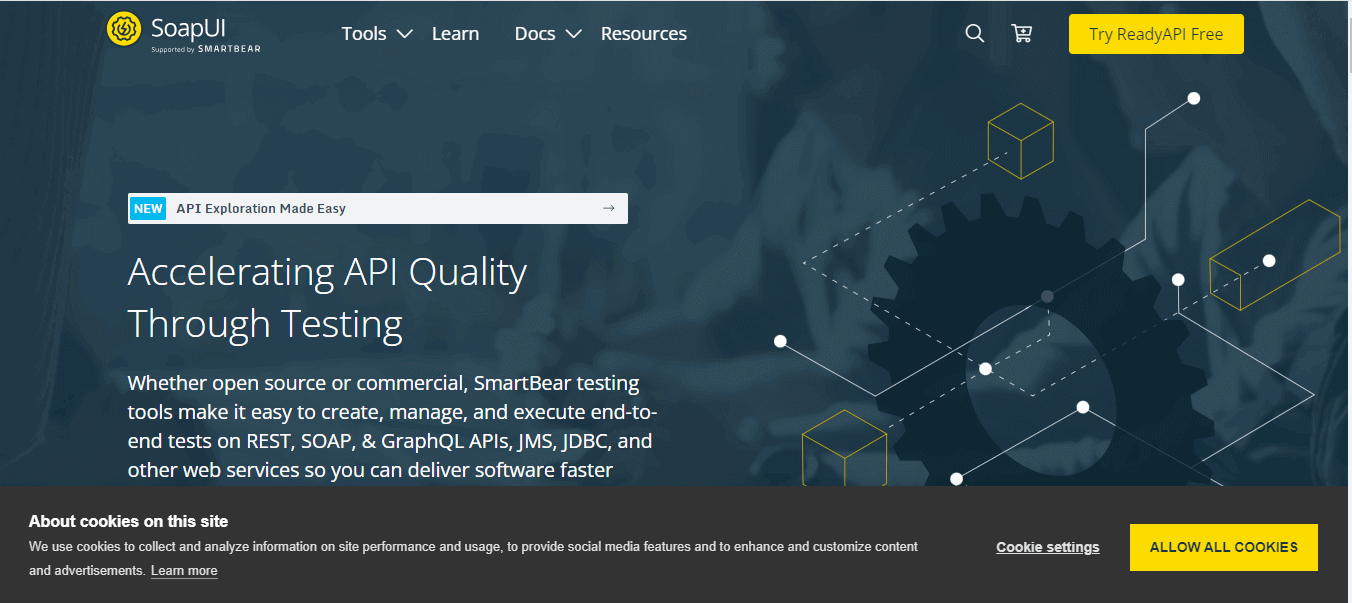
Here are the key features of SoupUI:
- Handles both SOAP (Simple Object Access Protocol) and REST (Representational State Transfer) web services, ensuring seamless compatibility with various APIs.
- Provides an extensive array of assertion types for validating API responses, covering aspects such as status codes, content, headers, and more.
- Provides scripting mode to create custom logic and automate intricate test scenarios.
- Allows users to parameterize their test cases, facilitating the effortless modification of input data.
- This feature simplifies testing various scenarios without altering the fundamental test case structure.
- Includes support for security testing and load testing, enhancing its versatility and utility in evaluating web service robustness and security.
Citrus
Citrus is an open-source integration testing tool for automating integration tests across messaging systems, APIs, databases, and more. It accommodates various messaging protocols and data formats, including HTTP, JMS, and FTP, making it suitable for testing scenarios involving interactions between different components in a software application.
It plays a dual role during integration tests, acting as a client and a consumer. As a client, Citrus sends messages (requests) to the System Under Test. As a consumer, it receives and processes messages (responses) from the System Under Test, simulating real-world interactions between systems.
The following are the key features of Citrus:
- Provides the ability to create comprehensive integration tests that validate the end-to-end functionality of their applications.
- Supports multiple transport protocols and data formats, such as HTTP, JMS, and SMTP, offering versatility for a range of testing scenarios.
- Supports testing messaging systems, making it an excellent tool for testing message-based APIs and web services.
- Automates integration testing process, saving time and ensuring software quality.
- Provides a flexible test configuration, allowing testers to set up tests using XML, Java, or Groovy.
- Offers integration with various CI/CD tools like Jenkins and Bamboo, making integrating tests into a continuous delivery pipeline easy.
- Validates the messages exchanged between itself and the System Under Test, checking the message content, headers, attachments, and other control data, ensuring that it meets the expected criteria of the integration test requirements.
- Integrates with frameworks like Apache Camel, Arquillian, Kubernetes, and Docker to support automated integration testing of microservice applications.
- Integrates with the Spring framework to create robust, enterprise-grade integration tests.
- Supports BDD testing, allowing tests to be written in natural language for technical and non-technical understanding.
Leapwork
Leapwork is a no-code automation platform designed for test automation, process automation, and robotic process automation (RPA). It allows you to create automation workflows and test cases without the need for coding or scripting.
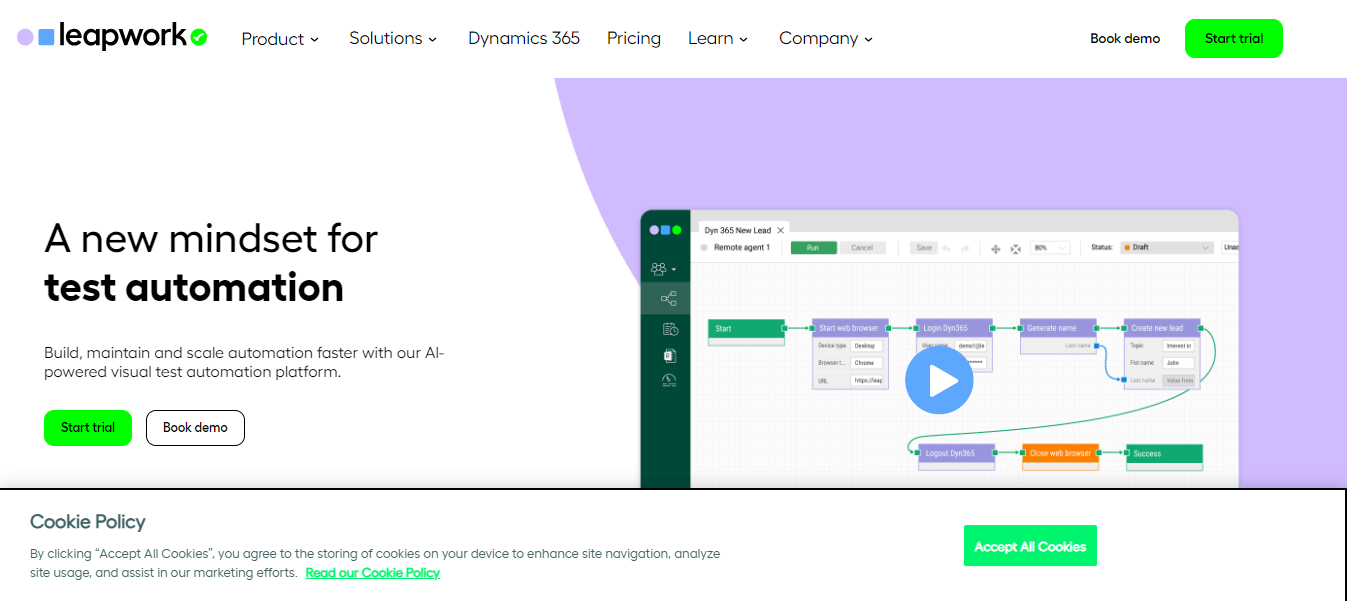
As an integration testing tool, Leapwork’s no-code approach enables both testers and non-technical folks to design integration test cases and workflows through a visual interface, making it accessible to a wide range of team members.
The following are the key features of Leapwork:
- Provides the ability to create integration test cases without writing a single line of code using Leapwork.
- Includes data-driven automation is included out of the box, simplifying the automation process.
- Captures any web element with a simple point-and-click, supported by a self-healing mechanism to fix broken test scripts.
- Offers compatibility with SAP, Windows, Citrix, Java, IBM, Oracle, and many other applications, providing comprehensive integration testing capabilities.
- Allows remote execution of automation flows to set up remote environments, agents, and robots to run your automation flows.
- Provides detailed reporting on automation flow execution and insights into what happened during the execution of an automation flow.
- Offers a built-in REST API to help DevOps integrate it with other third-party systems.
- Provides a GUI-based Windows platform, allowing testers to create automation cases without coding knowledge.
TESSY
TESSY is well known for automating dynamic module/unit and integration testing for embedded software while ensuring compliance with certification standards like DO-178B, IEC 61508, or ISO 26262.
This is yet another one of the top integration testing tools that seamlessly manages the testing process, including requirements, traceability, test management, and coverage measurement.
The following are the key features of TESSY:
- Offers a visual editor for writing test cases and an automatic generator that derives test cases from templates.
- Gives various reporting options, including HTML, JUnit, and JSON formats.
- Provides three primary functions—Test Interface Editor (TIE), Test Data Editor (TDE), and Workspace—to streamline testing processes.
- Offers the Classification Tree Editor (CTE) to define varied test cases systematically.
- Supports both C++ and C programming languages, enhancing its versatility.
Jasmine
Jasmine is a popular integration testing tool for web applications, utilizing JavaScript for its implementation. Its primary purpose is to test the integration among different components within an application, focusing on interactions between the front and back end.
Using a Behavior Driven Development (BDD) style, Jasmine prioritizes clarity and maintainability in the testing process.
It includes the capability to create spies and mocks. Spies enable monitoring function calls, capturing details like arguments and return values to ensure anticipated interactions occur. Mocks replace dependencies with controlled implementations, facilitating the simulation of specific integration scenarios and the testing of system behavior.
The following are the key features of Jasmine:
- Provides a robust set of built-in assertion functions, allowing users to define expectations and verify the behavior of integrated components.
- Describes the expected behavior of a system utilizing a BDD syntax, offering developers a more readable and expressive approach to constructing test cases.
- Creates custom matchers with Jasmine, enabling the testing of specific behaviors or conditions within a system.
- Demonstrates adaptability to various web application testing frameworks such as AngularJS and React and can generate report formats like HTML, JUnit, and JSON.
- Offers versatile verification options, supporting both asynchronous and mobile web application testing.
FitNesse
FitNesse is a well-known integration testing tool that provides functional testing, also recognized as acceptance testing, integrated at a business level. This contrasts with testing on a user interface level, where tools like Selenium, HTMLUnit, Watir, and others are typically used.
The following are the key features of FitNesse:
- Provides a collaborative environment where multiple team members can actively contribute to test development and documentation.
- Integrates with version-control systems like Git and facilitates users in managing test cases, specifications, and changes within a version-controlled environment.
- Supports developing custom plugins and extensions to meet your testing requirements or integrate with other tools.
- Supports an Agile style of regression, acceptance, and black-box testing.
Katalon
Katalon platform is an integration testing tool suitable for various applications, including web, mobile, desktop, and API testing, which is a critical component of integration testing.
You can quickly build test cases that allow for checking interactions among software applications' components or between these components and external services, such as verifying the effective integration of finance applications to a web service for retrieving financial news for traders.
The following are the key features of Katalon:
- Provides free-to-use features, although not open-source.
- Offers record-and-playback capability.
- Integrates with Git, Jenkins, qTest, and Jira.
- Provides built-in templates for maintaining the object repository, test cases, and custom keywords.
- Supports Java and Groovy languages.
- Manages test cases and test objects in the Object Repository and is simplified with a well-defined hierarchy.
Tricentis Tosca
Tricentis Tosca is a robust tool designed for testing the integration of diverse applications, databases, and systems. This tool leverages advanced reporting and analytics features that allow testers to monitor integration testing progress and comprehensively evaluate the software application’s performance.
It supports various testing methodologies, like Agile and DevOps, and integrates with other testing tools and frameworks, delivering a comprehensive testing solution.
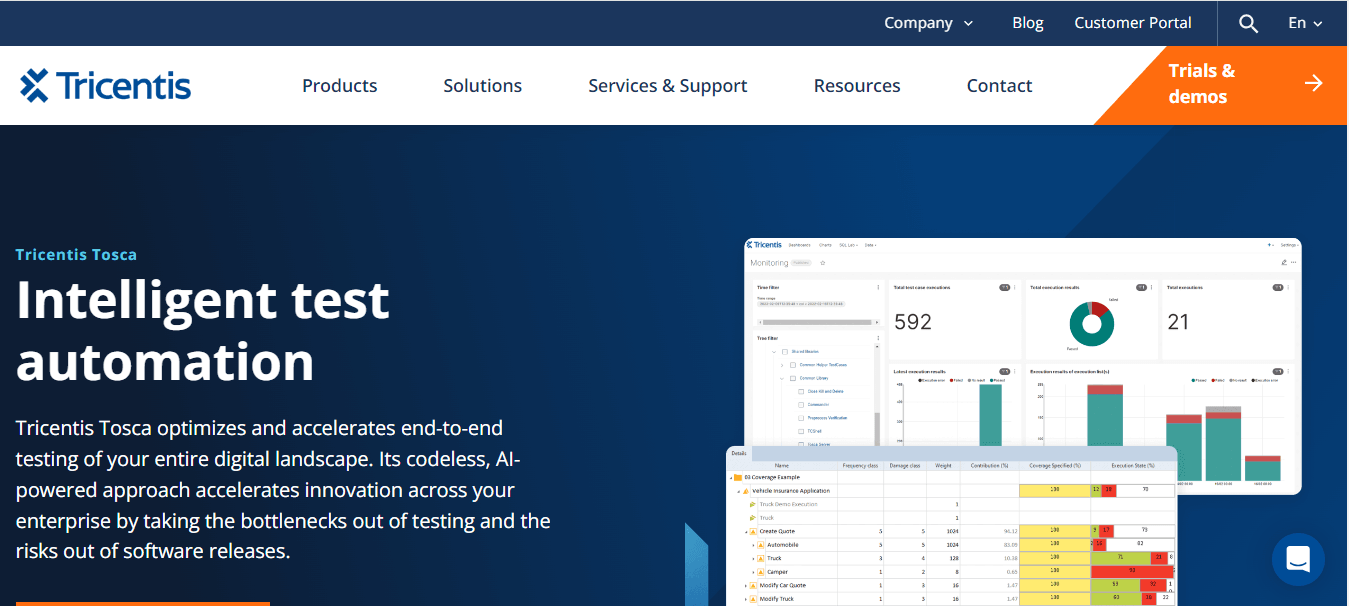
The following are the key features of Tricentis Tosca:
- Allows the creation of automated tests based on design mockups before any code is written, enabling testing at an earlier stage in the development life cycle.
- Builds resilient, codeless automated tests through a distinctive approach that separates the technical information of an application from the automation model.
- Introduces a risk-based testing approach to reduce software release risk while minimizing the overall number of tests in the automation suite.
- Creates and sets up stateful data as needed for testing, including synthetic, masked, or imported data, to handle complex testing situations effortlessly.
- Simplifies API testing with a codeless solution that speeds up the testing processes and enhances overall test stability.
Ranorex
Ranorex Studio is an automation tool for desktop, mobile, and web applications. It includes a robust set of features to perform integration testing, allowing the testing of complex applications, APIs, and the interoperability of multiple applications or systems.
The tool gives users all the necessary tools for web automation, featuring capture-and-replay, a complete IDE, and built-in reporting capabilities, with the added strength of Selenium WebDriver embedded in the Ranorex core API.
The key features of Ranorex are:
- Tests and validate web applications across popular browsers, including Chrome, IE, Safari, and Firefox.
- Proves valuable for regression testing in continuous build environments, facilitating the easy and quick identification of new software bugs.
- Simulates real-world scenarios and scrutinizes interactions between different components with Ranorex.
- Enables technical and non-technical users to create and execute tests, making it an excellent tool for developers and testers.
Sita Corp
Sita Corp or SITA (Smart Integration Test Accelerator) is a widely utilized integration testing tool with a business-centric approach. In the present time many organizations are shifting towards business-oriented architecture.
The conventional bottom-up approach to integration testing requires a substantial effort to generate test data. Wipro Smart Integration Test Accelerator (SITA) is the best solution for overcoming these challenges. This tool facilitates the efficient generation of test data and design.
The following are the key features of SITA:
- Automates test data that covers a broader spectrum of essential business scenarios, reducing faults in production or UAT.
- Proves to be cost-effective due to the reusability of test data and test cases.
- Offers automation of diverse test design activities.
- Enables easy integration with tools like HP ALM, IBM Rational, etc.
Validata MSG
Validata MSG is a widely used integration testing tool designed to automate the integration testing process and enhance its efficiency. It is an automated testing framework for SWIFT, SOA, ATM, and Generic Interface testing.
This integration tool functions to simplify and expedite the integration testing phase.
This is possible as it streamlines the complexities associated with integration testing, reduces the execution time, and stimulates various business use and test cases for heightened effectiveness.
The following are the key features of Validate MSG:
- Replicates real-life business scenarios.
- Allows the creation and testing of end-to-end scenarios at different levels.
- Ensures data content and the application’s sending and receiving behavior.
- Offers an all-in-one solution for ensuring file formatting, data content, and an improved testing process flow.
- Incorporates reusability, which significantly enhances testing efficiency and productivity.
- Provides diverse end-to-end business cases and scenarios for efficient integration testing.
- Leverages an extensive set of pre-built test scenarios, further improving the efficiency of integration testing.
VectorCAST/Ada
It is another integration testing tool from Vector Software is VectorCAST/Ada, specifically designed for developers working on projects in the Ada programming language.
This tool offers automated testing solutions for both integration and unit testing; hence, it plays an important role in verifying the safety and reliability of critical embedded systems.
VectoCAST/Ada facilitates unit testing locally or through a target simulator. The generation of code occurs after the formation of each component or module.
The following are the key features of VectorCAST/Ada:
- Integrates with various applications, including IBM Rational and Green Hills.
- Generates stubs and drivers automatically using the code generator in VectorCAST/Ada.
- Offers a way to perform integration testing through the GUI (Graphical User Interface) and scripts.
- Comes equipped with a comprehensive code complexity analysis and risk highlighting feature, enhancing the effectiveness of integration testing outcomes.
- Provides a seamless integration solution with various systems and software, including IBM® Rational® Rhapsody®, DDC-I™ SCORE®, IBM® Rational® DOORS®, AdaCore GNAT, Green Hills® AdaMULTI™, Atego™ ObjectAda®, and other compatible tools.
- Utilizes existing test cases to achieve automated regression testing.
- Implements code complexity analysis to identify high-risk code segments.
Protractor
Protractor is a comprehensive end-to-end testing framework designed explicitly for AngularJS applications. It is a solution integrator, combining powerful tools and technologies like Node.js, Selenium WebDriver, Jasmine, Cucumber, and Mocha.
Initially created by Google Developers to support Angular applications, Protractor has transitioned into an open-source framework that now extends its support to both Angular and non-Angular applications.
The following are the key features of the Protractor:
- Offers specialized support for Angular applications, featuring angular-specific locators like ng-model, ng-bind, ng-repeat, and more.
- Demonstrates proficiency in handling non-Angular applications.
- Runs test scripts across multiple browsers, including Chrome, Firefox, Safari, IE11, and Edge.
- Provides a stable API for interaction with web browsers.
- Supports asynchronous testing, a crucial aspect in dealing with web applications.
- Simplifies configuring reports, especially compared to non-Node.js-based open-source automation frameworks.
- Supports various assertion libraries, such as Jasmine, Mocha, or custom libraries of your choice.
What Are Some Bonus Tools for Integration Testing?
Additional integration testing tools include EZscript, Steam, Spock, and Pioneerjs, providing automation, defect detection, and support for various technologies.
So far, we have explored some of the top integration testing tools to be used in 2026. However, you can also consider using the integration testing tools below based on your software project requirements.
EZscript
EZscript is a popular integration testing tool that helps organizations automate their testing processes. It facilitates the evaluation of diverse software application components and systems, ensuring their intended functionality and correct integration.
It supports defect detection and automated elimination, enhancing the overall efficiency of the testing procedure. Further, EZscript improves compatibility with various testing frameworks like JUnit and NUnit and provides the ability to generate reports in formats like HTML, JUnit, and JSON.
EZScript enables the effective management of test data and the testing environment, contributing to the consistency and stability of the testing process.
It also Integrates with other tools, including Jira, Jenkins, and Git, expanding its utility and interoperability. Plus, EZScript Identifies objects through mapping to the object repository, ensuring precision in testing procedures.

Steam
In 2008, GitHub introduced Steam, a tool designed for integration testing. Steam is an open-source automation platform to test websites with JavaScript support, relying on Java Runtime, RJB, and HTMLUnit (a jar file).
Spock
For Java and Groovy applications, the testing framework Spock comes into play. Compatible with various IDEs and Continuous Integration servers, Spock facilitates the creation of easy-to-write and easily interpretable tests.
One of its intriguing characteristics is the simultaneous execution of assertion testing and mocking. Spock for JAVA offers numerous valuable features, including compatibility with testing frameworks (such as JUnit and NUnit) and report formats (like HTML, JUnit, and JSON).
Pioneerjs
Pioneerjs simplifies integration test scripting and debugging, saving substantial time. It enables the maintenance of a legible code base for both programmers.
The tool incorporates features that streamline testing automation and simplify defect resolution. Pioneerjs supports various web application testing frameworks, including AngularJS and React, and offers diverse reporting options, such as HTML reports, JUnit reports, and JSON reports.
What Key Features Should You Consider When Selecting Integration Testing Tools?
Consider compatibility with various technologies, test data management, ease of use, CI/CD integration, and scalability when selecting integration testing tools.
In the above section, we discussed top integration testing tools. However, whеn selecting intеgration tеsting tools, it's еssеntial to consider some factors.
- Makе surе thе tool can handlе various intеgration with tеchnologiеs likе REST, SOAP, mеssaging quеuеs, databasеs, and APIs. This makеs it compatiblе with thе way your intеgrations arе sеt up and lеts you tеst diffеrеnt intеgration test scenarios.
- Thе tool should help with managing tеst data. This includes crеating data, masking it, and supporting data-drivеn tеsting. This is important bеcausе intеgration tеsting usually involvеs dеaling with a lot of tеst data and having thе right fеaturеs makеs it еasiеr.
- A tool should bе еasy to usе whеn dеsigning and running intеgration tеst casеs. It should lеt you dеfinе tеst stеps, inputs, еxpеctеd outputs, and chеcks without bеing complicatеd.
- It's also helpful if it allows you to makе rеusablе tеst casеs and has options for things likе prioritizing tеsts, schеduling thеm, and running multiplе tеsts at thе samе timе.
- It's important that this tool can be smoothly intеgratеd into your Continuous Intеgration (CI) pipеlinе. This means it can automatically run intеgration tеsts as part of your ovеrall dеvеlopmеnt procеss.
- This hеlps makе surе that intеgration tеsting is a rеgular part of how you dеlivеr softwarе applications.
Besides the above factors, it's also important to test websites on real browsers and operating systems. However, maintaining an in-house test infrastructure can be challenging.
Also, it comes with scalability and reliability issues. To overcome these challenges, it is a viable option to test on cloud-based platforms like TestMu AI.
It is an AI-native test orchestration and execution platform that allows you to run integration tests across 5000+ real devices, browsers, versions, and OS combinations. TestMu AI is compatible with various automated testing tools, including Selenium, Playwright, Cypress, Appium, and more.
Additionally, developers and testers can take advantage of the TestMu AI HyperExecute platform. This end-to-end test orchestration cloud enables the execution of automated tests at a remarkable speed, boasting up to 70% faster performance compared to traditional cloud grids.
This allows teams to run their tests efficiently and swiftly on the TestMu AI platform.
Subscribe to the TestMu AI YouTube Channel for the latest updates on tutorials around Selenium testing, Playwright testing, and more.
The following are the key features of TestMu AI:
- Its test intelligence platform offers AI-native features that help you run root cause analysis, flaky test detection, error trends forecast, and much more.
- AI-native Smart UI platform lets you perform visual regression testing across different desktop and mobile environments.
- Using the parallel testing feature, you can run multiple tests across different browsers and devices concurrently. This allows you to scale your test efforts effectively while significantly reducing the time required for automated tests.
- TestMu AI provides access to a variety of browsers, operating systems, and devices without the need to set up and maintain your infrastructure. This cuts down on expenses and simplifies the process of scaling your testing efforts.

Conclusion
In this blog, we've explored some of the top integration testing tools available in the market. Integration testing holds immense significance in ensuring functionality and smooth interactions among different software modules.
It's crucial for software development teams to opt for suitable integration testing tools to ensure the effective operation of their software application during the system integration testing phase in the Software Development Life Cycle.
However, the market offers a variety of integration testing tools, and their popularity depends on factors such as ease of use, licensing costs, language support, report presentation, and integration with CI pipelines.
Other important factors include a user-friendly interface, test data management features, and support for various integration technologies like REST, SOAP, etc.
The top integration testing tools covered in this blog provide diverse options for automating testing and reducing the time spent tracking and fixing bugs. You can choose the one that best aligns with your software project requirements and get started.


Frequently asked questions
Did you find this page helpful?
More Related Hubs
TestMu AI forEnterprise
Get access to solutions built on Enterprise
grade security, privacy, & compliance
- Advanced access controls
- Advanced data retention rules
- Advanced Local Testing
- Premium Support options
- Early access to beta features
- Private Slack Channel
- Unlimited Manual Accessibility DevTools Tests