

Power Your Software Testing with AI Agents and Cloud
The Native AI-Agentic Cloud Platform to Supercharge Quality Engineering. Test Intelligently and Ship Faster.


- TestMu AI (Formerly LambdaTest)
- /
- Learning Hub
- /
- What is Test Runner: A Crucial Tool for Software Testing
What is Test Runner: A Crucial Tool for Software Testing
Discover how TestRunner is transforming the world of automated testing. Explore its key features and benefits. Improve testing processes today with TestRunner.
Last Updated on:
On This Page
- What is TestRunner?
- Why to Use TestRunner?
- How Does TestRunner Work?
- Benefits of Using TestRunner
- Types of Test Runners
- Cypress Test Runner Architecture
- Selenium Test Runners
- Advanced Runner Features
- Key Features of TestRunner
- Getting Started with TestRunner
- TestRunner Best Practices
- Difference between Test Runner, Testing Framework, Assertion Library, and Testing Plugin
- Troubleshooting Tips for TestRunner
- TestRunner Case Studies
OVERVIEW
In the rapidly evolving landscape of software development, ensuring the quality and reliability of your applications is paramount. Effective testing methodologies and tools play a vital role in achieving this goal. One such powerful tool that has gained significant popularity among testers and developers is TestRunner. In this comprehensive article, we will explore the ins and outs of TestRunner, its key features, benefits, implementation best practices, and much more. Read on to discover how a test runner can empower your software testing efforts.
What is TestRunner?
TestRunner is an advanced testing tool that aims to enhance and simplify software testing. With its comprehensive platform for managing test cases, automating repetitive testing processes, and producing valuable reports, it caters to the requirements of software testers, developers, and quality assurance professionals. By optimizing application quality and streamlining testing efforts, TestRunner contributes significantly to saving time and resources.
Why to Use TestRunner?
TestRunner is used to automate the execution and management of software test. It helps ensure the reliability and quality of software by running tests in a systematic and organized manner, providing detailed reports, and facilitating efficient debugging and error identification.
How Does TestRunner Work?
TestRunner functions using a client-server architecture. The server component is responsible for hosting the test management system, while the client component allows testers to run tests and interact with the system. These two components work together seamlessly, ensuring effective management, execution, and reporting of test cases.
Benefits of Using TestRunner
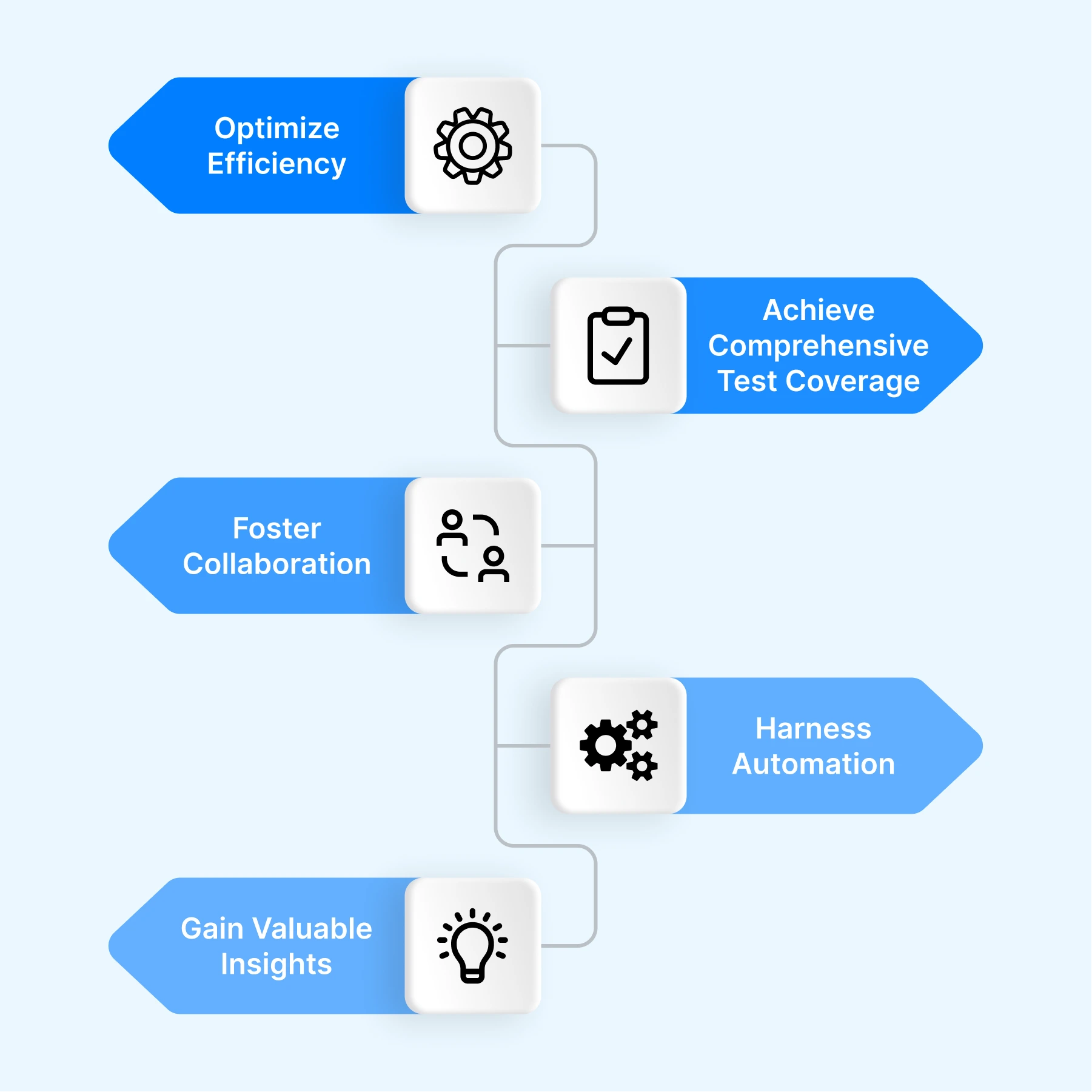
Experience the advantages of using TestRunner for software testing teams and organizations. Discover how TestRunner can revolutionize your testing process:
- Optimize Efficiency: Streamline and expedite your testing process with TestRunner's intuitive interface and powerful features. Execute test cases swiftly and effortlessly, saving valuable time and resources.
- Achieve Comprehensive Test Coverage: Ensure thorough testing across diverse application scenarios and environments. TestRunner's robust test management capabilities enable you to create and manage test cases effectively, leaving no aspect of your software untested.
- Foster Collaboration: TestRunner serves as a centralized platform for seamless team collaboration. Easily share test artifacts, communicate with team members, and promote knowledge sharing, leading to improved coordination and more efficient workflows.
- Harness Automation: Empower your testers with TestRunner's automation capabilities. Automate repetitive tasks, such as regression testing and data validation, freeing up time to focus on complex testing scenarios that require human expertise.
- Gain Valuable Insights: TestRunner goes beyond basic reporting. It provides comprehensive reports and analytics that offer actionable insights into test results, trends, and areas for improvement. Use this information to enhance your testing strategy and drive continuous improvement.
Automate your Front end tests across 3000+ browser environments. Try TestMu AI Now!
Types of Test Runners
Test runners are tools or frameworks that facilitate the execution of automated tests. They provide an environment to run test cases and report the results. Depending on the programming language and testing framework being used, different types of test runners may be available. Here are some common types of test runners:
- Command-Line Test Runners: These test runners are executed from the command line interface (CLI) and are typically used for running tests locally or as part of a build process. They provide a way to specify test files or directories and execute the tests. Examples of command-line test runners include nose for Python, JUnit for Java, and Mocha for JavaScript.
- Integrated Development Environment (IDE) Test Runners: Many modern IDEs come with built-in test runners that allow developers to run tests directly from their development environment. These test runners provide a graphical user interface (GUI) to select and run tests, view test results, and navigate through the test suite. Examples of IDE test runners include Visual Studio's Test Explorer, Eclipse's JUnit runner, and PyCharm's test runner.
- Continuous Integration (CI) Test Runners: CI test runners are designed to be used in a continuous integration or continuous delivery (CI/CD) pipeline. They enable automatic execution of tests whenever new code is committed to a repository. CI test runners integrate with popular CI tools like Jenkins, Travis CI, or GitLab CI/CD. Examples of CI test runners include JUnit for Java, pytest for Python, and JUnit for JavaScript.
- Browser Test Runners: These test runners focus specifically on running automated tests for web applications in various browsers. They provide capabilities to launch different browsers, execute tests in parallel, and capture test results. Examples of browser test runners include Selenium WebDriver (with language-specific bindings like Selenium-Java or Selenium-Python), Cypress, and TestCafe.
- Distributed Test Runners: Distributed test runners allow you to distribute test execution across multiple machines or nodes, enabling faster test execution and parallelization. They manage the distribution of tests and collect results from each node. Examples of distributed test runners include JUnit with parallel test execution, TestNG for Java, and pytest-xdist for Python.
- Cloud-Based Test Runners: Cloud-based test runners provide an infrastructure for running tests on cloud platforms. They allow you to execute tests in a scalable and distributed manner, leveraging cloud resources. Cloud test runners often integrate with popular cloud providers.
- JavaScript and TypeScript test runners - modern JS and TS projects rely on runners such as Jest, Mocha, the Node.js Native Test Runner (the built-in node:test module available since Node.js 18), and Bun Test, the fast runner bundled with the Bun runtime. Web Test Runner is another option that executes the same tests inside real browsers. These runners increasingly ship with built-in assertions, mocking, and watch mode out of the box.
Deep Dive: The Cypress Test Runner Architecture
The Cypress test runner takes a different architectural path from most tools on this page. Instead of driving the browser from the outside over a network protocol, Cypress runs directly inside the same run loop as your application. The test code and the application under test share one browser context, which gives the runner native, direct DOM access to every object, timer, and network request the app creates. This is a core reason Cypress became popular for end-to-end testing of modern web apps.
Real-Time Reloading and Time-Travel Debugging
Because the runner lives in the browser, it does not serialize every command across a WebDriver connection. When you save a spec file, Cypress detects the change and triggers real-time reloading, re-running the affected tests inside the open runner window so you see results as you type. The runner also records a snapshot of the application at each command in its Command Log. This time-travel debugging lets you hover over any step, whether a click, a type, or an assertion, and see exactly what the DOM looked like at that moment, which makes reproducing a failing state far easier than reading a stack trace after the fact.
For teams that need to run these tests at scale, Cypress Cloud records executions, parallelizes specs across multiple machines, and surfaces flaky-test analytics, extending the local runner into a shared reporting layer.
In-Browser vs. Headless Runners
A traditional headless runner, such as a Selenium WebDriver or Playwright process, controls the browser from a separate process and communicates over the WebDriver or DevTools protocol. That out-of-process model suits broad cross-browser coverage and language flexibility, while the in-browser model trades some of that breadth for speed and debugging depth. The table below summarizes the trade-off.
| Aspect | In-browser runner (Cypress) | Out-of-process runner (Selenium WebDriver) |
|---|---|---|
| Execution context | Runs in the same browser loop as the app | Drives the browser from an external process |
| DOM access | Direct and synchronous | Serialized over WebDriver or DevTools protocol |
| Debugging | Time-travel snapshots and real-time reloading | Logs, screenshots, and external debuggers |
| Language support | JavaScript and TypeScript | Java, Python, C#, JavaScript, Ruby, and more |
| Best fit | Fast local feedback for web apps | Broad cross-browser and cross-language coverage |
Selenium Test Runners: WebDriver vs. Selenium Side Runner
A common misconception is that Selenium is itself a test runner. Selenium is an automation library: the WebDriver API and its language bindings send commands to a browser, but they do not discover, schedule, or report on tests on their own. To actually execute a suite, Selenium leans on separate runners that handle discovery, ordering, and reporting.
Selenium Side Runner
The Selenium Side Runner is a command-line tool that executes .side files, the projects recorded by the Selenium IDE browser extension. Instead of opening the IDE each time, you point selenium-side-runner at a .side file and it replays the recorded steps in a headed or headless browser. This turns recorded tests into a scripted step you can wire into a pipeline without rewriting them into code.
npm install -g selenium-side-runner
selenium-side-runner ./login.side
Selenium Grid as a Distributed Runner
For scale, Selenium Grid acts as a distributed runner. A central hub receives your tests and routes them to registered nodes, each running a different browser and operating system, so one suite executes in parallel across many environments. Framework runners such as TestNG, JUnit, or PyTest still drive the individual tests and own the assertions; the Grid is what spreads them out across machines.
So the phrase "Selenium test runner" usually means one of these layers working together: a framework runner for discovery and assertions, the Selenium Side Runner for recorded .side files, and Selenium Grid for distributed execution.
Advanced Features of Modern Test Runners
Beyond browser automation, a wave of developer-centric runners has raised the baseline of what a test runner includes out of the box. The Node.js Native Test Runner, Jest, and Bun Test bundle capabilities that once required extra plugins, which is why the Google AI Overview for this topic now leans on them as reference examples.
Watch Mode
Watch Mode keeps the runner alive and re-executes only the tests affected by the file you just saved. Jest's --watch flag, Bun Test's --watch option, and the Node.js runner's --watch flag all give the same fast inner loop: edit, save, and see the relevant tests pass or fail in seconds without restarting the whole process.
Built-in Mocking and Spying
Modern runners also ship with built-in mocking and spying. Instead of pulling in a separate stubbing library, you can replace a module, fake a timer, or record how a function was called using the runner's own API, such as jest.fn() and jest.mock() in Jest or the mock helpers in the node:test module and Bun. This keeps unit tests focused on the code under test rather than on wiring up test doubles.
Snapshot Testing
Snapshot Testing captures a serialized version of a component or data structure on the first run and compares every later run against that stored snapshot, failing when the output drifts unexpectedly. Jest popularized the pattern, and Bun Test and the Web Test Runner support it too, making it a quick way to lock in the rendered output of a UI component or an API response.
Key Features of TestRunner
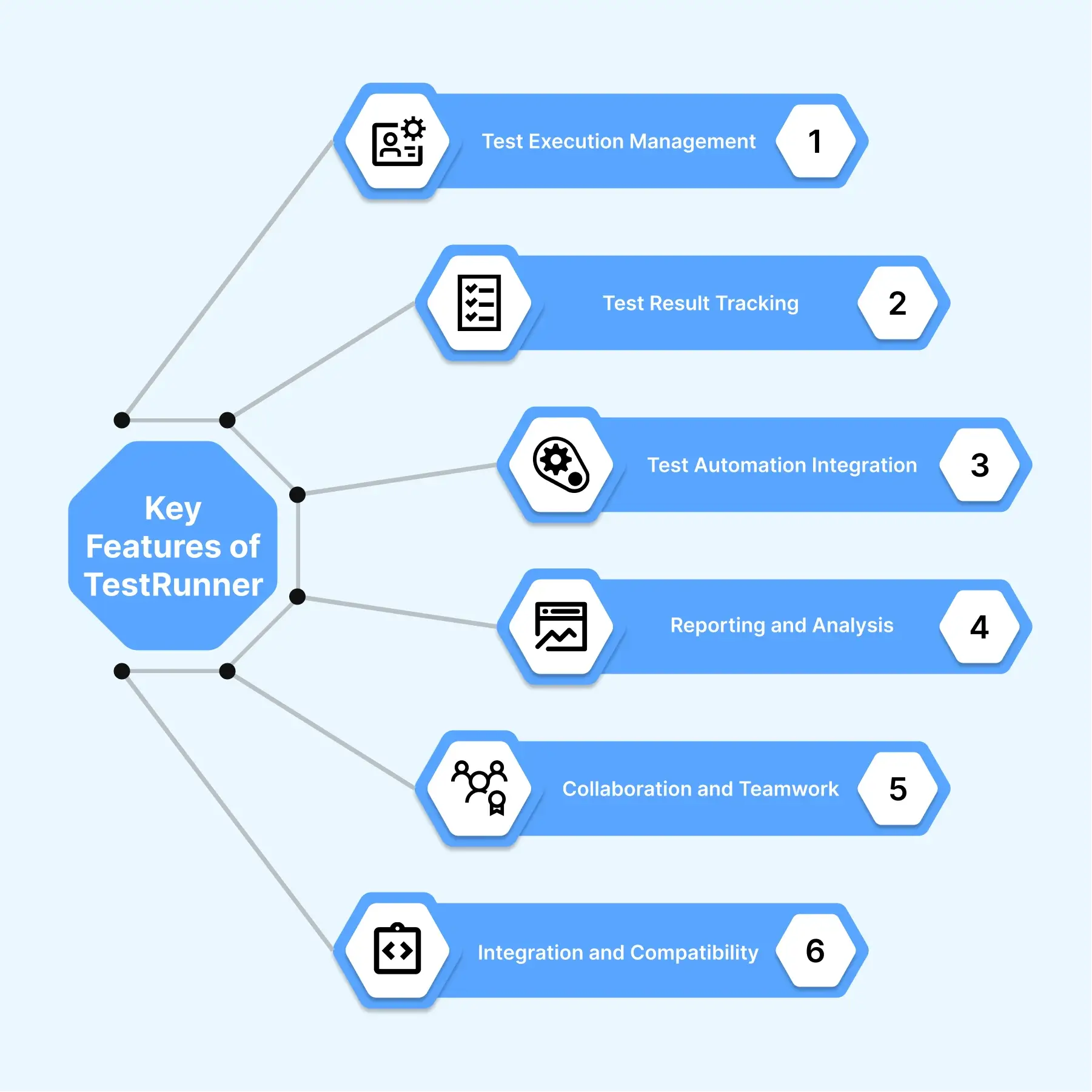
TestRunner is a robust software tool designed to facilitate efficient and effective testing processes within various software development environments. It offers several key features that contribute to its value and effectiveness in streamlining the testing phase of software projects.
- Test Execution Management: TestRunner allows users to manage and execute test cases with ease. It provides a user-friendly interface to define, organize, and prioritize test cases based on specific requirements and project objectives. Through TestRunner, users can schedule and execute tests, ensuring comprehensive coverage and reliable results.
- Test Result Tracking: TestRunner provides a systematic approach to track and monitor test results. It enables users to record and analyze the outcomes of executed test cases, including pass/fail statuses, error messages, and other pertinent information. This feature assists in identifying and addressing software defects and performance issues, contributing to enhanced overall software quality.
- Test Automation Integration: TestRunner seamlessly integrates with test automation frameworks and tools, enabling users to automate repetitive and time-consuming test scenarios. By leveraging this feature, organizations can significantly accelerate their testing processes, reduce manual efforts, and achieve greater efficiency in delivering high-quality software products.
- Reporting and Analysis: TestRunner offers comprehensive reporting capabilities to generate detailed test reports. These reports provide valuable insights into the testing progress, results, and overall software quality. The ability to analyze test data and metrics empowers stakeholders to make informed decisions, identify areas for improvement, and assess the readiness of software for deployment.
- Collaboration and Teamwork: TestRunner facilitates effective collaboration among team members involved in the testing process. It allows users to share test cases, test data, and test results, fostering seamless communication and knowledge sharing. This feature promotes teamwork, enhances coordination, and supports a unified approach to testing within software development teams.
- Integration and Compatibility: TestRunner seamlessly integrates with popular development and testing tools, ensuring compatibility and interoperability. It can be easily integrated into existing software development workflows, supporting various methodologies such as Agile or DevOps. This feature enables organizations to leverage their existing toolset while benefiting from TestRunner's powerful testing capabilities.

Note: Run your test runner across a real device cloud and experience the ultimate testing environment. Try TestMu AI Now!
Getting Started with TestRunner
To commence using TestRunner, please adhere to the following professional guidelines:
Install TestRunner
TestRunner is a test framework for various programming languages. You'll need to install the appropriate version for your chosen language. Here's how you can install TestRunner for some popular languages:
Python: Install TestRunner using pip by running the following command in your terminal:
pip install TestRunnerJavaScript: Install TestRunner using npm by running the following command in your terminal:
npm install test-runner --save-devSet Up the Server
Proceed by installing and configuring the TestRunner server component on a dedicated machine or a cloud-based infrastructure, ensuring it meets the necessary requirements for optimal functionality.
Create a Test File
Once TestRunner is installed, create a new file where you will write your test cases. The file name convention often includes "test" to indicate that it contains tests, such as test_example.py or ExampleTest.java.
Write Test Cases
In your test file, start writing your test cases using the TestRunner syntax. Test cases typically consist of setup code, the actual test code, and assertions to verify the expected results. The exact syntax may vary depending on the programming language you're using. Here's an example of a test case in Python using TestRunner:
from TestRunner import TestCase, eq

class ExampleTest(TestCase):
    def test_addition(self):
        result = 2 + 2
        eq(result, 4)
Run Tests
Once you have written your test cases, you can run them using the TestRunner command-line interface (CLI) or your preferred test runner tool. The specific command to run tests will depend on the programming language you're using. Here are a few examples:
- Python: Use the following command in your terminal:
python -m TestRunner discovernpm testAnalyze Test Results
After running your tests, TestRunner will display the results, indicating which tests passed and which ones failed. Use this information to identify any issues or errors in your code and make the necessary fixes.
Iteratively Improve and Expand Tests
As you continue developing your project, you can add more test cases to cover different scenarios and edge cases. Regularly running your tests will help ensure that your code remains functional and reliable.
TestRunner Best Practices
To optimize the advantages offered by TestRunner, it is recommended to adhere to the following set of best practices:
- Establish a Clearly Defined Test Strategy: Develop a comprehensive test strategy that is well-defined and aligns with the organizational goals and objectives. This strategy should outline the approach and scope of testing activities.
- Efficiently Organize Test Cases: Effectively categorize and organize test cases into logical groups based on their functional or business areas. Additionally, prioritize these test cases based on their criticality to ensure that the most vital aspects of the system are thoroughly tested.
- Harness the Power of Automation: Identify repetitive testing tasks that can be automated and leverage TestRunner's automation capabilities. Automating these tasks will help save time and effort, enabling testers to focus on more complex and critical aspects of the testing process.
- Promote Collaborative Efforts: Encourage effective collaboration and communication among testers, developers, and stakeholders. This collaboration enhances the overall test coverage and efficiency by ensuring that all relevant parties are involved and their expertise is utilized effectively.
- Regularly Analyze Test Reports: Continuously analyze the test reports generated by TestRunner. These reports provide valuable insights into the testing process, helping identify patterns, bottlenecks, and areas that require improvement. By analyzing the reports, you can make informed decisions to optimize the testing process and enhance its effectiveness.
By adhering to these best practices, organizations can maximize the benefits of TestRunner and ensure efficient and effective testing processes aligned with their objectives.
Note: Streamline your automation testing with our cloud-based solution. Try TestMu AI Now!
Difference between Test Runner, Testing Framework, Assertion Library, and Testing Plugin
| Term | Purpose | Function | Examples |
| Test Runner | Execution and coordination of test cases | Manages test execution, collects and reports results | Jest, Mocha, Pytest, JUnit |
| Testing Framework | Provides a testing structure and utilities | Defines the test organization, setup, and teardown; may include test fixtures | Jasmine, NUnit, pytest, JUnit |
| Assertion Library | Validates expected outcomes | Contains assertion methods to check actual values against expected values | Chai, JUnit Assertions, NUnit Assertions |
| Testing Plugin | Extends testing capabilities or integrates | Enhances testing functionalities, integrates with tools, adds custom reporters | Enzyme (for React testing), Jest plugins |
Troubleshooting Tips for TestRunner
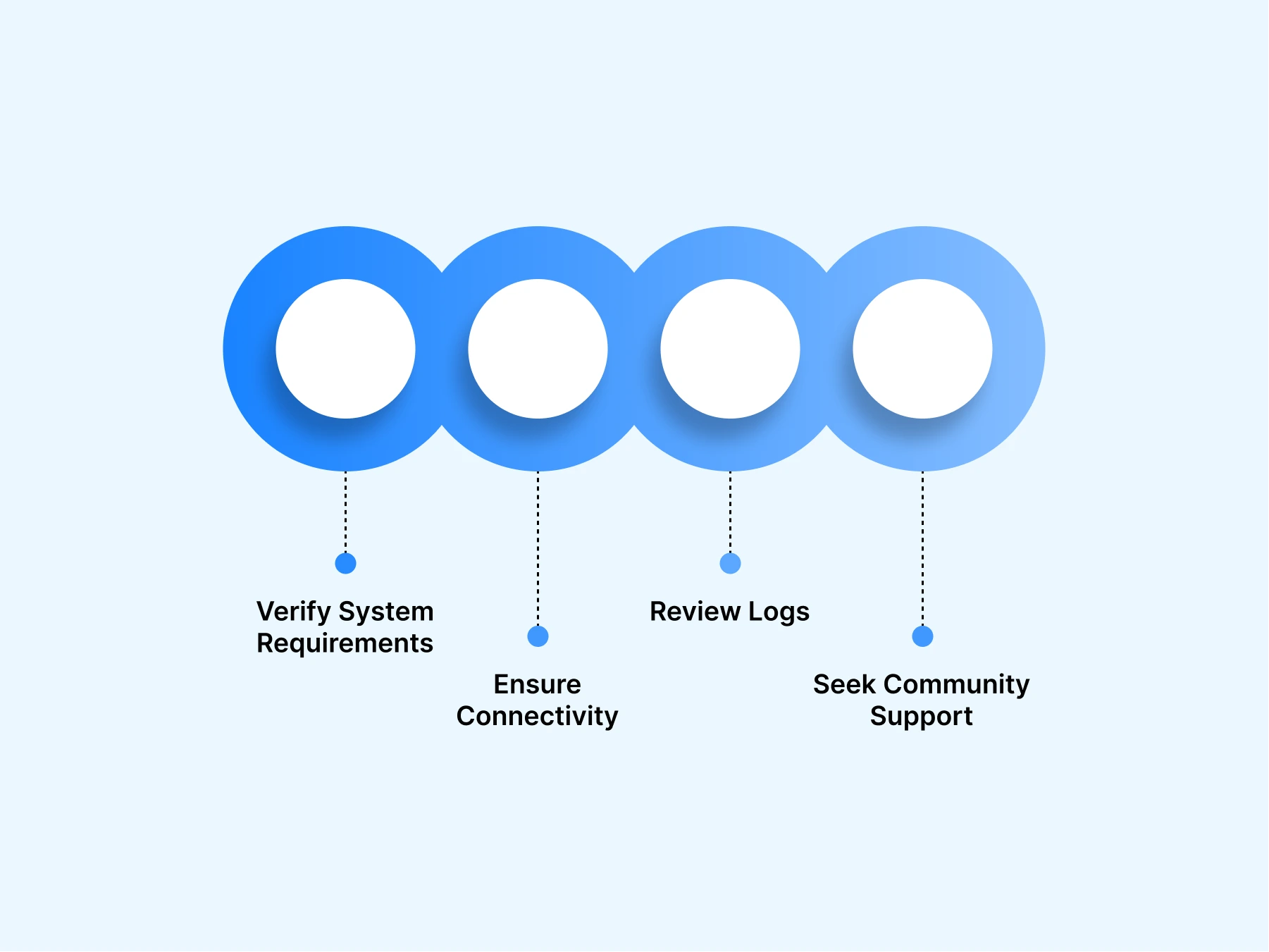
When encountering issues with TestRunner, consider the following troubleshooting tips:
- Verify System Requirements: Prioritize the verification of your system's compatibility with TestRunner by confirming that it meets the prescribed minimum requirements.
- Ensure Connectivity: To facilitate uninterrupted communication, thoroughly validate the network connectivity between the TestRunner client and server components.
- Review Logs: Carefully scrutinize the logs and error messages generated by TestRunner in order to identify any potential issues or misconfigurations that may be causing problems.
- Seek Community Support: Take advantage of various online forums, user communities, and official support channels to seek assistance and engage in discussions with other TestRunner users. This enables you to benefit from their experiences and obtain valuable guidance.
TestRunner Case Studies
Several organizations have successfully implemented TestRunner and achieved notable results. Here are two case studies showcasing TestRunner's impact:
- E-commerce Website Testing: TestRunner was used to automate the testing of an e-commerce website. The test suite included scenarios such as user registration, product search and selection, adding items to the cart, and the checkout process. TestRunner executed these tests across multiple browsers and platforms, ensuring consistent functionality and user experience.
- Mobile Application Testing: TestRunner was employed to automate the testing of a mobile application developed for iOS and Android platforms. The test suite covered various features such as user login, in-app purchases, push notifications, and navigation. TestRunner executed these tests on different devices and operating system versions, providing comprehensive test coverage.
- API Testing: TestRunner was utilized to automate the testing of a RESTful API. The test suite included requests and responses verification, input validation, and error handling. TestRunner executed these tests on different endpoints and with varying inputs, ensuring the API's functional correctness and adherence to specifications.
- Regression Testing: TestRunner was implemented to automate the regression testing process for a software application. The test suite comprised a comprehensive set of test cases covering the application's core functionality. TestRunner executed these tests after every code change, allowing quick detection of any regressions and ensuring the stability and reliability of the application.
- Continuous Integration/Continuous Deployment Testing: TestRunner was integrated into a CI/CD pipeline to automate the testing of a web application. The test suite included unit tests, integration tests, and end-to-end tests. TestRunner executed these tests as part of the CI/CD process, providing immediate feedback on the code quality and preventing the introduction of bugs into the production environment.

These case studies illustrate the versatility and effectiveness of TestRunner in automating various types of testing scenarios, from web and mobile applications to APIs and continuous integration workflows.
Conclusion
A test runner is only as useful as the environment it executes in. TestMu AI (Formerly LambdaTest) is a Full Stack Agentic AI Quality Engineering platform that empowers test runner teams to test intelligently and ship faster. Engineered for scale, it provides end-to-end AI agents to plan, author, execute, and analyze test runs, and it is AI-native by design, enabling testing of web, mobile, and enterprise applications across real devices, real browsers, and custom real-world environments.
When your test runner becomes the bottleneck in CI, HyperExecute, the AI-native test orchestration cloud, runs your existing suite up to 70% faster by placing the test script and its runtime in a single just-in-time environment and distributing tests intelligently across the cloud. It is framework-agnostic, so the same Selenium, Cypress, Jest, or TestNG runner you use locally runs as-is, with unified logs, framework-aware reports, and AI root cause analysis on every job.
As modern applications grow more complex, a robust and efficient test runner is essential for exceptional software quality, and running it across 10,000+ real devices and 3,000+ browser and OS combinations gives teams the coverage to catch issues before users do.
Author

Devansh Bhardwaj
Blogs: 80


Devansh Bhardwaj is a Community Evangelist at TestMu AI with 4+ years of experience in the tech industry. He has authored 30+ technical blogs on web development and automation testing and holds certifications in Automation Testing, KaneAI, Selenium, Appium, Playwright, and Cypress. Devansh has contributed to end-to-end testing of a major banking application, spanning UI, API, mobile, visual, and cross-browser testing, demonstrating hands-on expertise across modern testing workflows.
Reviewer

Himanshu Sheth
Reviewer
Himanshu Sheth is the Director of Marketing (Technical Content) at TestMu AI, with over 8 years of hands-on experience in Selenium, Cypress, and other test automation frameworks. He has authored more than 130 technical blogs for TestMu AI, covering software testing, automation strategy, and CI/CD. At TestMu AI, he leads the technical content efforts across blogs, YouTube, and social media, while closely collaborating with contributors to enhance content quality and product feedback loops. He has done his graduation with a B.E. in Computer Engineering from Mumbai University. Before TestMu AI, Himanshu led engineering teams in embedded software domains at companies like Samsung Research, Motorola, and NXP Semiconductors. He is a core member of DZone and has been a speaker at several unconferences focused on technical writing and software quality.


Test Runner FAQs
Did you find this page helpful?
More Related Learning Hubs
TestMu AI forEnterprise
Get access to solutions built on Enterprise
grade security, privacy, & compliance
- Advanced access controls
- Advanced data retention rules
- Advanced Local Testing
- Premium Support options
- Early access to beta features
- Private Slack Channel
- Unlimited Manual Accessibility DevTools Tests