

Power Your Software Testing with AI Agents and Cloud
The Native AI-Agentic Cloud Platform to Supercharge Quality Engineering. Test Intelligently and Ship Faster.


- TestMu AI (Formerly LambdaTest)
- /
- Learning Hub
- /
- Puppeteer vs Playwright: Timed Benchmarks and MCP Support
Puppeteer vs Playwright: Timed Benchmarks and MCP Support
We timed Puppeteer and Playwright on identical cloud browsers across 10 runs. See the per-phase numbers, which has a maintained MCP server, and how to migrate.
Last Updated on:
Puppeteer vs Playwright looks like a coin toss on a simple script. Both drive a real browser from Node.js, and the code reads almost the same. The differences that decide it show up later: how many engines you have to support, which languages your team writes in, and whether an AI agent needs to drive the browser too.
Key Takeaways
- Playwright drives Chromium, Firefox, and WebKit through one API, while Puppeteer targets Chrome first, added stable Firefox support in v23.0.0, and cannot reach WebKit at all.
- Playwright is documented for JavaScript, TypeScript, Python, Java, and .NET, while Puppeteer is officially a JavaScript library, so a mixed-language team usually settles the choice on bindings alone.
- Across 10 runs on TestMu AI Browser Cloud, Puppeteer connected in a median 8,072.8 ms against Playwright's 11,058.5 ms, and Playwright navigated in 582.4 ms against Puppeteer's 944.9 ms.
- Text entry produced the widest gap in that same benchmark: page.type() took 12,962.9 ms for 19 characters because it sends one round trip per character, against 255.2 ms for locator.fill().
- Playwright has a first-party Model Context Protocol server, @playwright/mcp, maintained by Microsoft, while the reference Puppeteer MCP server is marked deprecated on npm.
- Playwright throws a strict mode violation when a selector matches more than one element and Puppeteer acts on the first match silently, so migrating a Puppeteer suite means budgeting for selector work alongside replacing explicit waits with locators.
- Puppeteer keeps a clear edge in PDF generation, because page.pdf() renders through the real Chrome print pipeline and honours print stylesheets, headers, footers, and page breaks.
- TestMu AI Automation Cloud runs existing Selenium, Cypress, Playwright, and Puppeteer scripts across 3,000+ browser and OS combinations in parallel, capturing network logs, console logs, video, and screenshots on every run.
What Is Puppeteer?
Puppeteer is a Node.js library from the Chrome DevTools team that controls a browser programmatically. The official documentation describes it as a JavaScript library which provides a high-level API to control Chrome or Firefox over the DevTools Protocol or WebDriver BiDi. It is used for testing, scraping, and PDF generation.
That protocol choice explains most of its behaviour. Talking to Chrome over the DevTools Protocol gives direct access to the same instrumentation the browser exposes to its own developer tools: network interception, performance traces, coverage data, and the print pipeline. Anything Chrome DevTools can do, Puppeteer can usually script.
The trade-off is reach. Firefox is supported, but the API surface and the ecosystem still assume Chrome. For a deeper walkthrough of the API, see this Puppeteer tutorial, or the practical patterns in Puppeteer browser automation.
How Puppeteer Is Built
A Puppeteer client opens a WebSocket to a browser process and issues DevTools Protocol commands over it. One browser instance manages multiple pages, each page maps to a tab and its DOM, and an execution context lets you run JavaScript inside the page. The network layer sits in front of all of it, so requests can be inspected, blocked, or rewritten before they leave.
Because the protocol is the API, there is very little abstraction between your script and the browser. That keeps Puppeteer small and predictable, and it is why Chrome-specific work such as tracing or PDF rendering feels native rather than bolted on.
Where Puppeteer Fits Best
- PDF generation from HTML, where page.pdf() uses the real Chrome print pipeline and honours print stylesheets, headers, footers, and page breaks.
- Scraping pipelines that only ever needed Chrome, especially when request interception and network throttling matter more than engine coverage.
- Chrome extension work, since extensions can be loaded and exercised inside Chromium in ways other engines cannot replicate.
- Performance instrumentation, where DevTools Protocol access exposes traces, coverage, and metrics directly rather than through a wrapper.
- Existing Chrome-only codebases, where a rewrite would cost more than the cross-browser coverage is worth today.
Puppeteer Limitations
- WebKit is absent, so Safari-family rendering bugs cannot be caught at all without separate tooling or real Apple devices.
- Official support stops at JavaScript. Python and other ports exist but are community-maintained and lag the main release.
- There is no bundled test runner, so parallelism, retries, and reporting are assembled from Jest or Mocha plus your own glue code.
- Selectors resolve silently to the first match, so a duplicate ID on the page produces a wrong-element action rather than an error.
- Stealth and fingerprint evasion depend on the external puppeteer-extra plugin ecosystem rather than anything built in.
What Is Playwright?
Playwright is Microsoft's open-source automation framework for end-to-end testing across Chromium, Firefox, and WebKit through a single API. Its documentation lists official bindings for JavaScript and TypeScript, Python, Java, and .NET, with the same API shape in each, and it ships its own test runner.
Two design decisions separate it from Puppeteer. Locators re-query the DOM and wait for an element to be visible, stable, and able to receive events before acting, which removes most manual waits. And @playwright/test ships in the box with parallel workers, retries, fixtures, tracing, and reporting, so a suite is runnable without assembling a runner first.
For setup and the wider API, follow this Playwright tutorial.
How Playwright Is Built
Playwright runs each engine as a separate browser process and speaks to all of them over one WebSocket protocol layer, which is how the same script behaves consistently on Chromium, Firefox, and WebKit. Inside a browser, a context is an isolated session with its own cookies and storage, and pages live inside contexts.
That context model is why parallelism is cheap. Spinning up a fresh context costs far less than a fresh browser, so a runner can give every test clean state without paying for a new process each time. It is also how multi-user scenarios get tested: two contexts in one browser are two genuinely independent sessions.
Where Playwright Fits Best
- Cross-browser suites that must cover WebKit, which is the only practical route to Safari-family rendering coverage in CI.
- Mixed-language teams, where QA writes Python or Java and developers write TypeScript against the same API.
- Flaky suites caused by timing, since auto-waiting locators remove the manual sleeps that cause most intermittent failures.
- CI pipelines that need parallelism, retries, and failure artefacts without assembling a runner and reporter first.
- Agent-driven browsing, where the first-party MCP server lets a coding assistant operate a browser as a callable tool.
Playwright Limitations
- The API surface is larger, so contexts, fixtures, projects, and tracing all take time to learn before a suite is idiomatic.
- Rendering still differs between engines, so cross-browser coverage surfaces real inconsistencies that then need triaging.
- Emulation is not hardware. iOS Safari behaviour on real devices still needs real devices.
- Internet Explorer and other legacy engines are out of scope entirely.
- Stealth tooling is less mature than the puppeteer-extra ecosystem, which matters for scraping against aggressive bot detection.

Note: Run the same Puppeteer and Playwright scripts across 3,000+ browser and OS combinations without maintaining a grid. Start free with TestMu AI
What Are the Core Differences Between Puppeteer and Playwright?
Playwright drives Chromium, Firefox, and WebKit from one API and ships its own test runner. Puppeteer targets Chrome first, added stable Firefox in v23.0.0, and bundles no runner. Playwright supports five languages to Puppeteer's one, auto-waits through locators, and rejects ambiguous selectors that Puppeteer silently resolves to the first match.
| Capability | Puppeteer | Playwright |
|---|---|---|
| Browser engines | Chrome and Chromium first. Firefox works with the stable release from v23.0.0 onward via WebDriver BiDi. No WebKit. | Chromium, Firefox, and WebKit through one API, with the same script running unchanged on each. |
| Language bindings | Officially JavaScript only. Ports to Python and other languages are community-maintained. | JavaScript, TypeScript, Python, Java, and .NET, all documented officially with a consistent API shape. |
| Selector strictness | Resolves to the first match silently, so ambiguous selectors act on the wrong element instead of failing. | Throws a strict mode violation and names every match, turning an ambiguous selector into a visible bug. |
| Waiting model | Locators exist, but a large amount of existing code still uses explicit waitForSelector and waitForFunction calls. | Locators auto-wait for visibility, stability, and actionability before every action, removing most manual waits. |
| Test runner | None bundled. Jest, Mocha, or another runner supplies parallelism, retries, and reporting. | @playwright/test ships with parallel workers, retries, fixtures, and reporters included. |
| Text entry | page.type() dispatches a key event per character, which costs one round trip per character on a remote browser. | locator.fill() sets the value in a single call, with page.type() available when real keystrokes are needed. |
| Network control | Request interception through the DevTools Protocol, enabled explicitly before handlers are attached. | Route handlers plus HAR record and replay, available without a separate enable step. |
| Isolation | Browser contexts exist but need more manual management for per-test isolation. | Contexts are the unit of isolation and are cheap enough to create per test. |
| Debugging artefacts | Screenshots and DevTools access built in; richer tracing needs third-party tooling. | Trace viewer with DOM snapshots, video, and step timeline built into the runner. |
| MCP server | The reference Model Context Protocol server is marked deprecated on npm. | @playwright/mcp is maintained by Microsoft as a first-party package. |
| PDF output | page.pdf() renders through the real Chrome print pipeline with full print-stylesheet fidelity. | PDF generation is available in Chromium only, so it is not part of the cross-browser story. |
| Stealth ecosystem | puppeteer-extra and its stealth plugin are well established for bot-detection evasion. | Community plugins exist but are less mature than the Puppeteer equivalents. |
Adoption has diverged along the same lines. The npm registry downloads API reports 296,092,478 downloads of playwright for the 30 days ending 5 August 2026, against 46,762,432 for puppeteer from the same endpoint. Both figures include CI installs rather than distinct users, so read them as a direction of travel rather than a headcount.
Which Is Faster, Puppeteer or Playwright?
Neither is faster overall. Across 10 runs on identical cloud infrastructure, Puppeteer connected in 8,072.8 ms against Playwright's 11,058.5 ms and captured screenshots in 275.6 ms against 836.3 ms. Playwright navigated faster at 582.4 ms and entered text in 255.2 ms against Puppeteer's 12,962.9 ms.
Published comparisons of these two libraries rarely state what they measured. The method below is stated in full so you can reproduce or dispute it.
Method
- Both clients drove the same remote Chrome infrastructure on TestMu AI Browser Cloud, so browser, network path, and target page were held constant and only the client library changed.
- Target page was the Simple Form Demo on the TestMu AI Selenium Playground. Each run navigated, typed a 19-character string, submitted, asserted the rendered output, and captured a screenshot.
- Versions were puppeteer-core 24.43.1 and playwright-core 1.59.1 on Node.js v24.13.0, run on 7 August 2026.
- Five iterations per library, alternating between them so cloud load drift affected both equally. All ten runs passed. Figures are medians, in milliseconds.
Results
| Phase (median) | Puppeteer 24.43.1 | Playwright 1.59.1 |
|---|---|---|
| Connect to remote browser | 8,072.8 ms | 11,058.5 ms |
| Navigate and load | 944.9 ms | 582.4 ms |
| Enter 19 characters | 12,962.9 ms | 255.2 ms |
| Click and assert output | 4,411.9 ms | 530.9 ms |
| Screenshot | 275.6 ms | 836.3 ms |
Neither library wins outright. Puppeteer connected roughly three seconds faster and captured screenshots in about a third of the time. Playwright navigated faster and was dramatically quicker at the two phases that involve waiting for the page.
The text-entry gap is the one worth understanding, because it is an API choice rather than an engine-speed difference. page.type() dispatches a key event per character, and against a remote browser every one of those is a network round trip, so a 19-character string cost 12,962.9 ms. locator.fill() sets the value in a single call and cost 255.2 ms. Puppeteer can set values directly too. If you run Puppeteer against a remote grid, per-character typing is the first thing to look at, and it is worth keeping only where a field genuinely depends on per-keystroke events.
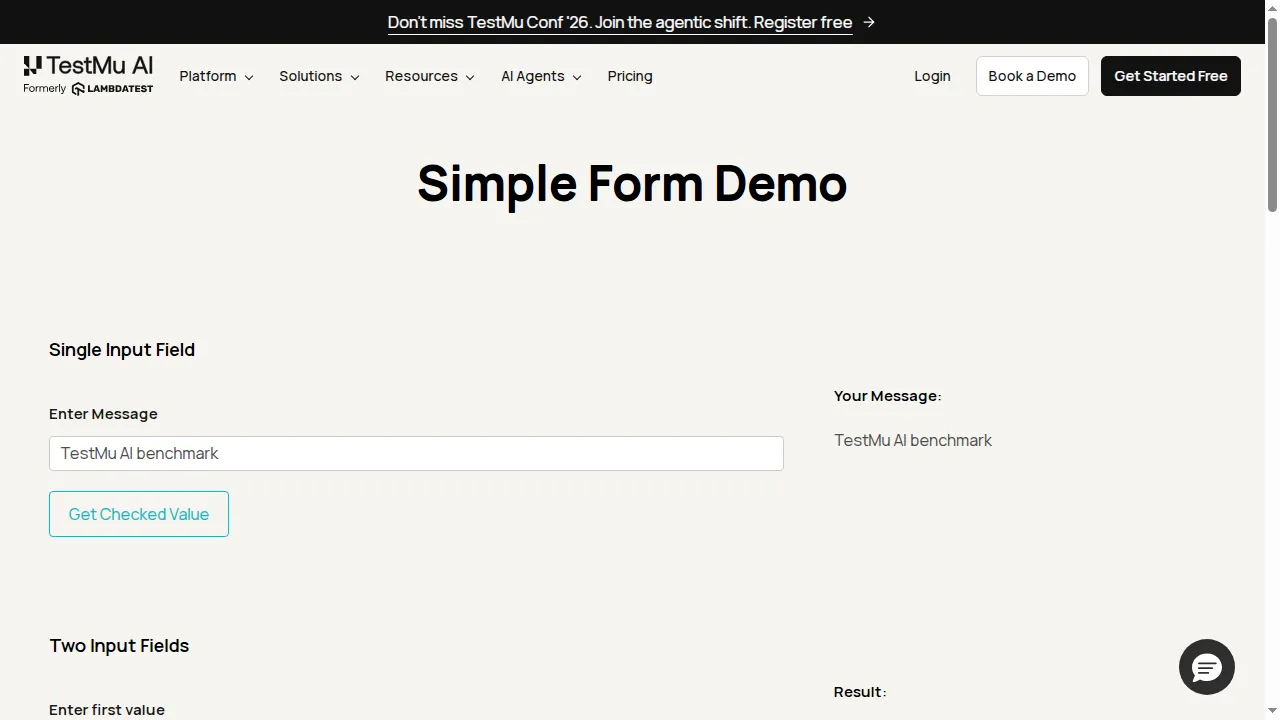
The screenshot above is the final state of one Playwright run, captured from the cloud session. The Puppeteer runs were recorded under build 100036441 and the Playwright runs under build 100036469 on the TestMu AI automation dashboard.
The Failure That Was More Useful Than the Timings
The first attempt at this benchmark failed on every Playwright run while every Puppeteer run passed. The cause was not Playwright. The target page carries three elements sharing the id user-message, one input and two divs, so the selector was ambiguous.
Puppeteer took the first match and carried on, and the script passed. Playwright refused to act and reported a strict mode violation listing all three matches. Same page, same selector, opposite outcomes:
locator.fill: Error: strict mode violation: locator('#user-message') resolved to 3 elements:
    1) <input type="text" id="user-message" placeholder="Please enter your Message"/>
    2) <div id="user-message">...</div>
    3) <div id="user-message">...</div>
Scoping the selector to input#user-message fixed it, and that is the version the timings above use. The lesson generalises: Puppeteer will pass on a page with duplicate IDs and act on whichever element happens to come first, which is a silent correctness risk that surfaces only when the DOM order changes. Playwright turns the same ambiguity into a loud failure at authoring time. If you are migrating a Puppeteer suite, budget for selector work, because Playwright will surface latent ambiguity your old suite tolerated.
Key Takeaway: Neither library is faster across all five measured phases. Puppeteer connected and captured screenshots more quickly, while Playwright navigated, entered text, and asserted output more quickly. The text-entry gap comes from page.type() sending one round trip per character rather than from engine speed, and the same benchmark showed Playwright failing loudly on an ambiguous selector that Puppeteer resolved silently.
Does Puppeteer or Playwright Have Better MCP Support?
Playwright has better MCP support. Microsoft publishes and maintains @playwright/mcp as a first-party Model Context Protocol server, so coding agents can drive a browser as a callable tool. The reference Puppeteer MCP server is marked deprecated on npm, which leaves community forks as the only maintained option.
This is a newer reason to choose between the libraries, and it has nothing to do with test suites. Coding agents increasingly need to drive a real browser, and the Model Context Protocol is how they call it as a tool.
Playwright has a first-party server, @playwright/mcp, published by Microsoft and actively versioned. Puppeteer has no maintained equivalent: the reference server-puppeteer package carries a deprecation notice on npm stating that the package is no longer supported, leaving community forks to fill the gap.
For anyone wiring Claude Code, Cursor, or a similar assistant to a browser today, that difference matters more than any feature in the comparison table. A deprecated dependency in an agent toolchain is a maintenance liability. If you are building on this path, the walkthrough in AI and Playwright MCP covers the setup end to end.
Running agent browsers locally hits a different wall: agents need many concurrent sessions, persistent login state, and a real IP reputation. TestMu AI Browser Cloud exists for that job. It provides real Chrome sessions on demand and is driven with Playwright, Puppeteer, or Selenium rather than a proprietary DSL, so an agent keeps whichever library it already uses. It also exposes browser automation to MCP-compatible agents through its own server, and offers an agent skill that teaches a coding assistant the SDK so the assistant writes the integration itself. The benchmark above ran on it with both libraries and no code changes beyond the connection setup.

What Do Puppeteer and Playwright Have in Common?
Both are promise-based Node.js libraries that launch real browsers, switch between headless and headed modes, navigate pages, run JavaScript in page context, capture screenshots, emulate mobile viewports, and run on GitHub Actions, Jenkins, GitLab, and CircleCI. Day-to-day code in either is close enough that switching is mostly muscle memory.
These are the areas where the choice genuinely does not matter, which is worth knowing so you do not weigh them in the decision. Both are covered in more depth in this browser automation guide.
| Capability | How both handle it |
|---|---|
| Async model | Promise-based APIs driven with async and await, so control flow looks the same in either library. |
| Headless and headed | Both switch between headless and headed with a launch flag, headless in CI and headed for local debugging. |
| Navigation and evaluation | goto(), reload(), history navigation, and evaluate() for running JavaScript in page context behave equivalently. |
| Selector support | CSS and XPath work in both, with Playwright adding role and text-based locators on top. |
| Screenshots | Element and full-page capture are available in both, and both were within a second in our runs. |
| Mobile emulation | Viewport, user agent, and touch emulation are supported in both, though neither replaces testing on real hardware. |
| CI compatibility | Both run on GitHub Actions, Jenkins, GitLab, and CircleCI, and both publish container images. |
How Do You Migrate From Puppeteer to Playwright?
Replace puppeteer.launch() with chromium.launch(), swap page.type() and page.click() for locator calls, and delete the explicit waitForSelector and waitForFunction blocks because locators already wait. Then fix any selector Playwright rejects as ambiguous. Port one spec first to size the work before committing the whole suite.
Most Puppeteer scripts port faster than teams expect, because the launch, navigation, evaluation, and screenshot calls are nearly identical. The work concentrates in two places: waits become locators, and ambiguous selectors start failing loudly.
Here is the same interaction written in both libraries. The interaction steps are the ones timed in the benchmark above, so they are known to work against a live page. Only the launch differs, because the benchmark connected to a cloud session instead of a local browser.
Puppeteer
const puppeteer = require('puppeteer');

const browser = await puppeteer.launch({ headless: true });
const page = await browser.newPage();

await page.goto('https://www.testmuai.com/selenium-playground/simple-form-demo');
await page.waitForSelector('input#user-message');
await page.type('input#user-message', 'TestMu AI benchmark');
await page.click('button#showInput');
await page.waitForFunction(() => {
  const el = document.querySelector('#message');
  return el && el.textContent.trim().length > 0;
});

console.log(await page.$eval('#message', (el) => el.textContent.trim()));
await browser.close();
Playwright
const { chromium } = require('playwright');

const browser = await chromium.launch({ headless: true });
const page = await browser.newPage();

await page.goto('https://www.testmuai.com/selenium-playground/simple-form-demo');
await page.locator('input#user-message').fill('TestMu AI benchmark');
await page.locator('button#showInput').click();
await page.locator('#message').first().waitFor();

console.log((await page.locator('#message').first().textContent()).trim());
await browser.close();
The Playwright version is four lines shorter. The explicit waitForSelector goes away entirely because locators already wait, and the four-line waitForFunction block collapses into a single waitFor call. That pattern repeats across a real suite, which is where most of the line-count reduction in a migration comes from.
API Mapping
| Task | Puppeteer | Playwright |
|---|---|---|
| Launch a browser | puppeteer.launch() | chromium.launch(), firefox.launch(), or webkit.launch() |
| Open a page | browser.newPage() | browser.newPage(), or context.newPage() for isolation |
| Wait for an element | page.waitForSelector(selector) | Not needed. Locators wait before every action. |
| Enter text | page.type(selector, text) | locator.fill(text), or locator.pressSequentially() for real keystrokes |
| Click | page.click(selector) | locator.click() |
| Read text | page.$eval(selector, (el) => el.textContent) | locator.textContent() |
| Run JavaScript in page | page.evaluate(fn) | page.evaluate(fn) |
| Intercept requests | page.setRequestInterception(true) then page.on('request') | page.route(pattern, handler) |
| Isolated session | Browser context APIs, managed manually | browser.newContext() |
| Screenshot | page.screenshot() | page.screenshot() |
Migrate one spec first rather than the whole suite. The first file surfaces the selector ambiguities and the waits worth deleting, and that sample tells you what the rest will cost. Teams moving suites off local browsers at the same time can follow the steps in this local Playwright to Browser Cloud migration guide.
Puppeteer vs Playwright: Which Should You Choose?
Choose Playwright if you need WebKit or Safari coverage, write tests in Python, Java, or .NET, or plan to let an AI agent drive the browser through MCP. Choose Puppeteer if the job is PDF generation, Chrome extensions, or DevTools-level instrumentation, or if a Chrome-only suite already works.
Playwright vs Puppeteer debates usually stall on preference. Four questions settle it in practice, and the choice normally makes itself before you reach the fourth.
| Question | Answer | Pick |
|---|---|---|
| Do you need WebKit or Safari coverage? | Yes | Playwright. Puppeteer cannot do it at all. |
| Does anyone write tests in Python, Java, or .NET? | Yes | Playwright. Puppeteer is officially JavaScript only. |
| Is the main job PDF generation, Chrome extensions, or DevTools-level instrumentation? | Yes | Puppeteer. These are where its protocol access pays off. |
| Will an AI agent drive the browser through MCP? | Yes | Playwright. Its MCP server is first-party and maintained. |
| None of the above, and a Chrome-only Puppeteer suite already works? | Yes | Keep Puppeteer. Migration cost buys nothing here. |
Running both is a legitimate answer and a common one. Playwright testing carries the cross-browser suite while Puppeteer testing handles Chrome-specific jobs such as PDF rendering or a scraping pipeline. They share no state, so there is no integration cost to paying for both.
A third path changes what you author rather than which library runs it. KaneAI, the GenAI-native testing agent from TestMu AI, turns natural-language instructions, PRDs, tickets, and recorded sessions into test steps, uses smart element detection so steps re-anchor when the UI shifts, and exports the result as Playwright, Selenium, Cypress, or Appium code, which keeps the library decision reversible.
What Are the Challenges of Scaling Puppeteer and Playwright Tests?
Local machines run out of parallelism first, because every concurrent browser needs roughly a CPU core and several hundred megabytes. Covering three engines triples run time, reproducing a CI failure locally is slow, browser versions drift monthly, and emulated viewports never reproduce real iOS Safari behaviour.
Once a suite grows past a few dozen specs, the problems stop being about API choice and start being about infrastructure.
- Local machines run out of parallelism first. Every concurrent browser wants roughly a CPU core and several hundred megabytes, so a laptop caps out long before the suite does.
- Engine coverage multiplies run time. Three engines on one suite is three times the execution unless the runs happen concurrently somewhere else.
- Reproducing a CI failure locally is the slowest part of most debugging sessions, because the browser version, OS, and screen size all differ from the machine that failed.
- Browser versions drift. Chrome updates roughly monthly, and a suite pinned to one version silently stops representing what users run.
- Real device behaviour stays out of reach. Emulated viewports catch layout problems but not iOS Safari rendering or touch handling on actual hardware.
How Do You Run Puppeteer and Playwright Tests at Scale?
Connect the existing scripts to a hosted grid instead of local browsers. TestMu AI Automation Cloud runs Selenium, Cypress, Playwright, and Puppeteer scripts across 3,000+ browser and OS combinations in parallel, capturing network logs, console logs, video, and screenshots on every run so failures are inspected rather than reproduced.
There is no proprietary DSL and no rewrite. For device-level behaviour that emulation cannot reach, the real device cloud puts 10,000+ real Android and iOS devices on the same platform.
Command logs are recorded alongside those artefacts, and none of it needs extra configuration. Closing that debugging loop is what usually saves the most time on a growing suite, because reproducing a CI failure by hand is the slowest step in the cycle.
Connecting is a change to how the browser is launched, not to the test itself. The benchmark in this article used the same pattern for both libraries, swapping only the adapter name:
const { Browser } = require('@testmuai/browser-cloud');

const client = new Browser();

const session = await client.sessions.create({
  adapter: 'playwright', // or 'puppeteer'
  lambdatestOptions: {
    build: 'Puppeteer vs Playwright Benchmark',
    name: 'simple-form-demo',
    'LT:Options': {
      username: process.env.LT_USERNAME,
      accessKey: process.env.LT_ACCESS_KEY,
    },
  },
});

const { page } = await client.playwright.connect(session);

// From here the script is unchanged.
await page.goto('https://www.testmuai.com/selenium-playground/simple-form-demo');
Full setup for each library is in the documentation for running Playwright tests on TestMu AI and running Puppeteer tests on TestMu AI.
What Should You Do Next?
Port one spec. Pick the file with the worst flakiness record, rewrite it with Playwright locators, and count the waits you delete and the ambiguous selectors that start failing. That single file gives you a real migration estimate in an afternoon, which beats any comparison table including this one.
If the answer is that your Chrome-only Puppeteer suite is fine, that is a legitimate result. Puppeteer keeps a genuine edge in PDF rendering, extension work, and DevTools instrumentation, and none of that is improved by switching. Playwright earns its place when you need WebKit, more than one language, a runner you did not have to assemble, or a maintained MCP server for an agent.
Whichever way the Puppeteer vs Playwright decision goes, the scaling problem is the same, and it is not a library problem. Run your existing scripts on TestMu AI across 3,000+ browser and OS combinations, keep the session artefacts, and stop reproducing CI failures by hand. Both libraries connect with the snippet above and no rewrite.
Author

Prince Dewani
Blogs: 30

Prince Dewani is a Community Contributor at TestMu AI specializing in AI agents, software testing, QA, and SEO. He is certified in Selenium, Cypress, Playwright, Appium, Automation Testing, and KaneAI, and presented academic research on AI agents at PBCON-01. At TestMu AI, he has also carried out extensive cross-browser research on the support of modern web technologies such as WebGPU, WebAssembly, WebXR, WebGL2 and other web technologies, validating their compatibility and feature parity across major browsers and rendering engines through rigorous hands-on testing. Prince has hands-on experience building AI agent workflows using Anthropic Claude, Google Antigravity, n8n, LangChain, and other agentic frameworks, and works regularly with MCP and A2A protocols. He shares his work with 5,500+ QA engineers, developers, DevOps experts, tech leaders, and AI agent practitioners on LinkedIn.
Reviewer

Sri Harsha
Reviewer
Sri Harsha is Engineering Manager of the Open Source Program Office at TestMu AI (formerly LambdaTest), where he leads open-source engineering behind the Selenium and Appium automation grid and builds agentic AI systems for quality engineering. He is a member of the Selenium Technical Leadership Committee and a committer to WebdriverIO and Appium, and was recognized with the LambdaTest Delta Award 2023 for Best Contributor in open-source testing. He brings over 10 years of experience in software testing and automation, with earlier roles at EPAM Systems and ZenQ. Sri Harsha holds a B.Tech in Computer Science from Jawaharlal Nehru Technological University.


Puppeteer vs Playwright FAQs
Did you find this page helpful?
More Related Learning Hubs
TestMu AI forEnterprise
Get access to solutions built on Enterprise
grade security, privacy, & compliance
- Advanced access controls
- Advanced data retention rules
- Advanced Local Testing
- Premium Support options
- Early access to beta features
- Private Slack Channel
- Unlimited Manual Accessibility DevTools Tests