

Power Your Software Testing with AI Agents and Cloud
The Native AI-Agentic Cloud Platform to Supercharge Quality Engineering. Test Intelligently and Ship Faster.


- TestMu AI (Formerly LambdaTest)
- /
- Blog
- /
- Running Playwright in the Cloud: Local to Browser Cloud
Running Playwright in the Cloud: What Changes When You Move From a Local Setup
Moving a local Playwright suite to a cloud browser is not a rewrite. Here is exactly what changes, what stays the same, and how to run it in CI.
Last Updated on:
A local Playwright suite works fine until the workload outgrows the machine. More URLs to hit, more parallel runs, more browser and OS combinations to cover. Then the limits show up: memory climbs, the CPU spikes, the tenth browser crawls, runs go sequential because the laptop cannot do more, and a crashed script leaves a zombie Chrome process you kill by hand. When a test fails on a CI runner, you get a stack trace and whatever logs you remembered to add.
The question most developers arrive with is the same: how much do I have to rewrite? The honest answer is less than you would expect. Playwright is now one of the most widely adopted end-to-end frameworks, with over 90,000 stars on GitHub, so a lot of teams eventually hit this exact wall and ask the exact same thing. This guide walks through what actually changes when you move a passing local Playwright suite to a Playwright cloud like TestMu AI Browser Cloud, what stays untouched, and the few gotchas that trip people up.
Overview
To run Playwright in the cloud, connect your existing suite to TestMu AI Browser Cloud by swapping local launch commands for a remote connection. This transition keeps your test code unchanged while moving browser execution, parallel sessions, and automated cleanup to managed remote infrastructure.
Do you have to rewrite your Playwright tests?
- Preserving existing tests: Playwright specs, locators, assertions, and fixtures run completely unchanged because the cloud browser connects to TestMu AI Browser Cloud via a standard Chrome DevTools Protocol endpoint.
What actually changes when you move to the cloud?
- Scaling execution: TestMu AI Browser Cloud runs browsers on managed infrastructure, allowing you to run parallel sessions on demand without overloading local CPU and memory.
- Framework-based testing: Automation Cloud acts as a QA-grade counterpart for running framework-based suites on the cloud rather than scripting individual browser sessions.
When is the move worth it?
- Automated debugging: TestMu AI Browser Cloud automatically captures video, console logs, network logs, and step-by-step command replays for every session without requiring manual code changes.
- Testing local environments: The built-in tunnel routes traffic back to your internal network, enabling the cloud browser to reach localhost or staging servers behind firewalls.
What Stays the Same
Your Playwright code does not change. The selectors, the navigation, the assertions, the waits, the page object model, your fixtures, your Playwright test framework structure: all of it runs identically against a cloud session.
This works because Browser Cloud exposes a standard Chrome DevTools Protocol endpoint, and Playwright connects to a remote browser the same way it connects to a local one. From Playwright's point of view, it is talking to a browser. Where that browser runs is not its concern. That is the right separation: your automation logic is yours, and the platform owns what is underneath, the Chrome instance, the network layer, the session lifecycle, and the recording pipeline.
What Actually Changes
The change is narrow and lives at the edges of your suite: how a browser starts, how its lifecycle ends, and where it runs. Here is the full picture for an existing local suite.
| Part of your setup | Local Playwright | On Browser Cloud |
|---|---|---|
| Test code (specs, locators, assertions, fixtures) | Yours | Unchanged |
| Browser launch | chromium.launch() | sessions.create() then playwright.connect() |
| Session lifecycle | Tied to your process; crashes leave zombie browsers | Explicit create, use, release; infra cleans up on crash |
| Concurrency | Bounded by your CPU and memory | Managed parallel sessions on demand |
| Failure visibility | Whatever you instrumented beforehand | Video, console, network, and command replay by default |
| Reaching localhost or staging | Direct | Through the built-in tunnel |
| Credentials | None | LT_USERNAME and LT_ACCESS_KEY env vars |
Everything in the first column you keep. Everything that changes is infrastructure you no longer run yourself.
The Migration in Code
Locally, you call chromium.launch() and Playwright starts a browser process on your machine.
// Local Playwright
const { chromium } = require('playwright');

const browser = await chromium.launch();
const page = await browser.newPage();
// ... your test runs here ...
await browser.close();
With Browser Cloud, you create a session first, then connect Playwright to it. Install the SDK with npm install @testmuai/browser-cloud and authenticate by exporting your credentials, which the SDK reads from the environment:
export LT_USERNAME="your-username"
export LT_ACCESS_KEY="your-access-key"
Then the swap itself. connect() hands back the same browser, context, and page objects you already use, so every line after it is unchanged Playwright:
// Playwright on TestMu AI Browser Cloud
const { Browser } = require('@testmuai/browser-cloud');

const client = new Browser();

const session = await client.sessions.create({
  adapter: 'playwright',
  lambdatestOptions: {
    build: 'Playwright Cloud Migration Demo',
    name: 'Login flow',
    platformName: 'Windows 11',
    browserName: 'Chrome',
    browserVersion: 'latest',
    'LT:Options': { video: true, console: true, network: true },
  },
});

const { browser, context, page } = await client.playwright.connect(session);
// ... your test runs here, unchanged ...
await browser.close();
await client.sessions.release(session.id);
That is the whole delta: sessions.create() at the top, playwright.connect() instead of chromium.launch(), and sessions.release() at the bottom. The lines between connect() and release() are the test you already wrote. For a deeper look at wiring the adapter and connection, the Playwright SDK on TestMu AI Browser Cloud walkthrough is the next step.
The lifecycle is the part that becomes explicit. Locally, the browser lives as long as your script does. On the cloud, you create a session, use it, and release it. If you forget to release it, an idle session is reclaimed automatically when its timeout expires (the SDK ships a configurable timeout that defaults to 300000 ms). If your script crashes mid-run, cleanup happens on the cloud side instead of leaving a hanging process on a CI runner. Cleanup becomes the infrastructure's responsibility, not yours.

Note: Run your existing Playwright suite on real cloud Chrome without provisioning a single browser. TestMu AI Browser Cloud gives you managed sessions with video, console, and network capture built in. Start free with TestMu AI
Concurrency Moves Off Your Machine
Running ten parallel Playwright sessions locally means ten Chrome processes on your machine. Memory climbs, the CPU spikes, and the eleventh either crawls or fails. The constraint is your hardware.
Moving that ceiling is one of several ways to distribute Playwright browsers, and they trade off differently on coverage and maintenance. The Playwright grid options guide compares them side by side.
On Browser Cloud, the constraint becomes your provisioned concurrency, not your laptop. Each unit of work is its own session, the sessions run on cloud infrastructure, and your local process just orchestrates them. This is exactly how Playwright sharding scales past a single runner, and the mechanics of fanning work out are covered in detail in running parallel Browser Cloud sessions as managed infrastructure. The same platform sits behind 1.5 billion tests a year for more than 18,000 enterprises, so concurrency is a property of the platform rather than something you build and babysit. For the configuration details, see the parallel testing with Playwright docs.
Observability Comes On by Default
Locally, a failed Playwright run gives you a stack trace and whatever you set up in advance. Want a screenshot at the moment of failure? You had to wire up screenshot-on-failure first. Network logs? Request interception. A replay? You had to build one. You have to anticipate a failure to be able to debug it.
On Browser Cloud, every session automatically captures video, console logs, network logs, and a step-by-step command replay, with no instrumentation in your Playwright code. The session exposes a viewer URL and a debug URL, so a failed run becomes something you watch rather than something you reproduce. This is the part of the move that makes cloud execution more debuggable than local, not less, and it is covered end to end in Browser Cloud session recording and debugging.
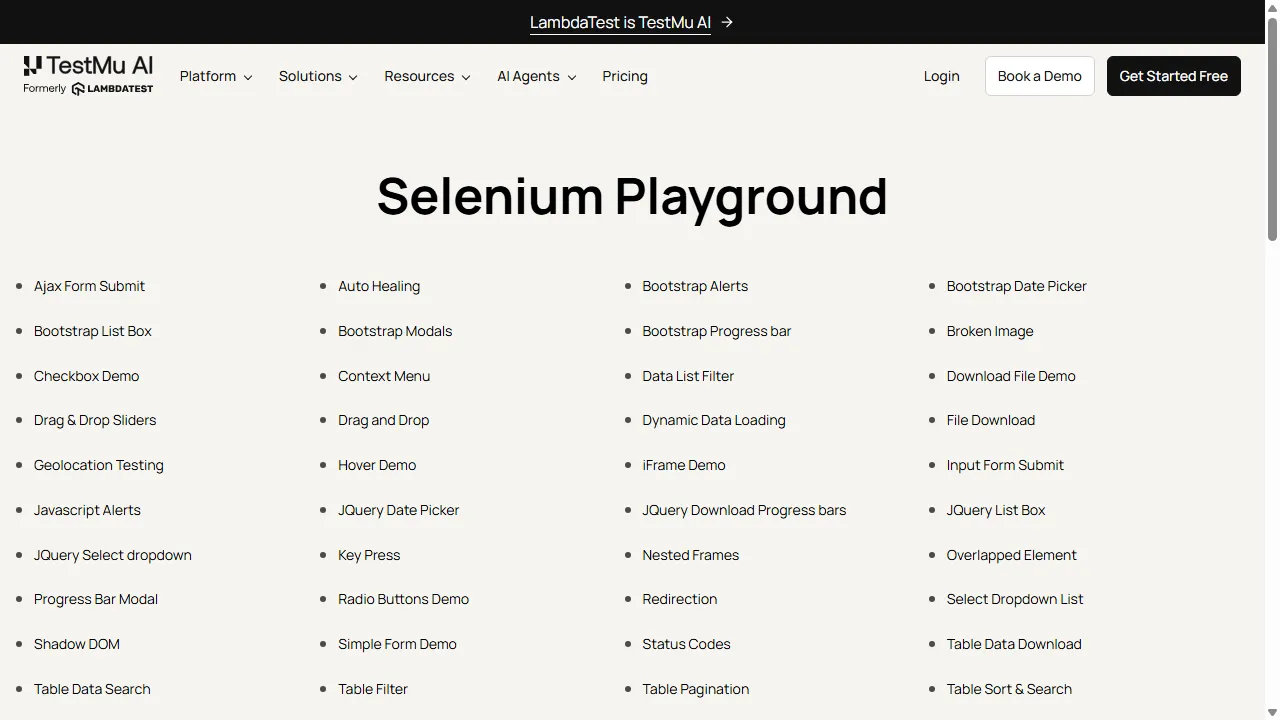
The screenshot below was captured directly from a real Browser Cloud Chrome session running the migrated code above (build name Playwright Cloud Migration Demo), navigating to the TestMu AI Selenium Playground and rendering it in full Chrome.

The localhost Tunnel Gotcha
This is the single most common surprise when moving to the cloud. Locally, your Playwright script and the browser are on the same machine, so the browser's localhost is your localhost. On the cloud, the browser runs on TestMu AI infrastructure, so a test that points at http://localhost:3000 or a staging app behind your firewall will not resolve, because that address means nothing from the cloud side.
The fix is the built-in tunnel, and it is one line at session creation. With it, the cloud browser routes traffic back to your local or internal environment.
const session = await client.sessions.create({
  adapter: 'playwright',
  tunnel: true,
  tunnelName: 'my-local-tunnel',
  lambdatestOptions: {
    browserName: 'Chrome',
    browserVersion: 'latest',
    'LT:Options': { video: true, console: true },
  },
});

// The cloud browser can now reach http://localhost:3000
// and apps behind your firewall through the tunnel.
Any non-public target, a dev server, a preview deployment, or an internal dashboard, needs the tunnel. If the target is on the public internet, you do not need it. This is the same friction behind the common question of why Playwright cannot reach remote machines or the cloud by default, and the tunnel is the answer. Once you move past the one-line setup, the Browser Cloud tunnel exposes the full set of flags and routing options for locking down exactly what the cloud browser can reach.
Running Your Migrated Suite in CI
CI is where the move pays off fastest, because the GitHub Actions runner stops hosting browsers and only orchestrates sessions. The trick is to make the same command run locally and in the cloud by driving everything from environment variables, so there is no separate cloud config to maintain.
Store your TestMu AI username and access key as repository secrets, then expose them to the job as LT_USERNAME and LT_ACCESS_KEY. The SDK reads them from the environment, so your test code does not change between your laptop and the runner.
name: Playwright Cloud
on: [push]

jobs:
  e2e:
    runs-on: ubuntu-latest
    steps:
      - uses: actions/checkout@v4
      - uses: actions/setup-node@v4
        with:
          node-version: 20
      - run: npm ci
      - name: Run Playwright on Browser Cloud
        run: node tests/run.js
        env:
          LT_USERNAME: ${{ secrets.LT_USERNAME }}
          LT_ACCESS_KEY: ${{ secrets.LT_ACCESS_KEY }}
Because the browsers run off the runner, you also stop fighting the usual CI browser problems: missing system dependencies, headless-only quirks, and runners that run out of memory under parallel load. The sessions and their video, console, and network artifacts live in the cloud, ready to inspect when a build goes red. For the wider pipeline picture beyond this one workflow, including working configs for other CI providers, sharding a suite across runners, and fixes for failures that only appear in CI, see this guide to running Playwright tests in CI/CD pipelines.

Migration Troubleshooting
Most of what surprises people after the swap falls into a small set of day-two issues. Here is what to check first.
- 401 Unauthorized on connect: the SDK reads credentials from LT_USERNAME and LT_ACCESS_KEY in the environment. If those are missing or empty, the connection is rejected. Confirm they are set locally and exposed as secrets in CI.
- localhost URLs time out: the cloud browser cannot reach your machine without the tunnel. Add tunnel: true to the session config for any non-public target.
- Browser version drift: pin browserVersion in the session config so a remote run matches what you tested against locally, instead of silently moving to latest.
- Flakiness that only shows up remotely: network latency to the cloud is real. Prefer condition-based waits (waitForSelector, waitForResponse) over fixed sleeps, which are tuned to local timing.
- Sessions left open: always call sessions.release() in a finally block so a thrown assertion does not leave a session running until the timeout reclaims it.
- Viewport and version surprises: a layout or hover behavior that passed on your local Chrome can differ on the cloud Chrome version or a different viewport size. The session video makes these obvious instead of guessing from a stack trace.
When the Migration Is Worth It
Running Playwright locally works until it does not. The inflection point is usually one of three things: you need more parallelism than your hardware supports, you need visibility into failures that logs alone cannot give you, or you need to test environments your local machine cannot reach. If none of those apply yet, stay local; the move earns its keep when one of them does.
When it is time, start small: export your credentials, swap one spec's chromium.launch() for a Browser Cloud session, and watch it run with video and logs attached. The launch your first session guide walks through where your username and access key live and how a session starts, and you can run the whole thing on the free tier of TestMu AI Browser Cloud before committing your suite. If you are running framework-based suites rather than scripting sessions yourself, Automation Cloud is the QA-grade counterpart. Either way, the automation you have already built comes along unchanged; what changes is everything it runs on top of.
Author

Harish Rajora
Blogs: 100


Harish Rajora is a software developer at TestMu AI with over 6 years of hands-on experience in Python and cross-platform application development across Windows, macOS, and Linux. He has authored 800+ technical articles and worked on large-scale projects, including GenAI applications and core engineering features used by millions. Harish has led DevOps initiatives building CI/CD pipelines with Jenkins, AWS, GitLab, and GitHub, and holds an M.Tech in Software Engineering from IIIT Allahabad.


Frequently asked questions
Did you find this page helpful?
More Related Blogs
TestMu AI forEnterprise
Get access to solutions built on Enterprise
grade security, privacy, & compliance
- Advanced access controls
- Advanced data retention rules
- Advanced Local Testing
- Premium Support options
- Early access to beta features
- Private Slack Channel
- Unlimited Manual Accessibility DevTools Tests