
Fully Agentic Test Case Management Tool
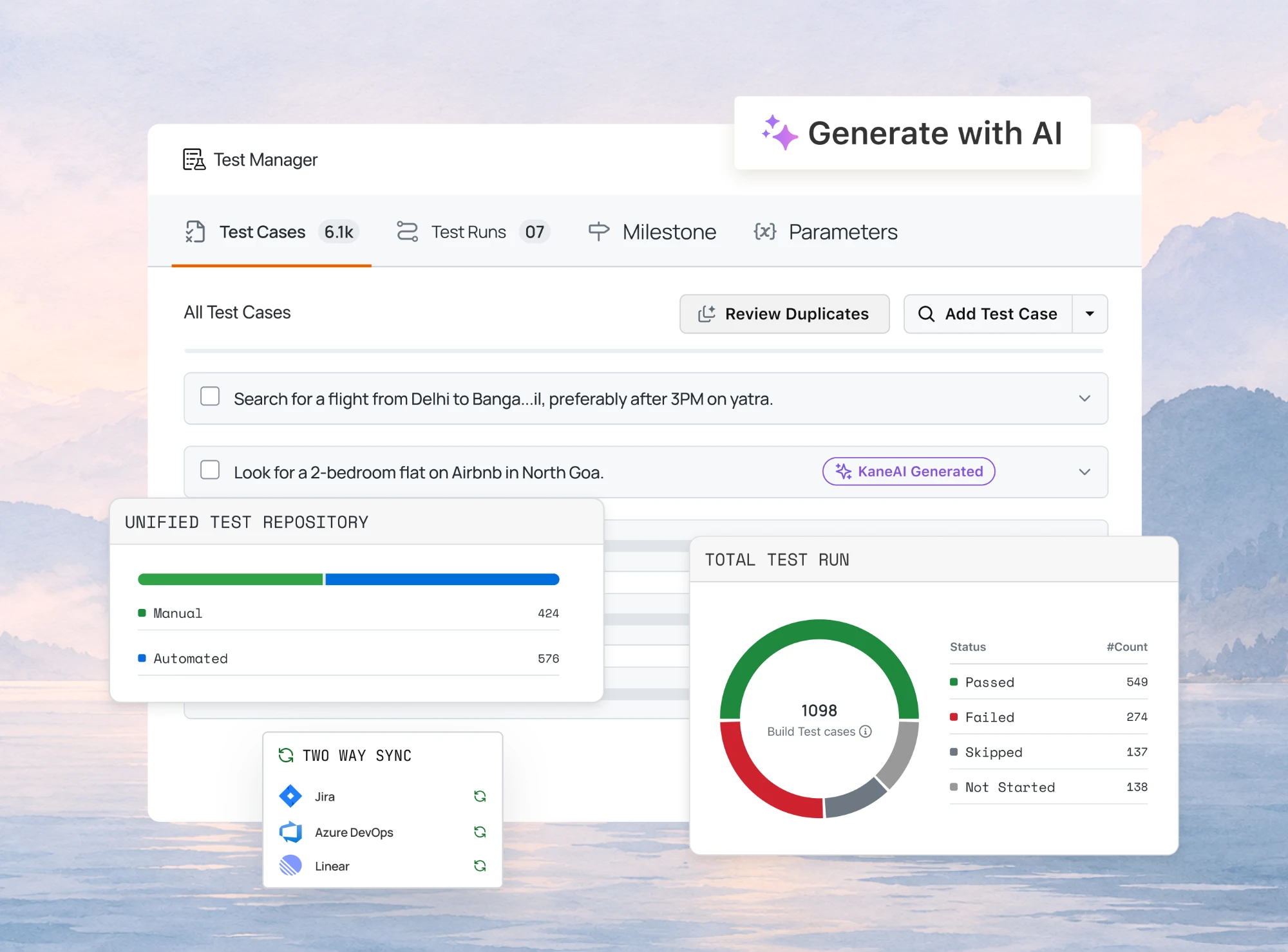
Write, Track and Manage Every Manual or Automated Tests in One Agentic Test Management Platform with TestMu AI Test Manager.

Bug Tracking: A Complete Guide for Developers and Testers
A complete guide to bug tracking and issue tracking: key processes, the defect life cycle, top tools, and best practices to manage issues for QA and dev teams.
Last Updated on:
On This Page
- What Is Bug Tracking?
- Issue Tracking vs Bug Tracking
- What Are the Key Benefits of Bug Tracking?
- How Does the Bug Life Cycle Work?
- How Can You Organize and Manage the Bug Tracking Process?
- 7 Best Bug Tracking Tools for Developers and Testers
- Comparing Tool Features to Consider
- How Does TestMu AI Simplify Bug Tracking?
- How Do You Integrate Bug Tracking into CI/CD and Test Automation?
- How Can You Measure and Improve Your Bug Tracking Process?
- What Are the Common Challenges in Bug Tracking and How Can You Overcome Them?
- What Are the Best Practices for Effective Bug Tracking?
Every software product, no matter how polished, encounters bugs that impact performance and user experience. Bug tracking plays a vital role in identifying, recording, and managing these issues throughout the development cycle, and it sits inside the wider issue tracking practice that also covers tasks, feature requests, and incidents.
Overview
Bug tracking is the systematic process of identifying, recording, and managing software defects so developers and testers can follow each issue from discovery to resolution. It is the defect-focused half of issue tracking, which also covers tasks, feature requests, and incidents, and it improves software quality, collaboration, and release confidence.
What Problems Does Bug Tracking Solve?
Bug tracking addresses key challenges in software development by making defects visible, speeding up fixes, and supporting data-driven decisions.
- Missed issues: Without tracking, bugs can slip into production, affecting performance and user experience; bug tracking ensures every defect is logged and managed.
- Slow resolution: Developers may struggle to reproduce and fix issues quickly; structured bug reports and context-rich details accelerate fixes.
- Poor collaboration: Teams can miscommunicate about defects; shared bug trackers unify testers, developers, and stakeholders.
- Release risks: Untracked defects increase the risk of unstable releases; bug tracking helps prioritize and plan safe rollouts.
- Process inefficiency: Manual tracking leads to lost context and duplicated effort; automation and integration simplify workflows and reduce human error.
Why Is Testing Critical for Bug Tracking Reliability?
Before defects reach end users, thorough testing produces accurate, reproducible reports. TestMu AI makes bug tracking more reliable with the five capabilities below, each of which feeds evidence into the tracker a team already uses.
- Automated evidence capture: TestMu AI attaches screenshots, videos, logs, and environment details directly to each bug report, improving reproducibility and reducing back-and-forth.
- Cross-environment validation: TestMu AI verifies bugs across browsers, devices, and OS combinations to confirm consistent behavior.
- Integration with CI/CD: Automated test failures on TestMu AI generate actionable issues in bug trackers, connecting development and QA without manual entry.
- Works with existing trackers: Yes. TestMu AI logs bugs to Jira, GitHub, Asana, ClickUp, and 120+ other tools rather than replacing the team's issue tracking system.
- Continuous improvement: Metrics such as mean time to detect, defect density, and reopen rate guide process refinements for better software quality.
What Is Bug Tracking?
Bug tracking is the organized process of identifying, recording, and resolving software bugs to ensure reliable, high-quality software. It helps teams prioritize issues, collaborate efficiently, and maintain smooth software delivery. In this guide, bug tracking means the developer tooling side of the work, while defect tracking is the QA process and system that records any deviation from requirements, including defects in requirements and designs, not only in code.
Bug tracking is the systematic process of identifying, recording, managing, and resolving software bugs, which are errors, flaws, or unexpected behaviors that affect a program's functionality, performance, or user experience. It involves documenting critical details about each software bug, including how and where it occurs, its severity, its impact on the system, and the person or team responsible for fixing it. By maintaining an organized log of bugs, bug tracking helps development and testing teams prioritize issues, collaborate efficiently, and ensure that software is reliable and high-quality. This process is essential in modern development practices such as Agile and DevOps, where rapid release cycles demand quick detection and resolution of issues to maintain smooth and dependable software delivery.
What Is Issue Tracking and How Does It Differ From Bug Tracking?
Issue tracking is the practice of recording every unit of work a team has to act on, including bugs, feature requests, tasks, questions, and incidents, in one system where each item has an owner, a status, and a history. Bug tracking is the subset of issue tracking that deals only with defects, so every bug is an issue, but most issues are not bugs.
The tools reflect that scope. GitHub's documentation describes issues as a way to track ideas, feedback, tasks, or bugs, with keywords such as fixes in a pull request closing the linked issue automatically. Jira's administration documentation lists Bug, which it defines as a defect that disrupts or blocks how a product works, as one default work type beside Epic, Story, Task, and Subtask. In both systems a bug is one type inside the team's shared queue.
| Aspect | Bug tracking | Issue tracking |
|---|---|---|
| Scope | Defects only: behavior that deviates from a requirement, whether in code, configuration, or content | Bugs plus feature requests, tasks, questions, incidents, and technical debt |
| Required fields | Steps to reproduce, expected versus actual result, severity, environment, build | Type, priority, assignee, due date, estimate, and a link to the code change |
| Workflow | The bug life cycle from New to Closed, with a Reopened state when a fix fails | One workflow per type; a bug and a story can follow different states in the same project |
| Who files it | Testers, support engineers, and automated tests | Anyone on the team, including product managers and, through support, customers |
| Main metrics | Defect density, mean time to resolve, reopen rate, escaped defects | Throughput, cycle time, backlog age, work in progress |
Most teams run both in one tool, and that is the right default: a Jira project, a GitHub repository, or a Linear workspace holds bugs as one type beside stories and tasks, so a fix and the feature it belongs to sit in the same backlog and the same sprint. The cost is discipline. A bug filed through the generic task form loses the reproduction steps, environment, and expected result the bug life cycle depends on, so give bugs their own template with those fields required, and keep severity separate from priority so triage can rank a cosmetic defect on the checkout page above a crash in a rarely used admin screen.
On TestMu AI the distinction matters at the moment a test fails. Test Manager logs the defect to Jira, Azure DevOps, GitHub Issues, GitLab, or any of 120+ trackers with the test case name, steps, expected versus actual result, environment, and attachments already filled in, and the status syncs back when the issue moves, so the bug stays visible in the team's issue tracking queue without losing the detail a defect needs. The Linear and Test Manager walkthrough shows the same flow for teams that track issues in Linear.
What Are the Key Benefits of Bug Tracking?
Effective bug tracking organizes defect management and strengthens collaboration, accelerates fixes, improves product quality, and enables data-driven decisions for smoother releases.
- Improved Collaboration Between Teams: A shared bug tracker reduces uncertainty. Testers document failures with steps and evidence. Developers receive consistent context. Product managers and stakeholders see the impact. When everyone works from the same information, handoffs are faster and discussions are focused on solutions.
- Faster Issue Resolution: Quality bug reports let developers reproduce problems quickly. When reproduction is immediate, the time from detection to fix falls. Automated context, such as logs, screenshots, and environment details, cuts down on back and forth and reduces the number of reopened issues.
- Enhanced Product Quality: Tracking defects systematically helps teams catch patterns. You can spot flaky modules, high-risk areas, or frequent regressions. Over time, this data directs test coverage and code improvements that lead to fewer customer-facing defects.
- Better Release Management: A clear defect backlog improves release decisions. Teams can quantify technical risk and decide whether a release is safe. Prioritization based on severity and business impact helps avoid last-minute, ad-hoc choices.
- Data Driven Decision Making: Bug tracking produces metrics. Mean time to detect, resolve, reopen rate, and defect density are measurable. These metrics allow teams to evaluate process changes, justify investments in testing, and continuously refine quality practices.

How Does the Bug Life Cycle Work?
A bug moves through several stages in its bug life cycle, from discovery to resolution. Clearly defining these stages reduces ambiguity, improves accountability, and ensures that each software bug is tracked and managed effectively throughout its life.
Common Bug Life Cycle Stages
1. New: A tester, user, or stakeholder identifies and reports a problem, logging it into the bug tracking system with relevant details like steps to reproduce, screenshots, or error messages.
2. Assigned: The reported issue is assigned to a developer or a specific team member who takes responsibility for investigating the problem and determining the next steps.
3. Open: The assigned developer analyzes the issue, prioritizes it based on severity and impact, and plans a fix or workaround to address the defect.
4. Fixed: The developer implements a code change, configuration update, or other corrective action to resolve the issue and commits it for testing.
5. Verified: QA or the testing team retests the fixed issue in the appropriate environment to ensure the defect has been fully resolved without introducing new problems.
6. Closed: Once QA confirms the fix is successful, the issue is marked as resolved and archived in the tracking system for future reference and reporting.
7. Reopened: If the defect still exists or reoccurs after being closed, it is reopened and sent back for further investigation and resolution to ensure the problem is completely addressed.
Roles in the Bug Life Cycle
- Tester: Detects and documents the issue.
- Developer: Implements the fix and provides technical details.
- Project manager: Prioritizes the bug and ensures it aligns with release goals.
- Support or product teams: Provide customer context and help reproduce field issues.
Clear role definitions ensure every bug has an owner and a next step.
How Can You Organize and Manage the Bug Tracking Process?
Consistency and discipline in process design are key to managing bug backlogs and preventing regressions.
- Set Clear Workflows: Define statuses such as New, In Progress, Fixed, Verified, and Closed. Tailor the workflow to your team, but keep it simple. Assign owners and specify handoff rules at each stage.
- Conduct Regular Triage Meetings: Triage sessions prioritize issues based on severity, risk, and release schedules. Keep triage focused with a clear agenda and a defined timebox. Decide which bugs are blockers, which can wait, and which are out of scope.
- Keep Trackers Clean: Archive old issues and resolve stale tickets. Use labels and components to categorize defects. A tidy tracker helps teams spot important trends and prevents technical debt from hiding in noise.
7 Best Bug Tracking Tools for Developers and Testers
The tools below handle bug and issue tracking for most teams; each entry notes when it fits best.
Jira
Best for teams that need deep customization and Agile planning capabilities. Jira excels when you need powerful workflows, reporting, and integration with development toolchains. That same customization is what makes Jira test management possible without a separate tool.
Bugzilla
A mature open source option with a strong history in defect tracking. Use Bugzilla when you want a lightweight, proven tracker that is flexible and self-hosted.
Redmine
Good for small to medium teams that need issue tracking plus simple project management features. Redmine includes a built-in wiki and plugin support.
For teams already running their suites on TestMu AI, the Redmine integration turns a failed test into a Redmine issue automatically, carrying the session evidence across without any re-typing.
GitHub Issues
Ideal for developer-centric projects and open source. GitHub Issues integrates directly with commits, pull requests, and CI workflows.
Trello
A visual, kanban-style board suited for small teams and quick issue tracking. Trello is simple and easy to adopt, but it lacks advanced reporting.
Asana
Useful for teams that combine project management with lightweight issue tracking. Asana works well for cross-functional workflows.
TestMu AI Test Insights
TestMu AI Test Insights brings testing and bug reporting closer together. It allows testers to capture screenshots, session details, and environment data, then send that information directly to tools like Jira, GitHub, or Asana. You can also log bugs straight to Hive using the Hive integration. By keeping all relevant test evidence with each bug report, teams can reproduce issues more easily and reduce back-and-forth during debugging.
Choose tools based on your workflow complexity, team size, and integration needs.
For more insights and a detailed list of bug tracking tools, check out our blog: 25 Best Bug Tracking Tools in 2026
Comparing Tool Features to Consider
When selecting a tracker, consider integration, automation, reporting, flexibility, and collaboration features. Integrations with version control, CI systems, and test platforms help automate repetitive tasks. Reporting capabilities let you extract trends and measure improvement over time.
How Does TestMu AI Simplify Bug Tracking?
TestMu AI bridges the gap between testing and defect reporting. When a test fails on any cloud browser or device, testers can capture evidence and log bugs directly without leaving their session, with Test Manager filing each failure against the test case that produced it. The Test Manager documentation walks through connecting your tracker.
For a quick visual walkthrough of this concept, watch the video below from TestMu AI.

Subscribe to the TestMu AI YouTube channel for more tutorials on testing and automation.
- One-Click Bug Logging: Capture screenshots or recordings from live or automated tests and file them as issues in Jira, Asana, ClickUp, or GitHub. Environment details like browser, OS, and resolution are automatically populated, reducing manual effort and speeding up developer triage.
- Seamless Integrations: TestMu AI connects with 120+ popular platforms to create an end-to-end workflow.
- CI/CD and Automation Support: Built for continuous testing, TestMu AI attaches session metadata and artifacts to issues automatically from your CI pipelines. This accelerates feedback, shortens the bug-fix cycle, and increases release confidence.
With TestMu AI Test Insights, every bug report travels with full context, ensuring faster reproductions, smarter fixes, and smoother team collaboration.
How Do You Integrate Bug Tracking into CI/CD and Test Automation?
Bug tracking is most effective when it is part of the CI/CD pipeline. Automated test failures should produce actionable items in your tracker.
- Connecting Automated Tests with Bug Trackers: Set up your CI system to create an issue when key tests fail. Include commit IDs, build numbers, stack traces, and visual evidence. Tag issues with pipeline data so developers can reproduce the failure on the same build.
- Auto Logging Bugs from Failed Tests: Implement rules to determine when a failed test warrants a bug. Not every flaky test should create a ticket. Use thresholds such as repeated failure across multiple runs or failures in release candidate builds. When logging is appropriate, auto-attach session artifacts to reduce manual effort.
Example Workflow
1. CI runs the test suite on a cloud grid.
2. A test fails, and the session captures a screenshot and logs.
3. CI triggers an API call to the issue tracker, creating a new bug with attached artifacts.
4. The ticket includes environment context, build ID, test name, and a link back to the session.
5. Developers reproduce from the same environment and commit a fix that references the issue ID.
This workflow reduces guesswork and keeps traceability strong.
How Can You Measure and Improve Your Bug Tracking Process?
Use metrics to understand performance and identify areas for improvement.
Key Metrics to Track
- Mean Time to Detect: How quickly bugs surface after introduction.
- Mean Time to Resolve: The average time from logging to closure.
- Defect Density: Bugs per module or per thousand lines of code.
- Reopen Rate: Percentage of bugs that return after closure.
- Escaped Defects: Bugs found in production versions.
Continuous Improvement Strategies
Run retrospectives focused on defects and root cause analysis. Prioritize process changes that reduce recurring error sources. Use dashboards to spot high-risk areas. Tackle test coverage gaps revealed by defect patterns. Over time, drive down the downtime to detect and the time to resolve.

What Are the Common Challenges in Bug Tracking and How Can You Overcome Them?
Even with good tools, teams encounter recurring problems. Being proactive about these issues keeps the process healthy.
- Duplicate Reports: Duplicates fragment history. Teach reporters to search first. Implement deduplication rules. Link duplicates to a main issue and consolidate the discussion there.
- Insufficient Information: Incomplete reports slow developers. Enforce required fields and templates. Use automated capture to provide logs and environment context.
- Poor Prioritization: When everything is high priority, nothing is. Use objective criteria such as customer impact, security risk, and frequency to rank fixes.
- Miscommunication: Encourage clear comments and use tagging to involve the right people. Integrations that push issues into team channels reduce latency in clarification.
- Bug Fatigue: A long backlog can demoralize teams. Triage ruthlessly and close low-impact or outdated issues. Regular housekeeping keeps the backlog actionable.
What Are the Best Practices for Effective Bug Tracking?
This listicle covers practical habits that improve the quality and throughput of bug management.
- Write Clear, Actionable Titles: Use a concise title that summarizes the failure and environment. A strong title helps triage and search. For example, use "Form submission fails on iOS Safari 17 with 500 response" rather than "Form not working."
- Provide Step-by-Step Reproduction: List the minimal steps required to reproduce the issue. Include sample data and the exact sequence of actions. Developers should be able to reproduce the bug from the steps alone.
- Include Expected and Actual Results: State what the system should do and what it actually does. This contrast reduces ambiguity and guides debugging.
- Attach Evidence: Screenshots, video recordings, network traces, and console logs speed diagnosis. Visuals often reveal details that descriptions miss.
- Capture Environment Context: Note OS, browser and versions, device type, screen resolution, API versions, and relevant config. Environment differences often explain inconsistent failures.
- Set Severity and Priority Thoughtfully: Severity describes technical impact. Priority describes business urgency. Use both fields to help triage and scheduling.
- Use Templates and Validation: Standardize bug forms to guarantee essential fields are present. Require reproduction steps and evidence before a bug can move forward.
- Avoid Duplicates: Search before filing new issues. Duplicate tickets waste effort and fragment history. When duplicates exist, consolidate links and references.
- Automate Where It Helps: Auto-capture test session data, screenshots, and logs from automated suites. Link failing tests to issues so a one-click workflow can populate critical fields.
- Verify Before Closing: QA should confirm fixes in the relevant environment and test against regression criteria. Closing without verification increases reopen rates.
Following these practices reduces noise and accelerates fixes.
Conclusion
Bug tracking is foundational to delivering quality software. A systematic approach reduces turnaround time, improves collaboration, and provides the data needed to prevent future defects. Combining strong reporting practices with automation and appropriate tooling turns bug management from a reactive chore into a predictable, measurable process.
TestMu AI helps close the gap between testing and defect reporting by bundling evidence with issues and integrating with popular trackers and CI systems. When teams use these capabilities, they reduce context loss and accelerate root cause analysis and fixes.
Invest in clearer reports, repeatable workflows, and integration between your test platform and your bug or issue tracking tool to get the maximum value from your testing efforts.
Tracking tests across tools and teams? TestMu AI's Test Manager keeps test cases, runs and results in one place.
Author

Himanshu Sheth
Blogs: 153


Himanshu Sheth is the Director of Marketing (Technical Content) at TestMu AI, with over 8 years of hands-on experience in Selenium, Cypress, and other test automation frameworks. He has authored more than 130 technical blogs for TestMu AI, covering software testing, automation strategy, and CI/CD. At TestMu AI, he leads the technical content efforts across blogs, YouTube, and social media, while closely collaborating with contributors to enhance content quality and product feedback loops. He has done his graduation with a B.E. in Computer Engineering from Mumbai University. Before TestMu AI, Himanshu led engineering teams in embedded software domains at companies like Samsung Research, Motorola, and NXP Semiconductors. He is a core member of DZone and has been a speaker at several unconferences focused on technical writing and software quality.


Bug Tracking FAQs
Did you find this page helpful?
More Related Learning Hubs











TestMu AI forEnterprise
Get access to solutions built on Enterprise
grade security, privacy, & compliance
- Advanced access controls
- Advanced data retention rules
- Advanced Local Testing
- Premium Support options
- Early access to beta features
- Private Slack Channel
- Unlimited Manual Accessibility DevTools Tests