
Assure your AI deployment - across enterprise and real world
We assure that your AI works as intended. Safely and securely.

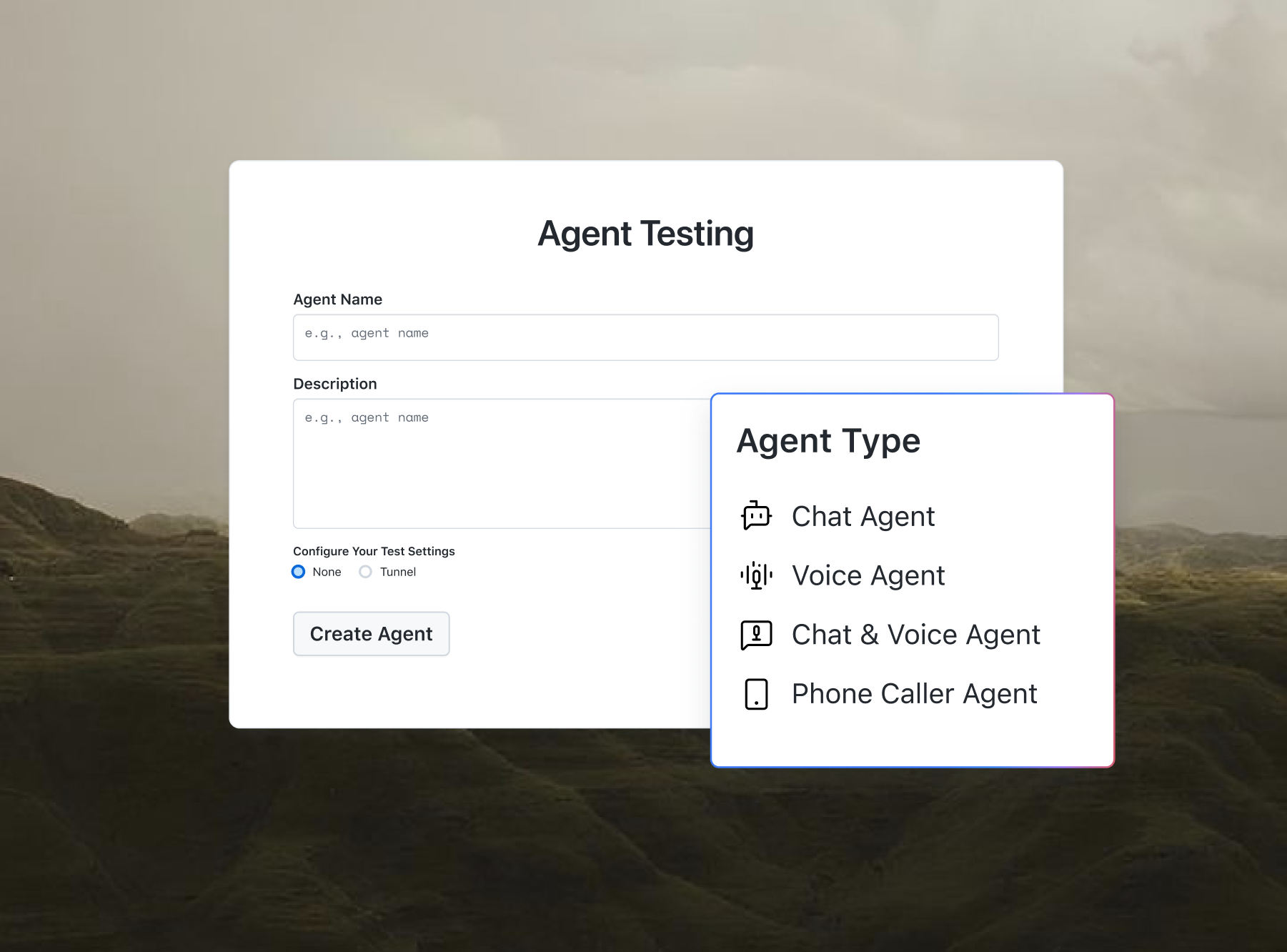
Jun’23 Updates: AI-Native Test Failure Analysis, Revitalizing App Automation and SmartUI With Latest Features, And More
Introducing our June 2023 Product Update, brimming with new features like AI-Native Test Failure Analysis, new features in app automation, and others. Read more!
Last Updated on:
On This Page
- AI-Native Test Failure Analysis in HyperExecute
- Loads of New Features in App Automation
- TestMu AI – New Application Life Cycle Policy
- Latest Features in SmartUI
- Test Analytics: Pre-Built Templates and Command Logs Analytics
- New Capabilities in Web Automation Testing
- New Integration with Zoho Cliq
- A Final Word
Hey everyone, as June has come to a close, it’s time for us to give you a refresher on all our product updates that went live last month.
To wrap up June on a high note, we bring you a collection of fresh features and updates. In the previous month, we introduced AI-Native Test Failure Analysis to simplify and accelerate the identification and resolution of failure types, added a host of new features in App Automation and SmartUI, new capabilities in web automation, and much more.

Let’s unroll these new features!
AI-Native Test Failure Analysis in HyperExecute
In the field of software testing, test case failures have posed a major challenge for testing teams and QA engineers. The process of identifying and resolving these failures often takes significant time and resources.
Manual analysis of various logs and data sources for Root Cause Analysis (RCA) leads to delays in resolving issues, and after RCA, a considerable amount of time is needed to devise and implement the required fix. This inefficiency not only hampers productivity but also creates the blocker in the overall software development process.
To address this critical aspect of software testing, we have introduced AI-Native Test Failure Analysis that simplifies and expedites the identification and resolution of failure types.
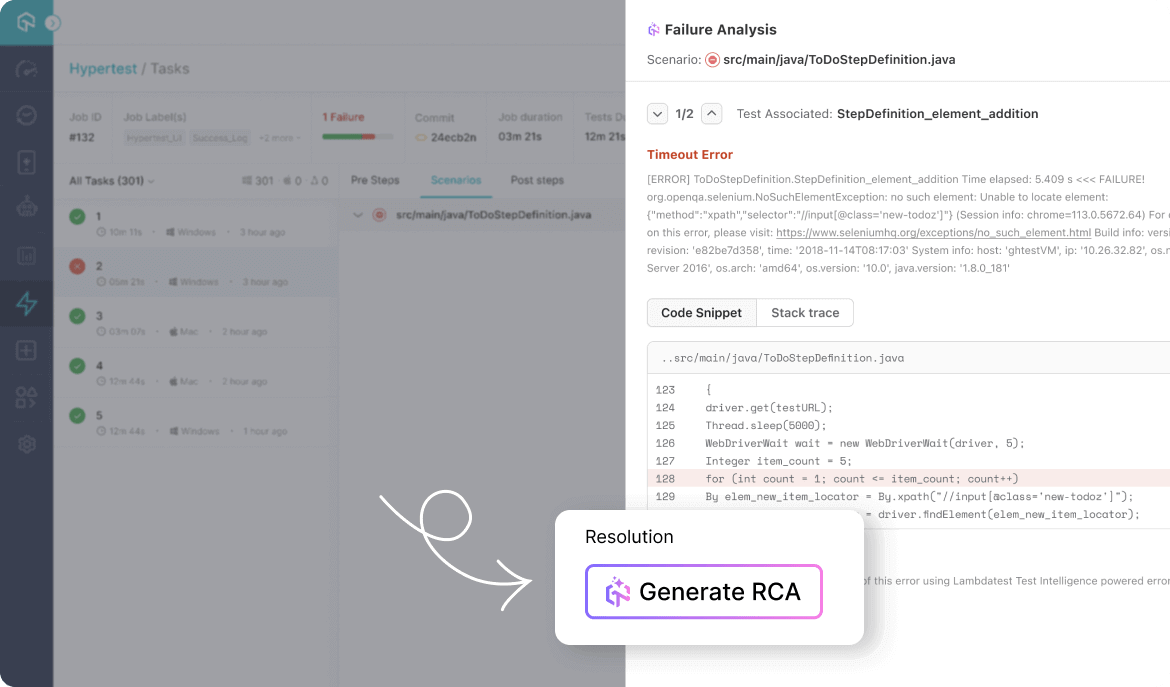
The AI-Native Test Failure Analysis will help you quickly identify and resolves test failures. Some of the benefits of AI-infused Test Failure Analysis include the following:
- Automatically organize and classify errors for streamlined resolution.
- Obtain Root Cause Analyses (RCAs), remediation steps, and additional recommendations for resolving failed tests in a single location.
- Expedite the process of bug fixes with shorter resolution times.
- Improve the testing process, boost productivity, and expedite the delivery of high-quality software applications.

Note: Quickly identify & fix issues with AI-Native Test Failure Analysis. Join the Waitlist!
Loads of New Features in App Automation
In the latest patch of the app automation release, we have launched a bunch of fresh features, such as integration with HyperExecute to test on real device cloud, app automated testing with Flutter and Dart, biometric authentication in Android app testing, and installing and uninstalling apps in app test scripts. Let’s look at them one by one.
- Real device integration with HyperExecute: You can now avoid the pain of procuring virtual devices and harness the true power of the real device cloud with HyperExecute. With the real devices and HyperExecute integration, you can perform app test automation on a wide range of mobile devices at lightning-fast speeds, jazzing your app testing process, accelerating time to market and ensuring exceptional mobile experience.
- Flutter Dart testing: Using Dart as a programming language, Flutter enables fast development of mobile apps that are highly productive, extensible, and open-source. You can now ensure your mobile app works flawlessly on a variety of mobile devices and platforms by harnessing the capabilities of Flutter Dart and LambdaTest real device cloud.
- Install and uninstall apps in app automation scripts: Using webhooks, you can install or uninstall specified applications within app automation scripts. By using the script execution functionality of WebDriver, you can execute these commands. Within automation scripts, you can install applications uploaded to TestMu AI.
- Biometric Authentication for Android apps: With TestMu AI, you can authenticate with biometrics on real Android devices. Using this new feature, you can test the biometric authentication functionality in your Android apps to ensure that they provide an optimal user experience.
To get started, check our step-by-step tutorial: Real Device Integration with HyperExecute.
Check our support documentation to get started with Flutter Dart Testing on TestMu AI.
For more details, visit our documentation on Install and Uninstall Apps in App Automation Scripts.
Head over to our guide to getting started with Biometric Authentication.
TestMu AI – New Application Life Cycle Policy
We, at LambdaTest, are committed to providing you with a smooth digital testing experience. To optimize system resources and enhance performance, we are implementing a new Application Life Cycle Policy.
Starting from June 25th, 2023, any application you upload to our platform will be available for 90 days from the date of upload. After this duration, the application will be automatically deleted from our cloud servers.
This policy change ensures the best performance for all our users and customers. We understand the value of your applications in your testing workflows. Therefore, we strongly recommend maintaining local backups of your applications to avoid disruptions.
In case of any queries, please reach out to us at 24×7 Chat Support or over an email.
Latest Features in SmartUI
These updates all ship inside TestMu AI's visual testing tool, SmartUI. For a broader comparison of options, see our roundup of the best visual testing tools.
Last month, LambdaTest announced a number of new features and enhancements to its SmartUI and Analytics Platform. Here are some of them.
- Support for testing on Edge: We are excited to announce that SmartUI now allows you to test on the Edge browser, in addition to other browsers like Chrome, Firefox, and more. Utilizing Storybook, you can now perform comprehensive testing of your software application’s UI components on the Edge browser, ensuring flawless rendering across different Edge versions.
- Effortlessly capture full page screenshots with auto-height detection: Previously, when conducting A/B testing of images with SmartUI, taking full-page screenshots was necessary for making informed decisions. Moreover, capturing full-page screenshots in Storybook required manual configuration of the page height.
- GitHub App integration with Playwright: SmartUI has introduced seamless integration of the GitHub App with Playwright, enabling you to effortlessly connect your GitHub repositories to your LambdaTest SmartUI accounts.
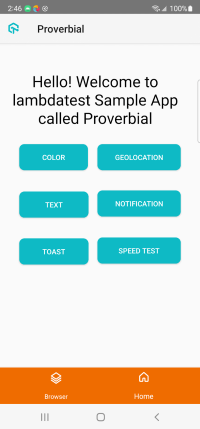
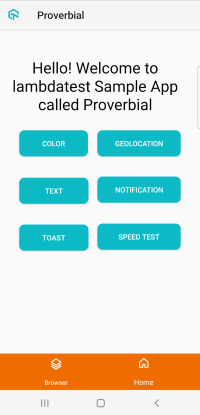
- Smart crop feature for Appium visual testing: With the introduction of Smart Crop, you can effortlessly remove the status bar from screenshots, enabling a focused analysis of the core UI elements during visual comparisons.
With the newly introduced Auto Height Detection feature, capturing full-page screenshots has become a breeze. The feature automatically detects and adjusts the page height, eliminating the need for manual specification of the height parameter in the configuration file.
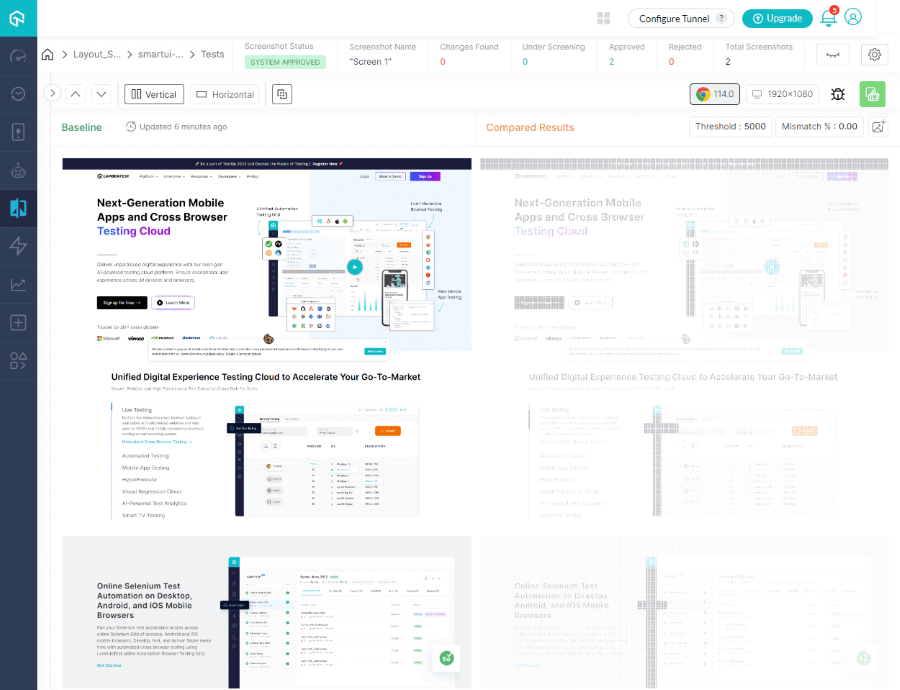
With this integration, you and your teams gain the ability to conveniently share test scripts, review modifications, and provide feedback directly within your GitHub repositories. Whether you’re using any CI tool on GitHub, you can easily access information regarding the visual regression build status, as well as pull and push requests.
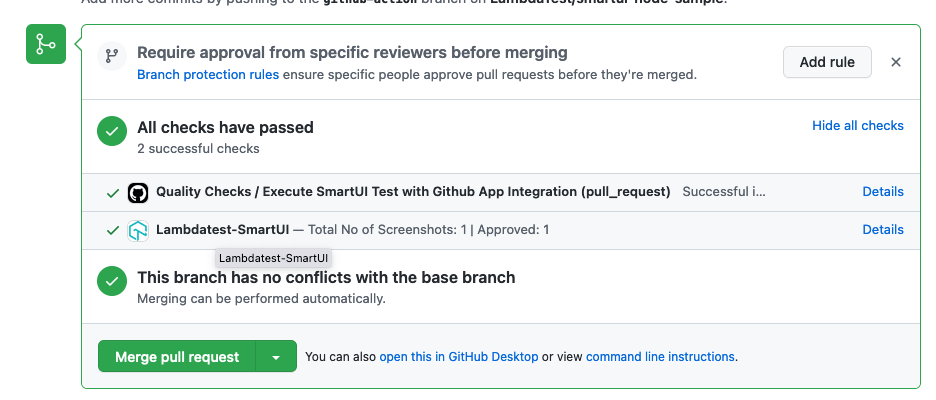
By leveraging the power of machine learning algorithms, SmartUI detects and crops the status bar from screenshots. This intelligent capability allows you to focus solely on the core UI elements, eliminating any discrepancies during visual comparisons.
Here is the original screenshot:
After applying smart crop, the above screenshot looks like this:
Test Analytics: Pre-Built Templates and Command Logs Analytics
Following are the latest additions to the TestMu AI Test Analytics Platform.
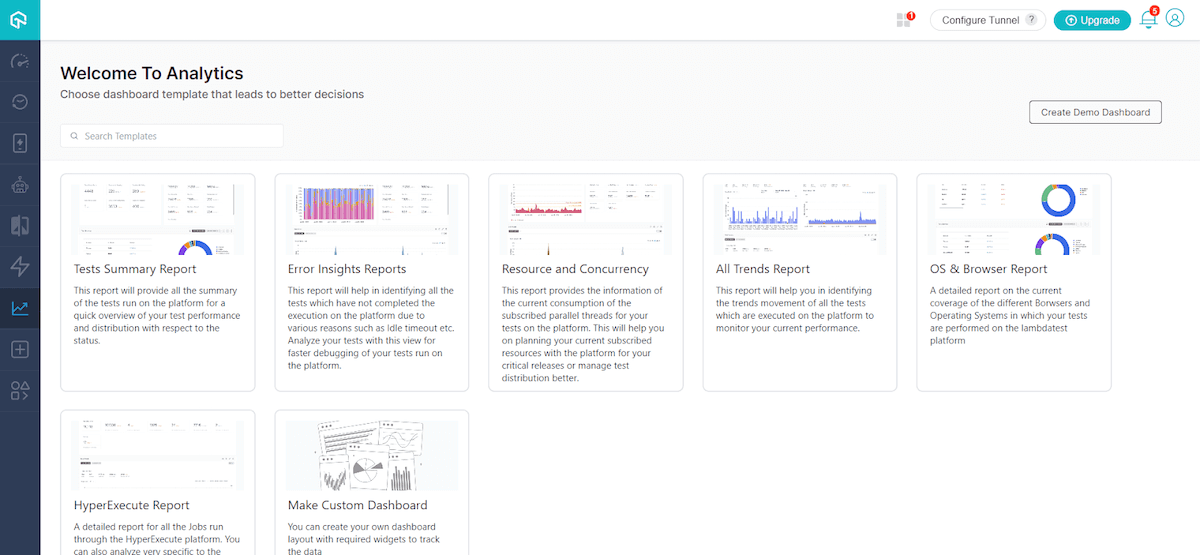
- Test Analytics Templates: These ready-to-use templates offer a wealth of comprehensive insights, making it easy to deep dive into your test data and gain a deeper understanding of the test insights. With a structured framework in place, you can easily customize and visualize the data in a visually appealing and meaningful way.
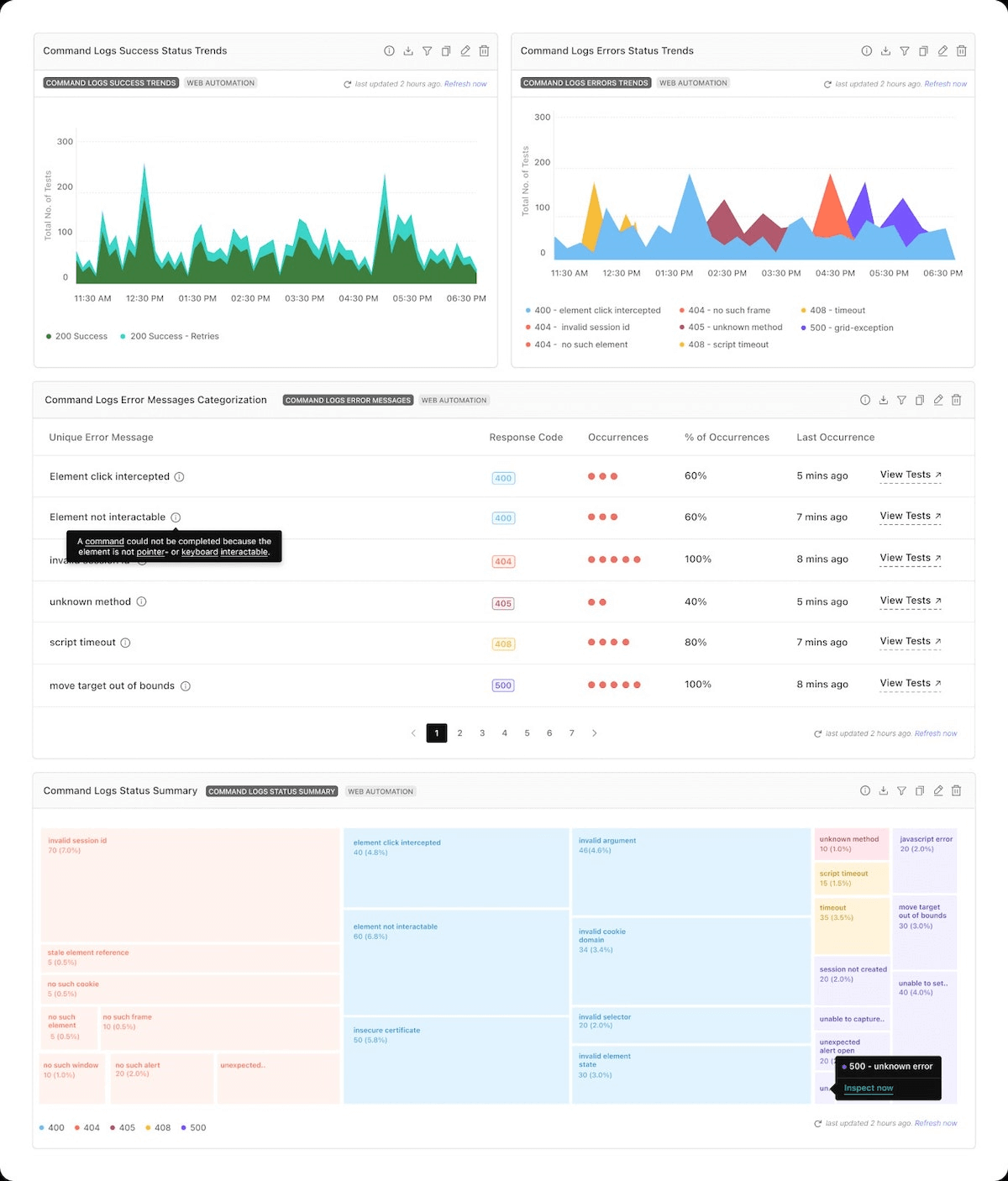
- Command Logs Analytics: We have made significant improvements to our AI-Native test analytics platform, giving users enhanced control over Selenium command logs.
- Command Log Error Categorization: This feature enables you to easily pinpoint test issues that have been identified through unique errors over a period of time. It helps you identify recurring problems and take necessary actions to address them effectively.
- Command Logs Error Trends: With this capability, you can keep track of the HTTP response statuses for commands executed in browsers over time. This helps you monitor the performance and identify any patterns or anomalies in the responses.
- Command Logs Type Trends: By analyzing this feature, you can gain insights into endpoint usage and prioritize bug fixes accordingly. It helps you visualize the usage patterns of different command types, helping you allocate resources and efforts efficiently.
The best part is, these templates save you and your teams valuable time and effort. Instead of starting from scratch and creating test reports, you can leverage these templates to quickly generate insightful analytics.
Let’s explore the of Command Log Analytics:
New Capabilities in Web Automation Testing
TestMu AI Automation now supports two new capabilities for automation testing:
- SmartWait: In your Selenium test suite, SmartWait capability reduces the amount of code dedicated to explicit/implicit waits, making it easier to read and maintain.
- CustomHeaders: In custom headers, you can keep important information about a request or response, such as its method, URL, and body. In this way, you can manipulate the parameters of the HTTP requests delivered by your tests, thus bypassing firewall restrictions.
Before executing any action on a webpage element, SmartWait runs a series of actionability checks. Using an intelligent algorithm, it holds off on taking action until all relevant checks have been passed. If the checks are not passed within a specified timeframe, SmartWait returns the appropriate Selenium error message.
Note: Run your Selenium tests using SmartWait. Try TestMu AI Today!
New Integration with Zoho Cliq
Zoho Cliq, a team communication platform, allows team members to initiate high-quality voice and video calls, bridging the gap of geographical distances and fostering face-to-face communication. This ensures that interactive discussions, idea generation, and real-time decision-making become an integral part of team collaboration.
By integrating TestMu AI with Zoho Cliq, you can create test cards within Zoho Cliq Channels for logged bugs. Therefore, you and your team members can receive notifications whenever new bugs are logged while testing your website on the LambdaTest platform.
To try this integration, check our documentation on Zoho Cliq integration with TestMu AI.
A Final Word
We hope these new features developed to supercharge your productivity. At LambdaTest, we are dedicated to continuously bringing in exciting enhancements for you. We encourage you to try out these new features and share your valuable feedback with us.
Our 24×7 Chat Support, support@testmuai.com , and the LambdaTest Community are always available to help you.
Also, don’t forget to register for our upcoming Testμ Conference 2023, the world’s largest free software testing conference, and connect with 1000+ devs and testers globally.

Did your last release break the UI? TestMu AI's SmartUI catches visual regressions by comparing every screen to its baseline.
Author

Salman Khan
Blogs: 136


Salman is a Test Automation Evangelist and Community Contributor at TestMu AI, with over 6 years of hands-on experience in software testing and automation. He has completed his Master of Technology in Computer Science and Engineering, demonstrating strong technical expertise in software development, testing, AI agents and LLMs. He is certified in KaneAI, Automation Testing, Selenium, Cypress, Playwright, and Appium, with deep experience in CI/CD pipelines, cross-browser testing, AI in testing, and mobile automation. Salman works closely with engineering teams to convert complex testing concepts into actionable, developer-first content. Salman has authored 120+ technical tutorials, guides, and documentation on test automation, web development, and related domains, making him a strong voice in the QA and testing community.


Did you find this page helpful?
More Related Blogs



TestMu AI forEnterprise
Get access to solutions built on Enterprise
grade security, privacy, & compliance
- Advanced access controls
- Advanced data retention rules
- Advanced Local Testing
- Premium Support options
- Early access to beta features
- Private Slack Channel
- Unlimited Manual Accessibility DevTools Tests