

Power Your Software Testing with AI Agents and Cloud
The Native AI-Agentic Cloud Platform to Supercharge Quality Engineering. Test Intelligently and Ship Faster.


- TestMu AI (Formerly LambdaTest)
- /
- Blog
- /
- 13 Best Visual Testing Tools in 2026
13 Best Visual Testing Tools in 2026
Compare the 13 best visual testing tools by features, pricing, and best-fit use case, and catch layout, color, and rendering bugs before your next release.
Last Updated on:
Visual testing tools are software that captures screenshots of your application, compares them against approved baselines, and flags any unintended changes in layout, color, spacing, or rendering before they reach users. The best in 2026 include SmartUI by TestMu AI, Applitools Eyes, Percy, Chromatic, and Playwright, spanning cloud platforms, component-level checkers, and framework-native options.
Feature details come from vendor documentation, and licenses and release dates from npm, Packagist, and GitHub. Each of the 13 entries below covers features, pros and cons, pricing, and best-fit use case.
TL;DR
To automate UI validation and prevent layout shifts across releases, use a visual testing tool by TestMu AI for AI-native cross-browser testing with automated noise reduction, or choose Playwright to run free, framework-native visual assertions directly inside your existing test suite without maintaining a separate platform.
What Are Some of the Best Visual Testing Tools?
- Best for cross-browser scaling: SmartUI by TestMu AI runs AI-native visual regression across browsers and real devices, using Smart Ignore to filter out rendering noise and reduce manual triage.
- Best for multi-framework enterprise teams: Applitools Eyes provides wide framework coverage with AI diffing and DOM-level root cause analysis, billed on Test Units with unlimited users and test executions.
- Best for fast responsive testing: Percy captures and renders DOM snapshots across multiple browsers and responsive widths on its own infrastructure, charging per screenshot with a free tier included.
- Best for unified web and mobile coverage: Sauce Visuals provides web, mobile web, and native app visual testing bundled into Virtual Device Cloud and Real Device Cloud plans with a monthly snapshot allowance.
- Best for Storybook design systems: Chromatic delivers visual, interaction, and accessibility checks per pull request for Storybook-based design systems, with pricing based on billed snapshots across multiple plans.
- Best for targeted mobile layouts: Happo runs visual and accessibility regression testing in a single run, offering distinct iPhone and iPad targets with pricing based on consumed snapshots.
- Best for Playwright suites: Playwright provides framework-native screenshot assertions directly inside your existing test suite at no extra cost under a free, open-source Apache 2.0 license.
- Best for Cypress suites: Cypress captures screenshots inside Cypress specs and diffs them using a community plugin, offering a free, open-source MIT license with an optional paid Cypress Cloud add-on.
- Best for cross-platform open-source testing: WebdriverIO offers a free, open-source MIT-licensed visual service that spans desktop browsers, mobile web, and native apps using Appium integration.
- Best for self-hosted viewport testing: BackstopJS provides a free, open-source MIT-licensed suite for running responsive screenshot regression across viewports on your own self-hosted infrastructure.
- Best for self-hosted framework-agnostic setups: Visual Regression Tracker is a free, open-source Apache 2.0 tool that lets you keep baseline screenshots inside your own network using self-hosted containers.
- Best for codeless preview reviews: Autonoma uses an agent-driven approach to review every pull request on preview deployments without writing test code, offering free self-hosting or consumption-based hosted plans.
- VisualCeption is a free, open-source MIT-licensed PHP module for adding element-level visual assertions to Codeception, but this older project is hard to recommend for new work in 2026.
How Do You Choose One?
- Best for low-maintenance scaling: Managed platforms like SmartUI run comparisons and AI noise reduction for you, making them ideal for cross-browser visual regression at scale with minimal false-positive triage.
- Best for in-house control: Framework-native and self-hosted tools fit development teams that prefer to keep all screenshots, baselines, and test execution infrastructure entirely within their own network.
What Are Visual Testing Tools?
Visual testing tools are software applications that automate UI validation by comparing baseline screenshots with new builds to detect layout shifts, color mismatches, and styling issues.
Unlike traditional manual testing, which often struggles to identify subtle UI changes, visual testing tools use advanced technologies, such as visual AI, to capture baseline UI images and compare them with subsequent UI snapshots after code updates or modifications.
By analyzing and highlighting issues like layout inconsistencies, font variations, or color mismatches, these tools for visual testing ensure that the UI remains consistent and free of defects across releases.
The most advanced implementation of this category is the visual testing AI agent, which applies machine learning to distinguish meaningful UI changes from rendering noise, reducing false positives and accelerating review cycles in CI/CD pipelines.
Teams pushing further into semantic comparison can review Smart visual testing with LLMs, which explains how multimodal language models evaluate screenshots in context, classify changes as PASS, WARN, or FAIL, and provide reasoning that traditional pixel-diff tools cannot offer.
The defects they catch are widespread: the 2026 WebAIM Million analysis found low-contrast text on 83.9% of the top 1,000,000 home pages, a class of problem that passes every DOM assertion. Because most tools plug into popular test automation frameworks and CI/CD pipelines, catching them does not mean maintaining a separate test suite.
What Are the 13 Best Visual Testing Tools?
The 13 best visual testing tools split into six commercial platforms, three framework-native options that ship inside test runners you may already use, and four open-source projects you host yourself. The table below maps each to its type, what it costs, and the use case it fits.
Visual Testing Tool Comparison Table
| Tool | Type | Use case | Pricing |
|---|---|---|---|
| SmartUI by TestMu AI | AI-native platform | Cross-browser and real-device visual regression at scale, with AI noise reduction instead of manual triage | Free plan, no card required; paid tiers bundle visual testing into the automation plans |
| Applitools Eyes | Commercial platform | Wide framework coverage with AI diffing and DOM-level root cause analysis | Billed on Test Units; Starter, Public Cloud, and Dedicated Cloud plans, all with unlimited users and test executions |
| Percy | Commercial platform | Rendering one DOM snapshot across browsers and responsive widths without slowing the test suite | Charged per screenshot; free tier included, paid plans sold through BrowserStack |
| Sauce Visuals | Commercial platform | Teams needing web, mobile web, and native app visual coverage from one vendor | Bundled into the Virtual Device Cloud and Real Device Cloud plans with a monthly snapshot allowance |
| Chromatic | Commercial platform | Storybook-based design systems that need visual, interaction, and accessibility checks per pull request | Priced by billed snapshot; Free, Starter, Pro, and Enterprise plans |
| Playwright | Framework-native | Adding screenshot assertions to a Playwright suite with no extra service | Free, open source (Apache 2.0) |
| Cypress | Framework-native | Capturing screenshots inside Cypress specs, then diffing them with a community plugin | Free, open source (MIT); Cypress Cloud is a paid add-on |
| BackstopJS | Open-source suite | Self-hosted responsive screenshot regression across viewports, with no vendor dependency | Free, open source (MIT) |
| WebdriverIO | Framework-native | One visual service spanning desktop browsers, mobile web, and native apps through Appium | Free, open source (MIT) |
| Autonoma | Open-source, agent-driven | Reviewing every pull request on a preview deployment without writing test code | Free self-hosting with no feature limits; hosted use is consumption-based with a free credit allowance |
| Happo | Commercial platform | Visual and accessibility regression from one run, including distinct iPhone and iPad targets | Charged by snapshot; Free, Starter, Growth, Pro, and Enterprise plans |
| VisualCeption | Open-source, PHP module | PHP teams adding element-level visual assertions to an existing Codeception suite | Free, open source (MIT) |
| Visual Regression Tracker | Open-source, self-hosted | Keeping baselines inside your own network while staying framework-agnostic | Free, open source (Apache 2.0); you run the containers |
1. SmartUI by TestMu AI
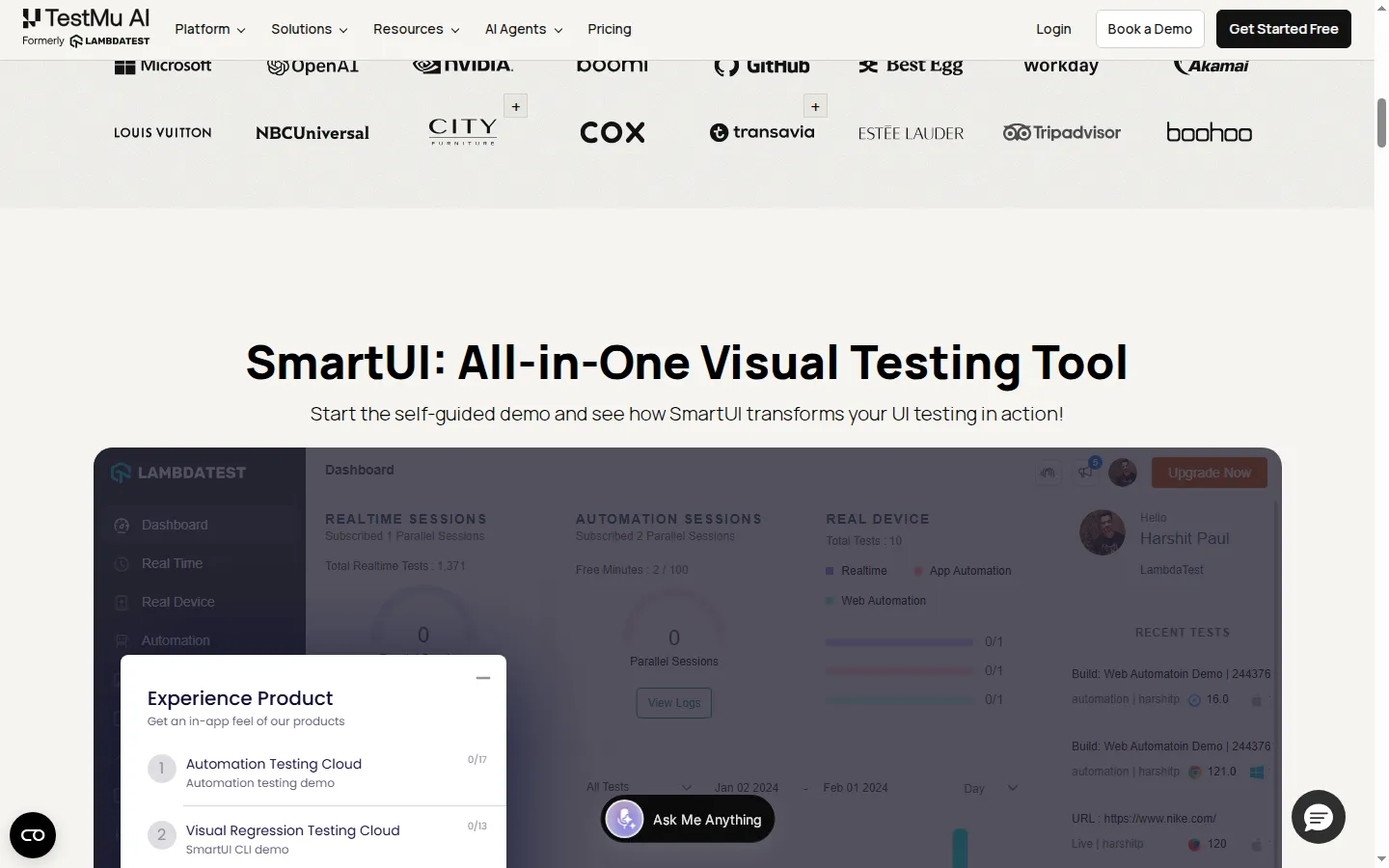
SmartUI by TestMu AI is an AI-native visual regression testing platform, built on TestMu AI's AI-native test execution cloud. It automates screenshot capture, comparison, and analysis for visual regression testing across browsers, resolutions, and real devices. What separates it from a conventional pixel-diff tool is that the AI engine decides what counts as a real change: anti-aliasing artifacts, font rendering variations, and dynamic content are filtered out before a reviewer sees them, and what remains is categorized from critical to low by likely user impact.
Features:
- Smart Ignore mode filters anti-aliasing, sub-pixel font rendering, animation states, and dynamic regions out of the diff, cutting false positives by up to 95%.
- Smart RCA generates a plain-language root cause for each change and categorises it Critical, High, Medium, or Low, so the review queue is ordered by user impact rather than pixel count.
- Figma frames import as baselines, so implementation screenshots are compared directly against the approved design instead of against a previous build.
- Layout testing runs a DOM-based structural comparison alongside the pixel diff, catching an element that moved in the DOM even when the rendered page looks identical.
- Branch-scoped baselines merge like Git branches, with conflict resolution when two branches change the same screen.
- PDF visual testing compares generated documents page by page through the same pipeline, which matters for invoices, statements, and contracts.
- An MCP server exposes the comparison analysis to AI code editors, so a developer can ask what changed in a run without leaving the IDE.
- SDKs cover Selenium, Playwright, Cypress, Puppeteer, WebdriverIO, and TestCafe, and a CLI captures Storybook instances and static sites.
Pros:
- One run covers Chrome, Firefox, Edge, Safari, and real mobile devices, so cross-browser rendering gaps surface in the same build rather than a separate suite.
- Noise filtering is the default behaviour rather than a threshold you tune, which is where most self-hosted screenshot suites lose their reviewers.
- Figma, Storybook, and PDF inputs all feed the same comparison pipeline, so one tool covers design drift, component regressions, and document output.
- Certified to SOC 2 Type II and GDPR, with AES-256 at rest and TLS 1.3 in transit.
Cons:
- It is a hosted service, so screenshots leave your network. Teams with strict data-residency rules need the enterprise tier rather than the free plan.
- Beyond the free plan it is a paid subscription, where every open-source tool on this list is free to license outright.
- The AI filtering is tuned for typical web rendering noise, so heavily canvas- or WebGL-driven UIs still need manual ignore regions.
Best for: teams running cross-browser and mobile visual regression at a volume where false-positive triage has become the bottleneck, and teams that need design-to-code, component, and document coverage from a single platform. To get started, check out the SmartUI visual regression testing documentation.
Pricing: a free plan is available with no credit card required, covering 2,000 screenshots valid for the lifetime of the account rather than a monthly allowance; once that pool is used, a paid plan is required. SmartUI is not sold separately; visual testing is bundled into the plans that include automation, and enterprise agreements cover unlimited screenshots, private baselines, and retention policies. Current tiers are on the TestMu AI pricing page.
Why Choose SmartUI Over Other Visual Testing Tools?
SmartUI separates from the rest of this list on combination rather than any single feature: Figma files can act as the baseline so design-to-code drift is caught at the pull request instead of a quarter later, baselines branch like Git so a feature branch's approvals leave the main baseline untouched until merge, the engine is input-agnostic so an Appium mobile capture can be compared against a Playwright desktop one for responsive parity, and precise shift detection names which element moved and by how much rather than flagging a region as one block of red.
Most tools here do one or two of those well. The trade-off is scope, since SmartUI ships bundled with the wider TestMu AI platform rather than standalone, which suits teams already running cross-browser or mobile execution more than teams that only want visual diffing on an existing stack.

2. Applitools Eyes
Applitools Eyes is a commercial visual testing platform built around what the vendor calls Visual AI. Rather than diffing raw pixels, it compares baseline and current images with a model trained to recognise dynamic content such as ads and personalised dashboards, which is how it keeps false positives down. Its second distinguishing idea is rendering: one capture from your test run is re-rendered across many browser and viewport combinations in its cloud, so browser coverage does not multiply your local execution time.
Features:
- Visual AI compares baseline and current images and, in the vendor's description, moves from pixel-by-pixel comparison to smart content handling that recognises ads and personalised dashboards.
- The Ultrafast Grid renders a single capture across browsers, screens, and viewports in parallel, which the vendor frames as seconds rather than minutes.
- Root Cause Analysis surfaces the exact DOM elements responsible for a visual defect instead of leaving you to find them in the diff.
- Automatic Locator Tracking replaces brittle selectors with visual locators, which the vendor states are 99% accurate and adapt as the DOM changes.
- Smart Assist identifies improvement opportunities in tests and applies the change in a single click.
- A/B testing and branching lets you compare visual differences across experiment variants or development branches.
- SDK coverage spans more than 50 test frameworks across multiple languages, including Selenium and Cypress.
Pros:
- The broadest framework and language support of any platform here, so an existing suite rarely needs rewriting to adopt it.
- Cloud-side re-rendering means adding browsers costs render time rather than test-suite time.
- Root Cause Analysis pointing at DOM elements shortens the gap between seeing a diff and knowing which code caused it.
- Every plan includes unlimited users and unlimited test executions, so team growth does not change the bill.
Cons:
- Test Unit metering is harder to forecast than a plain snapshot count, because units are shared across products and consumed differently by each.
- The free Starter allocation is small, so meaningful evaluation usually means talking to sales.
- The visual locator and Smart Assist features are most valuable to teams already invested in the platform, which deepens vendor lock-in.
Best for: enterprise QA teams with suites spread across many languages and frameworks, where the priority is adding visual coverage without consolidating onto one runner first.
Pricing: billed on Test Units, which the vendor describes as the primary variable used to calculate a subscription; in Eyes, pages count against them. Plans are Starter, Public Cloud, and Dedicated Cloud, and all include unlimited users and unlimited test executions. A free trial on the Starter plan includes a small Test Unit allocation.
3. Percy
Percy, now part of BrowserStack, takes an approach that sets it apart from every screenshot-based tool on this list: it captures the DOM rather than an image. Your test run uploads a serialised DOM snapshot, and Percy's own rendering infrastructure turns that into images across browsers and responsive widths afterwards. The practical consequence is that adding a breakpoint or a browser adds no time to your test suite, because the rendering happens on Percy's side.
Features:
- DOM snapshotting captures the document rather than a rendered image, which is what allows one capture to be rendered across browsers and widths later.
- Snapshot stabilization freezes animations and GIFs and handles anti-aliasing and dynamic data so the same page does not diff against itself between runs.
- Configurable responsive widths validate breakpoints without a separate test per screen size.
- Parallelisation support groups snapshots into a single build even when a suite is split across parallel CI machines.
- Branching and merging follows a Git-style model so visual changes are reviewed on a branch before they reach the main baseline.
- Build review posts approval status back to the pull request and integrates with Jira for follow-up.
- Visual Scanner crawls a sitemap on a schedule and can authenticate, so staging environments are checked without any test code.
Pros:
- DOM capture means the vendor states zero rendering overhead is added to your existing test suite.
- Responsive coverage is close to free, since widths are a rendering parameter rather than extra test executions.
- The free tier is genuinely usable for a small project, and team members and projects are unlimited on it.
- Visual Scanner covers sites that have no automated test suite at all, which none of the framework-native options here can do.
Cons:
- DOM snapshotting is a poor fit for canvas, WebGL, and video-heavy interfaces, where the visual output is not reconstructable from the DOM.
- Because rendering happens on Percy's infrastructure, what you validate is Percy's rendering of your page rather than the browser your user runs.
- Paid plans route through BrowserStack, so pricing and packaging are tied to a broader platform you may not otherwise need.
Best for: web teams with a lot of responsive breakpoints and a DOM-driven UI, especially where test-suite runtime is already under pressure and browser coverage cannot be allowed to slow it further.
Pricing: charged per screenshot each month. Percy's own pricing page, as on July 2026, offers a free tier with a monthly screenshot allowance plus unlimited team members and unlimited projects, with paid plans purchased through BrowserStack at a higher allowance and enterprise options available. Check the vendor's current allowances before you budget, since metered tiers change.
4. Sauce Visuals
Sauce Visuals is Sauce Labs' visual testing layer, and its distinguishing characteristic is reach rather than diffing sophistication: it runs on the same cloud as the vendor's device and browser fleet, so web, mobile web, and native Android and iOS apps are covered by one product on both real and virtual devices. The pitch the vendor leads with is consolidation, replacing hundreds of individual assertions with a single snapshot check.
Features:
- Single-snapshot checks replace, in the vendor's words, hundreds of checks with one snapshot, reducing script volume and maintenance.
- Unified cross-platform support covers web browsers, mobile web, and native mobile apps across the same device and browser cloud.
- UI component testing checks individual components so regressions surface before they reach a full page.
- Before-and-after views expose layout, content, and alignment differences between runs without leaving the results screen.
- WCAG-aligned accessibility checks and a Figma integration sit alongside the visual comparison rather than in a separate product.
- Framework support spans Selenium, Appium, Playwright, Cypress, Espresso, and XCUITest, with CI integrations for Jenkins, CircleCI, Azure, and GitHub Actions.
- Editor and AI tooling integrations cover VS Code, JetBrains, Figma, Claude, and Cursor.
Pros:
- Native app coverage through Espresso and XCUITest puts it ahead of the web-only platforms when mobile apps are in scope.
- Running on real devices as well as virtual ones removes the emulator-only caveat that limits several tools here.
- Accessibility checks in the same product mean one integration covers two compliance needs.
- Free accounts are available for qualifying open-source projects.
Cons:
- Noise handling is documented far less specifically than on the AI-led platforms, so expect more manual ignore configuration.
- Visual testing is bundled into the device cloud plans rather than sold on its own, so adopting it means buying the wider platform.
- The monthly snapshot allowance included in a plan is modest for a suite covering many screens and breakpoints.
Best for: organisations already standardised on Sauce Labs for device testing, particularly those shipping a native mobile app and a web app that need visual coverage under one contract.
Pricing: not sold separately. Sauce Labs' own pricing page, as on July 2026, lists visual testing as included in the Virtual Device Cloud and Real Device Cloud plans with a monthly snapshot allowance, alongside Live Testing and Enterprise tiers, with a free trial available and free accounts offered to qualifying open-source projects.
5. Chromatic
Chromatic is built by the Storybook team and is the most specialised platform on this list: it treats the component library as the unit of testing rather than the page. Each story becomes a test case, and one run checks appearance, interaction behaviour, and accessibility together. Its most distinctive engineering idea is TurboSnap, which uses the dependency graph to work out which stories a commit could possibly have affected and skips the rest.
Features:
- TurboSnap tracks modified component files and their dependencies and tests only what has changed, which is what keeps large libraries affordable to run per commit.
- One UI Tests run combines a visual check for appearance, layout, fonts and colours, an interaction check for click, type, hover and drag, and an accessibility check for WCAG violations.
- SteadySnap targets snapshot stability so repeated runs of the same story do not drift.
- UI Review is a separate workflow from UI Tests, aimed at getting designers and product owners to sign off changes before merge.
- Tests run across Chrome, Firefox, Safari, and Edge in parallel.
- Version control integration covers GitHub, Bitbucket, and GitLab, with SSO and SAML, plus CI support including CircleCI, Jenkins, and Azure Pipelines.
- Publish distributes the component library as documentation so the same build serves testing and hand-off.
Pros:
- Built by the Storybook maintainers, so the integration is deeper than any third-party Storybook add-on can be.
- TurboSnap is the most effective answer on this list to the cost problem that comes with usage-based pricing.
- Visual, interaction, and accessibility results arrive from one run, so three concerns share one review step.
- The free plan carries a real monthly snapshot allowance with unlimited projects, users, and collaborators, so evaluation does not need a sales call.
Cons:
- It requires Storybook. Without a component library there is nothing for it to test, which rules it out for server-rendered or legacy front ends.
- Component coverage says nothing about how those components behave once composed into a real page, so page-level checks still need another tool.
- Cross-browser testing beyond Chrome sits on the paid tiers, so the free plan understates the cost of real browser coverage.
Best for: product teams maintaining a design system in Storybook who want every pull request checked for visual, interaction, and accessibility regressions without running a full end-to-end suite.
Pricing: priced by billed snapshot across Free, Starter, Pro, and Enterprise plans. Chromatic's own pricing page, as on July 2026, gives the free plan a monthly snapshot allowance with testing limited to Chrome, plus unlimited projects, users, and collaborators, Git and CI integrations, and UI version tracking. Check the vendor's current allowances before you budget.
6. Playwright
Playwright ships visual comparison in the box, which makes it the cheapest credible starting point for a team already writing Playwright tests. A single assertion captures a screenshot, compares it against a committed baseline, and fails the test past a configurable difference. It is not trying to be a visual testing platform: there is no review UI and no hosted baseline store, but for a team that wants regressions caught in CI without adding a vendor, the functionality is already installed.
Features:
- The assertion is expect(page).toHaveScreenshot(), with toMatchSnapshot() covering non-image text and binary comparisons.
- Difference tolerance is controlled with maxDiffPixels and related threshold options, using the pixelmatch library underneath.
- A stylePath option injects custom CSS at capture time, which is the cleanest way to hide volatile content without editing the application.
- Masking hides named elements, and animation handling stops transitions being captured mid-flight.
- Snapshots are stored per browser and platform under a naming scheme that encodes both, preventing a macOS baseline being compared against a Linux CI run.
- Baselines regenerate with a single flag, npx playwright test --update-snapshots.
- Screenshots can be stored as lossless WebP rather than PNG, which keeps repository growth down.
Pros:
- Nothing to install, nothing to buy, and no second pipeline stage if you already run Playwright.
- Encoding browser and platform into the snapshot filename removes the most common source of phantom CI failures.
- Actively developed, with version 1.62.0 published in July 2026 under the Apache 2.0 licence.
- Runs against Chromium, Firefox, and WebKit, so Safari rendering is genuinely covered rather than approximated.
Cons:
- There is no review or approval interface, so accepting an intentional change means regenerating baselines and reviewing binary files in a pull request.
- Baselines live in the repository, so a site-wide design change produces a large binary diff and permanent history growth.
- Noise control is threshold and CSS based, with no understanding of what dynamic content is, so busy pages need ongoing tuning.
- Rendering differences between a developer machine and CI usually force snapshot generation into a container to stay stable.
Best for: teams with an existing Playwright suite who want visual regressions caught in CI immediately, and who are willing to trade a review UI for zero cost and zero vendor dependency.
Pricing: free and open source under the Apache 2.0 licence. There is no paid tier, and the only cost is the CI time and storage you already own.
7. Cypress
Cypress gives you capture but not comparison. Its screenshot command is mature and well-optioned, and it automatically captures a screenshot whenever a test fails during a run, which is valuable for debugging on its own. Turning that into visual regression testing means adding a community plugin to handle the diffing and baseline management, so the honest way to place Cypress on this list is as an excellent capture layer that needs one more piece.
Features:
- The cy.screenshot() command captures on demand, and Cypress automatically captures a screenshot when a test fails during cypress run.
- A capture option selects between viewport, fullPage, and runner, the last including the Cypress Command Log in the image.
- blackout accepts selectors whose regions are masked out of the image, which is the built-in answer to dynamic content.
- disableTimersAndAnimations is on by default, so animations and timers are paused before capture rather than being frozen mid-transition.
- clip and padding crop the captured region, and scale controls whether the app is scaled to fit the viewport.
- onBeforeScreenshot and onAfterScreenshot hooks let you hide or restore elements around each capture programmatically.
- Cypress.Screenshot.defaults() sets these options globally, and screenshotOnFailure disables automatic failure capture.
Pros:
- Automatic capture on failure means you get diagnostic screenshots even before setting up any visual testing.
- Animation and timer suppression is on by default, which removes a whole class of flake that other tools make you configure.
- Actively developed, with version 15.19.0 published in July 2026 under the MIT licence.
- The before and after hooks give finer control over each individual capture than most framework-native options offer.
Cons:
- There is no built-in image comparison, so visual regression requires a third-party plugin whose maintenance is outside the Cypress team's control.
- Browser coverage is narrower than Playwright's, which weakens it precisely where cross-browser rendering bugs live.
- Baseline management, approval, and reporting all come from whichever plugin you pick, so two teams using Cypress can have completely different visual workflows.
Best for: teams already committed to Cypress who want to add visual checks to the suite they have, and who accept assembling the comparison layer from a plugin.
Pricing: free and open source under the MIT licence. Cypress Cloud, which adds hosted recording and analytics, is a separate paid product, and the community visual plugins are themselves free.
8. BackstopJS
BackstopJS is the default answer for self-hosted visual regression, and it is configuration-driven rather than code-driven: a JSON file declares the scenarios and viewports, and three CLI commands cover the whole workflow. That design is why it is still widely used despite a slowing release cadence, since a team can describe responsive coverage across dozens of pages without writing a test file for each.
Features:
- Three commands carry the whole workflow, with backstop init scaffolding the project, backstop test capturing and comparing, and backstop approve promoting the current screenshots to references.
- A scenarios array paired with a viewports array declares what to test and at which screen sizes, so responsive coverage is configuration rather than code.
- misMatchThreshold sets the acceptable pixel difference, defaulting to 0.1.
- hideSelectors applies visibility hidden to named elements while removeSelectors strips them from the DOM entirely, which are two different answers to dynamic content.
- readyEvent and readySelector wait for a console message or a DOM element before capturing, which is how it avoids photographing a half-loaded page.
- Either Puppeteer or Playwright can drive the capture, and the Playwright engine brings Chromium, Firefox, and WebKit.
- Reports come out as an in-browser UI, CLI output, JUnit for CI, and JSON, and Docker rendering is integrated for consistent screenshots.
Pros:
- Around 7,100 GitHub stars and years of published configurations mean most setup problems already have a documented answer.
- Integrated Docker rendering directly addresses the laptop-versus-CI rendering mismatch that breaks naive screenshot suites.
- JUnit output gates a pipeline with no glue code, and the browser report is genuinely usable for review.
- Nothing leaves your infrastructure, which settles the data-residency question that rules out hosted platforms for some teams.
Cons:
- Release cadence has slowed, with version 6.3.25 shipping in September 2024 and nothing published since.
- Noise control is a threshold plus hand-written selectors, which means ongoing tuning on any page with dynamic content.
- Baselines, storage, and the review workflow are all yours to run, and that maintenance is the real cost of the zero-dollar price.
- There is no hosted approval workflow, so sign-off happens through your version control rather than a purpose-built interface.
Best for: teams that must keep screenshots on their own infrastructure, and marketing or content sites with many pages and breakpoints where declaring scenarios in JSON beats writing a test for each.
Pricing: free and open source under the MIT licence, with no paid tier and no hosted service.
9. WebdriverIO
WebdriverIO covers visual testing through an official service package, and its distinguishing strength is breadth: the same API compares desktop browsers, mobile web through Appium, and native Android and iOS apps, including hybrid apps. Few free tools reach native mobile at all, and none of the other framework-native options here do it with one consistent set of commands.
Features:
- The official package is @wdio/visual-service, published at version 10.1.0 in July 2026.
- Matchers toMatchScreenSnapshot and toMatchElementSnapshot sit alongside save and check commands including saveScreen, checkScreen, checkElement, and checkFullPageScreen.
- Coverage spans desktop Chrome, Firefox, Safari, and Edge, mobile browsers through Appium, native apps on emulators, simulators and real devices, and hybrid apps via an isHybridApp setting.
- Block-out regions, text hiding, and automatic exclusion of mobile status and toolbars remove the three most common sources of mobile screenshot noise.
- checkTabbablePage verifies keyboard tabbing order visually, which is an accessibility check no other tool on this list offers natively.
- autoSaveBaseline creates a baseline automatically when none exists, and baselineFolder, formatImageName, and savePerInstance control where and how images are stored.
- Comparison uses Pixelmatch with YIQ colour-space analysis, so the diff is perceptual rather than a raw channel comparison.
Pros:
- Native and hybrid app coverage in a free package is unusual, and it removes the main reason teams reach for a paid platform.
- The tabbable-page check turns keyboard navigation order into something a screenshot diff can catch.
- Mobile status and toolbar exclusion is built in rather than something you discover after your first hundred false failures.
- Maintained in step with WebdriverIO itself, with both the framework and the visual service shipping in July 2026.
Cons:
- Mobile and native coverage depends on an Appium grid and devices you supply, so the breadth is real but the infrastructure is not free.
- Adopting it means adopting WebdriverIO, which is a significant commitment if your suite runs on another framework.
- Like the other framework-native options it has no hosted review or approval interface.
Best for: teams already running WebdriverIO that need web and native mobile visual coverage from one API, and anyone who wants keyboard tab order verified visually.
Pricing: free and open source under the MIT licence. The cost sits in the Appium infrastructure and devices needed for the mobile and native coverage.

Note: Run visual regression tests across browsers and real devices with SmartUI by TestMu AI and its Smart Ignore noise reduction. Try TestMu AI today!
10. Autonoma
Autonoma is the outlier here, and it belongs on the list for a reason worth stating plainly: it is an agentic end-to-end testing platform rather than a dedicated pixel-diff tool. Instead of comparing a screenshot against a baseline, an AI agent exercises the application on every pull request and reports what broke, using vision models to find elements from natural-language descriptions rather than CSS selectors. Every run produces video, screenshots, and step logs, so it catches regressions that a baseline comparison would miss while not replacing one.
Features:
- AI agents navigate the application end to end and, in the project's own description, catch regressions on every pull request with no test code required.
- Tests are written as Markdown with YAML frontmatter rather than as scripts, which puts them within reach of people who do not write test code.
- Vision models locate UI elements from descriptions instead of CSS selectors or XPaths, which is what makes the tests self-healing when markup changes.
- Runs execute on real Playwright browsers and Appium-controlled devices rather than a simulated environment.
- Each run produces video recordings, screenshots, and step-by-step logs as artifacts.
- Preview-deployment integration means an agent exercises the branch build and reports back on the pull request itself.
- The whole agent is open source and self-hostable via Docker Compose with PostgreSQL and Redis, with integrations spanning Next.js, React, Vercel, GitHub, Linear, React Native, Flutter, and Swift.
Pros:
- No baselines to maintain at all, which sidesteps the single biggest ongoing cost of every other tool on this list.
- Self-hosting is free with no feature limits, so the open-source route is a genuine option rather than a crippled tier.
- Reviewing the preview deployment on each pull request catches breakage before merge without anyone writing a test first.
- Actively developed, with commits through July 2026.
Cons:
- It is not a visual regression tool in the strict sense. There is no documented pixel-diff engine, so subtle colour, spacing, and font regressions are not what it is built to catch.
- Agent-driven runs are non-deterministic by nature, which is a different reliability profile from a baseline comparison that either matches or does not.
- The project is young at roughly 159 GitHub stars, so it carries more adoption risk than the established options here.
- Hosted use consumes credits per run, and agent runs are more expensive to execute than a screenshot comparison.
Best for: fast-moving product teams on preview-deployment workflows who want regression cover on every pull request without writing or maintaining test code, used alongside a pixel-diff tool rather than instead of one.
Pricing: self-hosting is free on your own infrastructure with no feature limitations. The hosted service is consumption-based, with a free tier of initial credits, pay-per-use scaling, and optional auto top-up.
11. Happo
Happo is a commercial visual regression service that treats accessibility as a first-class target rather than a separate product. Its unit of work is the snapshot, defined as one screenshot of a component variant in one browser, and you declare targets as browser and viewport pairs in a config file. Alongside the browser targets sits an accessibility target that runs axe-core and static analysis over the same render, so one run returns both visual diffs and WCAG violations.
Features:
- An accessibility target uses axe-core and static analysis to inspect the DOM, ARIA attributes, and colour contrast ratios, returning WCAG violations from the same run that produces the visual diff.
- Browser targets cover Chrome, Firefox, Edge, and Safari, plus iOS Safari on both iPhone and iPad, giving real tablet coverage that most services on this list treat as an afterthought.
- Targets are declared as type and viewport pairs in a happo.config.ts file, so adding a breakpoint or a browser is a config line rather than a new test.
- Five integration modes cover Storybook, Cypress, Playwright, a custom JavaScript bundle for React or another framework, and full-page testing of an existing public website.
- Native iOS and Android screenshots can be pushed straight to the API, so mobile app coverage does not require a separate vendor.
- Side-by-side comparisons run in CI on every commit, with changes reviewed against the baseline before they reach production.
- Vendor-maintained browser versions are kept current, with updates deliberately held back when a new release degrades rendering performance.
Pros:
- Bundling accessibility into the visual run means one integration satisfies two compliance needs, which on this list only Sauce Visuals and Chromatic also manage.
- iPad targets are genuinely distinct from phone targets, so tablet layout bugs surface instead of being inferred from a resized phone viewport.
- The full-page integration works against any public URL, so a site with no test suite can be covered without writing one.
- The free plan is permanent rather than a trial, needs no credit card, and includes both visual and accessibility testing, and free plans are offered to open-source projects on request.
Cons:
- Snapshot counting multiplies fast, since one component variant across four browsers and three viewports is twelve snapshots, and the free tier covers Chrome only.
- Noise handling is not documented as an AI layer the way it is on the AI-led platforms, so expect threshold and ignore configuration on dynamic pages.
- It is a smaller vendor than the other commercial options here, which matters if procurement weighs company size or support guarantees.
Best for: teams that want visual and accessibility regression from a single integration, and product teams shipping responsive interfaces where iPad rendering is a genuine requirement rather than a rounding error.
Pricing: charged by snapshot, where a snapshot is one screenshot of a component variant in one browser. Happo's own pricing page, as on July 2026, lists Free, Starter, Growth, Pro, and Enterprise plans, each with an included monthly snapshot allowance and overage beyond it. The Free plan is permanent, requires no credit card, and covers Chrome with visual and accessibility testing included.
12. VisualCeption
VisualCeption is a Codeception module that adds visual assertions to PHP test suites, and it is the only tool here aimed at that ecosystem. What distinguishes it technically is that it works at element level rather than page level: it takes a WebDriver screenshot, calculates the element's position with JavaScript, crops to that element with ImageMagick, and compares the result against a reference. For a PHP team, that is visual regression without leaving Codeception.
Features:
- Two assertions carry the API, seeVisualChanges and dontSeeVisualChanges, which read like the rest of a Codeception test.
- Element-level cropping via ImageMagick means a failure points at one component rather than a whole page.
- An excludeElements parameter removes animated or volatile regions from the captured area.
- maximumDeviation sets the tolerated difference and defaults to 0%, so comparisons are strict unless you loosen them deliberately.
- An optional HTML report renders failing comparisons with their image diffs.
- It requires the php-imagick extension and works with the Codeception WebDriver module.
Pros:
- The only practical option on this list for a PHP and Codeception suite, and well over a million Packagist downloads suggest it has been used in anger.
- Element-level comparison keeps failures specific, which is a better default than whole-page diffing for component work.
- Assertions read naturally inside existing Codeception tests, so there is no second vocabulary to learn.
Cons:
- Development has largely stalled, with version 5.0.0 released in January 2023 and the last repository activity in mid-2024.
- The project's own README warns that it slows test execution and should be kept to dedicated visual suites rather than general end-to-end tests.
- It works only with the Codeception WebDriver module, and the ImageMagick dependency adds a system-level requirement to your CI image.
- No cross-browser orchestration and no noise filtering beyond the deviation threshold and manual exclusions.
Best for: PHP teams with an established Codeception suite who need element-level visual assertions and can accept a slow-moving dependency.
Pricing: free and open source under the MIT licence.
13. Visual Regression Tracker
Visual Regression Tracker is the closest thing on this list to a self-hosted equivalent of a commercial platform. You run it in Docker inside your own network, and it receives images over a REST API, compares them against an accepted baseline, and returns a result immediately. Because the interface is an API rather than an SDK binding, it is genuinely framework-agnostic, and it is the only free tool here that offers a choice of comparison algorithms including vision language models.
Features:
- Self-hosted by design, keeping images and baselines inside your own intranet, with everything packaged as Docker images.
- Four comparison algorithms are selectable: Pixelmatch, Looks-Same, Odiff, and vision language models.
- A REST API rather than a framework binding makes it work with any automation tool that can post an image.
- Baseline history is tracked and baselines can be maintained per branch, matching the workflow of the commercial platforms.
- Ignore regions mask unimportant areas to stabilise comparisons.
- PDF comparison sits alongside image comparison, which is rare outside paid platforms.
- Official SDKs cover JavaScript, Java, Python, and .NET, with integrations for Playwright, Cypress, CodeceptJS, and Robot Framework.
Pros:
- Actively maintained, with version 5.4.0 released in July 2026 and roughly 700 GitHub stars.
- The choice of comparison algorithms lets you match the engine to the UI instead of accepting one vendor's opinion.
- Per-branch baselines and history give you the workflow of a paid platform without sending screenshots anywhere.
- Four SDK languages plus a plain REST API make it viable for polyglot organisations where teams use different runners.
Cons:
- You operate it. Containers, database, storage, upgrades, and uptime are all your responsibility.
- It compares but does not capture, so browser and device coverage depends entirely on the tool feeding it images.
- A community project of this size has a smaller support surface than a commercial platform when something breaks in production.
Best for: organisations with data-residency or compliance rules that rule out a hosted platform, and polyglot teams that need one baseline store behind several different test runners. For more on validating interfaces, explore these UI testing tools that complement visual testing.
Pricing: free and open source under the Apache 2.0 licence. The real cost is the infrastructure you run it on and the time to operate it.
Which Visual Testing Tools Are Free?
Four of the platforms above have a free tier with no cost to try, and seven of the tools are fully free and open source, so "free" means something different depending on which one you pick. A commercial platform's free tier either renews on a schedule, sits permanently open, or hands you a fixed one-time allotment; a fully open-source project has no paid tier to begin with, because there is no vendor behind it to bill you.
Free tiers on a commercial platform:
- SmartUI by TestMu AI - a free plan with no credit card required, covering 2,000 screenshots valid for the lifetime of the account rather than refreshing monthly; a paid plan takes over once that pool is used.
- Percy - a free monthly screenshot allowance; anything past it is billed through BrowserStack.
- Chromatic - a monthly snapshot allowance on the free plan, capped to Chrome only.
- Happo - the only permanent free plan on this list that already bundles accessibility checks in with the visual ones.
Fully free, open source, no paid tier at all:
- Playwright - Apache 2.0.
- Cypress - MIT (screenshot capture ships in the core; comparing them needs a community plugin).
- WebdriverIO's visual service - MIT.
- BackstopJS - MIT.
- Visual Regression Tracker - Apache 2.0.
- VisualCeption - MIT (PHP and Codeception only).
- Autonoma - self-hosting is free with no feature limits; the hosted version runs on consumption-based credits.
Which side to pick follows from what you already run, not from price alone. A team already on Playwright or Cypress gets visual checks for the cost of writing one assertion. A team that wants a managed product without paying yet can start on SmartUI's free 2,000-screenshot pool or Percy's free monthly allowance, but the two behave differently over time: Percy's tier keeps renewing every month, while SmartUI's pool is a fixed one-time allotment, better suited to evaluating the product than to ongoing free use.
Which Visual Testing Tools Are Open Source?
Seven of the 13 tools above are open source outright: the code is public, licensed for reuse, and runnable on your own infrastructure with no vendor in the loop.
- Playwright (Apache 2.0) - screenshot assertions built straight into the test runner.
- Cypress (MIT) - capture is native; diffing comes from a community plugin layered on top.
- WebdriverIO's @wdio/visual-service (MIT) - the only free option here that reaches native mobile screens through Appium.
- BackstopJS (MIT) - a configuration file replaces test code, and roughly 7,100 GitHub stars reflect a decade of teams doing exactly that.
- Visual Regression Tracker (Apache 2.0) - a REST API in front of a choice of comparison algorithms, so it works with whatever runner posts it an image.
- VisualCeption (MIT) - the one entry here built for PHP and Codeception rather than a JavaScript stack.
- Autonoma - self-hostable through Docker Compose, though it drives the browser with an agent instead of diffing against a stored baseline.
None of this makes the seven tools above free of cost, only free of a subscription. Every one of them moves that cost onto your own team: standing up the infrastructure, writing ignore rules by hand instead of getting AI noise filtering, and owning the pager when a baseline needs approving. Budget for that time before comparing licence fees.
How We Evaluated These Visual Testing Tools
Visual testing is a crowded, fast-moving space, and several once-popular tools are now abandoned. Each tool above was assessed against the five criteria below, and the pros and cons in every entry come from that assessment. Feature claims come from each vendor's own product pages and documentation, and licenses, versions and release dates from the npm registry, Packagist, and each project's GitHub repository, all as on July 2026.
- Active maintenance - recent releases and commits. Adopting an archived tool means inheriting its unpatched bugs.
- Framework and browser coverage - whether it works across Chrome, Firefox, Safari, and Edge, and integrates with the framework your team already uses.
- False-positive control - how well it suppresses rendering noise, anti-aliasing, and dynamic content so reviewers triage real bugs, not artifacts.
- CI/CD fit - whether it produces machine-readable results and gates builds inside Jenkins, GitHub Actions, or GitLab.
- Setup and ownership cost - self-hosted open-source tools are free but you maintain baselines and infrastructure, while managed platforms trade that work for a subscription.
One caveat worth stating plainly: the list is ordered by category rather than as a ranking, so read each entry against your own constraints rather than treating position one as a verdict. Every entry pairs strengths with real limitations, including the licensing model and platform scope that will rule a given tool out for some teams.
Automated testing is now standard practice: in the Stack Overflow 2024 Developer Survey, 56.3% of professional developers said their organization has automated testing in place, which makes a maintainable, CI-friendly visual tool more valuable than a clever but abandoned one.
How to Choose the Right Visual Testing Tool
Choose a visual testing tool by matching three things to your team: where your code runs, the framework you already use, and how much baseline and infrastructure maintenance you want to own. The table below maps common situations to a starting point.
| Your situation | Start with | Why |
|---|---|---|
| Cross-browser visual regression at scale, low triage | SmartUI by TestMu AI | Runs the comparison and the AI noise reduction for you across browsers and real devices, so review time goes on real bugs. |
| You already have a Playwright, Cypress, or WebdriverIO suite | The framework's own visual checks | Costs nothing and adds no new service. Reach for a platform later, when baseline review becomes the bottleneck. |
| Design system built in Storybook | Chromatic | Catches a shared-component regression from one story rather than every page, and checks interaction and accessibility in the same run. |
| Screenshots must never leave your network | Visual Regression Tracker or BackstopJS | Both run entirely on your own infrastructure. Pick the tracker for per-branch baselines and an API, BackstopJS for config-driven responsive coverage. |
| Native mobile app alongside a web app | SmartUI by TestMu AI, Sauce Visuals, or WebdriverIO | These are the options here that reach native iOS and Android. WebdriverIO is free but needs your own Appium grid. |
| Many responsive breakpoints, suite runtime already tight | Percy | One DOM capture is rendered across widths on the vendor's side, so extra breakpoints cost render time rather than test time. |
| Design-to-code fidelity matters | A tool with Figma comparison, such as SmartUI | Compares implementation screenshots directly against the approved Figma frames instead of the previous build. |
| No test suite at all yet | Autonoma or a sitemap scan | Both give coverage without written tests. Add a baseline-comparison tool once the critical journeys are known. |
Whatever you shortlist, run a short trial on real screens from your own product before committing. Confirm browser coverage, how the tool handles your dynamic content, and how cleanly its results gate a build, since those three decide whether visual testing sticks.

Conclusion
Start by shortlisting two tools for your actual constraint: a managed AI platform if you want cross-browser coverage without maintaining infrastructure, or a framework-native or open-source option if you prefer to self-host. Then trial each on three real screens and pick the one that catches genuine regressions with the least noise.
For the managed route, TestMu AI runs automated visual testing on the cloud across browsers and real devices, and you can highlight pixel-level changes with its screenshot comparison tool. Either way, wire visual checks into your CI pipeline so a failed comparison gates the build, and ship pixel-perfect releases.
Author

Salman Khan
Blogs: 138


Salman is a Test Automation Evangelist and Community Contributor at TestMu AI, with over 6 years of hands-on experience in software testing and automation. He has completed his Master of Technology in Computer Science and Engineering, demonstrating strong technical expertise in software development, testing, AI agents and LLMs. He is certified in KaneAI, Automation Testing, Selenium, Cypress, Playwright, and Appium, with deep experience in CI/CD pipelines, cross-browser testing, AI in testing, and mobile automation. Salman works closely with engineering teams to convert complex testing concepts into actionable, developer-first content. Salman has authored 120+ technical tutorials, guides, and documentation on test automation, web development, and related domains, making him a strong voice in the QA and testing community.
Reviewer

Sushobhit Dua
Reviewer
Sushobhit Dua is an Engineering Manager at TestMu AI (formerly LambdaTest), leading SmartUI, the visual regression and visual testing product. He manages the team that builds and ships SmartUI and maintains and cuts releases of the open-source SmartUI CLI. He works primarily in Core Java, Spring Boot, and Gradle, and is an AMCAT Certified Software Engineer. He brings over 10 years of software engineering experience, with earlier work as a Software Engineer at ecare Technology Labs. Sushobhit owns the SmartUI roadmap and the engineering decisions behind it.


Visual Testing Tools FAQs
Did you find this page helpful?
More Related Blogs
TestMu AI forEnterprise
Get access to solutions built on Enterprise
grade security, privacy, & compliance
- Advanced access controls
- Advanced data retention rules
- Advanced Local Testing
- Premium Support options
- Early access to beta features
- Private Slack Channel
- Unlimited Manual Accessibility DevTools Tests