

Power Your Software Testing with AI Agents and Cloud
The Native AI-Agentic Cloud Platform to Supercharge Quality Engineering. Test Intelligently and Ship Faster.


- TestMu AI (Formerly LambdaTest)
- /
- Blog
- /
- Understanding Mobile Fragmentation: A Look at iOS Version Fragmentation
Understanding Mobile Fragmentation: A Look at iOS Version Fragmentation
Tackle iOS version fragmentation in mobile app testing: iOS 26 and iPadOS 26 adoption, the challenges it creates, and how to cover every version.
Last Updated on:
iOS version fragmentation is the spread of active iPhones and iPads across several iOS and iPadOS versions at once. It is smaller than on Android, but large enough to break apps teams forget to test.
Mobile fragmentation usually brings Android to mind, since many manufacturers ship their own devices and update schedules. iOS gets less attention because Apple controls both hardware and software.
This guide shows how fragmented iOS actually is today, the challenges it creates, and how to cover it in mobile app testing. For broader fundamentals, see the mobile app testing tutorial.
TL;DR
- Apple reported that 79% of all iPhones and 68% of all iPads ran iOS 26 or iPadOS 26 on June 7, 2026.
- About one iPhone in five and nearly one iPad in three still run an older iOS or iPadOS release.
- iOS is less fragmented than Android because Apple ships updates directly to every supported device.
- iPads have run iPadOS since 2019, so app behavior should be tested separately on iPhone and iPad.
- Teams should pick the iOS versions to test from their own analytics and automate regression across those versions.
How Fragmented Is iOS
iOS is far less fragmented than Android. Apple's June 2026 data showed 79% of all iPhones on iOS 26, yet about one iPhone in five ran an older version, and iPads lagged further.
The table below uses Apple App Store adoption data, measured on June 7, 2026. Apple released iOS 27 and iPadOS 27 on September 14, 2026, so recheck adoption when Apple next updates these figures.
| Device group | On iOS 26 or iPadOS 26 | On older releases |
|---|---|---|
| All iPhones | 79% on iOS 26 | 21% |
| iPhones from the last four years | 86% on iOS 26 | 14% |
| All iPads | 68% on iPadOS 26 | 32% |
| iPads from the last four years | 79% on iPadOS 26 | 21% |
The iPad gap matters most. Almost a third of all iPads run an older iPadOS, often on hardware that cannot update further.
Since 2019, the iPad has run iPadOS, a separate release track built for multitasking and keyboard use. To see the difference yourself, test on iPad models alongside iPhones.
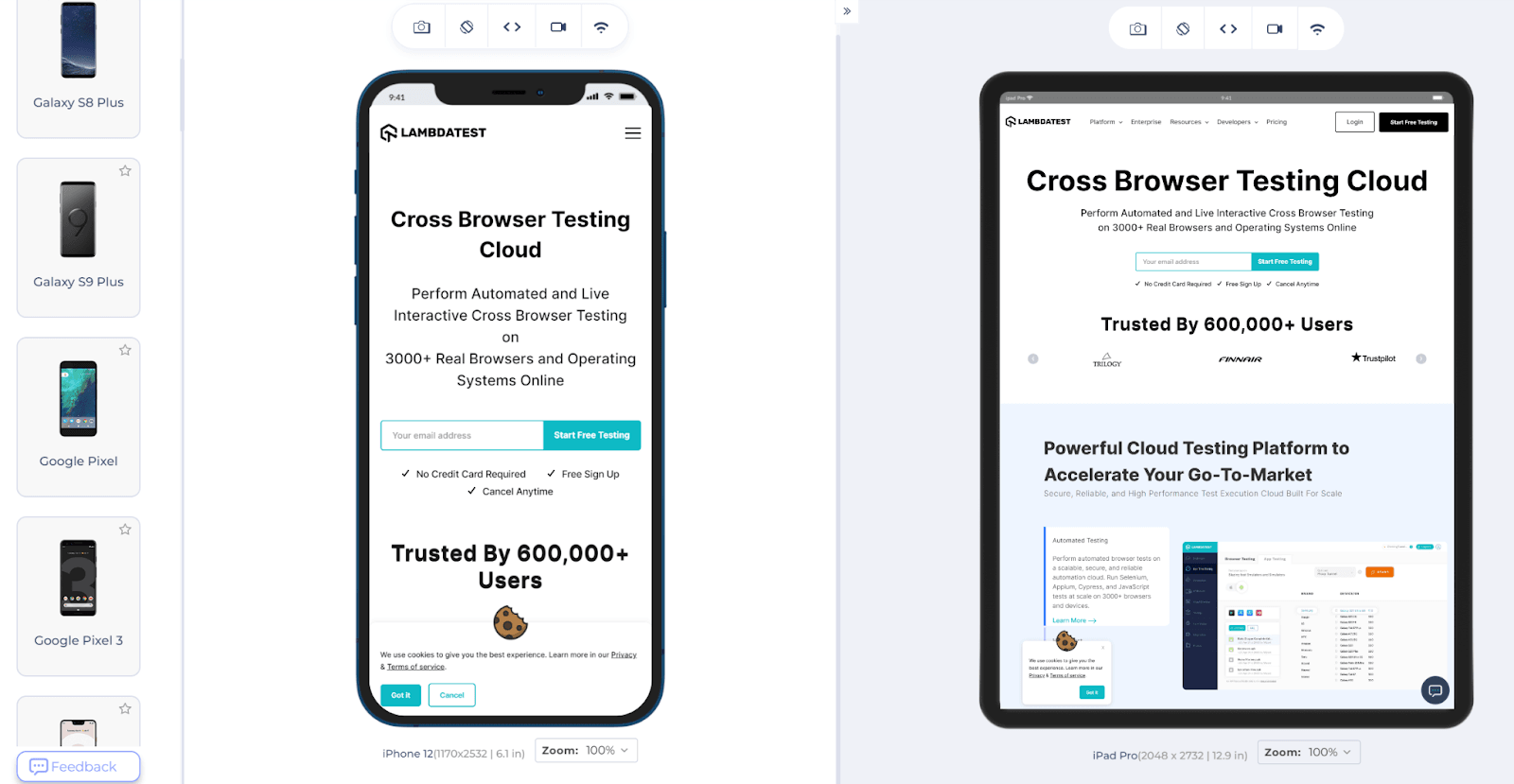
The same site can render as a mobile layout on iPhone and a desktop-style layout on iPad, which is why responsive CSS design needs checking on both.
Key Takeaway: iOS is far less fragmented than Android, with 79% of iPhones on iOS 26. iPads lag more, with 32% on older iPadOS, so test layouts on both iPhone and iPad.

Note: Check your app on the iOS and iPadOS versions your users still run, on real iPhones and iPads. Start testing on TestMu AI free
What Challenges Does iOS Fragmentation Create
These are the challenges iOS device and version fragmentation create for developers and testers.
Two Operating Systems
Whether you build web, hybrid, or native apps, you have to support both iOS and iPadOS. This comparison of web vs hybrid vs native apps explains the tradeoffs. Many users own an iPhone and an iPad, and expect the same experience on both.
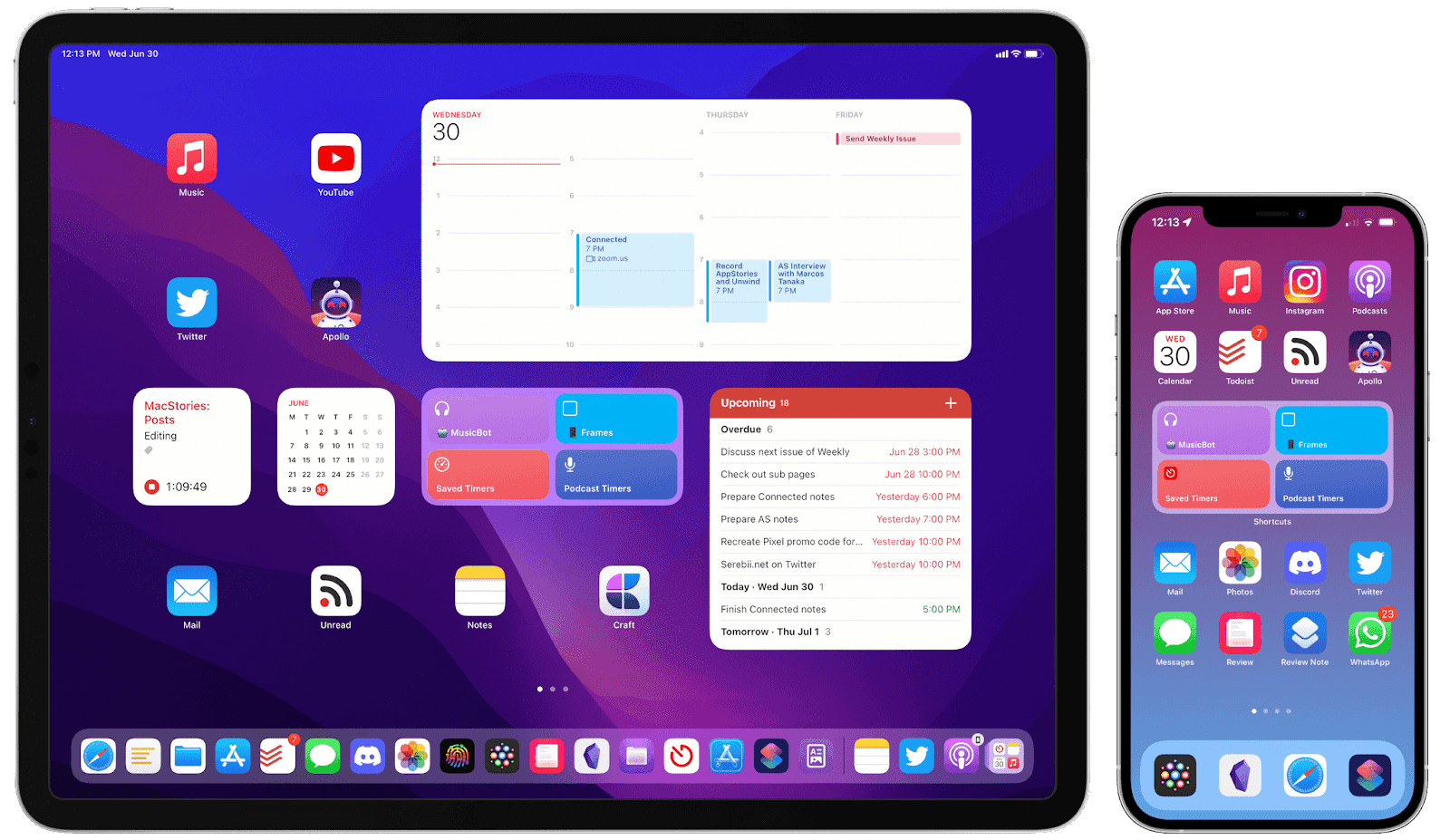
Native apps must respect each device's layout rules and input methods, which makes design and testing more involved than a single platform.
Browser Fragmentation
Safari on iPad requests desktop versions of many websites, while Safari on iPhone gets mobile versions. A desktop layout on a smaller iPad screen can leave tap targets too small.
A responsive design testing checklist helps catch these cases, including responsive CSS media queries and image sizing.
UI Issues
Resolution, screen size, and browser differences multiply into many layouts to check. Users may miss a functional bug, but they rarely miss a broken layout.
Older Versions Still Matter
About one iPhone in five and nearly one iPad in three run a release older than iOS 26 or iPadOS 26. Your analytics decide how many of those versions to keep in the test matrix.
iPadOS Has Its Own Release Track
Apple split iPadOS from iOS in 2019. Features such as multitasking behave differently on iPad, so passing on iPhone does not guarantee passing on iPad.
Device Fragmentation
Apple is the only manufacturer, but it releases several iPhone and iPad models every year with different screens and chips. Hardware variety adds to version variety.
For the wider picture, see these mobile app testing challenges and their solutions.
How Do You Deal With iOS Version Fragmentation
Deal with iOS version fragmentation by testing the versions your analytics show, on both iPhone and iPad, using real devices and automated regression runs, not the newest release alone.
Build these steps into your mobile app testing strategy:
- Pick versions from analytics - Test the iOS and iPadOS versions your users actually run.
- Cover iPhone and iPad separately - Keep test cases for iPad layouts and multitasking.
- Use real devices - Confirm behavior on physical hardware before release, not only on simulators.
- Automate regression - Run the same suite on every supported version after each app update.
- Review the matrix quarterly - Drop versions as your users move to newer releases.
Keeping that regression suite current is often the bottleneck. KaneAI lets teams write app test steps in plain English, so the same flows can run on each supported iOS version without rewriting scripts.
Buying and maintaining every iPhone and iPad model in-house gets expensive quickly. Test on iOS devices in the cloud instead, where TestMu AI offers a real device cloud of 10,000+ real devices.

How Does iOS Fragmentation Affect Stakeholders
iOS version fragmentation affects three groups behind every app.
Developers and Testers
They feel it first. More versions and devices mean more test runs and more compatibility fixes, which stretches release cycles.
The Business
A feature that fails on one iOS version, or an iPad layout that breaks, turns into bad reviews and uninstalls. Coverage decisions are business decisions.
The Users
Users on older versions or older devices see the bugs that slip through. They rarely update just to fix your app.
Note: Cover older iPhones and iPads without building a device lab. Start testing on TestMu AI free
Conclusion
iOS is less fragmented than Android, but not unfragmented. One iPhone in five and nearly one iPad in three still run an older release.
Pull your iOS and iPadOS version breakdown from analytics this week, and make sure every version above a few percent has a place in your regression runs.
Author

Harish Rajora
Blogs: 100


Harish Rajora is a software developer at TestMu AI with over 6 years of hands-on experience in Python and cross-platform application development across Windows, macOS, and Linux. He has authored 800+ technical articles and worked on large-scale projects, including GenAI applications and core engineering features used by millions. Harish has led DevOps initiatives building CI/CD pipelines with Jenkins, AWS, GitLab, and GitHub, and holds an M.Tech in Software Engineering from IIIT Allahabad.
Reviewer

Navin Chandra
Reviewer
Navin Chandra is a Member of Technical Staff at TestMu AI (formerly LambdaTest), building the open-source automation that powers its Selenium and Appium cloud grid. A committer to both Selenium and Appium, he implemented WebDriver BiDi support in Selenium for real-time browser events and bidirectional control and is developing Apple's iOS RemoteXPC protocol in Appium to enable low-level wireless communication with iOS system services. He contributes to Selenium across multiple language bindings as a member of the Selenium GitHub organization. He has served as a Google Summer of Code mentee and mentor at openSUSE and an LFX mentee at CNCF's KubeArmor, and is a SUSE Certified Deployment Specialist. Navin holds a B.Tech in Computer Science.


iOS Fragmentation FAQs
Did you find this page helpful?
More Related Blogs
TestMu AI forEnterprise
Get access to solutions built on Enterprise
grade security, privacy, & compliance
- Advanced access controls
- Advanced data retention rules
- Advanced Local Testing
- Premium Support options
- Early access to beta features
- Private Slack Channel
- Unlimited Manual Accessibility DevTools Tests