

Power Your Software Testing with AI Agents and Cloud
The Native AI-Agentic Cloud Platform to Supercharge Quality Engineering. Test Intelligently and Ship Faster.


- TestMu AI (Formerly LambdaTest)
- /
- Blog
- /
- 15 Best iPhone Emulators You Should Try in 2026
15 Best iPhone Emulators You Should Try in 2026
Test, develop, or just play: 15 iPhone emulators for PC, Mac, and cloud in 2026, what each one does best, what's free, and the trade-offs to know.
Last Updated on:
On This Page
- What are iPhone Emulators?
- What Are the Best iPhone Emulators for App Testing?
- What Are the Best iPhone Emulators for Gaming?
- How Do You Install an Emulator on iPhone?
- Are iPhone Emulators Allowed on the App Store?
- How Is AI Changing iPhone Emulators and iOS Testing?
- How Do You Choose the Right iPhone Emulator?
An iPhone emulator is software that recreates iPhone behavior on Windows, macOS, or the cloud. Top app-testing options: Xcode's iOS Simulator, TestFlight, Appetize.io, Corellium, and TestMu AI; for gaming, Delta, PPSSPP, RetroArch, and Dolphin. Due to Apple restrictions, most run as simulators or cloud environments, not true hardware emulators.
In this blog, we will explore the best iPhone emulators you can use, their features, use cases for testing and gaming, and how to choose the right emulator for your needs.
Overview
No true iPhone hardware emulator exists for general use, because Apple restricts the low-level system access one would need. What you actually pick between is Apple's own simulator, a cloud iOS environment, or a game emulator, and the right choice follows from whether you are developing, testing a release build, or playing retro titles.
Which iPhone Emulator Should You Use?
- Best for daily iOS development: Xcode's iOS Simulator is Apple's own tool, bundled with Xcode and free with a developer account. Requires a Mac, and it simulates rather than emulates iPhone hardware.
- Best for beta distribution: TestFlight puts real builds on real testers' devices before an App Store release. It complements the Simulator rather than replacing it.
- Best for security research: Corellium is the only commercial ARM-level iOS virtualization platform, which is why it dominates jailbreak analysis and vulnerability work rather than routine app QA.
- Best for browser-based demos: Appetize.io streams iOS apps into a web browser with no local install, which suits sales demos and quick shared reproductions.
- Best for retro gaming on the App Store: Delta installs directly from the App Store, after Apple opened it to game emulators in April 2024. It requires you to supply your own ROM files through the Files app.
- Best for multi-system retro gaming: Provenance is free and open source, also available on the App Store, and covers a wider spread of consoles than Delta. Full-system emulators such as DolphiniOS still need AltStore sideload.
- Best for release verification: TestMu AI's real device cloud runs the build on physical iPhones, which emulators cannot match on real chipsets, thermal behaviour, or true Safari rendering.
What are iPhone Emulators?
An iPhone emulator is a software tool that recreates the behavior of an iPhone on another device such as Windows, macOS, or the cloud. It allows users to test mobile apps in an iOS environment, check layouts, and verify compatibility without needing a physical iPhone. If you need the reverse setup, running Android apps on Apple hardware, an Android emulator for iPhone covers that scenario.
Developers and testers use iPhone emulators to:
- Test apps on different screen sizes.
- Check UI and performance.
- Run automation scripts.
- Debug iOS applications.
- Preview apps during development.
Because Apple tightly controls iOS, true hardware-level emulation is limited. Most tools provide simulation or remote device access instead of full emulation.
iPhone Emulator vs Simulator
The two terms get used interchangeably but they are not the same. An emulator reproduces device hardware behavior; a simulator only mimics the surface-level UI and APIs. Apple's own Xcode tool, despite its name in casual use, is technically a simulator. Our breakdown of emulator vs simulator vs real device covers where each one stops being trustworthy.
| Feature | Emulator | Simulator |
|---|---|---|
| Hardware virtualization | Yes | No |
| Runs real iOS | Sometimes | No |
| Performance testing | Yes | Limited |
| UI testing | Yes | Yes |
| Used by developers | Yes | Yes |
What Are the Best iPhone Emulators for App Testing?
The best iPhone emulators for app testing are Xcode's iOS Simulator, TestMu AI, Smartface, TestFlight, Appetize.io, AIR SDK, QEMU, and Corellium.
Here is the list of our handpicked iPhone emulators for iOS app testing.
1. Xcode
Xcode is Apple's comprehensive tool, encompassing development, testing, and application submission. While it includes an iPhone emulator, specifically for iOS-based emulation, it offers additional tools for various purposes. If your goal is to develop an application within the Apple ecosystem, Xcode is the ideal starting point.
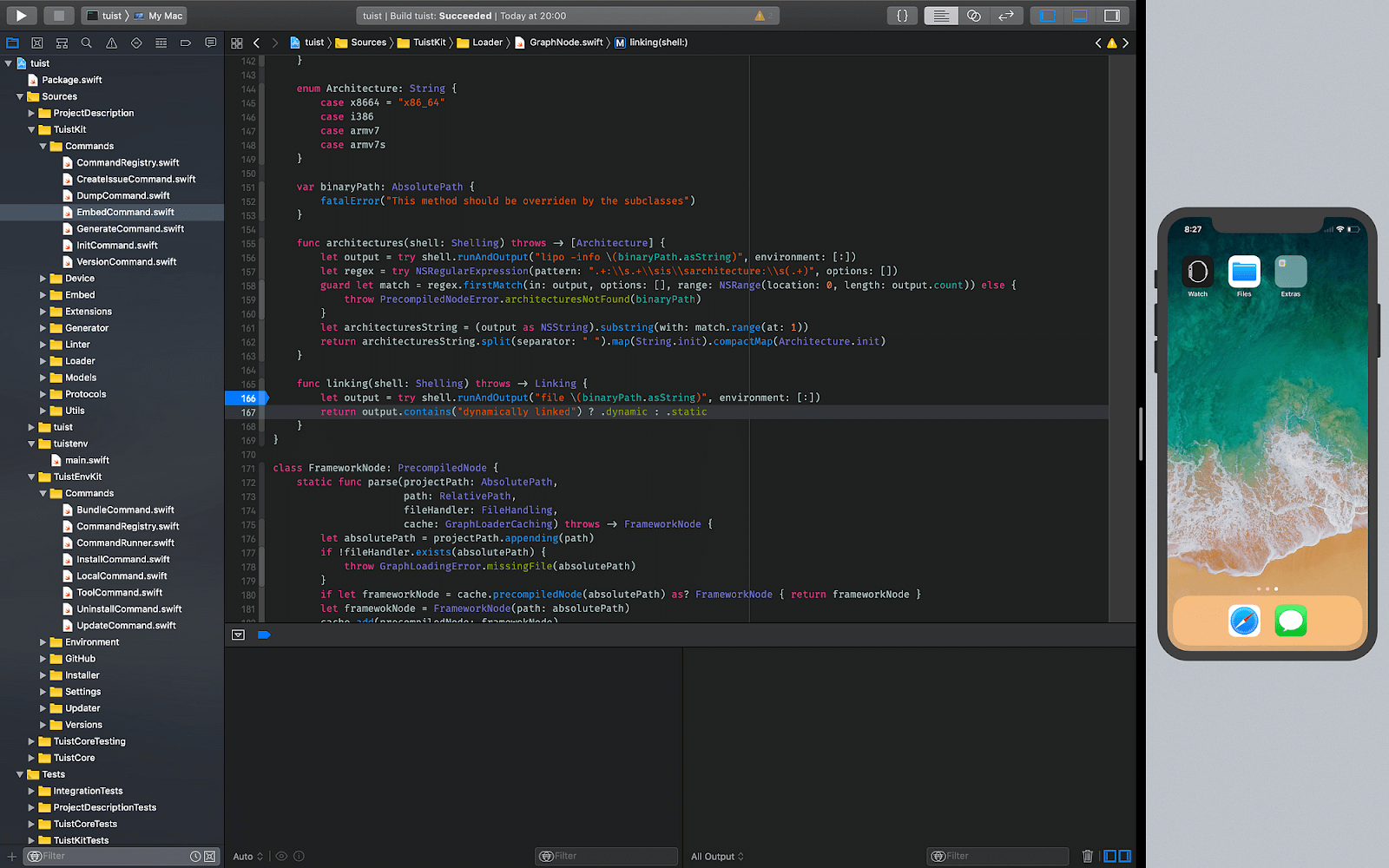
Features of Xcode:
Below are the key features of why Xcode is better as an iPhone emulator.
- Comprehensive emulator: It is a professional tool offering coding support, testing capabilities, fast debugging, and other essential features for accelerated application development.
- System resource monitoring: It supports metrics for monitoring system resource consumption during application development, aiding in optimizing applications.
- Apple-centric approach: It is exclusively designed for and by Apple. It provides direct access to Apple resources for developing applications on their systems, including support for performance metrics and Silicon chip compatibility for Mac systems.
- Extensive language support: It offers various programming languages for project initiation, encompassing C++, Objective-C, and Swift.
- Machine learning integration: It empowers developers to train machine learning models and conduct tests within the application on any iOS-based device.
Xcode is the right pick for developers and testers building inside the Apple ecosystem. It bundles every tool needed to ship to the App Store, but it only runs on macOS and cannot run jailbroken or third-party builds outside Apple's signing rules.
Best for: Native iOS app development and the official iOS Simulator on a Mac with Apple Silicon or Intel.
Pricing: Free (requires a free Apple Developer account; App Store publishing requires the paid Apple Developer Program).
2. TestMu AI (Formerly LambdaTest)
TestMu AI is an AI-native test execution platform that lets you run manual and automated tests on a vast scale across 10,000+ real iOS and Android devices, browsers, and OS combinations.
As a virtual device cloud, it serves the needs of developers and testers, offering iPhone emulators for app testing. It provides access to the latest devices, which can be operated directly on the website for testing purposes.
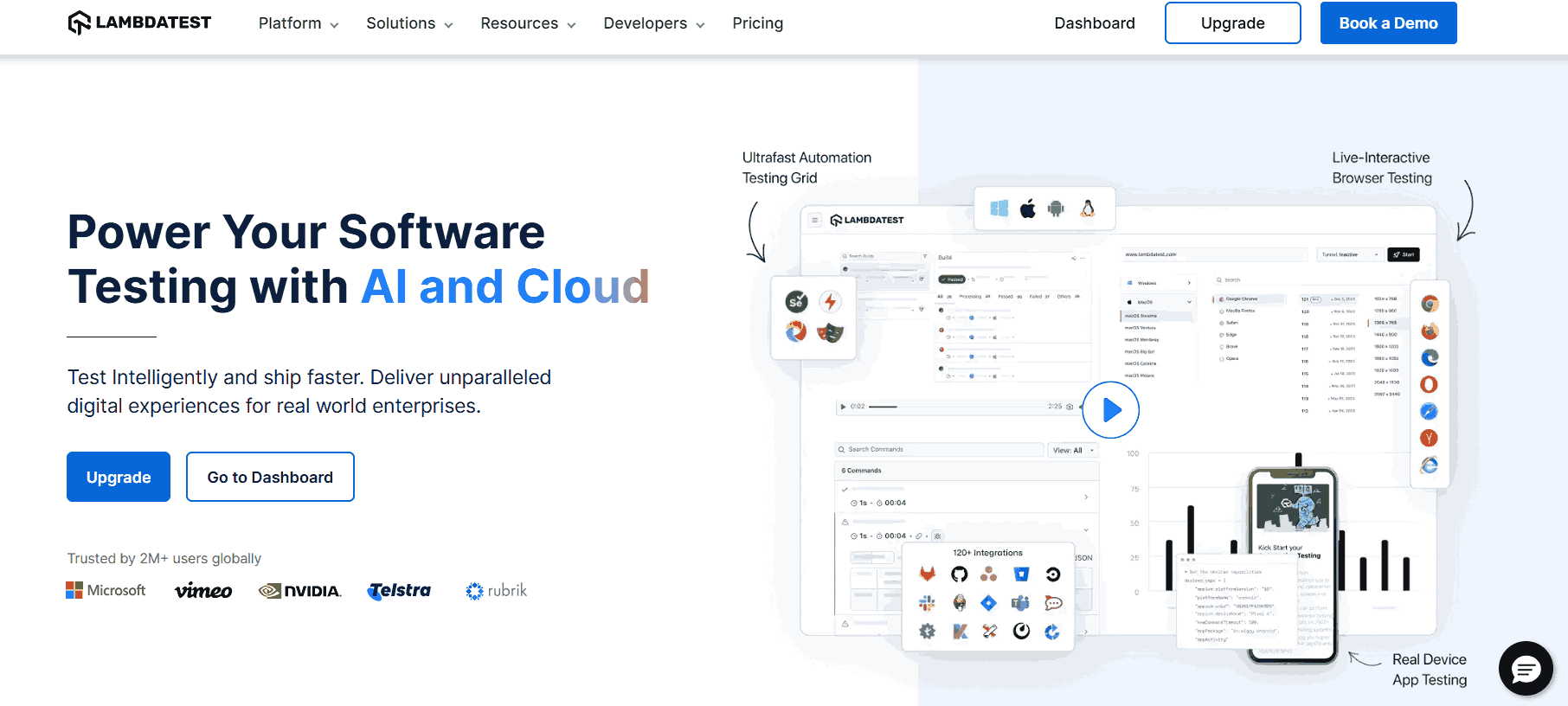
Features of TestMu AI:
- Wide range of emulators: Goes beyond emulators to cover mobile and web testing in a single tool, so testers don't navigate multiple stacks.
- One-click app upload: Upload .ipa or app.zip files directly into the cloud and run them on any selected virtual or real device.
- Emulators, simulators, and real devices: Switch between iOS Simulator, virtual devices, and real iPhones in the same session.
- Responsive testing: Validate UI across screen sizes from iPhone SE to iPad Pro without device swapping.
- Global geolocation testing: Simulate GPS or IP geolocation to exercise location-specific app behavior.
To get started, head over to this guide on real time mobile app testing.
Best for: Cloud-based iOS testing on real iPhones and an iPad simulator online without maintaining an in-house device lab.
Pricing: A free plan with no trial time limit, then paid Live and automation tiers billed monthly or annually, plus a custom enterprise tier. Current figures are on the TestMu AI pricing page.

Note: Run iOS app tests across 10,000+ real iPhones and iPads with TestMu AI. Try TestMu AI free.
3. Smartface
In our selection of top iPhone emulators, we include Smartface, recognizing that developing generic emulators can be costly, and only a few may excel in every domain. Focusing on a specific domain is more beneficial if the emulator proves its worth. Certain emulators are designed for particular purposes, like Eclipse for games, while others, such as Smartface, excel in testing.
Smartface offers a comprehensive package, operating as an Integrated Development Environment (IDE) rather than a standalone emulator. Despite featuring a built-in emulator, we recommend this software for testing.
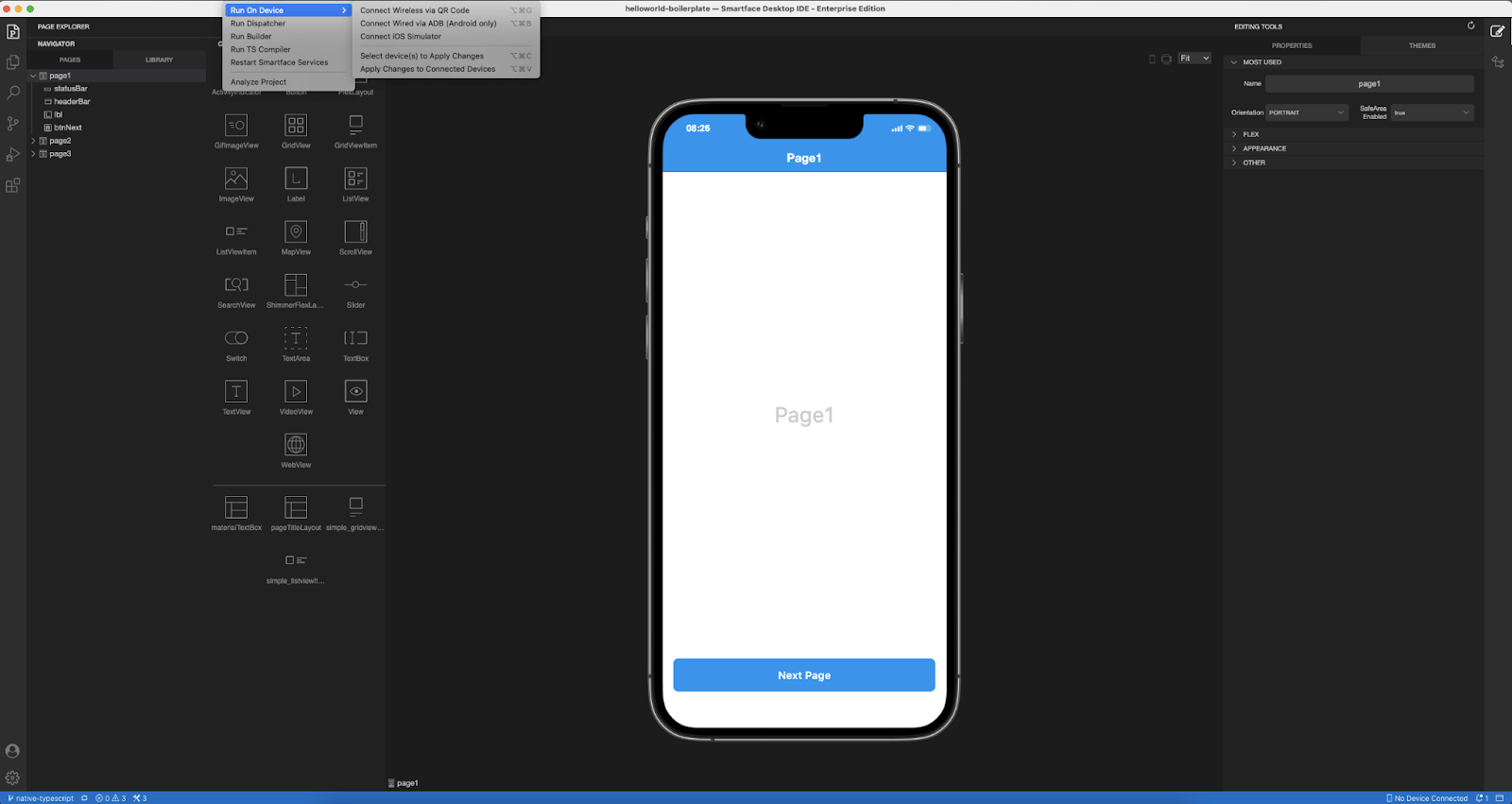
Features of Smartface:
Below are the key features of why Smartface is better as an iPhone emulator.
- Efficient performance: It is known for its swift performance as an iPhone emulator. The duration between selecting the emulator and its actual execution is concise. It makes it an excellent choice for testers who need to quickly switch between different devices, countering the common issue of slow emulators.
- Cross-platform availability: It is versatile, supporting both macOS and Windows operating systems, providing users with flexibility in choosing their preferred platform.
- Robust debugging tools: It enhances the testing phase with robust debugging support, offering features like watches, breakpoints, and real-time verification of code changes. It ensures efficient and effective testing procedures.
- Dedicated support: It prioritizes user assistance by offering vital support features. Users can easily connect with the in-house support team to address any issues, ultimately saving time in debugging software problems.
Strictly speaking, Smartface is a development IDE rather than a pure iPhone emulator, but its built-in device preview lets you test iOS apps on Windows without a Mac, which is why it appears on most iPhone-emulator roundups.
Best for: JavaScript or TypeScript iOS app development on Windows when a Mac is not available.
Pricing: Free tier with a limited project size. Paid developer and enterprise tiers are quoted on the vendor site, with the enterprise tier adding SOC 2 compliance and CI/CD hooks.
4. TestFlight
TestFlight is Apple's official beta-distribution platform for iOS, iPadOS, watchOS, tvOS, and visionOS apps. It is not a hardware emulator in the technical sense; it lets developers send pre-release builds to a controlled tester pool who install the app on their own iPhones. Most listicles include it under "iPhone emulator" because it stands in for a real device lab during the beta phase.
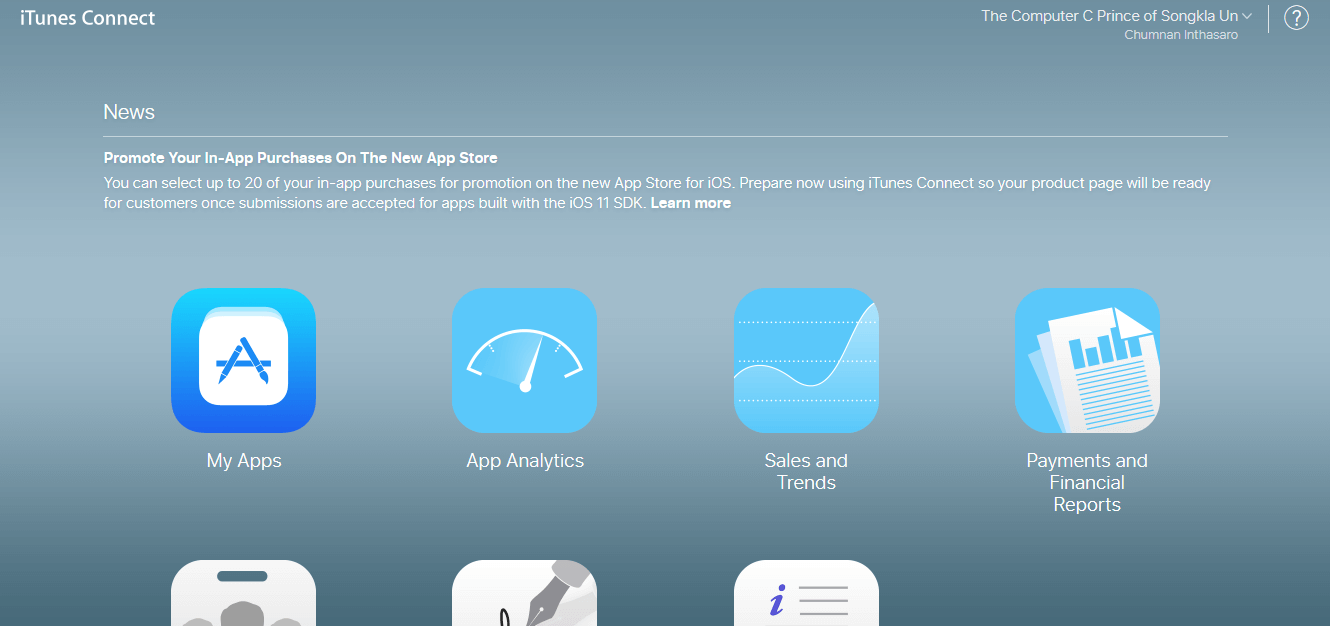
Features of TestFlight:
- Large tester pools: Up to 10,000 external testers per app via a public link or email invite.
- Internal team support: Up to 100 internal members can be invited with separate roles for QA, marketing, and product.
- Inline feedback: Testers send screenshots and comments straight from the TestFlight app, no extra portal required.
- Multi-device testing: A single tester can install the build on up to 30 of their own iOS devices for coverage across screen sizes and OS versions.
Best for: Distributing beta iOS builds to real users on real iPhones before App Store release.
Pricing: Free with an active paid Apple Developer Program membership.
5. Appetize.io
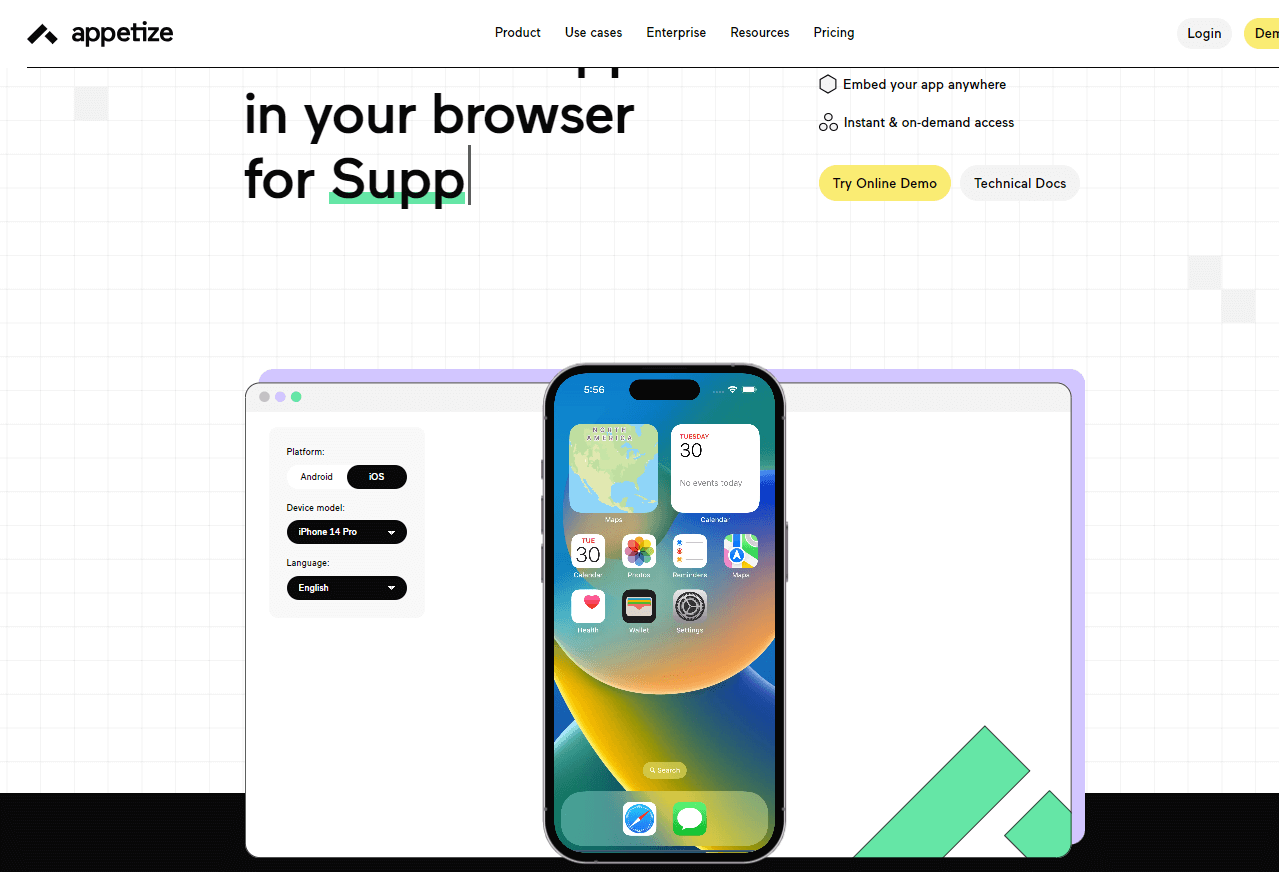
Appetize.io is a handy browser-based emulator, so you don't have to install applications. You can easily upload and install the app directly from your browser without extra tools or plugins.
The process of uploading might vary for different experts in specific fields. You can upload it directly like a file if you're just using the emulator to run an application. However, for testers and developers, there's the option to use an API or third-party integrations.
Features of Appetize.io:
Below are the key features of why Apperize.io is better as an iPhone emulator.
- Playback options: This iPhone emulator website offers various URL options during a single run of an iOS application, featuring numerous query parameters for easy note-taking.
- Application embedding: Utilizing a web browser with URL links that allows the embedding of iPhone emulator application URLs directly onto your website using iFrame-based embedding.
- Direct command issuing: Testers can issue direct commands on their embedded iPhone emulator iFrame through query parameters. These commands, once received, translate into actions reflected on the web page. For example, postMessage('requestSession', '*') is equivalent to the "play" action.
- Customer support: The team provides comprehensive technical and management support for their iPhone emulator. They can even create a custom template for your launch page if needed, enhancing the reliability and trustworthiness of the organization.
Appetize.io stands out as a convenient browser-based iPhone emulator with versatile playback options, iFrame embedding, and direct command issuing for automated runs.
Best for: Embedding browser-based iOS emulators in support flows, demos, and design reviews on any OS, no Mac required.
Pricing: A free tier with a monthly streaming-minute allowance, then paid tiers priced by included minutes, plus on-premise and private-cloud deployments quoted annually. Current figures are on the vendor site.
6. AIR SDK
AIR SDK is an iPhone emulator explicitly designed for developers. Initiated initially as an Adobe project in 2008, it is now managed by HARMAN with ongoing support from Adobe. This cross-browser development platform empowers developers to create standalone iOS applications using a combination of Flex, HTML, and ActionScript.
Features of AIR SDK:
Below are the key features of why AIR SDK is better as an iPhone emulator.
- Easy to navigate: It offers an intuitive and user-friendly interface, making it accessible for beginners to grasp quickly.
- Touch Screen support: It accommodates touch screen events, enabling developers to create precise functionalities around touch interactions. It also provides support for multi-touch gestures.
- Hardware and sensor access: It enables developers to seamlessly integrate hardware and sensor-specific functions into their applications as AIR SDK grants access to essential components such as the camera, microphone, accelerometer, and geo-location.
- Integrated Adobe support: It is compatible with other Adobe applications. This integration ensures a smooth workflow for developers using Adobe tools.
- Application track record: It boasts a track record of over 100,000 applications built using its platform. While this signifies a robust development community, the emulator may benefit from updates aligning with modern functionalities and supporting newer technologies.
AIR SDK is not strictly an iPhone emulator. It is a cross-platform runtime: you write your app once in ActionScript, Flex, or HTML, and AIR packages it for iOS, Android, Windows, and macOS. The "emulator" angle here is the device preview during development.
Best for: Legacy ActionScript or Flex codebases that still need an iOS target without rewriting in Swift.
Pricing: Free tier available for non-commercial use; commercial AIR SDK licenses sold by HARMAN with pricing on request.
7. QEMU
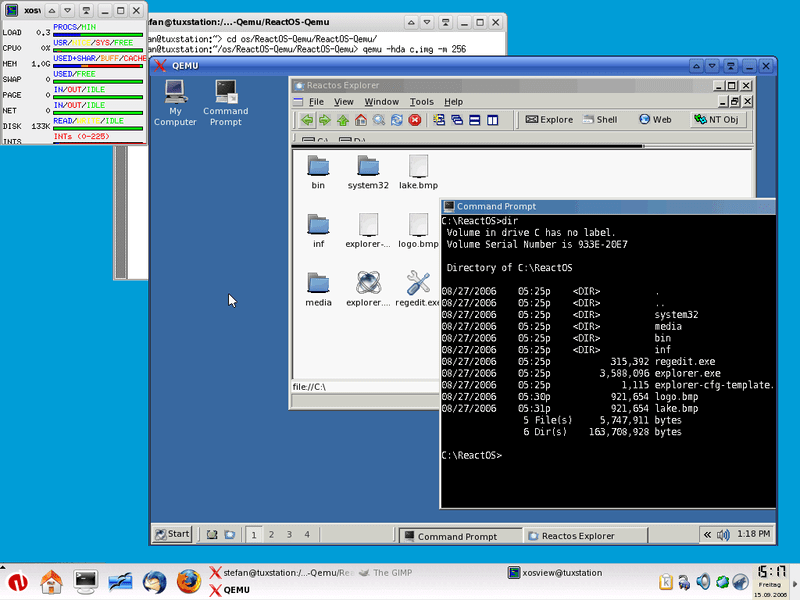
QEMU, or Quick Emulator, distinguishes itself as a unique emulator emphasizing hardware simulation rather than software emulation. It enables virtualization, allowing users to create virtual machines with customized hardware configurations. Following the open-source paradigm, QEMU is freely available for use by everyone.
Features of QEMU:
Below are the key features of why QEMU is better as an iPhone emulator.
- Hardware replication: It excels in replicating processors and their capabilities, ensuring accurate testing results for the targeted device.
- Architecture support: It supports a range of architectures for replication, including x86, ARM, PowerPC, RISC-V, and others.
- Virtual machine implementation: It facilitates the creation of virtual machines, including Kernel-based Virtual Machines (KVMs), delivering near-native performance and cost-effective solutions for developers and testers.
- Parallel execution design: Its ability to execute multiple virtual CPUs in parallel enhances efficiency by enabling simultaneous work on multiple machines.
- Open-source and free: It is an open-source platform. QEMU is freely accessible to all, aligning with its commitment to open collaboration and development.
QEMU is a general-purpose machine emulator and virtualizer rather than a turnkey iPhone emulator. Running iOS on it requires advanced setup (research projects like qemu-t8030) and is mostly used for security research, not day-to-day app testing.
Best for: Security researchers and platform engineers who need scriptable low-level virtualization and can wire up an iOS image themselves.
Pricing: Free, open-source (latest v11.0.0, April 21, 2026).
8. Corellium
Corellium is the only commercial platform that runs full ARM-virtualized iOS instances on cloud or on-premise servers. It is the closest thing to true iPhone emulation: instant root access, kernel-level debugging, and the same iOS build that ships to physical devices, without Apple's lockdown restrictions.
Used by security researchers, fuzzing teams, and mobile app penetration testers. It also serves dev teams that need disposable iOS sandboxes for CI pipelines.
Features of Corellium:
- Full ARM virtualization: Boots an unmodified iOS image with kernel-level visibility, not a UI simulation.
- Snapshot and clone: Capture device state and spin up identical instances for parallel testing or reproducing a bug.
- MATRIX automated security testing: Built-in mobile app pen-testing automation for OWASP-style audits.
- iOS and Android side-by-side: Same platform virtualizes both major mobile operating systems.
- On-prem and cloud: Deploy in your data center for regulated environments or use Corellium's hosted service.
Best for: Mobile app security research, vulnerability testing, and CI workflows that require kernel-level iOS access.
Pricing: Custom; contact sales for quote. Free trial available.
What Are the Best iPhone Emulators for Gaming?
The best iPhone emulators for gaming are Delta, PPSSPP, RetroArch, Eclipse, DolphiniOS, Provenance, and touchHLE, most of them free.
Most "iPhone gaming emulators" are actually classic-console emulators that run on iPhone hardware. Apple opened the App Store to retro game emulators in April 2024, so several of these are now installable directly from the App Store, while others still require AltStore or sideload paths. The picks below are the ones the iOS retro community treats as table stakes in 2026.
9. Delta
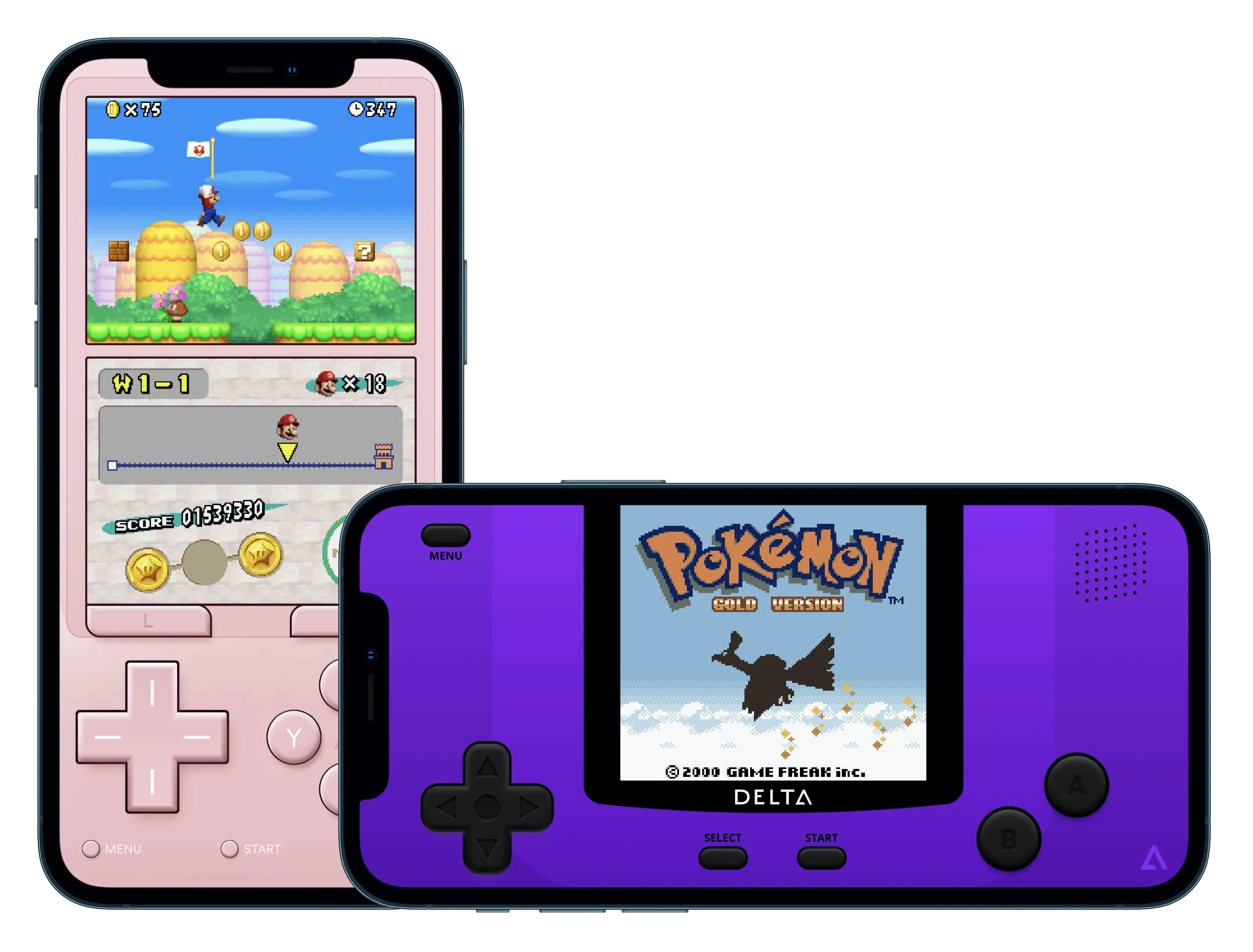
Delta is a well-known gaming emulator for iOS devices that allows users to play classic console games directly on their iPhone or iPad. It is often listed among the best emulators for iPhone because it supports multiple retro gaming systems in a single application.
Delta supports several Nintendo platforms, including Game Boy, Game Boy Color, Game Boy Advance, NES, SNES, Nintendo 64, and Nintendo DS.
Features of Delta Emulator:
- Controller support: It supports external controllers such as PlayStation, Xbox, and MFi controllers.
- Cloud sync: Delta allows users to sync game saves and data through cloud storage.
- Save state feature: It includes quick save and load options.
- Multi-console support: It can run games from multiple Nintendo systems.
- Performance controls: Users can speed up gameplay, adjust settings, and customize controls.
- Customizable interface: It offers themes, layout options, and control settings.
Best for: Classic Nintendo gaming on iPhone, available directly from the App Store.
Pricing: Free on the App Store, with optional paid Patreon support tiers that unlock alternate app icons, experimental features, and early access.
10. PPSSPP Emulator
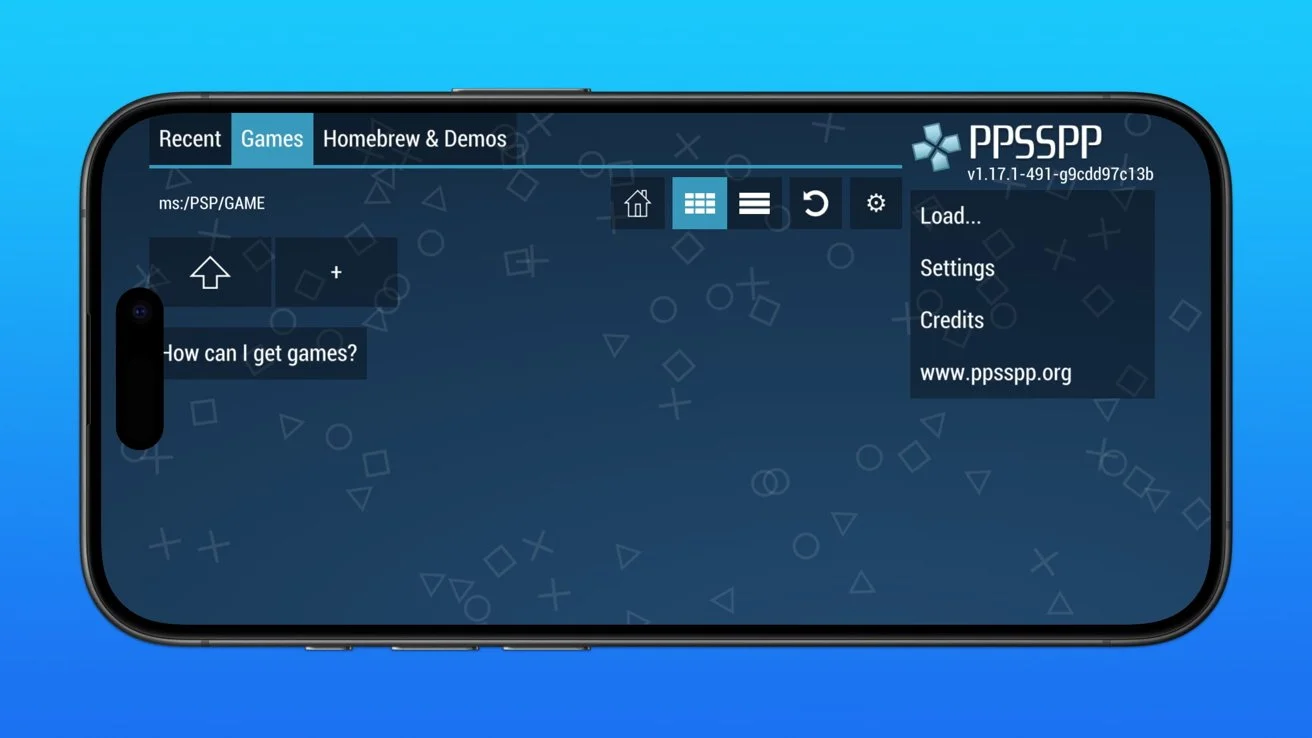
PPSSPP is a popular PSP emulator that allows users to play PlayStation Portable games on multiple devices, including iPhone through alternative setup methods. It is often listed among the best emulators for iPhone because of its smooth performance, high-quality graphics, and strong game compatibility.
With advanced settings, save-state support, and controller compatibility, PPSSPP is a good choice for users looking for gaming-focused emulators for iPhone.
Features of PPSSPP Emulator:
- High-quality graphics: It can improve resolution and textures, allowing games to run with better visuals than the original PSP.
- Save state support: Users can save and load progress anytime, making gameplay more flexible.
- Controller compatibility: It supports external controllers, providing a better gaming experience than touchscreen controls.
- Performance settings: Users can adjust speed and graphics settings to make games run smoothly.
- Wide compatibility: PPSSPP supports many PSP games and works on multiple platforms, including Windows, Android, and iOS with setup methods.
Best for: PSP games on iPhone with high-fidelity graphics and external controller support.
Pricing: Free, open-source.
11. RetroArch
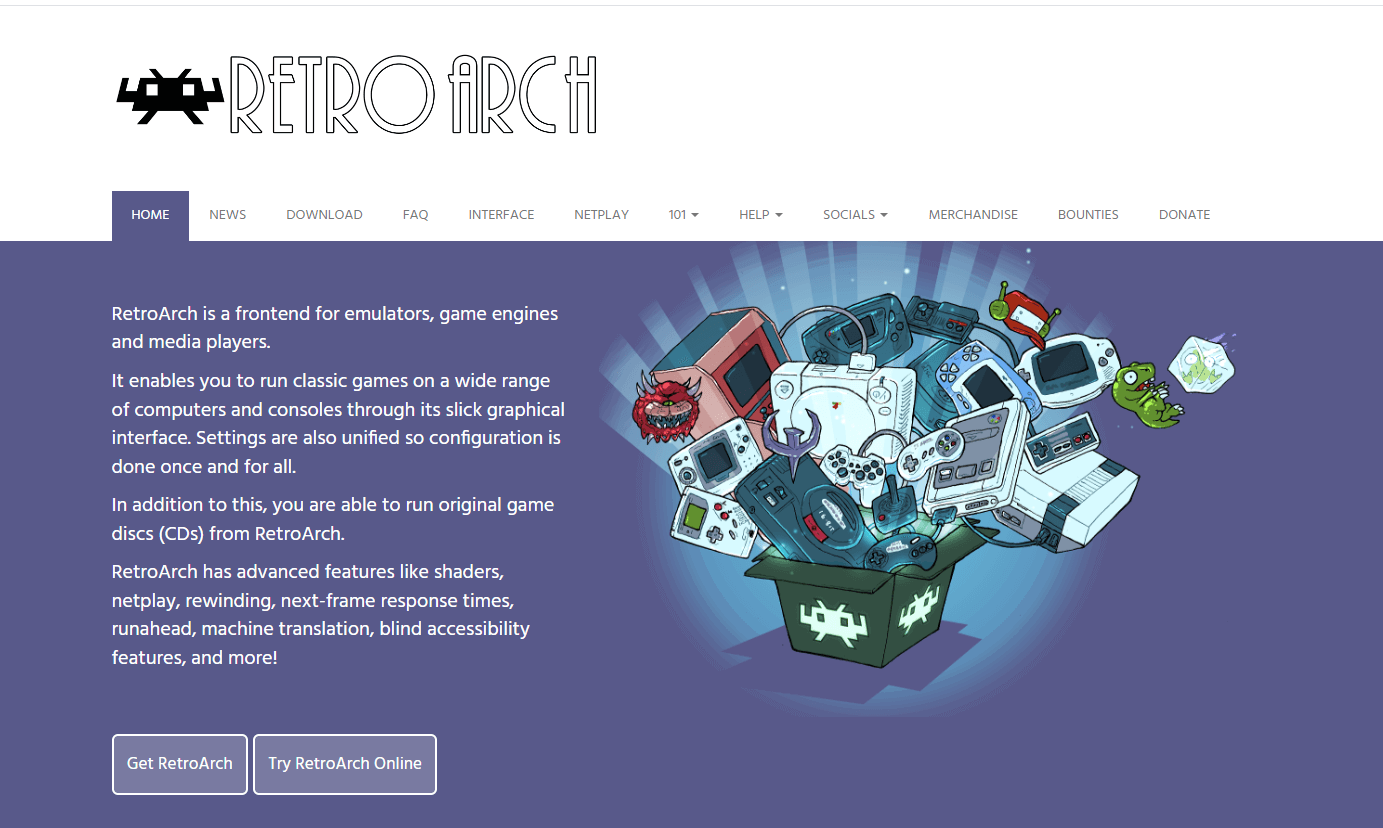
RetroArch is a frontend for emulators, game engines, and media players. Its user-friendly interface lets users enjoy classic games on various computers and consoles. The unified settings streamline configuration, providing a one-time setup.
Notably, RetroArch supports the running of original game discs (CDs). It offers advanced features such as shaders, netplay, rewinding, next-frame response times, run ahead, machine translation, blind accessibility features, and more, enhancing the gaming experience.
Features of RetroArch:
Below are the key features of RetroArch that make it better as an iPhone emulator.
- Comprehensive support: It has extensive support across various platforms. It can be used on Windows, macOS, Linux, PlayStation, Xbox, Wii U, browsers, Haiku, and many more.
- Large community: Its popularity has generated a large community base that is always active in resolving user queries.
- Disc support: It maintains a retro feel by allowing game runs using CDs.
- Shader support: It enhances the video and imaging experience using advanced shaders that efficiently run algorithms, resulting in better processing.
- Modern game features: It also supports features that came into the picture with modern gaming. It includes managing savestate and button overlays for touchscreen devices.
- AI inclusion: It includes artificial intelligence on selected features, such as translating text using machine translation.
This platform explicitly serves gamers. If you intend to run a game on an iPhone device, RetroArch is the ideal choice for you.
Best for: Running a wide library of retro systems through a single unified frontend on iPhone.
Pricing: Free, open-source. Available on the App Store and via sideload.
12. Eclipse
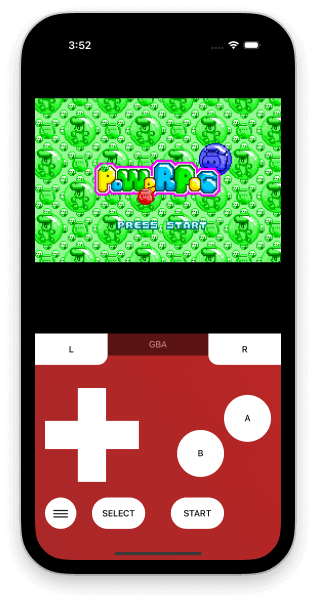
Eclipse is a web-based emulator that does not care about revoking iOS applications. It brings a swift interface to play iOS games even without the internet using local files. It's simple to operate and an optimum choice for non-iOS users and iOS users looking to play revoked games on any device.
Features of Eclipse:
Below are the key features of why Eclipse is better as an iPhone emulator.
- Library feature: It introduces the "Library" concept, allowing users to organize their favorite games in one place. Even if games are removed from the official Apple store, they remain accessible in the library, enabling users to switch between games and play them offline.
- Web-based accessibility: It only requires a web browser for operation that enhances user-friendliness, providing a hassle-free experience.
- Game inclusion support: It supports including games from various platforms in the library. Users can import games from Google Drive and Dropbox, expanding the range of accessible titles.
- System compatibility: It supports games from diverse systems, including Game Boy, Game Boy Color, Game Boy Advance, Nintendo Entertainment System, Super Nintendo, Sega Master System, and Sega Game Gear. The emulator continually expands this list to accommodate more systems.
- Multiple input support: It offers versatile input support, including touch, keyboard, and controller options. These input methods are integrated into the built-in emulator settings, allowing users to customize them according to their preferences.
Eclipse is a simple and effective emulator focusing on the gaming part. While there are other gaming emulators, users prefer Eclipse due to its offline feature and the library arrangement of applications that never get revoked.
Best for: Browser-based retro gaming on iPhone with no install, useful when sideloading is off the table.
Pricing: Free, web-based.
13. Dolphin (DolphiniOS)
Dolphin is the long-running GameCube and Wii emulator with a 20-year history. On iPhone, the supported port is DolphiniOS, maintained by OatmealDome. Because Apple's App Store rules block JIT compilation for non-game-system code, DolphiniOS is distributed via AltStore (sideload), not the official App Store. Apps named "Dolphin Emulator - Basic" on the App Store are unrelated and only support NES.
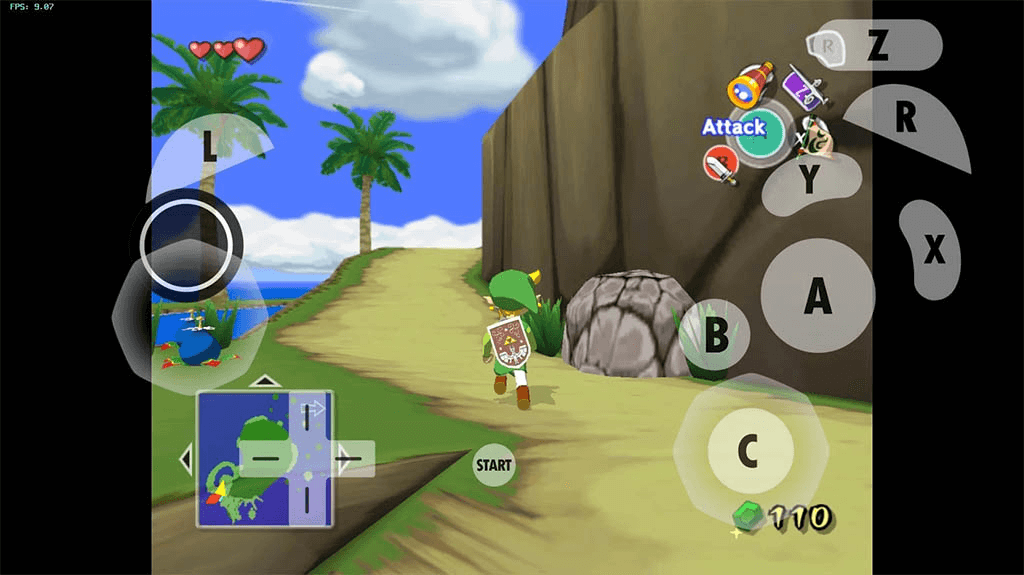
Features of Dolphin / DolphiniOS:
- Open-source and free: Backed by a large contributor community with regular releases.
- External controllers: Supports real Wii Remotes and modern Bluetooth controllers on iPhone.
- Multiplayer support: Local and online Wi-Fi multiplayer for supported titles.
- Save states: Save and resume gameplay anywhere, plus emulated GameCube memory card support.
- High-resolution rendering: Run GameCube and Wii games at higher internal resolutions than the original hardware.
Best for: GameCube and Wii titles on iPhone, for users willing to set up AltStore sideloading.
Pricing: Free, open-source. Distribution requires AltStore sideload, which is now free in both the EU (AltStore PAL, after Epic's MegaGrant covered Apple's Core Technology Fee in 2025) and elsewhere (AltStore Classic, with a free Apple ID).
14. Provenance
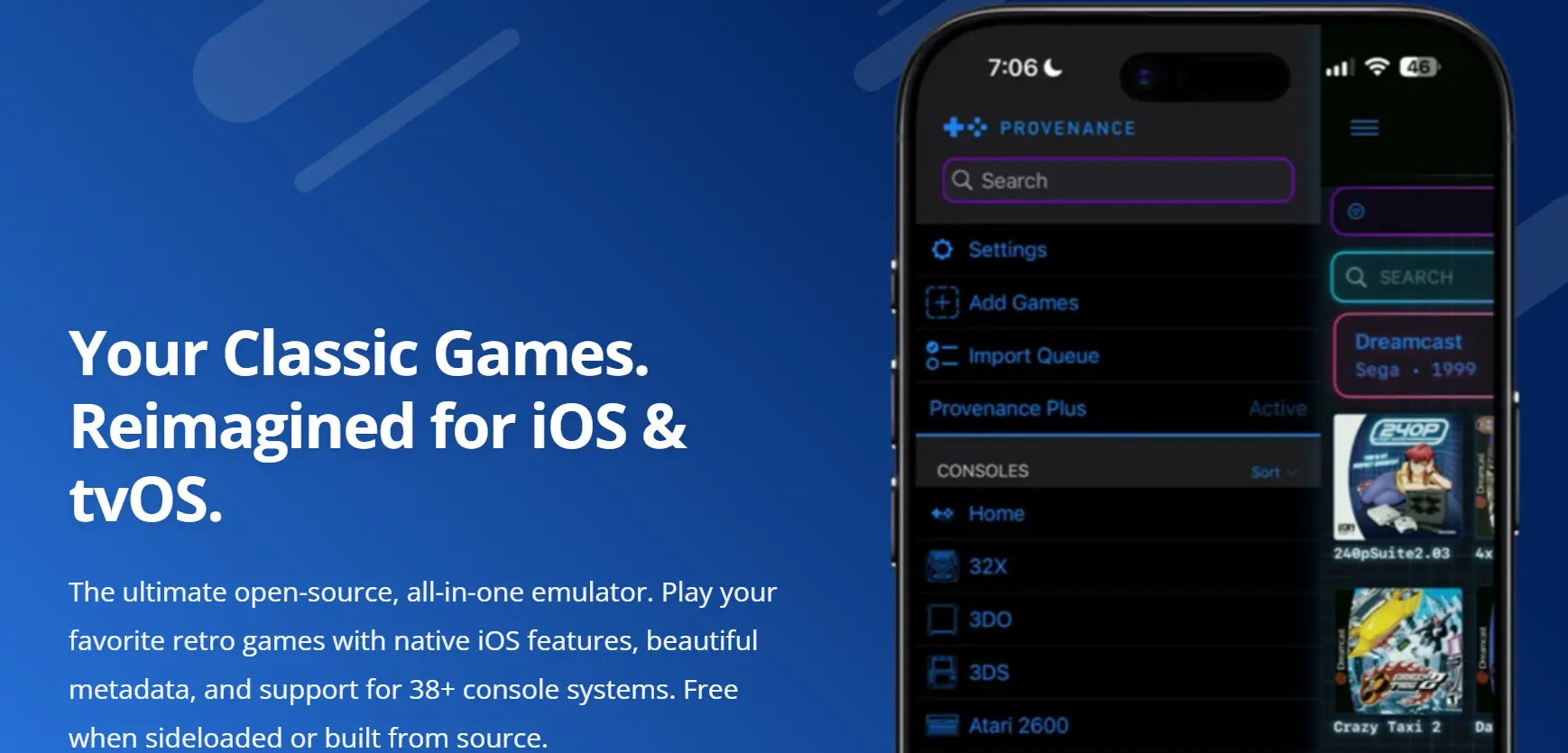
Provenance is a multi-system gaming emulator that allows users to play classic console games on iPhone and other devices. It is often included in the list of the best emulators for iPhone because it supports many retro gaming platforms in one app.
Features of Provenance Emulator:
Below are the key features of Provenance that make it one of the best emulators on iPhone.
- Multi-console support: It supports many classic gaming systems including NES, SNES, Game Boy, GBA, Nintendo 64, and Sega consoles.
- Save state feature: Users can save and resume gameplay anytime without losing progress.
- Controller compatibility: It works with external controllers, giving a better gaming experience than touchscreen controls.
- Graphics and scaling options: The emulator provides filters and display settings to improve visual quality.
- Customizable settings: Users can adjust controls, performance, and display options for better gameplay.
- Stable performance: Provenance is known for smooth gameplay and reliable performance across supported games.
Best for: Multi-system retro gaming on iPhone, iPad, and Apple TV from a single App Store install.
Pricing: Free on the App Store (v3.2.1, March 2026). Optional Provenance Plus tier with extra features.

15. touchHLE
touchHLE is the outlier on this list, and the reason it belongs here is precisely the distinction drawn at the top: it describes itself as a high-level emulator for iPhone OS applications rather than a simulator. It reimplements the frameworks those old apps call, so early iPhone software runs on a desktop with no Apple hardware in the loop.
Its scope is deliberately narrow, and the project is candid about that. The touchHLE repository states that it currently targets iPhone and iPod touch apps for iPhone OS 2.x and iPhone OS 3.0, with iPhone OS 3.1, iPad apps, and iOS 4.x listed as longer-term goals and 64-bit iOS explicitly ruled out. It also notes that the titles which do work are generally games, since support for other apps is not a priority.
None of that helps you test a modern iOS build. What it offers is preservation value, because several of those early apps are no longer installable on any current device or openable by any Apple tool.
Features of touchHLE:
- True high-level emulation: Reimplements iPhone OS frameworks directly rather than wrapping a simulator, which is why it needs no Apple hardware or developer account.
- Official desktop and Android builds: Binaries ship for x64 Windows, x64 macOS, and AArch64 Android; Linux and Apple Silicon builds are possible but you compile them yourself.
- App compatibility database: The project publishes a searchable list of what does and does not run, so you can check a specific title before installing anything.
- Open source under MPL-2.0: The full implementation is auditable, which matters when you are running decades-old binaries.
Best for: Running and preserving early iPhone OS games that no current Apple tool can open.
Pricing: Free and open source.
How Do You Install an Emulator on iPhone?
Installation splits into two routes, and which one you need depends entirely on whether the emulator cleared App Store review.
Route 1: straight from the App Store. Delta and Provenance install like any other app. Search the App Store, tap Get, and you are done. No account changes, no developer mode, no computer required.
Route 2: sideloading via AltStore. Full-system emulators such as DolphiniOS are not distributed through the App Store and need AltStore instead. In the EU, AltStore PAL operates as an Apple-approved alternative marketplace; elsewhere it installs through a desktop companion app that periodically refreshes the app signature.
Loading games is the step people miss. Emulators ship without game content, so you supply your own files:
- Copy your game files into the Files app, either in On My iPhone or a cloud folder such as iCloud Drive.
- Open the emulator and use its import or add-game option.
- Point it at the folder you created, and the titles appear in its library.
- Pair a Bluetooth controller if the emulator supports one, since on-screen controls are the usual complaint with action titles.
If the goal is testing rather than gaming, none of this applies. Xcode's iOS Simulator installs with Xcode itself on a Mac, and cloud platforms need no local install at all.
Are iPhone Emulators Allowed on the App Store?
Yes, and Apple states this in writing. Under section 4.7 of the App Store Review Guidelines, "retro game console and PC emulator apps can offer to download games." Apple adds that the developer is "responsible for all such software offered in your app, including ensuring that such software complies with these Guidelines and all applicable laws." That policy change is why Delta and Provenance are installable directly rather than only through sideloading.
The distinction worth holding onto is between the emulator and the game file. The emulator is software that reimplements a console's behaviour, and Apple's guideline governs its presence on the App Store. The game files you load into it are separate works with their own owners, which is why every emulator on this list ships empty and asks you to supply your own.
Rules around game files vary by country and by how the file was obtained, and this article does not attempt to resolve that. What it can tell you is the documented platform position: Apple permits the emulator apps themselves and places responsibility for the content on whoever supplies it.
How Is AI Changing iPhone Emulators and iOS Testing?
AI coding agents now drive the iOS Simulator directly, building an app, launching it on a simulated iPhone, checking the screen, and fixing what broke in one loop.
Apple's Xcode 26.3 release added agentic coding with Anthropic's Claude Agent and OpenAI's Codex, and exposes Xcode's tools through the Model Context Protocol. Agents can explore a project, iterate through builds, and verify their work visually with Xcode Previews.
Agents still verify inside a simulator, which misses real hardware behavior such as camera, push notifications, and thermal throttling. Run agent-built changes on real iPhones before release.
How Do You Choose the Right iPhone Emulator?
Choose an iPhone emulator by goal: Xcode's Simulator for daily development, a real device cloud for release testing, and Delta or RetroArch for retro gaming.
Not every iPhone emulator works the same way, and the right choice depends on what you want to do. Some are built for gaming, others for app testing or development. Before choosing, check platform support, stability, and whether the tool runs real iOS or only simulates the UI.
If your goal is shipping production iOS apps, start with Xcode for daily dev, then validate the release build on TestMu AI's real device cloud across multiple iPhone models and iOS versions. The mobile app real-time testing docs walk through the cloud session setup end to end.
If you are working from a Windows machine rather than a Mac, the options narrow considerably, and our roundup of iOS emulators for PC covers that case specifically. For the wider tooling picture beyond emulation, see our guide to iOS testing tools.
Author

Deepak Sharma
Blogs: 15

Deepak Sharma is a B2B SaaS content strategist with 5+ years of experience creating valuable content in the tech space. He has authored 100+ technical articles. At TestMu, he is a content lead, where he develops high-value content for readers. He believes writing isn't about sounding impressive it's about clarity and structure. He holds certifications in Cypress, Appium, Playwright, Selenium, Automation Testing and Kane AI.
Reviewer

Siddhant Sinha
Reviewer
Siddhant Sinha is a Lead Member of Technical Staff at TestMu AI architecting Kane CLI, the command-line tool for browser automation from the terminal, where natural-language flows run in a real Chrome browser and return pass or fail with shareable proof. He has spent over three years at TestMu AI (formerly LambdaTest) building scalable platforms that run tests at scale on real Android and iOS devices. His expertise covers platform architecture, large-scale distributed systems, and CLI design, shaped by earlier cloud-native engineering at Semut.io, including building Elasticsearch as a service.


iPhone Emulators FAQs
Did you find this page helpful?
More Related Blogs
TestMu AI forEnterprise
Get access to solutions built on Enterprise
grade security, privacy, & compliance
- Advanced access controls
- Advanced data retention rules
- Advanced Local Testing
- Premium Support options
- Early access to beta features
- Private Slack Channel
- Unlimited Manual Accessibility DevTools Tests