

Power Your Software Testing with AI Agents and Cloud
The Native AI-Agentic Cloud Platform to Supercharge Quality Engineering. Test Intelligently and Ship Faster.


- TestMu AI (Formerly LambdaTest)
- /
- Blog
- /
- How to Disable Cookies on a Browser
How to Disable Cookies on a Browser
Learn how to disable cookies in your browser to enhance privacy, protect personal data, and reduce online tracking.
Last Updated on:
You disable cookies in a browser through its privacy settings: in Chrome, open Settings, select Privacy and security, click Third-party cookies, and choose Block third-party cookies. Blocking third-party cookies stops cross-site tracking, while first-party cookies set by the site you are visiting keep logins and saved preferences working. This guide covers the steps to disable cookies on a browser, why disabling cookies helps, and what changed for third-party cookies in Chrome.
Overview
To disable cookies on your browser, open the Chrome browser, navigate to Settings under the three-dot menu, select Privacy and security, click Third-party cookies, and choose Block third-party cookies. This action blocks cross-site tracking while keeping essential first-party website functions active.
- Chrome Browser: Open the Chrome browser, click the three-dot menu, select Settings, go to Privacy and security, click Third-party cookies, and choose Block third-party cookies to disable tracking.
- Third-party cookies: Block these cookies to prevent external websites and advertisers from tracking your activity across different sites and serving personalized ads.
- First-party cookies: Keep these cookies enabled to maintain essential website features, such as active login sessions and user preferences, without breaking site functionality.
Steps to Disable Cookies on a Browser
If you want to disable cookies, blocking third-party cookies helps prevent tracking across sites without breaking most website functions.
Follow the steps below to disable cookies:
- Open the Chrome browser. Click on the three-dot menu from the top-right corner and then click Settings.
- Click Privacy and security.
- Under the Privacy and security section, click Third-party cookies > Block third-party cookies.
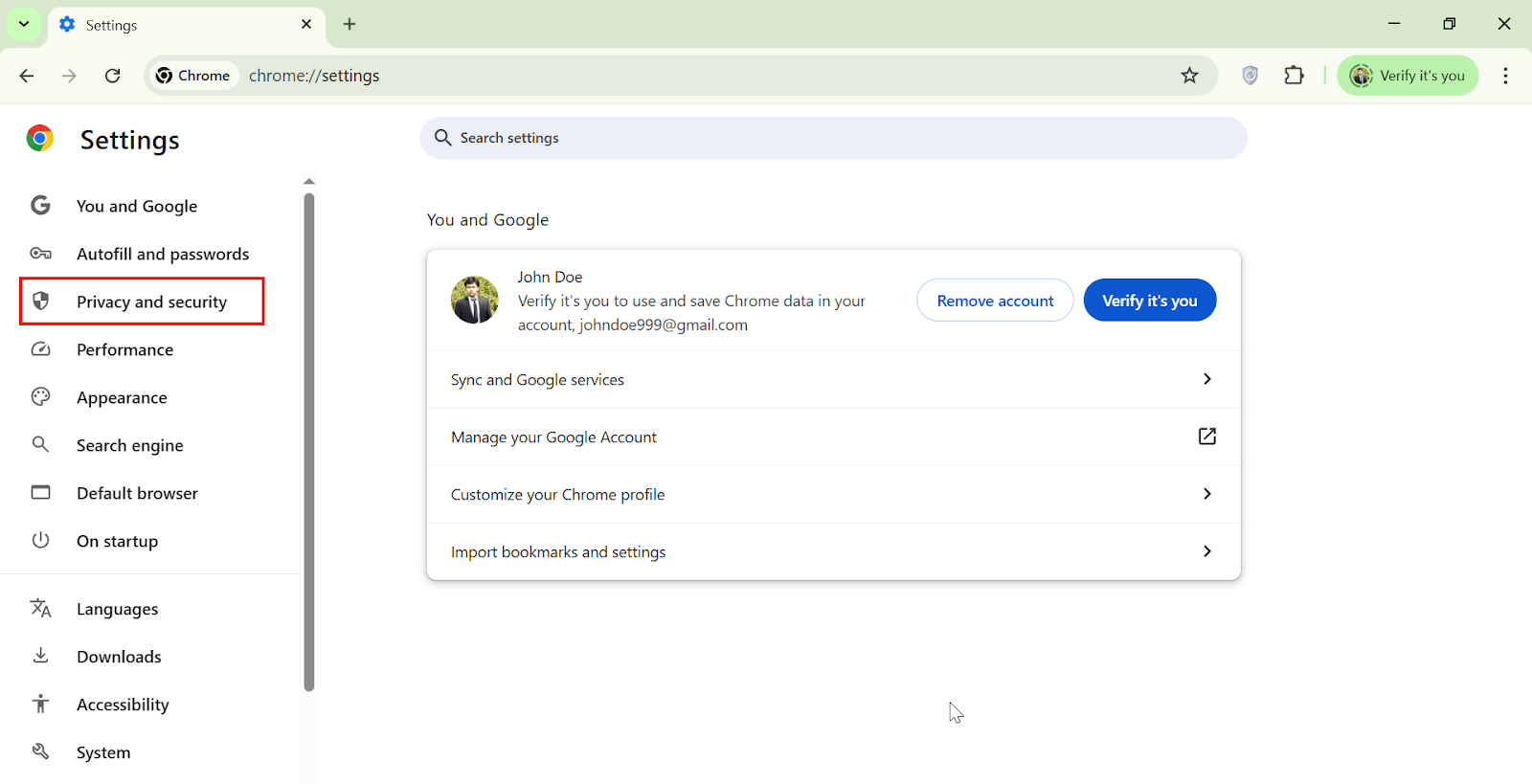
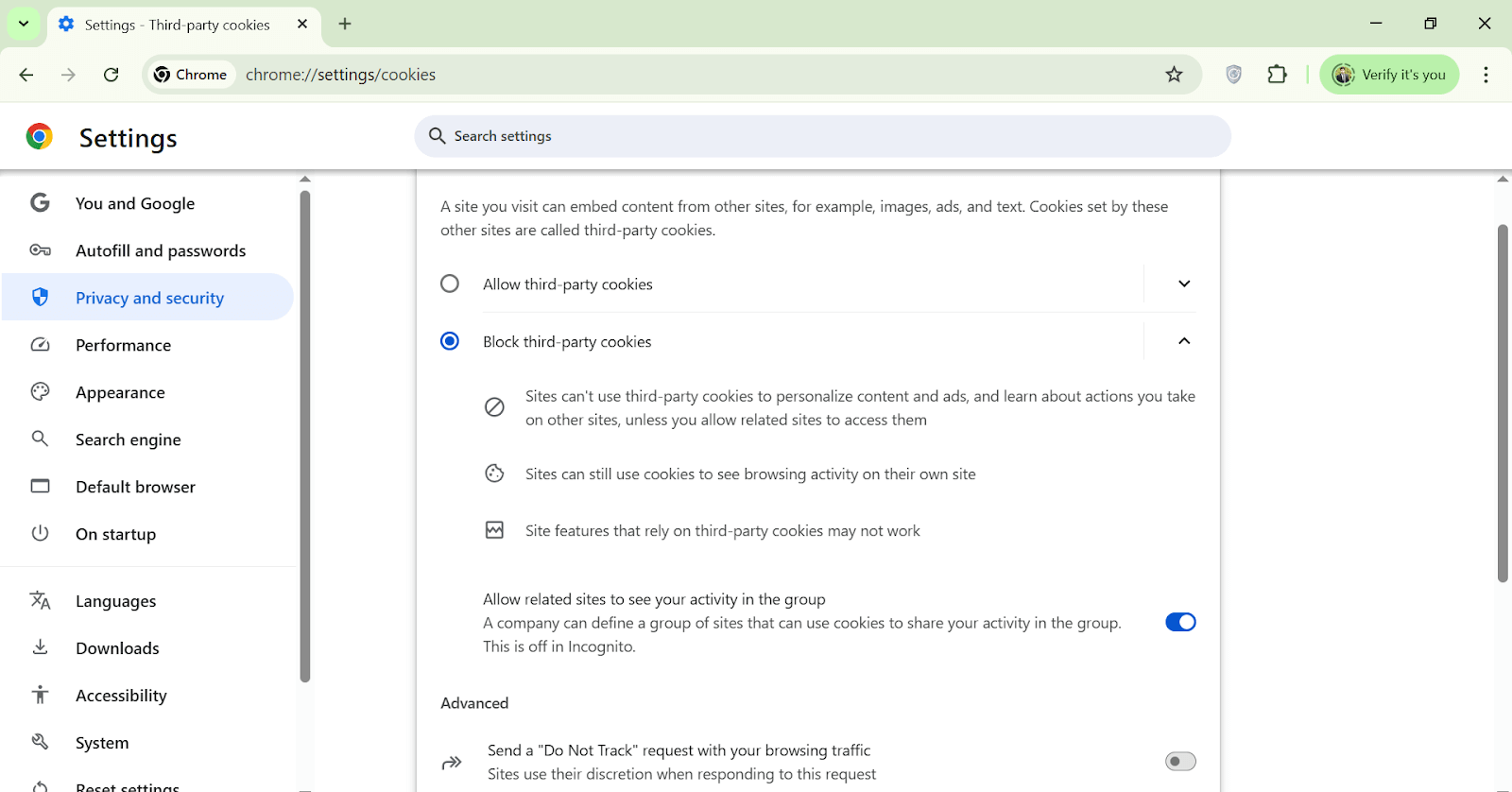
When you block third-party cookies, it prevents websites from using cookies set by other domains. However, websites can still use their own (first-party) cookies to maintain essential features like login sessions and user preferences.
While this setting helps reduce personalized ads and unwanted tracking, it may cause certain site functionalities that rely on third-party cookies to break or behave unexpectedly.

Conclusion
Disabling browser cookies helps you secure your digital presence and minimize online tracking. While cookies do enhance some aspects of web browsing, not everyone is comfortable with how their data is used. By managing your cookie settings, you take control of your privacy across all websites.
Author

Bhavya Hada
Blogs: 29


Bhavya Hada is a Community Contributor at TestMu AI with over three years of experience in software testing and quality assurance. She has authored 20+ articles on software testing, test automation, QA, and other tech topics. She holds certifications in Automation Testing, KaneAI, Selenium, Appium, Playwright, and Cypress. At TestMu AI, Bhavya leads marketing initiatives around AI-driven test automation and develops technical content across blogs, social media, newsletters, and community forums. On LinkedIn, she is followed by 4,000+ QA engineers, testers, and tech professionals.


Disable Cookies FAQs
Did you find this page helpful?
More Related Blogs
TestMu AI forEnterprise
Get access to solutions built on Enterprise
grade security, privacy, & compliance
- Advanced access controls
- Advanced data retention rules
- Advanced Local Testing
- Premium Support options
- Early access to beta features
- Private Slack Channel
- Unlimited Manual Accessibility DevTools Tests