

Power Your Software Testing with AI Agents and Cloud
The Native AI-Agentic Cloud Platform to Supercharge Quality Engineering. Test Intelligently and Ship Faster.


- TestMu AI (Formerly LambdaTest)
- /
- Blog
- /
- A11Y Meaning Explained: A Guide To Digital Accessibility
A11Y Meaning Explained: A Guide To Digital Accessibility
A11Y is the numeronym for accessibility, where 11 stands for the letters between A and Y. Learn what A11Y means, the POUR principles, and how to test for it.
Last Updated on:
On This Page
- A11Y Meaning
- A11Y Beyond a Buzzword
- Who We Build For
- Accessibility and Business Impact
- Four Pillars of Accessibility
- Putting A11Y into Practice: Where to Start
- Testing and Auditing
- AI Tools in Accessibility Testing
- Real-World Challenges of A11Y
- The Future is Accessible
- TestMu AI for Real World A11Y Testing
- Conclusion
A11Y is the professional shorthand for “accessibility,” a term that refers to the practice of making digital products like websites and apps usable by everyone, regardless of ability.
The 11 replaces the eleven letters between the A and the Y in "accessibility". The W3C, MDN and most developer tooling use the shorthand, and the community pronounces it "ally".
This guide covers who accessibility serves, the business case, the four POUR pillars, where to start, testing and auditing, AI tooling, the real challenges, and what comes next.
Overview
To achieve digital accessibility, design websites and applications using the POUR framework to ensure usability for everyone, and use TestMu AI to automate and schedule compliance checks. A11Y is the professional shorthand numeronym for accessibility, representing the eleven letters between "A" and "Y" to foster digital inclusivity.
What is A11Y?
- Origin of the term: The term A11Y is a numeronym where the number 11 represents the eleven letters between the starting "A" and the ending "Y" in the word "accessibility."
- Inclusivity impact: Digital accessibility improves the user experience for everyone by fostering inclusivity, embracing human diversity, and creating an equitable digital future.
Benefits of Accessibility
- Broader user base: Designing accessible digital products allows organizations to reach a larger audience, including over 1 billion people globally who live with disabilities.
- Brand trust: Prioritizing accessibility builds brand loyalty, as studies show 82% of users with disabilities are willing to spend more with accessible brands.
- Legal compliance: Implementing digital accessibility helps organizations meet legal requirements in many regions, ensuring compliance and helping to avoid legal issues.
- Improved SEO: Creating accessible websites improves search engine optimization, as practices like clear headings and image alt text enhance searchability.
The POUR Framework
- Perceivable content: The POUR framework requires that all users can sense digital information, which developers achieve by providing text descriptions and captions.
- Operable interface: The POUR framework dictates that websites must be navigable using various input methods, such as keyboards or voice commands.
- Understandable navigation: The POUR framework ensures that digital content is clear, simple, and easy to understand, featuring predictable navigation patterns.
- Robust compatibility: The POUR framework guarantees that digital content remains compatible with current and future technologies, including assistive tools.
Accessibility Challenges
- Outdated technology: Retrofitting older, legacy websites for accessibility is often highly complex compared to starting with new projects.
- Limited resources: Development teams with tight budgets or limited organizational support often face delays in implementing accessibility efforts.
- Complex applications: Modern, dynamic web applications present unique technical challenges that require advanced skills to make fully accessible.
- Early integration: Overcoming accessibility barriers requires teams to integrate inclusive design practices into the development process from the very beginning.
Accessibility Testing Tools
- TestMu AI: TestMu AI simplifies digital accessibility testing by offering automated scans, manual testing capabilities, and browser extensions to ensure compliance.
What Is A11Y Meaning? Decoding the Shorthand
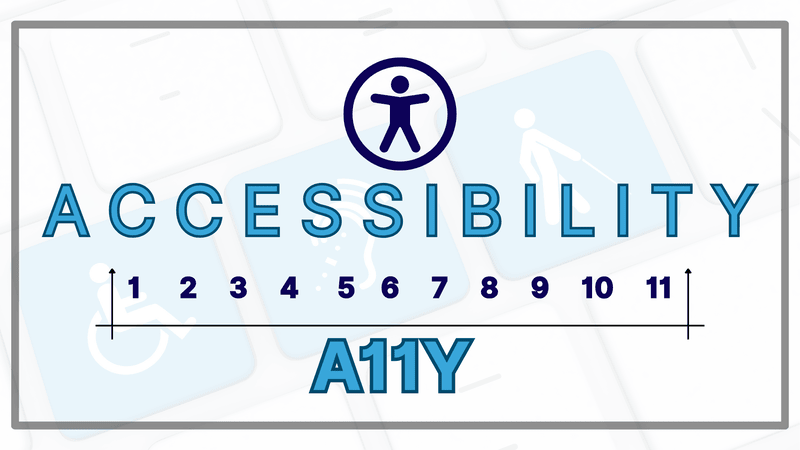
A11Y meaning is that, it is a friendly nickname for “accessibility.” It’s what’s called a numeronym, where the “11” simply stands for the eleven letters between the “A” and the “Y.” It’s a handy shortcut for a big idea.
While some pronounce it “A-eleven-Y,” many in the community lovingly call it “ally” which perfectly captures its spirit. It represents a promise to be an ally to every user, ensuring that our digital creations welcome people with visual, auditory, motor, or cognitive impairments.
Key Takeaway: A11Y is a numeronym for accessibility, formed by replacing the eleven letters between the A and the Y with the number 11.
Why A11Y Meaning Is More Than a Buzzword
True accessibility isn’t about ticking boxes on a legal checklist. It’s about people. It’s about recognizing that we all interact with the world differently and building technology that honors those differences. That mindset is what turns web accessibility from a compliance task into a product decision.
Key Takeaway: Accessibility is a design requirement about how real people use software, not a checklist item added to satisfy a legal audit.
Who Are We Building For?
When we embrace A11Y Meaning, we’re designing for our friends, family, and neighbors:
- For a person who is blind, it means a screen reader can describe your website’s images, turning a wall of silence into a vivid experience.
- For a person who is deaf or hard of hearing, it means captions bring your videos and podcasts to life.
- For a person with a motor impairment who can’t use a mouse, it means they can navigate your entire site with just a keyboard or their voice.
- For a person with a cognitive disability like dyslexia or ADHD, it means clear layouts and simple language make your content a pleasure to read, not a chore.
And here’s the good part: designing for disability benefits everyone. That’s the “curb-cut effect.” Just like curb cuts in sidewalks help people with strollers and skateboards as much as wheelchair users, features like captions and high-contrast text make life easier for all of us in different situations.
Key Takeaway: Accessibility work serves blind users on screen readers, deaf users who need captions, users with motor impairments who navigate by keyboard, and users with cognitive differences.
What Does Accessibility Mean for Business?
Creating accessible products isn’t just an act of kindness; it’s one of the smartest business decisions you can make.
- It Opens Doors to More People: The World Health Organization estimates over 1 billion people live with a disability. By building inclusively, you welcome a massive and incredibly loyal community to your brand.
- It Builds Trust for Your Brand: A commitment to inclusion shows you care. A study even found that 82% of users with disabilities would spend more money with a company that offers accessible online services.
- It Keeps You on the Right Side of the Law: Accessibility isn’t always optional. Laws like the Americans with Disabilities Act (ADA) require it, and getting it right helps you avoid legal trouble.
- It Boosts Your SEO: It turns out that Google loves accessible websites. Practices like using clear headings and adding image descriptions help search engines understand your content better, which can improve your ranking.
Key Takeaway: Accessible products reach a wider audience, reduce legal exposure under laws such as the Americans with Disabilities Act, and improve search visibility through cleaner markup.
What Are The Four Pillars of Accessibility?
The Web Content Accessibility Guidelines (WCAG) give us a powerful model to follow, built on four simple principles: POUR. Each POUR principle maps to success criteria that WCAG testing checks one by one. For a digital product to work for everyone, it must be:
1. Perceivable
Can everyone sense the information on your site? It can’t be invisible.
- Think of it this way: Writing a sign in invisible ink is useless. The same goes for an image without a text description for a screen reader, or a video without captions for someone who can’t hear.
2. Operable
Can everyone use and interact with your product?
- Think of it this way: A beautiful door is worthless if the knob is impossible for some people to turn. Your website needs to be fully usable with just a keyboard, giving everyone a universal key to every feature.
3. Understandable
Is your content and navigation clear and predictable?
- Think of it this way: Imagine getting a map without a legend or street names. Good accessibility means using plain language, providing clear instructions, and designing a consistent experience that never leaves users feeling lost.
4. Robust
Can your content be reliably interpreted by different devices and technologies, now and in the future?
- Think of it this way: You want to build your house on a solid foundation, not on sand. Using clean, standard code ensures your product works well with assistive technologies today and won’t break when new ones come along tomorrow.
Key Takeaway: The four POUR pillars require digital content to be perceivable, operable, understandable and robust, and every Web Content Accessibility Guidelines success criterion maps to one of the four.
Putting A11Y Meaning into Practice: Where to Start
You don’t have to be an expert to make a huge difference. Accessibility is a journey, and every step counts.
- Use Your Headings Wisely: Structure your page like an outline, using
<h1>for the main title,<h2>for sections, and so on. This creates a logical map for screen readers. - Make Your Links Descriptive: Instead of “Click Here,” use text that describes where the link goes, like “Read our latest annual report.”
- Check Your Colors: Ensure your text has enough contrast with its background so it’s easy for everyone to read. There are free online tools that make this simple.
- Write Helpful Alt Text: For every meaningful image, write a short, clear description of what it shows. It’s a small act that makes a world of difference.
Key Takeaway: Semantic HTML, full keyboard operability, meaningful alt text and sufficient colour contrast remove the majority of common accessibility defects.
Testing and Auditing
How do you know if you’re getting it right? You test. A good approach combines accessibility testing tools with human checks:
- Automated Tools: Services like Lighthouse and WAVE are great for a quick scan to catch common problems.
- Manual Testing: Try unplugging your mouse and navigating your site with only your keyboard. Or use a screen reader to hear your site aloud.
- Listen to Real People: The most valuable insights come from user testing with people with disabilities. Their feedback is pure gold.
Key Takeaway: A reliable accessibility audit combines automated scanners such as Lighthouse, WAVE and axe with manual keyboard and screen reader passes plus feedback from users with disabilities.
How Do AI Tools Change Accessibility Testing?
AI tools change accessibility testing by taking over the repetitive parts: drafting alt text, grouping duplicate violations and proposing code fixes. The judgement calls still sit with a human tester.
Rule-based scanners such as axe-core only flag failures a machine can decide with certainty. AI is being used to attack the rest of the backlog, which is where most manual effort goes.
Where AI is already useful:
- Guided manual checks: Deque axe DevTools ships Intelligent Guided Tests that walk a tester through the criteria axe-core cannot decide alone, such as whether heading order matches the visual structure.
- Draft alt text: A vision model can describe an image in seconds. A reviewer still has to replace the description with the reason the image is on the page, because a chart needs its finding and not a list of colours.
- Assistive features: VoiceOver on iOS and macOS describes unlabeled images on device, and Be My Eyes uses OpenAI models to describe a camera scene to a blind user.
- Agent-driven scans: An accessibility MCP server exposes a scanner to a coding agent, so the agent runs the audit and reads violations back without anyone copying results by hand.
One limit is worth stating plainly. Overlay widgets that promise one-line AI remediation are rejected by most accessibility practitioners, and installing one does not make a site conformant.
Key Takeaway: AI tools speed up accessibility triage by drafting alt text, clustering duplicate violations and suggesting fixes, but a human still has to confirm each fix is correct in context.
Real-World Challenges of A11Y
Let’s be honest: while accessibility is vital, it’s not always easy. Even teams that know the common accessibility issues face real hurdles:
- Old Technology: Trying to make an old website accessible can feel like renovating a historic building. It’s often more complex than starting fresh.
- Limited Time and Budget: Without support from leadership, accessibility can be pushed to the back burner when deadlines are tight.
- The Knowledge Gap: Many of us were never taught accessibility in school. It requires a commitment to learning and a new way of thinking.
- Complex Apps: Modern, dynamic web apps create unique challenges that require more advanced skills to make them fully accessible.
- Relying Only on Bots: Automated tools are helpful, but they don’t catch everything. Human experience in testing is irreplacable.
Overcoming these challenges starts with seeing accessibility not as a final step, but as a core part of creating a high-quality product from day one.
TestMu AI Accessibility Testing suite allows you to ensure your website and mobile applications are accessible and inclusive.
Key Takeaway: Legacy codebases, thin budgets, missing training and dynamic single-page applications are the four barriers that most often stall accessibility work.
The Future is Accessible
Now that we know the A11Y Meaning we must also understand that it is always evolving. Exciting advances in AI and accessibility, and global standards continue to improve, as they are being automated with artificial intelligence. By staying curious and committed, we can build a digital future that is born accessible.
AI and Machine Learning in Accessibility
AI is revolutionizing A11Y Meaning by offering smart solutions for automated testing and remediation. TestMu AI’s AI-native platforms like HyperExecute and KaneAI are leading the charge by automating accessibility checks and even generating solutions for accessibility barriers in real time.
Evolving Standards and Guidelines
Accessibility standards continue to evolve, with new guidelines being added to WCAG regularly. As the web becomes more complex, staying up-to-date with these guidelines is crucial for maintaining an accessible platform.
Key Takeaway: Accessibility standards keep expanding, so teams that treat conformance as a one-time project drift out of compliance as the Web Content Accessibility Guidelines add criteria.
How TestMu AI Simplifies A11Y Meaning In Real World Testing?
TestMu AI Accessibility Testing suite enables you to ensure that your website and mobile applications are both accessible and inclusive.Key Features:
- TestMu AI Accessibility DevTools Chrome Extension:This extension provides an easy way to perform thorough accessibility checks directly within the browser, helping you identify issues quickly.
- Manual Accessibility Testing: TestMu AI offers manual testing capabilities, including assistive tools like screen readers and speech viewers, available for both Windows and macOS.
- Accessibility Automation: With TestMu AI, you can automate accessibility testing using popular tools like Selenium, Playwright, and Cypress. This helps speed up your release cycles while ensuring accessibility compliance.
- Accessibility Scheduler: The Accessibility Scheduler feature allows you to automate and schedule recurring or one-time accessibility scans, reducing the manual effort involved in running these checks.
To get started with automated accessibility testing, refer to this Accessibility Automation documentation.
Key Takeaway: Automated accessibility scans, manual screen reader sessions and accessibility checks wired into a Selenium, Playwright or Cypress suite can all run from one cloud testing platform.
Conclusion
Understanding the A11Y meaning redefines the goal of software testing. It shifts our focus from a simple bug hunt to a quest for inclusivity. While automated tools are a great starting point, they only tell part of the story.
True quality assurance comes from human-centered testing, where we actively seek out the barriers that prevent people from using our products. For testers, this means moving beyond functional checks to championing the experience of every user. By putting accessibility at the core of our testing process, we don’t just ship more robust software; we build a more equitable digital world.
Author

Poornima Pandey
Blogs: 8


Poornima is a Community Contributor at TestMu AI, bringing over 4 years of experience in marketing within the software testing domain. She holds certifications in Automation Testing, KaneAI, Selenium, Appium, Playwright, and Cypress. At TestMu AI, she contributes to content around AI-powered test automation, modern QA practices, and testing tools, across blogs, webinars, social media, and YouTube. Poornima plays a key role in scripting and strategizing YouTube content, helping grow the brand's presence among testers and developers.
Reviewer

Rahul Mishra
Reviewer
Rahul Mishra is a Lead Member of Technical Staff at TestMu AI (formerly LambdaTest), leading frontend engineering and accessibility testing across the quality engineering platform. He mentors frontend engineers, runs code reviews and sprint planning, optimizes React.js rendering performance, and makes product features accessible to users with disabilities through WCAG and ADA-compliant accessibility audits. He brings 10+ years of experience across React.js, VueJS, TypeScript, Swift, Objective-C, and AWS, with earlier work as a Technical Lead at VectoScalar Technologies. Rahul holds a B.E. in Information Technology.


Digital Accessibility (A11y) FAQs
Did you find this page helpful?
More Related Blogs
TestMu AI forEnterprise
Get access to solutions built on Enterprise
grade security, privacy, & compliance
- Advanced access controls
- Advanced data retention rules
- Advanced Local Testing
- Premium Support options
- Early access to beta features
- Private Slack Channel
- Unlimited Manual Accessibility DevTools Tests