
Power Your Software Testing with AI Agents and Cloud
The Native AI-Agentic Cloud Platform to Supercharge Quality Engineering. Test Intelligently and Ship Faster.


- TestMu AI (Formerly LambdaTest)
- /
- Blog
- /
- How to Run a WCAG 2.2 Audit on Any Website From Your IDE
How to Run a WCAG 2.2 Audit on Any Website From Your IDE
Run a WCAG 2.2 audit on any website from your IDE with the Accessibility MCP Server. Audit URLs you don't own, read findings by success criterion, and act.
Last Updated on:
A getAccessibilityReport scan of the TestMu AI ecommerce Playground's registration page, run with axe-core 4.12.1, flagged 22 elements in seconds, 19 for insufficient color contrast alone, each tagged with its WCAG success criterion and a Critical, Serious, Moderate, or Minor severity. WCAG 2.2 also retired the 4.1.1 Parsing rule, so a report still citing it is running an outdated ruleset.
You can answer it from your code editor with one prompt. The Accessibility MCP Server from TestMu AI exposes a getAccessibilityReport tool that audits any reachable URL against WCAG and returns the violations inline, so you never open a separate scanner or install a browser extension. This guide is about that single job, auditing a URL you may not own, from the first prompt to a report you can hand to the site owner.
When You Need to Audit a Site You Don't Control
Most accessibility testing tooling assumes you own the code. A browser extension needs the app built and open, a CI assertion runs inside your own pipeline, and a framework integration audits the app your tests already drive. None of those help when the thing you have to evaluate is somebody else's live URL.
Auditing a page you cannot edit is its own recurring job, and it shows up more often than owned-code testing for anyone who works with external sites:
- Agency and consultancy deliverables where you owe a client a WCAG 2.2 verdict on pages your team did not build.
- Third-party widgets, embeds, and payment or chat components you are about to drop into your own product and inherit the accessibility of.
- Vendor and procurement evaluation, where an accessibility posture is now a line item in the buying decision for public-sector and enterprise contracts.
- Competitive benchmarking, comparing your site's WCAG 2.2 standing against a rival's public pages.
- Staging and pre-launch URLs that are publicly resolvable but not yet announced, where a fix is still a cheap code change.
getAccessibilityReport fits this job because it needs one thing: a reachable URL. It does not ask for the source, a repository, a build command, or deploy access, which is what separates it from the other two tools on the same server that audit a local build or a tunneled localhost app you own. Point it at an address and it evaluates the page an anonymous visitor receives.
What's New in WCAG 2.2, and Why It Changes the Audit
Auditing against WCAG 2.2 rather than 2.1 is not a version bump you can ignore. WCAG 2.2 adds nine success criteria over 2.1: two at Level A, four at Level AA, and three at Level AAA. It also removes one criterion, 4.1.1 Parsing, which is now obsolete, so an audit that still flags Parsing failures is running an outdated ruleset.
| New WCAG 2.2 success criterion | Level | What it checks |
|---|---|---|
| 3.2.6 Consistent Help | A | Help mechanisms (contact, chat, self-help) appear in the same relative order across pages. |
| 3.3.7 Redundant Entry | A | Information a user already entered in a process is not demanded again unnecessarily. |
| 2.4.11 Focus Not Obscured (Minimum) | AA | The focused element is not entirely hidden by sticky headers, footers, or overlays. |
| 2.5.7 Dragging Movements | AA | Any drag action has a single-pointer alternative that does not require dragging. |
| 2.5.8 Target Size (Minimum) | AA | Interactive targets are at least 24 by 24 CSS pixels, or spaced to avoid mis-taps. |
| 3.3.8 Accessible Authentication (Minimum) | AA | Login does not force a cognitive test such as remembering or transcribing a code. |
| 2.4.12 Focus Not Obscured (Enhanced) | AAA | No part of the focused element is hidden by author-created content. |
| 2.4.13 Focus Appearance | AAA | The focus indicator meets minimum size and contrast so it is clearly visible. |
| 3.3.9 Accessible Authentication (Enhanced) | AAA | The stricter authentication rule, with no object-recognition or personal-content exceptions. |
Several of these criteria describe interaction rather than static markup: whether a drag has a tap alternative, whether a focus ring stays visible, whether login demands a cognitive test. An automated audit can surface some of them, such as under-sized targets, but it cannot judge others, which is worth knowing before you promise a client a clean bill of health. If you are unsure which level to hold a page to, the differences between WCAG A, AA, and AAA levels explain which target maps to which obligation.
Run a WCAG 2.2 Audit on Any URL From One Prompt
Once the Accessibility MCP Server is connected in your editor, an audit is a sentence. The one detail that matters is pinning the version and level, so the report is scoped to WCAG 2.2 at the conformance target you are accountable for rather than a tool default:
Run an accessibility report on
https://ecommerce-playground.lambdatest.io/index.php?route=account/register
against WCAG 2.2 AA and list the violations by success criterion.
To show the kind of result the audit returns, here is a real scan run with axe-core 4.12.1, the open-source engine that powers TestMu AI's accessibility analysis, against the registration page of the public TestMu AI ecommerce Playground, a demo site built for automation testing. It found three rule failures across 22 elements:
axe-core 4.12.1  -  3 rule failures, 22 elements affected

[serious] color-contrast        19   WCAG 1.4.3        Text must meet the minimum contrast ratio
[serious] link-name              2   WCAG 2.4.4, 4.1.2 Links must have discernible text
[serious] link-in-text-block     1   WCAG 1.4.1        Links must be distinguishable without color alone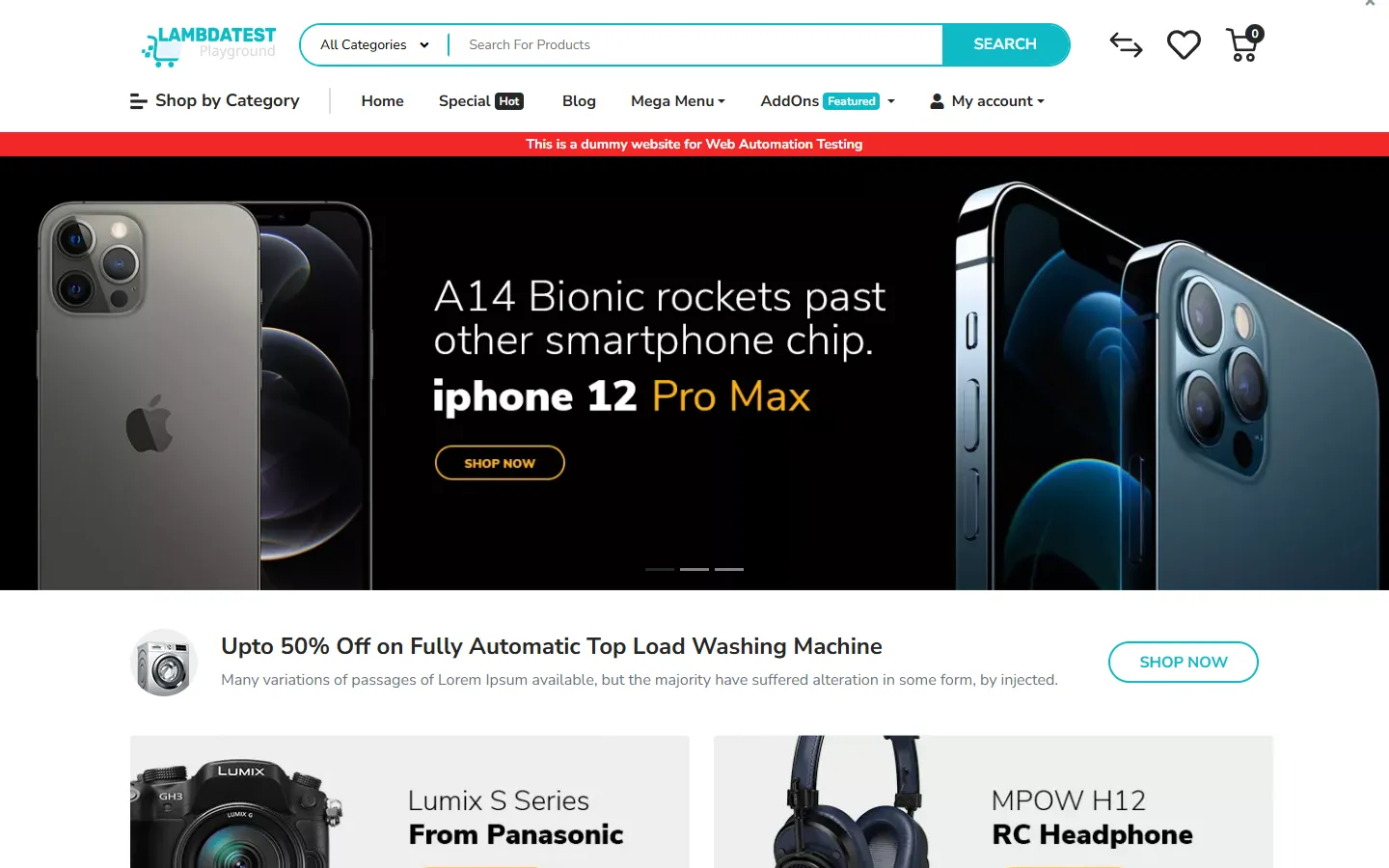
The storefront shown here is the same demo site, and the audit needed none of its source code. The tool read the page an anonymous request receives, ran the WCAG rule set, and returned violations tagged with the exact success criterion each one breaks. Because this is a page you audit rather than own, the next step is to decide which findings matter, which is what the report is for.

Note: Every finding above came from an actual scan of a live page. Point the Accessibility MCP Server at any URL you need a WCAG 2.2 verdict on and read the results in your editor. Start free with TestMu AI.
Reading the Report Against WCAG 2.2 Success Criteria
A raw violation count is not an audit. The value is in mapping each finding to the success criterion it breaks and the severity it carries, because that is what tells a site owner what to fix first and what a compliance reviewer will look for. Every result the tool returns comes with a severity of Critical, Serious, Moderate, or Minor, the failing element, and the WCAG reference.
| Finding | WCAG criterion | What it means for the site owner |
|---|---|---|
| 19 low-contrast elements | 1.4.3 Contrast (Minimum), AA | Text and controls fall below the 4.5:1 ratio for normal text, so low-vision users cannot read them reliably. The fix is usually a single color-token change. |
| 2 links with no discernible text | 2.4.4 Link Purpose, 4.1.2 Name, Role, Value | Icon-only toggles expose no accessible name, so a screen reader announces "link" with no purpose. Add an aria-label or visible text. |
| 1 link identified by color alone | 1.4.1 Use of Color, A | A breadcrumb link is distinguished from surrounding text only by color, so color-blind users cannot tell it is a link. Add underline or another non-color cue. |
Read severity as your priority order. The 19 contrast failures are the same category that dominates real-world accessibility defects, and clearing them is usually a single token change that resolves dozens of elements at once. When you want to verify a proposed color pair before you recommend it, the free color contrast checker confirms whether two colors clear the WCAG threshold. Findings for the audited site can then be written up against the exact criterion numbers, which is the language a remediation ticket or a conformance report speaks.
Scaling the Audit Across a Whole Site
A single URL rarely settles a WCAG 2.2 question, because accessibility risk clusters on the pages users actually transact through. A home page can pass while the checkout, the registration form, and the account screens fail on the criteria that matter most, which is exactly where WCAG 2.2's authentication and redundant-entry rules live.
The pages that carry a user's real journey are the ones worth auditing together. Pass the tool that handful of URLs and read them as a set:
- The entry pages a visitor lands on, plus the primary navigation and search.
- Every form in a conversion path, such as registration, login, checkout, and contact, where labels, error handling, and authentication accumulate failures.
- Content templates that repeat at scale, such as a product or article layout, since one template defect multiplies across thousands of pages.
Auditing several representative URLs from the editor turns a page check into a site posture, and it surfaces the pattern versus one-off distinction: a contrast failure on one template is systemic, while a missing label on a single custom widget is local. That distinction is what a remediation plan is built on, and it is the same signal an AI-assisted accessibility workflow is good at spotting across pages.

From Audit to Deliverable, Sign-Off, and VPAT
When you audit a site you do not own, the output is a document, not a commit. The findings become a prioritized recommendation the site owner can act on: the failing criteria, the severity, the affected elements, and the remediation each one needs, ordered so the highest-impact fixes come first.
That evidence is also what feeds a Voluntary Product Accessibility Template. TestMu AI does not generate a VPAT or Accessibility Conformance Report for you, though, because those are customer-owned legal documents. What the audit provides is the raw material, the scan history, WCAG-referenced findings, and severity classification, that a team authors a VPAT from. The automated report is the defensible evidence layer a certificate is later built on.
The in-editor audit is one surface of TestMu AI's accessibility testing suite. The same axe-core engine and the same 39 WCAG-aligned checkpoints power the rest of it, so an evidence trail you start from the editor extends into browser DevTools scanning, framework automation inside Selenium, Playwright, or Cypress, and scheduled sitemap-based monitoring that re-audits a site as it changes. When a one-time audit needs to become continuous coverage, wiring the same checks into a pipeline is covered in the guide on accessibility testing in CI/CD.
Where an Any-URL WCAG 2.2 Audit Stops
An automated audit of a URL you do not control is the right first pass, and it is honest about its edges. Knowing the limits is what keeps a clean report from becoming a false promise, especially on a compliance-sensitive deliverable.
- Pages behind a login, a cookie wall, or an IP allowlist are not reachable by an anonymous request, so the audit sees only the public shell and misses the authenticated screens where forms and account flows live; reaching those needs a different approach, covered in auditing a login-gated or SSO-protected app for accessibility.
- Heavily client-rendered content that only appears after interaction may not be in the snapshot the audit reads, which is why owned apps are better audited through the server's local-build and tunnel tools.
- Several WCAG 2.2 criteria are judgment calls: whether a drag has a tap alternative, whether a focus indicator is genuinely visible, whether authentication avoids a cognitive test. These need manual testing with a keyboard and a screen reader.
- Automated rules cover only part of WCAG 2.2, so a page passing every automated check has cleared only the machine-detectable failures, which is a subset of the whole standard.
The practical read is that getAccessibilityReport clears the fast, automatable share of a WCAG 2.2 audit in seconds and points a human at the rest. For the manual layer, and to understand where automated and hands-on testing divide, what an accessibility testing suite includes lays out the full picture, and the broader web accessibility step-by-step guide covers the manual checks a scanner cannot make.
Getting Started
Start with one URL and one prompt. Connect the Accessibility MCP Server to the editor you already use, then run a WCAG 2.2 AA report on a live page you have been asked to evaluate and read the Serious and Critical findings first. That single loop is the whole workflow; auditing a full flow or a whole client site is the same prompt repeated across more URLs.
- Connect once by registering the server and approving the OAuth prompt, following the Accessibility MCP Server documentation for your client.
- Audit one URL against WCAG 2.2 at your target level and read the violations by success criterion.
- Sort by severity, map each finding to its criterion, and write the prioritized recommendation for the site owner.
- Expand to the key flows, then decide whether the audit should become continuous through scheduled monitoring or a CI gate.
The Accessibility MCP Server is one of TestMu AI's MCP servers for testing, and getAccessibilityReport is the tool built for the URL you cannot edit. WCAG 2.2 has been the standard since October 2023, and the sites you audit are being measured against it now; the fastest way to know where any of them stand is to run the scan from the editor you already work in.
A site-wide audit like this will surface form violations by URL and success criterion, but fixing them well takes more detail than a scan summary gives. See our guide on testing forms and error handling for accessibility compliance for the labeling and error-message patterns behind the most common form findings.
Note: AI assistance was used in researching and drafting this article. Rahul Mishra, Lead Member of Technical Staff at TestMu AI, whose listed expertise includes accessibility testing and WCAG compliance, verified every statistic, link, and product claim against primary sources before publication. Technically reviewed for WCAG 2.2 accuracy by Shubham Soni. Sources cited are from the W3C Web Accessibility Initiative. Read our editorial process and AI use policy for details.
Author

Rahul Mishra
Blogs: 17

Rahul Mishra is a Lead Member of Technical Staff at TestMu AI, leading frontend engineering and accessibility testing across the quality engineering platform. He mentors frontend engineers, runs code reviews and sprint planning, optimizes React.js rendering performance, and makes product features accessible to users with disabilities through WCAG and ADA-compliant accessibility audits. He brings 10+ years of experience across React.js, VueJS, TypeScript, Swift, Objective-C, and AWS, with earlier work as a Technical Lead at VectoScalar Technologies. Rahul holds a B.E. in Information Technology.
Reviewer

Shubham Soni
Reviewer
Shubham Soni is a Senior Member of Technical Staff at TestMu AI, building the Real Device Cloud and real-time testing infrastructure. He optimized the WebRTC services that power live testing to sub-100ms latency with adaptive bitrate streaming, led a frontend migration from Angular to React that cut page load time from 5-6 seconds to 1-1.5 seconds, and contributes to the official Device SDK. He led a team of four to build an accessibility testing product covering manual and automated testing and mentored a team of six on a real-time testing product. He brings over eight years of experience and earlier scaled a cloud code platform to 200K+ monthly users. Shubham holds a B.Tech in Computer Science.


WCAG 2.2 Audit FAQs
Did you find this page helpful?
More Related Blogs

TestMu AI forEnterprise
Get access to solutions built on Enterprise
grade security, privacy, & compliance
- Advanced access controls
- Advanced data retention rules
- Advanced Local Testing
- Premium Support options
- Early access to beta features
- Private Slack Channel
- Unlimited Manual Accessibility DevTools Tests