

Power Your Software Testing with AI Agents and Cloud
The Native AI-Agentic Cloud Platform to Supercharge Quality Engineering. Test Intelligently and Ship Faster.


- TestMu AI (Formerly LambdaTest)
- /
- Blog
- /
- 24 Common Mistakes You Made In Website Testing
24 Things You Might Be Doing Wrong In Website Testing!
The pressure of working under a fast-paced Agile environment, leads to many mistakes in website testing. Here are 24 most common things that we forget to test.
Last Updated on:
On This Page
- 1. You Forget About Responsiveness Across Various Devices
- 2. You Forget To Test Accessibility
- 3. Stage Environment Configuration
- 4. Did You Chalk Out Everything According to the Deadline
- 5. You Forget About Selenium’s Limited Reporting
- 6. Slipping Out On Hyperlinks
- 7. Missing Out On Cross Browser Testing
- 8. Not Paying Attention To Page Loading Speed
- 9. Not Bringing The Appropriate Candidates For Usability Testing
- 10. Using Playback & Record For Automated Scripts
- 11. That 404 Is Always A Headache
- 12. Testing All CTAs
- 13. Company Logo Must be Clickable
- 14. Stop Daydreaming About 100% Automation
- 15. Always Keep An Eye Out On Analytics
- 16. Website Security Checkpoints
- 17. Performance Under Heavy Traffic
- 18. Mandatory Compliance Checks
- 19. Security of Data Entry Points
- 20. Reliance on Hardcoded Data
- 21. SSL Certificates
- 22. Depending Too Much On Selenium WebDriver Alone? Beware Of Scalability Issue
- 23. Geo-Location Testing
- 24. Well-Defined Element IDs
- AI Agents and Website Testing Mistakes
The most common website testing mistakes are skipping responsive checks, ignoring accessibility, testing against a misconfigured staging environment, and trusting record and playback scripts.
Each mistake ships a defect that a user finds first, and most of them come from time pressure rather than from a lack of skill.
This guide covers 24 of these mistakes, from responsiveness and accessibility to SSL certificates, geolocation coverage, and element IDs, and explains how AI agents change the way teams catch them.
Key Takeaways
- Responsive testing across real device resolutions catches layout defects that Bootstrap media queries alone do not prevent.
- Accessibility testing against WCAG guidelines belongs in every website test cycle, not in a separate optional pass.
- An unstable build, an inaccurate database, or a wrong environment setting makes staging results contradict real application behaviour.
- Record and playback output is a script skeleton that needs validation checkpoints and parameterised data before the script is usable.
- Website security testing must cover session termination after logout, cached login data, and every data entry point.
- AI agents generate website tests faster than a team can review them, so reviewing generated selectors and assertions is now its own task.
1. You Forget About Responsiveness Across Various Devices
Responsiveness is another important testing criteria, yet often overlooked by testers. When a website is developed using frameworks like Bootstrap, the standard media queries included in the libraries ensure that it runs in all kinds of devices without any horizontal scrollbar or other display issues. However, there are more than hundreds of devices, including desktop, laptops and handhelds, each with their own resolutions. There is no way to guess which device the user may use to access the website you are testing. Don’t make this mistake in website testing.TestMu AI offers a feature of responsive testing for you to test your RWD(Responsive Web Design) on 44 desktop and mobile devices in a single test session.

Key Takeaway: Testing a responsive layout on a fixed set of desktop resolutions misses defects that only appear on handheld screen sizes.
2. You Forget To Test Accessibility
Forgetting to test while keeping the accessibility of a website in mind is one of the very common mistakes of website testing. While testing a website we often forget and sometimes ignore the accessibility due to lack of time, especially if we refer to cross browser accessibility testing. However, it is of utmost importance.
Imagine you are launching a website that targets the audience in China. For a large demographic region like China, where the population is more than 1.38 billion, even if 4% people are physically challenged and have trouble going through your site using a screen reader or any other device, that means, your site loses almost 50 million audience.
Moreover, to get ranking in the search engine results, Google demands that your website must abide by WCAG guidelines that state that a site should be accessible by everyone, especially by people who are disabled. Hence, this is something that you must not forget and pay special attention to, while the testing phase of your website or webapp is executed.
Key Takeaway: Accessibility testing against WCAG guidelines protects disabled users and search visibility at the same time.
3. Is Your Stage Environment Perfectly Configured?
One of the common challenges of website automated testing, which you may have come across, would have been around a scenario where the script shows some error, but the system is working as expected. The reverse scenario also happens when the system does not work perfectly as per requirements, but the script does not show any errors. This issues mostly happen due to an unstable build, inaccurate database or if the settings of the test environment are not appropriate. Not verifying all the configuration details before testing into stage environment is a very common mistake for website testing. Being a tester, you should never forget to check all the configurations and settings before executing the automation script.
Key Takeaway: Verifying the build, the database, and every environment setting before a run stops staging from producing results that contradict the application.
4. Did You Chalk Out Everything According to the Deadline

src:https://bit.ly/2E9x5oB
Once I worked in a project that involved us creating a cross browser compatible web application. Agile methodology was not that popular at that time. While the development team was doing their work, the testing team, instead of going through the business documents and figuring out a plan for starting and executing the test cases, waited for the developers to complete their work. The development team took a little more time than anticipated but they completed their part. However, that delay caused a lot of stress among the testing team, the testers were in a rush since a huge load of work came on their shoulder all of a sudden.
To avoid such mistakes in website testing, it’s better to chalk out a plan earlier, so that once the development is done, without any waste of time, testing begins immediately. The shift left testing approach came into the application with the intent of minimizing the time required for testing by implementing a methodology were writing the test cases begins even before development starts.
Key Takeaway: Writing test cases before development finishes removes the end of sprint crunch that forces testers to skip checks.
5. You Forget About Selenium’s Limited Reporting
You may be using Selenium WebDriver for automated testing of your dynamic website. Before testing, you should remember that being an open source tool Selenium has certain limitations. While executing the test cases, Selenium does not support a lot while working on its own. It is better to integrate Selenium with a third party tool like TestMu AI which helps the tester to capture screenshots and share the bug reports through its inbuilt integration tools. Moreover, you can also generate a customized report where you will find the detailed error reports, pass-fail count, execution time etc. What is even better, you can now run automated tests using TestMu AI on your browser using their scalable online Selenium grid that will cut down your build time a lot.

Key Takeaway: Selenium WebDriver ships no reporting of its own, so pair Selenium with a layer that records screenshots, pass and fail counts, and execution time.
6. Slipping Out On Hyperlinks
Hyperlinks are crucial for an efficient user journey on a website. However, under the pressure of agile SDLC, I have observed a common website testing mistake where the testing team is so focused on functional testing that they forget to monitor whether all the hyperlinks are relevant or not? As a tester, don’t forget to go through the business requirements and check whether all the desired hyperlinks are working properly or not. Also, do remember to check via browser compatibility testing. Often it has been observed that “a href” works in one browser and does not work in another, especially if the browser is a lower version of IE.
Key Takeaway: Broken or irrelevant hyperlinks survive functional testing, so validate every link against the business requirements and across browsers.
7. Missing Out On Cross Browser Testing
Cross browser testing is one of the most important facts which a tester must check but often forgets while website testing. Nowadays apart from the major browsers, almost hundreds of different browsers and their versions are used worldwide. And the usage ratio varies depending on the demographics, age group as well as the device used. Due to lack of time testers often pass cross browser testing by running a test across Chrome, Firefox, IE, and Safari. But chances are there that your website may fail in Opera or Yandex browser.
It is better to get a browser usage share and prepare a cross browser testing matrix. TestMu AI can help you avoid such mistakes in website testing by allowing you to perform cross browser testing of a website on 3000+ browsers and their versions, hosted by VMs hosted through their cloud servers.
Key Takeaway: A cross browser testing matrix built from real browser usage share stops a website shipping untested on browsers such as Opera or Yandex.
8. Not Paying Attention To Page Loading Speed
If your site is required to be SEO optimized, it must load faster on the browser. Google considers loading speed in its SEO algorithm. And this is one thing which testers forget while website testing. Check the loading speed of the site on all browsers under normal network connectivity. If it is too slow, forward the issue to the developer. The reason may be large-sized CSS or JS files, or some unnecessary libraries which were included but not used later on. Get it fixed before starting the next testing phase. If the site is slow, it won’t get displayed among the top results in the search engine, which means bad news for both the organization as well as the development and testing team. You can test the speed of a webpage using Google PageSpeed Insights.
Key Takeaway: Page load speed feeds search ranking, so measure load time with Google PageSpeed Insights and report oversized CSS, JavaScript, and unused libraries.
9. Not Bringing The Appropriate Candidates For Usability Testing
One of the most common mistakes in website testing happens, is recruiting the wrong participant for website usability testing. Usability testing is all about viewing a website through the eye of someone who is meant to use the site. The candidate should be selected based on multiple factors like age, job, demographics etc. To save time, testers often pick their colleagues or friends for usability testing. Ultimately they get a generalized opinion about the site instead of a distinct error of bug which may have been detected by the right candidate. It is essential to get some time and pick the right candidate for a successful usability testing. Here are 13 common mistakes that happens during Usability testing.
Key Takeaway: Usability testing results are valid only when participants match the target audience by age, job, and demographics.
10. Using Playback & Record For Automated Scripts
Testers often depend on the records for creating automated scripts while using web automation tools like Selenium Webdriver. Testers forget while website testing that record features are an option to generate a script that acts as a framework or skeleton. They are not the final stages while creating a script. In order to execute automation testing effectively, you must customize the auto-generated script. Instead of using records, you can customize the script by adding validation checkpoints, data parameterization and also modularize the script in a way that multiple testers can work on it at a certain point of time. Read our blog on Scripting testing vs Record and Replay testing to clear out any ambiguity.

Key Takeaway: Record and playback produces a script skeleton, so add validation checkpoints, data parameterisation, and modular structure before relying on the script.
11. That 404 Is Always A Headache
A website may often face some downtime. This may be because of routine maintenance or else some server or backend issue. Whenever a user tries to access a site that is down, the “Error 404 Site cannot be displayed” page gets displayed to the user. A well known example is the Pixar 404 page, which uses the character ‘Sadness’ from the film “Inside Out”.

src:https://www.pixar.com/404
It is the designer’s duty to brilliantly design a 404 page which ensures that the user will keep on guessing how excellent the actual site can be once its up. In fact, the requirement of most new sites demands a customized 404 page as well. As a tester, check if the 404 error page is displaying the customized one or the general blank page. As a tester, you need to commit for a thorough validation of 404 errors to avoid any mistake in website testing.
Key Takeaway: A customised 404 page keeps users on a website during downtime, so check that the custom page renders instead of the browser default.
12. Did You Test All Your CTAs?
Testers often make the mistake of not checking the CTAs while performing user experience testing. CTAs are an important factor that motivates the end user to become a potential customer or a permanent user of your site or application. Common design mistakes often result in a poorly designed CTA, sometimes not large enough to notice and most commonly, not appropriately named, which ultimately leads the end users driving away from what has been a potential customer-seller partnership. Don’t forget to check those CTAs and notify the designer immediately if you find any improper naming convention, whitespace issues or other mistakes like size or location.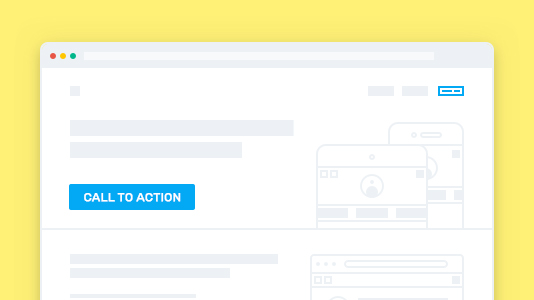
Key Takeaway: Calls to action fail when a button is too small, badly named, or badly placed, so test every call to action during user experience testing.
13. Company Logo Must be Clickable
A one-click link which redirects the users to the homepage is a must for any websites having multiple pages or components. Whenever a user feels confused and disoriented, they want to return to the homepage. Standard practice is embedding the URL of the homepage in the company logo. It either redirects the user to the home page or the single sign-on page if the website has multiple children. Avoid the frequent mistakes in website testing by ensuringthat the company logo is clickable everywhere. Also, make sure that it redirects the user to the desired page.
Key Takeaway: The company logo must link to the homepage on every page so a disoriented user always has a one click route back.
14. Stop Daydreaming About 100% Automation
A lot of testers when start learning Selenium or other automation tools, gets excited thinking that the selenium scripts will replace their entire manual efforts. This is a mistake in website which may lead to wasting a lot of time and bandwidth. Automation mostly relies on the basic efforts of manual testing. UX testing or certain another visual website testing can never be automated. The ideal solution is to learn and prioritize which tests should be automated in a way that it reduces manual time. Website testing is mostly about manual effort since the machine cannot detect many things that can be done by a naked human eye. A skilled manual tester can be trained to be a better automation tester but an automation tester relying on scripts will never have the skill of a manual tester. Also, read out other blog, if you are about to start automation testing from scratch.

Key Takeaway: Full automation of website testing is not achievable, because visual and user experience checks still need a manual tester.
15. Always Keep An Eye Out On Analytics
When a website is tested while in production, testers often make mistake and check whether everything is working perfectly on their local devices. Don’t do that. It’s a good practice to observe how the users are feeling while using your site. Refer to Google analytics and other analytic tools, which will give you detailed data about the number of devices and browsers used to open your site, average loading time, user count, etc. All these data are vital to check how your website is performing in the market. Notify the developers whenever you see any discrepancy in the data. Here is how you can use web analytics to study your website traffic.
Key Takeaway: Analytics data on devices, browsers, load time, and user counts tells testers which real world conditions a website must be tested against.
16. Hacker Alert! Does Your Website Pass All Security Checkpoints?
With the number of users accessing the internet increasing, the risk of hackers and malicious activities are increasing as well. Security of a website is one area where you cannot afford to commit mistakes in website testing. If the site which you are testing requires data privacy like storage of user information, bank details etc. you can’t afford to make any mistake for website testing from a security point of view. Check all the requests and response from the server and ensure that everything is behaving like they are supposed to. Also, check the back button. Ideally, when a user logs out, the session must end. Back button should not redirect the user to an active session. Apart from that, don’t forget to check whether the cache stores login information after the user logs out. It is strictly prohibited in secure applications like banking or online payment. Read our blog, if you are curious about finding the influence of Microservice architecture in Security testing.
Key Takeaway: Website security testing must confirm that logout ends the session, that the back button cannot restore it, and that the cache holds no login data.
17. Did You Check How it Performs Under Heavy Traffic On Stage Environment?
Performance testing of a website is a compulsory phase to execute carefully. Even popular sites have performance issues. Britannica once gave a huge discount and so many users accessed there site at a single time that the entire site went down. Don’t make the mistake of skipping load testing. Use proper tools to check how the website performs when a huge number of users tries to access it at the same time. Carry on multiple simulations by repeatedly increasing the load. Although, we keep load testing in our checklist but we restrict it to only our production environment. We should not! You should also perform load testing on Stage environment so you could get an estimate of how the code would respond to an excessive number of queries. Here are 13 reasons why Staging environment is failing for your organization.

src:https://bit.ly/2S25HMP
Key Takeaway: Load testing on the staging environment shows how the code responds to excessive queries before that traffic reaches production.
18. Does The Site Comply To All Mandatory Compliances?
W3C compliance is a term often used by web developers. It means that a website which is developed using HTML and CSS complies completely with the standards which are set by W3C. However, developers often do the coding according to their own style and miss out certain compliances. And it’s kind of hard to keep track of the compliances since they often get updated.
Testers must not forget to check the website and ensure that it complies by all the mandatory standards. Just run a simple check using the W3C markup validator and it will tell you the exact code snippets where there is something faulty.
Key Takeaway: The W3C markup validator reports the exact HTML and CSS that breaks standards compliance, so run the validator before sign off.
19. Did You Check The Security Of All Data Entry Points For User Confidential Information?
Suppose you are testing an application like Turbotax, or any other secured progressive web applications. Now, these applications have a very cool feature of uploading any document on the app server by just clicking a picture. As a tester you should remember to check where the app stores the image. Does it store in the cache, or on the physical drive of the device? If by any chance it is stored locally, it may pose an issue of privacy breach if the user by mistake shares it on a social network.
Ideally, for securing progressive web applications, data is captured using device hardware like audio recorder and camera should only be uploaded in the application server and not either on cache or on a local drive. If you are testing an app like that, don’t forget to check it.
Key Takeaway: Applications that capture documents through a camera or microphone must upload the data to the server rather than store it in cache or local storage.
20. Are You Relying Too Much On Hardcoded Data ?
For saving time testers often use the same data in their HTTP requests for every scenario. If the application is smarter, the updated database technology will detect duplicate requests and cache them automatically, thereby giving the tester an illusion of a faster system. The resulting performance test is thereby, inconclusive.
If you are using JSON for data upload, instead of hardcoding all the information, you can use a script to generate a random email or a number by JMeter. Once that file is run within an HTTP request, every information that you upload on the database becomes unique, saving you from invalid tests.
Key Takeaway: Reusing the same hardcoded request data lets caching hide real performance, so generate unique values with a tool such as JMeter.
21. Have You Checked The SSL Certificates?
The primary reason most websites use SSL is to encrypt information that is sensitive and not meant to be shared with anyone other than the site owner or developer. As a tester, you must check on your web server and find out if the SSL certificate is valid, installed correctly and does not display any kind of errors to the users.
There are lots of SSL Checker tools available where you will be required to enter the site URL and hit the check button. The process is simple but if left unchecked may pose security issues for your website, especially if the SSL is not correctly installed.

src: Internet
Key Takeaway: An SSL certificate must be valid, correctly installed, and free of browser warnings, so verify the certificate on the web server before release.
22. Depending Too Much On Selenium WebDriver Alone? Beware Of Scalability Issue
Although WebDriver has the capability to test your website on any browser or operating systems, there is a certain limitation to the number of tests it can execute in parallel. Also, the testing speed depends on the node and hub configuration of the tester. If the structure of your website is complicated, you will need a scalable environment. Don’t make the mistake in website testing of using only one Selenium interface since running the tests sequentially will waste a lot of time.
Selenium can help you perform parallel testing of your Selenium test scripts, helping you to scale as much as you like.
Key Takeaway: A single Selenium WebDriver setup limits parallel execution, so scale the grid when a large website test suite has to finish quickly.
23. Did You Perform Website Testing Through Various Geo-Locations?
The tester must use a tool that allows to run the website from multiple geolocations as well as from different network speed and check how it performs under extremely low speed. Raise the issue to the developers as well so that they can design an attractive 404 page as mentioned above or an attractive loader which makes the user aware that the site will function normally under average network connectivity. Another key point to avoid mistakes in website testing is to make sure that you test a website from numerous IPs belonging to different geographies before providing a sign-off.
With TestMu AI, you can use tunnel for testing your locally hosted website or webapp through various geolocations using a VPN. Here is a blog to help you perform Geolocation cross browser testing through VPN on TestMu AI.

Key Takeaway: Testing a website from multiple geolocations and network speeds exposes failures that never appear on a fast local connection.
24. Are All Web Elements Having Well Defined IDs?
A well-defined ID is very important for a webpage. Let’s suppose you are using Salesforce and want to open a particular purchase data of a user. If the ID is not defined in the URL, you will get a 404.
While testing, the job of a tester is also to make sure that for every hyperlink and page redirect, the ID is well allocated which helps in better synchronization of scripts. Make sure that there are no duplicate IDs on the DOM as well.
Website testing improves fastest when a team tracks the mistakes it repeats. Every item above is a check a tester can add to a sign off list, and most of them cost minutes rather than hours.
Automation and AI tooling keep changing which of these checks are cheap to run. Review the list each release instead of once a year, and drop the checks the toolchain now covers automatically.
Now start your free web testing on the world’s fastest testing platform.

Austin Siewert
Co-Founder, Steadfast Systems
Discovered @TestMu AI yesterday. Best browser testing tool I've found for my use case. Great pricing model for the limited testing I do 👏
2M+ Devs and QAs rely on TestMu AI
Deliver immersive digital experiences with Next-Generation Mobile Apps and Cross Browser Testing Cloud

Key Takeaway: Well defined and unique element IDs keep automation scripts stable and stop page redirects from resolving to a 404.
How Do AI Agents Change Website Testing Mistakes?
AI agents move the mistake from writing a test to reviewing one. Coding agents generate Playwright and Selenium tests in seconds, so the new mistake is shipping generated tests that nobody read.
Model Context Protocol servers give an agent live access to a browser. Playwright MCP and Chrome DevTools MCP let an agent open a page, read the accessibility tree, click elements, and report console errors without relying on a screenshot.
Four review failures show up repeatedly in agent generated website tests:
- Unchecked generated selectors: An agent often picks a CSS path tied to layout, which breaks on the next redesign. Swap it for a role based or test id locator before the test is merged.
- Self healing locators: A repaired locator hides the DOM change that caused it, and the assertion can keep passing against the wrong element.
- Page load assertions: Generated tests often check for a visible heading and skip the business rule the page exists to enforce.
- Accessibility tree reads: An agent reads the tree to click elements, not to check WCAG 2.2 success criteria, so an axe-core scan still has to run.
Agent generated tests need the same environment discipline as handwritten ones. An agent running against a misconfigured staging build reports failures that belong to the environment, and a reviewer who trusts the agent files those as product bugs. The same review rules apply to AI agent testing of the agents themselves.
Key Takeaway: AI agents write website tests faster than a team can review them, so checking generated selectors, assertions, and accessibility coverage is the newest website testing mistake to avoid.
Author

Arnab Roy Chowdhury
Blogs: 69


Arnab Roy Chowdhury is a community contributor with 10+ years of experience working across software development, web UI engineering, and technical content writing. Currently a Senior Consultant at Capgemini, he has hands-on experience in building and maintaining cross-browser compatible web interfaces using HTML5 and modern frontend practices. Arnab has also contributed as a freelance web developer and writer, combining practical development expertise with clear technical documentation. He holds a Bachelor’s degree in Computer Engineering.


Website Testing Mistakes FAQs
Did you find this page helpful?
More Related Blogs
TestMu AI forEnterprise
Get access to solutions built on Enterprise
grade security, privacy, & compliance
- Advanced access controls
- Advanced data retention rules
- Advanced Local Testing
- Premium Support options
- Early access to beta features
- Private Slack Channel
- Unlimited Manual Accessibility DevTools Tests