
Author End-to-End Tests in Natural Language with KaneAI
Plan, Author, and Evolve E2E Tests for Web and Mobile Apps in Natural Language.

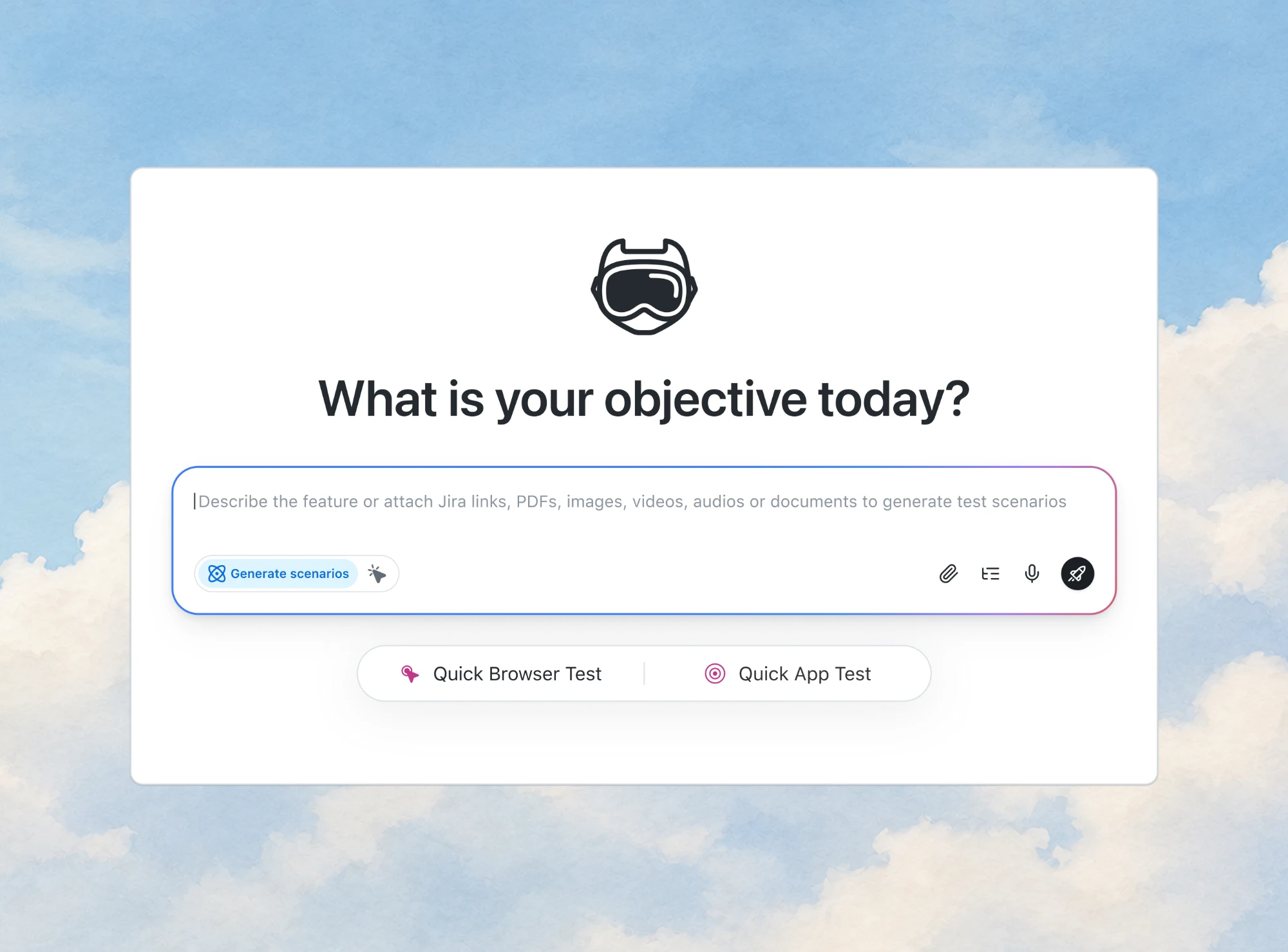
Oracle Procure to Pay Test Cases in Plain English
Oracle procure to pay test cases in plain English: requisition, PO, receipt, invoice, three-way match, holds, approvals and payment, ready to run in KaneAI.
Published on:
A supplier invoices 6 units against an Oracle purchase order line where receiving recorded only 5, the kind of mismatch Oracle procure to pay test cases exist to catch. Oracle uses that exact example in its guide to how invoices are validated: validation places a matching hold, and once receiving records the remaining goods, validating again releases it.
Whether the hold appears depends on setup the test case never shows, such as the match approval level on the PO schedule and the tolerance template on the supplier site. Each case below names that setup next to its expected result.
The cases follow the cycle from requisition to payment in Oracle Fusion Cloud, written as plain-English steps for KaneAI, the natural-language testing agent behind TestMu AI's Oracle testing tools. The same steps and expected results also work as a manual script for user acceptance testing.
TL;DR
Oracle procure to pay test cases check that a requisition routes to the right approvers, becomes a purchase order, is received, and that the supplier invoice matches the PO and receipt within tolerance before it is approved and paid. Write each case as plain-English steps that end in one expected Oracle result, such as a named hold.
Which Invoice Holds Should Oracle Procure to Pay Testing Cover?
- Qty Rec hold: Oracle Payables places a Qty Rec hold when the billed quantity is more than the received quantity times one plus the received tolerance. The invoice can't be paid until the hold is released. Checked on a 2-Way schedule: no.
- Price hold: Oracle Payables places a Price hold when the invoice's weighted average unit price is more than the PO unit price times one plus the price tolerance. A price tolerance left blank allows any variance, so no Price hold appears.
- Quality hold: On a four-way match, Oracle Payables places a Quality hold when the billed quantity is more than the quantity accepted at inspection. Needs Inspection Required receipt routing on the schedule: yes.
- Matching Required hold: When a supplier site has Hold Unmatched Invoices enabled, Oracle Payables places a Matching Required hold on any invoice from that site that isn't matched to a purchase order or receipt.
Can a Payables User Automate Oracle Procure to Pay Tests Without Code?
Yes. TestMu AI's KaneAI runs each plain-English step, such as click the Validate action, against the live Oracle page, and each expected result is one assertion, such as the holds table contains a row with Qty Rec. Code required: no.
How These Oracle Procure to Pay Test Cases Are Written
Each case has an ID, the setup it depends on, steps a procurement or payables user would type, and one expected result. The ID prefix marks the stage: REQ for requisitions, PO for purchase orders, REC for receipts, INV for invoices and matching, APR for invoice approvals and PAY for payments.
- Expected results from Oracle's documentation - Every expected result was checked against Oracle's Fusion Cloud documentation for update 26D, read on November 11, 2026, and each stage below links the pages it relies on.
- Labels on the page - Labels such as Create Invoice, Validate, Identifying PO and Hold and Approvals come from Oracle's own documentation, including its list of business events for Payables. Check every other label against your screens, because Oracle Redwood pages and classic pages do not always match.
- Cycle order - Later stages use documents that earlier stages create, so INV-02 needs the purchase order from PO-01 and the partial receipt from REC-02.
- Test environment - Run every case in a test environment, since the cases create requisitions, orders, receipts, invoices and payments.
Set Up the Oracle Data the Test Cases Depend On
An expected result is only right for the setup it was written against, so pin these values down before writing a case. Oracle's match approval levels decide what must agree before payment: 2-Way compares PO and invoice quantities, 3-Way adds the receipt, and 4-Way adds the quantities accepted at inspection.
Invoice tolerances are assigned to a supplier site. A percentage tolerance of zero allows no variance, while an active tolerance with no value allows any variance at all.
| Setup value | Where Oracle sets it | Cases that depend on it |
|---|---|---|
| Match approval level | The PO schedule, defaulted from the item, line type, supplier site or procurement business function | PO-02, INV-01 to INV-07 |
| Invoice tolerance template | The supplier site | INV-02 to INV-07 |
| Hold Unmatched Invoices and invoice amount limit | The supplier site | INV-08, INV-09 |
| Hold All Payments | The supplier site | PAY-07 |
| Receipt routing, over-receipt tolerance and early or late receipt days | Receiving options of the ship-to organization; tolerances set on the PO override them | REC-03 to REC-06 |
| Requisition approval rules | Approval rules that route by requisition approval amount | REQ-01 to REQ-05 |
| Force approval | Allow force approval on the Manage Invoice Options page, plus the Force Approve Payables Invoice privilege | APR-06, APR-07 |
| Payment process request template | Selection criteria and review options on the template | PAY-01 to PAY-06 |
The test users need the same care as the data, because approval and security cases only mean something when they run as the person who would act.
- One user per role - Set up a requester, an approver for each approval level, a buyer, a receiver, a payables clerk, an invoice approver and a payables manager who holds the force approve privilege.
- Direct sign-in - KaneAI's authentication and session management guide says it does not currently support SSO flows and recommends direct username and password sign-in in test environments, so give the test users that route.
- Second factor - If the test users sign in with an authenticator app, KaneAI stores the TOTP secret key and generates the 6-digit code at the moment the step runs.
Oracle Requisition Test Cases
Oracle's example requisition approval policy approves requisitions of 500 USD or less automatically and requires one, two or three levels of supervisory approval above 500, 1,000 and 2,000 USD.
A requisition case checks the status the line reaches and the approval chain its amount triggers. The statuses come from Oracle's requisition approval statuses: a submitted line shows Pending Approval, and the other outcomes are Approved, Rejected, Returned and Withdrawn.
- REQ-01 Submit a requisition - A requester adds one catalog item and submits. Expected: the line leaves Draft and shows Pending Approval, or Approved when its amount falls in an automatic band.
- REQ-02 Approval band edges - Submit one requisition at each amount in the table below. Expected: each approval chain has the number of supervisory levels its band sets, starting with the preparer's manager.
- REQ-03 Rejection - The first approver rejects the requisition. Expected: the line shows Rejected, and no purchase order is created from it.
- REQ-04 Returned for correction - The approver returns the requisition to the requester. Expected: the line shows Returned, and after the requester corrects and resubmits it, Pending Approval again.
- REQ-05 Withdrawn before approval - The requester withdraws the requisition while approval is pending. Expected: the line shows Withdrawn.
The amounts follow boundary value analysis: one requisition on each limit and one a cent above it. Replace them with your own bands if your rules differ from Oracle's example.
| Requisition amount (USD) | Expected approval in Oracle's example policy |
|---|---|
| 500.00 | Approved automatically |
| 500.01 | 1 level of supervisory approval |
| 1,000.00 | 1 level of supervisory approval |
| 1,000.01 | 2 levels of supervisory approval |
| 2,000.00 | 2 levels of supervisory approval |
| 2,000.01 | 3 levels of supervisory approval |
Oracle Purchase Order Test Cases
Purchase order cases check that approved demand turns into an order, and that each schedule carries the match approval level the invoice cases assume. With automated order creation, Oracle converts an approved requisition into a purchase order and communicates it to the supplier without a buyer stepping in.
- PO-01 Automatic order from an approved requisition - Approve a requisition for a catalog item sourced from a supplier agreement that is set up for automated ordering. Expected: Oracle creates the purchase order and communicates it to the supplier; the case stores the PO number for later stages.
- PO-02 Match approval level on the schedule - Open the new purchase order's schedule. Expected: the match approval level is the one your invoice cases assume, such as 3-Way for most rows here.
- PO-03 Contract agreement without Negotiated - Submit a requisition line sourced to a contract purchase agreement with the Negotiated check box cleared. Expected: no purchase order is created automatically, because Oracle requires that box for automatic conversion.
- PO-04 Billed quantity after matching - After INV-01, open the purchase order schedule again. Expected: its billed quantity shows the 10 units the invoice matched, since Oracle's guide to matching invoice lines says matching updates billed quantities on the schedule.
PO-02 protects every invoice case. Oracle's purchase order schedule defaults take the match approval level from the item, the line type, the supplier site or the procurement business function, fall back to 2-Way when none of them sets it, and always use 4-Way when receipt routing is Inspection Required. On a 2-Way schedule the receipt is never compared: the over-billed invoice in INV-02 validates clean and the case fails, while INV-01 passes without its receipt ever being checked.
Oracle Receiving Test Cases
Receiving cases check the quantities on each receipt and the rules that guard them. Oracle's receiving parameter options let an over-receipt tolerance reject a receipt, accept it with a warning or allow it, and an early or late receipt window does the same for receipt dates.
- REC-01 Full receipt - Receive all 10 units of a schedule with Standard Receipt routing. Expected: the received quantity is 10, and nothing is left to receive on the schedule.
- REC-02 Partial receipt - Receive 5 of the 10 units. Expected: 5 received and 5 still expected; INV-02, the quantity rows of INV-04 and the 2-Way row of INV-05 each bill against a partial receipt like this one.
- REC-03 Over-receipt rejected - With Over-Receipt Action set to Reject and a 10% tolerance, try to receive 12 against 10 ordered. Expected: an error, and no quantity more than 10% over the order is received.
- REC-04 Over-receipt with a warning - Repeat REC-03 with the action set to Warning. Expected: a warning message, and the receipt of 12 still goes through; INV-06 bills against it.
- REC-05 Receipt outside the date window - With Early Receipt Tolerance in Days at 2 and Receipt Days Exceed Action at Reject, receive 5 days before the due date. Expected: the receipt is rejected.
- REC-06 Inspection before put away - On a schedule with Inspection Required routing, receive 5 units, then accept 4 and reject 1 at inspection. Expected: an accepted quantity of 4; INV-07 bills 5 against it.

Oracle Invoice and Three-Way Match Test Cases
Invoice cases carry the most weight, because each expected result is a specific hold rather than a page that loads. Oracle's Types of Holds page defines each matching hold as a rule, such as Qty Rec when the billed quantity is more than the received quantity times one plus the tolerance percent.
The invoice tolerances guide adds that an invoice on hold can't be paid until the hold is released, so the cases check the release as well as the hold. Invoices that need no hold should end with the status Validated.
- INV-01 Clean three-way match - After REC-01, enter an invoice for the 10 units at the PO price, with the PO number in the Identifying PO field, then match and validate it. Expected: no holds, and the invoice status shows Validated.
- INV-02 Billed over received - After REC-02, invoice 6 units against the 5 received, with a 0% received tolerance. Expected: a Qty Rec hold. Receive the sixth unit and validate again. Expected: the hold is released.
- INV-03 Price over the PO price - Invoice the 10 received units at 10.00 against a 9.00 PO price, with a 0% price tolerance. Expected: a Price hold, released after a price correction and another validation.
- INV-04 Tolerance edges - On a supplier site with a 20% received tolerance and a 5% price tolerance, bill 6 and then 7 against 5 received, and 9.45 and then 9.46 against a 9.00 price. Expected: 6 and 9.45 validate clean, 7 gets a Qty Rec hold and 9.46 gets a Price hold.
- INV-05 Setup traps - Bill 10.00 against 9.00 on a supplier site whose price tolerance has no value, and bill 6 against 5 received on a 2-Way schedule. Expected: both validate clean, because a blank active tolerance allows any variance and two-way matching never compares the receipt.
- INV-06 Billed over ordered - After the receipt of 12 in REC-04, bill 11 against the 10 ordered, with a 0% ordered tolerance. Expected: a Qty Ord hold only, since 11 is not more than the 12 received.
- INV-07 Four-way match - After REC-06, bill 5 units when 4 were accepted at inspection. Expected: a Quality hold.
- INV-08 Unmatched invoice - On a supplier site with Hold Unmatched Invoices enabled, enter an invoice that matches no purchase order or receipt. Expected: a Matching Required hold.
- INV-09 Over the invoice amount limit - Enter an invoice above the supplier site's invoice amount limit. Expected: an Amount hold, which the REST check further down reads back from Oracle.
- INV-10 Possible duplicate - With Oracle's additional duplicate invoice check enabled, enter a second invoice with the same supplier, invoice type, amount, currency and date under a new invoice number. Expected: the check catches it; record the exact message your setup shows, because the FAQ lists the fields it compares, not the response.
An Over-Billed Invoice Test Written as KaneAI Steps
Here is INV-02 as a payables clerk would type it into KaneAI. It assumes PO-01 stored the purchase order number in {{po_number}}, REC-02 recorded the partial receipt, and the session started with the clerk's login module, added with the slash command and Add Module.
open Navigator, then Payables, then Invoices
open the Create Invoice page
type {{po_number}} in the Identifying PO field
type "${invoice_number}" in the invoice number field
type "54.00" in the invoice amount field
open Match Invoice Lines and select the schedule of {{po_number}}
type "6" in the quantity to match for that schedule
confirm the match and save the invoice
click the Validate action
wait for 10 seconds
open the Hold and Approvals tab
assert the holds table contains a row with "Qty Rec"
The invoice amount is the billed quantity times the PO price. With the Identifying PO field filled, Oracle copies the supplier and legal entity from the purchase order, which keeps the steps short.
After receiving records the remaining unit, the release half of the case runs against the same invoice:
open invoice ${invoice_number} from the Invoices work area
click the Validate action
wait for 10 seconds
assert the invoice status shows "Validated"
Oracle Invoice Approval Test Cases
Approval cases check the approval status Oracle records on the invoice after each action. Oracle's guide to approval actions lists the status each action sets, such as Initiated, Withdrawn, Held from Approval and Manually approved.
The approval and notification history records each step on the invoice's Hold and Approvals tab, which gives every case a second place to assert.
- APR-01 Initiate and approve - Initiate approval on a validated invoice, then approve it as the approver. Expected: the status moves from Required to Initiated to Workflow approved, and the history shows Initiated, Assigned to and Approved rows.
- APR-02 Reject and resubmit - The approver rejects the invoice; the clerk corrects it and resubmits. Expected: a Rejected row, then a Resubmitted row in the history.
- APR-03 Withdraw - The submitter withdraws an invoice that is pending approval. Expected: the status shows Withdrawn, and pending workflow processes and open notifications are canceled.
- APR-04 Hold from approval - Choose the Hold action before approval starts. Expected: Held from Approval, and the invoice still needs approval before it can be paid.
- APR-05 Change after approval - Change the line amount on a Workflow approved invoice. Expected: the invoice can be resubmitted for approval; Oracle lists invoice amount, line amount, distribution combination, distribution set, tax amount and added or canceled lines as the changes that allow it.
- APR-06 Force approve - The payables manager, holding the Force Approve Payables Invoice privilege with Allow force approval on, force approves a pending invoice. Expected: Manually approved, with the action recorded in the approval history.
- APR-07 Force approve without the privilege - The payables clerk, who lacks that privilege, opens the same invoice. Expected: the clerk can't select Force Approve; assert that the action is not present or is disabled, whichever your security design says.
- APR-08 Deadline passes - Leave an approval unanswered past the task deadline. Expected: an Expired or an Escalated row in the history, according to your deadline setup.
Oracle Payment Test Cases
Payment cases check that only validated, approved invoices with no holds get paid. Oracle's Payables payments FAQ lists why an invoice or installment isn't eligible for payment, including an installment on hold, an invoice that must be revalidated, one that still requires approval and one already selected by another payment process request.
The payment process request template sets what a run selects, using criteria such as the pay through date and payment priority, and can stop after selection so someone reviews the installments before payments are built.
- PAY-01 Pay an eligible installment - Submit a payment process request whose pay through date covers a validated, approved invoice. Expected: the request selects the installment and builds a payment.
- PAY-02 Installment on hold - Place a manual hold on the installment, then submit the request. Expected: the installment is not selected.
- PAY-03 Invoice needs revalidation - Change a validated invoice so it must be validated again, then submit the request. Expected: the invoice is not selected until it is validated again.
- PAY-04 Approval still required - Submit a request that covers a validated invoice whose approval is still Required or Initiated. Expected: the invoice is not selected.
- PAY-05 Selected by another request - Submit two requests that cover the same installment. Expected: the second request does not select the installment the first one already holds.
- PAY-06 Review before payment - Use a template with Review installments, remove one installment at the review stop and resume the request. Expected: the removed installment is not paid in that run.
- PAY-07 Supplier site on payment hold - Enable Hold All Payments on the supplier site. Expected: none of the site's invoices are paid, even though no hold sits on the invoices themselves.
- PAY-08 Unvalidated invoice - Leave an invoice unvalidated, then try to pay it and create accounting for it. Expected: neither happens, since Oracle requires validation before payment or accounting.
Generate Expected Invoice Holds for Every Tolerance Edge
The INV rows come from a short Node.js script that applies the Types of Holds rules to each row, so the expected hold at every tolerance edge follows from the documented rule. Each site in the script stands for a test supplier site with its own tolerance template and match approval level.
The script covers single-line invoices with no price corrections, which keeps the Price rule's weighted average equal to the invoice unit price. It splits any row that expects more than one hold, because a KaneAI assertion checks one outcome.
// expected-holds.mjs: the matching hold Oracle Payables should
// place on a single-line invoice matched to a PO schedule, from
// the hold rules on Oracle's "Types of Holds" page.
// Prices are in cents and tolerances in whole percent.
// null = the tolerance has no value, so no limit applies.
import { writeFileSync } from "node:fs";

// One test supplier site per tolerance template.
const sites = {
  "P2P-STRICT": { level: "3-Way", rec: 0, ord: 0, price: 0 },
  "P2P-TOL20-5": { level: "3-Way", rec: 20, ord: 0, price: 5 },
  "P2P-NOPRICE": { level: "3-Way", rec: 0, ord: 0, price: null },
  "P2P-2WAY": { level: "2-Way", rec: 0, ord: 0, price: 0 },
  "P2P-4WAY": { level: "4-Way", rec: 0, ord: 0, price: 0 },
};

// case, site, ordered, received, accepted, billed, PO, invoice
const rows = [
  ["INV-01", "P2P-STRICT", 10, 10, 10, 10, 900, 900],
  ["INV-02", "P2P-STRICT", 10, 5, 5, 6, 900, 900],
  ["INV-03", "P2P-STRICT", 10, 10, 10, 10, 900, 1000],
  ["INV-04a", "P2P-TOL20-5", 10, 5, 5, 6, 900, 900],
  ["INV-04b", "P2P-TOL20-5", 10, 5, 5, 7, 900, 900],
  ["INV-04c", "P2P-TOL20-5", 10, 10, 10, 10, 900, 945],
  ["INV-04d", "P2P-TOL20-5", 10, 10, 10, 10, 900, 946],
  ["INV-05a", "P2P-NOPRICE", 10, 10, 10, 10, 900, 1000],
  ["INV-05b", "P2P-2WAY", 10, 5, 5, 6, 900, 900],
  ["INV-06", "P2P-STRICT", 10, 12, 12, 11, 900, 900],
  ["INV-07", "P2P-4WAY", 10, 5, 4, 5, 900, 900],
];

// "billed is more than base x (1 + % tolerance)"
const over = (billed, base, pct) =>
  pct !== null && billed * 100 > base * (100 + pct);

function expectedHolds([, site, ord, rec, acc, bill, po, inv]) {
  const t = sites[site];
  const holds = [];
  if (over(bill, ord, t.ord)) holds.push("Qty Ord");
  if (t.level !== "2-Way" && over(bill, rec, t.rec)) {
    holds.push("Qty Rec");
  }
  if (t.level === "4-Way" && bill > acc) holds.push("Quality");
  if (over(inv, po, t.price)) holds.push("Price");
  return holds;
}

const money = (cents) => (cents / 100).toFixed(2);
const header = "case_id,supplier_site,ordered_qty,received_qty," +
  "accepted_qty,billed_qty,po_unit_price,invoice_unit_price," +
  "expected_hold";
const clean = [header];
const held = [header];

console.log("case    site        rec bill   inv  expected");
for (const r of rows) {
  const [id, site, ord, rec, acc, bill, po, inv] = r;
  const holds = expectedHolds(r);
  const label = holds.length ? holds.join(" + ") : "none";
  console.log(
    id.padEnd(8) + site.padEnd(12) + String(rec).padStart(3) +
    String(bill).padStart(5) + money(inv).padStart(6) + "  " + label
  );
  if (holds.length > 1) {
    console.log("  " + id + ": split it, one assertion per hold");
    continue;
  }
  const line = [id, site, ord, rec, acc, bill, money(po), money(inv),
    holds[0] ?? "none"].join(",");
  (holds.length ? held : clean).push(line);
}
writeFileSync("expect-validated.csv", clean.join("\n") + "\n");
writeFileSync("expect-hold.csv", held.join("\n") + "\n");
console.log("expect-validated.csv: " + (clean.length - 1) + " rows");
console.log("expect-hold.csv: " + (held.length - 1) + " rows");
This is the terminal session from running it. It prints the expected hold for each row and writes two files: rows that should validate clean and rows that should get one named hold.
$ node --version
v25.5.0
$ node expected-holds.mjs
case    site        rec bill   inv  expected
INV-01  P2P-STRICT   10   10  9.00  none
INV-02  P2P-STRICT    5    6  9.00  Qty Rec
INV-03  P2P-STRICT   10   10 10.00  Price
INV-04a P2P-TOL20-5   5    6  9.00  none
INV-04b P2P-TOL20-5   5    7  9.00  Qty Rec
INV-04c P2P-TOL20-5  10   10  9.45  none
INV-04d P2P-TOL20-5  10   10  9.46  Price
INV-05a P2P-NOPRICE  10   10 10.00  none
INV-05b P2P-2WAY      5    6  9.00  none
INV-06  P2P-STRICT   12   11  9.00  Qty Ord
INV-07  P2P-4WAY      5    5  9.00  Quality
expect-validated.csv: 5 rows
expect-hold.csv: 6 rows- Edges - INV-04a and INV-04c sit exactly on the 20% received and 5% price limits and validate clean, while INV-04b and INV-04d go one unit or one cent over and get the hold.
- Blank tolerance - The INV-05a site has no price tolerance value, which Oracle treats as unlimited variance, so 10.00 against 9.00 validates clean.
- Two-way schedule - INV-05b bills 6 against 5 received on a 2-Way site and validates clean, because two-way matching never compares the receipt.
- Receipt above the order - INV-06 bills 11 against 10 ordered and 12 received, so only the ordered-quantity rule fires.
Load the Tolerance Rows Into a KaneAI Dataset
Each CSV file feeds one data-driven KaneAI test, so a new tolerance edge only needs a new row. This is expect-hold.csv as the script wrote it:
case_id,supplier_site,ordered_qty,received_qty,accepted_qty,billed_qty,po_unit_price,invoice_unit_price,expected_hold
INV-02,P2P-STRICT,10,5,5,6,9.00,9.00,Qty Rec
INV-03,P2P-STRICT,10,10,10,10,9.00,10.00,Price
INV-04b,P2P-TOL20-5,10,5,5,7,9.00,9.00,Qty Rec
INV-04d,P2P-TOL20-5,10,10,10,10,9.00,9.46,Price
INV-06,P2P-STRICT,10,12,12,11,9.00,9.00,Qty Ord
INV-07,P2P-4WAY,10,5,4,5,9.00,9.00,Quality- Add a po_number column with the purchase order each row was received against, created by PO-01 and the receiving cases, and type it in the steps as the parameter ${po_number} in place of the {{po_number}} variable.
- Create the parameters with Import CSV, described in KaneAI parameters: row 1 of the file becomes the parameter names and row 2 their Seed Values.
- Open the test's Dataset and import the rows from the same file. KaneAI Datasets notes that importing data doesn't create parameters, which is why the previous step comes first.
- End the expect-hold test with assert the holds table contains a row with "${expected_hold}", and the expect-validated test with assert the invoice status shows "Validated".
- Select the Dataset when you run the test. KaneAI creates one test instance for every row, which is data-driven testing without a second copy of the case.

Note: Run INV-02 and its Dataset rows in KaneAI against your Oracle test environment before the next update reaches it. Try TestMu AI free!
How to Write Oracle Steps KaneAI Can Run
KaneAI is TestMu AI's natural-language testing agent: you write steps as sentences, it resolves each one against the live page, and assertions decide the verdict. Its test runs execute on TestMu AI's cloud through HyperExecute.
The KaneAI command guide and the assertions and validation guide give the phrasing that holds up on dense Oracle pages.
- Small, sequenced steps - KaneAI's guidelines for writing instructions ask you to break complex tasks into small steps and not to pack unrelated actions into one instruction, so matching and validating stay separate steps.
- Visible labels and context - The same guidelines ask you to name the exact element and give enough context to identify it, so use the field label Oracle shows and add context where a label repeats, such as the quantity field of one schedule line.
- One outcome per assertion - An assertion that joins two conditions, such as A is true AND B is visible, isn't supported, so check the hold and the invoice status in separate steps.
- Row-based table checks - Asserting the 5th column of a table is unsupported, so write assert the table contains a row with "Qty Rec" or assert "Qty Rec" is shown next to "${invoice_number}" instead.
- Stored values - Fetch the purchase order number displayed after submission into a variable such as {{po_number}}. Variables in KaneAI can hold values read from the application, and a global variable with the persist option keeps the value for later cases.
- Waits on slow pages - Each element step waits up to 10 seconds by default, and a Step Timeout from 1 to 300 seconds raises that ceiling for a slow Oracle page. An explicit wait, as in the INV-02 steps, suits an action you know takes longer, such as validation.
- Flat branches - An If/Else block from conditional logic in KaneAI can dismiss an optional dialog, but a block inside another block isn't supported.
- Login modules - Save each role's sign-in once as one of the KaneAI modules and import it into every case; modules accept variables, parameters and secrets, so passwords stay out of the steps.
Confirm an Invoice Hold Through Oracle's REST API
A hold on screen is good evidence, and the same hold in Oracle's data is stronger. Oracle's Invoice Holds REST example filters holds by invoice number, supplier and business unit, and its response for an invoice over a supplier site's limit returns the HoldName Amount with the reason Invoice amount exceeded limit.
KaneAI API testing adds a request from a pasted cURL command through the slash command, and KaneAI stores the response as a JSON variable. INV-09 can end with this GET request:
GET /fscmRestApi/resources/11.13.18.05/invoiceHolds
  ?q=InvoiceNumber=${invoice_number};Supplier='${supplier_name}';BusinessUnit='${business_unit}'
In the next step, type {{ to list the response fields, pick HoldName and assert it is Amount. The filter follows Oracle's example, because only the invoice number, supplier and business unit together identify one invoice.
Run the Procure to Pay Suite Before Every Oracle Update
Save each case in Test Manager as a manual test case with its steps and expected results. Per the guide to create and manage test cases, Automate with KaneAI then opens a KaneAI session pre-filled with those steps, so the person who knows the process writes the case and KaneAI automates it.
- Cycle-order runs - Put the REQ, PO and REC cases in an earlier test run than the INV, APR and PAY cases, because the later cases use documents the earlier ones create.
- Schedules - Schedule the runs at fixed intervals and start them on demand before an update reaches production.
- Evidence - Each run keeps a video and a report with root-cause analysis on failures, which a finance reviewer can read without opening KaneAI.
For when Oracle's updates arrive and what else belongs in the regression suite, see the Oracle Cloud testing guide.
Conclusion
Start with the over-billed invoice case: confirm the PO schedule is set to three-way match, write the case in KaneAI against your test environment, and check that the Qty Rec hold appears and then clears. Then load the tolerance rows for your own supplier sites and add the other Oracle procure to pay test cases in cycle order.
Keep the cases in TestMu AI's Test Manager, and follow the introduction to KaneAI for the first run.
Author

Himanshu Sheth
Blogs: 153


Himanshu Sheth is the Director of Marketing (Technical Content) at TestMu AI, with over 8 years of hands-on experience in Selenium, Cypress, and other test automation frameworks. He has authored more than 130 technical blogs for TestMu AI, covering software testing, automation strategy, and CI/CD. At TestMu AI, he leads the technical content efforts across blogs, YouTube, and social media, while closely collaborating with contributors to enhance content quality and product feedback loops. He has done his graduation with a B.E. in Computer Engineering from Mumbai University. Before TestMu AI, Himanshu led engineering teams in embedded software domains at companies like Samsung Research, Motorola, and NXP Semiconductors. He is a core member of DZone and has been a speaker at several unconferences focused on technical writing and software quality.
Reviewer

Srinivasan Sekar
Reviewer
Srinivasan Sekar is Director of Engineering at TestMu AI, where he leads engineering and open-source initiatives behind the Selenium and Appium automation grid and owns TestMu AI's MCP Server. A committer to Appium and a contributor to Selenium, WebdriverIO, Taiko, and AppiumTestDistribution, he brings over 15 years of experience in quality engineering and open-source technologies. He is the author of the Apress book 'The MCP Standard: A Developer's Guide to Building Universal AI Tools with the Model Context Protocol,' a Certified Kubernetes and Cloud Native Associate, and an international conference speaker. Before TestMu AI he spent over eight years at Thoughtworks as a Principal Consultant and Quality Architect. Srinivasan holds a B.Tech in Information Technology from Anna University.


Oracle Procure to Pay Testing FAQs
Did you find this page helpful?
More Related Blogs

TestMu AI forEnterprise
Get access to solutions built on Enterprise
grade security, privacy, & compliance
- Advanced access controls
- Advanced data retention rules
- Advanced Local Testing
- Premium Support options
- Early access to beta features
- Private Slack Channel
- Unlimited Manual Accessibility DevTools Tests