
Power Your Software Testing with AI Agents and Cloud
The Native AI-Agentic Cloud Platform to Supercharge Quality Engineering. Test Intelligently and Ship Faster.


- TestMu AI (Formerly LambdaTest)
- /
- Learning Hub
- /
- What Is End-to-End (E2E) Testing? Guide with Examples (2026)
What Is End-to-End (E2E) Testing?
End-to-end testing checks a full user journey across UI, APIs and data. Learn how E2E testing works, see examples you can run, and where AI agents fit.
Last Updated on:
On This Page
- What Is End-to-End Testing?
- How Does End-to-End Testing Work?
- What Does an End-to-End Testing Example Look Like?
- E2E vs Integration vs Unit Testing: What Is the Difference?
- What Are the Types of End-to-End Testing?
- When Is End-to-End Testing Worth It?
- How Do You Write End-to-End Tests?
- How Is AI Changing End-to-End Testing?
- What Are End-to-End Testing Best Practices?
- Which Tools Do You Need for End-to-End Testing?
- Where Should You Start With End-to-End Testing?
End-to-end (E2E) testing checks that a complete user journey works across every layer of an application: the interface, the APIs behind it, the database, and any third-party service the journey touches. An E2E test drives the running application the way a user would and passes only when the whole flow completes.
The three scripts further down this page run one checkout journey in Playwright, Cypress and Selenium. All three passed against a live demo store on October 11, 2026, and each took between 12 and 19 seconds, which is why most teams keep only a few tests at this level.
TL;DR
End-to-end testing runs the whole application and checks a full user journey from the first screen to the stored result. It sits at the top of the test pyramid, above integration and unit tests.
- What it covers: a full journey through the UI, APIs, database and third-party services.
- Two types: horizontal E2E follows a user across screens and applications, and vertical E2E follows one transaction down through the layers of a single system.
- How many to write: Google's testing blog suggests about 10% of a suite as a first guess, spent on the journeys where a failure costs the most.
- How to write one: script the journey in Playwright, Cypress or Selenium, or describe it to an AI testing agent.
What Is End-to-End Testing?
End-to-end testing is a software testing method that runs an application with all of its real parts connected and checks that a user journey works from the first step to the last. E2E is the common abbreviation, and the two names mean the same thing.
The name describes the scope. Unit testing checks one function. Integration testing checks that two or three parts talk to each other correctly. An end-to-end test starts where the user starts, in a browser or a mobile app, and follows the request through the front end, the API, the database and outside services such as a payment provider. It then checks what the user sees at the end.
E2E tests usually run last, after unit and integration tests have passed, against a staging or preview environment that mirrors production. They can be run by hand, and most teams automate the journeys they repeat on every release.
How Does End-to-End Testing Work?
An automated E2E test has three parts: a test runner, a real browser or device, and the application deployed with its real dependencies. The runner sends user actions to the browser, the application handles them the same way it would in production, and the test checks the result after each step.
In that journey, logging in exercises the login form, the auth API and the users table. Checking out adds the order API and a payment provider that your team does not own. A defect in any one of those layers fails the test, so E2E testing catches faults that no single-layer test sees, and a failure takes longer to diagnose than a failed unit test.
How far you can trust the result depends on the environment. The tests need a deployed build, seeded data such as a known user and a product in stock, and either real third-party services in sandbox mode or stubs for the ones you cannot call.
What Does an End-to-End Testing Example Look Like?
An end-to-end testing example follows one user journey through the application and checks the result at every step. The journey here is a returning customer buying one product from an online store: log in, search, add to cart, check out.
The test scenario is a registered customer who logs in, searches for a phone, adds it to the cart, pays, and sees an order confirmation. The objective is to prove that the whole purchase works on a deployed build.
End-to-End Test Cases for the Checkout Journey
| Step | User action | Expected result | Layers exercised |
|---|---|---|---|
| 1. Log in | Enter a valid email and password, then submit | The account page opens and shows the customer's name | Login form, auth API, users table |
| 2. Search | Type the product name in the search box and submit | The results list includes the product with its price | Search box, search API, product catalog |
| 3. Add to cart | Open the product and select Add to Cart | The cart count goes from 0 to 1 and the cart lists the product | Product page, cart API, session store |
| 4. Check out | Open the cart, go to checkout, enter the address and payment details, place the order | The order is accepted and the payment is authorized | Checkout form, order API, payment provider |
| 5. Confirm | Read the confirmation page and open the order history | The page shows an order number, the order appears in the history, and a confirmation email arrives | Confirmation page, orders table, email service |
The table works as a template for your own journeys. Each row is one test case, with an action a user can perform and a result a test can check. A row whose expected result reads "works correctly" cannot be automated, because it gives the test nothing to assert.
To turn each row into a test case your team can track and rerun, add the fields below. The test case template guide lists the remaining fields, such as actual result, status and postconditions, with filled examples you can copy.
| Field to add | What to record | Example for step 4, Check out |
|---|---|---|
| Test case ID | A unique ID that links the row to a requirement and to its run results | E2E-CHECKOUT-04 |
| Preconditions | The state the application must be in before the step starts | The customer is logged in and the cart holds one phone |
| Test data | The accounts, addresses and payment details the step uses | A registered test account, a delivery address and a sandbox test card from the payment provider |
Keep negative cases, such as a declined card or an empty required field, out of this journey. Each one is cheaper to check at the integration or unit level, where the test can call the payment or validation code directly.
E2E vs Integration vs Unit Testing: What Is the Difference?
The three levels differ in how much of the application is running when the test executes. A unit test runs one function, an integration test runs a few connected parts, and an end-to-end test runs the whole deployed application.
| Unit test | Integration test | End-to-end test | |
|---|---|---|---|
| What runs | One function or class, with dependencies replaced by mocks | Two or more modules or services, sometimes with a real database | The whole deployed application in a real browser or on a device |
| Defects it finds | Wrong logic inside one unit | Broken contracts, data formats and queries between parts | Broken user journeys, including faults in configuration and third-party services |
| Speed | Fastest | Slower | Slowest: 12 to 19 seconds each for the sample tests on this page |
| When it fails | Points to one function | Points to one interface | Could be any layer, the test script or the environment |
| Share of the suite | 70% | 20% | 10% |
| Usual owner | Developers | Developers | QA engineers, SDETs and developers |
The 70/20/10 split in the table comes from Google's testing blog, which offers it as a good first guess and adds that the exact mix will be different for each team.
For the two upper levels side by side, including one behavior automated both ways and timed, see end-to-end testing vs integration testing.
What Are the Types of End-to-End Testing?
End-to-end testing has two types. Horizontal E2E testing follows a user across the screens and applications of a workflow, and vertical E2E testing follows one transaction down through the layers of a single system.
Horizontal tests are the common kind. The checkout journey is one: it moves from login to search to cart to payment the way a customer does, and it may cross into other systems such as an inventory service or a shipping provider. Business users can read and agree on these tests, because each step is something a person does.
Vertical tests take one action, such as placing an order, and check each layer it passes through in turn: the UI, the API response, the row written to the database, the message put on a queue. They need access below the UI, so developers usually write them, and they overlap with integration testing more than horizontal tests do.
When Is End-to-End Testing Worth It?
End-to-end testing is worth it for the few journeys where a failure costs revenue or users and where the failure can only appear when the whole system runs together. For everything else, a lower-level test finds the same defect faster and at lower cost.
An E2E test earns its place when:
- The journey makes money or protects accounts: sign-up, login, checkout, payment, password reset.
- The journey crosses a boundary that lower-level tests mock, such as a payment provider, a single sign-on service or a message queue.
- A past incident got through unit and integration tests because each part worked alone and the combination did not.
- Someone repeats the same manual check before every release.
It is the wrong tool for checking every validation rule, every permutation of input, or logic that lives in one function. Those cases multiply quickly, and each E2E test added to cover them makes the suite slower and more likely to fail for reasons unrelated to the product.
Each E2E test also costs more than a lower-level one. It is slow: the three samples on this page took 12 to 19 seconds each for a four-step journey. It needs a deployed environment with test data. When it fails, the cause could be the product, the test or the environment, so someone has to investigate before the team knows whether a defect exists.

Note: Run your end-to-end suite on 3,000+ browser and OS combinations in the TestMu AI cloud, with no test infrastructure to maintain. Start testing on TestMu AI free
How Do You Write End-to-End Tests?
To write an end-to-end test, pick one journey, prepare an environment with known test data, script the user's actions with a browser automation framework, assert on the result of each step, and run the test in CI on every merge.
- Pick one journey. Start with the flow whose failure would hurt most, and write it down as steps with expected results, as in the checkout test cases.
- Prepare the environment and test data. Deploy the build to staging or a preview environment and seed what the journey needs: a user account, a product in stock, a payment sandbox.
- Script the user's actions. Find elements the way a user does, by role, label or visible text. Selectors tied to CSS classes break when the markup changes.
- Assert on the result of each step. Check what the user would check: the cart shows the product, the URL is the checkout page, the confirmation has an order number.
- Run it in CI. Trigger the test on every merge to the main branch, after unit and integration tests pass, and publish the test report where the team will see a failure.
The three scripts automate the same journey on the TestMu AI ecommerce playground, a public demo store: search for a product, open it, add it to the cart, confirm the cart lists it, and reach the checkout page. Login is left out so the scripts run without an account. All three passed on October 11, 2026 in Chrome 155.
Playwright
Playwright locators wait for an element to be ready before they act, so the script has no explicit waits. It ran on Playwright 1.64.0. For a longer walkthrough, see Playwright end-to-end testing.
import { test, expect } from '@playwright/test';

test('shopper can search, add to cart and reach checkout', async ({ page }) => {
  await page.goto('https://ecommerce-playground.lambdatest.io/');

  // Search for a product and open it
  await page.getByRole('textbox', { name: 'Search For Products' }).fill('HTC Touch HD');
  await page.getByRole('button', { name: 'Search' }).click();
  await page.getByRole('link', { name: 'HTC Touch HD' }).first().click();

  // Add it to the cart and check the cart page
  await page.getByRole('button', { name: 'Add to Cart' }).click();
  await page.getByRole('link', { name: 'View Cart' }).click();
  await expect(page.locator('#content').getByText('HTC Touch HD')).toBeVisible();

  // Move on to checkout
  await page.locator('#content').getByRole('link', { name: 'Checkout' }).click();
  await expect(page).toHaveURL(/route=checkout\/checkout/);
  await expect(page.getByRole('heading', { name: 'Billing Address' })).toBeVisible();
});
Output of the run:
$ npx playwright test --reporter=list
  ✓  1 tests/checkout.spec.ts:3:5 › shopper can search, add to cart and reach checkout (13.7s)
  1 passed (14.4s)
The first version of this test failed. The cart page has two links named HTC Touch HD, the product image and the product name, and Playwright's strict mode refuses to act on a locator that matches two elements. Checking for the text inside #content fixed it.
Cypress
Cypress retries each command until it passes or times out, and it runs inside the browser next to the application. This script ran on Cypress 16.1.1. The framework has its own guide in Cypress end to end testing.
describe('checkout journey', () => {
  it('lets a shopper search, add to cart and reach checkout', () => {
    cy.visit('https://ecommerce-playground.lambdatest.io/');

    // Search for a product and open it
    cy.get('input[name="search"]:visible').type('HTC Touch HD{enter}');
    cy.contains('h4.title a', 'HTC Touch HD').click();

    // Add it to the cart and check the cart page
    cy.get('button.button-cart:visible').click();
    cy.contains('a', 'View Cart').click();
    cy.get('#content').contains('a', 'HTC Touch HD').should('be.visible');

    // Move on to checkout
    cy.get('#content').contains('a', 'Checkout').click();
    cy.url().should('include', 'route=checkout/checkout');
    cy.contains('h4', 'Billing Address').should('be.visible');
  });
});
Output of the run:
$ npx cypress run --browser chrome --spec cypress/e2e/checkout.cy.js
  checkout journey
    ✓ lets a shopper search, add to cart and reach checkout (15595ms)
  1 passing (18s)
The store renders two search boxes and two Add to Cart buttons, one of each hidden for the mobile layout, so both selectors add :visible.
Selenium
Selenium WebDriver does not wait on its own, so the script adds an explicit wait after each navigation. It ran on Selenium 4.51.0 with Python 3.12 and pytest. For the framework itself, see the Selenium tutorial.
from selenium import webdriver
from selenium.webdriver.common.by import By
from selenium.webdriver.common.keys import Keys
from selenium.webdriver.support import expected_conditions as EC
from selenium.webdriver.support.ui import WebDriverWait


def test_shopper_can_reach_checkout():
    options = webdriver.ChromeOptions()
    options.add_argument("--headless=new")
    options.add_argument("--window-size=1366,900")
    driver = webdriver.Chrome(options=options)
    wait = WebDriverWait(driver, 15)
    try:
        driver.get("https://ecommerce-playground.lambdatest.io/")

        # Search for a product and open it
        driver.find_element(By.NAME, "search").send_keys("HTC Touch HD", Keys.ENTER)
        wait.until(EC.url_contains("search="))
        wait.until(EC.element_to_be_clickable((By.LINK_TEXT, "HTC Touch HD"))).click()

        # Add it to the cart and check the cart page
        wait.until(EC.url_contains("product_id="))
        wait.until(EC.visibility_of_any_elements_located((By.CSS_SELECTOR, "button.button-cart")))[0].click()
        wait.until(EC.element_to_be_clickable((By.PARTIAL_LINK_TEXT, "View Cart"))).click()
        cart = wait.until(EC.visibility_of_element_located((By.CSS_SELECTOR, "#content table")))
        assert "HTC Touch HD" in cart.text

        # Move on to checkout
        driver.find_element(By.CSS_SELECTOR, "#content a.btn-primary").click()
        wait.until(EC.url_contains("route=checkout/checkout"))
        assert "Billing Address" in driver.find_element(By.TAG_NAME, "body").text
    finally:
        driver.quit()
Output of the run:
$ python -m pytest py/test_checkout.py -q
1 passed in 14.71s
Without the two URL waits, the test failed with a StaleElementReferenceException. The home page also lists HTC Touch HD, so Selenium found that link before the search results loaded, and the element was gone by the time it clicked. A timing fault of this kind is what makes an E2E test pass on one run and fail on the next.
To run a journey like this from a terminal, see end-to-end testing command line.
How Is AI Changing End-to-End Testing?
An AI testing agent takes the journey as a goal written in natural language, such as "buy one phone as a returning customer", and works out the steps itself. It opens a real browser or device, performs the actions, checks the outcome, and reports a pass or fail. When a button moves or a label changes, the agent can find the element again from the goal, where a scripted test would stop on a missing selector.
KaneAI is TestMu AI's end-to-end testing agent. You author a test in natural language, and when the UI shifts and locators change, it updates the affected steps and shows the diff for review. Kane CLI brings it to the terminal, so developers and coding agents can verify a change in a real browser and read back a pass or fail. Agents suit journeys that change often, and a hand-written script still fits where every step has to be fixed and reviewed in code. For more on agent-based testing, see KaneAI E2E testing agent. Testing an AI agent itself is a separate job, covered in end to end agent testing.
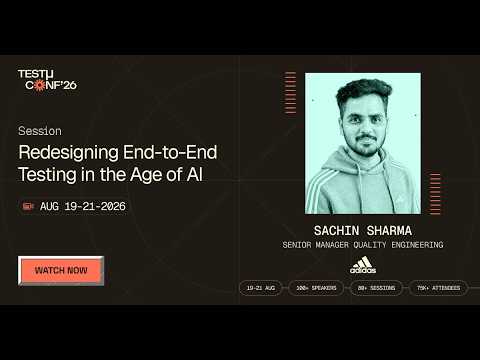
In the TestMu Conf 2026 session The Last Manual Handoff: Redesigning End-to-End Testing in the Age of AI, Sachin Sharma looks at why E2E testing still feels manual after teams have automated execution, regression, reporting, data creation and test design.

What Are End-to-End Testing Best Practices?
Good end-to-end tests are few, independent of each other, and stable enough that a failure means a defect. Most of the practices here exist to prevent flaky tests, which pass and fail on the same code.
- Test journeys and leave edge cases to lower levels. Cover the common path through each business-critical flow. Input validation and error branches belong in unit and integration tests.
- Wait for conditions, never for time. A fixed sleep is too short on a slow day and wasted on a fast one. Wait for a URL, an element or a network response, as the Selenium script does.
- Use locators a user would recognize. Roles, labels and visible text survive a redesign better than generated class names. Make each locator match one element: the Playwright run failed until its cart check stopped matching two links.
- Give every test its own data. A test that depends on an order created by another test fails when the two run in parallel or in a different sequence. Create what the test needs at the start, through the API where possible.
- Pair E2E with API tests. When a journey fails, API testing on the same endpoint tells you whether the fault is in the front end or behind it.
- Run on the browsers and devices your users have. A journey that passes in Chrome can fail in Safari or on a small Android screen. Running the suite in parallel in a cloud keeps that coverage from slowing the pipeline.
- Quarantine a flaky test the day it flakes. Move it out of the blocking suite, fix the cause, then put it back. Once people rerun a failed pipeline out of habit, real failures get rerun too.
Which Tools Do You Need for End-to-End Testing?
You need a framework to drive the browser and somewhere to run it. An agent that writes and maintains tests is optional. For a list of options, see end-to-end testing tools.
- Playwright drives Chromium, Firefox and WebKit from one API, with auto-waiting and a trace viewer for failed runs.
- Cypress runs inside the browser beside the application and shows each command in an interactive runner. See the Cypress tutorial.
- Selenium implements the W3C WebDriver standard, with bindings for Java, Python, C#, Ruby and JavaScript.
- Puppeteer controls Chrome and Firefox from Node.js. See the Puppeteer tutorial.
TestMu AI runs suites written in any of these frameworks in the cloud, on 3,000+ browser and operating system combinations and 10,000+ real iOS and Android devices. HyperExecute splits a suite across machines to shorten the run.
For AI-based options, see the roundup of ai testing tools. To automate a whole journey from one natural language objective without scripting each step, see end-to-end flow automation.
Where Should You Start With End-to-End Testing?
Start with one journey: the flow that would cost the most if it broke tonight. Write its test cases as a table, automate it with the framework your team already knows, and run it on every merge. Add a second journey once the first has stopped producing false failures.
Author

Salman Khan
Blogs: 138


Salman is a Test Automation Evangelist and Community Contributor at TestMu AI, with over 6 years of hands-on experience in software testing and automation. He has completed his Master of Technology in Computer Science and Engineering, demonstrating strong technical expertise in software development, testing, AI agents and LLMs. He is certified in KaneAI, Automation Testing, Selenium, Cypress, Playwright, and Appium, with deep experience in CI/CD pipelines, cross-browser testing, AI in testing, and mobile automation. Salman works closely with engineering teams to convert complex testing concepts into actionable, developer-first content. Salman has authored 120+ technical tutorials, guides, and documentation on test automation, web development, and related domains, making him a strong voice in the QA and testing community.
Reviewer

Srinivasan Sekar
Reviewer
Srinivasan Sekar is Director of Engineering at TestMu AI, where he leads engineering and open-source initiatives behind the Selenium and Appium automation grid and owns TestMu AI's MCP Server. A committer to Appium and a contributor to Selenium, WebdriverIO, Taiko, and AppiumTestDistribution, he brings over 15 years of experience in quality engineering and open-source technologies. He is the author of the Apress book 'The MCP Standard: A Developer's Guide to Building Universal AI Tools with the Model Context Protocol,' a Certified Kubernetes and Cloud Native Associate, and an international conference speaker. Before TestMu AI he spent over eight years at Thoughtworks as a Principal Consultant and Quality Architect. Srinivasan holds a B.Tech in Information Technology from Anna University.


End-to-End Testing FAQs
Did you find this page helpful?
More Related Learning Hubs

TestMu AI forEnterprise
Get access to solutions built on Enterprise
grade security, privacy, & compliance
- Advanced access controls
- Advanced data retention rules
- Advanced Local Testing
- Premium Support options
- Early access to beta features
- Private Slack Channel
- Unlimited Manual Accessibility DevTools Tests