

Power Your Software Testing with AI Agents and Cloud
The Native AI-Agentic Cloud Platform to Supercharge Quality Engineering. Test Intelligently and Ship Faster.


- TestMu AI (Formerly LambdaTest)
- /
- Learning Hub
- /
- What Is Visual Testing? Types, Examples, and How to Do It
What Is Visual Testing? Types, Examples, and How to Do It
Visual testing verifies how your UI looks and catches bugs functional tests miss. Learn its types, an example, and how to automate it with TestMu AI.
Last Updated on:
On This Page
- What Is Visual Testing?
- What Is the Difference Between Visual Testing and Functional Testing?
- What Are the Types of Visual Testing?
- What Is Automated Visual Testing?
- How Do You Perform Visual Testing?
- What Is an Example of Visual Testing?
- What Are the Benefits and Limitations of Visual Testing?
- How Is AI Changing Visual Testing?
- What Are the Best Practices for Visual Testing?
- How Do You Run Visual Testing With TestMu AI SmartUI?
- Where Should You Start With Visual Testing?
Overview
To perform visual testing, capture screenshots of your user interface and compare them against an approved baseline to catch layout, font, and color defects. You can automate this process across multiple browsers and devices using TestMu AI to reduce false positives by up to 95% directly from your existing test suite.
Types of Visual Testing
- Manual visual testing: A human reviews the user interface by eye to evaluate fast-changing layouts and perform exploratory checks. This method is best for early designs where layouts change quickly.
- Automated visual regression testing: Scripts capture and compare screenshots against an approved baseline on every build. This method is best for repeatable builds to prevent unintended user interface changes from shipping.
- Cross-browser and responsive testing: This method validates the user interface across various browsers, devices, and screen widths. It ensures layout integrity and multi-device consistency for products with a wide browser and device mix.
- AI-based visual testing: Computer vision filters out sub-pixel font rendering and anti-aliasing variations. This approach reports only meaningful visual changes, making it best for filtering rendering noise on dynamic pages.
- TestMu AI: TestMu AI is an AI-native tool that automates screenshot capture and comparison across browsers and resolutions. It integrates with existing test suites and reduces false positives by up to 95%.
What Is Visual Testing?
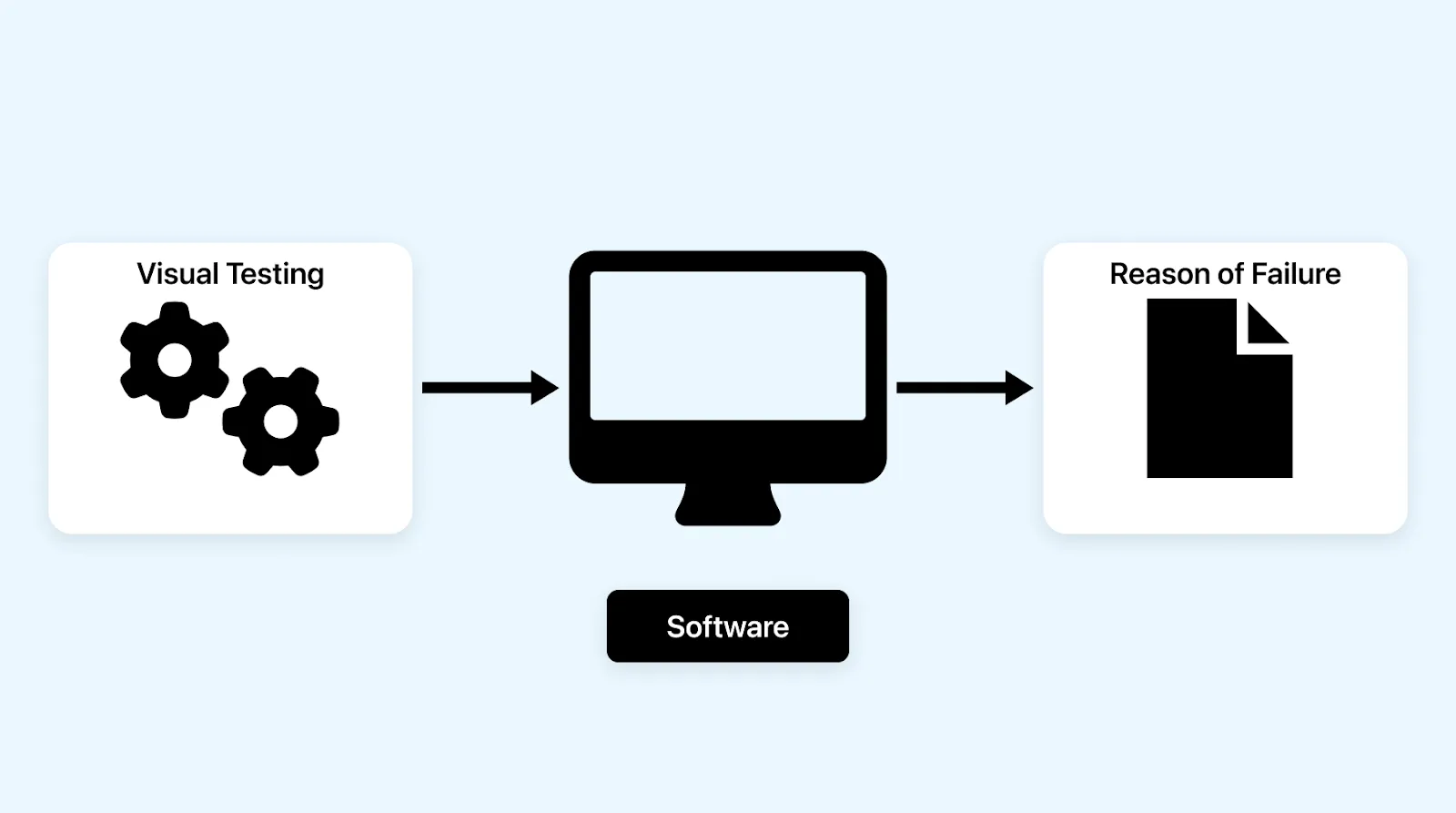
Visual testing is a software testing method that verifies the appearance of a user interface. It checks that layout, color, fonts, spacing, and element position match the intended design, by comparing a screenshot of the rendered UI against an approved baseline. It is also called visual UI testing or visual validation.
Where functional testing asks "does this work?", visual testing asks "does this look right?". It examines every element on a page to confirm correct shapes, sizes, and positions across browsers, devices, and operating systems, so users get a consistent experience no matter how they reach your product.
Appearance is not cosmetic. Stanford's Web Credibility research found that people quickly evaluate a site by visual design alone, so a broken layout costs trust before a user reads a word. That is the gap visual testing closes.
What Is the Difference Between Visual Testing and Functional Testing?
Functional testing verifies that a feature behaves correctly; visual testing verifies that the interface looks correct. A page can pass every functional assertion while a layout is visibly broken, because functional tests check the DOM, not the rendered pixels.
Take a checkout page. A functional test confirms that clicking "Pay Now" charges the account. It says nothing about whether the button is aligned, the right color, or hidden behind the footer. Trying to catch those with functional assertions means chaining brittle selector checks that break on every release. Functional tests routinely miss:
- Pixel differences and alignment shifts
- Page layout and element overlap problems
- Rendering issues across browsers
- Responsive layout breakage at specific widths
- Font and color variations
| Aspect | Functional Testing | Visual Testing |
|---|---|---|
| Question answered | Does the feature work? | Does the UI look right? |
| Checks against | The DOM and expected behavior | A rendered screenshot baseline |
| Catches | Broken logic, wrong data, failed actions | Layout, color, spacing, overlap, font issues |
| Misses | Purely visual regressions | Backend and behavioral defects |
The two are complementary, not competing. Functional tests prove the product works; visual tests prove it looks the way it was designed to. You need both.
What Are the Types of Visual Testing?
The main types of visual testing are manual, automated, visual regression, cross-browser and cross-device, responsive, and AI-based visual testing. They differ in how screenshots are captured and compared, and most teams combine several.
| Type | What It Does | Best For |
|---|---|---|
| Manual visual testing | A human reviews the UI by eye | Early, fast-changing designs and exploratory checks |
| Automated visual testing | Scripts capture and compare screenshots automatically | Repeatable checks on every build |
| Visual regression testing | Compares each build against a baseline to catch changes | Preventing unintended UI changes from shipping |
| Cross-browser / cross-device | Validates rendering across browsers and devices | Products with a wide browser and device mix |
| Responsive visual testing | Checks layout at multiple screen widths | Sites that must work on mobile and desktop |
| AI-based visual testing | Computer vision filters noise and flags real changes | Dynamic pages where pixel diffing gives false positives |
Visual regression testing is the type most teams mean when they automate visual checks: it compares each new build against an approved baseline and flags anything that changed. It is deep enough to warrant its own guide, covered in visual regression testing.
AI-based visual testing exists because raw pixel comparison has no idea what it is looking at, so a font that renders one sub-pixel bolder after an OS update produces thousands of false failures. Computer vision interprets the screen the way a person would and reports only meaningful differences, which is how automated visual testing stays usable at scale.
Cross-browser and responsive checks are where visual testing earns its keep, because the same markup renders differently across engines and breakpoints. A layout that is correct in Chrome can break in Safari from a single unsupported CSS property, and a component that looks right at 1440px can overlap at 375px. Both are covered in more depth in cross browser testing and responsive testing.
What Is Automated Visual Testing?
Automated visual testing captures and compares UI screenshots without a person reviewing every screen by hand. A script triggers the capture at a defined point in a test or pipeline run, a comparison engine diffs the result against the approved baseline, and only genuine changes reach a reviewer. That is what makes it possible to run the check on every commit instead of whenever someone remembers to look.
How much of the suite runs, and how often, usually depends on where the trigger sits in the pipeline:
| Trigger | Typical scope |
|---|---|
| Every commit to a feature branch | Smoke run on the affected components or key screens |
| Pull request to main | Full visual regression across all browsers and breakpoints |
| Nightly | Full run plus design or component-library comparisons |
| Post-deployment | Critical-path smoke check on the live production URL |
Running that often only works if the comparison engine filters its own noise, otherwise every anti-aliasing difference and font-rendering variation becomes a failure someone has to triage by hand. TestMu AI's SmartUI runs on HyperExecute for large test matrices, distributing browser and resolution combinations across parallel runners for up to 70% faster execution, so a full cross-browser automated visual run does not become the slowest step in the pipeline.
How Do You Perform Visual Testing?
Perform visual testing by approving a baseline screenshot, capturing a new one on each build, comparing the two, and reviewing each difference.
To perform visual testing, approve a known-good screenshot as the baseline, capture a new screenshot on each build, compare the two, review the differences, and approve intended changes or reject regressions.
- Set a baseline. Approve a screenshot of the known-good UI as the reference for future comparisons.
- Capture. Take a new screenshot of the same screen on each build or commit, ideally across your target browsers and resolutions.
- Compare. Diff the new screenshot against the baseline to surface any visual change.
- Review and act. Approve intended changes into the baseline; reject regressions as bugs and gate the build on them.
In practice you add one snapshot call inside a test you already run. The example below uses the TestMu AI SmartUI Selenium driver to capture a snapshot of the Selenium Playground, which SmartUI compares against the project baseline:
const { Builder } = require('selenium-webdriver');
const { smartuiSnapshot } = require('@lambdatest/selenium-driver');

(async () => {
  const driver = new Builder().forBrowser('chrome').build();

  await driver.get('https://www.testmuai.com/selenium-playground/');

  // Capture a named snapshot; SmartUI diffs it against the baseline.
  await smartuiSnapshot(driver, 'selenium-playground-home');

  await driver.quit();
})();
Running it through the SmartUI CLI uploads the snapshot and compares it against the project baseline. The first run has no baseline, so it becomes the baseline automatically; every run after that reports a diff for review. See the SmartUI CLI documentation for the configuration and the equivalent calls for other frameworks like Selenium.

Note: Run visual tests across 3,000+ browser and OS combinations and 10,000+ real devices with TestMu AI SmartUI. Start testing free
What Is an Example of Visual Testing?
A common example: a developer changes a shared button component's padding. Functional tests still pass because the button clicks. A visual test captures the new screenshot, compares it to the baseline, and flags that the button now overlaps the price on the pricing card.
Walk through what happens on each side. The functional suite navigates to the pricing page, clicks the call-to-action, and asserts that the checkout flow starts. It passes, because the handler still fires. The visual test takes a screenshot of the same page, diffs it against the approved baseline, and highlights a region where the button has shifted four pixels and now sits on top of the price text.
A reviewer sees the highlighted diff, recognizes it as a regression rather than an intended redesign, and rejects it. The build fails, and the padding change is fixed before a single user sees the broken card. That is the entire value of visual testing in one screen: a defect that every functional test approved is caught because something looked wrong.
What Are the Benefits and Limitations of Visual Testing?
Visual testing replaces dozens of brittle selector assertions with one screenshot check and catches defects that have no natural DOM assertion. Its main limitation is false positives from naive pixel comparison, which an AI engine or ignore regions address.
Benefits:
- One assertion covers the whole screen: Labels, fonts, alignment, layout, color, and position are all validated by a single snapshot.
- Catches what selectors cannot express: A 40px layout shift or a wrong brand color has no clean DOM assertion but is obvious in a diff.
- Cross-browser coverage in one run: The same snapshot is compared across browser and resolution combinations.
- Lower maintenance: When a design changes, you approve a new baseline once instead of rewriting selector assertions.
Limitations:
- False positives: Naive pixel diffing flags anti-aliasing and font rendering noise as failures. An AI engine or configured ignore regions are needed to keep the signal clean.
- Baseline upkeep: Baselines must be updated deliberately when the design genuinely changes.
- Not a functional check: A visually perfect page can still be functionally broken, so visual testing complements rather than replaces functional tests.
The false-positive problem is the one that sinks most programs; teams that hit it usually give up on the reports. Addressing these visual testing challenges is key to keeping the review queue trustworthy.

How Is AI Changing Visual Testing?
AI changes visual testing by judging screenshots the way a person would: it ignores rendering noise, groups related changes, and flags only differences a user would notice.
Pixel comparison needs manual tuning to stay usable. Playwright's screenshot assertions, for example, expose threshold and maxDiffPixels options so small anti-aliasing differences do not fail a run, and teams still mask dynamic areas by hand.
Visual AI replaces most of that tuning with a model trained on layout, text, and color changes, which is why visual suites built on it produce far fewer false positives. Multimodal models now go further and describe a diff in plain language, such as a button that moved below the fold. For a framework-level view, see Playwright visual regression testing.
Keep people approving baselines, because a model that learned to ignore minor shifts can also wave through a real misalignment on a checkout page.
What Are the Best Practices for Visual Testing?
Visual testing best practices are filtering false positives, masking dynamic regions, judging changes by user impact, validating whole pages, and gating builds on rejected changes.
These practices separate a visual suite a team trusts from one it mutes.
- Choose a tool that filters false positives, absorbing anti-aliasing and pixel offsets without failing the build.
- Mask dynamic regions explicitly. Timestamps, ads, and user-generated content should be ignored by configuration, not by raising the global threshold.
- Do not judge by pixel ratio alone. What matters is whether a person would notice the change and whether it harms the experience.
- Validate whole pages, not just isolated components, so you catch regressions that appear only when components are composed.
- Gate the build on rejected changes. A visual report that cannot fail a build is documentation, not a test.
- Run across the browsers and resolutions your users actually use, using a visual testing tool that provides that coverage. See our roundup of the best visual testing tools for a broader comparison.
How Do You Run Visual Testing With TestMu AI SmartUI?
TestMu AI SmartUI is an AI-native visual testing tool that automates screenshot capture, comparison, and analysis across browsers, operating systems, resolutions, and devices. Its Visual AI engine is built to eliminate the false positives that make pixel diffing unusable, filtering anti-aliasing, sub-pixel font rendering, and dynamic content before a reviewer ever sees them; its Smart Ignore capability reduces false positives by up to 95%.
You add it to the suite you already run. SmartUI provides SDKs for Selenium, Playwright, Cypress, Puppeteer, WebdriverIO, and TestCafe, plus a CLI for static sites and Storybook components and a Figma import to catch design-to-code drift. Each branch keeps its own baseline, and it integrates with Jenkins, GitHub Actions, GitLab, and Azure DevOps, holding a pull request until visual changes are reviewed. Data is encrypted with AES-256 at rest and TLS 1.3 in transit, and the platform is SOC 2 Type II and GDPR compliant.
Where Should You Start With Visual Testing?
Start with one screen that has broken before. Add a single snapshot call to the functional test that already visits it, approve the first run as your baseline, and let the next commit tell you whether anything moved. That one checkpoint catches more visual defects than any amount of manual review.
From there, widen coverage across your browser and device matrix, choose the type of visual testing that fits each workflow, and gate the build so a rejected diff blocks the merge. TestMu AI SmartUI runs that loop inside the framework you already use, and the SmartUI CLI documentation walks through the setup. Because your users judge your product by how it looks before they judge how it works, visual testing belongs in the pipeline next to your functional tests.
Author

Nazneen Ahmad
Blogs: 39


Nazneen Ahmad is a freelance Technical Content SEO Writer with over 6 years of experience in crafting high ranking content on software testing, web development, and medical case studies. She has written 60+ technical blogs, including 50+ top-ranking articles focused on software testing and web development. Certified in Automation Basic and Advanced Training - XO 10, she blends subject knowledge with SEO strategies to create user focused, authoritative content. Over time, she has shifted from quick, keyword-heavy drafts to producing content that prioritizes user intent, readability, and topical authority to deliver lasting value.
Reviewer

Sushobhit Dua
Reviewer
Sushobhit Dua is an Engineering Manager at TestMu AI (formerly LambdaTest), leading SmartUI, the visual regression and visual testing product. He manages the team that builds and ships SmartUI and maintains and cuts releases of the open-source SmartUI CLI. He works primarily in Core Java, Spring Boot, and Gradle, and is an AMCAT Certified Software Engineer. He brings over 10 years of software engineering experience, with earlier work as a Software Engineer at ecare Technology Labs. Sushobhit owns the SmartUI roadmap and the engineering decisions behind it.


Visual Testing FAQs
Did you find this page helpful?
More Related Learning Hubs
TestMu AI forEnterprise
Get access to solutions built on Enterprise
grade security, privacy, & compliance
- Advanced access controls
- Advanced data retention rules
- Advanced Local Testing
- Premium Support options
- Early access to beta features
- Private Slack Channel
- Unlimited Manual Accessibility DevTools Tests