

Power Your Software Testing with AI Agents and Cloud
The Native AI-Agentic Cloud Platform to Supercharge Quality Engineering. Test Intelligently and Ship Faster.


- TestMu AI (Formerly LambdaTest)
- /
- Learning Hub
- /
- Introduction
Introduction
A practical guide to AI testing with skills, tools, learning paths, and community support to help you grow and build a career in reliable, safe AI quality.
Last Updated on:
An AI testing career centers on validating AI-driven systems for reliability, safety, and bias, not only using AI tools to speed up test work. The field splits into two tracks: assisted test automation that writes and maintains scripts, and evaluation of large language models, retrieval-augmented pipelines, and AI agents for hallucinations and security gaps. This guide covers why AI testing matters, whether to test with AI or test AI systems, what skills and resources this site offers, how to contribute, and how to get involved.
Key Takeaways
- An AI testing career splits into two tracks: using AI to test software and testing AI systems themselves.
- AI Test Engineers validate AI-driven systems for reliability, resilience, safety, ethical alignment, and risk before release.
- Testing AI systems means checking large language models, retrieval-augmented generation pipelines, and AI agents for hallucinations, bias, and security gaps.
- Generative AI can draft test cases, summarize bug logs, and produce automation-ready scripts, cutting manual QA effort.
- A structured AI Test Engineer roadmap covers role expectations, technical skills, and a step-by-step learning path.
- Contributing learning materials, tools, or bug reports to this resource strengthens the AI testing community for everyone.
Why AI Testing?
AI-driven systems differ fundamentally from traditional software. They learn from data, adapt to new patterns, and may behave unpredictably, making conventional testing approaches insufficient. Testing AI requires specialized methods to ensure reliability, safety, and ethical alignment.
AI testers are basically the people who make sure an AI system is ready for the real world. Their work helps confirm that the system is:
- Reliable: It behaves consistently and doesn’t throw out random surprises.
- Resilient: It can deal with messy inputs, edge cases, and situations that aren’t part of the “perfect” training data.
- Safe: It’s protected against being misused or pushed into harmful behavior.
- Ethically aligned: It avoids unnecessary bias and reduces the chance of unintended negative outcomes.
- Risk-aware: Potential issues are caught early, long before the system reaches actual users.
- Trustworthy: It’s tested against real-world expectations so people can depend on it.
Should You Learn to Test With AI or to Test AI Systems?
Testing AI systems now pays more and grows faster than using AI to test, though most AI Test Engineer roles expect skill in both tracks.
- Using AI to test: AI assistants and self-healing frameworks write test cases, generate test data, and fix flaky selectors before a release ships. This skill set is covered in AI prompt engineering.
- Testing AI systems: validate large language models, retrieval-augmented generation pipelines, and autonomous agents for hallucinations, bias, and security gaps before users see them. This is the focus of AI agent testing and AI ML testing.
- Where demand sits: recruiters increasingly hire dedicated AI evaluation engineers for the second track, since a wrong output from an autonomous agent carries more risk than a missed UI bug.
- What to build first: pair AI-assisted automation with hands-on model and agent evaluation practice, then track progress with an AI roadmap for software testers.
Neither track replaces the other. Most AI Test Engineer roles now expect testers who can automate faster with AI and independently judge whether an AI system's output is safe to ship.
What You’ll Find on This Site
This platform is built to support your journey into AI-powered testing. Whether you're just starting out or expanding your expertise, you’ll find actionable guidance, structured learning, and practical examples you can use right away.
Generative AI Powered Testing
Explore how generative AI can make your testing process faster and easier. In this section, you’ll see how AI can help you:
- Come up with test ideas and outline test cases.
- Break down logs, bugs, and complicated scenarios.
- Produce scripts that are ready for automation.
- Take the repetitive load off everyday QA work.
This section includes:
- Prompt Engineering Basics.
- A Library of Pre-built Prompts for QA Tasks.
- Strategies to Integrate AI Into Your Day-to-Day Testing.
Career Path
If you aspire to become an AI Test Engineer, this guidance provides a structured framework to support your professional growth and career development in the rapidly evolving AI domain.
Key areas covered include:
- Role Overview: Gain a clear understanding of the responsibilities, day-to-day tasks, and impact of an AI Test Engineer within AI-driven projects.
- Skills & Competencies: Learn the technical and analytical skills required, including AI concepts, testing methodologies, automation, data validation, and ethical considerations.
- Step-by-Step Roadmap: Follow a practical pathway to progress from foundational knowledge to advanced expertise, including recommended learning milestones, hands-on experience, and best practices.
This career pathway is designed to provide clarity, actionable guidance, and confidence, enabling you to build the expertise and credibility necessary to excel in the growing field of AI testing.
For a closer look at day-to-day responsibilities and hiring expectations, see this AI engineer career path guide.
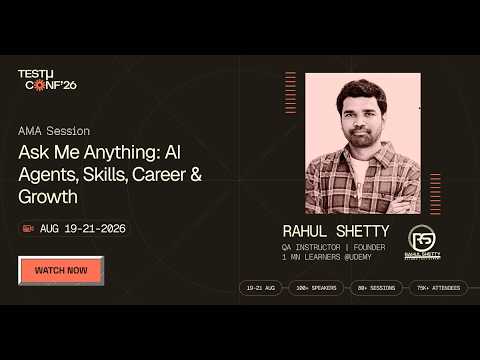
The pathway keeps moving, so it helps to hear where practitioners think it is heading. In this TestMu Conf 2026 session, Ask Me Anything: AI Agents, Skills, Career & Growth, Rahul Shetty takes live questions on skills, careers, and growth at a point where agentic AI is already in the workflow, writing code, generating and triaging tests, and shipping alongside engineering teams.
How to Contribute
This project thrives on community participation. By contributing, you help improve resources, expand knowledge, and support others in their AI testing journey.
Ways to get involved include:
- Recommend Learning Materials: Suggest new tutorials, books, or courses that could benefit the community.
- Share Projects or Tools: Contribute useful open-source projects, scripts, or testing tools.
- Engage in Discussions: Participate in conversations or propose improvements to existing content.
- Report Issues: Flag outdated information, missing topics, or errors to keep resources accurate and relevant.
Every contribution, big or small, strengthens the community and helps others learn more effectively.
Get Involved
- Join Our TestMu AI Community: Collaborate, ask questions, and share insights with fellow AI testing professionals.
- Share This Resource: Help others discover valuable guidance and learning materials on AI testing.
By participating, you contribute to building a knowledgeable, supportive network that empowers the next generation of AI testers.
Author

Anupam Pal Singh
Blogs: 11


Anupam is a Community Contributor at TestMu AI with 4+ years of experience in software testing, AI, and web development. At TestMu AI, he creates technical content across blogs, tool pages, and video scripts, with a focus on CI/CD, test automation, and AI-powered testing. He has authored 25+ in-depth technical articles on the TestMu AI Learning Hub and holds certifications in Automation Testing, Selenium, Appium, Playwright, Cypress, and KaneAI.
Frequently asked questions
Did you find this page helpful?
More Related Learning Hubs
TestMu AI forEnterprise
Get access to solutions built on Enterprise
grade security, privacy, & compliance
- Advanced access controls
- Advanced data retention rules
- Advanced Local Testing
- Premium Support options
- Early access to beta features
- Private Slack Channel
- Unlimited Manual Accessibility DevTools Tests