

Power Your Software Testing with AI Agents and Cloud
The Native AI-Agentic Cloud Platform to Supercharge Quality Engineering. Test Intelligently and Ship Faster.


- TestMu AI (Formerly LambdaTest)
- /
- Blog
- /
- Accessibility Marketing: Channel Guide and Examples
Accessibility Marketing: A Channel-by-Channel Guide
Accessibility marketing makes websites, email, social, video, and ads usable by people with disabilities. See channel checklists, examples, and market data.
Last Updated on:
Accessibility marketing is the practice of building campaigns, websites, ads, and emails that people with disabilities can use, and telling customers about that commitment. The WebAIM Million report for February 2026 found detected WCAG 2 failures on 95.9% of the top one million home pages, at an average of 56.1 errors per page.
This guide explains what accessibility marketing is, real brand examples, accessibility market size and share, design considerations, how businesses embrace diversity, how AI changes accessibility checks, business opportunities, and market trends.
TL;DR
- Accessibility marketing tells customers that a brand's websites, apps, ads, and emails work for people with disabilities.
- The WebAIM Million report for February 2026 recorded detected WCAG 2 failures on 95.9% of the top one million home pages.
- Google Maps wheelchair-accessible place labels and Lego Braille Bricks are examples of accessibility marketing backed by a real accessible product.
- Accessible design work covers color contrast, alt text, keyboard navigation, form labels, headings, captions, and text resizing.
- Automated accessibility checks flag machine-detectable failures such as missing alt text and low contrast, while screen reader and keyboard testing by people decides whether a campaign is usable.
- The European Accessibility Act applies to consumer products and services placed on the EU market from 28 June 2025, which puts accessibility inside marketing compliance scope.
What Is Accessibility Marketing?
Accessibility marketing is about raising awareness and helping organizations, and businesses understand why accessibility is important in any software application. It matters because it enables products, services, and information to reach everyone, including people with disabilities.
Here's why it's important:
- Increasing Awareness - Highlighting the importance of accessibility underscores the need for digital platforms to be user-friendly for all, fostering a more inclusive online environment.
- Shows Inclusivity - Focusing on accessibility demonstrates that a brand values all users, helping to build a socially responsible reputation.
- Educates Others - Marketing accessibility informs clients, stakeholders, and the public about the need for accessible content, leading to broader support.
- Drives Demand - Promoting accessibility can boost interest in these services as more businesses recognize their value.
- Supports Compliance - Accessibility marketing reminds brands of the need to comply with regulations like ADA or WCAG, helping them avoid legal issues.
- Builds Brand Authority - Brands that prioritize accessibility are seen as leaders in inclusivity and user-friendly design, gaining recognition in their industry.

Note: Test website and mobile accessibility on the cloud. Try TestMu AI Today!
Key Takeaway: Accessibility marketing raises awareness of inclusive design, educates stakeholders, and supports compliance with ADA and WCAG requirements.
Examples of Accessibility Marketing
Here are some of the examples of accessibility marketing that will give you a clear understanding of it.
Example 1: Wheelchair Accessible Places with Google Maps
Google Maps introduced a feature that allows businesses to indicate if their establishments are wheelchair accessible. By enabling this feature through their account, Google users can prioritize wheelchair-accessible locations in their search results. This makes it easy for users to quickly identify if a building's entrance is accessible, as well as check for accessible parking spots and restrooms.
This feature demonstrates accessibility marketing in action by promoting inclusivity and ensuring that accessibility information is readily available for users.
Example 2: Lego Braille Bricks
Lego introduced Braille Bricks, a new set of building blocks designed for children who are blind or visually impaired. These fun and playful bricks help children learn the Braille system of reading and writing, where characters are represented by raised dots. Lego launched the Braille Bricks in seven countries, including the United States, France, Germany, Brazil, the United Kingdom, Denmark, and Norway.
This is an excellent example of accessibility marketing, as it showcases Lego's commitment to inclusivity by providing a creative way for visually impaired children to engage in learning while playing.
Example 3: Airbnb Online Experiences
During the COVID-19 lockdown, Airbnb launched Online Experiences, enabling people to travel virtually and connect with hosts worldwide, including those offering accessible experiences. These experiences included wheelchair workouts with a professional trainer and cooking classes with a deaf instructor, among others.
This initiative is a great example of accessibility marketing, as it highlights Airbnb's commitment to inclusivity by offering accessible experiences that cater to individuals with disabilities, allowing them to engage with the world from home.
Example 4: Social Media Accessibility
Princeton University has made Social Media Accessibility Guidelines for its staff, faculty, and students. These guidelines were very helpful for them to create social media content. This was easy for people with disabilities to understand and use. They include tips for both text and video content.
Example 5: Email Marketing Accessibility
To make email campaigns more accessible, use clear subject lines, proper headers, and alternative text for images. Providing a plain-text version can also help. You can check your email accessibility using free tools like accessible-email.org.
With these examples, it becomes essential for organizations to improve accessibility testing to make applications accessible to everyone, including people with disabilities.
Watch the video below to learn how you can enhance the accessibility of your applications.

Subscribe to the TestMu AI YouTube Channel, to get more videos around accessibility.
Key Takeaway: Google Maps, Lego, Airbnb, Princeton University, and email campaign teams show accessibility marketing works when a real accessible feature sits behind the message.
Digital Accessibility Market Size
Kings Research sets the 2022 baseline for the global digital accessibility software market at USD 538.3 million and projects USD 880.6 million by 2030, a compound annual growth rate of 6.49%.
How to Make Each Marketing Channel Accessible
Accessible marketing applies the same WCAG principles to every channel a campaign touches. What changes is where the barriers tend to hide.
Websites and Landing Pages
- Descriptive CTAs - "Start your free trial" tells a screen reader user where a link goes; ten links that all read "Learn more" do not.
- Structure - One H1, headings in order, alt text on every informative image, and labels on every form field.
- Contrast and resizing - Keep text at WCAG contrast levels and let it resize without content disappearing; see color contrast accessibility for the ratios.
To see what passing looks like on a real marketing page, I audited the testmuai.com home page with Playwright on Chrome and Windows 11 on the TestMu AI cloud. Of 188 visible links and buttons, none had an empty accessible name or a generic one such as "Learn more" or "Click here"; the page had exactly one H1 and no skipped heading levels; and all 143 visible images carried an alt attribute. A marketer can run the same four checks on any landing page before a campaign goes live.
- Real text, not images of text - Many email clients block images by default, and screen readers cannot read text baked into a banner.
- Semantic structure - Use real headings and a single-column layout so the reading order matches the visual order.
- Alt text and a plain-text version - Describe every meaningful image and send a plain-text part for clients and readers that need it.
Video and Digital Ads
- Captions and audio description - WCAG requires captions for prerecorded video with audio (1.2.2, Level A) and audio description for prerecorded video (1.2.5, Level AA).
- No surprise motion - Give users a way to pause auto-playing or moving content (2.2.2) and keep anything flashing below three flashes per second (2.3.1).
- Say the offer in text - Put the key message and CTA in real text or alt text, not only inside an animated image.
Test every channel with people who use assistive technology, covering visual, hearing, physical, and cognitive needs, in addition to running a scanner.

Austin Siewert
Co-Founder, Steadfast Systems
Discovered @TestMu AI yesterday. Best browser testing tool I've found for my use case. Great pricing model for the limited testing I do 👏
2M+ Devs and QAs rely on TestMu AI
Deliver immersive digital experiences with Next-Generation Mobile Apps and Cross Browser Testing Cloud

How Can Businesses Embrace Diversity and Accessibility?
To adopt diversity and accessibility, businesses must follow these basic steps:
- Recognize Your Audience's Diversity - Understand that your audience includes people with varying abilities. Some may face challenges with dexterity, vision, or hearing. Ensure that everyone can participate and engage effectively.
- Empathize with Your Audience - To make your marketing accessible, consider how individuals with varying abilities will experience it. Engage with people who have different disabilities and learn from their experiences to make meaningful improvements.
- Use the Right Tools - There are many tools available to help make your campaigns more inclusive. For instance, accessibility testing tools like SortSite, Pa11y, and other developer tools can assist in identifying accessibility issues.
Organizations can also use cloud-based platforms like TestMu AI, which provides access to a wide range of browsers and devices. This platform enables manual and automated testing at scale across 3,000+ browser and OS combinations, helping businesses identify accessibility issues on their websites. Additionally, tools like the Accessibility DevTools Chrome extension can be used to further enhance accessibility.
This platform also offers Accessibility Automation with frameworks like Selenium, Playwright, and Cypress, simplifying the process of accessibility testing and making it more manageable. It integrates with existing testing setups, allowing teams to maintain accessibility standards without disrupting their workflow. This solution is ideal for developers who want to efficiently create inclusive web experiences.
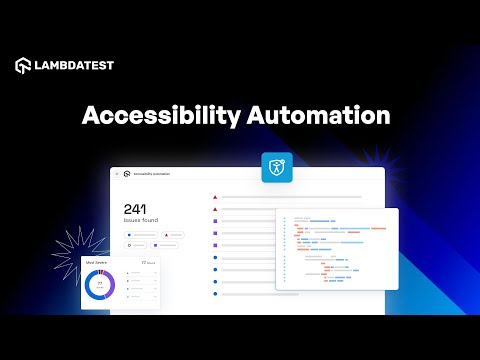
To get started, check out this guide on TestMu AI Accessibility Automation.
Also, would like to add that our Accessibility Testing Suite was launched in April 2025 and recognized as Product of the Day, securing the top spot on Product Hunt.
Key Takeaway: Businesses embrace accessibility by recognizing audience diversity, learning directly from people with disabilities, and running campaigns through WCAG testing before launch.
AI in Accessible Marketing
AI now runs the machine-detectable part of an accessibility check and drafts the text a marketer would otherwise write by hand. It does not decide whether a campaign is usable.
The workflow for marketing and content teams changed in these ways:
- Rule engines run in the pipeline - axe-core and Lighthouse run against a staging URL on every deploy, so missing alt text, unlabeled form fields, and low contrast ratios fail a build instead of reaching a campaign page.
- Coding agents read the audit - an accessibility MCP server exposes scan results to assistants such as Claude Code and Cursor, so an agent can read a violation, open the component, and propose the ARIA or markup fix.
- Vision models draft alt text - multimodal models generate a first draft of image descriptions at campaign scale, which a human then corrects for intent, because a model describes what an image shows and not why the image is in the email.
The limits are specific. Automated rules cover success criteria a machine can measure, such as contrast ratios and missing labels. They cannot judge whether link text makes sense out of context, whether a focus order follows the reading order, or whether an error message tells a user what to do next. Those need a screen reader and a keyboard.
Overlay widgets that promise one-line AI remediation are a separate category. The Overlay Fact Sheet, signed by hundreds of accessibility practitioners, states that overlay widgets are unnecessary and poorly placed in the technology stack; fixing the site's own code is the reliable route.
Key Takeaway: AI handles machine-detectable accessibility failures such as contrast and missing labels in the build pipeline, while focus order, link clarity, and error recovery still need manual screen reader and keyboard testing.
Conclusion
Before your next campaign launches, run the four landing-page checks above, caption every video, and add alt text to every image in the email and social posts. Then scan the landing page with TestMu AI's accessibility testing suite so contrast and labeling issues are caught before the traffic arrives.
Author

Nazneen Ahmad
Blogs: 39


Nazneen Ahmad is a freelance Technical Content SEO Writer with over 6 years of experience in crafting high ranking content on software testing, web development, and medical case studies. She has written 60+ technical blogs, including 50+ top-ranking articles focused on software testing and web development. Certified in Automation Basic and Advanced Training - XO 10, she blends subject knowledge with SEO strategies to create user focused, authoritative content. Over time, she has shifted from quick, keyword-heavy drafts to producing content that prioritizes user intent, readability, and topical authority to deliver lasting value.
Reviewer

Rahul Mishra
Reviewer
Rahul Mishra is a Lead Member of Technical Staff at TestMu AI (formerly LambdaTest), leading frontend engineering and accessibility testing across the quality engineering platform. He mentors frontend engineers, runs code reviews and sprint planning, optimizes React.js rendering performance, and makes product features accessible to users with disabilities through WCAG and ADA-compliant accessibility audits. He brings 10+ years of experience across React.js, VueJS, TypeScript, Swift, Objective-C, and AWS, with earlier work as a Technical Lead at VectoScalar Technologies. Rahul holds a B.E. in Information Technology.


Accessibility Marketing FAQs
Did you find this page helpful?
More Related Blogs
TestMu AI forEnterprise
Get access to solutions built on Enterprise
grade security, privacy, & compliance
- Advanced access controls
- Advanced data retention rules
- Advanced Local Testing
- Premium Support options
- Early access to beta features
- Private Slack Channel
- Unlimited Manual Accessibility DevTools Tests