

Power Your Software Testing with AI Agents and Cloud
The Native AI-Agentic Cloud Platform to Supercharge Quality Engineering. Test Intelligently and Ship Faster.


- TestMu AI (Formerly LambdaTest)
- /
- Blog
- /
- July'22 Updates: Live With LT Debug, XCUITest, Brave Browser, And More!
July’22 Updates: Live With LT Debug, XCUITest, Brave Browser, And More!
This July has a big bundle of updates for you. We have released some cool features like LT Debug, Brave Browser, XCUITest framework, Android Debug Bridge, and more.
Last Updated on:
On This Page
- Latest features in Automation Testing
- New Capabilities in Visual Regression Testing
- Test your iOS Apps with the XCUITest framework
- Copy your App ID in Manual App Testing [Real Devices]
- Android App Testing using Android Debug Bridge (adb)
- Cross Browser Testing using Brave Browser
- Debug your website on the go with LT Debug
- Siesta integration for effective Web automation
Hey Folks 👋🏻, Quite a few exciting updates are coming this month, from brand-new features to managing more complex workflows.
July was a fruitful month for us. We went live with the LT Debug Chrome extension to enable developers and testers to debug their web pages quickly and easily. Additionally, we launched a new browser – Brave, to perform browser compatibility testing of websites and web apps. XCUITest framework support has been added for app test automation.
And that’s not all…
Here is a monthly overview of everything that happened at TestMu AI during July. 📆
Let’s begin!
Latest features in Automation Testing
Automation is exciting, and it’s only getting better. The latest release has some additions around capabilities, the latest browsers, and the all-new desired capability generator.
The following is a list of the new automation testing features 👇
- To set the browser option for your Playwright, Puppeteer, and Taiko tests, we have added a new capability, browserOptions. This allows you to set browser options for the test via the browserOptions capability.
- You can now group your Cypress builds (executed on TestMu AI) on ReportPortal using CI_BUILD_ID.
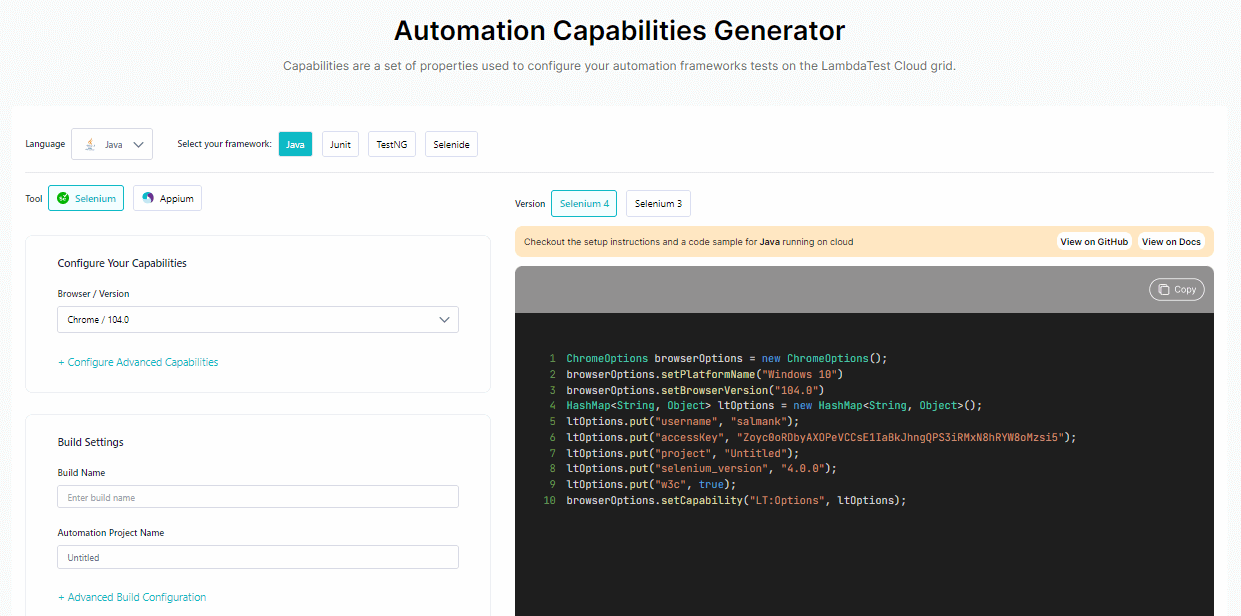
- To make Desired Capability Generator more user-friendly, we have received countless valuable suggestions from our customers. We are pleased to announce that we have incorporated those suggestions and revamped our Automation Capability Generator to make it more efficient and user-friendly.
Test on Latest Browsers
You can now automate your web testing with the latest versions of Chrome, Firefox, and Edge browsers. Shown below is the list of newly added browser versions
- Chrome 104 Beta [Windows only], 103
- Firefox 103 Beta, 102
- Edge 103 Beta
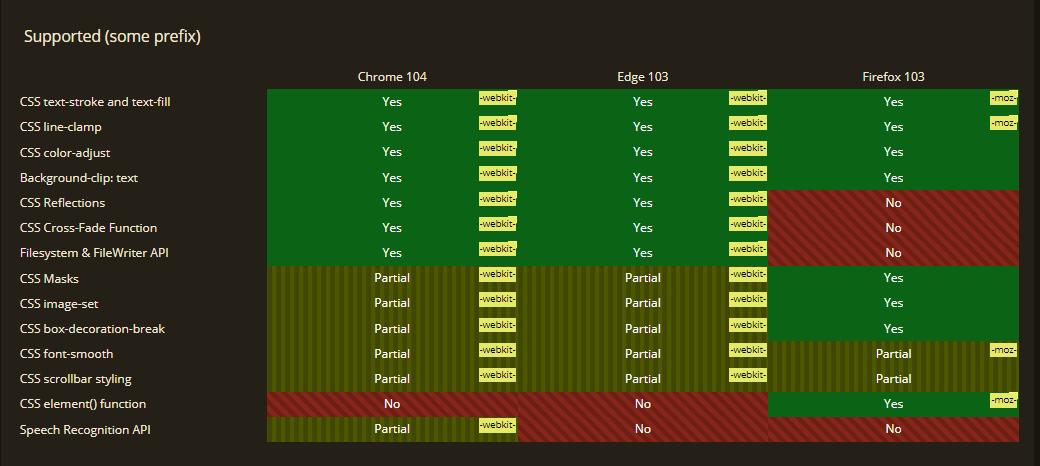
Let’s compare the cross browser compatibility of the latest versions between Chrome 104, Firefox 103, and Edge 103. 🌐

Austin Siewert
Co-Founder, Steadfast Systems
Discovered @TestMu AI yesterday. Best browser testing tool I've found for my use case. Great pricing model for the limited testing I do 👏
2M+ Devs and QAs rely on TestMu AI
Deliver immersive digital experiences with Next-Generation Mobile Apps and Cross Browser Testing Cloud

New Capabilities in Visual Regression Testing
With TestMu AI’s SmartUI, you can compare screenshots of your application’s web pages from two different browsers and detect any visual deviations. It enables you to run automation scripts on an online browser farm of 3000+ desktop and mobile environments, thereby expanding your browser coverage.
In Visual Regression testing, we have two new capabilities that let you name Screenshots and compare builds based on their names.
- Show Screenshot Name
driver.executeScript("smartui.takeScreenshot=screenshot_name") - Compare Builds By Names
"smartUI.compare": "byName"
In addition, we also added support for comparing your Visual Regression test results with dynamic content on your website by hiding the DOM elements.
Test your iOS Apps with the XCUITest framework
After adding support for Espresso for mobile automation testing, we are now live with the XCUITest for XCUITest App testing. You can now say goodbye to the expensive Apple device lab and start testing your iOS applications on TestMu AI Real device cloud. 📱
XCUITest automation on TestMu AI comes with the following features:
- XCUITest app testing on real iOS devices.
- Faster test execution with Parallel testing.
- Test your iOS apps using Swift and Objective-C languages.
- Integrate your XCUITest automation scripts with the best CI/CD tools like Bitrise CI.
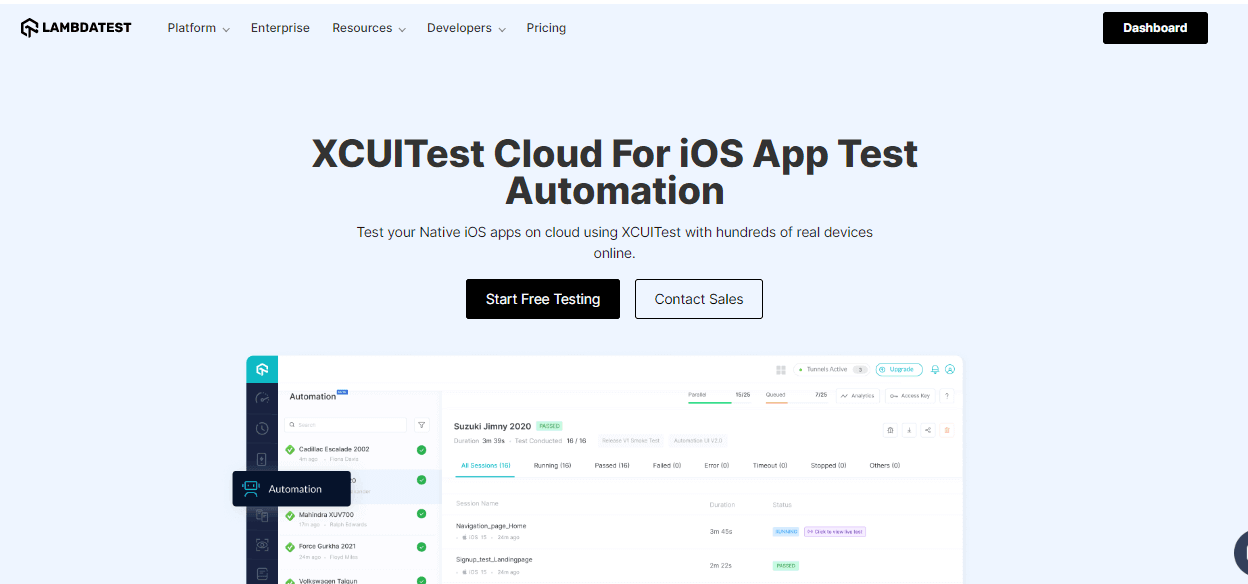
Currently, we have rolled out the XCUITest framework in the Beta phase. Head over to our official documentation to get started with XCUI Testing.
Copy your App ID in Manual App Testing [Real Devices]
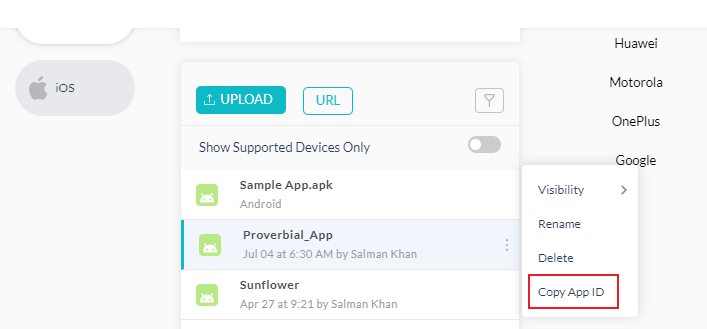
While testing applications manually on real devices, you can now copy the App ID of your uploaded mobile applications.
Android App Testing using Android Debug Bridge (adb)
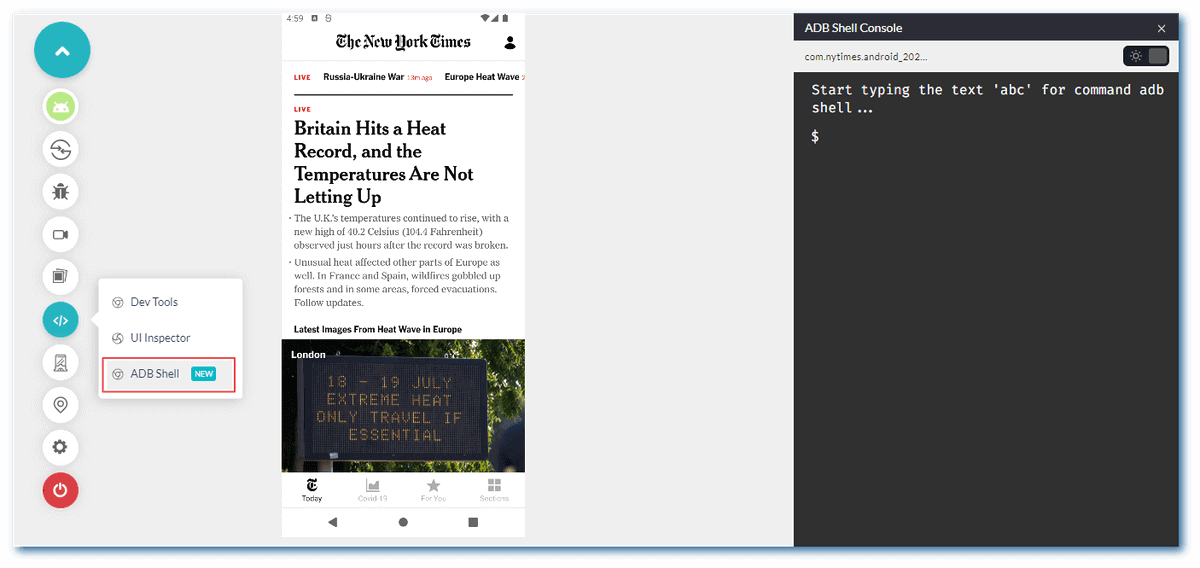
Android Debug Bridge (adb) allows you to communicate with a device via the command line. You can use the adb command to perform various device actions, such as installing and debugging apps, and it provides access to a Unix shell to run commands.
We are pleased to announce that the Android Debug Bridge (adb) is now available on the TestMu AI platform for real-time Android app testing(on Android emulator online). You can now debug and fix errors in Android applications on the go.
Cross Browser Testing using Brave Browser
Now you can perform online cross browser testing on Brave Browsers to make sure your websites and web apps are compatible with all versions of Brave Browser. Real-time browser testing is supported on Brave 1.32 to 1.40 and all future versions.
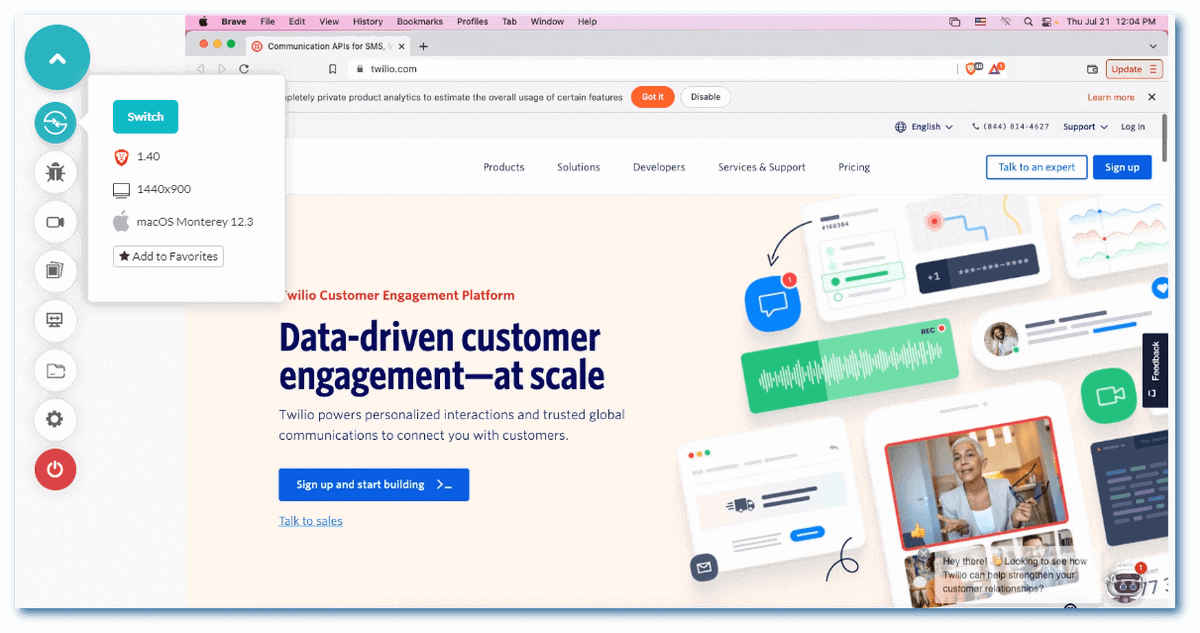
Test on Brave browsers for free!
We have also added new browser versions for Chrome, Firefox, and Edge for real-time browser testing.
- Chrome 104 Beta, 103, 102
- Firefox 102 Beta, 101
- Edge 104 Beta, 103, 102
Debug your website on the go with LT Debug
For web developers and testers, debugging would no longer be a challenge. With LT Debug, your work will be more accessible, fun, and flexible. LT Debug offers more than nine unique debugging features that web developers and testers can leverage in their daily debugging process.
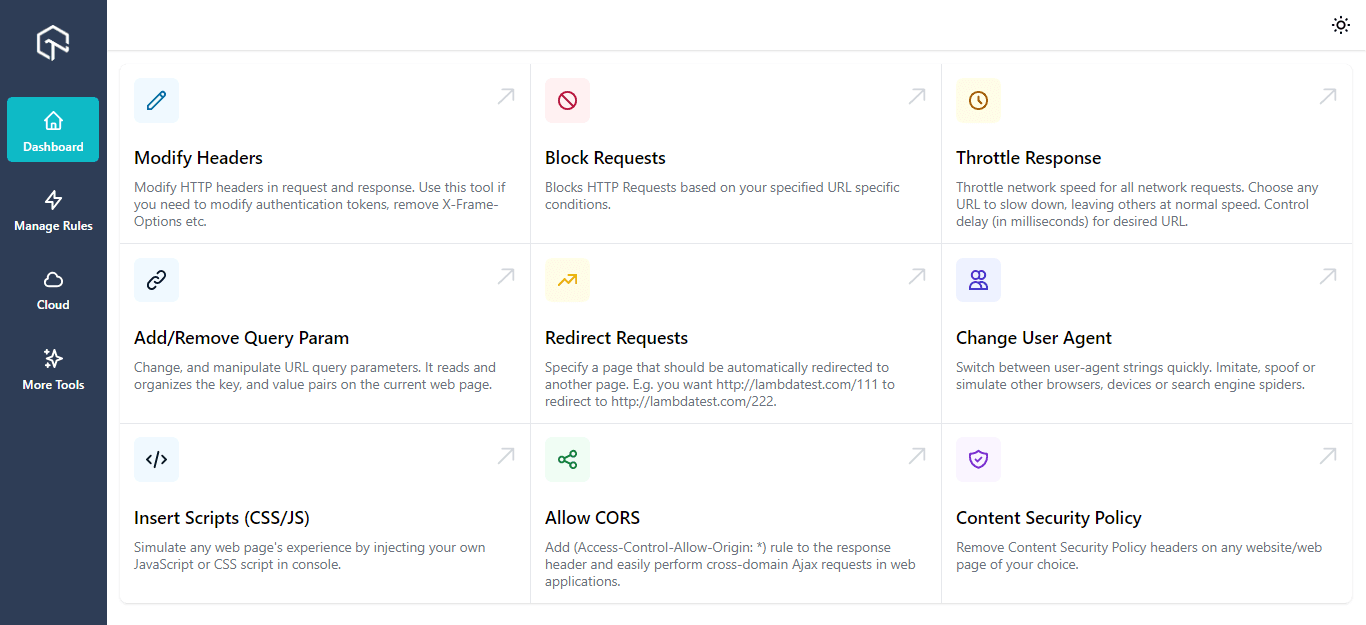
For more information about LT Debug, please visit the LT Debug Chrome extension page.
Siesta integration for effective Web automation
To make your test automation more productive, we have now integrated with Siesta by Bryntum – a JavaScript and UI testing tool for web pages and Node.js applications. By integrating TestMu AI and Siesta, you can automate website or web application testing across 3000+ browsers and operating systems.
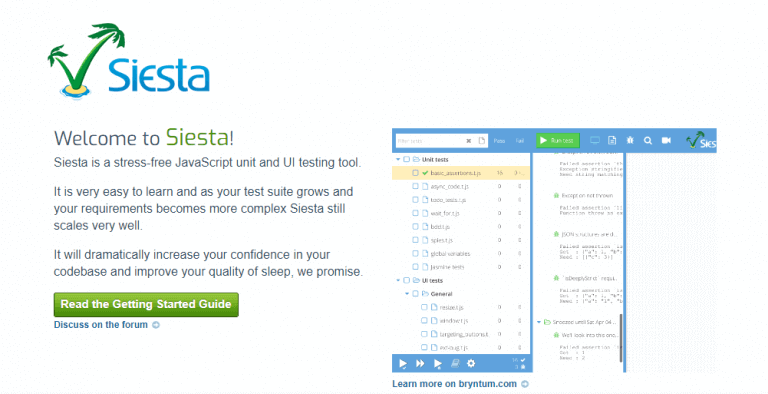
To integrate TestMu AI with Siesta, check out our documentation on Siesta Integration.
All in All
That’s it for the July ’22 product updates. We have some very big, exciting features coming up soon, so stay tuned. Keep an eye out for all the latest developments at TestMu AI, and join our TestMu AI Community to become part of a fast-growing testing community.
You can also visit the TestMu AI Changelog page for the latest announcements on our product offerings and features. TestMu AI is constantly evolving & getting better, you can see how its a IBM RFT alternative.

Note: Automate your iOS Apps with XCUITest. Try TestMu AI Now!
Author

Salman Khan
Blogs: 138


Salman is a Test Automation Evangelist and Community Contributor at TestMu AI, with over 6 years of hands-on experience in software testing and automation. He has completed his Master of Technology in Computer Science and Engineering, demonstrating strong technical expertise in software development, testing, AI agents and LLMs. He is certified in KaneAI, Automation Testing, Selenium, Cypress, Playwright, and Appium, with deep experience in CI/CD pipelines, cross-browser testing, AI in testing, and mobile automation. Salman works closely with engineering teams to convert complex testing concepts into actionable, developer-first content. Salman has authored 120+ technical tutorials, guides, and documentation on test automation, web development, and related domains, making him a strong voice in the QA and testing community.


Did you find this page helpful?
More Related Blogs
TestMu AI forEnterprise
Get access to solutions built on Enterprise
grade security, privacy, & compliance
- Advanced access controls
- Advanced data retention rules
- Advanced Local Testing
- Premium Support options
- Early access to beta features
- Private Slack Channel
- Unlimited Manual Accessibility DevTools Tests