

Power Your Software Testing with AI Agents and Cloud
The Native AI-Agentic Cloud Platform to Supercharge Quality Engineering. Test Intelligently and Ship Faster.


- TestMu AI (Formerly LambdaTest)
- /
- Blog
- /
- Getting Started With WooCommerce Testing [A Beginner’s Guide]
Getting Started With WooCommerce Testing [A Beginner’s Guide]
This post on WooCommerce Testing is crafted for absolute beginners and will take you through its importance, its rise over the years, and how you can ensure that it never disappoints the users.
Last Updated on:
WooCommerce testing checks that a WordPress store's cart, checkout, and payment gateways work correctly before real customers hit a bug. Because WooCommerce moves real payments, most of that testing centers on the checkout flow: cash on delivery, the built-in Check gateway, and third-party processors like Billdesk and PayU, verified across multiple browsers and operating systems. This guide covers what WooCommerce is, its benefits, real stores that use it, and how to test its payment and checkout flow, including how AI testing agents handle that testing today.
Key Takeaways
- WooCommerce testing focuses on the checkout flow because that is where a store handles real customer payments.
- WooCommerce runs on more than 7 million active WordPress installations, according to its official WordPress.org listing.
- WooCommerce's built-in Check payment method and Cash on Delivery both let a store complete a test order without charging a real card.
- Third-party gateways like Billdesk and PayU need their own sandbox or test credentials, separate from WooCommerce's built-in payment options.
- Running the storefront across multiple browsers and operating systems catches checkout and payment bugs that only appear on specific device and browser combinations.
- AI testing agents can now run a WooCommerce checkout from plain-English steps and re-run it automatically after every plugin update.
What is WooCommerce?
WordPress is the most popular content management system in use today. It powers a large share of the world's websites and lets people build almost any kind of site. WordPress does that with the help of two strong pillars – the themes and the plugins. While the themes represent how the WordPress website will look to the end-user, the plugins take care of how it will work.
For instance, I can develop a theme with a responsive design and show popular blogs on the landing page with thumbnail images. But it is just a representation to the user. I have still not created the logic where it will check the number of views and sort it out accordingly on the landing page. This will be done while constructing the plugin. WooCommerce does the same job.

Note: Take Screenshots of your web pages and posts directly from your WordPress platform. Try TestMu AI Now!
WooCommerce is a WordPress plugin that focuses on the eCommerce area. With WooCommerce, it takes only a few minutes to upload and get your eCommerce website up and running (locally if hosting is not yet done by the owner). Depending on the theme installed, you may get a beautiful eCommerce website for your customers like this:

WooCommerce was released in 2011, and its growth has continuously increased over time. WordPress’s official plugin website introduces WooCommerce as the “world’s most popular eCommerce solution,” citing the market usage trends.
Also, if you plan to install WooCommerce for your next project, your website will join more than 7 million active WordPress installations already running this plugin. But just being an eCommerce plugin for WordPress could not be the sole reason for its immense popularity.
WordPress offers plugins for nearly every website need, yet having just one plugin dominate the eCommerce category is rare. Alternatives such as Shopify and Magento exist too. So, what is it that makes WooCommerce stand apart from its competitors and helps it gain the top position in the market?

Austin Siewert
Co-Founder, Steadfast Systems
Discovered @TestMu AI yesterday. Best browser testing tool I've found for my use case. Great pricing model for the limited testing I do 👏
2M+ Devs and QAs rely on TestMu AI
Deliver immersive digital experiences with Next-Generation Mobile Apps and Cross Browser Testing Cloud

Benefits of WooCommerce Testing for your next website
Web applications powered by the WooCommerce plugin run on more than 7 million active WordPress installations. This scale was made possible due to the following benefits it offers to its developers and users.
Providing a complete eCommerce solution
A major benefit of WooCommerce is its offerings to the user. When we install WooCommerce on our WordPress website, it does not care what type of products we choose to put up on the marketplace. Whether a physical item or subscription-based digital content, WooCommerce provides a full-fledged platform for each type of business.
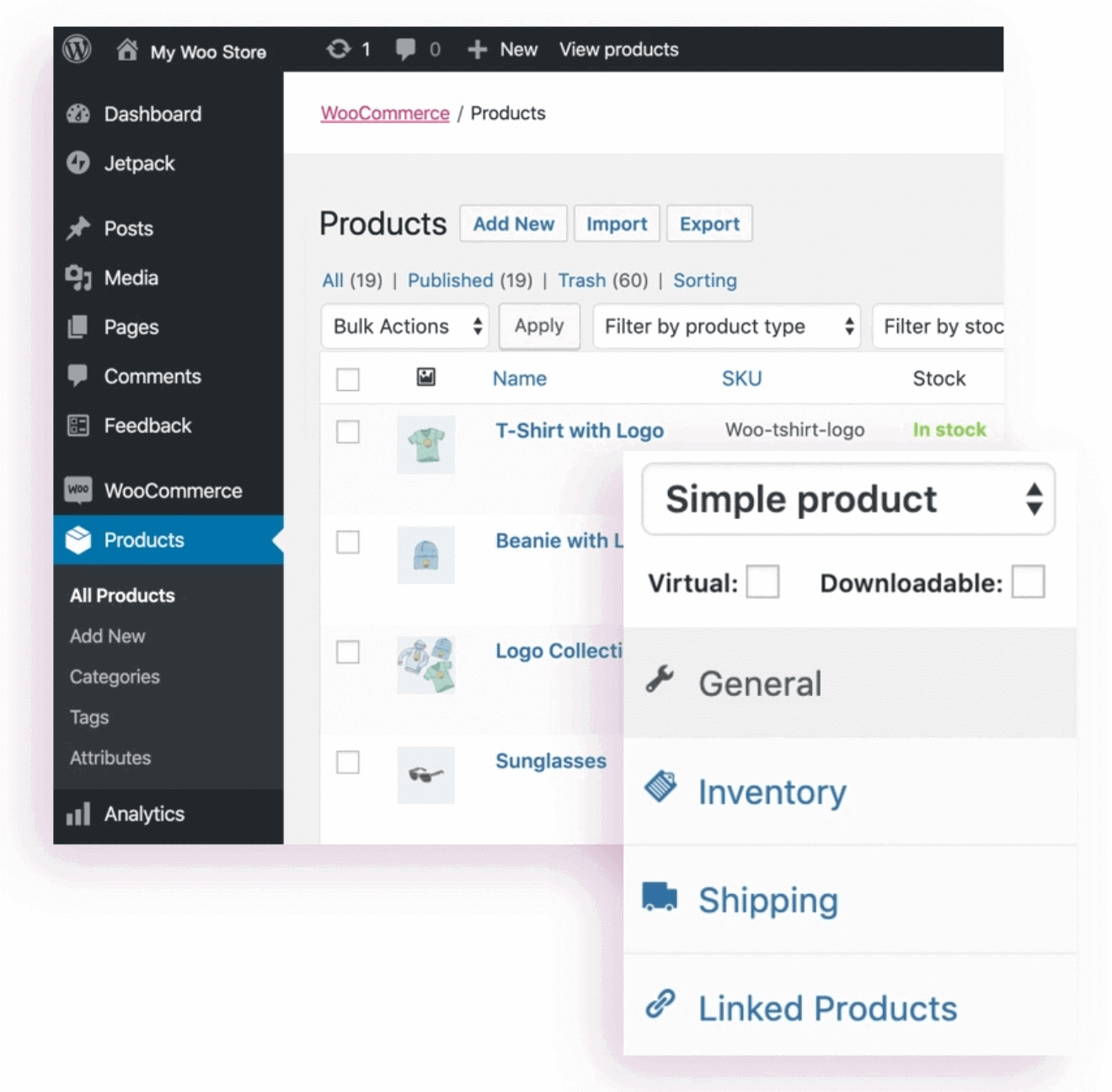
In addition, WooCommerce also comes with features such as “manage order” sections, “shipping” sections, and managing your inventory that helps in quick implementation and alterations of back-end-related information.
A long list of supported extensions
WooCommerce comes with built-in features for its users, as discussed in the previous point. However, if, as a business owner, you wish to add new features according to your choice that are not available in WooCommerce, you can do that by installing extensions.
WooCommerce extension is a marketplace where people can choose and install additional extensions to enhance the functionality of their WooCommerce web applications.
For example, Google Analytics is a tool by Google to understand the website’s analytics. It answers questions about which geographical area most of your users come from and which platforms these users use the most. It is a very important tool to reiterate your plans according to your audience and provide them with a better experience. This can be attached to your WooCommerce website using the Google Analytics extension.
Responsive in nature
A responsive nature is the fluid nature of a web application to mold itself according to the screen size automatically. Apart from scaling up or down the dimensions of web elements and the web page completely, many things change when we talk about responsiveness.
For example, considering the font size of the content, it needs to scale up on smaller devices but not too much because of the distance between a mobile device and the user, which is very less than between a desktop screen and the user. Sometimes, we would want to upload different images on different screen devices, which is also a part of responsive design. The image below projects the difference clearly:

Fortunately, we don’t need to work this hard when building our web application with WooCommerce. The plugin takes care of the responsive elements from its code, and all the business owner needs to do is install the plugin.
Note: Check the responsiveness of your websites now. Try TestMu AI Now!
Easy security integration mechanism
WooCommerce does not come with an in-built security mechanism to protect your web application from various vulnerabilities such as spam, data breach, etc. WooCommerce offers smooth integration with Jetpack, made by WordPress experts in the security field. Jetpack offers complete security solutions to business owners that also include real-time backups.
SEO Optimized
Search engine optimization is an important process to rank your website higher in Google rankings. If your website is not SEO optimized, it does not matter how good its content, offerings, or product line is. People generally do not remember the website but just Google out their requirements. In such a competitive world, it becomes extremely important to release a web application that is SEO friendly.
WooCommerce testing applications have the advantage of being SEO friendly as WordPress is an SEO-friendly content management system. In addition to it. WooCommerce applies its SEO tactics to keep websites in the competition. However, one small note to share here is to check once before installing third-party themes or themes that do not have reviews. A theme can create a negative impact on the responsive nature of the website as it contains UI elements attached to it.
Support community and popularity
WooCommerce today counts more than 7 million active WordPress installations, a scale that keeps its community large and active. The more people use the plugin, the more problems they face and the more awareness they get from open communities.
Additionally, WooCommerce testing provides its support system by professionals and expert developers on the Slack channel. As a user, you can use that to resolve your issues while operating on the WooCommerce testing platform.

Companies using WooCommerce
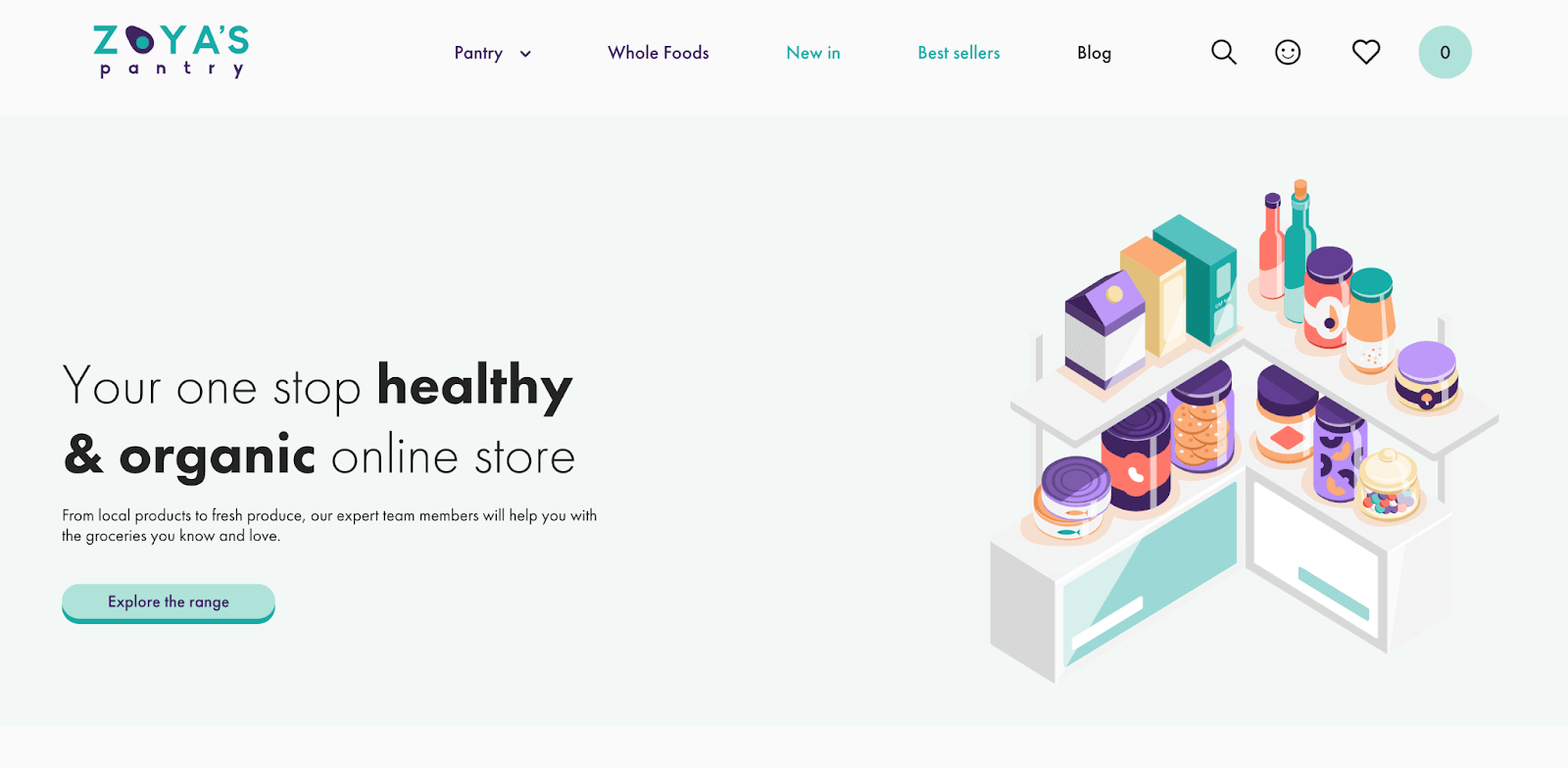
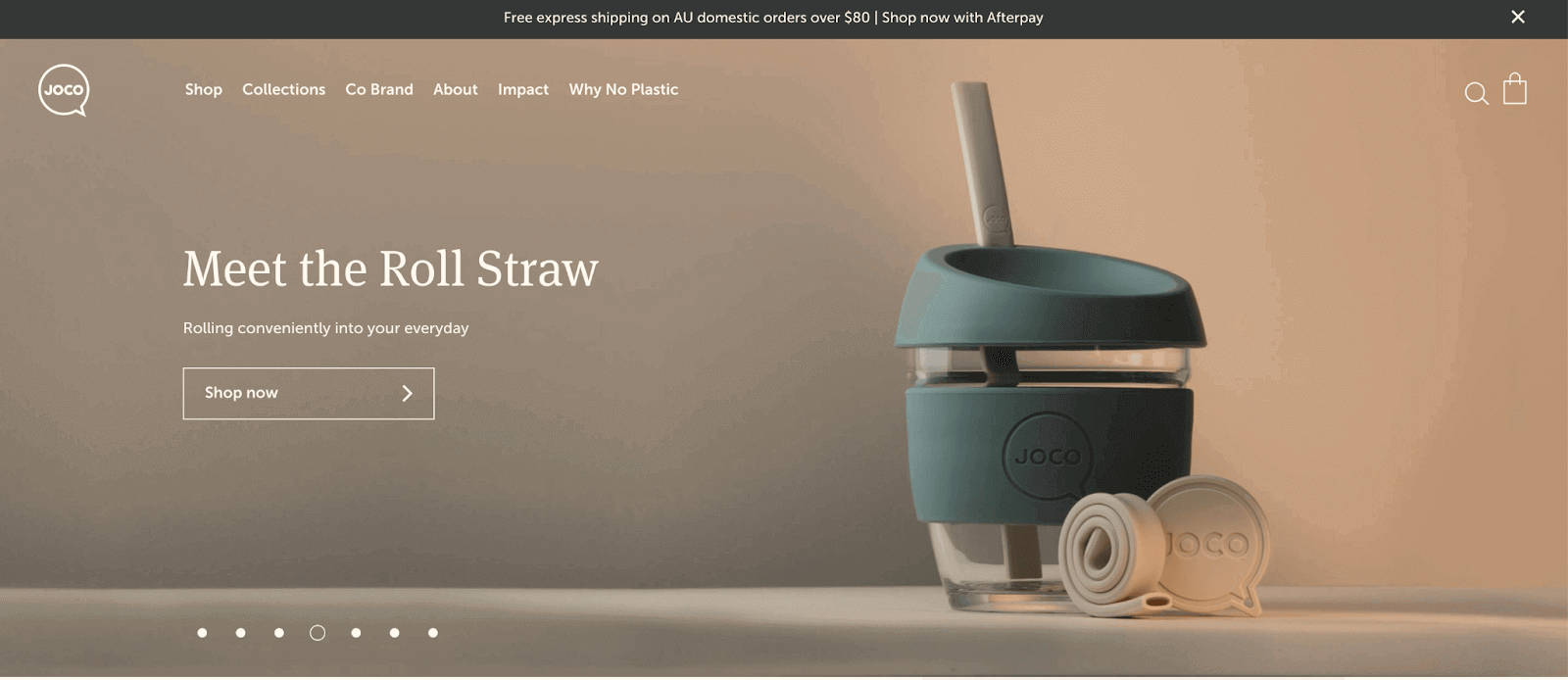
The following established companies use WooCommercetesting to build their presence online.
- ClickBank – An affiliate marketplace.
- Zoya’s Pantry – Online organic health product store.
- Joco Cups – Reusable cups and bottles online store.

Performing WooCommerce Testing in Payment and Checkout
COVID-19 pushed a large share of retail online starting in 2020, and that shift toward digital payments has held since. If a website's payment options do not work, a shopper is more likely to abandon the purchase and buy from a competitor instead.
A similar issue occurs when the checkout module of the web application is not working. It is even worse since it needs to work in multiple directions, unlike uni-directional payments. It starts from your checkout cart to the payment page, which is generally a third-party merchant website such as PayU. On the other hand, checkout must function flawlessly across all platforms because users may add products from one device while checking them out from a different one.
Such situations make us ask what we can do to ensure that our checkouts and payments function properly through thorough functional testing. It will not only complete orders and bring revenue to the business but also increase the business reputation spread by word of mouth.
Note: Want to perform WooCommerce testing? Try TestMu AI Now!
How to prevent WooCommerce checkouts and payment failures?
In this blog on WooCommerce testing, we have the following options to test your checkout and payment methods on your WooCommerce testing web application:
- Using Cash on Delivery (COD) as a default alternative.
- Using plugins available for WooCommerce and WordPress.
- Check payments from WooCommerce.
- Third-party payment gateways.
- Online cross-browser testing solutions.
Using Cash on Delivery as a default alternative
Cash on delivery is an option where a user does not pay for the product beforehand but only when the product is delivered. It is a good alternative when you think your payments are failing or are not 100% reliable. Cash on delivery is one option that the user prefers even more than online payments.
Many eCommerce platforms compete for the same shoppers today, and your web application is one among them. The idea of sharing confidential card or bank details creates trust issues for many people, which keeps cash on delivery a popular choice even though unpaid orders carry a higher risk of cancellation, leaving the eCommerce business to cover the shipping cost. To limit that risk, many stores cap COD checkout to orders under a set order value.
Using plugins available for WooCommerce testing and WordPress
A safer method to avoid online payment failure on your web application is by using the plugins available for WooCommerce testing or WordPress. Like we install any functionality on WordPress, we can follow similar steps to install plugins related to payments on our web application. The rest of the job is taken care of by the plugin itself.
To download and install a plugin on your web application, visit WordPress’s official plugin page or WooCommerce.
Next, search for your payment plugin with the keyword “payment” or something similar. As per popularity, reliability, and trust build is concerned, stripe payment is the most used payment plugin with WooCommerce testing.
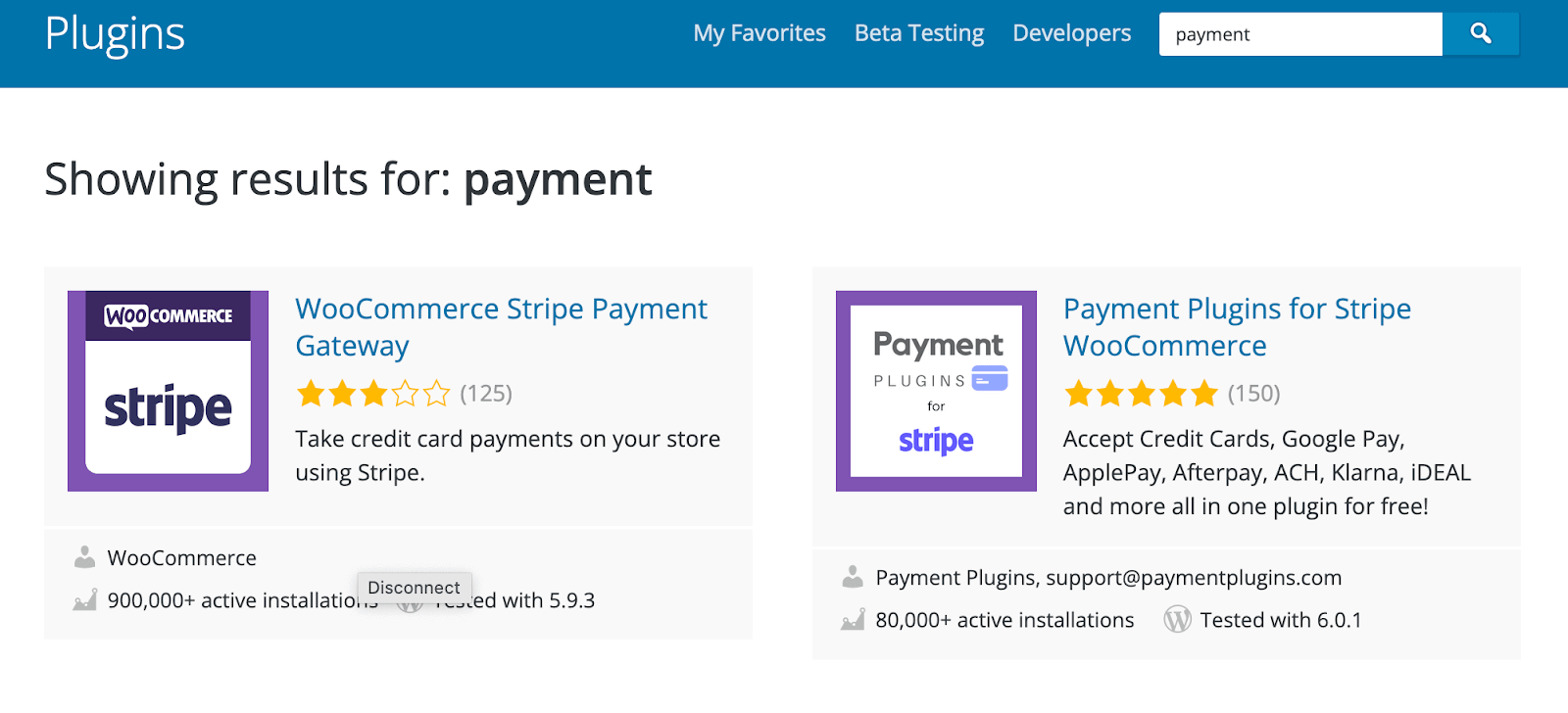
You can download the first one and integrate it into your application.
Using “Check” payments from WooCommerce
Online transaction failure is a major concern for businesses and WooCommerce developers. Sometimes, if you are installing a plugin, it might not work as smoothly as you wished it would. To battle this issue, WooCommerce testing has introduced a “check” (or previously called “cheque”) payment feature.
A check payment is a gateway provided by WooCommerce that does not take online payments. Instead, it keeps them in the queue as “order completed.” The business owner has to arrange payment and ship the order from their end manually. It is a method to give a sense of order completion without relying on payments. Due to this nature, it is also an excellent method for test payments.
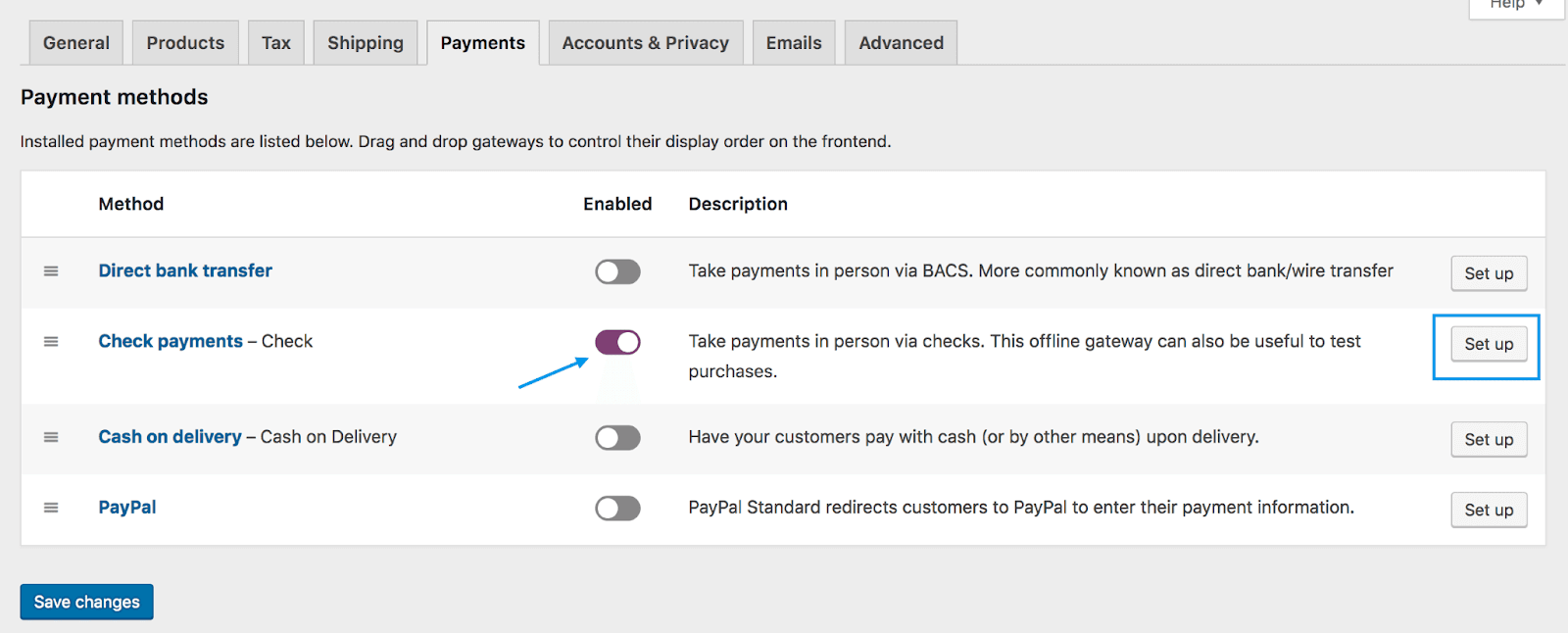
- To enable this method, visit WooCommerce -> Settings -> Payments and enable the Check payment toggle.
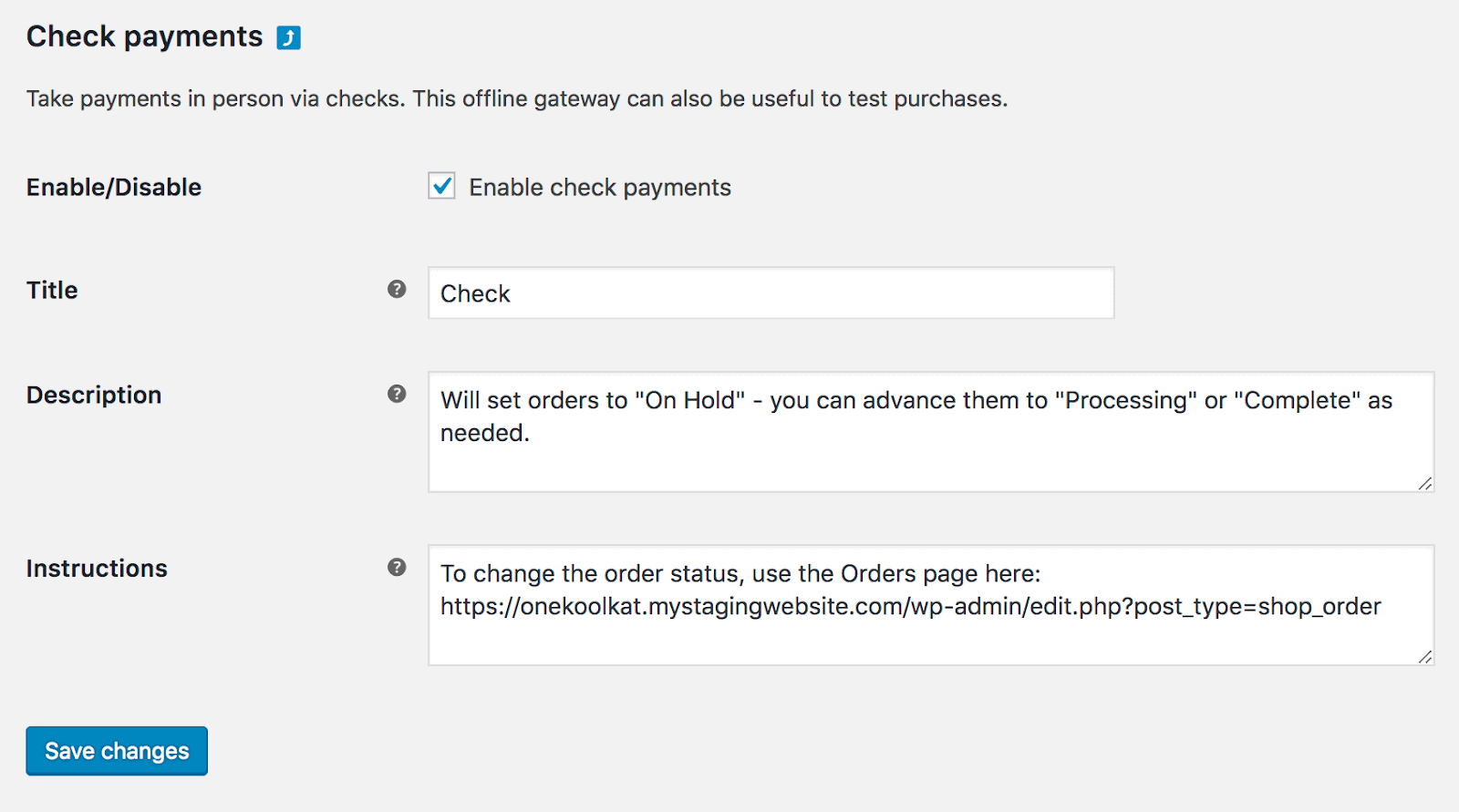
- Next, click “Set up” to set up the check payment feature.
- You can configure your settings here and save them once done.
- The check feature will be enabled in your account.
Third-party payment gateways
The safest and most reliable option is a third-party payment gateway. Merchant gateways such as Billdesk and PayU are built just to let users complete transactions on your web application. They are robust and have servers that handle multiple transactions simultaneously at the same time. It is also very rare that these gateways face any downtime, so they are highly reliable.
The only pitfall you would face in integrating a payment gateway is that it can get a bit technical. Payment gateways are extremely secure and must be carefully integrated into the web application. All the endpoints and authorization credentials need to align for a successful transaction to take place. If you are technically sound or can hire a developer to integrate the payment gateway, it could be the best option you would get while releasing a WooCommerce testing web application on the Internet.
Also, note that even though the uptime of third-party payment gateways is high, it does not guarantee a 100% value. Therefore, it is always advisable to integrate multiple payment gateways in your web application.
Online Cross browser Testing Solutions
With the above sections in this WooCommerce tutorial, I hope you can finalize your payment method and integrate it with your web application. A somewhat similar process can be followed for checkout modules too. You can install extensions from WooCommerce or WordPress plugins to enable checkout services the way you like. Adding another section for the checkout section will be repetitive.
Whatever you choose to go through, you need to test the integrated system to see if it is working accordingly. For this, you need an online test infrastructure with all the mobile and desktop browsers installed on their system. For our demonstration, we will use TestMu AI, a cross browser testing platform that hosts 3000+ browsers and operating systems over a real device cloud.

You can also subscribe to the TestMu AI YouTube Channel and stay updated with the latest tutorials and updates on web app testing.
You can choose any target OS, browser, version, or resolution and perform WooCommerce testing for payment, checkout, or anything between the ends.
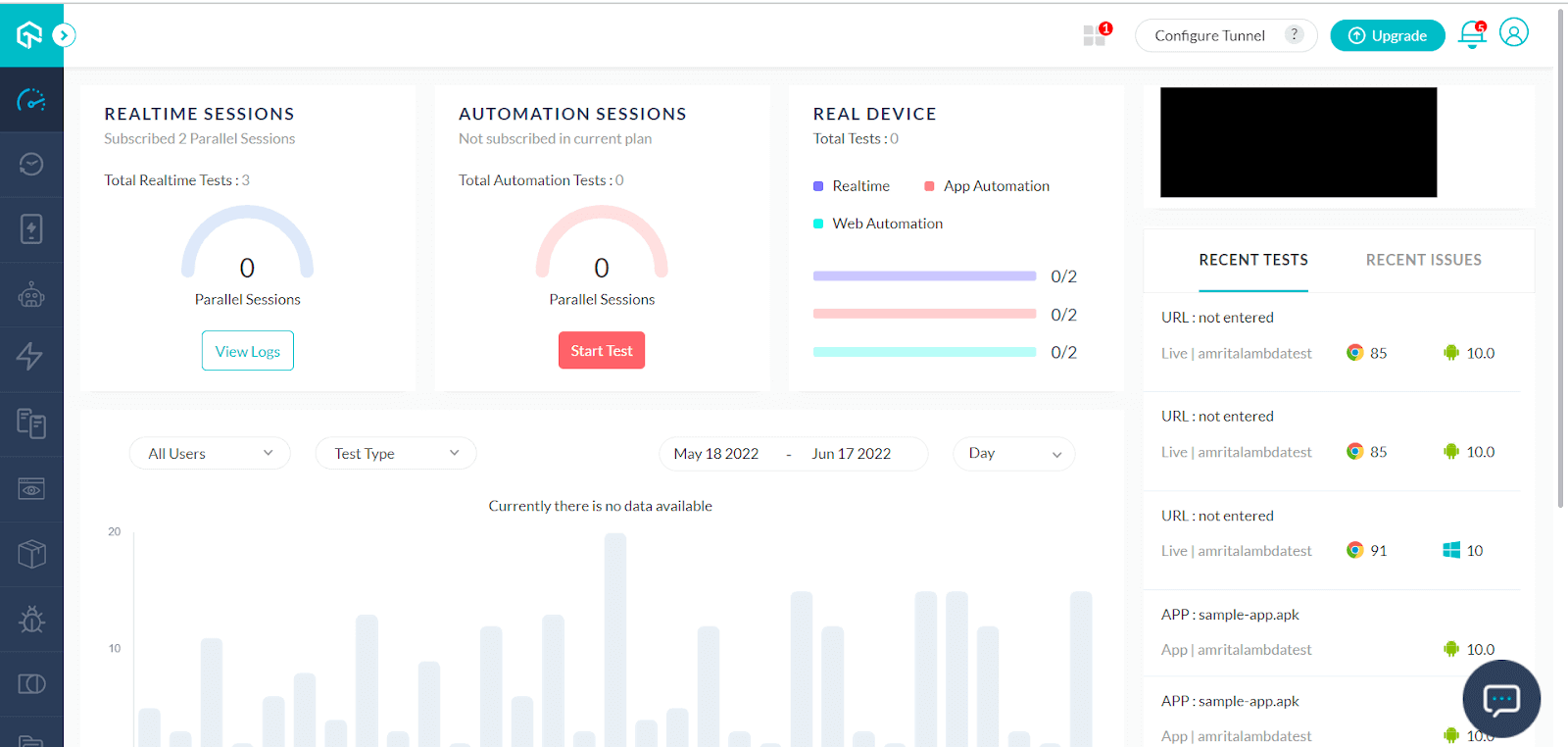
Step 1: To start your WooCommerce testing, first, sign up for free on TestMu AI.
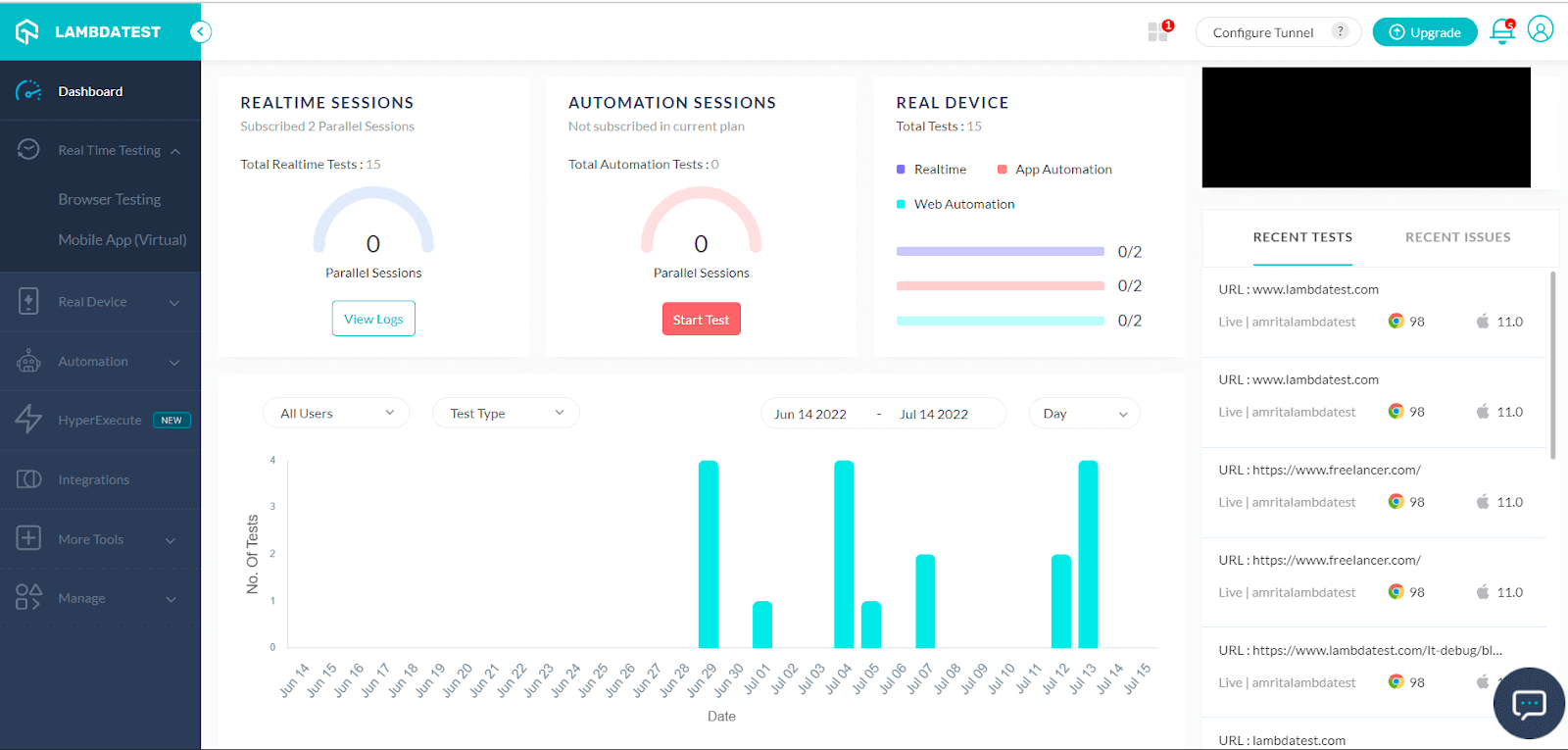
Step 2: Go to Real Time Testing → Browser Testing for online browser testing.
Step 3: Enter your WooCommerce testing website URL and select the target OS, browser, and browser version.
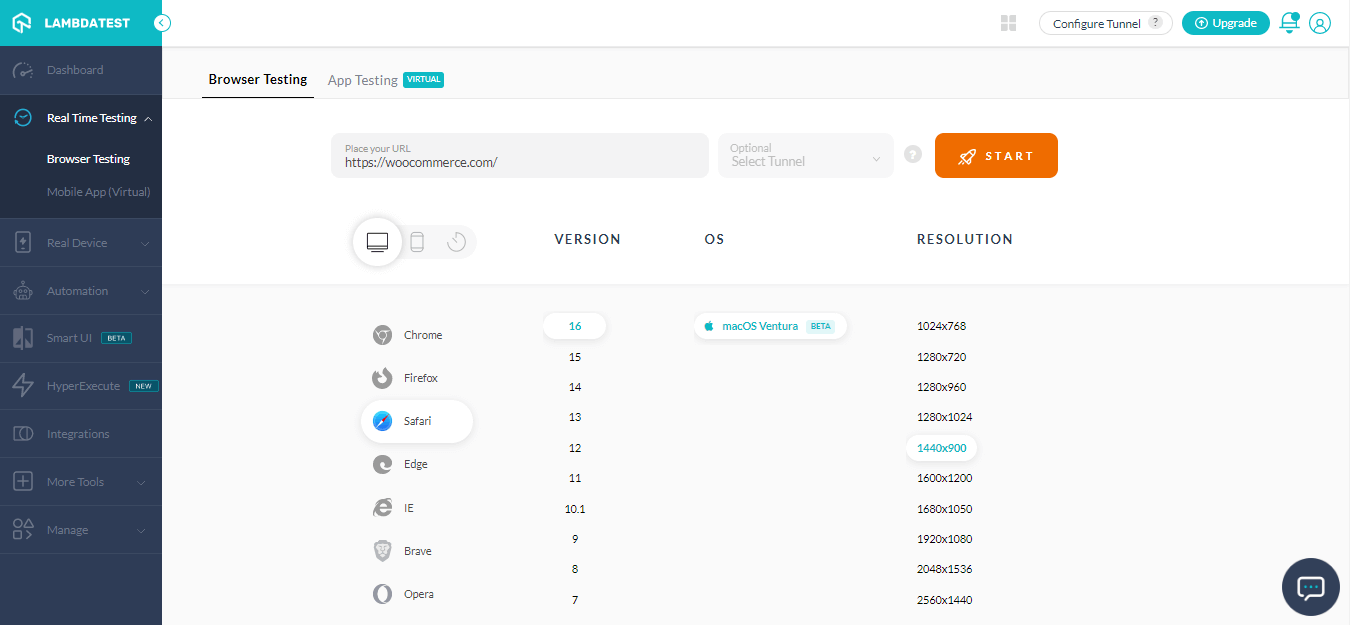
Step 4: Press START to launch the testing session on TestMu AI’s online cloud infrastructure.
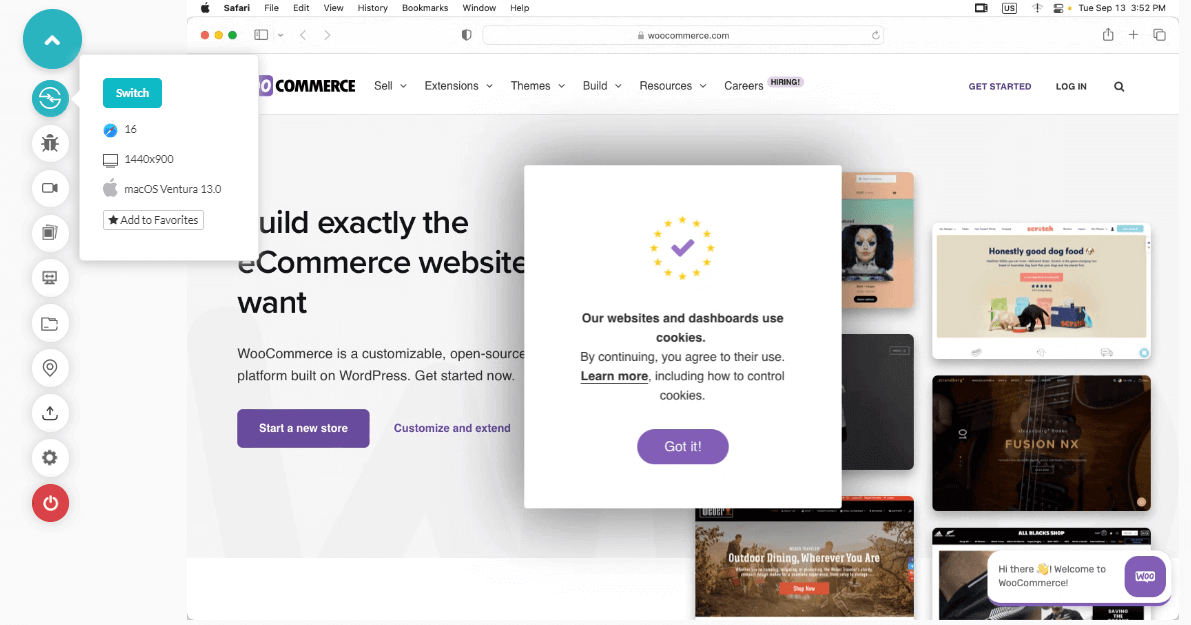
Now you can start testing WooCommerce’s payment and checkout workflows.
How Do AI Testing Agents Handle WooCommerce Checkout Testing?
AI testing agents run a WooCommerce checkout from plain-English steps, replay it after every plugin update, and flag a payment failure without a person writing a script.
- Self-healing locators: when a WooCommerce or WordPress theme update changes a button's markup, an AI agent re-resolves the checkout or Place order locator instead of failing the whole test run.
- Natural-language test steps: a tester can describe a scenario, such as adding a product, applying a coupon, and paying by Check, and an AI agent turns it into a repeatable browser test.
- Automated failure triage: when a checkout test fails, an agent can flag whether the cause is the gateway, the plugin, or the browser, before a person has to reproduce the bug manually.
- Continuous regression on updates: WooCommerce and its extensions update independently, so an agent-driven suite that reruns checkout tests after every plugin update catches a breaking change before customers do.
Conclusion
WooCommerce is the most used eCommerce plugin for WordPress websites, running on more than 7 million active WordPress installations. A large theme market has grown around it, with WooCommerce-ready themes available directly from WordPress.org and from third-party marketplaces. Experiencing a lot of fame in the eCommerce market, WooCommerce testing is today a primary choice for anyone looking to sell anything over the internet.
But popularity attracts competitors and other players in the market. As the Internet presence grows in the eCommerce market, the more options a user will get for the same product with more or less the same value. Hence, we need to perform WooCommerce testing on multiple platforms to increase the chances of success. In this WooCommerce testing tutorial, we picked up the most important module on an eCommerce market – payment and checkout.
A successful payment and checkout is the ultimate goal of launching an eCommerce business online. Keeping this in mind, we introduced various techniques through which you can reduce the payment failure chances or avoid them completely. I hope this WooCommerce testing tutorial will help you develop your WooCommerce business. Thank you for your time.
Author

Harish Rajora
Blogs: 100


Harish Rajora is a software developer at TestMu AI with over 6 years of hands-on experience in Python and cross-platform application development across Windows, macOS, and Linux. He has authored 800+ technical articles and worked on large-scale projects, including GenAI applications and core engineering features used by millions. Harish has led DevOps initiatives building CI/CD pipelines with Jenkins, AWS, GitLab, and GitHub, and holds an M.Tech in Software Engineering from IIIT Allahabad.


Frequently asked questions
Did you find this page helpful?
More Related Blogs
TestMu AI forEnterprise
Get access to solutions built on Enterprise
grade security, privacy, & compliance
- Advanced access controls
- Advanced data retention rules
- Advanced Local Testing
- Premium Support options
- Early access to beta features
- Private Slack Channel
- Unlimited Manual Accessibility DevTools Tests