

Power Your Software Testing with AI Agents and Cloud
The Native AI-Agentic Cloud Platform to Supercharge Quality Engineering. Test Intelligently and Ship Faster.


- TestMu AI (Formerly LambdaTest)
- /
- Blog
- /
- How does accessibility testing integrate with CI/CD pipelines for continuous compliance monitoring?
How does accessibility testing integrate with CI/CD pipelines for continuous compliance monitoring?
Learn a practical, step-by-step CI/CD workflow for continuous accessibility compliance with linters, CLI scanners, E2E checks, gates, monitoring, and remediation.
Last Updated on:
On This Page
- Identify Critical User Journeys and Components
- Shift Left with Linters and Unit Tests
- Configure CLI Scanners in CI/CD
- Run E2E Accessibility Checks Alongside Functional Tests
- Set Thresholds and Gates
- Schedule Production Monitoring and Nightly Crawls
- Triage and Remediate Systematically
- Scaling Across Browsers, Devices, and Teams
- Balancing Automation with Manual Audits
- Measuring Accessibility as a Continuous KPI
- Mapping CI/CD Gates to Regulatory Standards (ADA, 508, EAA)
- Conformance vs Compliance
- Establishing a Continuous Compliance Program
Continuous accessibility compliance treats WCAG conformance as an engineering KPI checked on every commit, not an annual audit, with critical violations like keyboard traps blocking a merge outright and looser thresholds on pull requests than on the main branch. Even so, automated scans still catch only an estimated 60 to 80 percent of real WCAG barriers.
Step 1: Identify Critical User Journeys and Components
Start with the flows that block users if broken: login, registration, account recovery, checkout, and any form-heavy or payment interactions. Audit these for keyboard operability, focus visibility, form labels, error messaging, and ARIA semantics.
Map coverage to your design system atoms (buttons, inputs), molecules (form groups), organisms (modals), and pages so validation scales with component reuse. Document highest-impact routes such as /login, /cart, and /checkout, then add route-based tests asserting zero critical violations.
This creates clear acceptance criteria and a stable regression baseline. For broader compliance strategy, pair this with accessibility testing tool selection guidance.
Step 2: Shift Left with Linters and Unit Tests
Lightweight linters and unit-level checks run in milliseconds and give developers targeted feedback before code leaves their machine.
Add a linter. For React, enable eslint-plugin-jsx-a11y to flag missing alt text, invalid ARIA, and non-interactive role assignments. Customize rules to match your design system.
Add component assertions. Use jest-axe or @axe-core/react to evaluate rendered components against WCAG rules, catching violations before they compound into page-level failures.
Wire pre-commit hooks. Husky + lint-staged runs linters before every commit so issues never enter the repository.
Enforce in CI. A dedicated job runs accessibility unit tests on every pull request and must pass before merging.
Step 3: Configure CLI Scanners in CI/CD
CLI scanners audit pages for missing alt attributes, insufficient contrast, missing form labels, improper roles, and keyboard traps, producing consistent, reproducible results on each PR and main-branch merge.
Pa11y-CI generates HTML/JSON artifacts and fails builds when thresholds are exceeded. Axe-core CLI runs fast headless audits on component previews or Storybook stories. Lighthouse scores accessibility alongside performance and SEO on built artifacts.
Target key routes, including authenticated states via scripted login sessions.
Step 4: Run E2E Accessibility Checks Alongside Functional Tests
Fold accessibility checks into existing E2E flows with Playwright, Cypress, or Selenium. After asserting functional behavior (for example, "Add to cart succeeds"), scan the current DOM and attach results to the test report.
Export as SARIF, JSON, or JUnit so CI systems annotate pull requests automatically. Run accessibility checks in parallel with other suites and shard across runners to avoid adding pipeline time.
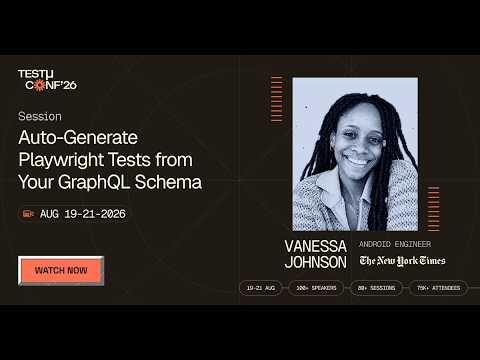
The E2E checks themselves can be generated rather than hand-written. In this TestMu Conf 2026 session, Stop Guessing A11y: Auto-Generate Playwright Tests from Your GraphQL Schema, Vanessa Johnson adds lightweight @a11y hints for labels and roles to a GraphQL schema and generates Playwright plus axe-core tests from it, making the schema the source of truth for accessible names and roles so CI fails when they break.
Step 5: Set Thresholds and Gates
Gates balance release velocity with compliance risk:
| Severity | Examples | Gate Type | Threshold |
|---|---|---|---|
| Critical | Non-focusable elements, missing form labels, keyboard traps | Hard (blocks merge) | 0 |
| Major | Low body text contrast, improper ARIA roles | Hard on main, soft on PRs | <=1 main, <=3 PR |
| Minor | Redundant alt text, heading order nuances | Soft (warn only) | <=10 |
Start with advisory gates to build team muscle memory, then tighten to hard gates as confidence grows.
Step 6: Schedule Production Monitoring and Nightly Crawls
Accessibility regresses post-deploy from CMS changes, third-party scripts, and A/B tests. Schedule nightly or weekly crawls of staging and production using Pa11y with sitemaps or equivalent API-driven crawlers.
Publish trend reports and alert owners when regressions appear.
Step 7: Triage and Remediate Systematically
Pipe violations into your issue tracker (Jira, GitHub Issues), tag by route and component, and assign owners automatically. Dashboard violation counts, severity mix, and time-to-remediate.
Roll up summaries to sprint ceremonies so accessibility fixes get planned alongside features, not as a separate workstream.
Scaling Across Browsers, Devices, and Teams
The workflow above works in a single-environment setup, but accessibility issues manifest differently across browsers, screen readers, and operating systems. A focus indicator that renders in Chrome may disappear in Safari. ARIA live regions that announce with NVDA may behave differently with VoiceOver. Contrast can shift under different OS font rendering.
TestMu AI's accessibility testing lets teams run CI/CD accessibility scans across thousands of real browser and device combinations in parallel, catching environment-specific failures that single-browser pipelines miss.
The same platform supports manual assistive technology testing on real devices, so automated and manual validation share one reporting system. For enterprise teams, centralized dashboards built from the accessibility widgets in the analytics module, audit trails, and scheduled crawls turn this step-by-step workflow into a governed program, the foundation of a broader compliance monitoring practice spanning security, privacy, and accessibility.
Balancing Automation with Manual Audits
Automation detects an estimated 60-80% of WCAG issues. The rest, such as content clarity, nuanced interactions, and screen reader usability, requires human judgment.
Schedule regular manual audits with screen readers (NVDA, JAWS, VoiceOver) and keyboard-only navigation, prioritizing net-new flows, ARIA-heavy components, and revenue-critical paths.
Measuring Accessibility as a Continuous KPI
Track accessibility like performance or security:
- Total violations by severity, component, and route.
- Time-to-remediate by severity level.
- Journey-level compliance with zero criticals on priority flows.
- Regression rate for new violations per release.
- Trendlines across sprints showing directional progress.
Align goals with business outcomes such as conversion, retention, and legal risk so compliance investment is visible organizationally, not buried in backlogs.
Mapping CI/CD Accessibility Gates to Regulatory Standards
Automated pipeline checks are not just engineering hygiene; they are how you continuously satisfy laws that increasingly mandate WCAG conformance. Which standard applies to you determines which WCAG version and level your gates should enforce.
- ADA Title II (US): A 2024 Department of Justice rule requires state and local government web content and mobile apps to meet WCAG 2.1 Level AA, with compliance deadlines in 2026 and 2027 depending on the entity's size.
- ADA Title III (US): Governs "public accommodations," which covers most private businesses. Courts routinely treat WCAG 2.1 AA as the de facto standard in ADA lawsuits, even though the statute predates the web.
- Section 508 (US): Requires US federal agencies and their vendors to make information and communication technology accessible; its technical baseline is WCAG 2.0 Level AA.
- European Accessibility Act (EAA): From June 2025, many products and services sold in the EU must be accessible, with EN 301 549 (which incorporates WCAG) as the harmonized technical standard.
A CI/CD gate that blocks WCAG 2.1 AA failures therefore maps almost one-to-one onto ADA Title II and EAA obligations, turning a legal requirement into an automated, every-commit check instead of an annual scramble before an audit or a DOJ complaint.
Conformance vs Compliance: What QA and Legal Teams Must Align On
These words are used interchangeably, but they mean different things, and the gap between them is exactly what automated pipelines cannot fully close.
- Conformance is technical: does the page meet the specific WCAG success criteria (2.0, 2.1, or 2.2) at level A, AA, or AAA? This is measurable, and much of it is automatable.
- Compliance is legal: does the organization meet its statutory obligations under ADA, Section 508, or the EAA? WCAG conformance is the evidence, but compliance also depends on process, documentation, and real assistive-technology testing.
So no, ADA compliance is not the same as passing WCAG. Automated CI/CD tools reliably catch conformance failures, but true compliance needs a hybrid approach: automated gates for regressions plus periodic manual testing with real screen readers.

Note: The four WCAG principles are POUR: Perceivable, Operable, Understandable, and Robust. Automated tools are strong at Robust (valid markup, ARIA, labels) and parts of Perceivable (contrast, alt-text presence), but weak at Operable and Understandable, which depend on human judgment such as logical focus order, meaningful alt text, and clear instructions. That gap is why manual audits stay in the loop.
How to Establish a Continuous Accessibility Compliance Program
The CI/CD steps above are the engine; a compliance program is the governance around them. Four moves turn ad-hoc testing into an auditable program.
- Establish a baseline. Produce a VPAT (Voluntary Product Accessibility Template) to generate an Accessibility Conformance Report (ACR) that documents, criterion by criterion, where the product stands today.
- Automate regression gates in CI/CD. Wire accessibility assertions into your existing suites so every pull request is checked. Tools like cypress-axe run axe-core inside Cypress end-to-end tests, and design-time plugins such as Stark catch contrast and structure issues in Figma before code is even written.
- Schedule periodic manual audits. Book recurring screen-reader passes (NVDA, VoiceOver) and keyboard-only walkthroughs of critical journeys, since these cover the criteria automation misses.
- Maintain compliance dashboards. Surface conformance trends, open criticals, and time-to-remediate for executive and legal auditing, so compliance status is always current rather than reconstructed just before an audit.
Not every WCAG failure deserves the same gate. Tie the severity of a CI/CD gate to the WCAG level so criticals block a release while minor issues are simply tracked:
| WCAG level | What it covers | Suggested CI/CD gate |
|---|---|---|
| Level A | Bare-minimum barriers (no keyboard trap, alt text present). | Critical - block the build. |
| Level AA | The legal target for ADA and the EAA (contrast, visible focus, labels). | Critical or Major - block or fail the pull request. |
| Level AAA | Enhanced, aspirational criteria. | Minor - track, do not block. |
Author

Mythili Raju
Blogs: 58


Mythili is a Community Contributor at TestMu AI with 3+ years of experience in software testing and marketing. She holds certifications in Automation Testing, KaneAI, Selenium, Appium, Playwright, and Cypress. At TestMu AI, she leads go-to-market (GTM) strategies, collaborates on feature launches, and creates SEO optimized content that bridges technical depth with business relevance. A graduate of St. Joseph’s University, Bangalore, Mythili has authored 35+ blogs and learning hubs on AI-driven test automation and quality engineering. Her work focuses on making complex QA topics accessible while aligning content strategy with product and business goals.


Accessibility Testing in CI/CD FAQs
Did you find this page helpful?
More Related Blogs
TestMu AI forEnterprise
Get access to solutions built on Enterprise
grade security, privacy, & compliance
- Advanced access controls
- Advanced data retention rules
- Advanced Local Testing
- Premium Support options
- Early access to beta features
- Private Slack Channel
- Unlimited Manual Accessibility DevTools Tests