

Power Your Software Testing with AI Agents and Cloud
The Native AI-Agentic Cloud Platform to Supercharge Quality Engineering. Test Intelligently and Ship Faster.


- TestMu AI (Formerly LambdaTest)
- /
- Blog
- /
- 9 Best Code Editors for JavaScript Developers in 2026
9 Best Code Editors for JavaScript Developers in 2026
Compare the 9 best code editors for JavaScript, ranked on 2025 Stack Overflow usage data, TypeScript support, and how well each one debugs your test suite.
Published on:
Overview
Visual Studio Code is the default choice for JavaScript work, reported by 75.9% of developers in Stack Overflow's 2025 survey, because its Node.js debugger, TypeScript IntelliSense, and test-runner extensions work without configuration. WebStorm suits large TypeScript codebases, while Cursor and Zed fit teams whose editor now writes the first draft.
Which Code Editor Should You Use for JavaScript?
- Best overall: Visual Studio Code - the only editor where a Node.js debugger, Jest and Playwright runners, and TypeScript language service all install from one marketplace and share a single launch configuration.
- Best for large TypeScript codebases: WebStorm - free for non-commercial use, and JetBrains ships the language service, refactoring engine, and test runners preinstalled, so a monorepo rename touches every reference without extension setup.
- Best for AI-assisted editing: Cursor - a Visual Studio Code fork that keeps the extension ecosystem intact while adding multi-file AI edits, reported by 17.9% of developers in Stack Overflow's 2025 survey.
- Best for terminal workflows: Neovim - configured in Lua and driven by the Language Server Protocol, it gives TypeScript diagnostics inside a terminal session with no window manager.
- Best for raw responsiveness: Zed - written from scratch in Rust to use multiple CPU cores and the GPU, and available on macOS, Linux, and Windows.
- Skip any guide that still recommends Atom. GitHub archived it on December 15, 2022, and it now receives no security patches.
Is a Code Editor Enough for JavaScript Testing?
No. The editor runs your suite against the one browser installed on your machine. Cross-browser failures surface only on a grid, which is why teams pair the editor with a cloud platform such as TestMu AI to run the same Playwright, Cypress, or Selenium suite across many browser and OS combinations.
Several JavaScript editor guides sitting on the first page of Google still recommend Atom. GitHub archived the Atom repository and every other repository in the Atom organization on December 15, 2022. Following that advice in 2026 means installing an editor that has gone more than three years without a security patch.
This guide ranks the 9 best code editors on three things you can check: measured adoption from the 2025 Stack Overflow Developer Survey, JavaScript and TypeScript language support, and how much work it takes to attach a debugger to a failing test. That last criterion is the one most roundups skip, and it is where a JavaScript editor either saves you an afternoon or costs you one.
Code Editor vs IDE: Which One Do You Actually Need?
A code editor edits text and gains language intelligence through extensions, so it launches in a second and stays responsive on a large repository. An IDE ships the debugger, build tooling, refactoring engine, and version control as one installed product, trading startup time for capability that works out of the box.
JavaScript collapsed that distinction. Visual Studio Code installs as an editor and reaches IDE capability once you add a debugger and a test runner, which is why it dominates adoption while dedicated JavaScript IDEs sit far behind it. The practical question is not which category to pick but how much configuration you are willing to own.
- Pick an editor when you switch between JavaScript, YAML, Markdown, and shell scripts in one session and want each file to open instantly.
- Pick an IDE when a single TypeScript monorepo is your whole working day and cross-file refactoring accuracy matters more than startup time.
- Configuration is the real cost difference. An editor asks you to choose and maintain extensions; an IDE makes those choices for you and charges for them.
If you want the same comparison across every language rather than JavaScript alone, our roundup of the best IDEs covers the full-IDE side of this decision, and the web development IDEs guide covers the broader front-end stack.
What Do Developers Actually Use in 2026?
Most editor roundups rank on opinion. The table below ranks on reported usage from the 2025 Stack Overflow Developer Survey, which records the responses to its development environment question alongside each figure. The shares add up to more than the whole because developers select every environment they use.
| Editor | Reported usage | Category | Relevance to JavaScript work |
|---|---|---|---|
| Visual Studio Code | 75.9% | Editor | Primary target for most JavaScript tooling, so extensions and debug recipes appear here first. |
| Notepad++ | 27.4% | Editor | Widely installed on Windows for quick edits, but has no Node.js debugger or language service. |
| IntelliJ IDEA | 27.1% | IDE | Strong JavaScript and TypeScript tooling in the Ultimate edition, shared with WebStorm. |
| Cursor | 17.9% | AI editor | Visual Studio Code fork, so existing JavaScript extensions and launch configurations carry over. |
| Neovim | 14% | Terminal editor | TypeScript diagnostics arrive through the Language Server Protocol rather than bundled tooling. |
| Sublime Text | 10.5% | Editor | Fast on very large files; JavaScript intelligence depends on community packages. |
| WebStorm | 7.6% | IDE | Built specifically for JavaScript and TypeScript, with test runners preinstalled. |
| Zed | 7.3% | Editor | Newest entry on this list; agent and collaboration features are the draw rather than plugin depth. |
| Windsurf | 4.9% | AI editor | Agent-first workflow aimed at multi-file changes across a JavaScript project. |
Two patterns matter for a JavaScript team. Adoption is concentrated in a single editor to a degree no other tool category shows, which means hiring, onboarding docs, and community answers all assume Visual Studio Code. The AI-native editors are also no longer fringe, with Cursor already ranking above every dedicated JavaScript IDE in the same survey.
9 Best Code Editors for JavaScript Developers
Ranking method: each editor is scored on reported adoption in the 2025 Stack Overflow survey, the quality of its JavaScript and TypeScript language support, and how much setup it takes to attach a debugger to a failing Jest or Playwright test. Adoption alone does not decide the order, which is why Notepad++ ranks below tools with a fraction of its install base.
1. Visual Studio Code
Visual Studio Code is the reference environment for JavaScript. As the most widely used editor in the survey above, it is the platform every other tool integrates with first, which shows up in practical ways: when a test framework ships a debug helper, it ships a Visual Studio Code extension before anything else.
A browser build at vscode.dev opens the same editor with no install, which is the fastest way to try the layout before committing to it.
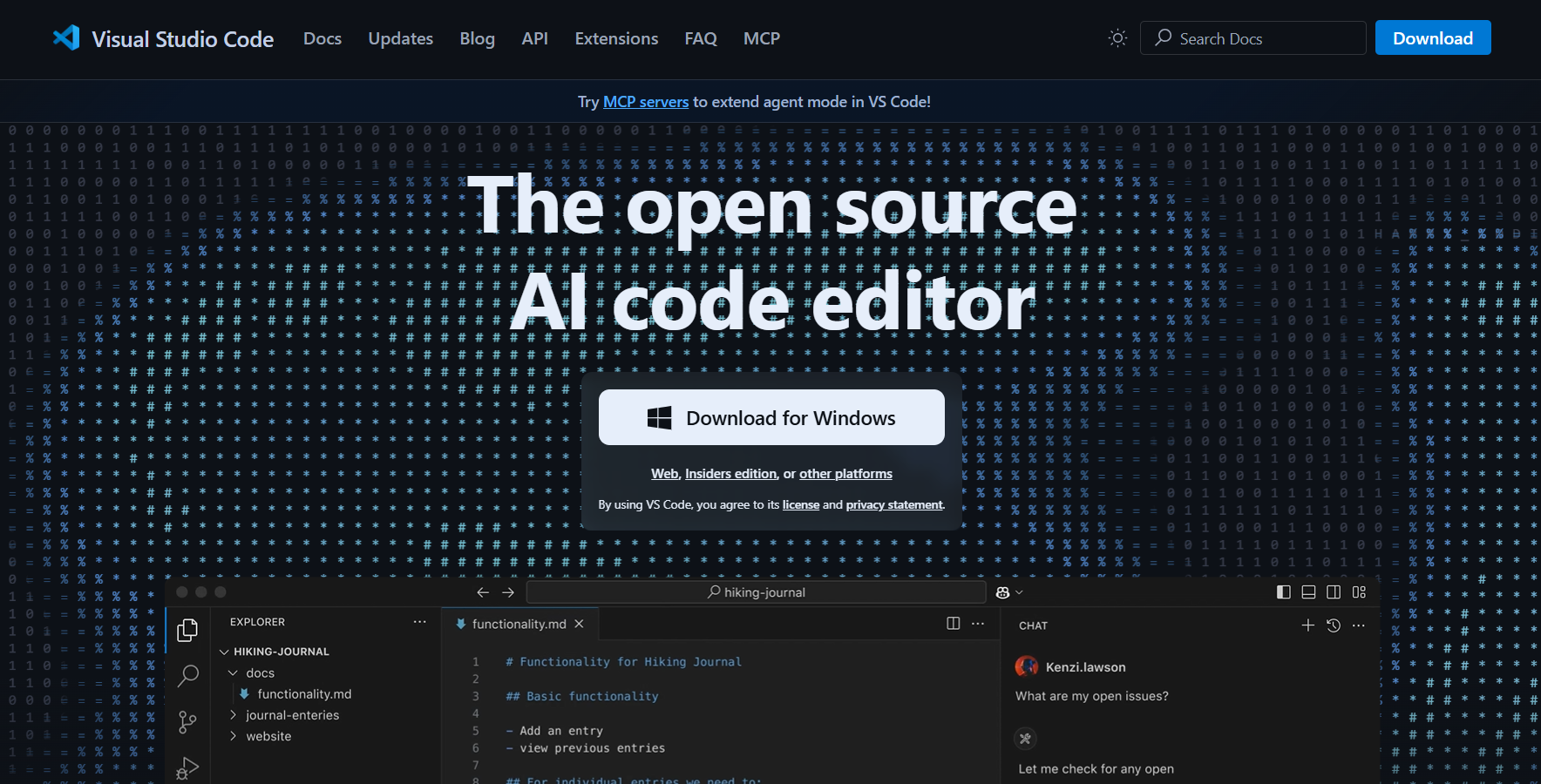
- The bundled TypeScript language service gives type errors and autocomplete in plain JavaScript files through JSDoc annotations, without adding a build step.
- A single launch.json entry attaches the Node.js debugger to a Jest run, so you set breakpoints inside a failing test instead of adding console statements.
- Official Playwright tooling adds a test explorer, records new tests from browser interaction, and reruns a single test from the gutter.
- Weak spot - a large extension set slows startup noticeably, and two extensions that both format on save will fight until you set a default formatter per language.
2. WebStorm
WebStorm is the one product on this list built for nothing but JavaScript and TypeScript, and JetBrains describes it exactly that way on the product page. It ranks second here despite far smaller adoption because everything a JavaScript team configures by hand elsewhere is already wired up.
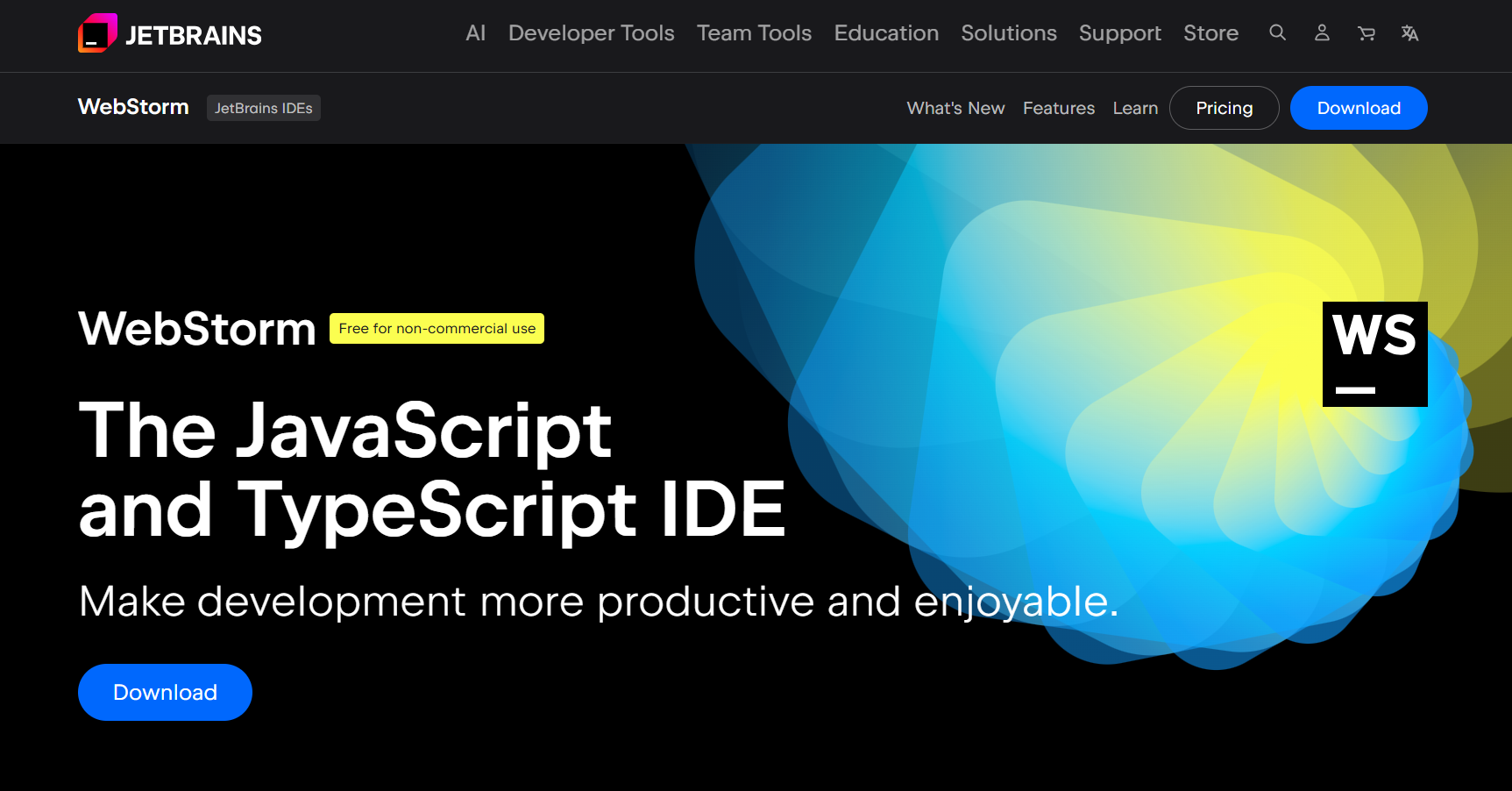
- JetBrains lists WebStorm as free for non-commercial use, which makes it a realistic choice for learning and open source work rather than an enterprise-only tool.
- The 2026.2 release adds support for TypeScript 7, whose compiler and language server were rewritten in Go, aimed at large codebases where the language service is the bottleneck.
- Refactoring operates on the project index rather than on text, so renaming an exported symbol updates imports, test files, and JSX usages together.
- Weak spot - indexing a large monorepo on first open takes minutes, and memory use sits well above any editor here.
3. Cursor
Cursor is a Visual Studio Code fork built around AI editing, and it is the most widely adopted AI-native editor in the survey above. The fork matters practically: your existing extensions, keybindings, and debug configurations carry across.
- Multi-file edits from a single prompt suit JavaScript refactors that touch a component, its test, and its story file at once.
- Codebase-aware chat answers questions about your own modules rather than generic JavaScript, which shortens onboarding on an unfamiliar repository.
- Weak spot - generated code reads as plausible far more often than it is correct, and nothing in the editor verifies that the resulting page still renders.
That last point is the structural gap in every AI editor. These tools reason over source code, and their verification primitives are unit tests, type checkers, and linters, all of which operate on the same text surface. None of them opens a browser to confirm the feature actually renders. Kane CLI from TestMu AI closes that gap from the same terminal: it drives a real Chrome browser through the Chrome DevTools Protocol using natural-language objectives, and in agent mode it emits structured NDJSON that a coding agent parses directly, so the agent that wrote the change also gets a pass or fail on the rendered result.

Note: Your AI editor writes the code, but only a real browser proves the page still works. TestMu AI runs your Playwright, Cypress, and Selenium suites across 3,000+ browser and OS combinations. Try it free
4. Neovim
Neovim is used by more developers than any dedicated JavaScript IDE in the survey above. It earns that on a workflow argument rather than a feature list: if you already navigate by keystroke, the editor never breaks that rhythm to reach for a mouse.
- A built-in Language Server Protocol client connects the TypeScript language server directly, so diagnostics and go-to-definition match what a graphical editor reports.
- Configuration in Lua means your entire JavaScript setup is a version-controlled file you can copy to a server or a container.
- It runs inside an SSH session, which is the practical reason to choose it when debugging a Node.js process on a remote host.
- Weak spot - reaching parity with a preconfigured editor is a genuine time investment, and you own every breakage when a plugin updates.
5. Zed
Zed describes itself as a minimal code editor built for speed and collaboration with humans and AI. It is written from scratch in Rust to use multiple CPU cores and the GPU, which is an unusual architectural choice among editors that are mostly web technology in a desktop shell.
- Available on macOS, Linux, and Windows, so a mixed team can standardise on it without exceptions.
- Agentic editing runs agents in parallel to edit files and run tools, and the source is public on GitHub if you need to audit that behaviour.
- Typing latency is the design goal, which is most noticeable in long test files where autocomplete usually stutters.
- Weak spot - the extension catalogue is far smaller than the Visual Studio Code marketplace, so a niche JavaScript framework may have no support at all.
6. Sublime Text
Sublime Text holds its place on reputation for speed. It opens a multi-megabyte bundle or log file that makes heavier editors stall, which keeps it installed alongside a primary editor on many machines.
- Multiple cursors and the command palette originated here and remain faster than the versions other editors copied.
- Language Server Protocol support arrives through a community package, so TypeScript intelligence is available but is something you install and maintain.
- Weak spot - there is no first-party Node.js debugging story, so a failing Jest test sends you back to the terminal.
7. IntelliJ IDEA
IntelliJ IDEA is the most widely used full IDE in the survey above. For JavaScript it is worth considering in one specific situation: a repository where a Java or Kotlin backend sits beside a JavaScript front end and you would rather not run two tools.
- The Ultimate edition carries the same JavaScript and TypeScript engine as WebStorm, so language support is equivalent rather than reduced.
- Full-stack debugging in one window lets you step from an API call in the front end into the backend handler that serves it.
- Weak spot - the free Community edition does not include that JavaScript tooling, so a JavaScript-only team pays for capability WebStorm offers free for non-commercial use.
8. Windsurf
Windsurf makes its first appearance in the Stack Overflow survey above, at the smallest share on this list. It belongs on this list as the agent-first alternative to Cursor, built around the editor planning and executing a multi-step change rather than completing the line you are typing.
- Agent-driven edits suit repetitive JavaScript migrations, such as moving a component directory from one state library to another.
- The interface stays familiar to anyone coming from Visual Studio Code, which keeps the switching cost low for a trial.
- Weak spot - the community answer pool is thin at this adoption level, so an unusual JavaScript build setup may leave you without a reference.
9. Notepad++
Notepad++ is the second most used editor in the survey above, and ranks last here because adoption and JavaScript capability are different things. It is on this list to answer a question honestly rather than to recommend it as a primary environment.
- Syntax highlighting, macro recording, and a fast find-in-files make it genuinely useful for inspecting a build output or editing a config file on a Windows box.
- It is Windows-only, which rules it out for any team with macOS or Linux machines.
- Weak spot - no Node.js debugger, no TypeScript language service, and no test integration, so it cannot serve as the editor a JavaScript project is developed in.
How Do You Choose Between Them?
Match the editor to your situation rather than to a feature count. The table maps the five situations that actually change the answer, and each row ends in something you can do today.
| Your situation | Pick | First configuration step |
|---|---|---|
| Mixed JavaScript, config, and Markdown work | Visual Studio Code | Add a launch.json Node.js attach configuration before installing anything else. |
| Large TypeScript monorepo, refactors daily | WebStorm | Let the first index finish completely, then mark build output folders as excluded. |
| An AI agent writes most of the first draft | Cursor or Windsurf | Wire a browser verification step into the loop so generated code is checked against a rendered page. |
| Editing over SSH on a remote host | Neovim | Install the TypeScript language server on the remote machine, not just locally. |
| Typing latency is your main complaint | Zed | Confirm your framework has language support before migrating a whole project. |
Which Editor Handles JavaScript Test Debugging Best?
This is the criterion that separates the list, and it is missing from every JavaScript editor guide currently ranking for this term. A JavaScript project is not only application code: it carries a test suite, and the editor either attaches a debugger to a failing test in one action or it does not.
- Visual Studio Code and WebStorm are the only two where you set a breakpoint in a test file and run it under the debugger without leaving the window.
- Cursor and Windsurf inherit that capability from the Visual Studio Code base they are built on, so debugging parity comes free.
- Neovim reaches the same place through a Debug Adapter Protocol plugin, which works well and is one more thing to configure and maintain.
- Sublime Text, Zed, and Notepad++ send you to the terminal, which is workable for a quick assertion failure and painful for an async race condition.
Async test code is where the difference shows. A Playwright test that fails intermittently rarely explains itself in a stack trace, and stepping through the awaited calls with live variable inspection is the fastest route to the cause. If you are setting that up, our JavaScript unit testing tutorial covers the runner configuration, and the Playwright with JavaScript guide covers the end-to-end side.
Where Do the Tests You Write Actually Run?
Your editor runs the suite against one browser on one operating system: the machine you are sitting at. Every cross-browser and cross-version failure is invisible until the suite runs somewhere with more than one browser in it, which is the gap a cloud grid fills.
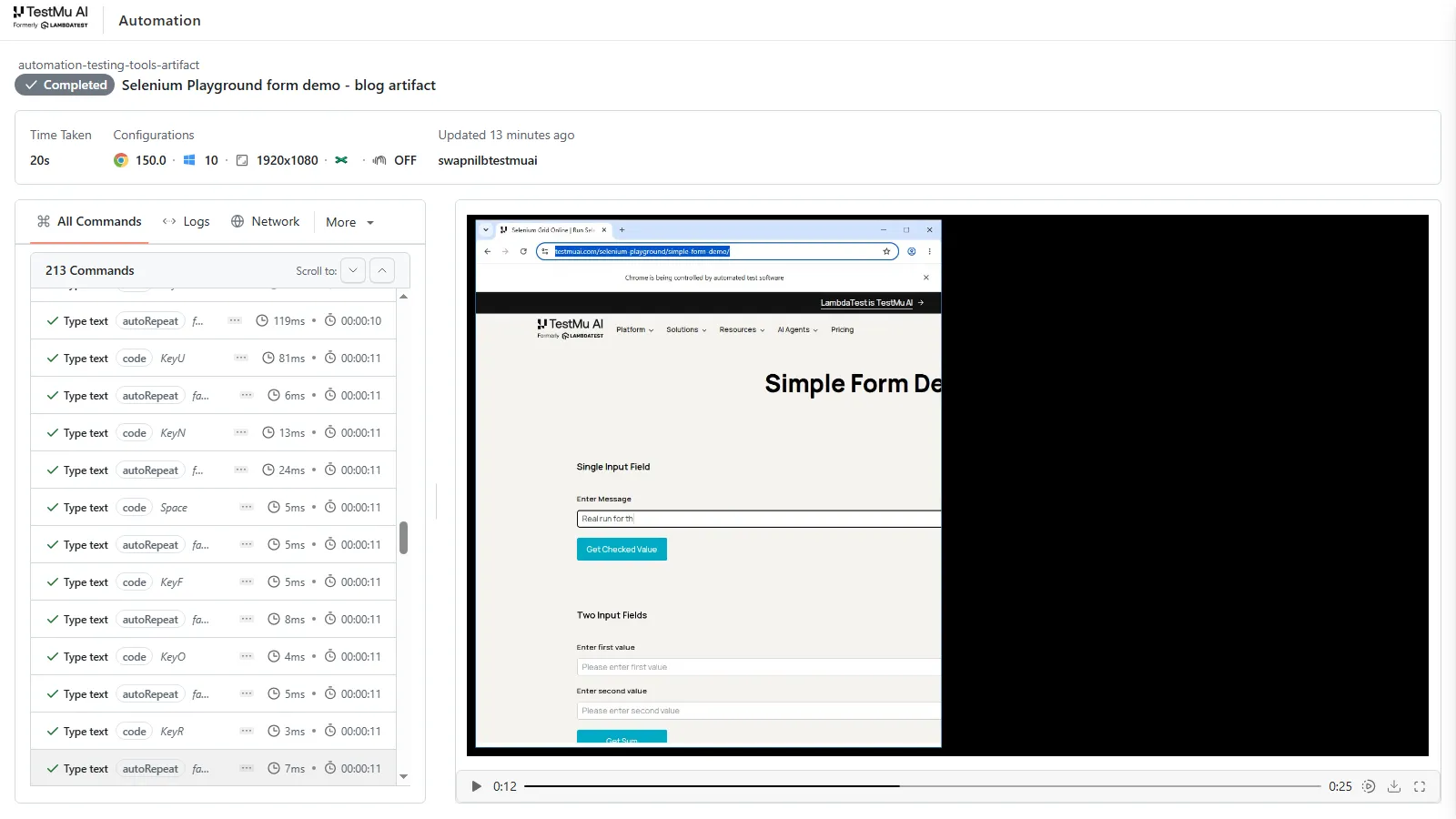
TestMu AI (Formerly LambdaTest) runs an existing Selenium, Playwright, or Cypress suite across 3,000+ browser and OS combinations without a grid to build or drivers to patch. The change to your project is the connection target, not the tests, so the same spec files you debug in your editor run unmodified on the test automation cloud.
// lt-smoke-test.js - run a Playwright script against the TestMu AI grid
const { chromium } = require('playwright');

const capabilities = {
  browserName: 'Chrome',
  browserVersion: 'latest',
  'LT:Options': {
    platform: 'Windows 11',
    build: 'Best Code Editors Blog Verification',
    name: 'JS editor article - playground smoke test',
    user: process.env.LT_USERNAME,
    accessKey: process.env.LT_ACCESS_KEY,
  },
};

(async () => {
  const browser = await chromium.connect(
    `wss://cdp.lambdatest.com/playwright?capabilities=${encodeURIComponent(JSON.stringify(capabilities))}`
  );
  const page = await browser.newPage();
  const started = Date.now();
  await page.goto('https://www.testmuai.com/selenium-playground/');
  console.log('title:', await page.title());
  console.log('url:', page.url());
  console.log('loaded in ms:', Date.now() - started);
  await browser.close();
})();
Running that script against the grid while writing this article produced the output below, with the session recorded on the TestMu AI dashboard under the build name set in the capabilities. The load figure is from that single run and is not a benchmark.
$ node lt-smoke-test.js
title: Selenium Grid Online | Run Selenium Test On Cloud
url: https://www.testmuai.com/selenium-playground/
loaded in ms: 489
For the AI editors on this list, the same principle applies one layer up. Kane CLI installs into Claude Code, Codex CLI, and Gemini CLI as a skill, so the agent working in your editor can verify its own change in a real browser and read the result back as structured output. The Kane CLI getting started documentation covers the install and the first run, and the Playwright tutorial covers the framework side.

Conclusion
Install Visual Studio Code and add a Node.js attach configuration to launch.json before you add a single other extension. That one step turns a text editor into somewhere you can debug a failing test, and it is the difference most of this list comes down to.
Switch to WebStorm if a large TypeScript codebase makes refactoring accuracy your daily bottleneck, and try Cursor or Windsurf if an agent already writes most of your first draft. Whichever you pick, the editor only proves your code runs on your machine. Point the suite at TestMu AI to see it pass everywhere else, and read the Playwright testing documentation for the grid configuration.
Note: Putting the editor to work on a real suite is the fastest way to learn it. TestMu AI runs certifications in Selenium JavaScript 101, Playwright 101, and Cypress 101 at no cost. Browse the certifications
Author

Shravan Mahajan
Blogs: 10

Shravan Mahajan is a Software Engineer at TestMu AI building Kane CLI, the command-line tool that runs browser automation from the terminal, describing flows in natural language that execute in a real Chrome browser and return pass or fail with shareable proof. He has an experience of 6 years in the Technical industry. His top skills are JavaScript, React.js, and full-stack development. At Fractal he built automated data pipelines with T-SQL, SSIS, Python, and Azure. He is also a Microsoft Certified Azure Data Engineer Associate.
Reviewer

Rahul Mishra
Reviewer
Rahul Mishra is a Lead Member of Technical Staff at TestMu AI (formerly LambdaTest), leading frontend engineering and accessibility testing across the quality engineering platform. He mentors frontend engineers, runs code reviews and sprint planning, optimizes React.js rendering performance, and makes product features accessible to users with disabilities through WCAG and ADA-compliant accessibility audits. He brings 10+ years of experience across React.js, VueJS, TypeScript, Swift, Objective-C, and AWS, with earlier work as a Technical Lead at VectoScalar Technologies. Rahul holds a B.E. in Information Technology.


Code Editors FAQs
Did you find this page helpful?
More Related Blogs
TestMu AI forEnterprise
Get access to solutions built on Enterprise
grade security, privacy, & compliance
- Advanced access controls
- Advanced data retention rules
- Advanced Local Testing
- Premium Support options
- Early access to beta features
- Private Slack Channel
- Unlimited Manual Accessibility DevTools Tests