

Power Your Software Testing with AI Agents and Cloud
The Native AI-Agentic Cloud Platform to Supercharge Quality Engineering. Test Intelligently and Ship Faster.


- TestMu AI (Formerly LambdaTest)
- /
- Blog
- /
- ERP Configuration vs Customization: Key Differences
ERP Configuration vs Customization: Key Differences
Understand ERP configuration vs customization with SAP, NetSuite, and Dynamics 365 examples, the risks of custom code, and a framework to decide which to use.
Published on:
A vendor update lands in your ERP sandbox, and the custom invoice approval flow your team built two years ago stops routing anything. Finance cannot pay suppliers until a developer reworks code the vendor has never seen. Whether that scenario is rare or routine for you depends on one early decision: ERP configuration vs customization.
In Panorama Consulting Group's 2026 ERP Report findings, more than a quarter of organizations exceeded their ERP project budgets, with additional technology needs cited as the leading cause. Configuration and customization are the two ways to close the gap between what an ERP ships with and what your business needs, and they cost very different amounts to live with.
TL;DR
ERP configuration adapts the system through built-in settings, so vendor updates apply cleanly. ERP customization adds or modifies code to create behavior the product does not ship with, which you then own, maintain, and retest at every update. Configure first, extend on supported platforms second, and customize core code only for what differentiates your business.
What Separates the Four Ways of Changing an ERP?
- Configuration: Parameters, workflow rules, roles, and modules set through admin screens. No code, vendor-supported, fastest to test and reverse.
- Customization: Code written or modified inside the core, such as ABAP programs in SAP or SuiteScript in NetSuite. Every vendor update becomes a regression risk you absorb.
- Extension: Custom logic running beside the core on sanctioned platforms like SAP BTP or the Dynamics 365 extension model, which keeps the core upgradeable.
- Personalization: User-level display choices such as saved views and dashboard layouts. Affects one person's screen, never shared system logic.
- Vendors draw these lines differently, so check where a proposed change falls in your platform's supported model before approving it.
How Much ERP Customization Is Too Much?
Customization is too much when maintaining it dictates your release calendar: updates get deferred, upgrade estimates balloon, and processes freeze because one developer understands the code. Regression tests covering every customization, such as plain-English suites authored in TestMu AI's KaneAI, keep that spiral visible.
What Is ERP Configuration?
ERP configuration is the process of adapting an ERP system to your business using the settings, parameters, and options the vendor built into the product. No source code changes: you select among behaviors the software already supports.
Typical configuration work in an ERP rollout includes:
- Setting company structure, fiscal calendars, currencies, and tax codes for each legal entity.
- Defining user roles, permissions, and segregation-of-duties rules through the security console.
- Building approval workflows, such as purchase orders above a threshold routing to a controller, with the built-in workflow engine.
- Activating or deactivating modules like inventory, planning, or quality management as the business needs them.
- Renaming fields, reordering screens, and tailoring standard reports through admin tools rather than code.
Because these choices live in vendor-supported settings tables, they survive version upgrades and stay inside the support agreement. The vendor keeps validating the underlying behavior with every release, so your testing covers whether the setting matches the business rule, not whether the software still works.
What Is ERP Customization?
ERP customization means writing new code or modifying existing code to make the system do something the standard product cannot. It produces artifacts that sit permanently outside the vendor's regression suite.
Common examples of code customization in ERP systems include:
- Custom ABAP programs and reports in SAP that implement company-specific pricing or rebate logic.
- Scripts written in SuiteScript, which NetSuite describes as its JavaScript-based customization language, automating record behavior beyond standard workflows.
- Plugins and code extensions in Microsoft Dynamics 365 that insert custom calculations into posting routines.
- Hand-built integrations that move data between the ERP and a warehouse system on custom schedules and formats.
- New database objects, screens, or transaction types that exist nowhere in the vendor's documentation.
Each of these becomes code your organization owns, so your team re-verifies it against every vendor release for as long as it exists. That verification is the hidden line item in the enterprise application testing budget.
What Is the Difference Between ERP Configuration and Customization?
The difference between configuration and customization in ERP comes down to who owns the risk. Configured behavior is the vendor's code running your settings; customized behavior is your code running inside the vendor's system.
| Dimension | ERP Configuration | ERP Customization |
|---|---|---|
| What changes | Settings, parameters, and options stored in vendor-supported tables | Source code, scripts, database objects, or interfaces you create or modify |
| Who does it | Functional consultants and trained administrators using admin screens | Developers working in the platform's programming language and tooling |
| Vendor support | Fully supported; behavior is validated by the vendor each release | Custom code sits outside vendor testing; issues in it are yours to fix |
| Upgrade impact | Settings generally carry forward through updates automatically | Each update can break custom code, requiring rework and retesting |
| Speed and cost profile | Faster to apply and cheaper to maintain over the system's life | Slower to build, with maintenance cost recurring at every release |
| Reversibility | Settings can usually be changed back without residue | Removing code means development work plus data and process cleanup |
| Testing burden | Targeted checks on the workflows a setting touches | Full regression of custom flows on every vendor update cycle |
Read the last row first when someone proposes a change. A configured setting costs one round of targeted testing; a customization costs that round again at every vendor update for as long as the code lives.
Where Do Personalization and Extensions Fit?
Personalization sits below configuration, and extensions sit between configuration and customization. That leaves four governance categories: change control that treats a saved dashboard like custom code will paralyze users, and change control that treats custom code like a dashboard will corrupt your upgrade path.
- Personalization stays at the user level, covering saved searches, dashboard layouts, and column orders. It affects one account, needs no approval workflow, and leaves with the user.
- Configuration changes shared system behavior through supported tools, so it needs change control: everyone inherits it.
- Extensions add new logic on a sanctioned platform beside the core, calling published APIs instead of modifying shipped code. Developers build them; upgrades stay clean.
- Customizations edit the core itself, carrying the full upgrade and support burden. This should be the rarest category in your change log.
The boundary that decides your upgrade cost is extension versus customization. Ask whether the change calls a published API or edits a shipped object, because only the second one enters the retrofit cycle at every release.
How Do SAP, NetSuite, and Dynamics 365 Handle Configuration and Customization?
All three keep configuration in admin screens and push custom code out of the core, onto an extension platform. The mechanism and the strictness differ, which changes what you can approve in a design review.
| Platform | Configuration Path | Custom Code Path |
|---|---|---|
| SAP S/4HANA | Business configuration settings maintained by functional consultants | Custom ABAP development, with SAP steering new logic toward extensions on SAP BTP under its clean core principles |
| Oracle NetSuite | Point-and-click setup, preferences, and workflow tooling | SuiteScript, deployed and version-controlled through the SuiteCloud Development Framework |
| Microsoft Dynamics 365 | Application setup and parameter screens per module | Extensions only; Microsoft states that overlayering of application code is not supported in Finance, Supply Chain, and Commerce |
SAP defines clean core as a set of guiding principles for keeping the ERP close to standard, building custom applications and integrations on SAP BTP beside the core so teams can, in SAP's words, quickly adopt new software updates without worrying about breaking customizations. SAP teams feel this at every release; our SAP testing tutorial covers how QA keeps pace with it.
Microsoft made the same move mandatory. Its Dynamics 365 extensibility documentation explains that cloud servicing with frequent updates requires a less intrusive customization model, which is why teams on that stack need a repeatable way to test Microsoft Dynamics without code. On the Oracle side, both NetSuite scripting and Fusion applications carry the same split between setup screens and custom logic, which our guide to Oracle testing works through.

What Are the Risks of ERP Customization?
The five recurring risks are upgrade friction, technical debt, key-person dependency, a slower cloud migration, and a shifted support boundary. None are visible at go-live, because the code works on day one; the cost lands at the first vendor update that touches an object the custom code depends on.
- Upgrade friction grows with every customization, since each vendor update has to be checked against code the vendor never tested. Skipping an update to avoid that rework only moves the work, because the next version adds its own retrofit on top.
- Technical debt accumulates outside any report you run. A workaround written to bridge one release becomes a dependency other custom code calls, so removing it later means retesting every caller rather than deleting one object.
- Knowledge concentrates in people. When the developer who wrote the custom pricing engine leaves, the organization owns code nobody fully understands.
- Cloud migration slows down, because customizations must be retired, replaced, or rebuilt as extensions before the move.
- The support boundary shifts. Vendors support their product, so defects that involve your code bounce back to your team first, and every incident starts with an ownership handoff before anyone opens a debugger.
Price each customization across its full lifecycle, build plus every future retest, before approving it. Running impact analysis in testing against your custom-code inventory is what turns that into a number, by tracing which business processes and downstream objects each change touches.

Note: Every vendor update is a regression test you did not schedule. TestMu AI runs your ERP web regression suites across 3,000+ browser and OS combinations so update-day breakage surfaces in staging before the release reaches production users. Try it free!
When Should You Configure and When Should You Customize?
Configure whenever the standard system can meet the requirement, and customize only when the process protects compliance, customer commitments, revenue, or a differentiated way of operating that customers choose you for. Panorama Consulting's guidance on when to customize states the rule as standardize where possible, customize only when necessary, and names those four categories as what justifies custom work.
Fit-gap analysis is where that rule gets applied: map every requirement against what the system does out of the box, then work each gap through these options in order, stopping at the first one that closes it.
- Adapt the business process to the standard flow. If the process is not a differentiator, the vendor's default costs nothing to adopt and is already covered by the vendor's own regression tests.
- Configure. Exhaust the settings, workflow rules, and module options before anyone opens a code editor.
- Extend on the sanctioned platform. Build the logic beside the core through published APIs so upgrades stay clean.
- Customize the core, only when the process is a genuine competitive differentiator or a regulatory necessity, and only with the lifetime maintenance cost priced in.
Whichever branch a gap takes, run user acceptance testing against the fit-gap document itself. That is what proves the flow closes the gap it was approved for, rather than the one the developer understood.
How Do You Test ERP Configurations and Customizations?
Test a configuration change with targeted regression on the workflows that setting touches; test a customization with a standing automated suite that reruns on every vendor update. The bill is set by the change type, and it recurs for as long as the code lives, which is why this belongs in the approval decision rather than the release plan.
- Scope configuration regression testing to the workflows the setting feeds, and get the process owner to sign off that the new behavior is the rule they asked for.
- Cover each custom flow end to end, including where it hands data to another system. That cross-system leg is system integration testing, and it fails more often than the custom code itself.
- Add contract testing for extensions, since a version bump can change the published interfaces they call while the extension code stays untouched.
- Automate all of it, because the suite has to finish between the sandbox update and the production update. This recurring cycle is maintenance testing, and our roundup of ERP testing tools compares the platforms built for it.
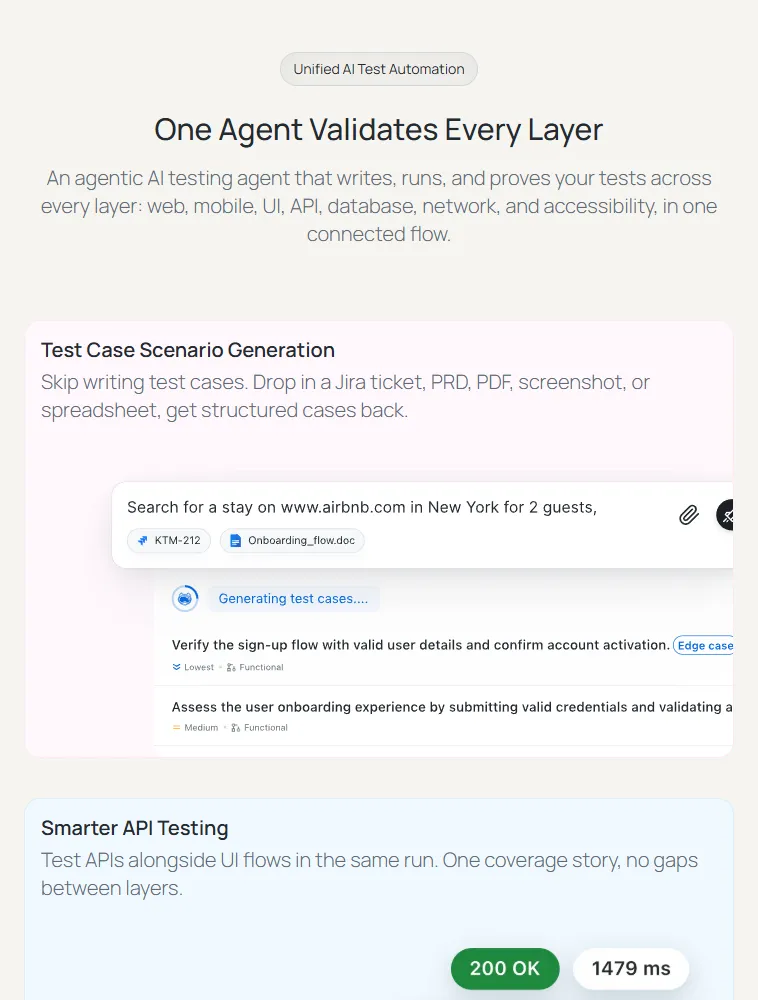
The staffing problem is that the people who best understand configured ERP flows, functional consultants and process owners, usually do not write automation code. KaneAI, TestMu AI's GenAI-native testing agent, closes that gap: they describe the flow in plain English, or hand it the requirement document or Jira ticket, and it plans, authors, and runs the test. When an update shifts the UI, self-healing re-anchors the affected steps for review instead of failing on a brittle selector, and finished tests export to Selenium, Playwright, Cypress, or Appium so the suite is never locked in.

What Should You Do Next?
Inventory what you already own: list every customization in your ERP, note which business process depends on it, and mark the ones current configuration or extension options could now replace. That turns the ERP configuration vs customization question into a costed backlog, where each row carries a replacement option plus the retest cost of leaving it alone.
For everything that stays custom, wire a regression suite to the vendor's update cadence so it runs against the sandbox the day an update lands there. Owning that suite over time is a test management problem, and the KaneAI getting started documentation walks your functional team through authoring the first plain-English test from the fit-gap document they already own.
Author

Salman Khan
Blogs: 138


Salman is a Test Automation Evangelist and Community Contributor at TestMu AI, with over 6 years of hands-on experience in software testing and automation. He has completed his Master of Technology in Computer Science and Engineering, demonstrating strong technical expertise in software development, testing, AI agents and LLMs. He is certified in KaneAI, Automation Testing, Selenium, Cypress, Playwright, and Appium, with deep experience in CI/CD pipelines, cross-browser testing, AI in testing, and mobile automation. Salman works closely with engineering teams to convert complex testing concepts into actionable, developer-first content. Salman has authored 120+ technical tutorials, guides, and documentation on test automation, web development, and related domains, making him a strong voice in the QA and testing community.
Reviewer

Sri Harsha
Reviewer
Sri Harsha is Engineering Manager of the Open Source Program Office at TestMu AI (formerly LambdaTest), where he leads open-source engineering behind the Selenium and Appium automation grid and builds agentic AI systems for quality engineering. He is a member of the Selenium Technical Leadership Committee and a committer to WebdriverIO and Appium, and was recognized with the LambdaTest Delta Award 2023 for Best Contributor in open-source testing. He brings over 10 years of experience in software testing and automation, with earlier roles at EPAM Systems and ZenQ. Sri Harsha holds a B.Tech in Computer Science from Jawaharlal Nehru Technological University.


ERP Configuration vs Customization FAQs
Did you find this page helpful?
More Related Blogs
TestMu AI forEnterprise
Get access to solutions built on Enterprise
grade security, privacy, & compliance
- Advanced access controls
- Advanced data retention rules
- Advanced Local Testing
- Premium Support options
- Early access to beta features
- Private Slack Channel
- Unlimited Manual Accessibility DevTools Tests