
Power Your Software Testing with AI Agents and Cloud
The Native AI-Agentic Cloud Platform to Supercharge Quality Engineering. Test Intelligently and Ship Faster.


- TestMu AI (Formerly LambdaTest)
- /
- Blog
- /
- How to Test Microsoft Dynamics Without Code
How to Test Microsoft Dynamics Without Code (2026 Guide)
Test Microsoft Dynamics 365 forms, dynamic controls, iframes, and unified-interface flows in plain English. No Selenium, no C#, and no code to maintain.
Published on:
Microsoft Dynamics 365 can be tested without writing C# by describing a flow like converting an opportunity to a quote in plain English, since KaneAI finds each control the way a person would instead of matching a data-id such as telephone1.fieldControl-text-box-text that a new release wave or managed-solution import can move overnight.
Why Microsoft Dynamics 365 is hard to test
A Dynamics form looks like an ordinary web page, but the unified interface hides a lot of moving parts under it:
- Dynamic controls and nested iframes, where forms load inside frames like contentIFrame0 and many fields render only after a tab or section is expanded
- Business rules and real-time workflows, where showing a field, making it required, or recalculating a value happens asynchronously, so a test has to wait for the right state before it reads anything
- Constant form churn, where every release wave and every managed-solution import can rename, move, or hide the exact control a script was pointed at
- Deep related records, where an opportunity depends on an account, a contact, a price list, and product line items that all have to exist first
- Role-driven UI, where the same form shows different fields to a salesperson, a manager, and a system administrator
- Model-driven and canvas apps side by side, where Power Apps grids, quick-create dialogs, and embedded Power BI each behave a little differently
And that is one security role on one form. Real coverage means testing across roles, across business units, and across every browser your team actually opens Dynamics in.
The old way: brittle Dynamics scripts
Here is what verifying a single open-the-form, edit-a-field, confirm-it-saved scenario looks like in a typical Selenium and C# setup:
var wait = new WebDriverWait(driver, TimeSpan.FromSeconds(20));
driver.Navigate().GoToUrl("https://contoso.crm.dynamics.com/main.aspx?etn=account&pagetype=entityrecord");
driver.SwitchTo().Frame(wait.Until(d => d.FindElement(By.Id("contentIFrame0"))));
var phone = wait.Until(d => d.FindElement(By.CssSelector("input[data-id='telephone1.fieldControl-text-box-text']")));
phone.Clear();
phone.SendKeys("+1 415 555 0199");
driver.FindElement(By.CssSelector("button[data-id='account|NoRelationship|Form|Mscrm.SavePrimary']")).Click();
wait.Until(d => d.FindElement(By.CssSelector("span[data-id='form-notification-text']")));
var saved = driver.FindElement(By.CssSelector("input[data-id='telephone1.fieldControl-text-box-text']")).GetAttribute("value");
Assert.AreEqual("+1 415 555 0199", saved, $"Main Phone did not save, got: {saved}");
Ten lines, and every one of them is fragile against a platform that redraws itself twice a year. The moment an admin moves the Main Phone field into a new section, or a release wave changes the frame layout, that data-id and iframe path stop resolving. Maintenance like this becomes the dominant cost of a large Dynamics suite, with engineers spending a large share of each sprint re-pointing selectors instead of adding new coverage. It also needs someone on the team who writes C# or JavaScript in the first place, which the iframes and async business rules only make harder. That is the core tradeoff behind code-based vs. codeless test automation.
If you are a Dynamics admin, a functional consultant, a manual QA engineer, or a business analyst without a dedicated automation engineer, that code wall means the CRM usually gets tested by hand after every release wave, slowly and inconsistently, and never at 2 a.m. before go-live.
The no-code way: write the test the way you would explain it
With KaneAI, you write the same test in plain English:
- Open the Sales Hub in your Dynamics org
- Open the account record for Contoso Ltd
- Change the Main Phone field to +1 415 555 0199
- Click Save
- Reload the record
- Verify the Main Phone still reads +1 415 555 0199
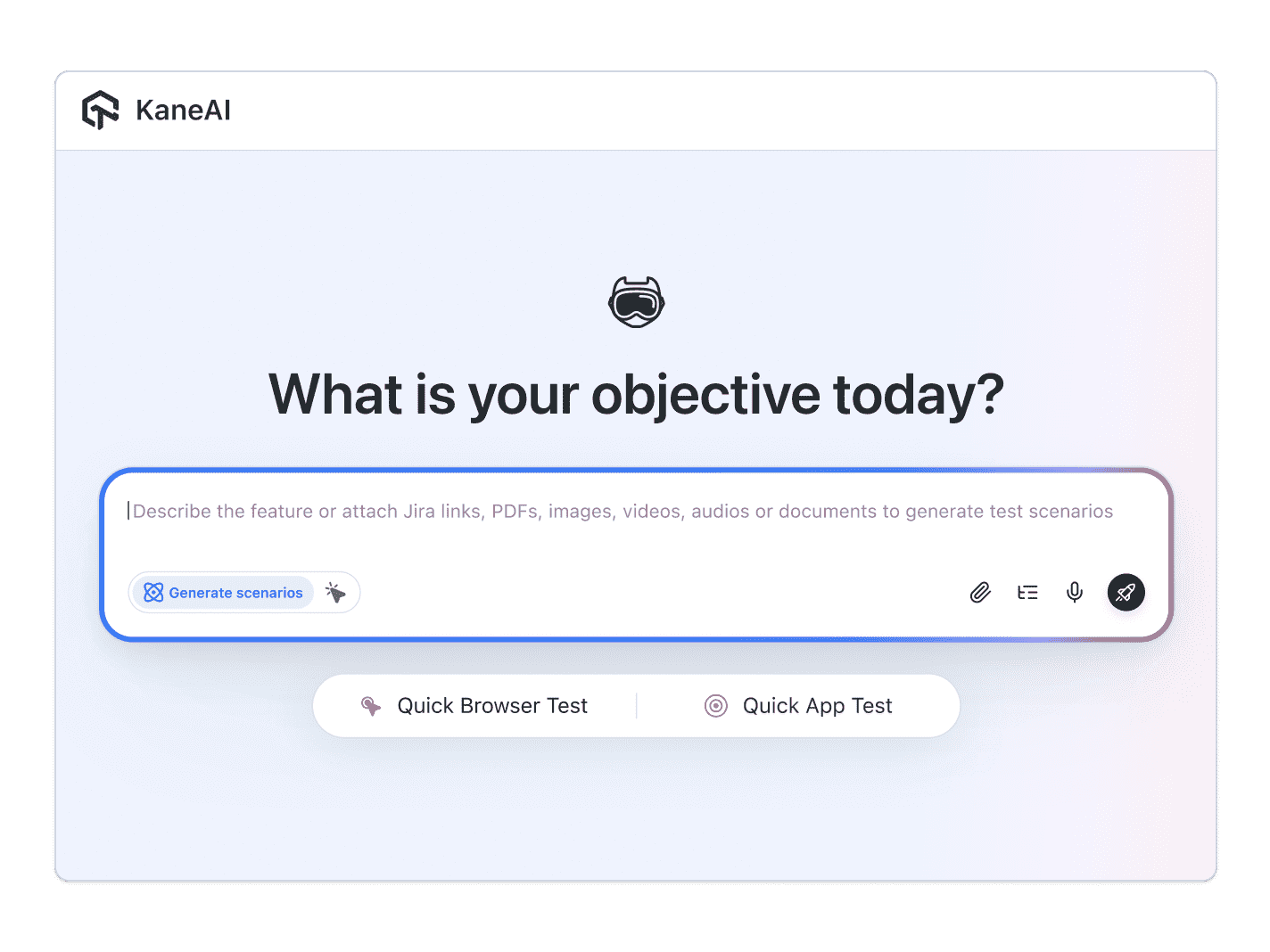
That is the whole test. KaneAI reads each step, finds the right control on your live Dynamics form the way a person would, by understanding the page instead of matching a brittle data-id or iframe path, and runs the flow. It steps into the unified-interface frames on its own, waits for business rules to settle before it reads a value, and re-anchors the step when the next release wave moves the field, which significantly reduces maintenance. Wrap your Azure AD sign-in and org setup once as a reusable module, and every Dynamics test can start from a known state, run cross-browser checks on Chrome and Edge, and reuse that same login without you rewriting it.

The Microsoft Dynamics 365 scenarios that actually break
Once the happy path works, real coverage is just more English. Here are the Dynamics scenarios worth adding, each takes about two minutes to write:
Quote-to-order with line items
- Create an opportunity and add three product line items from the active price list
- Verify the estimated total matches the sum of the line items
- Convert the opportunity to a quote and verify the totals carry over unchanged
- Activate the quote and verify it becomes read-only
Business-rule-driven form
- Set the account relationship type to Reseller and verify the tax-exempt field appears and becomes required
- Try to save without that field and verify the form blocks the save and shows a notification
- Fill the field, save again, and verify the record commits cleanly
Quick-create and duplicate detection
- Open the quick-create contact dialog from an account form
- Enter a name that already exists and verify the duplicate-detection warning appears
- Confirm the create and verify the new contact links back to the parent account
Field-service work order
- Create a work order, book a resource, and verify the schedule board shows the booking
- Move the work order status to Completed and verify the linked invoice is generated
Run every one of these across Chrome, Edge, Firefox, and real mobile devices from the same plain-English steps, with no per-browser rewrites.
Putting it on autopilot
Dynamics tests are most valuable when they run without you:
- Schedule the suite nightly, so a managed-solution import cannot quietly break a required field before your team logs in the next morning
- Trigger on deploy through CI, where Kane CLI runs the same tests from your pipeline and pauses for an MFA code or a consent prompt instead of failing
- Alert on failure in Slack, with a full replay of what the agent saw when the step failed, including screenshots, video, and the reason in plain English
When a Dynamics test fails, you do not get a NoSuchElementException pointing at an iframe path. You get a plain-English reason for the exact step that failed. Anyone on the team can read that, and anyone can fix the test, because the test is just English.
Try it on your own Dynamics org in 10 minutes
- Sign up for KaneAI free, with no credit card
- Paste your Dynamics org URL and sign in with Azure AD
- Write your first test in plain English, or let KaneAI suggest one from your form
- Run it and watch your Dynamics flow get tested end to end
Microsoft Dynamics 365 is too central to your revenue to test by hand and too dynamic for brittle C# scripts. Test it in the language you already speak. When you are ready for the next platform, read how to test ServiceNow without code, or scale the idea across your whole suite with codeless regression tests that run themselves.

Note: Test Microsoft Dynamics 365 without writing a line of code. Start with KaneAI free.
Author

Abhishek Mishra
Blogs: 16

Abhishek Mishra is a Technical Product Manager at TestMu AI, where he owns Test Manager, the test management product. He has over 8 years of experience in product management and market analysis, spanning AI-native software testing, product strategy, and analytics. On TestMu AI, he authored guides on test management and test case management. Previously, he served as the Product Lead at IndiaClan and co-founded Gartley618 Technologies, a firm focused on quantitative trading and blockchain. He holds a B.Tech degree.
Reviewer

Himanshu Sheth
Reviewer
Himanshu Sheth is the Director of Marketing (Technical Content) at TestMu AI, with over 8 years of hands-on experience in Selenium, Cypress, and other test automation frameworks. He has authored more than 130 technical blogs for TestMu AI, covering software testing, automation strategy, and CI/CD. At TestMu AI, he leads the technical content efforts across blogs, YouTube, and social media, while closely collaborating with contributors to enhance content quality and product feedback loops. He has done his graduation with a B.E. in Computer Engineering from Mumbai University. Before TestMu AI, Himanshu led engineering teams in embedded software domains at companies like Samsung Research, Motorola, and NXP Semiconductors. He is a core member of DZone and has been a speaker at several unconferences focused on technical writing and software quality.


Dynamics 365 Testing FAQs
Did you find this page helpful?
More Related Blogs

TestMu AI forEnterprise
Get access to solutions built on Enterprise
grade security, privacy, & compliance
- Advanced access controls
- Advanced data retention rules
- Advanced Local Testing
- Premium Support options
- Early access to beta features
- Private Slack Channel
- Unlimited Manual Accessibility DevTools Tests