

Power Your Software Testing with AI Agents and Cloud
The Native AI-Agentic Cloud Platform to Supercharge Quality Engineering. Test Intelligently and Ship Faster.


- TestMu AI (Formerly LambdaTest)
- /
- Blog
- /
- Accelerate Cypress Testing with HyperExecute
Accelerate Cypress Testing with HyperExecute
Boost Cypress Testing with HyperExecute. Overcome slow builds, upload inefficiencies, and flaky tests. Achieve high-performance testing. Try it now!
Last Updated on:
Cypress testing with HyperExecute removes the Jenkins bottlenecks that slow a growing suite: full monorepo fetches, repeated dependency installs, and a full pipeline rerun after every small fix. HyperExecute pulls only the target directory, caches dependencies after the first run, and uploads only the spec files that changed. This guide covers monorepo struggles, large dependencies, fixing failed tests, mitigating the frustration of failing tests, and how AI agents now fit into that loop.
Key Takeaways
- Fetching an entire monorepo into a Jenkins job before every Cypress run wastes most of the setup time, because the test suite needs only one directory and its dependencies.
- The --target-directory flag limits a run to a single test directory, so a Cypress suite inside a large monorepo no longer waits for unrelated code to be fetched.
- Caching dependencies after the first run removes the repeated install step that dominates Cypress execution time in a standard CI pipeline.
- Uploading only the spec files changed since the last run lets a developer rerun a failed Cypress test seconds after editing it, instead of repackaging the whole suite.
- Retrying a failed Cypress spec inside the same cycle separates a real failure from a temporary glitch such as a slow network response.
- Test history across multiple runs identifies which Cypress specs fail inconsistently, which is the evidence needed before muting or rewriting them.
Struggles with Monorepo Applications
Our customer, a fast-growing startup, relied on Cypress to automate their web application tests. They had a monorepo to manage their code, which kept everything organized but became a bottleneck during the testing cycles.
The problem? Fetching their entire mono repo in Jenkins, including libraries and functions not needed for testing, took forever to just get ready for test execution. This wasted valuable time and resources, making daily releases difficult.
At HyperExecute, solving this problem was a piece of cake with the “target-directory” feature. This allowed them to specify the exact directory containing just their test suite and essential dependencies, eradicating the need to fetch the whole mono repo every time for test execution.
--target-directory "/home/users/work/yaml/scripts/"
Using a simple flag to instruct the platform, instead of fetching their entire monorepo, they could now point to critical code within a specific directory, which included only their test suite and essential dependencies, dramatically reducing the overall duration and optimizing resource usage. Time spent preparing for test execution went drastically down by ~58%, from an average of 12 minutes to approx 5 minutes.
Handling Large Dependencies
The team had another problem slowing them down. Every time they ran their Cypress tests on their Jenkins pipeline, it involved downloading all the libraries and dependencies anew. The time taken in this repetitive process was huge and delayed their feature releases and bug fixes.
HyperExecute addressed this challenge with its inbuilt intelligent caching mechanism. Our smart caching mechanisms identified and stored critical libraries and dependencies required for test execution on the first run, significantly accelerating the subsequent test cycles.
The team observed a reduction in their dependency installation time from around 20 minutes to a mere 30 seconds, a staggering time-saving in their testing cycle.
Fixing Failed Tests, a Nightmare
Whenever the team encountered any failed tests, they would want to fix them one by one. However, with Jenkins in place, every minor code change meant triggering the complete cycle. As a result, the QA had to wait while the whole code base would be fetched onto Jenkins and then get triggered. It became a major inefficiency while doing frequent changes in an attempt to fix test cases.
This nightmare was brought to an end with our differentialUpload feature. HyperExecute would identify only the parts of their test scripts that had been modified since the last run and only fetch for those files, drastically reducing the size of the package and the setup time to trigger the test suite.

With HyperExecute, their team could make code changes, run tests, and iterate much faster without getting bogged down by unnecessary waits in test preparation & setup.
Mitigating Frustration of Failing Tests
With the Jenkins-based setup, the QA team was also facing the challenge of flaky tests. These tests, which passed inconsistently, were a bummer. Hours were wasted debugging these gremlins, hindering progress on new features and releases.
Understanding this frustration, HyperExecute provided a multi-part approach to address flaky and failing tests:
1. Auto Test Retries
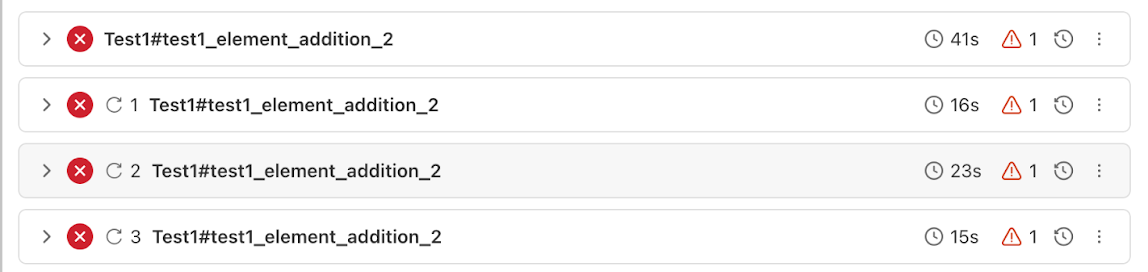
HyperExecute recognized that tests sometimes fail due to temporary glitches and thus offered them the retry on failure option. By retrying failing tests (even at a spec level), HyperExecute provided them with an opportunity to pass on subsequent runs, within the same test cycle. This helped identify and potentially eliminate issues caused by temporary glitches.
2. Test History Analysis
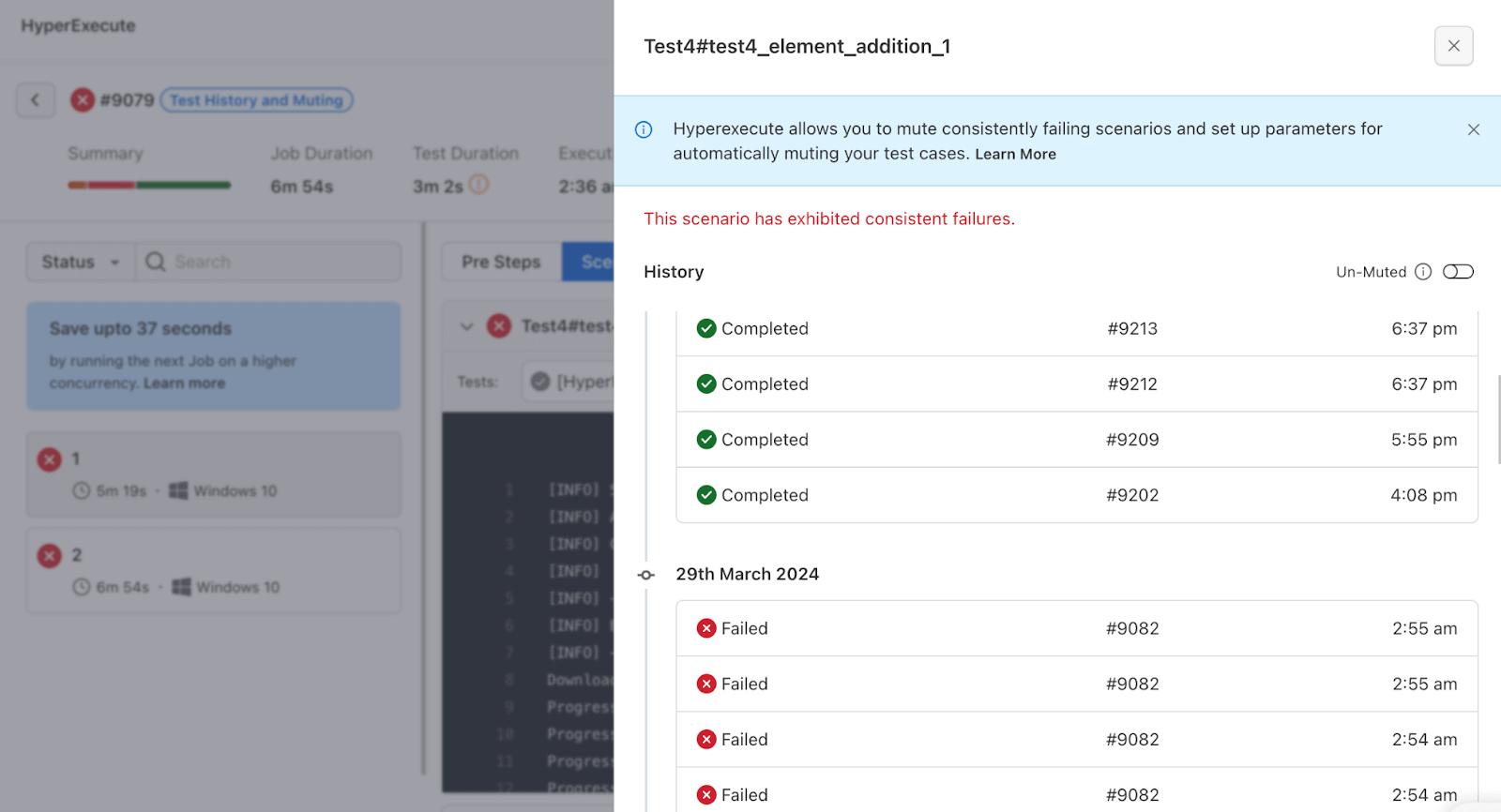
Test History Analysis wasn’t about quick fixes, but about gleaning valuable insights from the past to prevent future headaches. By analyzing trends across multiple test runs, the team could pinpoint which tests were consistently failing or flaky. This helped them narrow down the search for the root cause of the flaky tests.
By leveraging this historical data, their team could work proactively to eliminate flakiness and ensure their tests were consistently reliable. This translated to less time wasted debugging and more time focusing on building a high-quality application.
3. Test Muting: Silencing the consistent failing tests
While Test History Analysis helped a lot, the team still had to deal with the immediate issue: how to manage the constant barrage of tests that kept failing consistently.
HyperExecute offered Test Muting, as a way to silence the noise. These tests, while potentially valuable in the long run, were currently a distraction from the critical issues. With Test Muting, the QA team could temporarily remove some tests from the execution cycle.
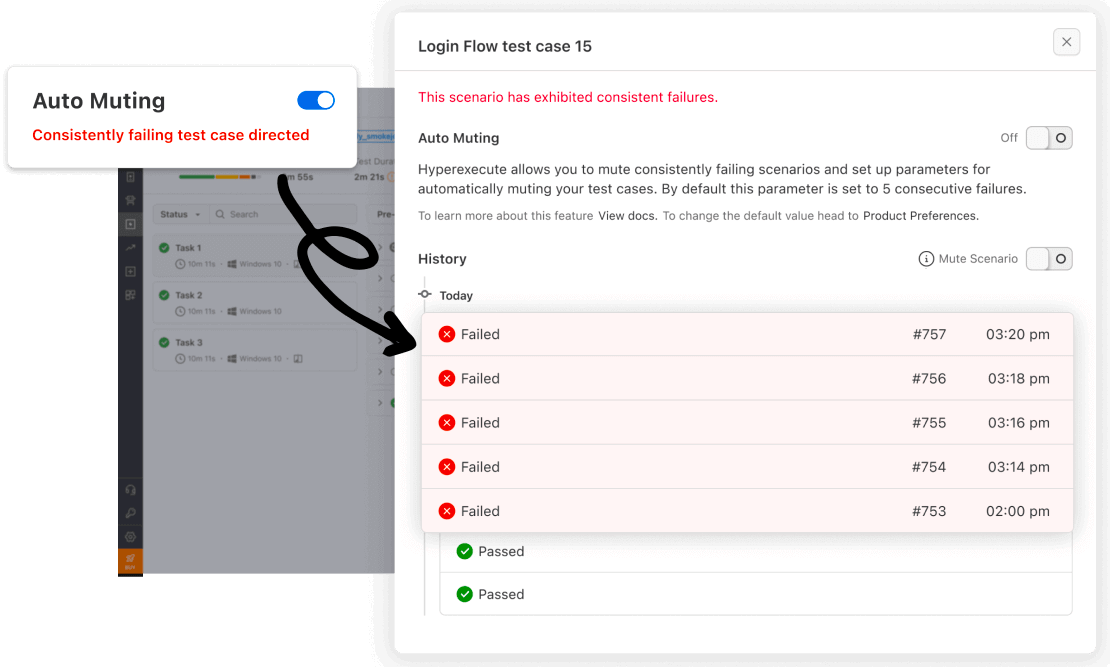
Test Muting brought a sense of calm to the development workflow. Developers weren’t constantly bombarded with alerts from these tests. They could now focus their energy on fixing issues that truly mattered, leading to faster development cycles and a more polished final product.
How Do AI Agents Help Fix Failing Cypress Tests?
AI agents read the artifacts a Cypress run leaves behind and propose a fix, but they only help when the rerun loop is short. An agent that waits ten minutes for a pipeline to rebuild is slower than an engineer reading the log.
- Failure triage: a coding agent such as Claude Code or Cursor reads the stack trace, console log, screenshot and video of a failed spec, then names the selector or assertion that broke.
- MCP access to run data: a Model Context Protocol server lets an agent pull execution results into the editor instead of an engineer pasting log fragments into a chat window.
- Flaky or broken: an agent cannot separate an unstable test from a real defect without history, so flaky test detection across past runs is the input it needs.
- Short rerun loop: differentialUpload ships only the edited spec files, so each agent iteration costs seconds rather than a full package upload.
- Authoring support: Cypress AI generates and self-heals test steps inside Cypress itself, which is a separate layer from the grid the tests execute on.
Two limits still apply. An agent can turn a pipeline green by retrying or muting a test, which hides a real defect, so muting stays a human decision. Specs an agent writes also need a review against Cypress best practices before they become part of automation testing in the CI/CD pipeline.
Conclusion
Traditional CI/CD pipelines and Cloud Testing Grids can hinder the efficiency of even the best frameworks like Cypress. HyperExecute cuts through these limitations of standard CI pipelines with its innovative features and focuses on making QA teams more efficient and productive.
By leveraging HyperExecute for Cypress testing, your teams can achieve high-performance testing even for the most complex web applications. This allows them to focus on building amazing web apps, with the confidence that HyperExecute has their testing covered. Try HyperExecute now!

Author

Aman Chopra
Blogs: 15


Aman Chopra is a DevOps Engineer and Community Contributor with over 7 years of experience in cloud technologies, software development, and software testing. Currently working at TestMu AI, Aman specializes in optimizing Azure cloud infrastructure, enhancing API accessibility, and integrating cloud platforms like AWS and GCP. With expertise in Git, Docker, Kubernetes, and CI/CD practices, Aman has contributed to various open-source projects and authored guides on cloud computing, containers, and CI/CD. He holds a B.Tech in Computer Science.


Cypress on HyperExecute FAQs
Did you find this page helpful?
More Related Blogs
TestMu AI forEnterprise
Get access to solutions built on Enterprise
grade security, privacy, & compliance
- Advanced access controls
- Advanced data retention rules
- Advanced Local Testing
- Premium Support options
- Early access to beta features
- Private Slack Channel
- Unlimited Manual Accessibility DevTools Tests