

Power Your Software Testing with AI Agents and Cloud
The Native AI-Agentic Cloud Platform to Supercharge Quality Engineering. Test Intelligently and Ship Faster.


- TestMu AI (Formerly LambdaTest)
- /
- Blog
- /
- How to Clear History in Internet Explorer
How to Clear History in Internet Explorer
Learn how to clear history in Internet Explorer to maintain privacy, improve browser performance, and manage your browsing data efficiently.
Published on:
Internet Explorer automatically saves every site you visit through its built-in history feature, and clearing it starts by pressing Alt+X or clicking the gear icon to open Internet options. Inside the General tab's Browsing history section, unchecking Preserve Favorites website data before clicking Delete twice removes the selected records, or Ctrl+Shift+Delete opens the same dialog instantly.
Steps to Clear History in Internet Explorer
To clear history in Internet Explorer, follow the steps given below:
- Launch Internet Explorer.
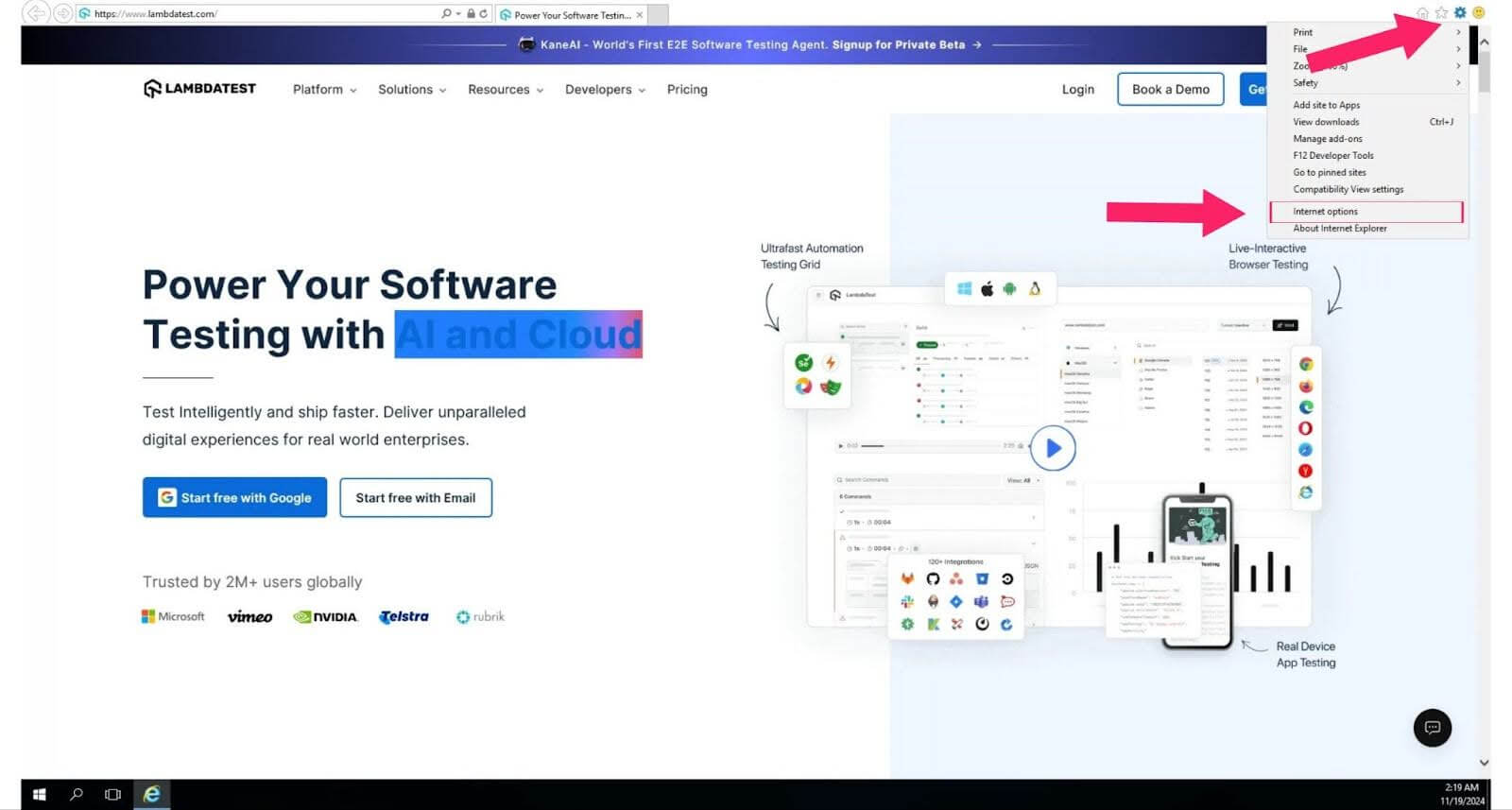
- Click the gear icon and click on Internet options to open the settings window, or press (Alt + X) as a quick shortcut.
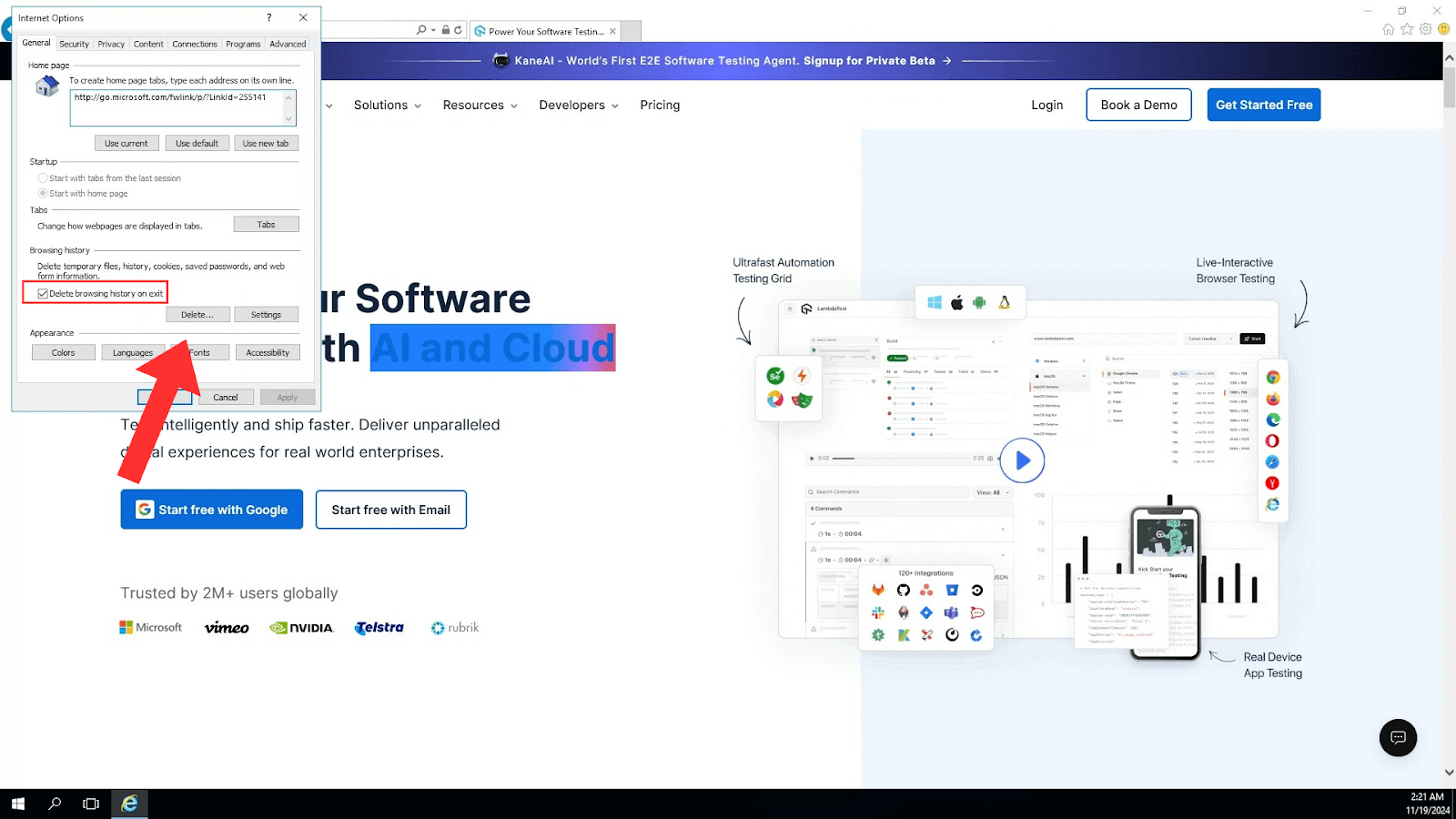
- In the General tab, you will find the Browsing history section; click on the Delete button. A new window will pop up with options to delete various types of data.
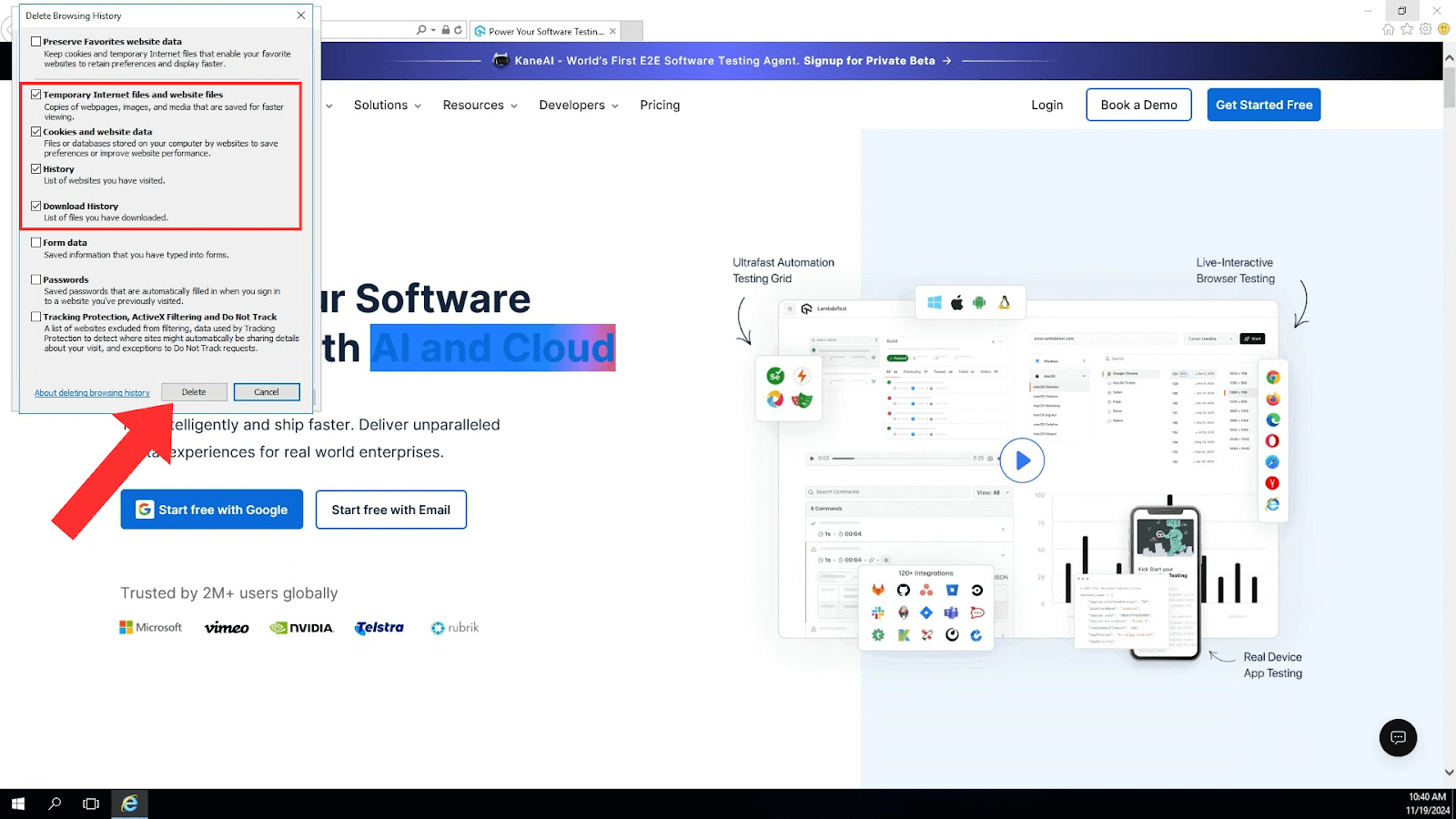
- Mark the checkboxes for the browsing history you want to remove.
- If you want to preserve your favorite websites, make sure to uncheck Preserve Favorites website data.
- After selecting the data you want to clear, click Delete again to confirm. Internet Explorer will then remove the selected items from your history.
And that’s how your Internet Explorer browser history is cleared!

Steps to Clear History in Internet Explorer With Keyboard Shortcuts
You can quickly clear your browser history using a keyboard shortcut in Internet Explorer:
- Open Internet Explorer.
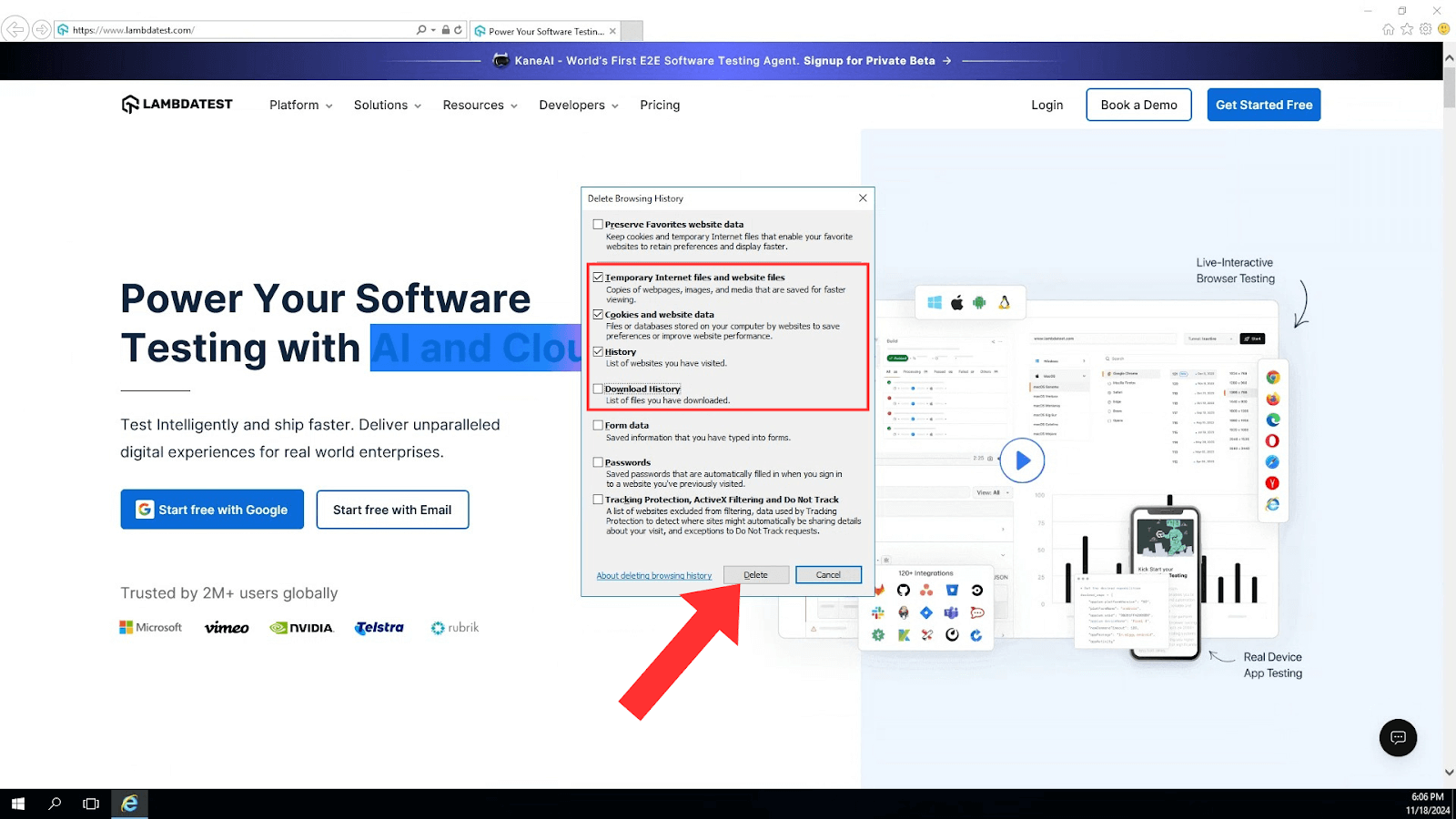
- Press Ctrl + Shift + Delete on your keyboard. This shortcut immediately opens the Delete Browsing History dialog.
- Use the Tab key to move through options and the Space key to select the browser history and other data.
- Press the Tab key to go to the Delete button, then finally press Enter to delete.
Conclusion
Clearing your browser history in Internet Explorer is essential for your privacy, browser performance, and the protection of personal information. By following the steps provided in this blog, you can easily manage your browsing data and reduce potential risks associated with stored information.
Author

Tahneet Kanwal
Blogs: 29


Tahneet Kanwal is a freelance technical content writer with over 2 years of hands-on experience in frontend development and technical writing. She holds a B.Tech in Information Technology from University College of Engineering and Technology (UCET). Tahneet creates clear, SEO-optimized content on web technologies, software testing, and automation tools, leveraging her skills in HTML, CSS, JavaScript, React, Tailwind CSS, and various tools like VS Code, GitHub, Figma, and Canva. She is the author of 30+ technical blogs and an open-source contributor through Hacktoberfest. She has also participated in the Google Cloud Arcade Facilitator Program and holds certifications as a Meta Android Developer (Coursera) and in Web Development (Internshala). Over time, she has evolved her writing to prioritize structure, readability, and SEO while maintaining technical depth.


Frequently asked questions
Did you find this page helpful?
More Related Blogs
TestMu AI forEnterprise
Get access to solutions built on Enterprise
grade security, privacy, & compliance
- Advanced access controls
- Advanced data retention rules
- Advanced Local Testing
- Premium Support options
- Early access to beta features
- Private Slack Channel
- Unlimited Manual Accessibility DevTools Tests