
Test Your Website on Real Desktop and Mobile Browsers
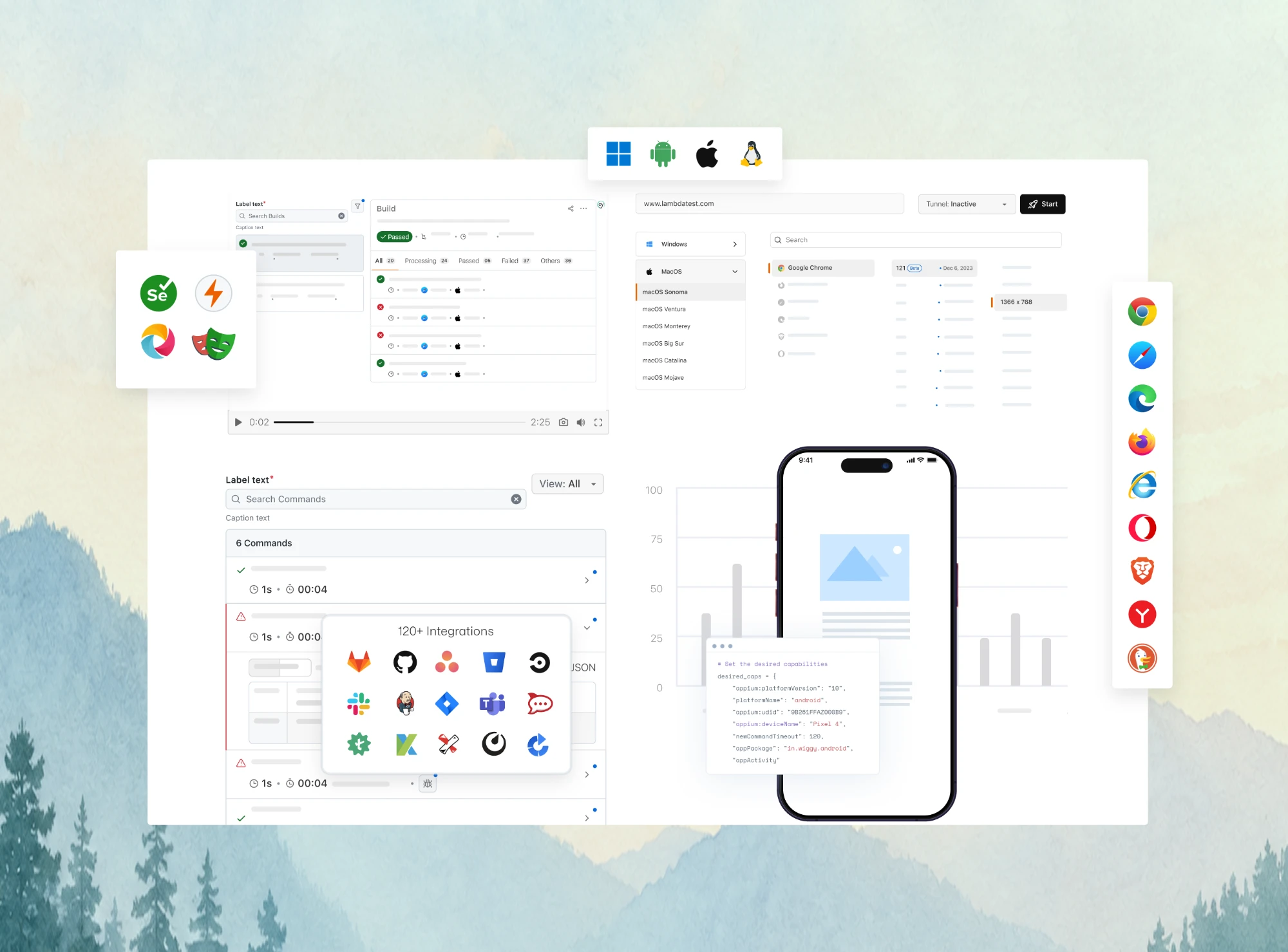
Run live and automated cross browser tests on Chrome, Safari, Firefox, and Edge across 3,000+ browser-OS combinations. No setup, no device lab.

13 Best Browsers for Mac in 2026
Safari wins on battery, Chrome on extensions, Firefox on privacy. Compare 13 Mac browsers for 2026 and find the right one for your MacBook Air or Pro.
Last Updated on:
Safari ships with every Mac, but it is not the only good browser for macOS. Chrome, Firefox, Edge, Brave, Orion, and others run natively on Apple silicon, and each one trades battery life, privacy defaults, and extension support differently.
Market share shows how far the default gets left behind. According to Statcounter, Chrome held 65.09% of the worldwide desktop browser market in September 2026, followed by Edge at 14.64%, Safari at 8.06%, and Firefox at 6.11%.
This guide compares 13 Mac browsers on engine, extensions, privacy, and battery, then matches each one to the user it suits. If you build websites, it also shows why the rendering engine matters more than the browser brand when you test.
TL;DR
- Safari is the best browser for most Mac users because it ships with macOS, syncs through iCloud, and Apple says it streams video up to 5 hours longer than Chrome on battery.
- Google Chrome is the best Mac browser for extension-heavy workflows and held 65.09% of worldwide desktop browser share in September 2026, per Statcounter.
- Mozilla Firefox runs the Gecko engine instead of Chromium or WebKit, which makes it the main Mac pick for privacy controls on an independent engine.
- Brave and DuckDuckGo block ads and trackers by default, while Tor Browser routes traffic through the Tor network for anonymity at the cost of speed.
- Orion by Kagi uses Safari's WebKit engine but runs many Chrome and Firefox extensions, making it the closest Safari alternative with a bigger extension catalog.
- Web developers on a Mac still need to test in WebKit, Blink, and Gecko, which TestMu AI Real-Time Testing covers on macOS and Windows without installing each browser.
How Were These Mac Browsers Picked?
Each browser on this list runs natively on macOS and was checked against its vendor's live product page in October 2026. Browsers that are discontinued or render pages off your Mac were removed, which is why Sidekick (shut down in August 2025) and Puffin (which renders every page on CloudMosa's servers) dropped off this edition in favor of Orion and Zen.
- Rendering engine - WebKit, Blink, or Gecko decides how a page renders, so the list spans all three.
- Extension support - which store the browser can install from, since a missing extension is the most common reason people switch.
- Privacy defaults - what the browser blocks before you change a single setting.
- Battery and resources - vendor claims are labeled as vendor claims, because no independent Apple silicon benchmark covers all 13 browsers.
- Maintenance status - whether the browser still ships features or only security fixes, which matters if you plan to make it your default.
What Are the Best Browsers for Mac in 2026?
The best browsers for Mac in 2026 are Safari, Google Chrome, Mozilla Firefox, Opera, Microsoft Edge, Brave, Vivaldi, Tor, Zen, Arc, Orion, DuckDuckGo, and Min. Safari is the strongest default for battery life and iCloud, Chrome for extensions, and Firefox for privacy on an independent engine.
Mac Browsers at a Glance
Engine and extension support decide whether a site behaves the same way, so they lead the table. The 13 browsers run on just three engines, which is also why cross browser testing exists: a page that renders correctly in Blink can still break in WebKit or Gecko.
| Browser | Engine | Extensions | Standout feature | Best for |
|---|---|---|---|---|
| Safari | WebKit | Safari extensions only | Battery-life optimisation, iCloud Keychain, Apple Pay | Apple ecosystem users |
| Google Chrome | Blink | Chrome Web Store | Largest extension library, cross-device sync | Extension-heavy workflows |
| Mozilla Firefox | Gecko | Firefox add-ons | Enhanced Tracking Protection, fingerprint blocking | Privacy without Chromium |
| Opera | Blink | Most Chrome extensions | Built-in VPN, integrated messengers, My Flow | Built-in VPN |
| Microsoft Edge | Blink | Chrome Web Store | Collections, vertical tabs, Immersive Reader | Microsoft Office users |
| Brave | Blink | Chrome Web Store | Shields, private tabs with Tor, crypto wallet | Ad and tracker blocking by default |
| Vivaldi | Blink | Chrome Web Store | Tab stacking, built-in mail and calendar | Heavy customisation |
| Tor | Gecko (Firefox-based) | None | Onion routing, NoScript, HTTPS-Only | Anonymity |
| Zen | Gecko (Firefox-based) | Firefox add-ons | Workspaces, Split View, Compact Mode | Vertical-tab workflows off Chromium |
| Arc | Blink | Chrome Web Store | Spaces and Split View (security fixes only) | Visual organisation |
| Orion | WebKit | Safari, many Chrome and Firefox extensions | Zero telemetry, built-in ad blocking | Safari engine with more extensions |
| DuckDuckGo | WebKit | Limited | Tracker blocking, Smarter Encryption | Privacy with no setup |
| Min | Blink (Electron) | None | Minimal interface, reader mode, Tasks | Distraction-free browsing |
Safari
Best for - Apple ecosystem integration and battery life
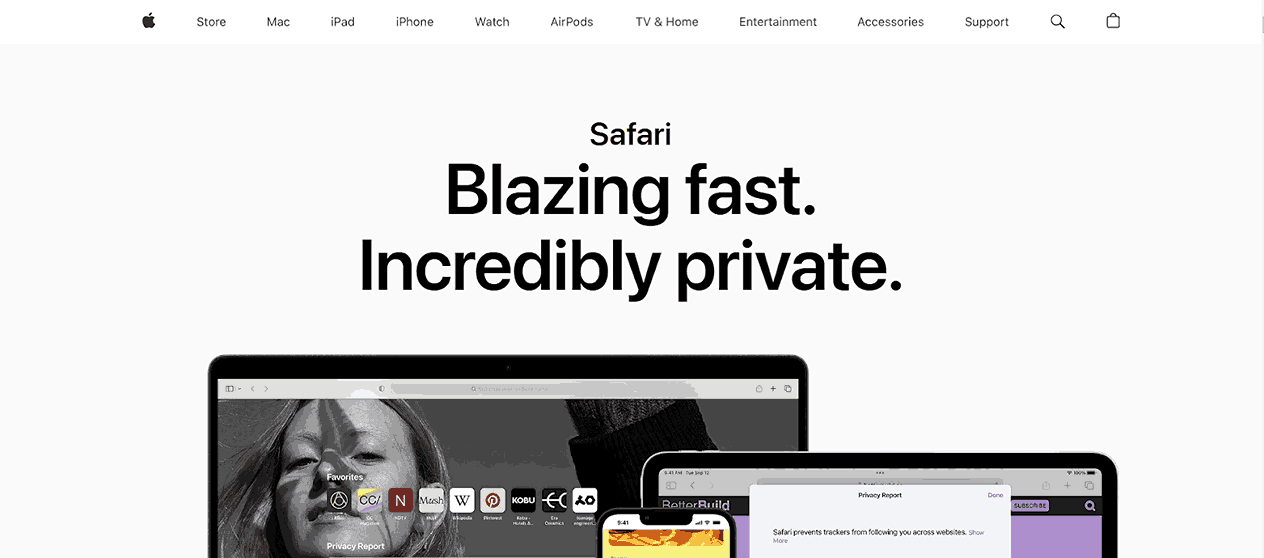
Safari browser is the default on every Mac and the browser Apple tunes for its own chips. On its Safari product page, Apple says Safari loads frequently visited websites 35% faster than Chrome on average and streams video for up to 5 hours longer than Chrome on battery. Both figures come from Apple's own tests.
The latest version of Safari browser runs on WebKit, the engine behind nearly every iPhone browser, so Safari is where Apple-specific rendering bugs show up first.
Features:
- Intelligent Tracking Prevention - uses on-device intelligence to limit cross-site tracking and stops known trackers from reading your IP address.
- Profiles - separate history, extensions, Tab Groups, favorites, and cookies for work and personal browsing.
- Reader view - strips ads and page clutter so long articles show in a clean, readable layout.
- Tab Groups - pin, group, and share sets of tabs, which sync to iPhone and iPad.
- iCloud Keychain and passkeys - autofill passwords and sign in with passkeys that are end-to-end encrypted.
- Apple Pay - check out on websites with Touch ID on a MacBook Air or MacBook Pro.
- Handoff - pick up on your Mac the tabs you were reading on an iPhone or iPad.
Shortcomings:
- Its extension catalog is much smaller than the Chrome Web Store.
- It runs only on Apple devices, so Safari sync does not help if you also use a Windows or Android device.

Note: Safari renders on WebKit, so a page that passes in Chrome can still break here. Check it in real Safari on macOS without buying a Mac. Test in Safari free
Google Chrome
Best for - Extension availability and cross-platform sync
Google Chrome is the most used desktop browser and the usual first install on a new Mac. That share also makes it the first browser to cover when you test on Chrome browsers before a release. It is free and built on the open-source Chromium project, though Chrome itself adds proprietary Google components. Chrome's Manifest V3 update replaced the older blocking webRequest API with the more limited declarativeNetRequest API. Ad blockers on Chrome now filter with fewer available rules than they do on Firefox, though most popular ad blockers have adapted to the new API.
Features:
- Profiles - separate settings, history, and bookmarks for each person or role on the same Mac.
- Google Password Manager - saves passwords and payment details and syncs them to Chrome on other devices.
- Memory Saver and Energy Saver - free up memory from inactive tabs and cut background activity on battery.
- Tab groups - label and color-code tabs, and let Tab Organizer suggest groups for related pages.
- Chrome Web Store - the largest extension library on the Mac, from password managers to ad blockers.
- Gemini in Chrome - an AI assistant that opens from the top-right corner of the window or the Mac menu bar and answers questions about the open page.
- Fast release cadence - Chrome moved from a four-week to a two-week major release cycle in September 2026, per the Chrome developer blog.
Shortcomings:
- It has no built-in VPN or native ad blocker.
- Signing in syncs your browsing data to a Google Account, which privacy-focused users avoid.
- The two-week release cycle means more frequent restarts to stay current.
Mozilla Firefox
Best for - Privacy defaults on an independent engine
Mozilla Firefox is the major Mac browser that runs neither Chromium nor WebKit. It uses Mozilla's Gecko engine, supports the latest macOS version, and turns on Enhanced Tracking Protection by default.
Because Gecko is a separate engine, Firefox belongs next to Chrome and Safari in any test plan, and you can test on Firefox browsers across versions without installing each one.
Features:
- Enhanced Tracking Protection - blocks known trackers and fingerprinting scripts without an extension.
- Password manager - generates, saves, and autofills passwords for free.
- On-device translation - translates pages locally instead of sending the text to a cloud service.
- PDF editor - fill in, annotate, and sign PDFs directly in the browser.
- Eyedropper - picks exact hex color codes from any page, which helps designers and front-end developers.
- Firefox Sync - carries bookmarks, history, and passwords to Firefox on Windows, Linux, Android, and iOS.
- Firefox can delete cookies and history automatically every time you close it.
Shortcomings:
- Its add-on library is smaller than the Chrome Web Store.
- Some sites are built and tested mainly in Chromium, so Gecko can hit browser compatibility issues that Chrome users never see.
Opera
Best for - A built-in VPN and integrated messaging
Opera is a Chromium browser that bundles features other browsers leave to extensions: a free browser VPN, an ad blocker, messenger apps in the sidebar, and an AI assistant. If you would otherwise install four extensions for those, Opera ships them in one download. Because the built-in ad blocker and VPN can change what a page loads, it is worth a separate check when you test on Opera browsers.
Features:
- Built-in VPN - a free encrypted browser proxy that hides your IP address for traffic inside Opera.
- Ad and tracker blocker - also blocks cryptocurrency-mining scripts.
- Sidebar messengers - WhatsApp, Facebook Messenger, and other chat apps open beside the page.
- My Flow - sends pages and notes between Opera on your Mac and Opera on your phone.
- Opera AI - the sidebar assistant that replaced Aria, which summarizes the open page and answers with current web results.
- Workspaces and Pinboards - split tabs by task and save links, notes, and images to shareable boards.
- Opera installs most Chrome extensions because it renders with Chromium.
Shortcomings:
- The VPN covers only browser traffic, not other apps on your Mac.
- The bundled sidebar apps and AI features add clutter if you never use them.
Microsoft Edge
Best for - Microsoft 365 users on a Chromium base
Microsoft Edge on Mac is built on Chromium, so it renders pages like Chrome and installs Chrome Web Store extensions. What it adds is Microsoft account sync, Copilot in the sidebar, and quick access to Outlook, Word, and Excel on the web, which makes it the natural pick if your work already lives in Microsoft 365. Statcounter puts Edge second on desktop at 14.64%, so it belongs in your matrix when you test on Edge browsers.
Features:
- Vertical tabs, tab groups, and Collections - organize research without a separate extension.
- Cross-device sync - carries favorites and passwords to Edge on Windows, Android, and iOS.
- Immersive Reader and Read Aloud - simplify a page's layout and read the text out loud.
- Built-in PDF viewer - open and annotate PDFs without leaving the browser.
- Edge Insider channels - try Beta, Dev, and Canary builds before features reach stable.
Shortcomings:
- It pushes Bing, Copilot, and Microsoft account sign-in more than other Chromium browsers.
- It offers little that Chrome does not if you do not use Microsoft 365.
Brave
Best for - Ad-free browsing with privacy on by default
Brave is a Chromium browser that blocks trackers and intrusive ads before you change any setting. It runs natively on both Intel and Apple silicon Macs, and unlike Opera's free proxy, its optional VPN is a paid subscription. Shields can block scripts your site depends on, so test on Brave browsers if your analytics show Brave traffic.
Features:
- Brave Shields - shows per-site counts of blocked ads and trackers and lets you tune fingerprinting and cookie blocking.
- Private windows with Tor - route a private window through the Tor network without installing Tor Browser.
- Brave Search - an independent search engine with its own index, set as the default.
- Brave Rewards and Wallet - opt in to privacy-respecting ads and earn tokens in the built-in crypto wallet.
- Brave keeps a Chrome-like interface, so switching from Chrome takes almost no adjustment.
Shortcomings:
- Aggressive blocking can break logins, embedded videos, or checkout pages until you lower Shields for that site.
- The crypto wallet and Rewards features are clutter for users who only want an ad blocker.
Vivaldi
Best for - Power users who want extensive customisation
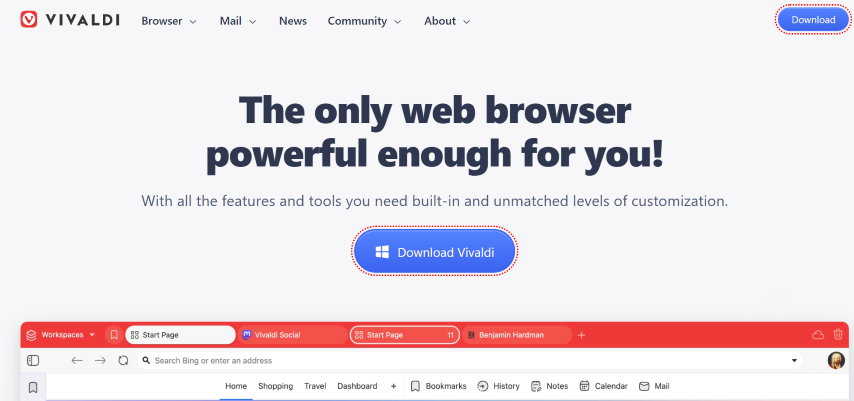
Vivaldi is a Chromium browser from Jón von Tetzchner, who co-founded Opera, and it runs Chrome extensions on Mac. Its pitch is control: nearly every toolbar, menu, shortcut, and tab behavior can be rearranged, and mail, calendar, and a feed reader are built in.
Features:
- Tab stacking and tiling - group tabs into stacks, tile them side by side, and place the tab bar on any edge.
- Web panels - keep sites such as chat or docs open in the sidebar.
- Built-in apps - mail, calendar, feed reader, notes, translation, and a Mastodon client.
- Custom shortcuts and gestures - map any browser command to a key, mouse gesture, or Quick Command.
- End-to-end encrypted sync - syncs bookmarks, passwords, and notes across devices.
Shortcomings:
- The number of panels, buttons, and settings overwhelms users who want a simple browser.
- Turning on mail, calendar, and feeds adds background work that a plain browser does not do.
Tor
Best for - Maximum anonymity
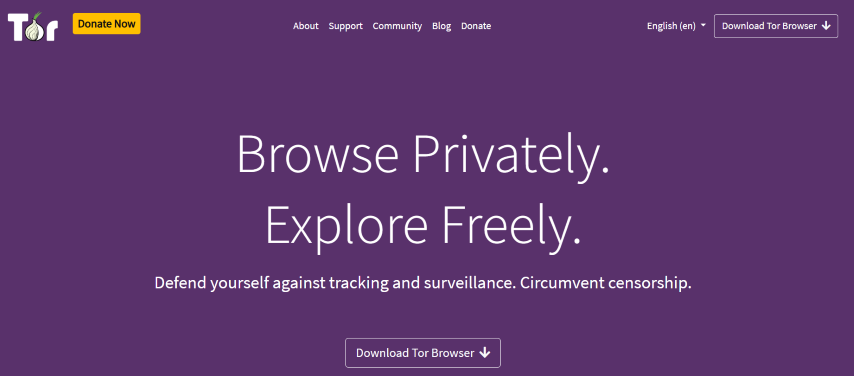
Tor Browser is a hardened Firefox build from the Tor Project that sends your traffic through three volunteer-run relays before it reaches a site. It runs on macOS, Windows, Linux, and Android, and it opens .onion addresses directly, with NoScript and anti-fingerprinting patches built in.
Features:
- Onion routing - sends traffic through volunteer-run relays, so sites cannot see your real IP address.
- Plugins disabled - stops a plugin from revealing your IP address outside the Tor circuit.
- HTTPS-Only mode and NoScript - force encrypted connections and block scripts on untrusted sites.
- No saved history - cookies and browsing history are cleared when you close the browser.
Shortcomings:
- Relay routing makes pages load noticeably slower than in mainstream browsers.
- Many sites show CAPTCHAs or block Tor exit relays outright.
Zen
Best for - Vertical-tab workflows without Chromium
Zen is a free, open-source browser built on Firefox, so it renders with Gecko and installs Firefox add-ons. Its GitHub README states the current release is built on Firefox 158.0, and the project ships a universal macOS build that runs on both Intel and Apple silicon. Zen still labels itself as beta.
Features:
- Workspaces - keep separate tab sets for each project and switch between them.
- Split View - show two tabs side by side in one window.
- Compact Mode - hides the tab bar until you need it, which gives a 13-inch MacBook more vertical space.
- Glance - preview a link in an overlay without opening a new tab.
- Zen Mods - community themes and layout tweaks on top of standard Firefox add-ons.
Shortcomings:
- It is still in beta, so updates can change layouts or break mods.
- There is no Zen app for iPhone, so mobile sync relies on Firefox Sync.
Arc Browser
Best for - Visual organisation and workspace-based browsing
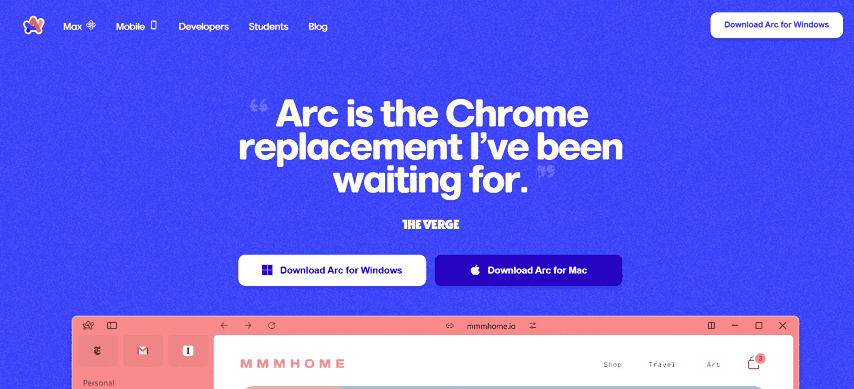
Arc is a Chromium browser that replaces the tab strip with a sidebar of Spaces, and it installs extensions from the Chrome Web Store. The Browser Company stopped building new Arc features to focus on its AI browser, Dia, and Atlassian agreed to acquire The Browser Company in September 2025. Arc still receives Chromium security updates, but treat it as a browser in maintenance mode.
Features:
- Spaces - separate sidebars of tabs for work, personal, and side projects.
- Split View - open several tabs side by side in one window.
- Profiles - tie each Space to its own cookies and logins.
- Auto-archive - closes unpinned tabs after a set time, so the sidebar stays short.
Shortcomings:
- No new features are planned, which makes it a risky long-term default.
- The sidebar layout takes time to learn if you are used to a tab strip.
Orion
Best for - Safari's engine with a bigger extension catalog
Orion is a browser from Kagi that runs on WebKit, the same engine as Safari, with builds for macOS, iOS, and iPadOS. The Orion website describes it as zero-telemetry with built-in ad blocking, and says it supports Safari, Chrome, and Firefox extensions.
Kagi lists 20 extensions as guaranteed to work, so treat any other Chrome or Firefox extension as worth testing rather than certain.
Features:
- WebKit rendering - pages render the way they do in Safari.
- Cross-store extensions - install many Chrome Web Store and Firefox add-ons in a WebKit browser.
- Built-in ad and tracker blocking - on by default, with no telemetry sent to Kagi.
- Kagi integration - optional Kagi search and translation built into the browser.
Shortcomings:
- Chrome and Firefox extension support is partial, so some extensions fail or behave differently.
- It is much newer than Safari or Chrome, with a smaller user base and fewer guaranteed extensions.
DuckDuckGo
Best for - Privacy-first browsing with no setup
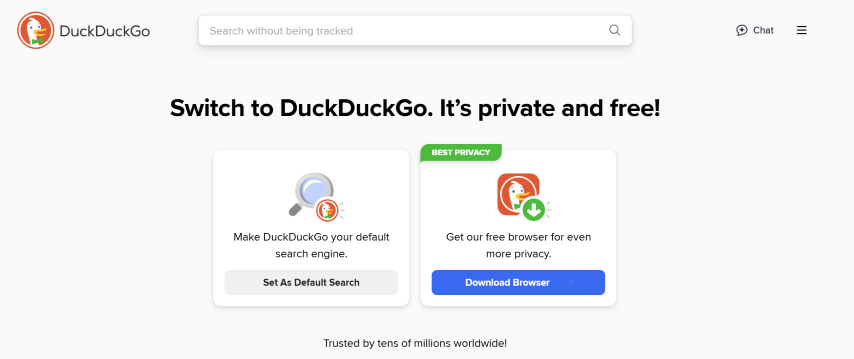
The DuckDuckGo browser for Mac runs on WebKit and blocks trackers by default, so you get Safari-style rendering with privacy settings already turned on. It suits users who want protection without configuring extensions.
Features:
- Tracker blocking - blocks third-party trackers by default, which also cuts the data a page loads.
- Smarter Encryption - upgrades links to the HTTPS version of a site when one exists.
- Fire Button - clears tabs, cookies, and history in one click.
- Cookie pop-up handling - answers many consent banners for you with the most private option.
Shortcomings:
- It offers far fewer extensions than the Chromium browsers.
- Services DuckDuckGo relies on, such as Apple Maps for local results, can be weaker than Google's equivalents.
Min
Best for - Minimalist, distraction-free browsing
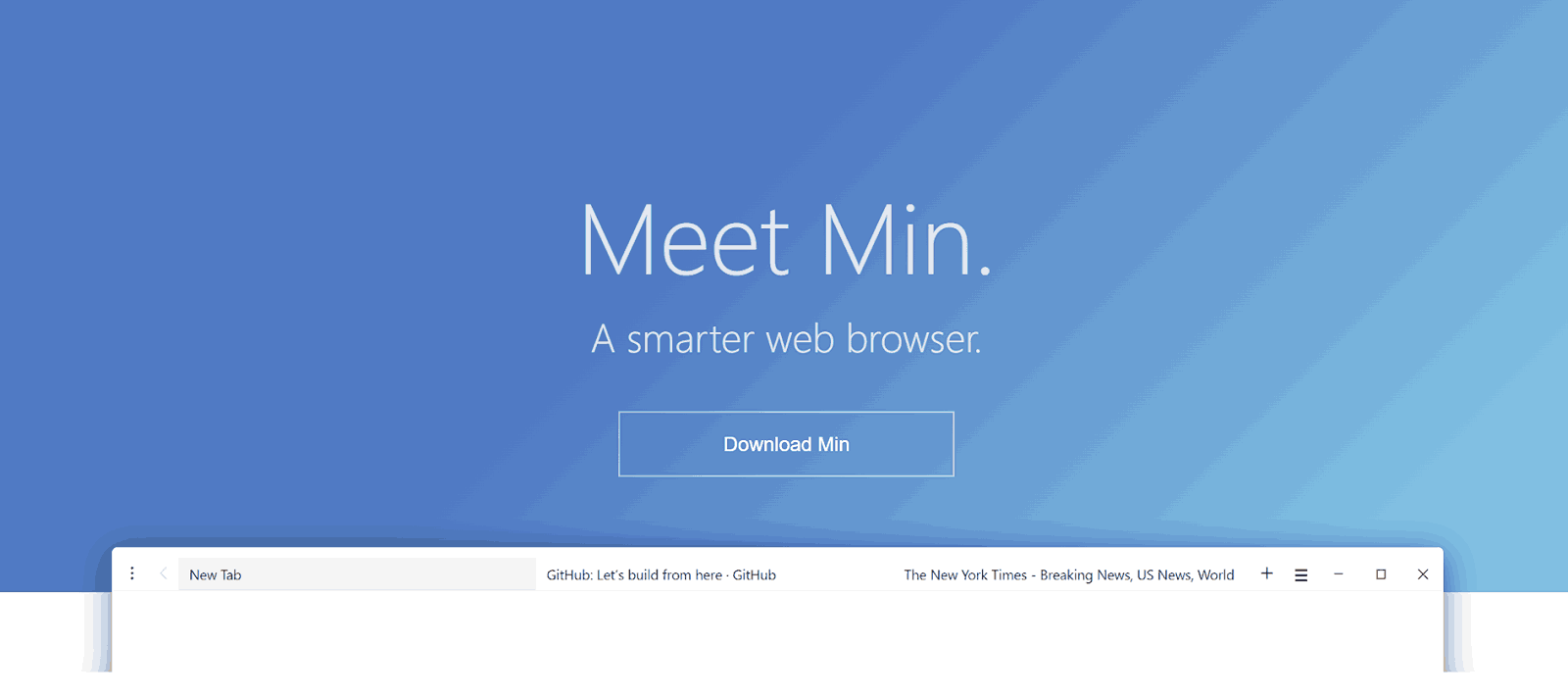
Min is a free, open-source browser built on Electron, which uses Chromium's Blink engine underneath. It strips the interface down to a single search bar and a tab list, for users who find even Safari too busy.
Features:
- Minimal interface - one bar handles search, history, and open tabs.
- Tasks - group tabs into tasks and switch between them.
- Ad and tracker blocking - built in, with no extension needed.
- Reader mode and password manager integration - covers the basics without add-ons.
Shortcomings:
- It does not support browser extensions.
- It lacks the sync and profile features found in mainstream browsers.
All 13 browsers run on WebKit, Blink, or Gecko, and the same page can render differently across those browser engines. Picking a personal browser is a one-engine decision, but shipping a website means checking all three.
That check is cross browser testing: running the same pages in Safari, Chrome, Firefox, and Edge on macOS and Windows to catch layout and script bugs that appear in only one engine. TestMu AI runs those checks on 3,000+ browser and OS combinations, so you do not need a Mac and a Windows PC with every browser installed.
What Is the Best Browser for MacBook Air and MacBook Pro?
Safari is the best browser for a MacBook Air, because battery life is usually the deciding factor on a fanless laptop and Apple reports up to 5 hours more video streaming than Chrome. On a MacBook Pro, where work often means extensions and developer tools, Chrome or Firefox is the stronger default.
Match your main need to a browser from this list:
| If you mainly need | Pick | Why |
|---|---|---|
| Longest battery life on a MacBook Air | Safari | Tuned for Apple silicon and synced through iCloud |
| Chrome extensions on a WebKit engine | Orion | Safari's engine with cross-store extension support |
| Google Workspace and the largest extension library | Google Chrome | Chrome Web Store plus Gemini in Chrome |
| Microsoft 365 at work | Microsoft Edge | Office web apps, Copilot, and Microsoft account sync |
| Privacy without Chromium | Mozilla Firefox or Zen | Gecko engine with tracking protection on by default |
| No ads with zero setup | Brave or DuckDuckGo | Ad and tracker blocking from the first launch |
| Anonymity | Tor Browser | Routes traffic through the Tor network |
| Web development on a MacBook Pro | Chrome or Firefox, plus Safari | Full DevTools, with Safari for WebKit-only bugs |
How Do AI Coding Agents Use Mac Browsers in 2026?
AI coding agents such as Claude Code, Cursor, and GitHub Copilot now drive a real browser on your Mac to check their own work. Through the Playwright MCP server or browser-use, an agent can navigate, click a selector, read the accessibility tree, and take a screenshot before deciding its next step.
Both tools drive Chromium by default, not Safari's WebKit engine. An agent can confirm a fix in the browser it automated and still miss a Safari-only rendering bug, so have the agent flag layout shifts in its own browser, then confirm the page in Safari before you call it done.
How Do You Test a Website on Mac Browsers Without a Mac?
You can test a website on Mac browsers without a Mac by opening a live macOS session on a cloud testing platform. TestMu AI Real-Time Testing streams macOS versions such as Sequoia, Sonoma, and Ventura, with their browsers, into the browser you already use, on any computer.
Keeping a Mac for every macOS and Safari version is expensive, and you still need Windows machines to test websites in different browsers. TestMu AI real-time testing gives live, interactive access to 3,000+ browser and OS configurations, with built-in DevTools, geolocation, network simulation, screenshots, recording, and one-click bug logging to 65+ trackers.
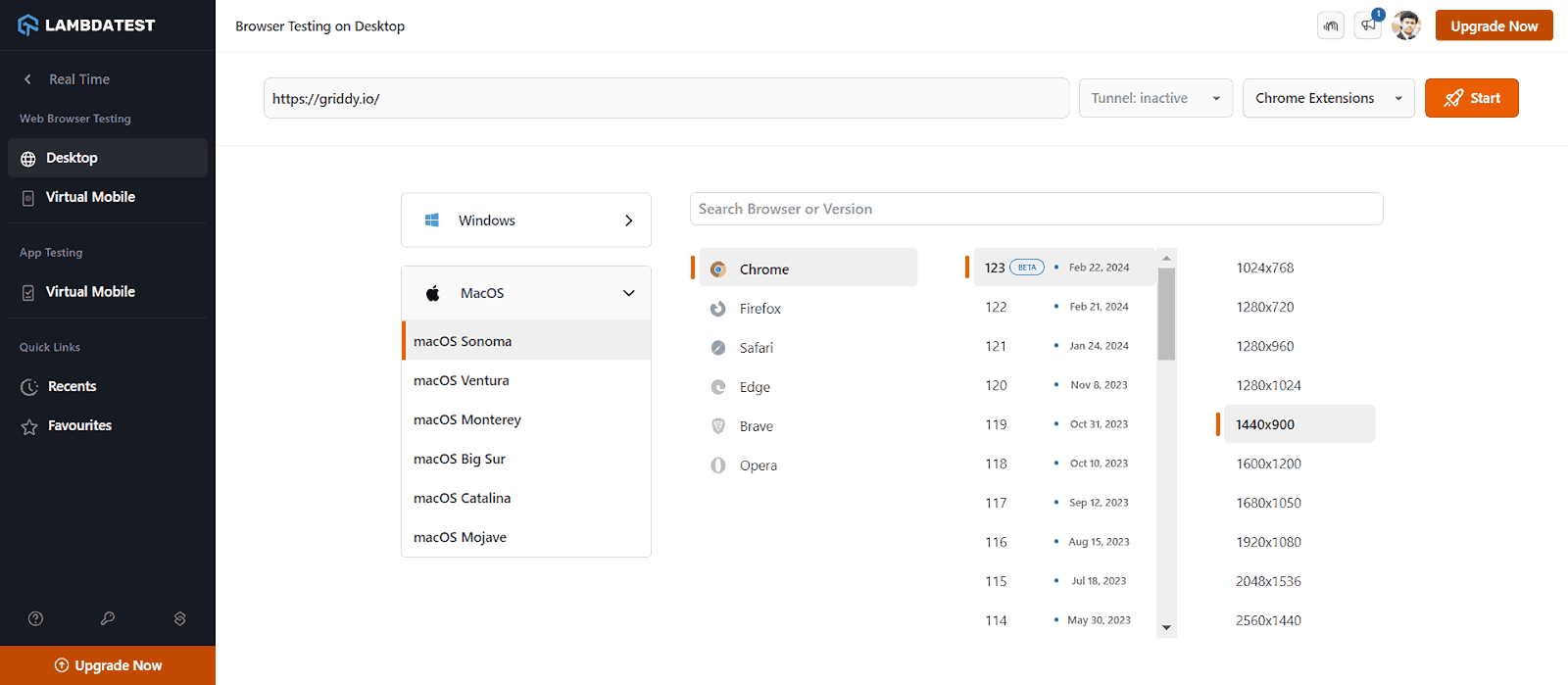
To open a Mac browser session:
- Sign in to TestMu AI, open Real Time Testing, and select Desktop under Web Browser Testing.
- Enter the URL you want to test.
- Choose macOS as the operating system, then pick the macOS version, browser, and browser version.
- Select a screen resolution to check responsive layouts, then click Start.
- For a site running on localhost or a staging server, turn on the Tunnel setting before you start.
Beyond manual sessions, TestMu AI supports automated testing on the same grid and on 50,000+ real devices:
- Framework support - run Selenium, Playwright, Cypress, and Appium suites against macOS browsers.
- SmartUI - catch WebKit-only layout breaks with visual regression testing across desktop and mobile.
- Real device cloud - check mobile Safari on a real device cloud of iPhones and iPads.
- HyperExecute - run large suites in parallel with HyperExecute test orchestration.
- Safari on Windows - open Safari for Windows sessions without owning Apple hardware.
Conclusion
Start with Safari if you mostly browse on a MacBook Air, switch to Chrome or Edge if your work runs on Google Workspace or Microsoft 365, and pick Firefox, Brave, or Orion if privacy matters most. Keep a second browser on a different engine installed, since some sites break in only one.
If you build websites, check which browsers your visitors use with these key browser statistics, then test on Mac browsers in TestMu AI. The real-time browser testing guide walks through your first macOS session.
Testing web or mobile apps without writing code? KaneAI by TestMu AI turns plain-English instructions into tests.
Author

Nazneen Ahmad
Blogs: 37


Nazneen Ahmad is a freelance Technical Content SEO Writer with over 6 years of experience in crafting high ranking content on software testing, web development, and medical case studies. She has written 60+ technical blogs, including 50+ top-ranking articles focused on software testing and web development. Certified in Automation Basic and Advanced Training - XO 10, she blends subject knowledge with SEO strategies to create user focused, authoritative content. Over time, she has shifted from quick, keyword-heavy drafts to producing content that prioritizes user intent, readability, and topical authority to deliver lasting value.
Reviewer

Shubham Soni
Reviewer
Shubham Soni is a Senior Member of Technical Staff at TestMu AI, building the Real Device Cloud and real-time testing infrastructure. He optimized the WebRTC services that power live testing to sub-100ms latency with adaptive bitrate streaming, led a frontend migration from Angular to React that cut page load time from 5-6 seconds to 1-1.5 seconds, and contributes to the official Device SDK. He led a team of four to build an accessibility testing product covering manual and automated testing and mentored a team of six on a real-time testing product. He brings over eight years of experience and earlier scaled a cloud code platform to 200K+ monthly users. Shubham holds a B.Tech in Computer Science.


Mac Browser FAQs
Did you find this page helpful?
More Related Blogs

TestMu AI forEnterprise
Get access to solutions built on Enterprise
grade security, privacy, & compliance
- Advanced access controls
- Advanced data retention rules
- Advanced Local Testing
- Premium Support options
- Early access to beta features
- Private Slack Channel
- Unlimited Manual Accessibility DevTools Tests