
Power Your Software Testing with AI Agents and Cloud
The Native AI-Agentic Cloud Platform to Supercharge Quality Engineering. Test Intelligently and Ship Faster.


- TestMu AI (Formerly LambdaTest)
- /
- Blog
- /
- AI in Software Testing: Use Cases, Benefits & Failure Modes
AI in Software Testing: Use Cases, Benefits & Failure Modes
AI in software testing uses machine learning and LLMs to generate, repair, and triage tests. See which use cases hold up, how each fails, and how to gate it.
Last Updated on:
The share of organizations that have not adopted Gen AI in quality engineering rose to 11%, up from 4% in 2024, according to Capgemini's World Quality Report 2025-26.
AI in software testing covers five jobs that teams run in production today: test case generation, self-healing locators, visual AI, failure triage, and agentic end-to-end testing. Each holds up under specific conditions, fails in a predictable way, and has a gate that catches the failure before it ships.
TL;DR
AI in software testing applies machine learning and large language models to generate tests, repair broken locators, compare screens, and cluster failures. It saves the most time where a person can check the output quickly and misleads where nobody checks, so every AI decision in a suite needs an outcome assertion or a review gate.
How Is AI Used in Software Testing?
- Test case generation: drafts test cases from requirements, tickets, or code changes, and works best when the expected behavior is already written down. Map every generated case to a requirement or a past defect, and delete the cases that map to neither.
- Self-healing locators: repairs a locator after an element's id or position changes. In a probe on the TestMu AI grid, Auto Healing also healed onto a lookalike button that no longer worked, so every healed step needs an assertion on its result.
- Visual AI: compares rendered screens by layout and content, and catches overlaps and collapsed grids that DOM assertions miss. Versioning baselines per release and requiring a named approver for each accepted diff stops baseline drift.
- Failure triage: clusters failed tests and proposes a probable root cause for each cluster. Treat each suggested cause as a lead to confirm in the raw logs, and track how often the suggestion turned out to be the real fix.
- Agentic end-to-end testing: AI agents explore an app from a goal and find paths that scripted tests miss, but their runs vary between executions. Convert each path an agent finds into a deterministic test before gating a release on it.
- Human judgment: people still own test strategy, exploratory testing, UX judgment, and release sign-off, because those decisions depend on product context that a test suite does not capture.
What Is AI in Software Testing?
AI in software testing is the use of machine learning, natural language processing, and large language models to create, run, maintain, and analyze tests. An AI-assisted suite can draft tests from requirements, repair locators after UI changes, and group failures by likely cause.
Scripted automation runs exactly the steps an engineer wrote and fails as soon as a selector or flow changes. AI test automation adds decisions to that loop, such as which element a step meant or which failure caused the others, and each decision needs a check because it can be wrong.
The term "AI testing" also has a second meaning: testing AI systems themselves, such as models and chatbots, for bias, drift, and hallucination. This article covers AI used to test software; the AI testing hub covers the broader term, and the guide to testing AI applications covers the reverse job. Testing an AI agent takes more than one method, and the article on AI agent testing methodology compares manual transcript review, LLM-as-a-judge scoring, and simulation.
For AI agents, TestMu AI runs two separate products. Agent Testing grades what agents that talk say across chat, voice, and phone, and Agent Assurance grades what agents that act actually changed, watching the files, artifacts, and tool calls a run produces. Some talking agents work on camera, such as AI interviewers, and video agent testing records their sessions and grades each one against written criteria.
What Types of Software Testing Can AI Improve?
AI improves functional, regression, visual, API, performance, and security testing, the types where a model can generate inputs, compare outputs, or rank risk faster than a person.
- Functional testing - AI drafts cases for branching workflows where scripting every path by hand is impractical.
- Regression testing - AI ranks tests by the code that changed and its failure history, so the likeliest failures run first on every commit.
- Visual testing - AI reviews screenshots for layout defects such as clipped text or misaligned elements.
- API testing - AI generates requests from an OpenAPI spec, including boundary values and malformed payloads, and checks each response against the documented schema.
- Performance testing - AI flags anomalies in latency and error-rate trends against a learned baseline, which catches gradual slowdowns that a fixed threshold misses.
- Security testing - AI-assisted fuzzing generates unusual inputs at scale to expose injection and parsing flaws, while business-logic vulnerabilities still need an expert reviewer.
AI Software Testing vs Manual Software Testing
AI-assisted testing wins on volume and repetition, and manual testing wins wherever the expected result depends on human judgment. Most suites need both, split by the kind of check each step makes.
| Aspect | AI-Assisted Testing | Manual Testing |
|---|---|---|
| Test creation | Drafts cases from requirements, tickets, or code changes in minutes; each draft needs review against real behavior. | Written by a tester who knows how the feature is meant to work; slower, but grounded in product knowledge. |
| Execution | Runs in parallel across browsers and devices on every commit. | Limited to the hours a tester can spend in a session. |
| Maintenance | Self-healing repairs renamed or moved elements, and a heal can also bind to the wrong element. | Every UI change means updating steps by hand. |
| Exploratory testing | Agents explore from a goal, but their paths vary from run to run. | Strongest here: testers follow hunches and notice behavior that no requirement described. |
| UX and usability | Detects broken layouts and visual regressions. | Judges whether a flow is confusing, which no model scores reliably. |
| Failure analysis | Clusters failures and proposes likely causes for an engineer to confirm. | Engineers read the logs themselves, slower but with full context. |
| Best fit | Regression suites, cross-browser runs, and large volumes of repeated checks. | New features, exploratory sessions, usability reviews, and release sign-off. |
What Are the Real-World AI Use Cases in Software Testing?
The real-world AI use cases in software testing are test case generation, self-healing locators, visual AI, failure triage, and agentic end-to-end testing, plus smaller ones such as defect prediction and synthetic test data.
1. Test Case Generation
AI drafts functional, edge, and regression cases from requirements, user stories, existing suites, or code changes, which is the idea behind automatic test case generation. Migrations are the easiest case, because the old suite already defines what the new tests must do.
In Google's paper on AI-assisted code migrations, an LLM workflow migrated 5,359 files from JUnit3 to JUnit4, modifying more than 149,000 lines of code in 3 months. About 87% of the AI-generated code was committed without any change, and the bottleneck was the speed at which engineers could review the changes.
- Holds up when - the target behavior is specified, as in a framework migration, an API contract, or a ticket with clear acceptance criteria.
- Fails when - the input is thin. A generator handed a vague requirements doc writes plausible tests for behavior the product does not have, and those cases pass review because they read correctly.
- Gate - map every generated case to a real requirement or a past defect, delete the cases that map to neither, and judge the set by how many known defects it catches.
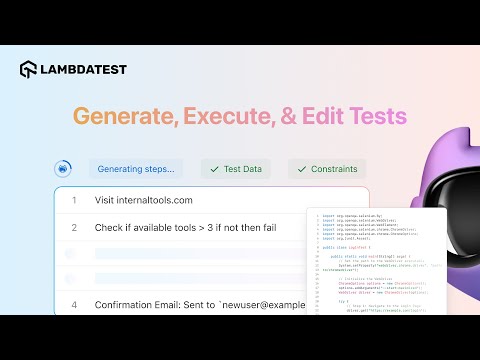
KaneAI, the TestMu AI testing agent, builds that review step into generation: it turns a Jira ticket, PRD, or plain-English prompt into a test plan with proposed assertions, and the plan can be reviewed before anything runs. The walkthrough below generates a KaneAI test, runs it on HyperExecute, and edits it.
2. Self-Healing Locators
Self-healing test automation repairs a failed locator by matching the element against what it recorded earlier, such as its attributes and DOM path. It pays off on nightly regression suites that run against a UI that changes every sprint.
The risk is a heal that should have been a failure. To measure it, a probe for this guide ran Selenium on Chrome and Windows 11 with Auto Healing enabled on the TestMu AI grid, changed the Simple Form Demo page mid-run, and looked up its "Get Checked Value" button by the original id after each change. Auto Healing is switched on with the autoHeal capability, which cannot run in the same Selenium session as smartWait.
| Change made mid-run | Lookup by the original id | Lookup time | Result |
|---|---|---|---|
| None (baseline) | Found the button | 627 ms | The output showed the typed text |
| Button id renamed | Healed to button#show-input-v2 | 3,110 ms | Correct heal; the output updated |
| Button deleted | No such element | 2,798 ms | Correct failure; nothing left to heal onto |
| Button replaced by a copy with no click handler | Healed to button#showInput-new | 3,517 ms | The click succeeded; only the assertion on the output caught the broken button |
The command logs of both sessions recorded the two heals the same way, with "autoHeal": true and the healed locator, so the rename and the broken lookalike looked identical at the locator step. Only the assertion on the output message separated a cosmetic change from a broken button, as the console output of the lookalike run shows (step A is the baseline, step D the replacement):
07:29:03.719 A message: "baseline"
07:29:04.510 D after replace: old id present? false | lookalike present? true
07:29:08.761 D lookup by OLD id returned: {"id":"showInput-new","tag":"BUTTON","text":"Get Checked Value"}
07:29:08.953 D click on the returned element: no error
07:29:09.082 D message after click: "baseline" | expected: "after replacement"
07:29:10.327 status failed | D: locator healed onto the lookalike, the click succeeded, the outcome assertion failed | elapsed 15.5s- Holds up when - the element still exists and only its id, class, or position changed, as in the rename probe.
- Fails when - the page changes enough that a similar element becomes the best match, which is what happened in the lookalike probe.
- Gate - follow every action on a healed element with an assertion on its outcome, review the healed-locator log after each run, and alert when a suite's heal rate climbs. Leave healing off in strict regression suites where any UI change should fail the test.

Note: KaneAI re-anchors a step when the UI changes, shows each heal for approval, and keeps a version history so a bad heal can be rolled back. Try TestMu AI free
3. Visual AI
Visual AI compares rendered screens semantically instead of pixel by pixel, so anti-aliasing, font smoothing, and dynamic content stop generating noise while real layout breaks still surface. It catches defects that pass every DOM assertion, such as a button that overlaps text or a grid that collapses at one viewport width.
Trident, a research system that uses a multimodal LLM to read mobile app screenshots and detect non-crash functional bugs, identified 43 new bugs on Google Play, of which 31 have been fixed.
- Holds up when - each diff gets a real review and the UI changes in planned releases.
- Fails when - baselines rot, as bulk-approved diffs and unreviewed design changes slowly turn real bugs into expected behavior.
- Gate - version baselines with the release that produced them, require a named approver for every accepted diff, and re-baseline on purpose after a design-system change.
4. Failure Triage
AI triage clusters failures across a run, separates one broken dependency from dozens of downstream symptoms, and proposes a probable root cause for each cluster. When an infrastructure blip fails a few hundred tests at once, that turns a long log-reading session into a short list of causes to confirm.
LogSage, an LLM framework for root cause analysis and remediation of CI/CD failures, processed over 1.07M executions in a year-long deployment at ByteDance, with end-to-end precision exceeding 80%.
- Holds up when - failures share a cause, such as one dependency or one environment, and logs are captured for every run.
- Fails when - the suggestion is confidently wrong. Even LogSage's precision leaves some suggested causes wrong, and when an engineer fixes the named cause, the real defect stays in the build.
- Gate - keep the raw logs one click from the summary, and track how often the suggested cause turns out to be the actual fix.
TestMu AI's test intelligence presents its suggestions as leads to confirm. Its AI root cause analysis correlates network, console, and Selenium logs, tags each step in the failure timeline as a root cause or an effect, and lets reviewers rate each analysis with a thumbs up or down, a ready-made record of that hit rate.
5. Agentic End-to-End Testing
In autonomous testing, an AI agent receives a goal and explores the application to reach it, which is the core idea behind agentic QA. Because the agent chooses its own path, it can reach parts of the app that scripted tests never visit. Applied to a user interface, this goal-driven approach is called agentic UI testing.
Slack Engineering ran more than 200 agentic E2E workflows with the Playwright MCP, the Playwright CLI, and agent-generated Playwright tests. Generated tests failed about 8% of the time on simple flows and about 48% on complex workflows. Across the agent-driven runs, only about 20% followed the exact same sequence of actions.
Slack's write-up places agents in exploration and debugging and keeps deterministic tests as the CI regression check.
- Holds up when - the agent explores, reproduces a reported bug, or drafts a test that a person reviews before it joins the suite.
- Fails when - an agent run becomes the release verdict, because a run that takes a different path each time cannot show that the same behavior was checked. Nor does the agent's own summary settle it, since agents can say they checked their work when they never did, a form of deceptive completion.
- Gate - convert each path an agent finds into a deterministic test, and gate merges on those tests.
Other Use Cases in Production
- Defect prediction - predictive analytics in software testing flags modules likely to fail from past bugs, change patterns, and code complexity, so testing effort goes there first. Its accuracy depends on clean defect data.
- Synthetic test data - AI generates realistic, privacy-safe records that cover edge cases, which matters in regulated domains where production data cannot enter test environments.
- Natural language test authoring - in NLP testing, plain-language steps become executable tests, so product managers can contribute scenarios without writing code.
What Are the Benefits of AI in Software Testing?
The benefits of AI in software testing are faster feedback, lower maintenance, broader requirement coverage, quicker failure diagnosis, and wider participation in test authoring. Each one has a metric that shows whether a team is getting it.
- Faster feedback - risk-based selection runs the tests most likely to fail first, so a broken commit fails early in the run. Track the median time from commit to the first failing test.
- Lower maintenance - self-healing absorbs renamed and moved elements. Track hours spent fixing locators per sprint next to the heal rate, since a rising heal rate points to unstable test hooks.
- Broader coverage - generation and predictive analytics in software testing point new tests at untested requirements and risky modules. Track the share of requirements with at least one linked test, which a raw test count hides.
- Faster diagnosis - failure clustering and suggested root causes shorten log reading. Track the time from a red build to a confirmed cause.
- Wider authoring - natural-language tools let manual testers and product managers write tests. Track how many tests per sprint come from people outside the automation team.

Austin Siewert
Co-Founder, Steadfast Systems
Discovered @TestMu AI yesterday. Best browser testing tool I've found for my use case. Great pricing model for the limited testing I do 👏
3M+ Devs and QAs rely on TestMu AI
Deliver immersive digital experiences with Next-Generation Mobile Apps and Cross Browser Testing Cloud

How to Use AI in Software Testing
To use AI in software testing, pick one bottleneck, choose a tool that targets it, run a time-boxed pilot in your CI pipeline, and expand only if the bottleneck's metric improves. Teams without the capacity to run that pilot in-house can compare managed and platform-based AI testing services.
- Pick one bottleneck - choose flaky tests, slow regression runs, locator maintenance, or slow triage, and record its current number before changing anything.
- Choose a tool for that bottleneck - compare AI testing tools on the one capability you need, and check whether generated tests export to the framework you already run. Agent-based options for the same bottlenecks are covered in the overview of AI test agents.
- Wire it into CI - connect the tool to your pipeline with real inputs such as user stories, defect history, and logs, because thin inputs produce generic tests.
- Run a time-boxed pilot - keep it to two to four sprints, with the gates from the use cases above switched on.
- Measure, prune, and decide - compare the metric against its starting number, delete duplicate or trivial generated tests, and expand only where the number moved.
Shortcomings of AI in Software Testing
Generative AI in software testing speeds up repetitive tasks, but these parts of testing still need a person:
- Complex business logic - AI cannot reliably reason about rules that span modules and integrations, such as how a discount code interacts with loyalty tiers. A domain-expert tester designs those cases.
- UX judgment - AI detects broken layouts and accessibility violations, and a person still decides whether a workflow feels intuitive.
- Requirements review - AI flags inconsistencies in test documentation but cannot tell whether a requirement is ambiguous or incomplete from a business perspective.
- Release decisions - AI reports which tests failed; deciding which failures block a release and which are environmental needs someone who knows the product.
What Are the Challenges of Adopting AI in Software Testing?
The main challenges of adopting AI in software testing are data privacy risks, integration complexity, unreliable or hallucinated output, a shortage of AI skills, and the cost of clean training data.
Capgemini's World Quality Report 2025-26 lists data privacy risks, integration complexity, and hallucination and reliability concerns among the top challenges its respondents faced. Each challenge has a practical mitigation:
- Data privacy risks - keep regulated data out of prompts and test environments by using synthetic data, and run AI testing on infrastructure with SOC 2 and ISO 27001 controls.
- Integration complexity - start with one pipeline step and a tool that exposes APIs and CI plugins, then expand once that step is stable.
- Hallucination and reliability - treat generated tests and suggested causes as drafts, and keep the gate for each use case switched on.
- Skills gap - reskill existing QA engineers on prompting and on reviewing AI output, since testing judgment matters more than model internals. The AI roadmap for software testers and the KaneAI Certification give that reskilling a structure.
- Data quality - AI learns from defect history and logs, so clean and label that data first; noisy inputs produce confident but inaccurate predictions.
Conclusion
To put AI in software testing to work, start with the use case that costs your team the most hours, switch on its gate, and track one metric for a month before adding a second. For the maturity model that places those use cases across planning, execution, and the release decision, see how teams use AI in QA. For test generation with a review step built in, the KaneAI getting started guide walks through authoring, running, and reviewing a first test.
Author

Shantanu Wali
Blogs: 11

Shantanu Wali is Vice President of Product Management at TestMu AI, where he owns several product lines across the testing platform, including the Real Device Cloud and the Digital Experience Testing Cloud. He has also contributed significantly to the development and scaling of KaneAI, TestMu AI's flagship GenAI-native testing agent that uses natural language to make software testing faster and more reliable in this AI era. He brings 7+ years of experience across software development and product management, starting as a backend developer at Infosys building solutions for Fortune 500 clients. Shantanu holds an MBA from IIM Calcutta and a B.Tech in Mechanical Engineering.
Reviewer

Samyak Goyal
Reviewer
Samyak Goyal is a Senior Member of Technical Staff at TestMu AI engineering Kane CLI, the command-line tool that runs browser automation from the terminal, where a flow described in natural language executes in a real Chrome browser and returns pass or fail with shareable proof. He is a backend engineer with 4+ years of experience, previously an SDE at Innovaccer, where he built APIs, introduced Kafka, and cut deployment from weeks to hours. Samyak also builds multi-agent systems, skill-orchestration frameworks, and a personal copilot that indexes 200+ microservice repositories.


AI in Software Testing FAQs
Did you find this page helpful?
More Related Blogs

TestMu AI forEnterprise
Get access to solutions built on Enterprise
grade security, privacy, & compliance
- Advanced access controls
- Advanced data retention rules
- Advanced Local Testing
- Premium Support options
- Early access to beta features
- Private Slack Channel
- Unlimited Manual Accessibility DevTools Tests