

Power Your Software Testing with AI Agents and Cloud
The Native AI-Agentic Cloud Platform to Supercharge Quality Engineering. Test Intelligently and Ship Faster.


- TestMu AI (Formerly LambdaTest)
- /
- Blog
- /
- What Is Visual AI in Software Testing?
What Is Visual AI in Software Testing?
Explore the power of visual AI in transforming industries with image recognition, object detection, and automation, driving smarter, faster, and more efficient solutions
Last Updated on:
Traditional software testing comes with different sets of challenges like scaling, maintaining complex test scripts, and validating UI aspects across various browsers, devices and platforms. It’s time-consuming, error-prone, and can’t keep up with fast release cycles or growing software complexity.
Visual AI in software testing solves this by automating full-screen validation, reducing manual effort, and adapting to UI changes. It ensures functionality and visual accuracy at scale, saving time and enabling faster high-quality releases.
In this blog, we look at visual AI and how to use it for software testing.
AI Overview
Visual AI in software testing is an artificial intelligence approach using computer vision, machine learning, and deep neural networks to automatically analyze, compare, and validate visual elements in applications. Teams use TestMu AI for automated visual UI testing and KaneAI for natural language test generation.
- Visual regression detection: Automatically identifies unintended user interface changes and layout shifts between software builds to reduce manual testing effort.
- Cross-browser validation: Ensures consistent user interface rendering across different devices, browsers, and operating systems by detecting layout anomalies and design variations.
- Dynamic content handling: Adapts to user interface changes without requiring constant test script rewrites, which helps teams maintain automated testing suites over time.
- CI/CD integration: Integrates directly into deployment pipelines to enable continuous visual validation by triggering automated checks during build jobs.
- Screenshot comparison: Performs automated screenshot comparisons with contextual analysis to detect pixel-level and semantic deviations in application layouts.
- Layout alignment: Validates CSS rendering and layout alignment to ensure web elements are positioned correctly across different screen sizes.
- Accessibility testing: Analyzes applications for contrast ratios and friendliness to visually impaired users during automated code pushes to ensure compliance.
- Testing scalability: Validates thousands of application screens across multiple environments simultaneously to increase test coverage and save execution time.
- Visual AI testing requires proper baseline setup and human review to manage complex user interface changes and prevent false positives.
- Smart visual UI testing: TestMu AI provides a visual testing tool with AI-augmented capabilities to check visual deviations across different browsers and operating systems.
- Natural language test generation: KaneAI creates, debugs, and maintains test scripts using natural language instructions to accelerate quality engineering processes.
What Is Visual AI?
Visual AI is a discipline of computer science in which artificial intelligence technologies are applied to the visual elements for better decision-making. The main goal behind visual artificial intelligence is to apply the same intelligence level that a human has and make decisions in a more “human” way than an “algorithmic” way. This way, we can eliminate human intervention and create a completely autonomous and reliable system.
A good example of visual AI in testing platforms is the automatic detection of sensitive information in uploaded code or screenshots. Testers might unknowingly upload proprietary code or confidential data, like API keys. Visual AI can quickly scan these uploads, flagging any sensitive content or security risks. It eliminates the need for manual review, improves security, and speeds up the testing process by preventing potential issues before they arise.
How Does Visual AI Help in Software Testing?
There are various areas where visual artificial intelligence can be a boon for software testing. Some crucial areas are discussed below:
- Visual Regression Testing: There are a lot of cases every week where UI changes are done. That’s what the UI development team is for. Visual regression testing, therefore, breaks too often and requires regular manual intervention for its resolution. This is a perfect case for implementing artificial intelligence.
Visual AI can not only spot the differences between “what should have been” and “what there is” but can also decide whether those changes are intentional or actual errors. It gives a tremendous boost to the software testing infrastructure behaving similarly to a human analyzing the visuals but with pixel-perfect comparison.
- Cross-Browser Testing: Since UI testing was heavily manual, testing it on different browsers, devices, and OS used to take a lot of time. Automated cross-browser testing tools help, but they mostly rely on testing the functional part of the software application.
- Test Coverage Using DOM Analysis: DOM is a visual representation of the connection of WebElements. Through visual artificial intelligence, the team can get an overview of the test coverage and what WebElements were left untouched from the test suite.
- Accessibility: Since there are many cycles involved in the testing phase, sometimes, accessibility may have to be skipped even though it is an important part of the software application.
- Debugging: While visual artificial intelligence is concerned with visual elements, the team may not always need to have pre-cooked UI designs but rather create one themselves for analysis through AI.
For example, AI-native test execution platforms like TestMu AI offer a SmartUI platform that has AI-augmented capabilities, providing smart visual UI testing to check visual deviations (or mismatches) across different browsers, devices, and operating systems. See our roundup of the best visual testing tools for a broader comparison.
For teams moving past traditional pixel-diff approaches entirely, this guide to Smart visual testing with LLMs covers how multimodal models evaluate screenshots semantically, classify changes as PASS, WARN, or FAIL, and dramatically reduce the false positives that pixel comparison generates after browser updates or rendering shifts.
Visual AI can detect layout anomalies and design variations in different devices, browsers, and OS. These anomalies are then recorded in the test reports, often with errors, suggestions to fix, and fallbacks to use, if any.
Visual artificial intelligence can overcome this challenge by analyzing the software application for its friendliness with visually impaired people. The team can design the algorithm according to their requirements (such as contrast ratio checking) and make sure visual AI analyzes each code push.
It is perfectly done for debugging purposes where code execution can be converted to visual, diagrammatic representation through other AI algorithms, and then visual AI can point out any errors or glitches quickly.

Note: Run visual tests with AI-native SmartUI. Try TestMu AI Today!
How to Perform Testing Using Visual Artificial Intelligence?
Visual AI testing is easy to integrate and implement in our infrastructure. It just requires a few simple steps to be followed.
- Finalize the Requirements: A team can only understand the best tool to choose from or the best algorithm to implement for visual artificial intelligence when they know their exact requirements. Some teams may require visual AI only for debugging, while some will focus on accessibility issues. Once these requirements are discussed with all team members, they can shortlist the algorithms or the tools (if any) to integrate with their infrastructure.
- Select a Tool or Algorithm: A visual AI tool should perfectly synchronize with the requirements stated in the previous step. It may take a lot of research and time, but the returns are significant as well.
- Complete Pre-requisites: The tool or algorithm requires prerequisites to understand the requirements and gather the necessary input for the same. For instance, if the goal of visual artificial intelligence is visual regression testing, then the team should provide baseline images, the expected requirements, and information about any pages that should be ignored. All the setup done in this step will be used in all the runs by the tool.
- Finish the Tool Setup: Once the tool or algorithm is ready, it needs to be integrated into the mainframe channels and be a part of the process. This can be done by attaching the tool to the flow of software applications through triggers provided by other software that will initiate the AI process.
- Execute the Test Scripts: All the scripts written in the previous step need to be executed as part of the verification process. Post execution, the testers check for any false positives, whether their requirements are checked, and make all the necessary changes before integrating into production.
- Integrate in Production: Finally, if the team is satisfied with the algorithms, they can integrate the tool into production. This step will require additional steps as well where the tool can be triggered and linked to other technologies. For instance, visual artificial intelligence can be linked to CI/CD tools so that whenever a new job is triggered, it has a phase of visual AI as well. This step should complete the visual AI setup for software testing.
- Generate Test Reports: Reporting is one of the primary phases of visual AI testing as it helps everyone (including non-testers or even non-technical people) understand the current status of software testing. Visual artificial intelligence tools are often equipped with suggestive technology through which they not only provide errors but also suggestions to fix those errors optimally. This is also one of the checklists to look into when deciding the tool for integration.
On the contrary, the team can also select an AI algorithm developed for visual AI purposes. However, this step will require tuning the algorithm, training it with a dataset, and testing the algorithm using various AI testing techniques. All of this is additional work but the flexibility provided is much higher than a tool whose tuning is fixed and cannot be altered.
Either the team has decided to choose algorithms or a tool, they need to write their AI-driven test scripts here. This is true for tools since they will require codeless scripts (mostly). Such tests should be completed and tested before the execution in the next step.
Selecting a tool for visual AI testing can be a tough decision that cannot be retracted back due to heavy initial investments. The decision needs to be carefully thought through and to ease out this tedious work. However, GenAI native testing assistants like KaneAI can ease out your testing tasks with visual artificial intelligence.
Visual AI Testing Using KaneAI: A Quick Demo
KaneAI by TestMu AI is a GenAI native QA Agent-as-a-Service platform designed for high-speed quality engineering teams. It expedites web and mobile app testing processes, including test script creation, debugging, and maintenance, leveraging artificial intelligence for greater efficiency.
A few of the popular features of KaneAI are as follows:
Features:
- Intelligent Test Generation: Streamlines test generation and evolution using NLP command instructions.
- Intelligent Test Planner: Creates and automates detailed test steps from high-level objectives.
- Multi-Language Code Export: Exports automated tests into various programming languages and testing frameworks.
- Smart Show-Me Mode: Converts actions into natural language instructions for creating reliable tests.
To perform visual AI testing using KaneAI, make sure you have access to KaneAI.
- From the TestMu AI in-app dashboard, click the KaneAI option.
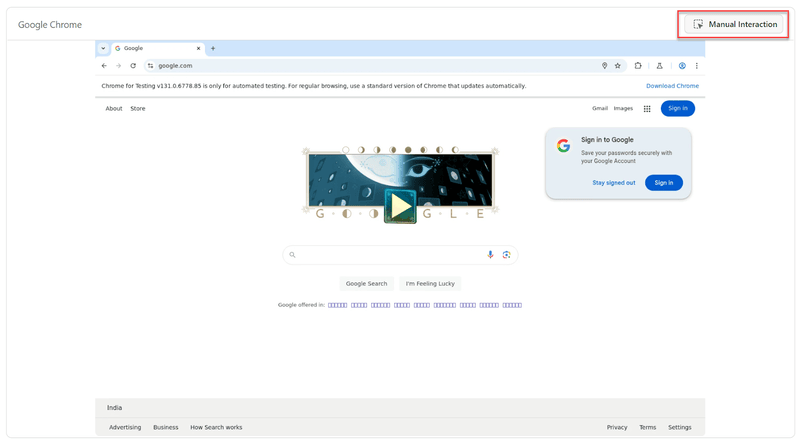
- Click on the Create a Web Test button. It will launch the browser with a side panel available to write test cases.
- Click on the Manual Interaction button.
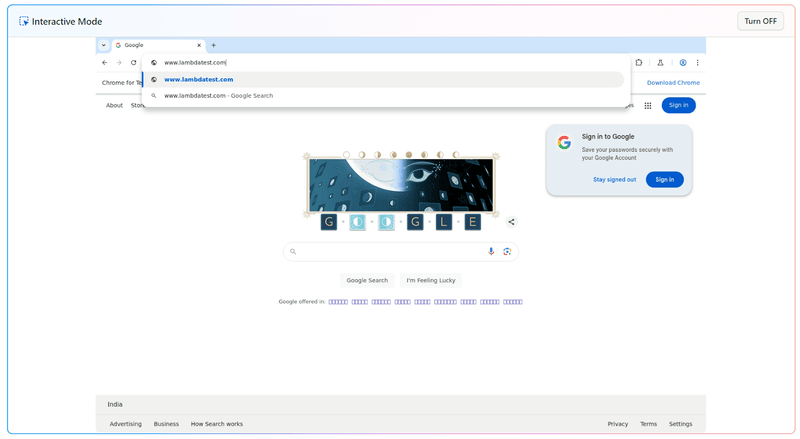
- Click on the address bar and change the URL to https://www.testmuai.com/.
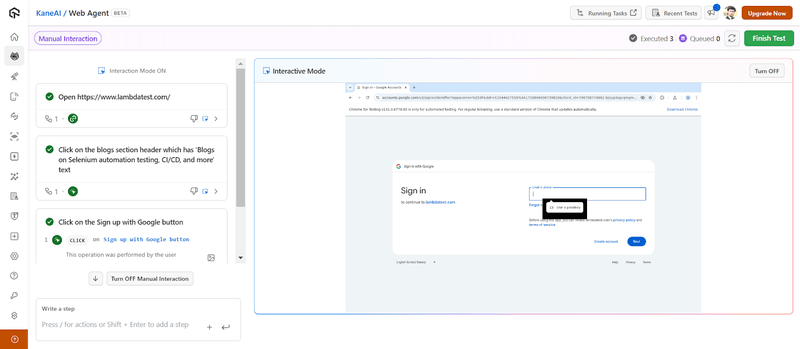
- As soon as we click enter, the step is recorded on the left side. Now, perform multiple actions like this to record various steps.
- Click on the Finish Test button to finish this test.
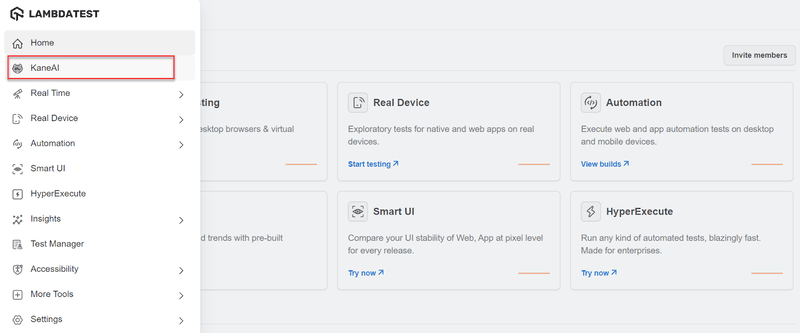
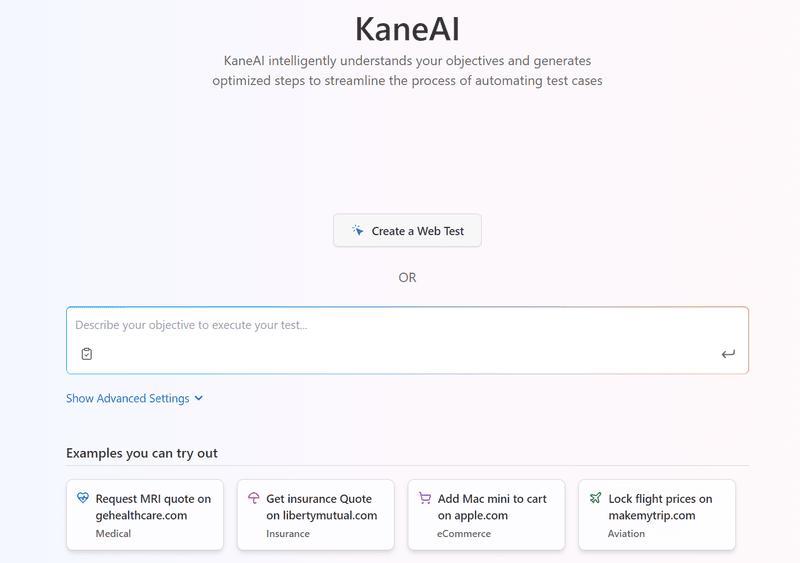
Here, the testers can write the test cases in natural language and can perform manual interactions. In the latter case, the actions will be converted to test cases automatically. For the demonstration here, we will perform manual interactions.
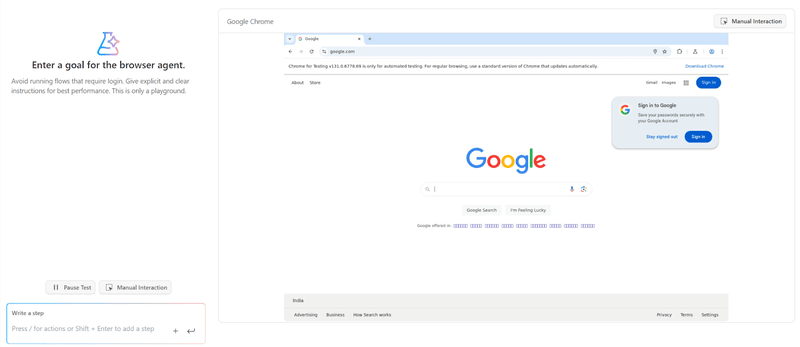
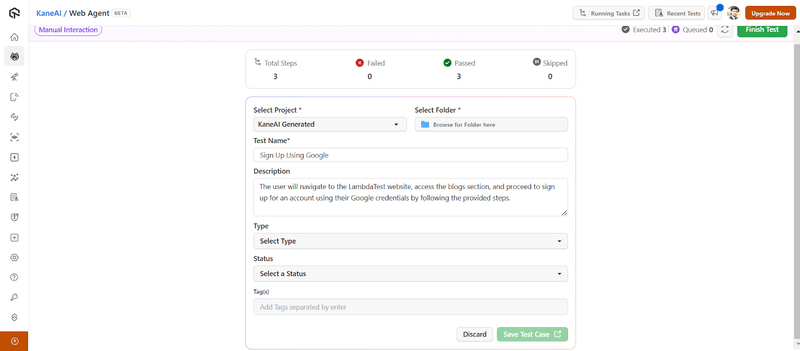
Once this test is saved, it can be reused for other testing sessions using visual artificial intelligence. This enhances reusability and saves testers a lot of time.
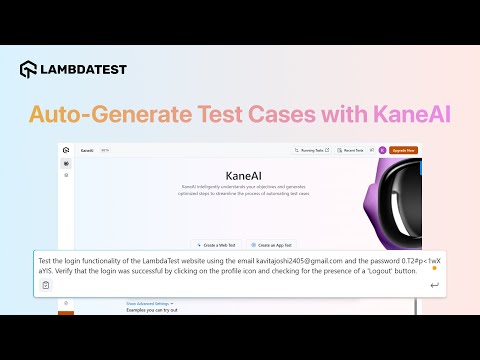
With the rise of AI in testing, its crucial to stay competitive by upskilling or polishing your skillsets. The KaneAI Certification proves your hands-on AI testing skills and positions you as a future-ready, high-value QA professional.
Future of Visual Artificial Intelligence
Artificial intelligence has been a topic of research these days. Organizations and individuals are exploring the use cases of AI in different fields, and software development and testing have been no exception.
When it comes to visual artificial intelligence, currently, the focus seems to be only on a single process out of all the software testing phases. Currently, the inclination has been toward UI-related processes, but visual AI can be used in many other areas, including functional and non-functional.
Once visual AI is fully developed and works for many testing domains, the final target is to create a completely autonomous system where manual intervention is minimized. Such an autonomous visual AI system can be a part of larger autonomous systems that are currently being worked on.
With this, it is expected that the testing can be conducted automatically with a single push, the errors can be analyzed and rectified if required, and the decision-making is more “human” in all the testing phases. This is probably the final phase the organizations are targeting, but there is still a long way to go.
Citations
- Vision AI: Image & Visual AI Tools: https://cloud.google.com/vision
Author

Harish Rajora
Blogs: 100


Harish Rajora is a software developer at TestMu AI with over 6 years of hands-on experience in Python and cross-platform application development across Windows, macOS, and Linux. He has authored 800+ technical articles and worked on large-scale projects, including GenAI applications and core engineering features used by millions. Harish has led DevOps initiatives building CI/CD pipelines with Jenkins, AWS, GitLab, and GitHub, and holds an M.Tech in Software Engineering from IIIT Allahabad.


Frequently asked questions
Did you find this page helpful?
More Related Blogs
TestMu AI forEnterprise
Get access to solutions built on Enterprise
grade security, privacy, & compliance
- Advanced access controls
- Advanced data retention rules
- Advanced Local Testing
- Premium Support options
- Early access to beta features
- Private Slack Channel
- Unlimited Manual Accessibility DevTools Tests