
Accessibility Testing Tool for Web and Mobile Apps
The Accessibility Testing Agent scans websites and native apps with automated WCAG checks, real devices, and screen readers, then ties each fix to the rule it fails. Your AI coding agent can add the scans through the Agent Skill and MCP Server.
 WCAG
Trusted by 3M+ users globally at


"We have tripled our tests and are now executing tests in less than 2 hours with 78% Faster Test Execution"


"We figured out a more efficient way to monitor system health and resolve failures earlier in lower environments."


"TestMu AI has significantly boosted our testing speed, is easy to implement, and provides exceptional support."


"With 70% faster test execution, TestMu AI helped us achieve faster time-to-market and enhanced CX."


Fix accessibility issues with Accessibility Testing Agent
For QA teams: automated checks in test suites, native app scans on real devices, scheduled monitoring, and a Chrome extension for on-demand accessibility audits.
 Automation in CI
Catch accessibility violations in CI
Run WCAG checks inside Selenium, Playwright, Cypress, and Appium tests, with results on every CI build.

We needed accessibility to be the path of least resistance. The right thing to do had to also be the easy thing to do. TestMu AI gave us that.
Software Engineering Manager
One of the largest online public universities in the US


 Native App Scanner
Scan iOS and Android Apps for WCAG Issues
Upload your build, open it on a real Android or iOS device, and scan each screen as you walk through key flows, with no Appium code.
Explore App Accessibility Testing- Scan Android and iOS screens without Appium code
- Checks labels, contrast, and touch targets
- TalkBack and VoiceOver on real hardware

 Schedule Scans
Stop accessibility regressions
Schedule recurring WCAG scans across your sitemap and get alerted when a page regresses.
Explore Accessibility SchedulingRun on demand, or daily, weekly, or monthly at the day, time, and timezone you pick.
Paste URLs, upload a CSV, or fetch a sitemap. New sitemap pages are picked up on every run.
Scan pages behind a login with saved credentials, or reach staging through a tunnel.
Get Slack and email alerts on new violations, and export PDF or CSV reports for audits.

 Accessibility DevTools
Accessibility audit in Chrome DevTools
Run full-page, partial, multi-page, workflow, and keyboard scans from a free Chrome extension, then jump from each issue to the failing element.
Explore Accessibility DevTools- Works on localhost, staging, and pages behind login
- Color-coded overlays mark each failing element
- Needs Review flags for issues a person must judge

Accessibility Testing From Your AI Coding Agent
Add WCAG scans to your suite from Claude Code, Cursor, or Copilot with the Accessibility Agent Skill, or scan URLs from your IDE with the Accessibility MCP Server.

Agent Skill: one prompt adds WCAG 2.1 scans to Selenium, Playwright, or Cypress.
MCP Server: scan a public URL, a local React app, or a tunneled app from your IDE.
AI Issue Detection Agent flags patterns rule-based scans miss, with fix context.


Accessibility + Selenium

Accessibility + Playwright

Accessibility + Cypress

Accessibility + Appium
Works with all agents:


& more...
Accessibility Compliance Features Built In
Test on real devices and live screen readers, bring PDFs into scope, and tie every fix together with a single accessibility score.
Accessibility Settings on Real Devices
Test, inspect, and validate accessibility on real iOS & Android devices, from element properties to native accessibility settings.

Accessibility Web Score
Skip the lengthy reports and quantify accessibility health in a single score you can track release over release.

PDF Accessibility Scanning
Bring PDFs into your accessibility coverage so reports, forms, and statements are checked too.

Fragment Identifier
Catch section-level accessibility issues by tracking each URL fragment as a distinct entity.

Hide and Restore Issues
Hide accepted accessibility issues across current or future scans, and restore them in a click.

Screen Reader
Test with live TalkBack and VoiceOver on real devices to validate what your users actually hear when they navigate your app.

Which Accessibility Standard Applies to You?
Start free with GoogleMost accessibility laws point back to WCAG. WCAG 2.2 AA is the best-practice target; ADA Title II requires WCAG 2.1 AA (deadlines April 26, 2027 and April 26, 2028); Section 508 incorporates WCAG 2.0 AA; the EAA applies from June 28, 2025. Sources checked November 4, 2026: DOJ, Access Board, EAA, AODA, SEBI.
Who It Applies To
How to Test for It
WCAG 2.0, 2.1, 2.2
The international standard behind most accessibility laws
Scan at WCAG 2.2 AA, which also meets 2.1 AA and 2.0 AA
ADA Title II
US state and local governments
Scan at WCAG 2.1 AA. Due April 26, 2027 (50,000+ population) or April 26, 2028 (smaller entities)
ADA Title III
US businesses open to the public
No set web standard, so most teams scan at WCAG 2.1 AA
Section 508
US federal agencies and their contractors
Scan at WCAG 2.0 AA, which the Revised 508 Standards incorporate
EAA and EN 301 549
Products and services sold in the EU since June 28, 2025
Scan at WCAG 2.1 AA, the level EN 301 549 aligns with
AODA
Ontario public sector and organizations with 50+ employees
Scan at WCAG 2.0 AA, required for all websites since January 1, 2021
SEBI
SEBI-regulated financial entities in India
Scan at WCAG 2.1 AA. Audit and fixes due by January 31, 2027
Audit evidence
Legal, compliance, and procurement teams
Export PDF or CSV reports and keep dated scan history
Who It Applies To
WCAG 2.0, 2.1, 2.2
The international standard behind most accessibility laws
ADA Title II
US state and local governments
ADA Title III
US businesses open to the public
Section 508
US federal agencies and their contractors
EAA and EN 301 549
Products and services sold in the EU since June 28, 2025
AODA
Ontario public sector and organizations with 50+ employees
SEBI
SEBI-regulated financial entities in India
Audit evidence
Legal, compliance, and procurement teams
How to Test for It
WCAG 2.0, 2.1, 2.2
Scan at WCAG 2.2 AA, which also meets 2.1 AA and 2.0 AA
ADA Title II
Scan at WCAG 2.1 AA. Due April 26, 2027 (50,000+ population) or April 26, 2028 (smaller entities)
ADA Title III
No set web standard, so most teams scan at WCAG 2.1 AA
Section 508
Scan at WCAG 2.0 AA, which the Revised 508 Standards incorporate
EAA and EN 301 549
Scan at WCAG 2.1 AA, the level EN 301 549 aligns with
AODA
Scan at WCAG 2.0 AA, required for all websites since January 1, 2021
SEBI
Scan at WCAG 2.1 AA. Audit and fixes due by January 31, 2027
Audit evidence
Export PDF or CSV reports and keep dated scan history
Most Common WCAG Failures on 102 High-Traffic Websites
Start free with GoogleTestMu AI's 2026 audit of 102 high-traffic pages found 2,989 issues, 674 of them Critical, and no page free of issues. 32% needed a human tester with assistive technology. These five criteria failed most. Method and fixes are in the accessibility audit of top 100 websites.
What failed
How often
4.1.2 Name, Role, Value
Custom components with no accessible name, role or state
194 violations, the most of any WCAG criterion
1.2.2 Captions
Pre-recorded video without captions
37 of the 116 videos found had no captions
1.3.1 Info and Relationships
Headings, form labels and table headers not encoded in HTML
32 violations
2.4.4 Link Purpose
Links such as "Read more" that don't say where they go
22 violations
1.1.1 Non-text Content
Images with missing or generic alt text
18 violations across 314 img elements
What failed
4.1.2 Name, Role, Value
Custom components with no accessible name, role or state
1.2.2 Captions
Pre-recorded video without captions
1.3.1 Info and Relationships
Headings, form labels and table headers not encoded in HTML
2.4.4 Link Purpose
Links such as "Read more" that don't say where they go
1.1.1 Non-text Content
Images with missing or generic alt text
How often
4.1.2 Name, Role, Value
194 violations, the most of any WCAG criterion
1.2.2 Captions
37 of the 116 videos found had no captions
1.3.1 Info and Relationships
32 violations
2.4.4 Link Purpose
22 violations
1.1.1 Non-text Content
18 violations across 314 img elements
LambdaTest is now TestMu AI
On January 12, 2026, LambdaTest evolved into TestMu AI, the same trusted testing cloud, upgraded for the AI era.
Now a full-stack agentic AI quality engineering cloud, it automates end-to-end testing across web, mobile, and AI apps. The platform is AI-native, with autonomous agents that plan, author, execute, analyze, and optimize tests.
The next era of the world's first fully Autonomous Agentic AI Quality Engineering Platform is here.

Asad Khan
Co-Founder & CEO
More Reasons to Love TestMu AI
TestMu AI is a leading agentic AI quality engineering platform, trusted globally, that assures your AI deployments work as intended, safely and securely, across enterprise and real-world conditions.
Users
3M+
Tests
1.5B+
Enterprises
18K+
Countries
132
TestMu AI positioned as a Leader in the 2026 Gartner® Magic Quadrant™
Read ReportTestMu AI recognized in The Forrester Wave™: Autonomous Testing Platforms, Q4 2025
Read ReportWall of Fame
TestMu AI is the #1 choice for SMBs and enterprises across the globe.
Enterprise-Grade Security
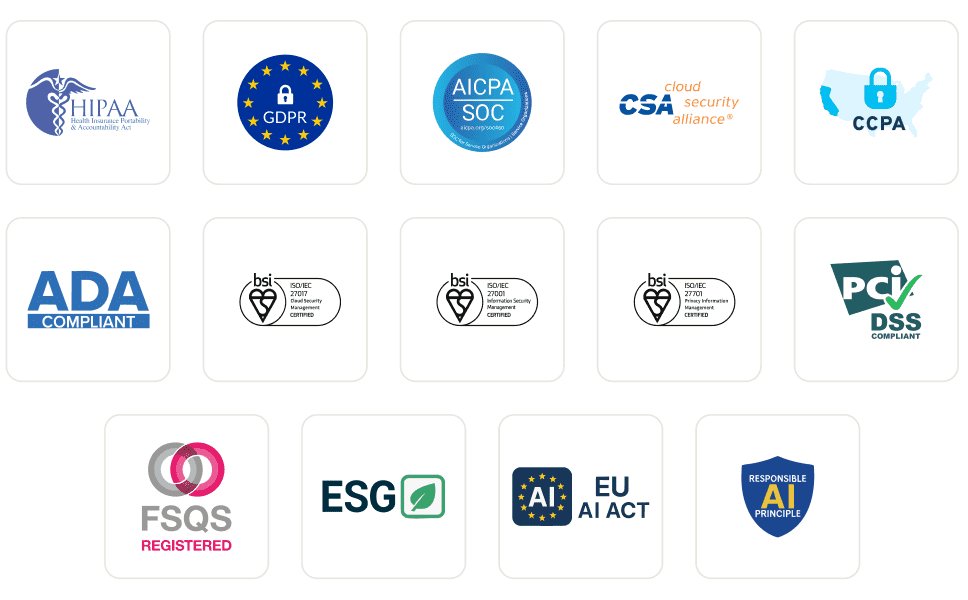
We safeguard your data and AI systems with global security, privacy, responsible AI, and ESG standards.
Integrations
Works where you work, 120+ integrations with the tools your team relies on.



As Seen On
Frequently asked questions
TestMu AI for Enterprise
Get access to solutions built on enterprise-grade
security, privacy, & compliance
- Advanced access controls
- Advanced data retention rules
- Advanced Local Testing
- Premium Support options
- Early access to beta features
- Private Slack Channel
- Unlimited Manual Accessibility DevTools Tests