
Accessibility Scheduling for Automated WCAG Scans
Set a scan once and TestMu AI re-checks your pages on schedule, picks up new sitemap pages, and alerts you to new WCAG issues.

Trusted by 3M+ users globally at




"We have tripled our tests and are now executing tests in less than 2 hours with 78% Faster Test Execution"


"We figured out a more efficient way to monitor system health and resolve failures earlier in lower environments."





"TestMu AI has significantly boosted our testing speed, is easy to implement, and provides exceptional support."


"With 70% faster test execution, TestMu AI helped us achieve faster time-to-market and enhanced CX."



How Accessibility Scheduling Monitors Every Page
Pick a cadence, add URLs in bulk, choose your WCAG target, and track issue trends across every scheduled run.
 SET IT ONCE
Run WCAG Scans Daily, Weekly, or Monthly
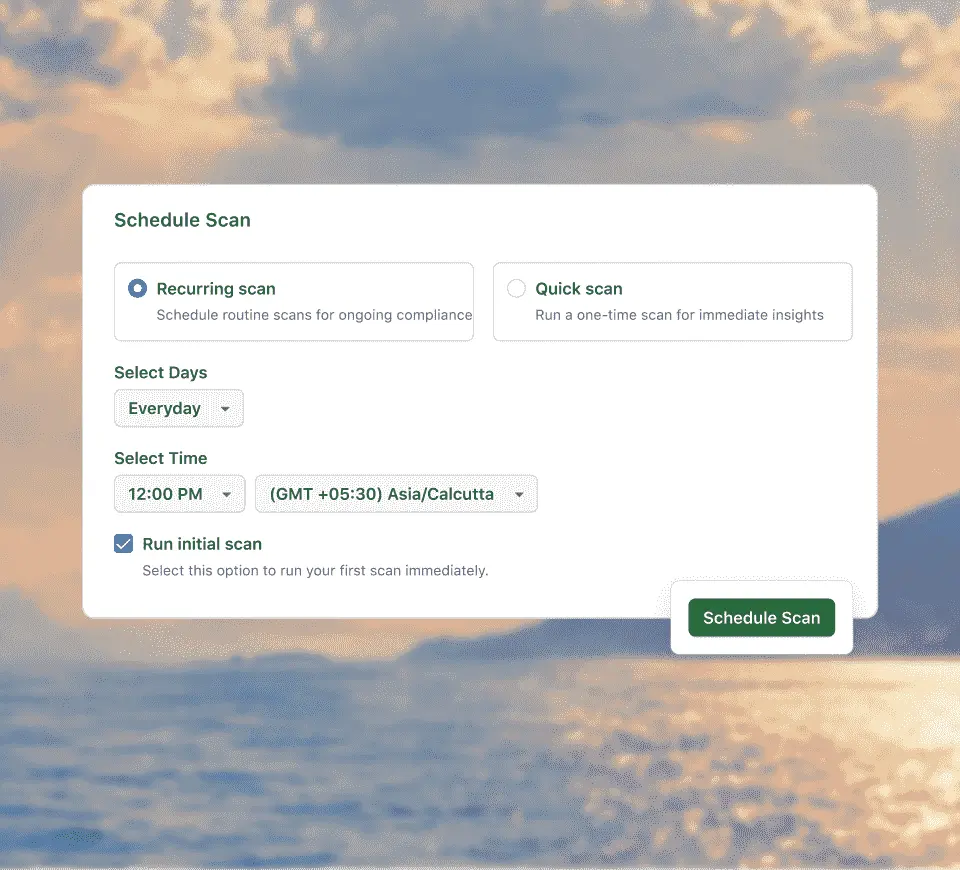
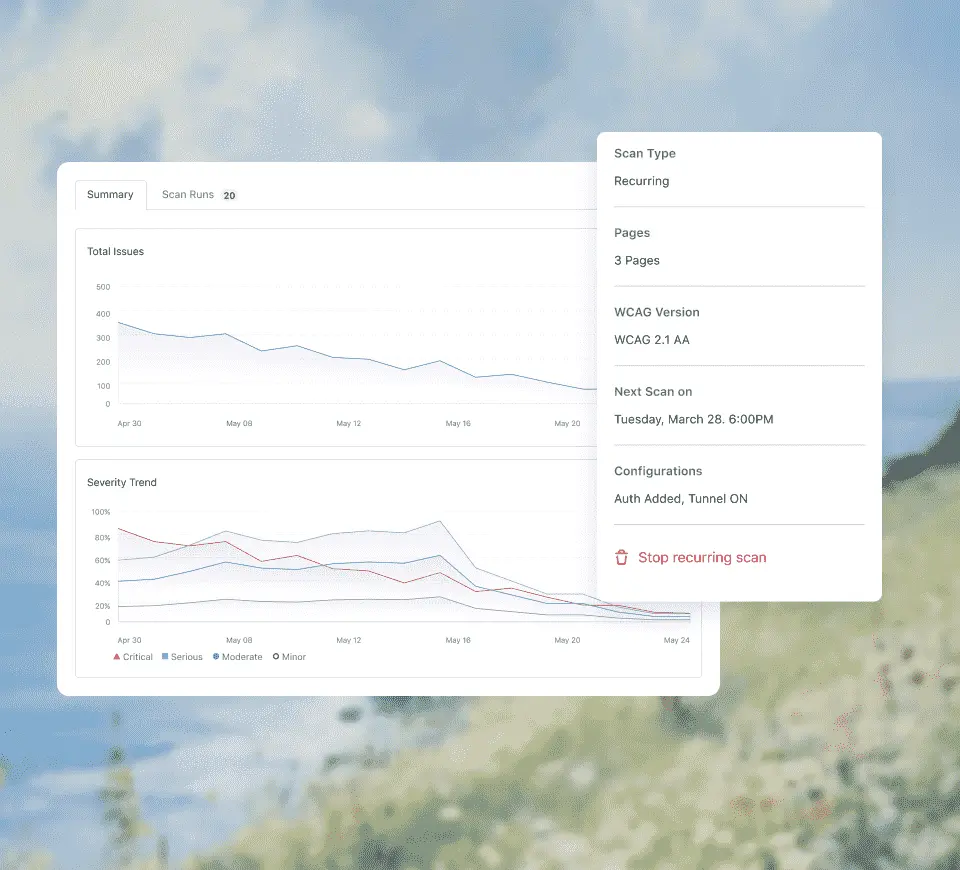
Run a recurring scan daily, weekly, or monthly, or a one-time quick scan. Start the first run immediately instead of waiting for the schedule.
Schedule Your First Scan
- Daily, weekly, or monthly recurring scans
- Pick the exact days, time, and timezone
- Run the first scan the moment you save

 BULK URL IMPORT
Cover Your Whole Site From a Sitemap
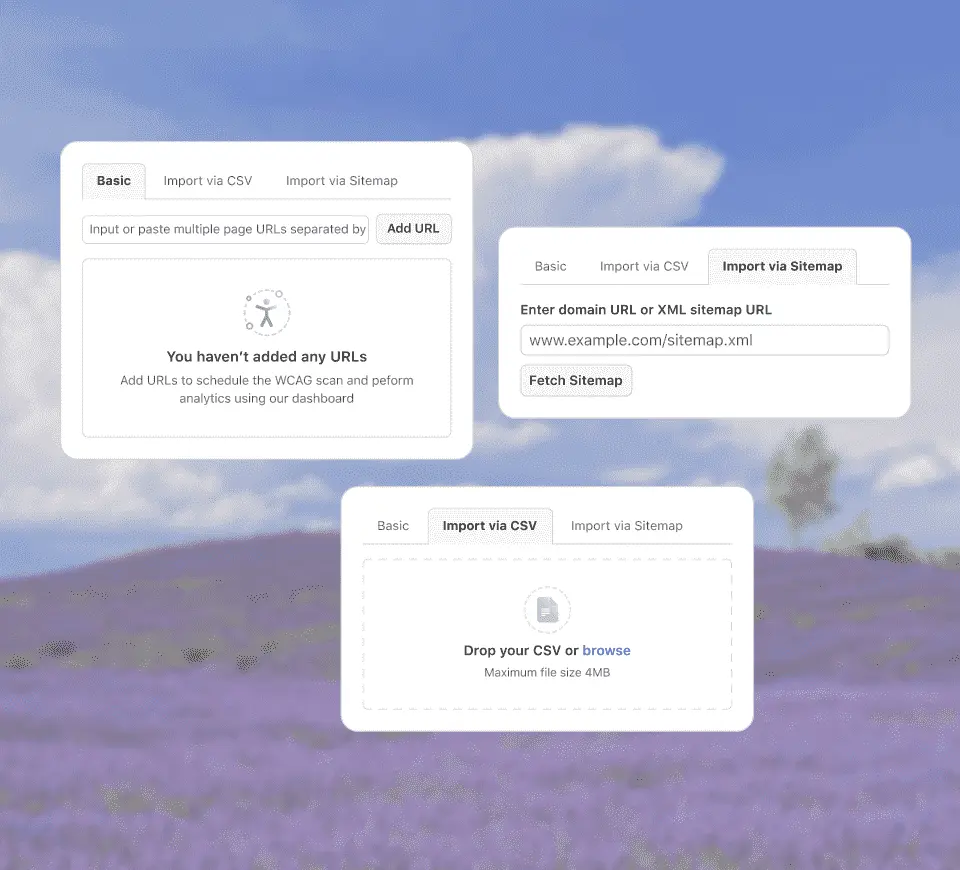
Paste URLs, upload a CSV, or fetch a sitemap. Sitemap schedules pick up pages you publish later.
Import Your URLsAdd several page URLs separated by commas for a quick check of a handful of pages.
Upload a CSV with one URL per line to schedule hundreds of pages, such as every landing page variant.
Enter a domain or XML sitemap URL. The list is re-extracted on each run, so new pages are scanned automatically.
Start from a seed URL and follow links to a set depth to find pages that are missing from your sitemap.
Save login credentials, or connect through a tunnel, to scan staging sites and signed-in pages.
 WCAG 2.0 TO 2.2
Hold Every Run to the Same Standard
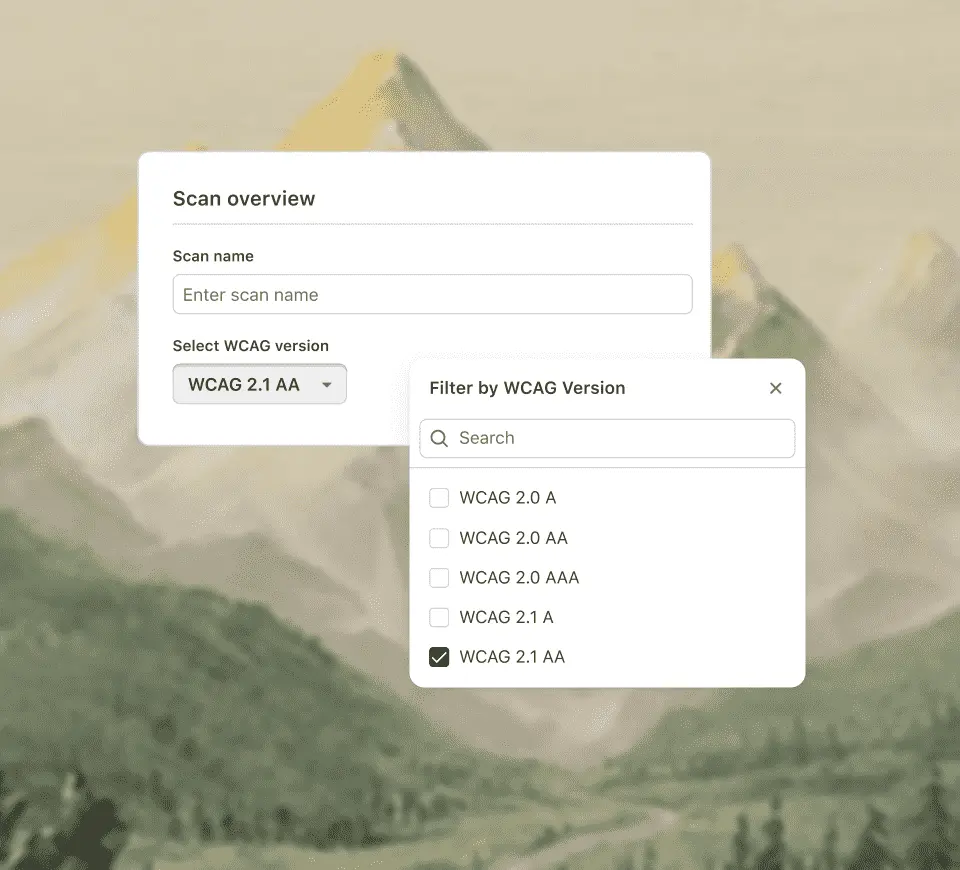
Choose WCAG 2.0, 2.1, or 2.2 at Level A, AA, or AAA for each schedule, so every run is judged against the standard your team committed to.
Start a WCAG Scan- A different WCAG target for each schedule
- Severity: Critical, Serious, Moderate, or Minor
- Every issue linked to its WCAG success criterion
 TRENDS & ALERTS
Get Alerted When a Page Regresses
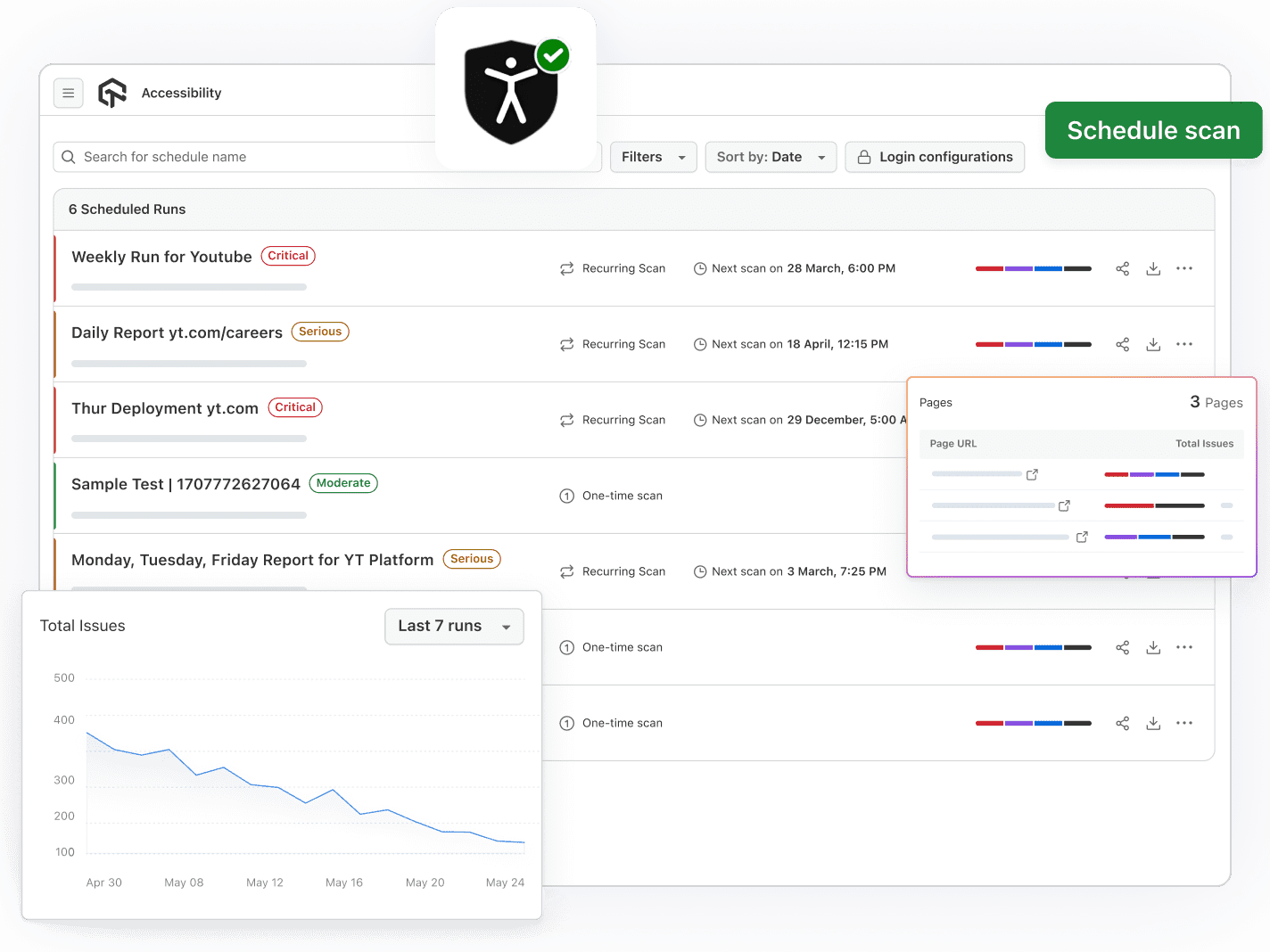
Each schedule gets its own report with total issues, severity trends over recent runs, and a per-page breakdown, so you can see whether fixes hold.
See Your Scan Reports- Slack and email alerts when new violations appear
- File Jira or GitHub issues from any violation
- Export PDF or CSV reports for audits
How Often to Schedule Accessibility Scans
Start free with Google
Start weekly on a small set of pages, then widen the scope. Suggested schedules by site type, from TestMu AI's accessibility setup guidance.
Suggested Schedule
What to Scan
Getting started
Weekly
A small set of high-traffic pages, then scale to the full site
High content churn (news, ecommerce)
Daily
The full sitemap, so newly published pages are scanned automatically
Stable marketing site
Weekly
The full sitemap, with Slack alerts for new Serious issues
Staging before a release
Quick scan before each release
Changed pages, reached with saved login or a tunnel
Compliance reporting
Monthly
The full site, exported as PDF for the compliance record
Suggested Schedule
Getting started
Weekly
High content churn (news, ecommerce)
Daily
Stable marketing site
Weekly
Staging before a release
Quick scan before each release
Compliance reporting
Monthly
What to Scan
Getting started
A small set of high-traffic pages, then scale to the full site
High content churn (news, ecommerce)
The full sitemap, so newly published pages are scanned automatically
Stable marketing site
The full sitemap, with Slack alerts for new Serious issues
Staging before a release
Changed pages, reached with saved login or a tunnel
Compliance reporting
The full site, exported as PDF for the compliance record
Scheduling, Automation, or DevTools
Start free with GoogleAll three run on the same rules engine, so issues from each one land in the same dashboard and reports.
Accessibility Scheduling
Accessibility Automation
Accessibility DevTools
Best for
Monitoring live and staging sites on a timetable
Catching issues in CI on every build
Checking a page while you build or review it
Code needed
None
A capability and scan hook in Selenium, Playwright, or Cypress
None, runs as a Chrome extension
How pages are chosen
URL list, CSV, sitemap, or crawler
The pages your tests visit
The page open in your browser
When it runs
Daily, weekly, monthly, or once
On each test run in your pipeline
When you click scan
Where results land
A trend report per schedule
The Accessibility tab of the build
The DevTools panel, then the dashboard
Accessibility Scheduling
Best for
Monitoring live and staging sites on a timetable
Code needed
None
How pages are chosen
URL list, CSV, sitemap, or crawler
When it runs
Daily, weekly, monthly, or once
Where results land
A trend report per schedule
Accessibility Automation
Best for
Catching issues in CI on every build
Code needed
A capability and scan hook in Selenium, Playwright, or Cypress
How pages are chosen
The pages your tests visit
When it runs
On each test run in your pipeline
Where results land
The Accessibility tab of the build
Accessibility DevTools
Best for
Checking a page while you build or review it
Code needed
None, runs as a Chrome extension
How pages are chosen
The page open in your browser
When it runs
When you click scan
Where results land
The DevTools panel, then the dashboard
Built for Scheduled Accessibility Monitoring

Recurring and Quick Scans
Run scans daily, weekly, or monthly, or trigger a one-time quick scan when you need an answer now.

Bulk URL Import
Paste URLs, upload a CSV, or fetch a sitemap to cover hundreds of pages in one schedule.

Scan Behind Login
Saved login credentials and tunnel access cover staging and signed-in pages. Credentials are stored encrypted.

WCAG 2.0, 2.1 and 2.2
Pick Level A, AA, or AAA per schedule. Each issue maps to a success criterion with fix guidance.

Trends and Score
Watch total issues and severity change across runs, with an optional Accessibility Score for quick health checks.

Alerts on Regressions
Slack and email alerts fire when a scan finds new violations or crosses a threshold you set.
AI-Agentic Quality Engineering
AI-native agents that plan, run, and analyze tests across web and 10,000+ real Android and iOS devices.
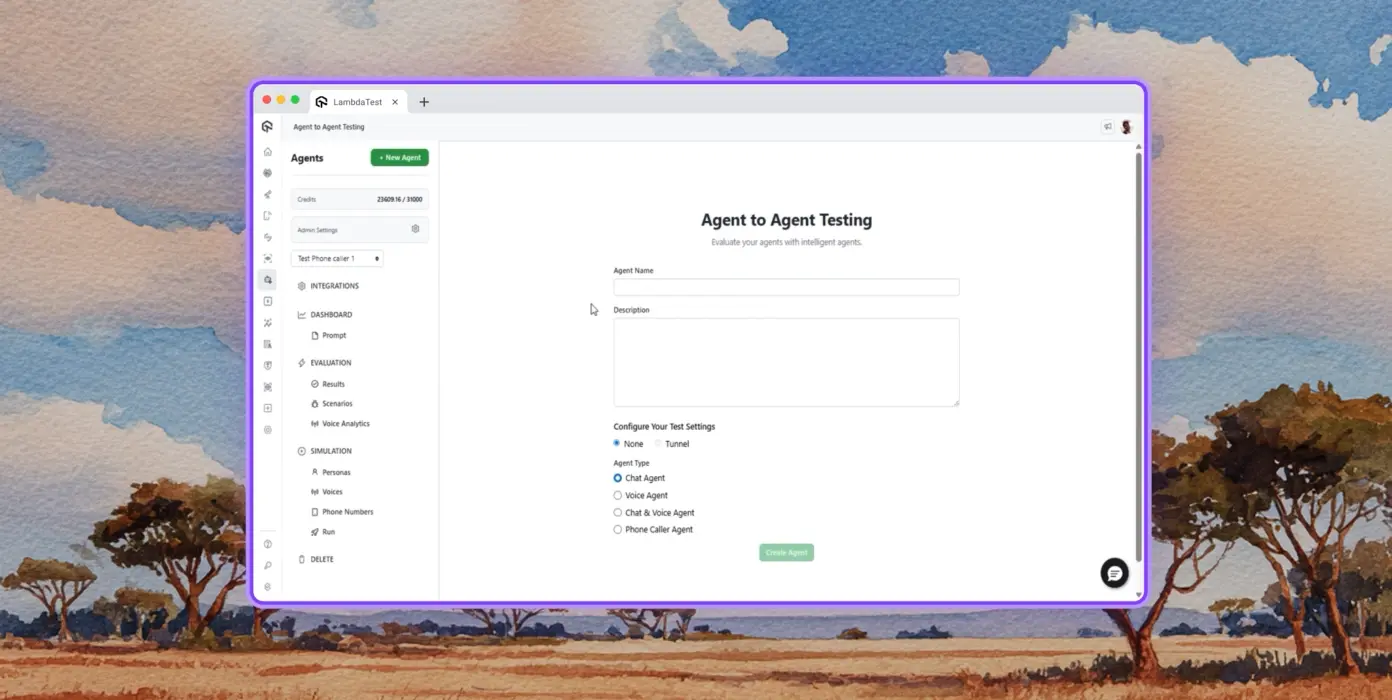
Autonomous Testing
Detailed agent analysis under test, from the perspective of a synthetic end-user.
Multi-Persona Simulation
Diverse user personas like International Caller, Digital Novice and more.
Risk Scoring & Regression
End to end regression testing for agent under test with insights.
Success Stories of TestMu AI (Formerly LambdaTest)

50%
reduction in test execution time
“HyperExecute is a highly reliable test execution platform and has excellent customer support.”
Sagar Uday Kumar
Sr. Engineering Manager
Some Love from our Customers
As Best Egg expanded its product offerings and entered new markets, we knew our old testing infrastructure couldn’t keep up.
With support from Tenny Agustin, our Engineering Operations Lead, we modernized our approach with
TestMu AI

Best Egg
best-egg

Excited to Share My Learning Journey with Kane AI & Lambda Tool!
I'm pleased to announce that I've recently gained hands-on experience exploring Kane AI through the Lambda Tool and it’s been a fantastic journey of upskilling!
KaneAI

Suryateja Goud
suryateja-goud

See how is #Futureready to enable blazing-fast test orchestration seamlessly integrated with organizations' existing CI/CD platforms, using #Microsoft Azure.
TestMu AI

Microsoft India
MicrosoftIndia
More Reasons to LoveTestMu AI (formerly LambdaTest)
See how TestMu AI improves your testing with seamless integration, quicker results, and unmatched accuracy.
Users
3M+
Tests
1.5B+
Enterprises
18K+
Countries
132
TestMu AI Named a Challenger in the 2025 Gartner® Magic Quadrant™
Read ReportTestMu AI recognized in The Forrester Wave™: Autonomous Testing Platforms, Q4 2025
Read ReportWall of Fame
TestMu AI is the #1 choice for SMBs and enterprises across the globe.

Enterprise-Grade Security
We safeguard your data and AI systems with global security, privacy, responsible AI, and ESG standards.

Integrations
Works where you work, 120+ integrations with the tools your team relies on.




As Seen On
Frequently asked questions
TestMu AI forEnterprise
Get access to solutions built on enterprise-grade
security, privacy, & compliance
- Advanced access controls
- Advanced data retention rules
- Advanced Local Testing
- Premium Support options
- Early access to beta features
- Private Slack Channel
- Unlimited Manual Accessibility DevTools Tests