
Website Accessibility Checker
Paste a URL and scan it against WCAG 2.2, ADA, and Section 508. See every failing element ranked by severity, with the fix for each one. Results in minutes, no install.
 WCAG
Trusted by 3M+ users globally at




"We have tripled our tests and are now executing tests in less than 2 hours with 78% Faster Test Execution"


"We figured out a more efficient way to monitor system health and resolve failures earlier in lower environments."





"TestMu AI has significantly boosted our testing speed, is easy to implement, and provides exceptional support."

"With 70% faster test execution, TestMu AI helped us achieve faster time-to-market and enhanced CX."



What Is an Accessibility Checker?
An accessibility checker is a tool that scans a web page against the Web Content Accessibility Guidelines (WCAG) and reports the elements that fail, such as images without alt text, text with too little color contrast, and form fields without labels. The TestMu AI accessibility checker runs on axe-core and tests against WCAG 2.0, 2.1, and 2.2 at levels A, AA, and AAA.
Each result names the failing element, the WCAG success criterion it breaks, a severity from Critical to Minor, and how to fix it. Because the ADA, Section 508, and the European Accessibility Act all point back to WCAG, one scan covers the checks each of them relies on. For full WCAG, ADA and Section 508 testing of whole sites, native apps and CI builds, the checker runs on the same engine as TestMu AI Accessibility Testing.
How to Check Your Website's Accessibility in 3 Steps
Enter Your URL
- Paste the page URL into the checker at the top of this page
- Select Start Scan
Sign Up and Run the Scan
- Create a TestMu AI account or sign in, and the scan of your URL starts
- Pick the WCAG version and level to test against
Review the WCAG Report
- See each failing element, the WCAG criterion it breaks, its severity, and how to fix it
- Filter by severity or criterion, and export a PDF or CSV report

How the Accessibility Checker Finds and Fixes Issues
Scan a page, rank what failed, fix each issue with guidance, and extend the same checks to your whole site.
 SCAN
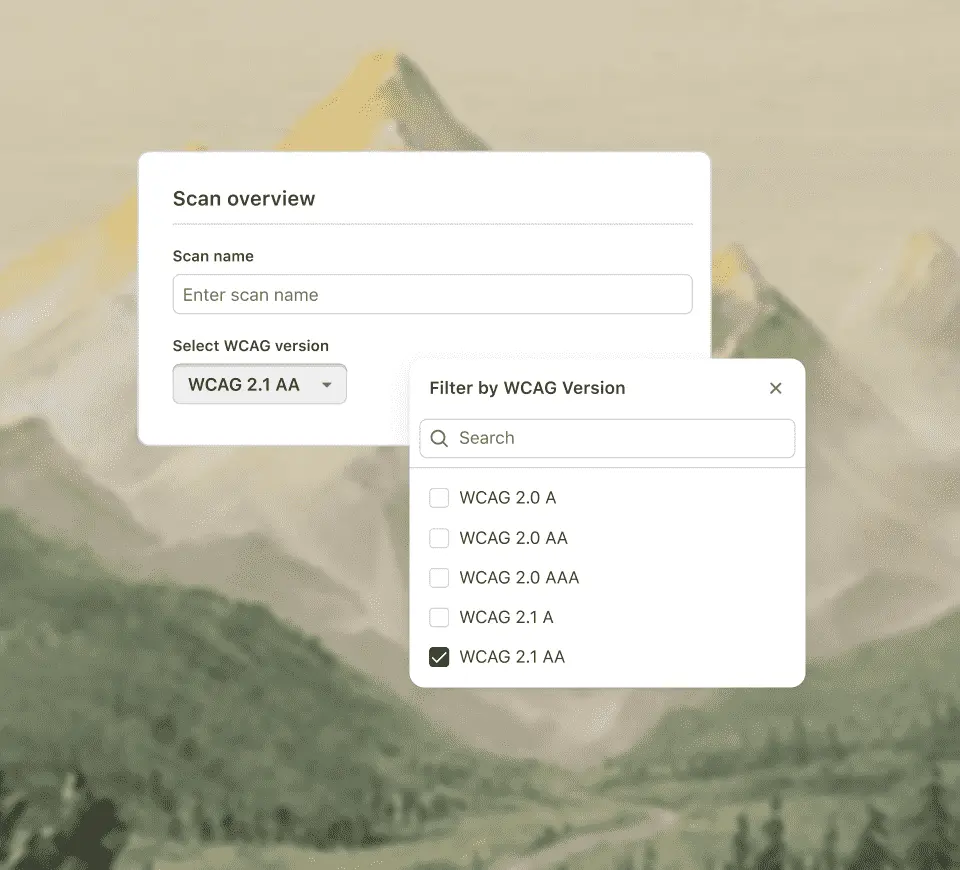
Pick Your WCAG Version and Scan
Choose WCAG 2.0, 2.1, or 2.2 at level A, AA, or AAA, then scan the full page, one component, or keyboard behavior.
Start a Scan
- Full page, partial page, and keyboard scans
- WCAG 2.0, 2.1, and 2.2 at A, AA, or AAA
- Runs axe-core rules on every element in the DOM
 PRIORITIZE
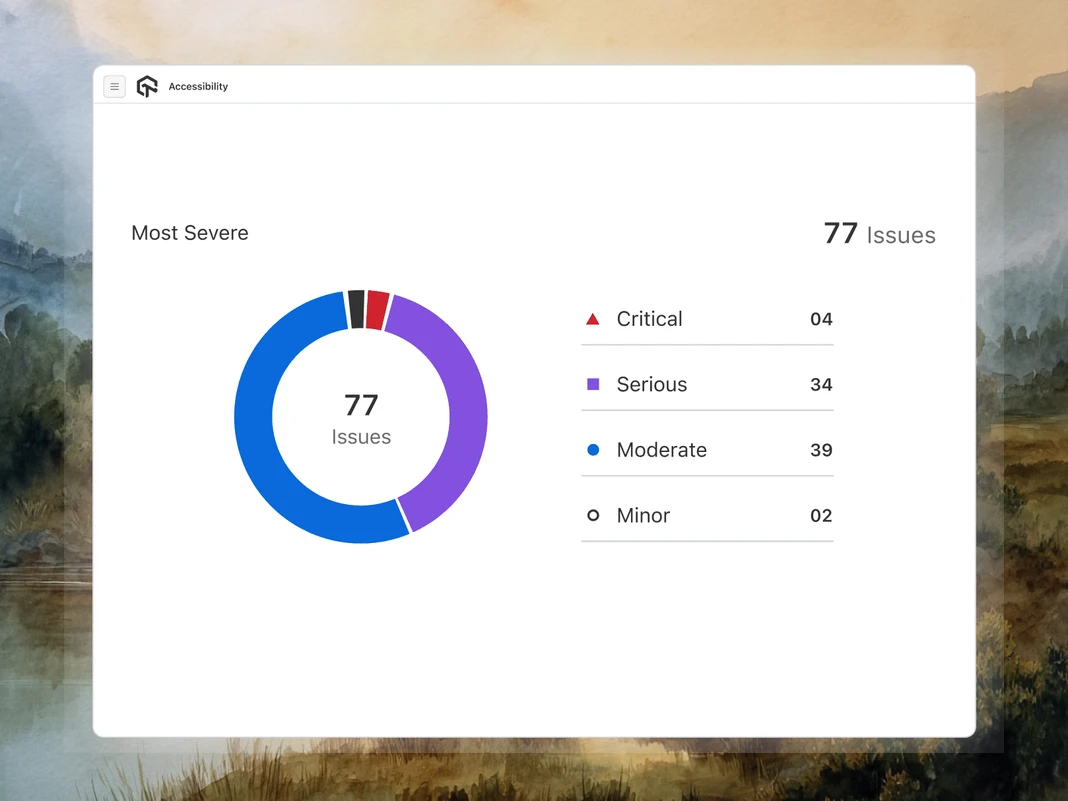
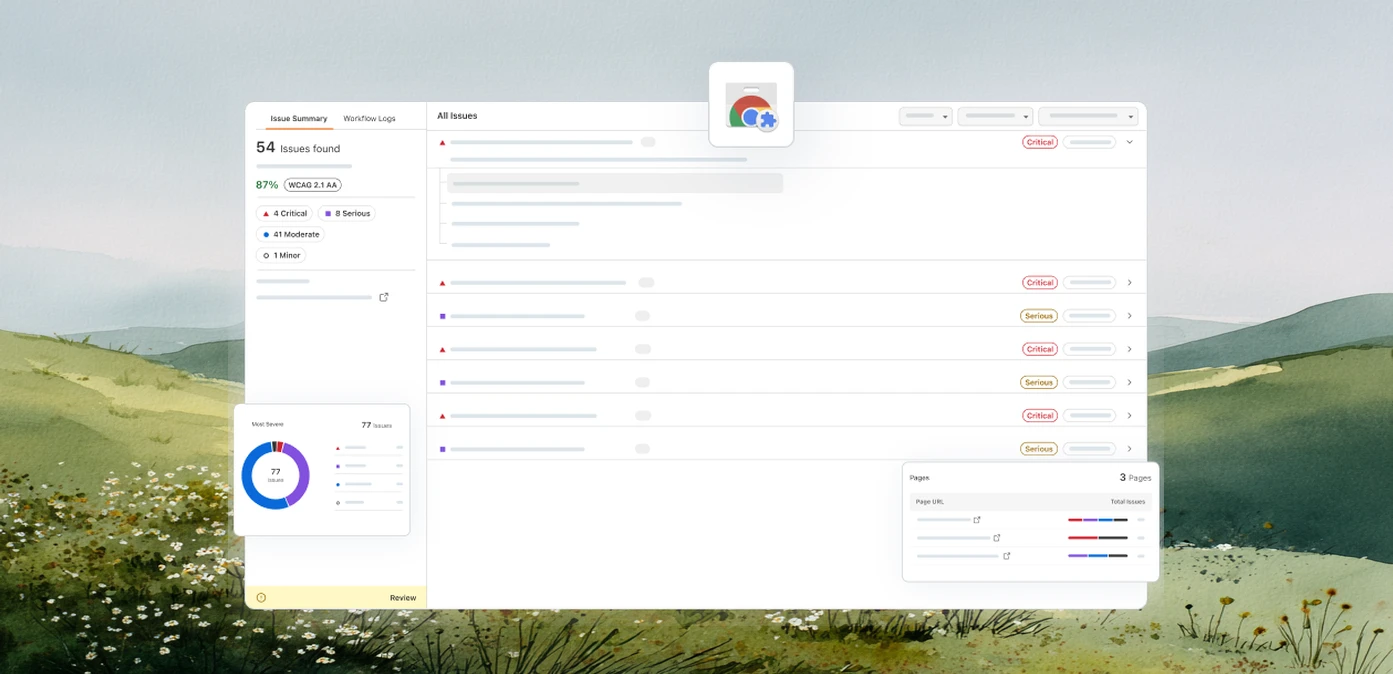
See Every Issue Ranked by Severity
Every issue is tagged Critical, Serious, Moderate, or Minor, so your team fixes the barriers that block users first.
Check Your Site- Issue totals by severity for each scan
- Breakdown by WCAG principle and success criterion
- Filter the report by severity or WCAG criterion
 FIX
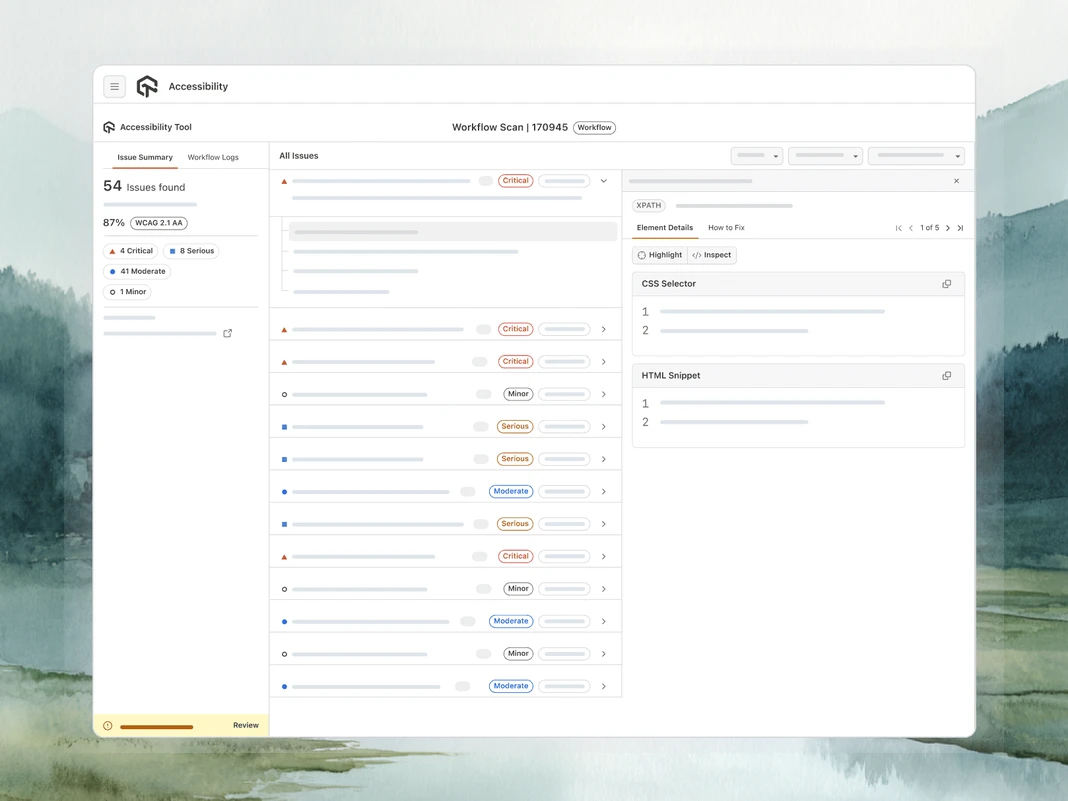
Fix Each Issue With Code Guidance
Open any issue to see the failing element, its HTML, the WCAG rule it breaks, and a remediation example you can apply.
Scan and Fix- CSS selector and HTML snippet for each failure
- Plain-language reason the element is a barrier
- Link to the WCAG reference for every criterion
 SCALE
Check Up to 1,000 Pages in One Scan
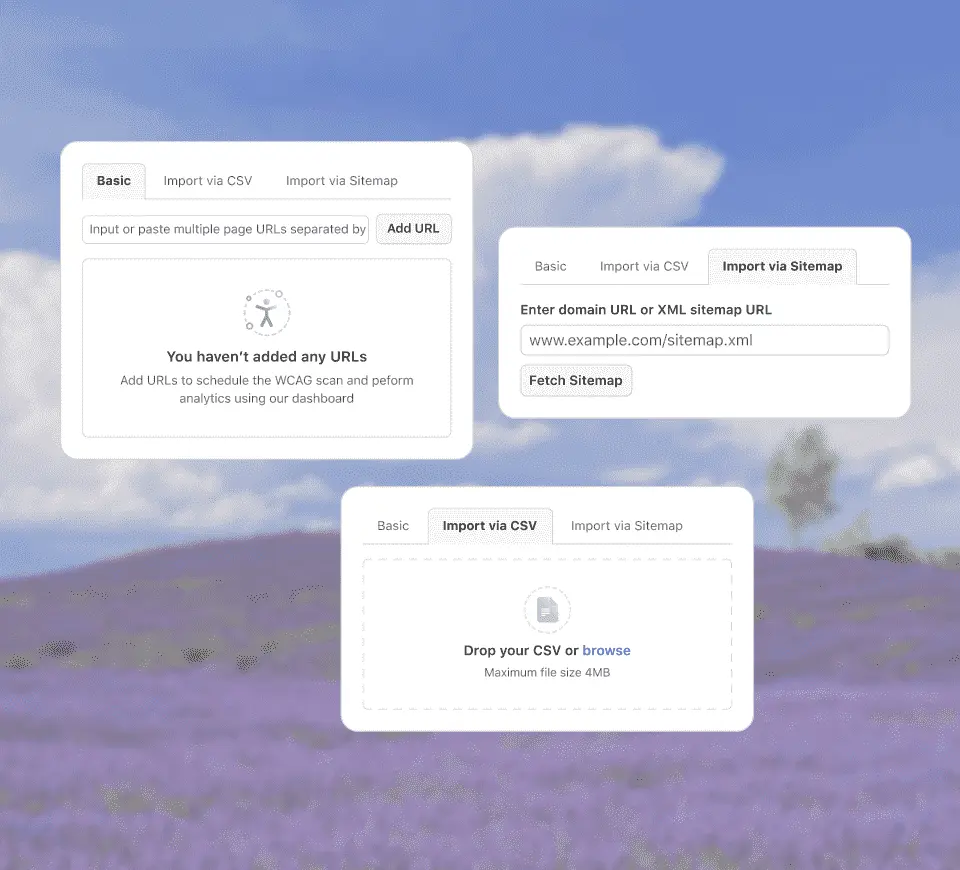
Add URLs by hand, from a CSV file, or from your sitemap, then re-run the scan on a schedule to catch regressions.
Scan Your Site
We needed accessibility to be the path of least resistance. The right thing to do had to also be the easy thing to do. TestMu AI gave us that.
Software Engineering Manager
One of the largest online public universities in the US
Automated Checker vs Manual Audit
Start free with GoogleAn automated checker catches roughly 30-40% of accessibility issues. Pair it with manual testing to cover the rest.
Automated Checker
Manual and Screen Reader Testing
Best at
Missing alt text, color contrast, form labels, ARIA errors
Focus order, keyboard traps, and what a screen reader announces
Speed
One page in minutes, up to 1,000 URLs per scan
Page by page, by a person
Frequency
Every build or on a daily, weekly, or monthly schedule
Before major releases and after redesigns
Tools on TestMu AI
Web scanner, Chrome extension, and automated tests
Keyboard Scan plus NVDA, VoiceOver, and TalkBack
Output
Issues by severity and WCAG criterion, with fixes
Confirmed barriers that no automated rule can detect
Automated Checker
Best at
Missing alt text, color contrast, form labels, ARIA errors
Speed
One page in minutes, up to 1,000 URLs per scan
Frequency
Every build or on a daily, weekly, or monthly schedule
Tools on TestMu AI
Web scanner, Chrome extension, and automated tests
Output
Issues by severity and WCAG criterion, with fixes
Manual and Screen Reader Testing
Best at
Focus order, keyboard traps, and what a screen reader announces
Speed
Page by page, by a person
Frequency
Before major releases and after redesigns
Tools on TestMu AI
Keyboard Scan plus NVDA, VoiceOver, and TalkBack
Output
Confirmed barriers that no automated rule can detect
Automated vs Manual Checks by WCAG Criterion
Start free with GoogleWhat an automated scan catches for common WCAG success criteria, and what still needs a person to check.
What an Automated Scan Catches
What Needs a Person
1.1.1 Non-text Content (A)
Images with no alt attribute
Whether the alt text describes the image
1.3.1 Info and Relationships (A)
Form fields without labels, invalid heading and list markup
Whether the structure matches the visual layout
1.4.3 Contrast (Minimum) (AA)
Text and background pairs below 4.5:1, or 3:1 for large text
Text over images, gradients, and video
2.1.2 No Keyboard Trap (A)
Not reliably detectable by rules
Keyboard users can move into and out of every widget
2.4.3 Focus Order (A)
Not reliably detectable by rules
Focus moves in a logical order through the page
2.4.4 Link Purpose (A)
Links with no accessible text
Whether link text makes sense in context
4.1.2 Name, Role, Value (A)
Buttons and controls with no accessible name, invalid ARIA
Whether a screen reader announces the right name, role, and state
What an Automated Scan Catches
1.1.1 Non-text Content (A)
Images with no alt attribute
1.3.1 Info and Relationships (A)
Form fields without labels, invalid heading and list markup
1.4.3 Contrast (Minimum) (AA)
Text and background pairs below 4.5:1, or 3:1 for large text
2.1.2 No Keyboard Trap (A)
Not reliably detectable by rules
2.4.3 Focus Order (A)
Not reliably detectable by rules
2.4.4 Link Purpose (A)
Links with no accessible text
4.1.2 Name, Role, Value (A)
Buttons and controls with no accessible name, invalid ARIA
What Needs a Person
1.1.1 Non-text Content (A)
Whether the alt text describes the image
1.3.1 Info and Relationships (A)
Whether the structure matches the visual layout
1.4.3 Contrast (Minimum) (AA)
Text over images, gradients, and video
2.1.2 No Keyboard Trap (A)
Keyboard users can move into and out of every widget
2.4.3 Focus Order (A)
Focus moves in a logical order through the page
2.4.4 Link Purpose (A)
Whether link text makes sense in context
4.1.2 Name, Role, Value (A)
Whether a screen reader announces the right name, role, and state
WCAG 2.2 Checker: the New Success Criteria
Start free with GoogleWCAG 2.2 became a W3C Recommendation on October 5, 2023. It adds nine success criteria to WCAG 2.1 and removes 4.1.1 Parsing. Six of the new criteria have a rule in the checker; the three AAA ones need a person.
What It Requires
What the Checker Flags
2.4.11 Focus Not Obscured (Minimum) (AA)
A focused element is at least partly visible
Focused elements hidden behind sticky headers, cookie banners, or chat widgets
2.4.12 Focus Not Obscured (Enhanced) (AAA)
A focused element is fully visible
No rule: tab through the page and check by hand
2.4.13 Focus Appearance (AAA)
Focus indicators are large enough and have enough contrast
No rule: check focus indicators by hand
2.5.7 Dragging Movements (AA)
Anything done by dragging also works with a single click or tap
Drag-and-drop, sliders, and reorderable lists with no single-pointer or keyboard alternative
2.5.8 Target Size (Minimum) (AA)
Pointer targets are at least 24 by 24 CSS pixels, or spaced apart
Buttons, links, and form controls rendered smaller than 24 by 24 pixels
3.2.6 Consistent Help (A)
Help links and contact options sit in the same place on every page
Help elements that change position or order between pages
3.3.7 Redundant Entry (A)
Information already entered is filled in or offered again
Multi-step forms that ask for the same details twice
3.3.8 Accessible Authentication (Minimum) (AA)
Sign-in does not rely on a memory or puzzle test without an alternative
Login flows that rely only on a cognitive test
3.3.9 Accessible Authentication (Enhanced) (AAA)
Sign-in does not ask users to recognize objects or their own content
No rule: review sign-in steps by hand
What It Requires
2.4.11 Focus Not Obscured (Minimum) (AA)
A focused element is at least partly visible
2.4.12 Focus Not Obscured (Enhanced) (AAA)
A focused element is fully visible
2.4.13 Focus Appearance (AAA)
Focus indicators are large enough and have enough contrast
2.5.7 Dragging Movements (AA)
Anything done by dragging also works with a single click or tap
2.5.8 Target Size (Minimum) (AA)
Pointer targets are at least 24 by 24 CSS pixels, or spaced apart
3.2.6 Consistent Help (A)
Help links and contact options sit in the same place on every page
3.3.7 Redundant Entry (A)
Information already entered is filled in or offered again
3.3.8 Accessible Authentication (Minimum) (AA)
Sign-in does not rely on a memory or puzzle test without an alternative
3.3.9 Accessible Authentication (Enhanced) (AAA)
Sign-in does not ask users to recognize objects or their own content
What the Checker Flags
2.4.11 Focus Not Obscured (Minimum) (AA)
Focused elements hidden behind sticky headers, cookie banners, or chat widgets
2.4.12 Focus Not Obscured (Enhanced) (AAA)
No rule: tab through the page and check by hand
2.4.13 Focus Appearance (AAA)
No rule: check focus indicators by hand
2.5.7 Dragging Movements (AA)
Drag-and-drop, sliders, and reorderable lists with no single-pointer or keyboard alternative
2.5.8 Target Size (Minimum) (AA)
Buttons, links, and form controls rendered smaller than 24 by 24 pixels
3.2.6 Consistent Help (A)
Help elements that change position or order between pages
3.3.7 Redundant Entry (A)
Multi-step forms that ask for the same details twice
3.3.8 Accessible Authentication (Minimum) (AA)
Login flows that rely only on a cognitive test
3.3.9 Accessible Authentication (Enhanced) (AAA)
No rule: review sign-in steps by hand
All in One Accessibility Testing Suite
Run the same WCAG checks from Chrome, your test suite, a schedule, or a native app on real devices.
Scan Pages with Accessibility DevTools
Full-page, partial, and multi-step accessibility scans with built-in fix suggestions.
Multi-standard coverage
Supports WCAG, ADA, and Section 508 compliance standards.
Flexible scan modes
Audit pages, isolate components, conduct keyboard scans or test multi-step user journeys.
Actionable fix guidance
Get severity scores and actionable suggestions to resolve issues faster.
Some Love from our Customers
As Best Egg expanded its product offerings and entered new markets, we knew our old testing infrastructure couldn’t keep up.
With support from Tenny Agustin, our Engineering Operations Lead, we modernized our approach with
TestMu AI

Best Egg
best-egg

Excited to Share My Learning Journey with Kane AI & Lambda Tool!
I'm pleased to announce that I've recently gained hands-on experience exploring Kane AI through the Lambda Tool and it’s been a fantastic journey of upskilling!
KaneAI

Suryateja Goud
suryateja-goud

See how is #Futureready to enable blazing-fast test orchestration seamlessly integrated with organizations' existing CI/CD platforms, using #Microsoft Azure.
TestMu AI

Microsoft India
MicrosoftIndia
More Reasons to Love TestMu AI
TestMu AI is a leading agentic AI quality engineering platform, trusted globally, that assures your AI deployments work as intended, safely and securely, across enterprise and real-world conditions.
Users
3M+
Tests
1.5B+
Enterprises
18K+
Countries
132
TestMu AI positioned as a Leader in the 2026 Gartner® Magic Quadrant™
Read ReportTestMu AI recognized in The Forrester Wave™: Autonomous Testing Platforms, Q4 2025
Read ReportWall of Fame
TestMu AI is the #1 choice for SMBs and enterprises across the globe.
Enterprise-Grade Security
We safeguard your data and AI systems with global security, privacy, responsible AI, and ESG standards.
Integrations
Works where you work, 120+ integrations with the tools your team relies on.



As Seen On
Frequently asked questions
TestMu AI for Enterprise
Get access to solutions built on enterprise-grade
security, privacy, & compliance
- Advanced access controls
- Advanced data retention rules
- Advanced Local Testing
- Premium Support options
- Early access to beta features
- Private Slack Channel
- Unlimited Manual Accessibility DevTools Tests